

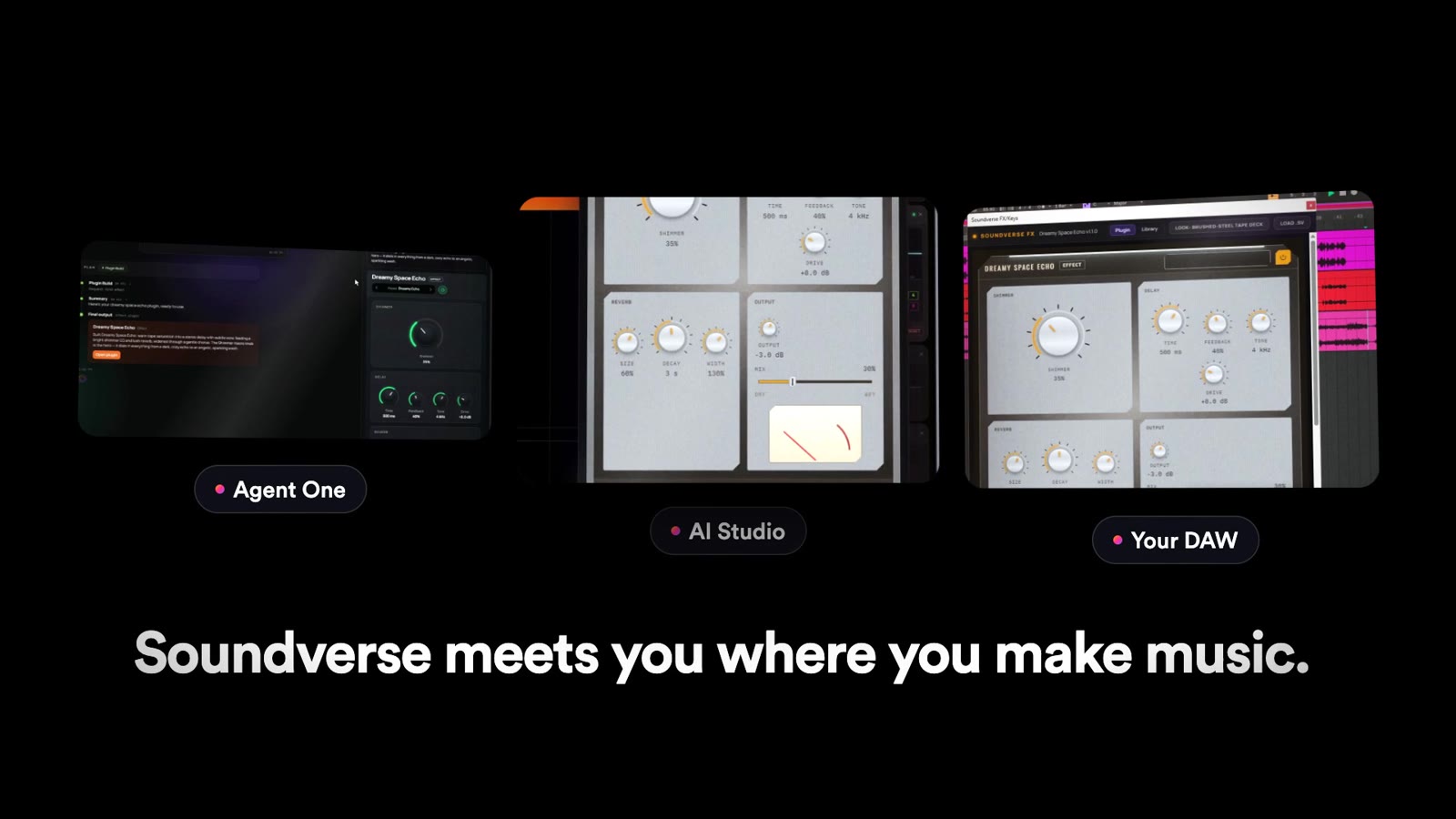
The Soundverse plugin ecosystem lets you build your own effect or instrument plugin by describing it in plain words, then use it wherever you make music. Agent One builds the plugin in about a minute, with real knobs and real presets. It shows up in Soundverse AI Studio, the AI DAW in the browser, and the Soundverse VST brings it into your own DAW, along with Agent One, stems, Artist DNA and Sounds.
Every producer has a sound in their head, and there is never quite a plugin for it. That gap is what this launch is about. It has two parts that work together: the AI Plugin Generator, where you make the plugin, and the Soundverse VST, which puts it on real tracks in your DAW.
Part 1: Generate your own plugin with the AI Plugin Generator
The AI Plugin Generator turns a description into a working audio plugin. You don't need to write code or know sound design. You describe what you want to hear, Agent One decides how to build it, and you judge the result by ear.
Here is the flow:
- Describe it. Open AI Tools → Build & Train → Effect Plugin Builder or Instrument Plugin Builder. Or just ask Agent One in chat, for example "build a dusty tape saturator with drive and tone knobs".
- Agent One builds it. In about a minute it designs the plugin's sound, its controls and its presets. The Soundverse engine checks the plugin and test-renders it before it reaches you.
- Hear it and play it. The plugin opens beside the chat. An effect plays on the newest song in the chat or on a file from your Library. An instrument plays from the on-screen keyboard. Turn the knobs and switch presets while it plays.
- Change it in plain words. Ask for "make it darker" or "add more wobble" and Agent One saves a new version. Ask for a new look, like "a 70s hi-fi" or "brushed steel", and only the faceplate changes. The sound stays exactly the same.
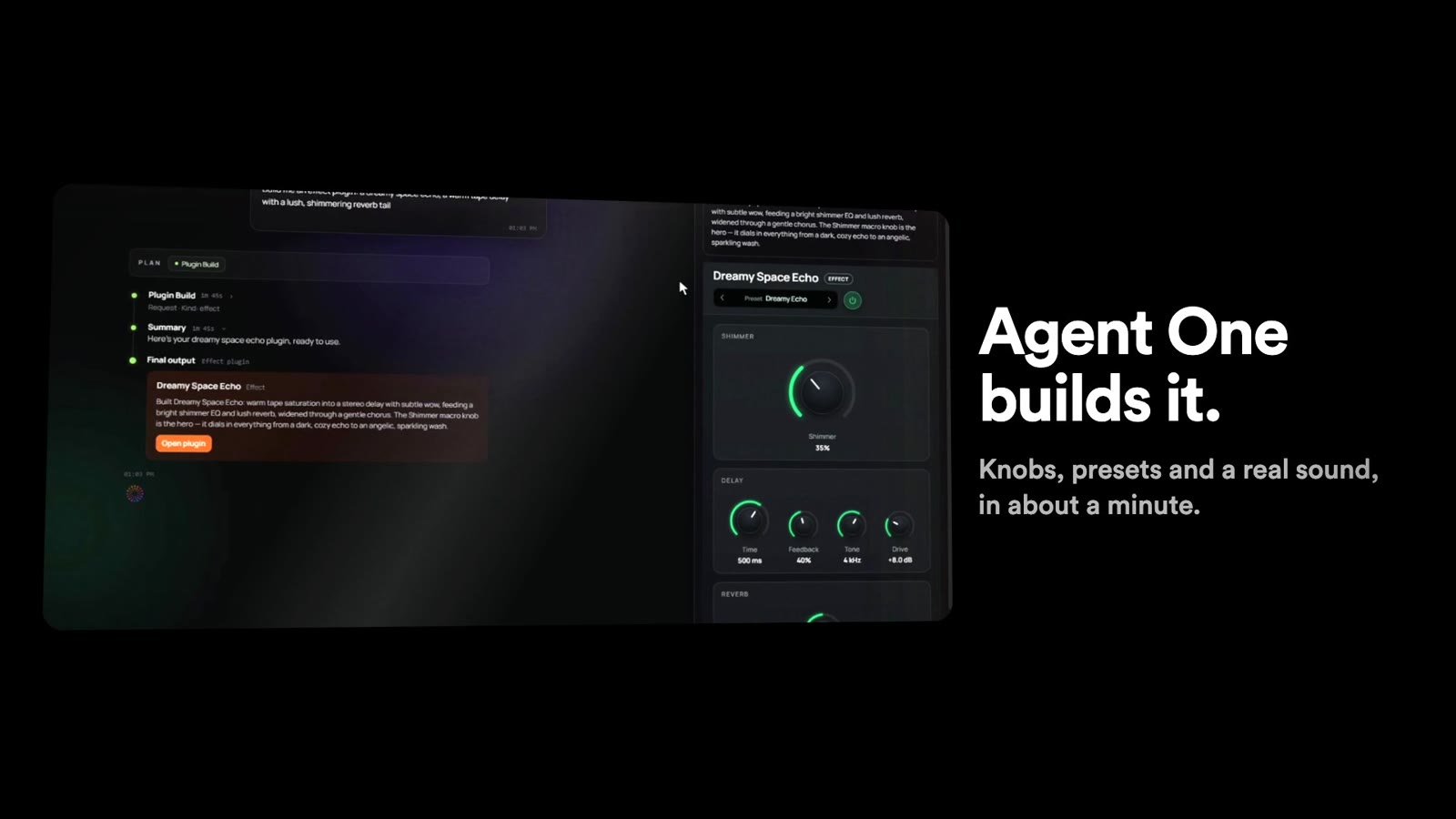
Every change is a new version, and earlier versions stay in your account, so a change never costs you the one you liked. The controls keep their names when you change a plugin, so projects that already use it keep working.
What you can build with an AI plugin generator
The AI Plugin Generator makes two kinds of plugins: effects that change audio on a track, and instruments you play with notes.
AI effect plugins
- Saturation and distortion: tape, tube, fuzz or a gentle warmth, with drive, tone and mix controls.
- Space and time: delays, echoes and reverbs, from a tight slapback to a long dub tail.
- Filters and movement: sweeping filters, tremolo, wobble and modulation, with rate and depth.
- Character effects: bitcrushers, lo-fi and old-radio sounds that give a part its own color.
AI synth and instrument plugins
- Pads and keys: warm, glassy or evolving sounds with attack, release and filter controls.
- Basses and leads: subs, plucked basses and bright leads for the front of a mix.
- Plucks and arps: short, percussive tones for arpeggios and hooks.
You can also combine ideas. Crushing, wobble and a dark filter can live in one lo-fi effect with a single mix knob. Or ask for a darker and a brighter version and switch between them to pick the one that fits.
Part 2: Use your plugins in Soundverse AI Studio
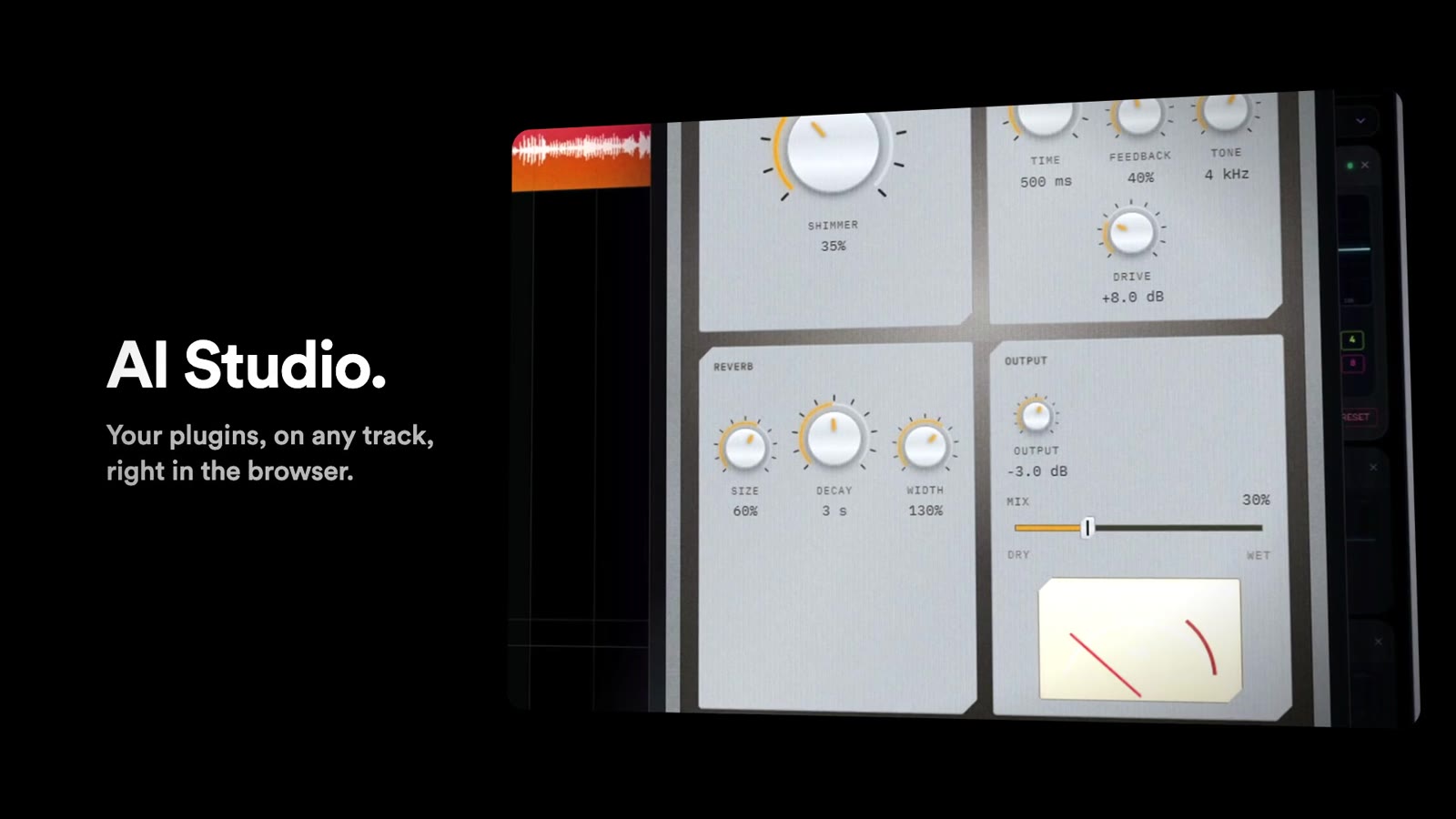
Your plugins aren't stuck in the chat. Open Soundverse AI Studio, the AI DAW in the browser, and they're waiting in My plugins.
- Effects go on any track.
- Instruments go on MIDI tracks and play your notes with the same sound and the same controls.
- People you share the project with hear your plugins too.
Part 3: Use them in your DAW with the Soundverse VST
When you're working in your own DAW, Soundverse comes with you. The Soundverse VST is one install that adds three plugins:
- Soundverse: the main plugin, with Agent One, Library, Tools, DNA, Sounds and Plugins tabs. Generate songs, stems and sounds in a plugin window and drag the results onto your timeline.
- Soundverse FX: runs one of your effect plugins on an audio track, with its own panel, presets and a bypass.
- Soundverse Instrument: plays one of your instrument plugins from a MIDI track, with its own panel, presets and on-screen keyboard.
To load a plugin you built, add Soundverse FX to an audio track or Soundverse Instrument to a MIDI track, open the Plugins tab in Soundverse, hover your plugin and click Load. Same faceplate, same sound, now in your DAW.
The Soundverse VST runs as VST3, AU and CLAP, on Mac, Windows and Linux. It works in any 64-bit desktop DAW that loads VST3, AU or CLAP plugins. Your Library and your plugins are the same in your DAW as on soundverse.ai.
What to know before you start
A few honest limits, so you know what to expect:
- Built from Soundverse's engine. Plugins are made from the Soundverse engine's audio building blocks. The generator can't copy a commercial plugin or run your own code.
- Plays inside Soundverse. Your plugins run in the chat, in AI Studio and through the Soundverse VST. They aren't separate plugin files you install on their own.
- Private for now. Plugins you build are private to your account. Publishing them for other people to use is coming.
- The VST is in beta. The Windows and macOS installers aren't code-signed yet, so your computer may warn you once before it installs.
- Desktop DAWs and a connection. Signing in, generating and syncing need internet. Plugins that have synced keep playing offline. There's no mobile version of the VST.
- Your project stays yours. The plugin only sends what you ask it to: your prompts, the files you choose and the tools you run. Your DAW project isn't sent to Soundverse.
Watch the full series
The launch film above covers the whole ecosystem in two minutes. These tutorials go step by step:
- Build your own effect plugin with AI
- Build your own instrument plugin with AI
- Introducing the Soundverse VST: songs, stems, DNA and sounds in your DAW
- Generate drums and bass for any track, inside your DAW
Or watch them all in the plugin ecosystem playlist.
Build your first plugin
Create a Soundverse account, then open the AI Plugin Generator and describe an effect or an instrument. When you want it in your DAW, get the installer from the Soundverse VST download page and your plugin will be in the Plugins tab the first time you sign in. For more guides, visit the Soundverse blog.
FAQ
What is the Soundverse plugin ecosystem?
It's two connected tools. The AI Plugin Generator builds effect and instrument plugins from a plain-words description, and the Soundverse VST lets you use those plugins, plus Agent One, stems, Artist DNA and Sounds, inside your DAW. The same plugins also run in Soundverse AI Studio.
Do I need to know how to code or design sound?
No. You describe what you want to hear in your own words, like "something that makes vocals sound like an old radio". Agent One decides how to build it, the Soundverse engine checks it, and you judge it by ear.
Which DAWs does the Soundverse VST work with?
Any 64-bit desktop DAW that loads VST3 plugins on Windows, macOS or Linux, AU plugins on macOS, or CLAP plugins.
Who can see the plugins I build?
Only you. Plugins are private to your account and appear wherever you sign in: in the chat, in AI Studio and in the Soundverse VST. Publishing plugins for others to use is coming.
Keep reading
- How to build your own audio plugin with AI, step by step
- The Soundverse VST: AI tools and your own plugins inside your DAW
- AI Studio's built-in plugins: synths, effects, meters and automation
- The Soundverse AI Studio guide: a DAW in your browser
- Soundverse edit tools: AI remix, stem generator and audio to MIDI