AI plugins & effects · Free
Describe a sound and get your own plugin, with knobs and presets
Agent One builds an effect or an instrument in about a minute. Hear it on your song, change it in plain words, then use it in AI Studio or your DAW.
1,000 free tokens to start · No card needed · Cancel paid plans anytime
Do more with AI Plugin Generator on Creator — from $9.99/mo, or ₹399/mo in India. 4,000 tokens a month. Billed $119.88 a year, or $12.49 month to month.
Screenshots
What you get
Your sound, as a plugin
A saturator, a delay or a pad that does exactly what you described, with controls named for what they do.
Heard in seconds
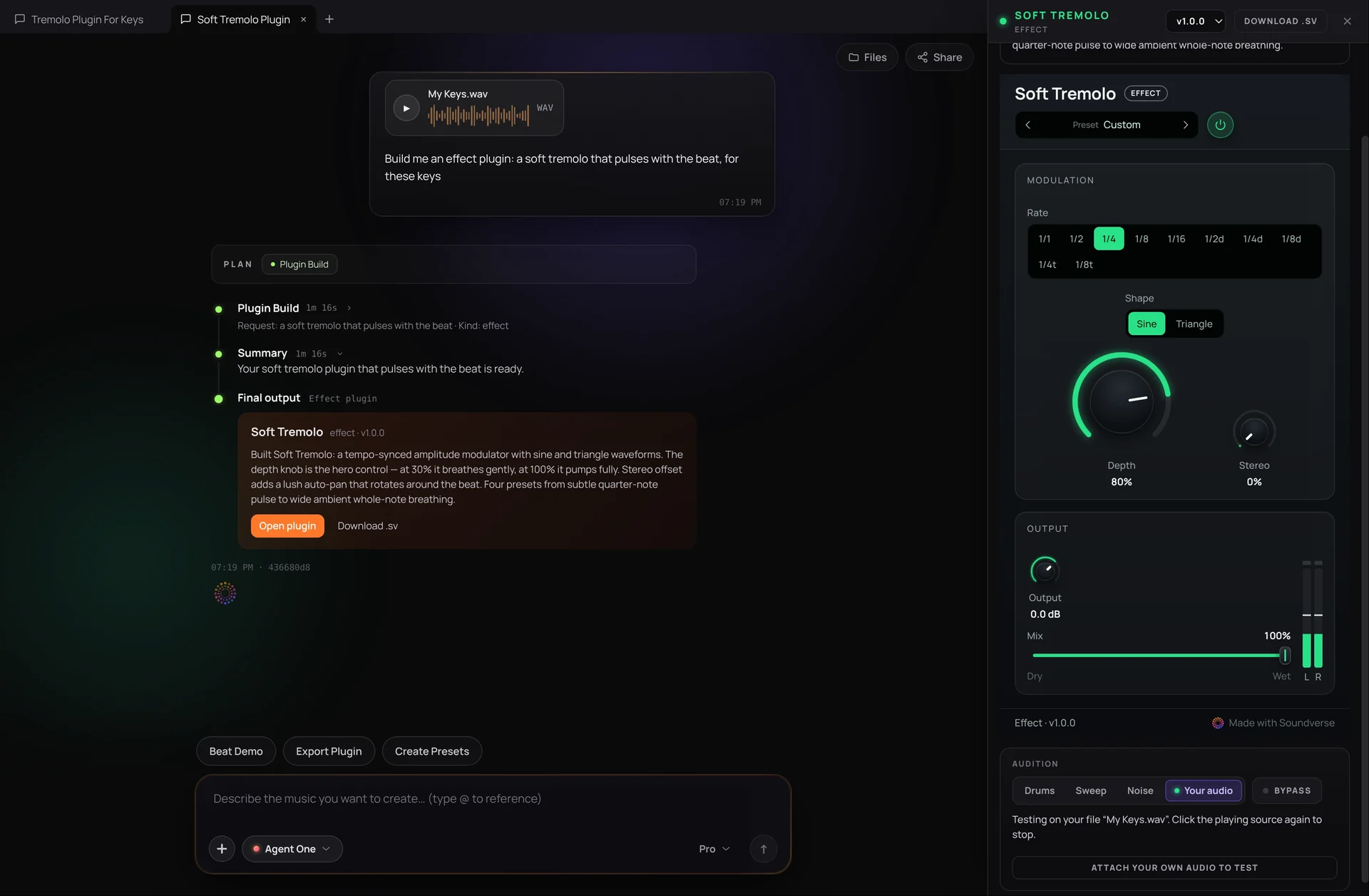
It opens beside the chat on your own song or on a keyboard, so you judge it by ear before you use it.
Works where you make music
The same plugin plays in AI Studio and, through the Soundverse VST plugin, on any track in your DAW.
Who it's for
Producers and beatmakers
Get the exact effect you hear in your head, built for the track you're working on, instead of hunting through plugin folders.
Sound designers
Try an idea for an effect or a synth in a minute, then refine it by asking for changes.
Songwriters
Make a pad or a keys sound for a demo by describing it, with no synthesis to learn.
Artists building a signature sound
Keep your own effects and instruments in your account and use them on every song, in the browser or in your DAW.
When to use it
- You can hear an effect in your head but can't find a plugin that does it
- A track needs one character effect, like an old radio or a worn tape
- You want a synth sound without learning synthesis
- You want the same custom effect in AI Studio and in your DAW
- You want to try a sound idea quickly before committing to it
What you can make with it
Tape-warm drums
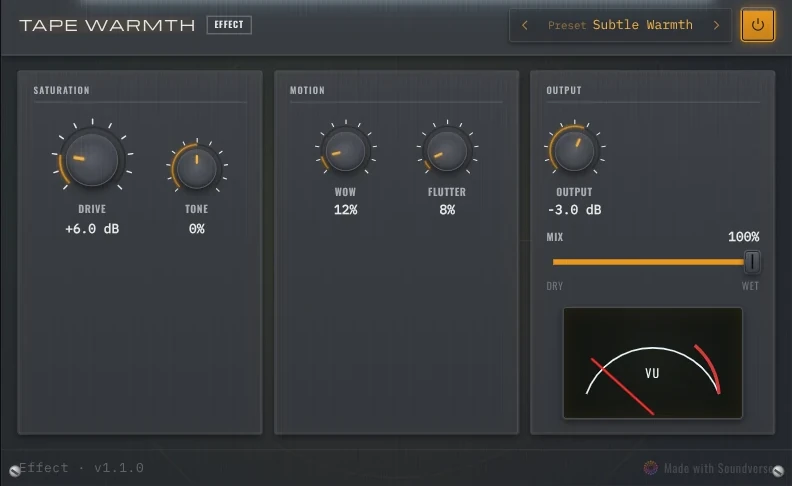
Build a tape saturator with drive and tone, then put it on the drum track in AI Studio or your DAW.
An old-radio vocal
Ask for something that makes vocals sound like an old radio and test it on the song in your chat.
A dub delay
Make a delay with long feedback and a filter on the repeats for throws on a snare or a vocal.
A pad for a demo
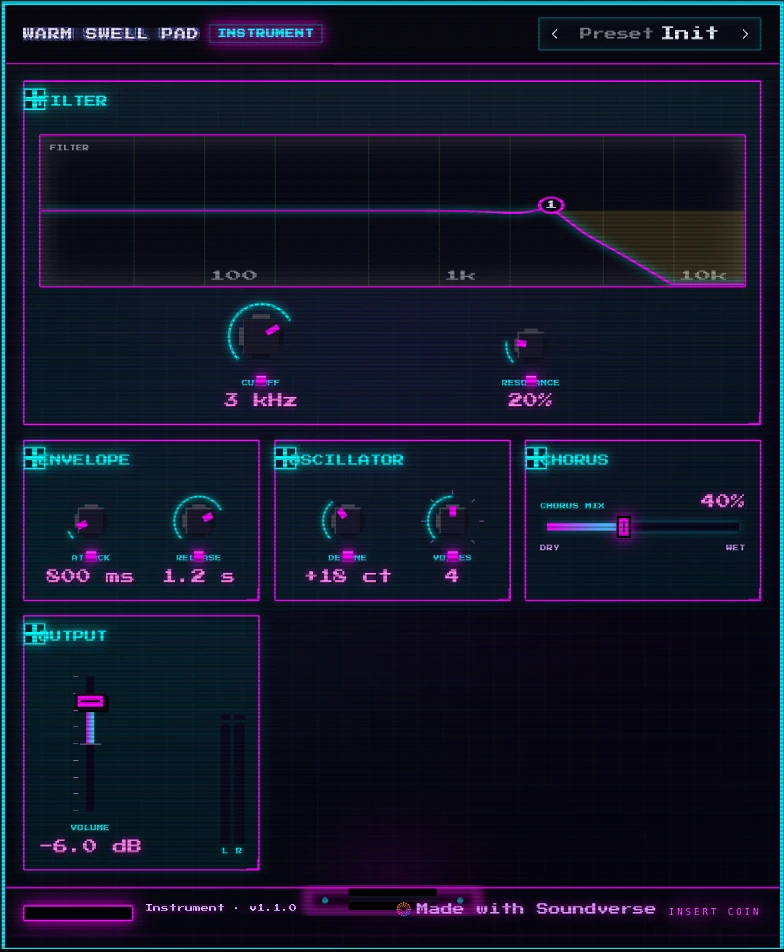
Describe a warm, slow pad and play chords on the keyboard beside the chat before adding it to a MIDI track.
A trap sub bass
Build a deep sub with a short glide and load it on a MIDI track in your DAW with Soundverse Instrument.
A lo-fi chain in one plugin
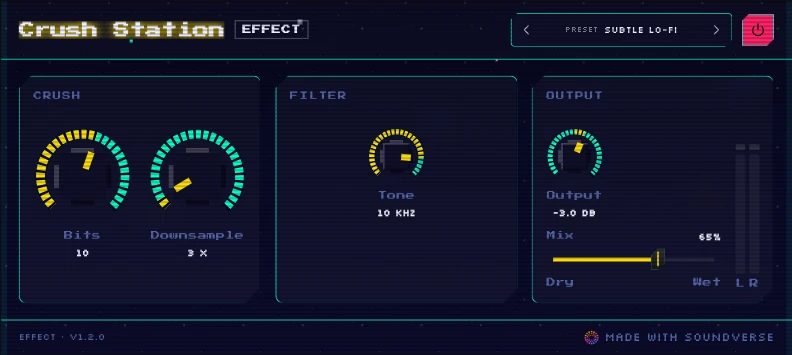
Combine crushing, wobble and a dark filter into one effect with a single mix knob.
A themed plugin panel
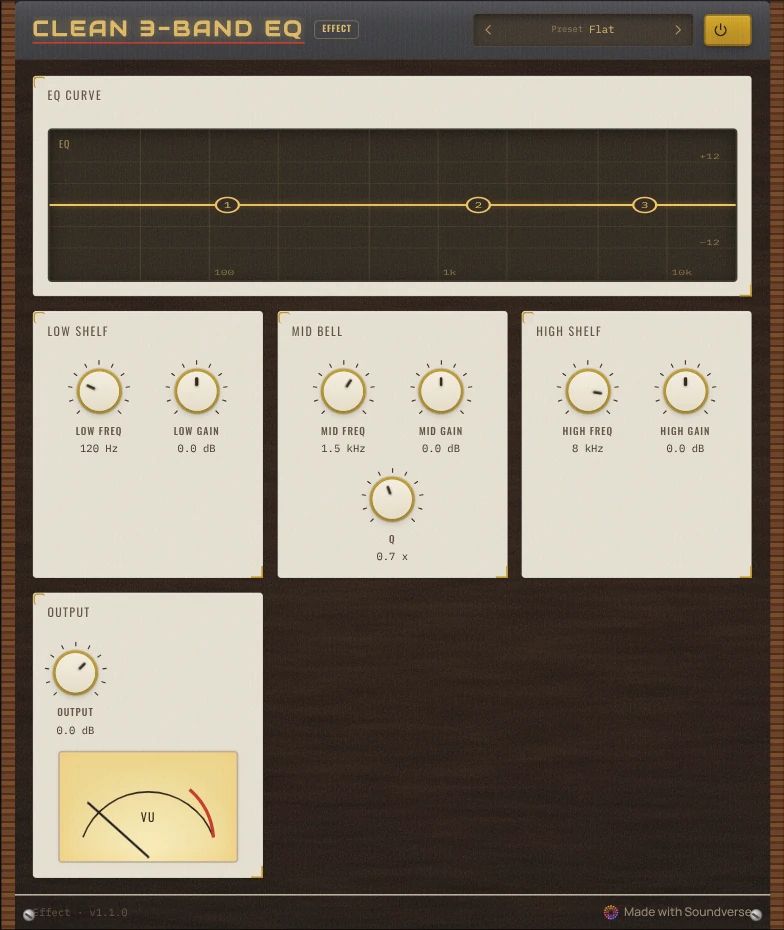
Restyle a plugin to look like a video game or a vintage hi-fi; the sound stays exactly the same.
Versions to compare
Ask for a darker and a brighter version and switch between them to pick the one that fits.
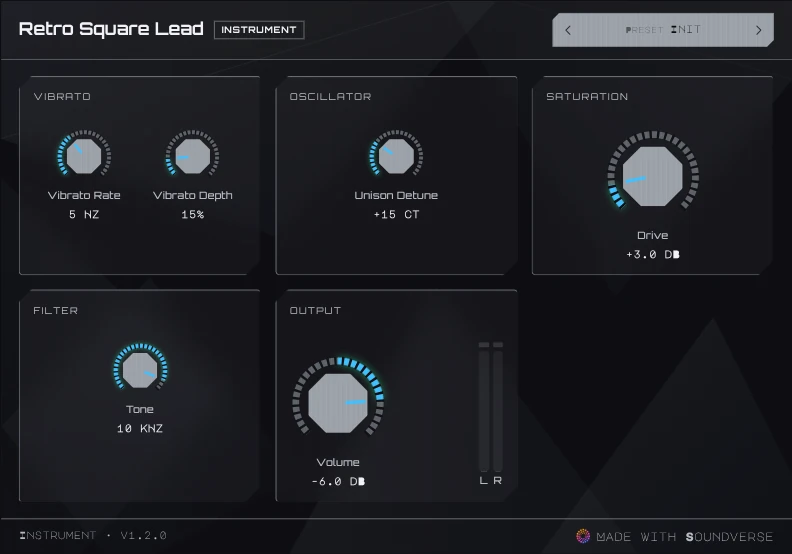
AI Plugin Generator is how you make your own audio plugins in Soundverse. Describe an effect or an instrument in plain words and Agent One builds it, then opens it beside the chat so you can hear it and play it. It's for producers, beatmakers and sound designers who know the sound they want but not how to build it. Each plugin has its own controls, presets and look, changes with a follow-up message, and runs in AI Studio and in the Soundverse VST plugin in your DAW. The plugin itself costs no tokens.
What you can do
Effects
Plugins that change audio on a track.
Saturation and distortion
Tape, tube, fuzz or a gentle warmth, with drive, tone and mix controls.
- a dusty tape saturator with drive, tone and mix
- a fuzz that only bites on loud notes
Space and time
Delays, echoes and reverbs, from a tight slapback to a long dub tail.
- a dubby tape delay with feedback
- a lush shimmer reverb
Filters and movement
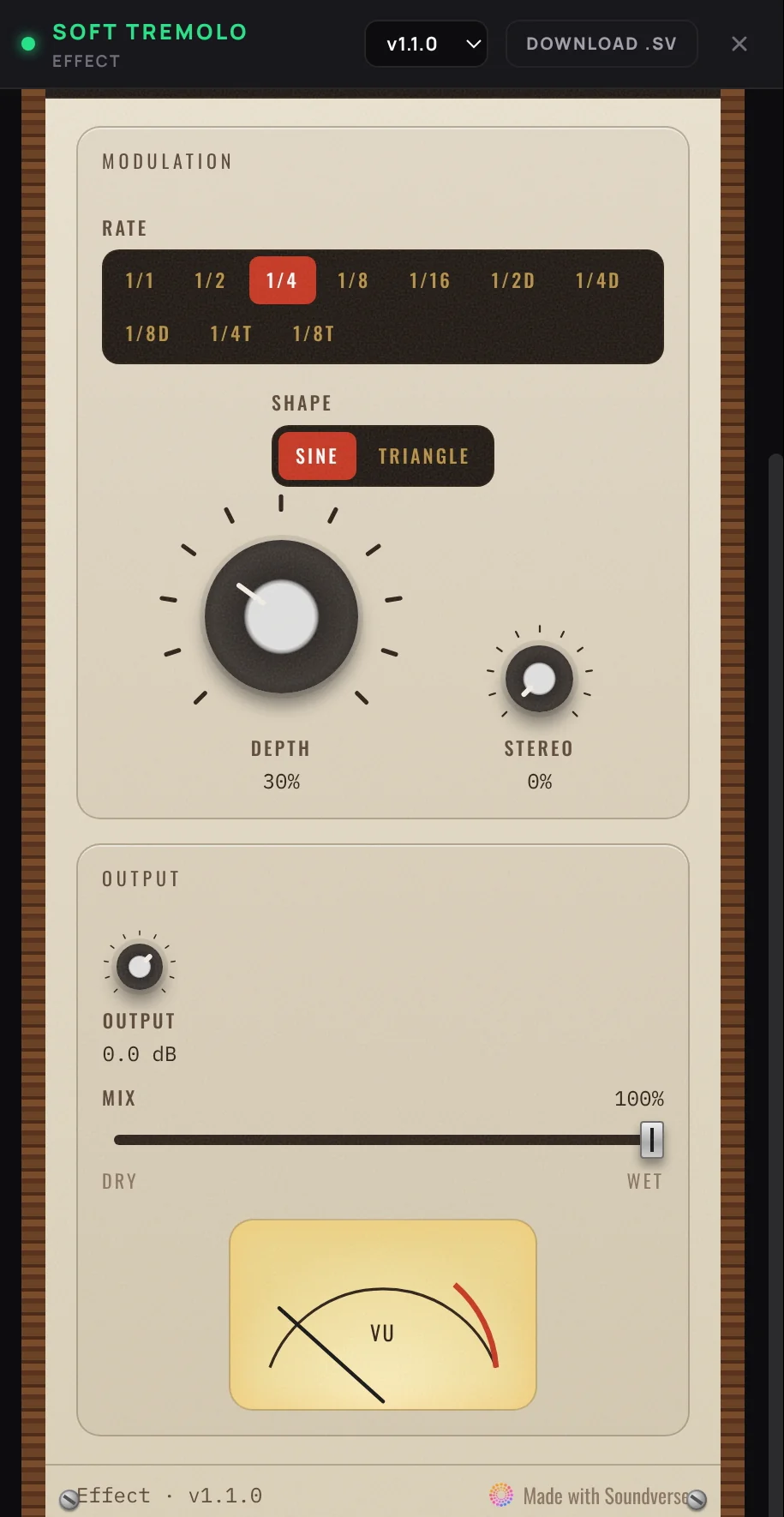
Sweeping filters, tremolo, wobble and modulation, with rate and depth to set them.
- a resonant lowpass filter that wobbles in time
- a slow tremolo for guitars
Character effects
Bitcrushers, lo-fi and radio sounds that give a part its own colour.
- make vocals sound like an old radio
- a gritty lo-fi bitcrusher
Instruments
Plugins you play with notes, from a keyboard or a MIDI track.
Pads and keys
Warm, glassy or evolving sounds with attack, release and filter controls.
- a warm analog pad with a slow attack
- a glassy electric piano
Basses and leads
Subs, plucked basses and bright leads for the front of a mix.
- a deep sub bass for trap
- a bright saw lead
Plucks and arps
Short, percussive tones for arpeggios and hooks.
- a plucky arp synth
After it's built
A plugin keeps growing with you.
Presets
Every plugin arrives with presets Agent One named for you, and you can switch between them as it plays.
New versions
Ask for a change and Agent One saves the next version; the earlier ones stay in your account.
A new look
Ask for a look, like "a video game" or "brushed steel", and the panel changes everywhere the plugin shows. The sound stays the same.
In AI Studio and your DAW
Add it to a track from My plugins in AI Studio, or load it from the Plugins tab of the Soundverse VST plugin.
How it works
Describe it
Open AI Tools, then Build & Train, and pick Effect Plugin Builder or Instrument Plugin Builder. Or just ask Agent One in chat, for example "build a dusty tape saturator with drive and tone knobs".
Agent One builds it
In about a minute Agent One designs the plugin's sound, its controls and its presets. The Soundverse engine checks it and test-renders it before it reaches you.
Hear it and play it
The plugin opens beside the chat. An effect plays the newest song in the chat or a file you attach from your Library; an instrument plays from the on-screen keyboard. Switch presets and turn the knobs as it plays.
Change it in plain words
Ask for changes like "make it darker" or "add more wobble" and Agent One saves a new version. Ask for a new look, like "a 70s hi-fi", and only the panel changes, not the sound.
Use it in AI Studio or your DAW
Add it to a track in AI Studio from My plugins, or load it on a track in your DAW from the Plugins tab of the Soundverse VST plugin.
What each plan includes
| What | Free | Creator | Pro | Max |
|---|---|---|---|---|
| Build, change or restyle a plugin (Agent One's own steps are charged at its usual rate.) | Included, 0 tokens | Included, 0 tokens | Included, 0 tokens | Included, 0 tokens |
| Your plugins in AI Studio | Included | Included | Included | Included |
| Your plugins in your DAW (Soundverse VST plugin) | Included | Included | Included | Included |
Why use AI Plugin Generator
No code, no sound design
You describe the sound. Agent One picks the building blocks, wires up the controls and names the presets.
A real plugin, not a preset
Each plugin has its own controls with real units, its own presets and its own panel, and sounds the same in the chat, in AI Studio and in your DAW.
Changes are one message away
Every change is a new version. Earlier versions stay in your account, so a change never costs you the one you liked.
Private to your account
Plugins you build are yours alone. They live in your Soundverse account and appear wherever you sign in, with nothing to download or install.
What it costs
Building, changing and restyling a plugin costs no tokens on every plan, Free included. The tool itself uses no tokens. On the Free plan it runs through Agent One, which gives free accounts 3 runs in all; sharing unlocks the 2nd and 3rd.
- Build, change or restyle a plugin: no tokens.
Agent One runs this tool for you, and the agent's own steps are metered on top of the tool's price: about 7 tokens a step in Lite mode, 54 in Standard mode and 128 in Pro mode, the default on paid plans.
Agent One, at its own price
- Agent One — One request in Lite mode: from 7 tokens (from about $0.02 on Creator, or ₹1 in India).
You ask for a plugin through Agent One, whose own steps are charged at its rate. The plugin itself is free.
Creator $12.49 a month, or $9.99 a month billed yearly ($119.88 a year) · Pro $31.24 a month, or $24.99 a month billed yearly ($299.88 a year) · Max from $72 a month, or $60 a month billed yearly ($720 a year).
In India (PayU): Creator ₹499 a month, or ₹399 a month billed yearly (₹4,788 a year) · Pro ₹1,299 a month, or ₹1,039 a month billed yearly (₹12,468 a year) · Max from ₹2,999 a month, or ₹2,399 a month billed yearly (₹28,788 a year).
Prices outside India are in US dollars, billed through Stripe; in India they are in rupees, billed through PayU. Monthly tokens reset each month and don't roll over.
Good to know
Built from Soundverse's engine
Plugins are made from the Soundverse engine's audio building blocks; it can't copy a commercial plugin or run your own code.
Plays inside Soundverse
Your plugins run in the chat, in AI Studio and through the Soundverse VST plugin, not as separate plugin files.
About a minute a build
Each build or change takes about a minute while Agent One designs it and the engine checks it.
Private for now
Plugins are private to your account. Publishing them for other people to use is coming.
Frequently asked questions
Is the AI plugin generator free?
Yes. Building, changing and restyling a plugin costs no tokens on any plan, Free included. You ask for it through Agent One, whose own steps are charged at its usual rate, as on any request. Using your plugins in AI Studio and in the Soundverse VST plugin is free too.
What kinds of plugins can I make?
Effects that process audio, such as saturation, distortion, filters, delays, reverbs, modulation and bitcrushers, and instruments you play with notes, such as pads, basses, leads, keys and plucks. Describe the sound and how you want to control it, and Agent One builds the plugin with knobs, sliders and presets to match.
Do I need to know how to code or design sound?
No. You describe what you want to hear in your own words, like "something that makes vocals sound like an old radio". Agent One decides how to build it, the Soundverse engine checks it, and you judge it by ear.
How do I use a plugin I made in my DAW?
Install the Soundverse VST plugin and sign in with your Soundverse account. Add Soundverse FX to an audio track for an effect, or Soundverse Instrument to a MIDI track for an instrument. Then, in Soundverse's Plugins tab, hover your plugin and click Load. The Soundverse VST Plugin page walks through it step by step.
Can I use my plugins in AI Studio?
Yes. When you add an effect or an instrument to a track in AI Studio, your plugins are under My plugins. Effects go on any track and instruments on a MIDI track. People you share the project with hear them too.
Can I change a plugin after it's built?
Yes. Ask Agent One for the change in the same chat, like "make it darker" or "add a fat sub-bass", and it saves the next version. The controls keep their names, so projects that use the plugin keep working.
Who can see the plugins I build?
Only you. Plugins are private to your account. Publishing a plugin so anyone on Soundverse can use it is coming, and later a way to earn from the plugins you publish.
What can't the AI plugin generator do?
It builds plugins from the Soundverse engine's audio building blocks, so it can't copy a commercial plugin or run code you write. Your plugins play inside Soundverse: in the chat, in AI Studio and through the Soundverse VST plugin in your DAW. They aren't separate files you install on their own.
Build your first plugin
Describe an effect or an instrument and Agent One builds it in about a minute. The plugin itself costs no tokens.