

AI से गाना कैसे बनाते हैं? Music producer Dev Next Level ने Soundverse AI पर पूरा process हिंदी में दिखाया है: lyrics लिखना, music generate करना, stems अलग करना और AI Studio में अपनी आवाज़ record करना। नीचे पूरा वीडियो है, और उसके बाद हर step English में, ताकि आप साथ-साथ try कर सकें।
पूरा वीडियो यहाँ आज, रविवार 29 नवंबर, दोपहर 12:00 बजे (IST) आएगा। The full video goes live here today at 12:00 IST.
This is Dev's Soundverse walkthrough, re-recorded on the new Soundverse interface in November 2026. Dev's voice is from his original video (15 November 2024), trimmed for length. The screens are new. Dev is a music producer and a Dolby Atmos mixing and mastering engineer: find him on YouTube and Instagram.
इस वीडियो में क्या है (chapters)
- 0:07 Soundverse home: एक ही जगह से शुरुआत
- 0:21 Stem Separator: किसी भी गाने को stems में बाँटना
- 0:27 Staff Picks, 0:51 Explore, 1:05 Library
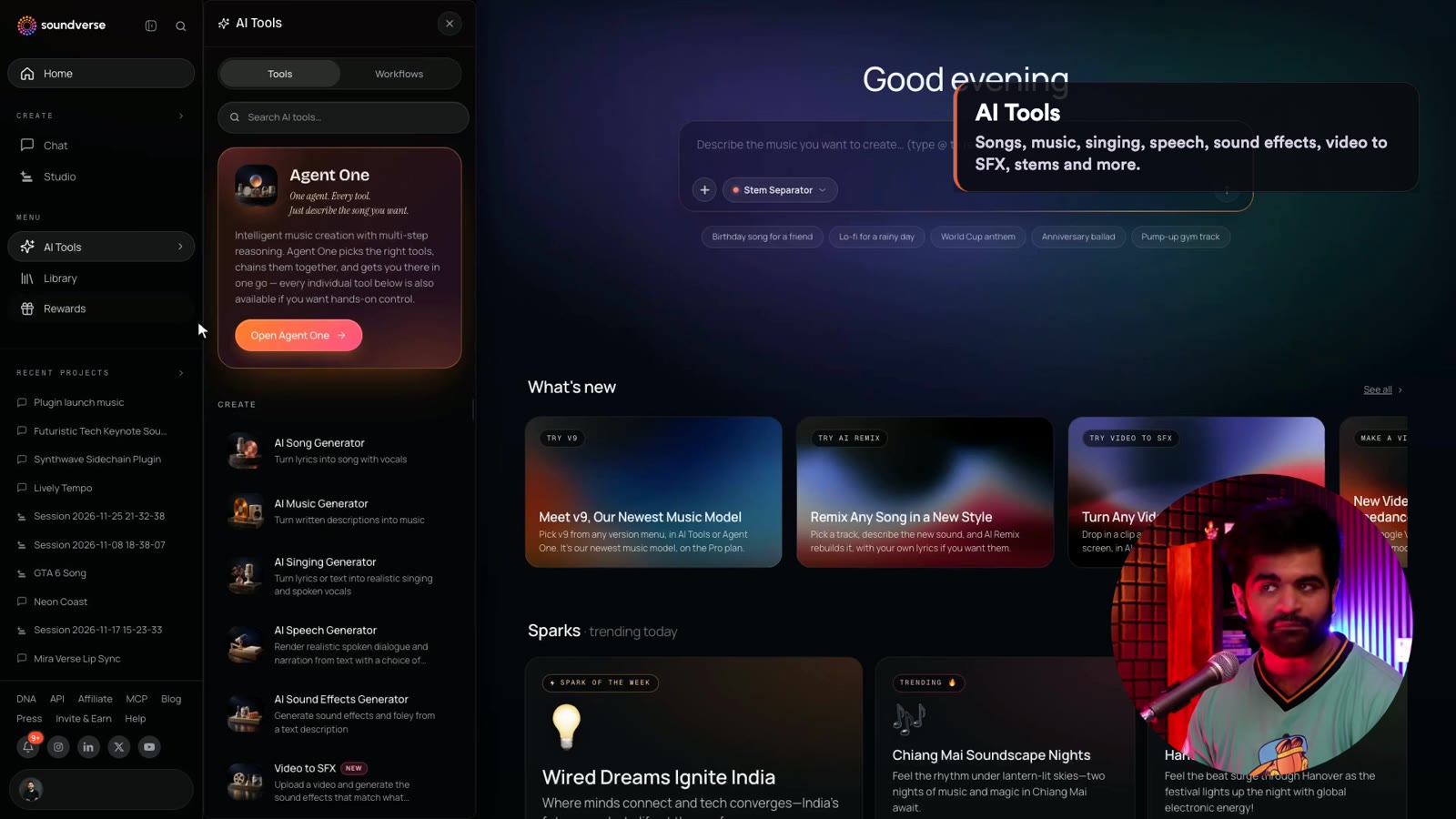
- 1:55 AI Tools की पूरी list
- 2:38 AI Lyrics Writer: कुछ शब्दों से lyrics
- 3:34 AI Music Generator: prompt से music
- 4:56 Export और stems
- 5:33 AI Studio: नई track पर record करना और collaborate करना
Step 1: Start from Home or AI Tools
Sign in at soundverse.ai. Home has a box where you describe the song you want, and Agent One picks the right tools. If you already know the tool you need, open AI Tools in the left sidebar. Dev goes through that list: songs, music, singing, speech, sound effects, stems and more.
Step 2: Write lyrics with the AI Lyrics Writer
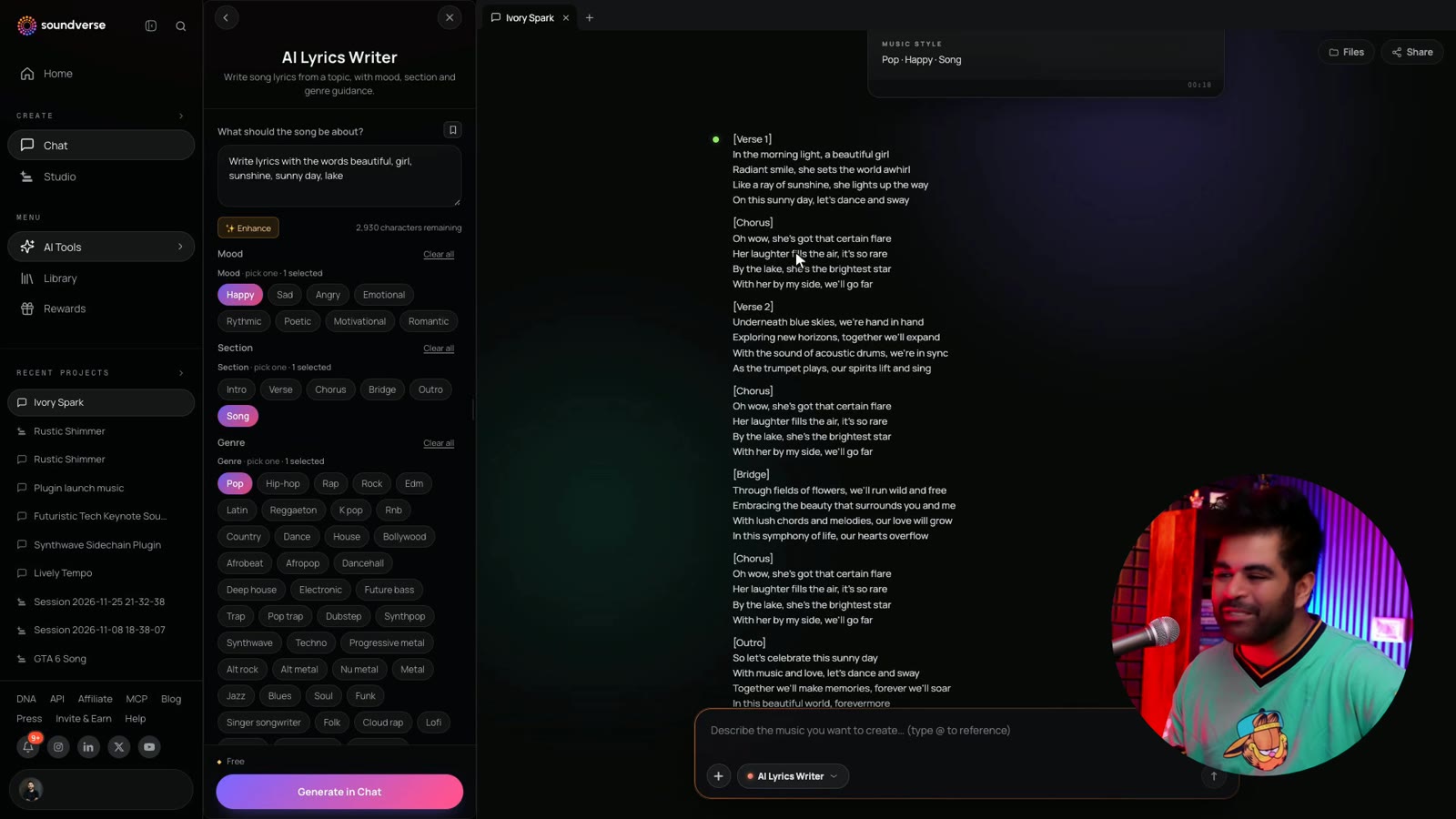
Open AI Lyrics Writer, type what the song should be about, pick a mood, the sections you want and a genre, then click Generate in Chat. Dev types a short idea about a girl, sunshine and a lake, and reads the result out loud: verses, choruses, a bridge and an outro.
The lyrics on screen are the ones from Dev's original video, shown in today's AI Lyrics Writer so they match what he reads. Yours will come out differently each time, so generate a few and keep the lines you like.
Step 3: Turn a prompt into music
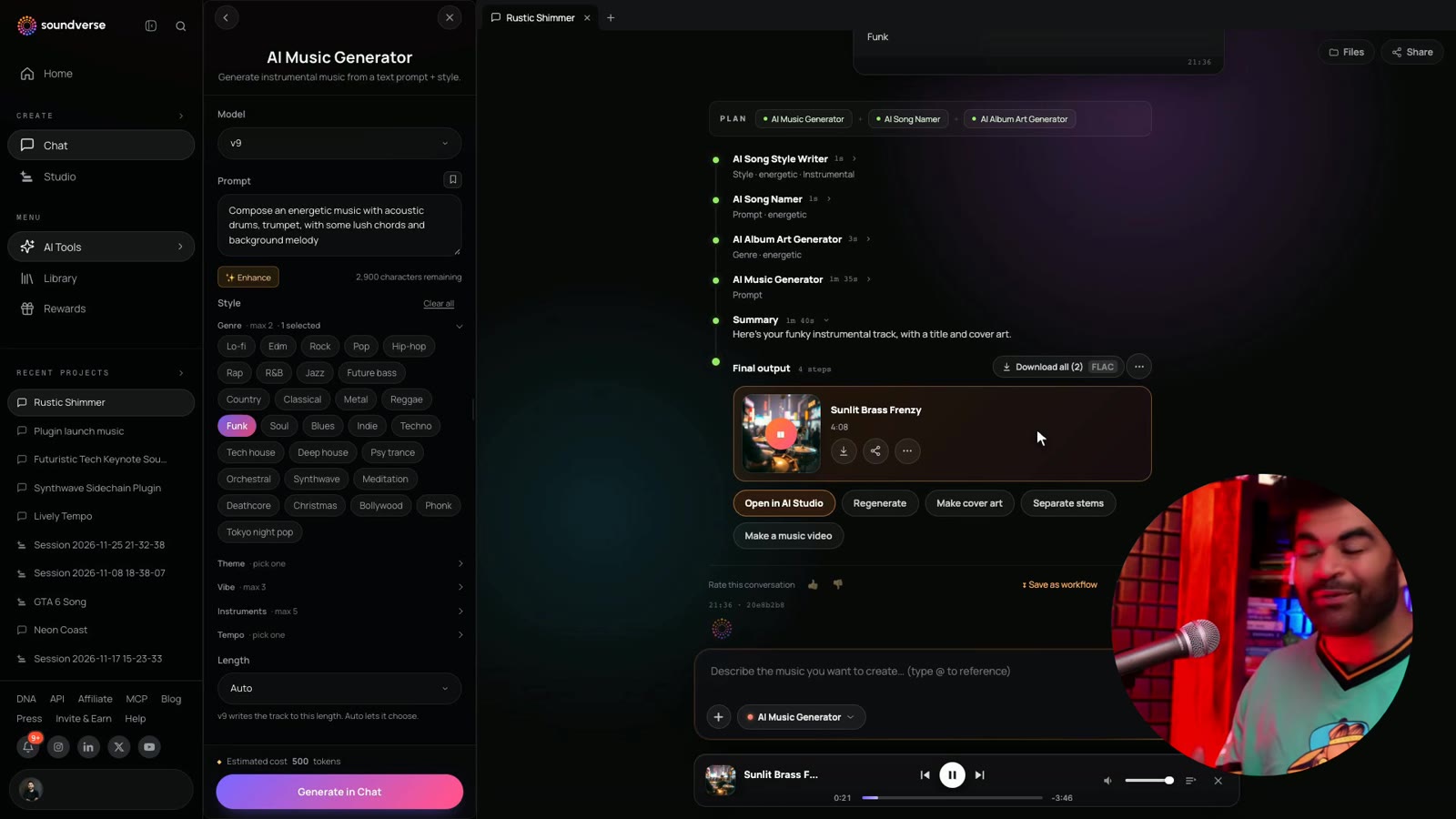
Open AI Music Generator. Dev asks for an energetic track with acoustic drums, trumpet and lush chords, picks a style and generates. The result arrives in chat as a finished instrumental with a title and cover art, ready to play.
A good music prompt names three things:
- The energy: energetic, calm, dark, uplifting.
- The instruments: acoustic drums, trumpet, bansuri, tabla, synth bass.
- The harmony or feel: lush chords, a simple four-chord loop, a sparse piano.
Step 4: Split it into stems
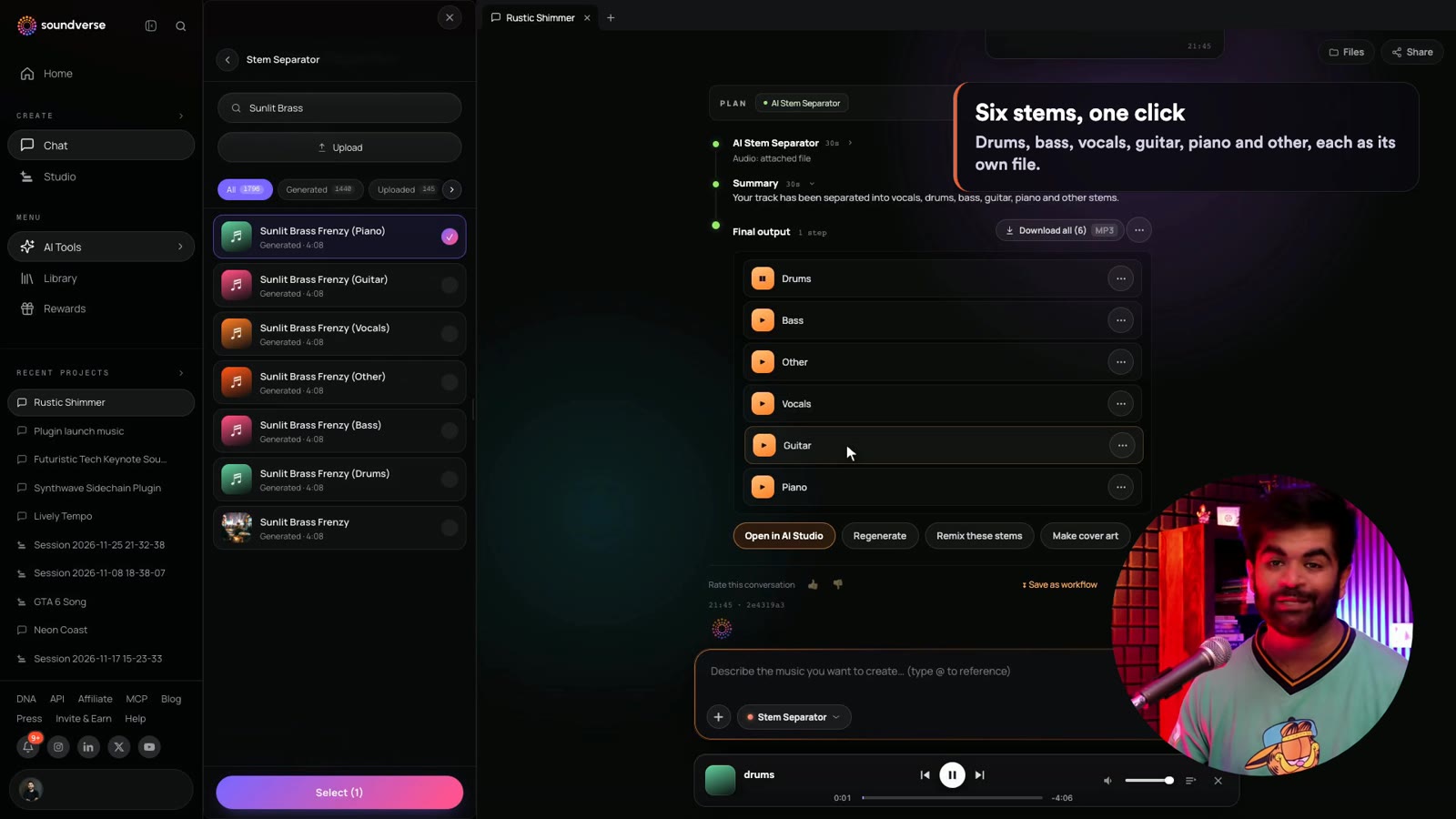
Click Separate stems on the result. Soundverse gives you drums, bass, vocals, guitar, piano and other, each as its own file. The Stem Separator can split a song into 2, 6 or 12 stems, and you can download each one.
Step 5: Record your voice in AI Studio
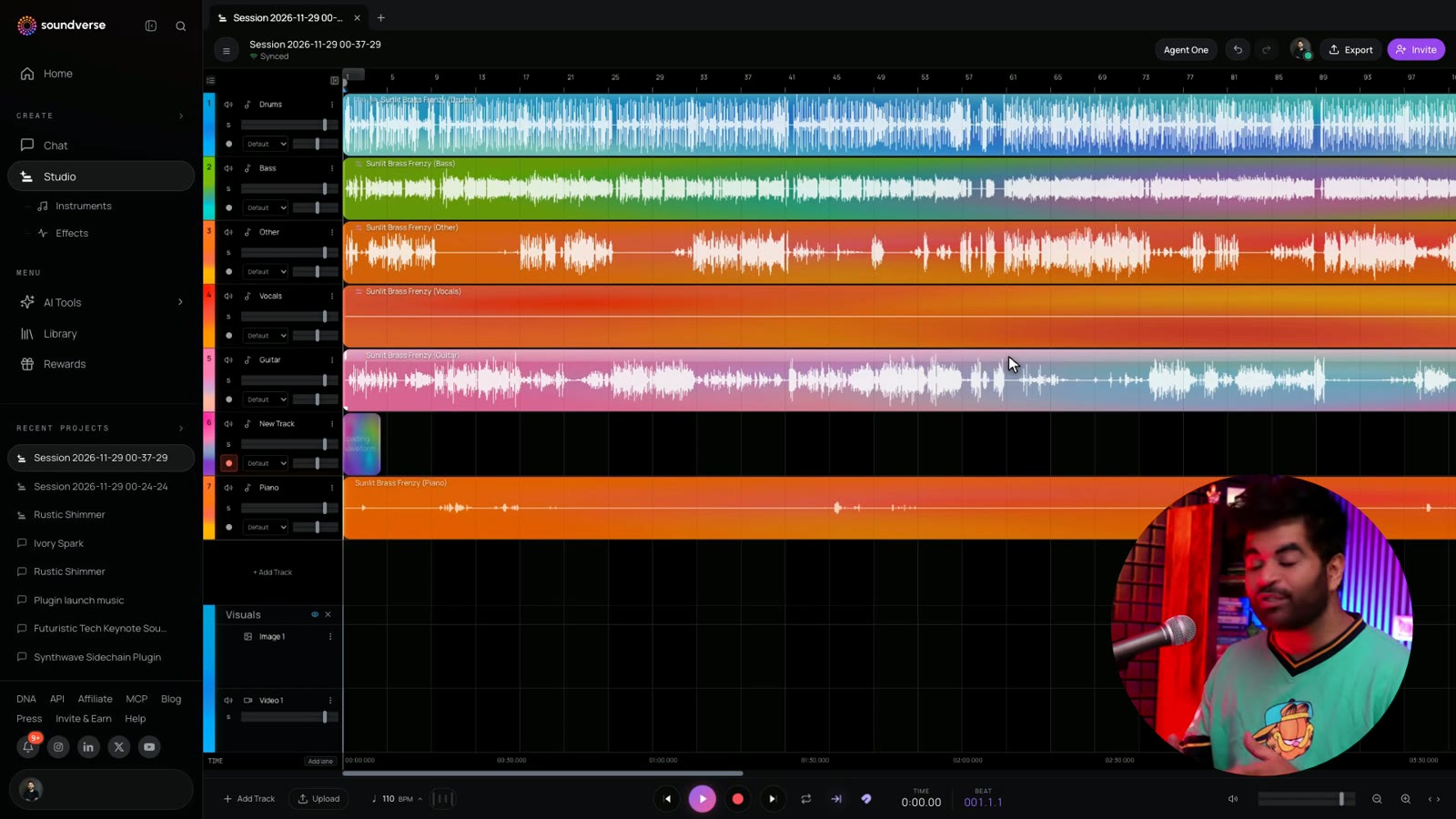
Click Open in AI Studio. Each stem lands on its own track. Add a new empty track, arm it and record, so your take never overwrites the music. From here you can move clips, mix, and invite a friend to work on the same song.
Step 6: Export
Export the finished song as MP3, WAV or FLAC, download the stems, or export a video.
Tips from the walkthrough
- Read the lyrics out loud before you generate the song. Dev does, and it shows you quickly which lines don't sit.
- Listen to Staff Picks first. It's the fastest way to hear what other people make with the same tools.
- Use stems to fix one part. If you love everything except the drums, work on the drums stem and keep the rest.
Credits
Walkthrough and voice: Dev Next Level. Music heard in the video, all made on Soundverse: "Hold This Morning a Little Longer" by Ahmad Hilmy Muhlya, "Otaku Lights Up Singapore" by Effendy Syaifuddin, and "Disco Dilruba" and "Sunlit Brass Frenzy" by Soundverse.
Want to try the same steps? Create your Soundverse account, or read more guides on the Soundverse blog.