Which Audio Editors Offer the Most Intuitive Interface for Beginners?
The most intuitive audio editors for beginners, graded on waveform editing, undo, presets, one-click cleanup and help, plus a 20-minute first exercise.
The most intuitive audio editors for beginners are GarageBand on a Mac or iPhone, BandLab in a browser or on a phone, and Descript if you mostly edit speech, because each lets you cut, undo and polish audio from plain-named controls. Audacity, which is free, and Ocenaudio suit you once you want precise waveform work on a desktop.
We checked each editor's own pages and help docs on 21 November 2026. Adobe's and BandLab's help centres blocked our checks, so for those two we rely on their product pages and BandLab's own blog. We make Soundverse, so its details come from our own pages.
What "intuitive" means for a first-time editor
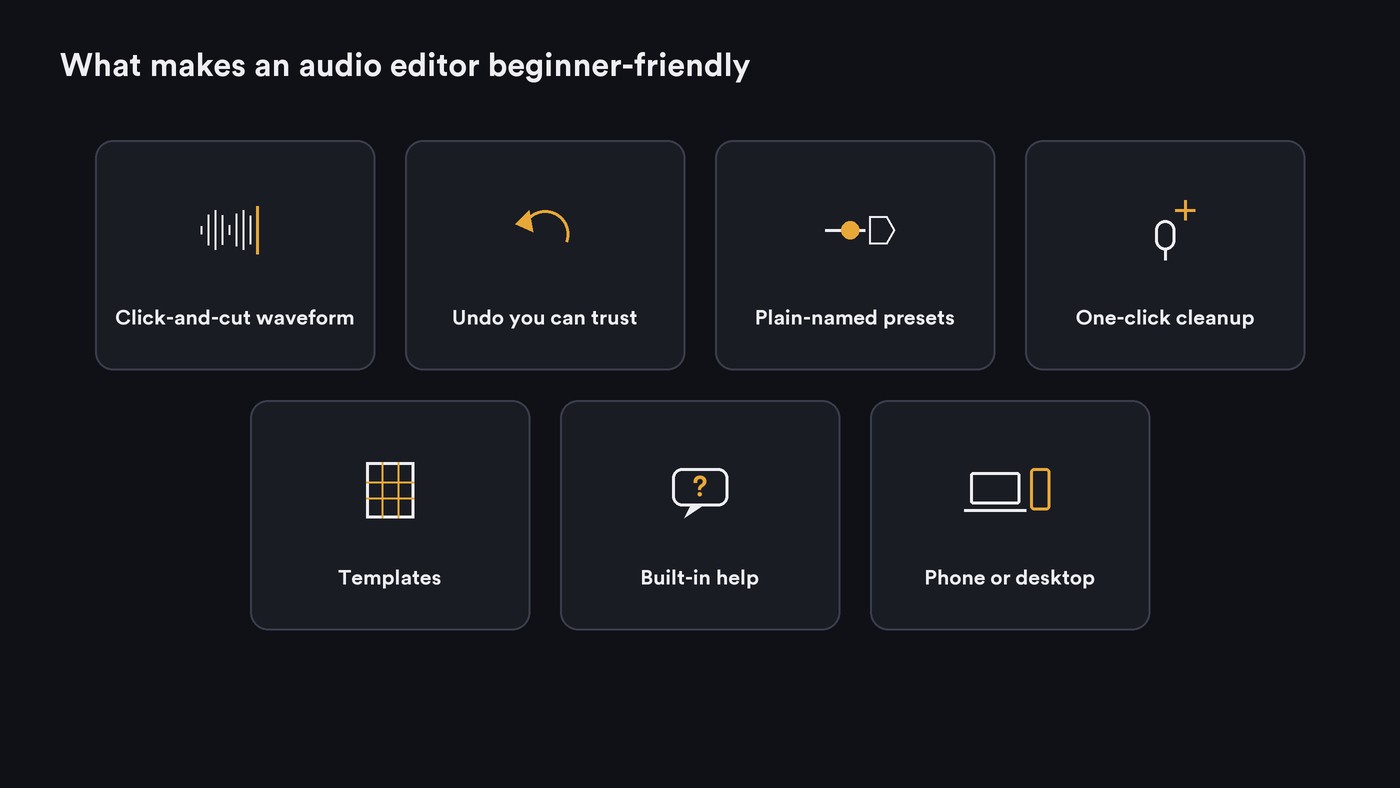
An editor feels intuitive when your first hour goes into the audio, not the menus. Grade any editor on seven things:
- A waveform you can click and cut. Select a stretch with the mouse or a finger, delete it, and hear the result straight away. If words like gain and sample rate are new, our guide to digital signal processing basics for beginners explains them.
- Undo you can trust. Unlimited undo, plus edits that don't destroy the original file, so experiments are free.
- Presets with plain names. "Voice Note" beats a wall of knobs labelled in decibels and milliseconds.
- One-click cleanup. Noise, hum and room echo removed in one pass, with a way to compare before and after. Our roundup of software for cleaning up vocal recordings goes deeper.
- Templates. A starting project set up for a voice, a podcast or a song.
- Built-in help. Tooltips, lessons or a guided first run inside the app.
- The device you already have. A phone editor you open daily beats a desktop editor you never install.
Audio editors for beginners, graded
GarageBand (Mac, iPhone and iPad)
GarageBand is free on the Mac App Store and needs macOS 15.6 or later. Apple's user guide starts every new project in the Project Chooser, where you pick from Project Templates. Quick Help shows short descriptions of controls in yellow bubbles next to the pointer, on by default, and Undo and Redo sit on Command-Z and Shift-Command-Z. Smart Controls show a small set of knobs for each instrument or effect, and built-in lessons teach piano and guitar. The iPhone and iPad app works with up to 32 tracks.
- Easy: templates, on-screen help, presets for guitar and voice.
- Harder: Apple's pages list no one-click noise cleanup, and it runs only on Apple devices.
BandLab (web, iOS and Android)
BandLab's beginner's guide to Studio calls it a free DAW for web and mobile, with hundreds of audio and vocal presets behind the +Fx button, including a Voice Note preset. On mobile, the back arrow in the transport bar undoes a change and the forward arrow redoes it. Voice Cleaner is one tap: select the vocal track, tap the AI button, tap Apply. Its blog post, updated 21 October 2026, says Voice Cleaner needs a Pro or Max plan, with a 3-day free trial.
- Easy: works on any device, named presets, one-tap cleanup.
- Harder: the best cleanup is paid, and BandLab's help centre was blocked when we checked.
Audacity 4 (Windows, macOS and Linux)
Audacity is free and open source, at version 4.0.2. Its editing guide is the plainest description of waveform editing we found: click and drag across the waveform, press Delete, or press S and click to split a clip. Trimming is non-destructive, and realtime effects don't change the source waveform. On first launch, Audacity 4 asks you to pick a theme and a workspace, and the Classic one keeps the Audacity 3 layout.
- Easy: precise cutting, a free baseline, clear tutorials.
- Harder: cleanup takes two passes. The support guide for Noise Reduction has you select a few seconds of pure noise, click Get noise profile, then apply it to the whole take. It runs on desktop only.
Descript (speech first)
Descript transcribes your recording so you can cut audio by editing the words, with a timeline underneath when you need one. Its pricing page describes Studio Sound as one-click noise removal and speech enhancement, lists it as limited on the Free plan with 60 media minutes a month, and offers templates. Hobbyist costs $16 a person a month billed yearly, or $24 monthly. The desktop app needs macOS 14 or Windows 11.
- Easy: editing speech like a document, one-click cleanup.
- Harder: music, where there are no words to edit.
Ocenaudio
Ocenaudio, a free download at version 3.22.2, runs on Windows, macOS and Linux with one interface on all three. Its makers call it the "ideal software for people who need to edit and analyze audio files without complications". Its standout beginner feature is real-time preview: you hear an EQ or gain change while you move the control, before you commit. Multi-selection lets you treat several parts of a file at once.
- Easy: hearing effects before you apply them, fast on long files.
- Harder: no AI cleanup is listed, and it runs on desktop only.
Adobe Audition and its Essential Sound panel
Audition is a professional editor, but Adobe's Audition page pitches one part of it at newcomers: "Use the Essential Sound panel to achieve professional-quality audio — even if you’re not a professional." The page also lists tutorial guides and Remix, which rearranges a song to fit a duration, at US$22.99 a month on the annual plan billed monthly.
- Easy: guided controls inside a full toolkit.
- Harder: the price, and everything around the panel.
Soundverse AI Studio (browser)
AI Studio is a multitrack studio in the browser on every plan, including Free. Its Quick start panel helps you import, upload or record a first file, and you split, trim and fade clips on the timeline. It has one-click chain presets for vocals, guitar, drums, bass and keys, and Mastering One sets itself once you pick a genre and a loudness target. It's built for music more than spoken word.
- Easy: nothing to install, named presets, guided mastering.
- Harder: recording has no count-in, punch-in or take comping.
Mobile or desktop: which is easier to learn on?
A phone is easier to start on, and a desktop is easier to be precise on. GarageBand for iPhone and BandLab's app let you record and fix a take where it happens. Audacity, Ocenaudio, Descript and Audition give you a bigger waveform and a mouse, which matters once you're cutting between syllables. Many beginners record on the phone and edit on a laptop. Our comparison of cloud and desktop audio editors covers storage, latency and offline use, and if your edits end up on Reels or TikTok, see our guide to user-friendly audio editing tools for social media.
Your first 20 minutes in any audio editor
Record 60 to 90 seconds on your phone first: speak a few sentences, fluff one on purpose and repeat it, clap once, then pause for five seconds of silence.
- 0:00 Import and look. Find the clap; it's the tall spike. Zoom in until you can see where each word starts.
- 3:00 Cut the fluffed sentence. Select it on the waveform, delete it and play across the join. If you hear a click, undo and cut in a quieter spot.
- 6:00 Split and move. Split at a pause, move one sentence to the end, and add a short fade-in and fade-out.
- 9:00 Clean it once. Use the five seconds of silence as your noise sample, or the editor's one-click cleanup. Compare before and after, and back it off if the voice turns watery.
- 12:00 Level it. Normalize or pick a loudness preset, and keep peaks below -1 dB.
- 15:00 Practise undo. Undo your last five steps, then redo them, so you trust the safety net.
- 17:00 Export twice. Save a WAV to keep and an MP3 to share, then play both on earbuds and on the phone speaker.
When to graduate to a full DAW
Move up when you keep wanting things a simple editor doesn't do:
- Recording several takes and picking the best parts.
- Playing instruments over MIDI and editing the notes.
- Building a song to a tempo grid with loops.
- Automating volume or effects over time across many tracks.
GarageBand users have the shortest step: Apple's iPhone page says Logic Pro for iPad opens GarageBand for iOS projects. BandLab is already a DAW, so you grow inside it. Read why multitrack editing matters, then compare options in our guide to the best AI DAWs.
Where Soundverse fits
Soundverse is an AI music platform that takes you from idea to audience, built for independent artists who release music. If your audio is music, AI Studio gives you a browser timeline with named presets and Mastering One, and you can generate a part right onto a track when you don't have one.
For a rough vocal, AI Vocal Cleaner removes background noise, hum and clicks, softens harsh S and P sounds and sets the loudness in one run, on every plan. Not sure where to start? Onboarding Agent asks your level, role, goal and genre, then lists which tools to use in what order, with starter prompts to paste back.
This two-minute tour shows AI Studio's built-in instruments, effects and real-time collaboration, all in the browser.
FAQ
What is the easiest free audio editor for a complete beginner? GarageBand if you're on a Mac, iPhone or iPad, because it starts you from a template and explains its controls as you hover. On Windows or Linux, Audacity is free, and its editing guide walks you through cutting, splitting and trimming.
Is Audacity good for beginners? Yes, for precise cutting and exporting. Audacity 4 simplified trimming and splitting, and its realtime effects leave the original audio untouched. Noise removal still takes two steps, so speech-heavy beginners may find Descript's one-click Studio Sound quicker.
Can I learn audio editing on my phone? Yes. GarageBand for iPhone and iPad and BandLab's mobile app both record, cut and undo on a touchscreen. For fine cuts in long recordings, move to a laptop when you can.
Do I need a paid editor to start? No. GarageBand, BandLab, Audacity and Ocenaudio cost nothing to start with, and Descript and Soundverse have free plans. Pay when you hit a limit you can name, such as cleanup quality, minutes or export formats.
Sign up for Soundverse free and try your first edit in AI Studio. More guides for artists on the Soundverse blog.

