
Soundverse ChatGPT
Make music without leaving ChatGPT.
Connect ChatGPT to your Soundverse account as a custom MCP plugin and generate full songs, stems, and vocals straight from a chat.
Setup guide
Add Soundverse to ChatGPT
A few minutes, once, from ChatGPT on the web. After that you just ask ChatGPT for music and it shows up in your Library — no tab-switching, no copy-pasting.
Get connected
MCP Server URL no slash at the end
https://mcp.soundverse.ai/mcpOAuth Client ID leave the Client Secret empty
jt7cp9hv4m9idkuyv2gt0- In ChatGPT on the web, open Plugins in the left sidebar, click Add (top right), then Add custom MCP server.
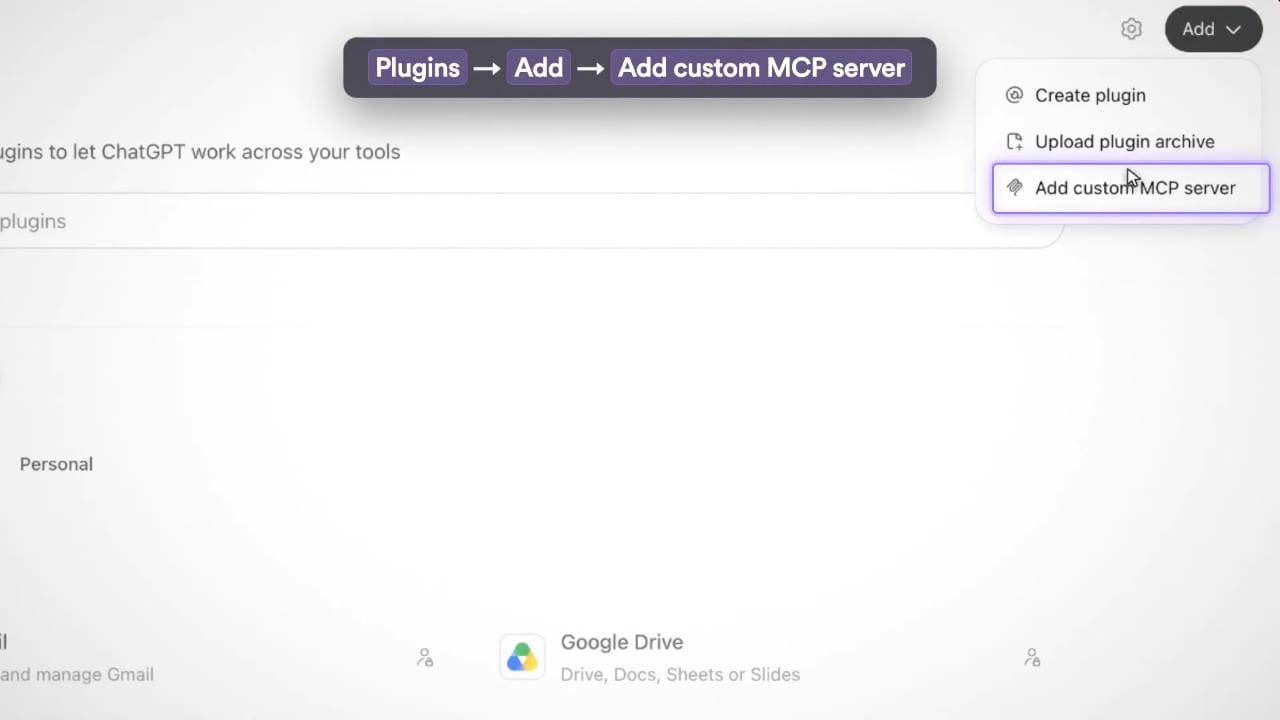
- Name it Soundverse (the description is optional) and paste the Server URL
https://mcp.soundverse.ai/mcp(no slash at the end).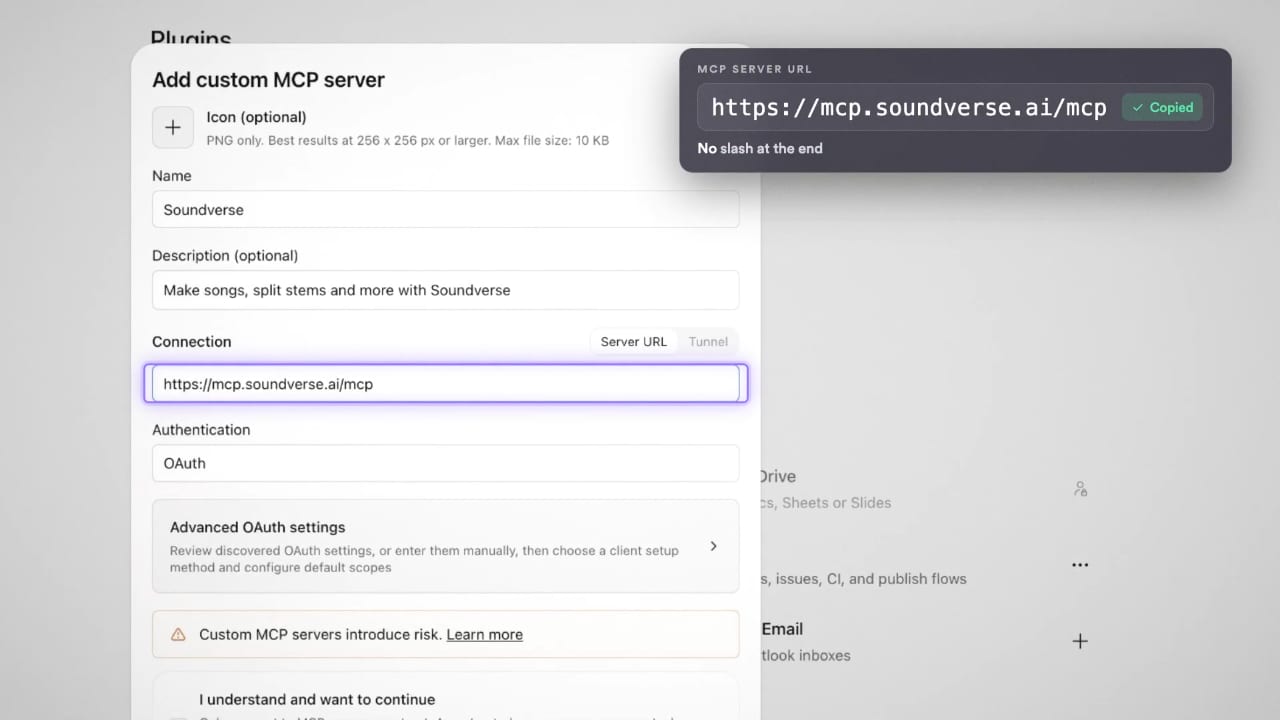
- Keep Authentication on OAuth, open Advanced OAuth settings, keep “User-Defined OAuth Client”, paste OAuth Client ID
jt7cp9hv4m9idkuyv2gt0and leave the Client Secret empty. Two orange notes (DCR and CIMD) appear; they are expected.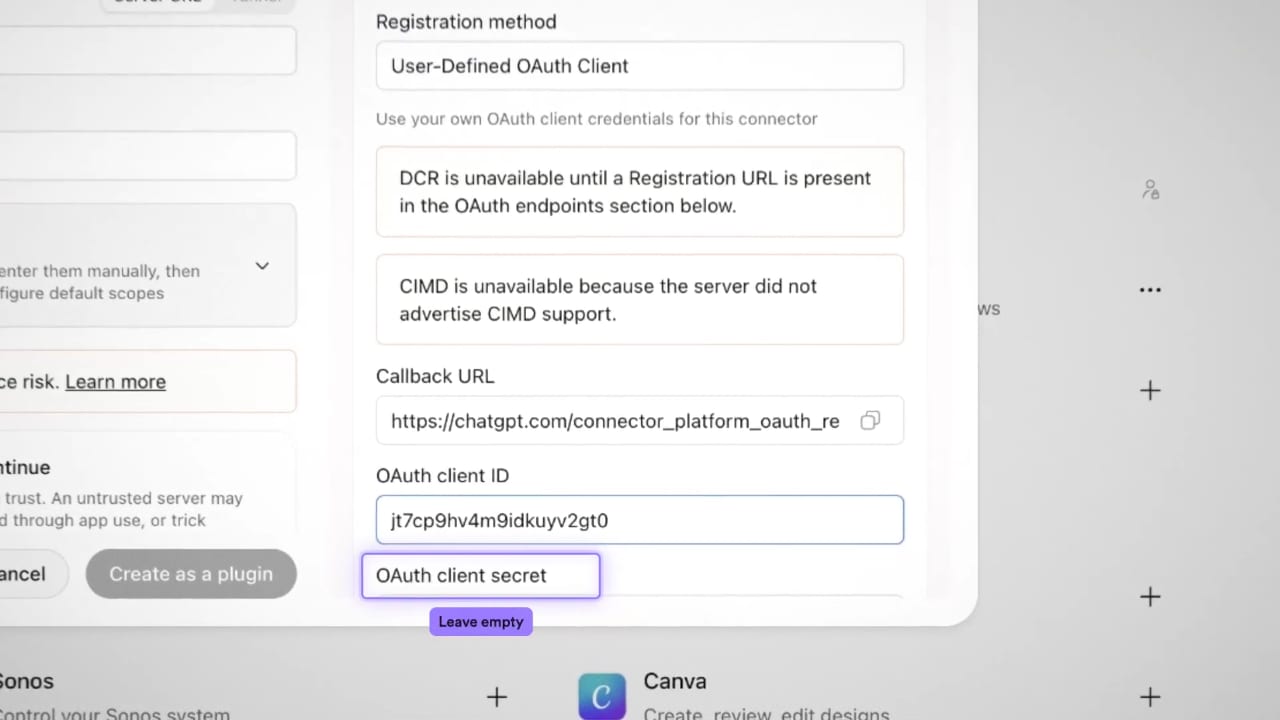
- Tick “I understand and want to continue”, then click Create as a plugin. It takes about 20 seconds.
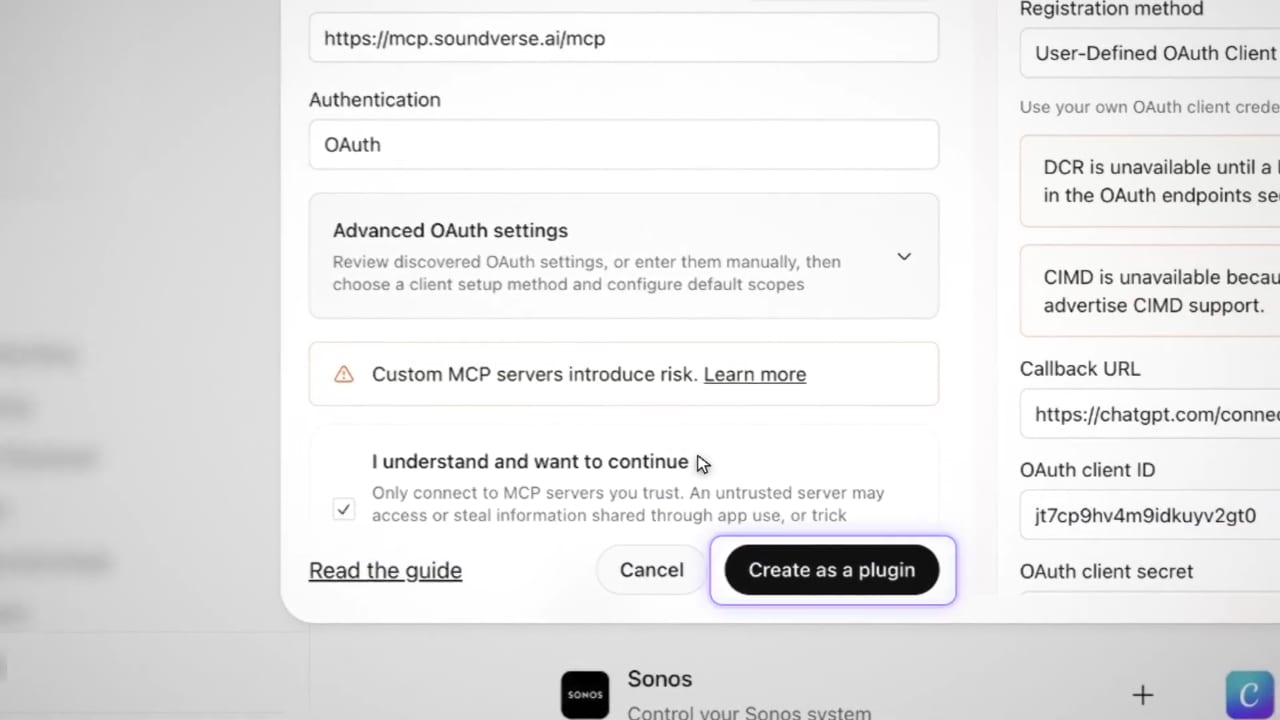
- In the Connect Soundverse window, click Connect Soundverse and sign in to Soundverse.
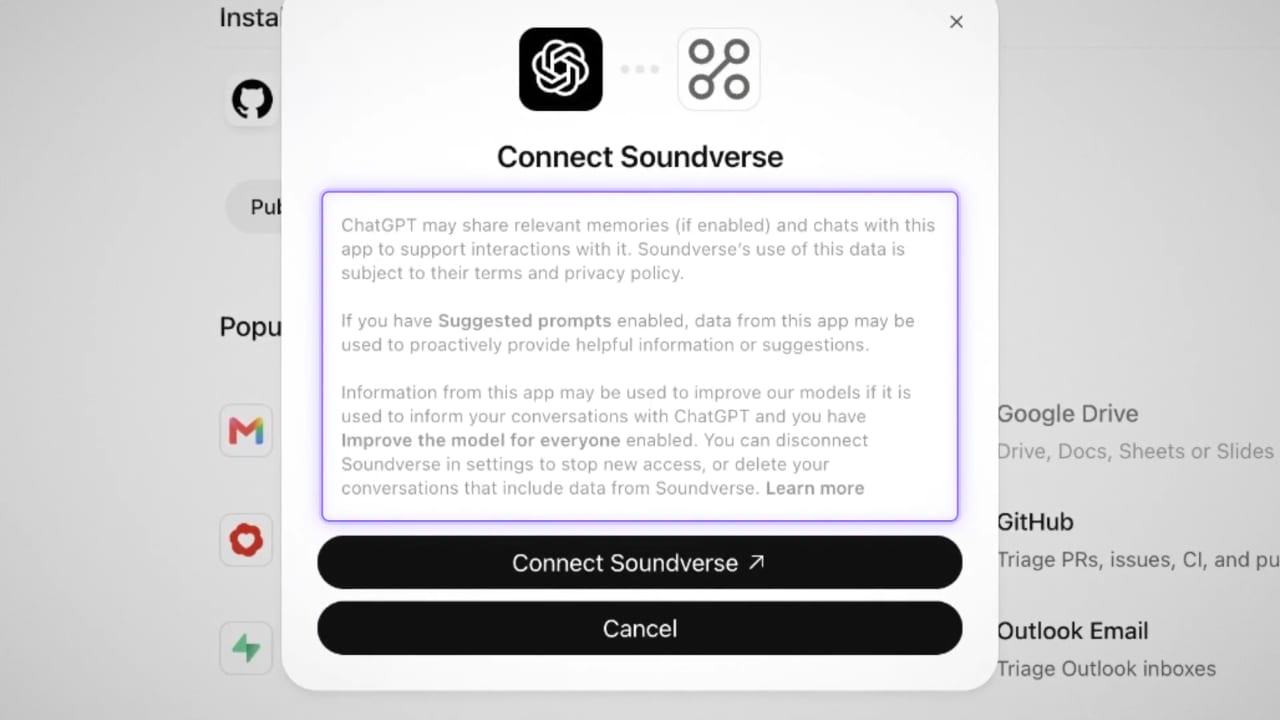
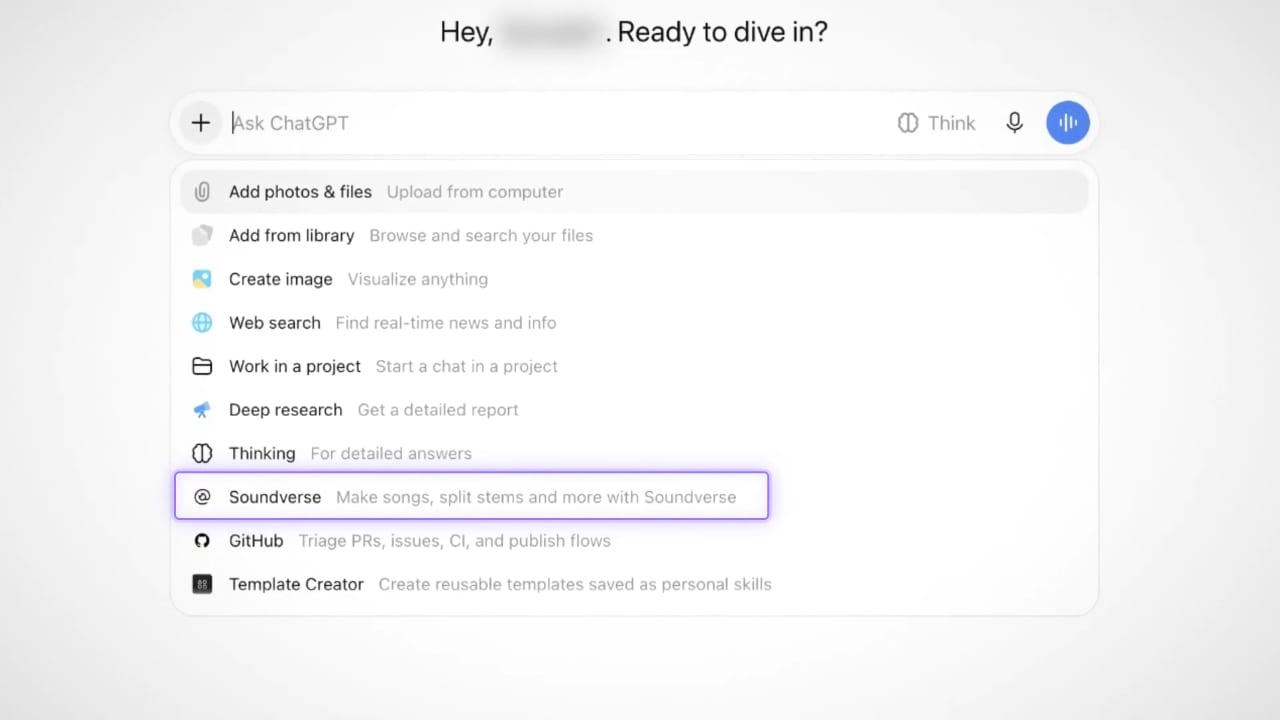
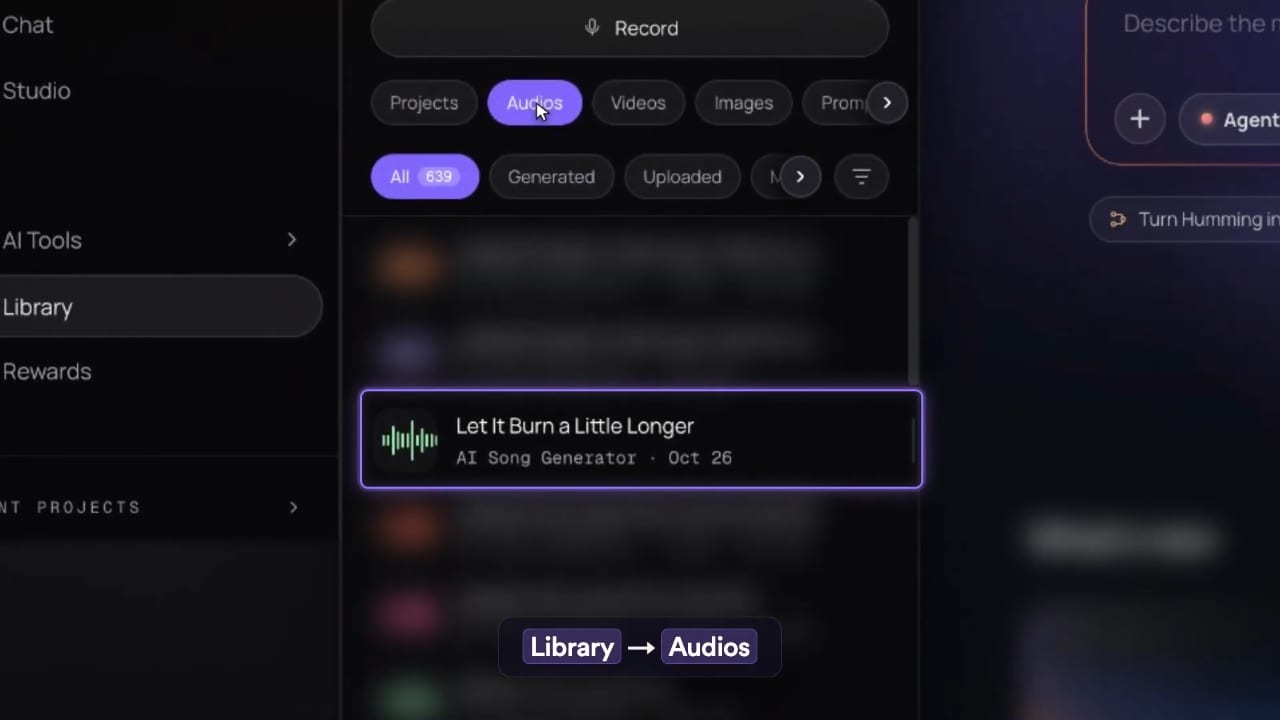
- In a new chat, click +, pick Soundverse and ask it to write and make a song. Your generated track lands in soundverse.ai → Library → Audios.
Using it
Just ask, like you would in the app:
- “Write and generate an upbeat pop song about a road trip.”
- “Turn this hum into a full song.” (attach the audio)
- “Swap the vocals on this track for something warmer.”
- “Pull the stems from this song.”
ChatGPT lets you know in the chat once it’s done, but the actual track lives in your Soundverse Library, under Audios. It doesn’t play inside the conversation. Head there to listen, download, or keep editing.
ChatGPT may ask before it uses Soundverse: Always allow, Deny or Allow once.
Help
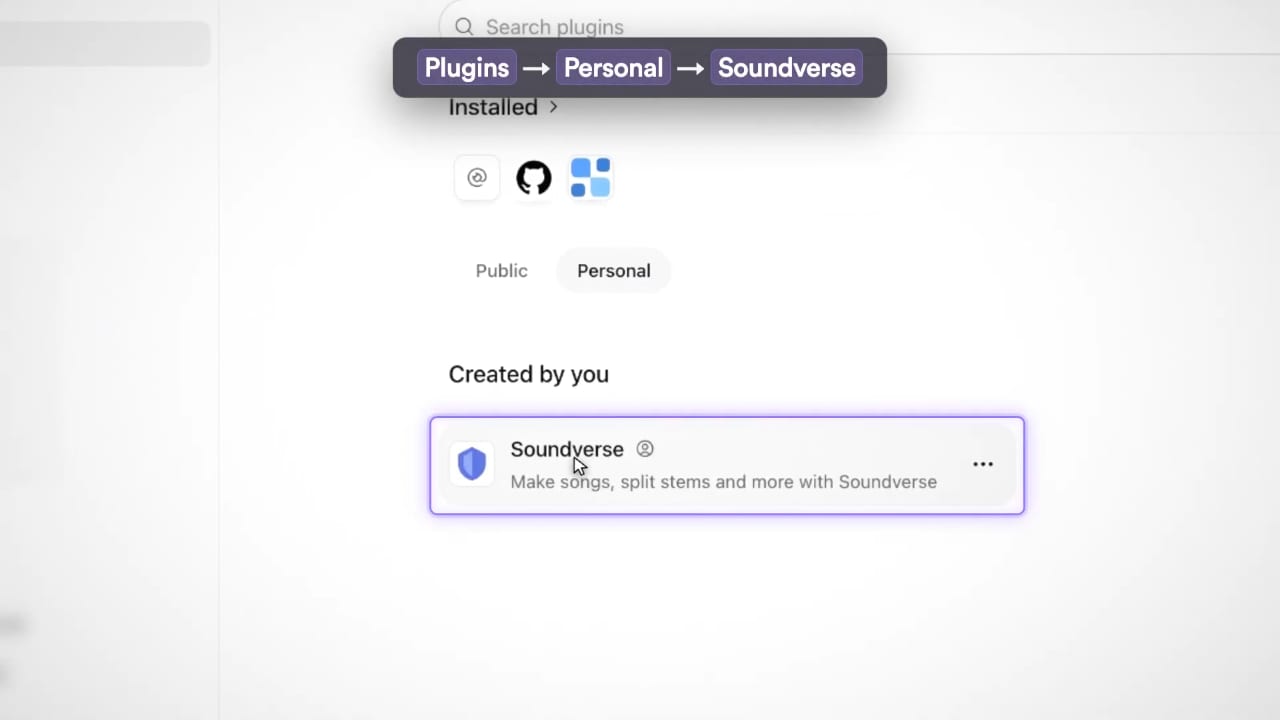
If ChatGPT says it can’t use Soundverse: open Plugins, switch to Personal, open Soundverse, and click Connect to finish signing in.
Can’t reach the server? Recheck the URL. No typos, no trailing slash.
Something stuck? Remove the plugin and add it again.
Still stuck? help.soundverse.ai
Claude Connector
Add Soundverse to Claude as a custom connector. Works on any Claude plan.
Claude Connector SetupSoundverse MCP
Both connectors side by side: where to add each, plans, sign-in and approvals.
Claude and ChatGPT at a glanceChatGPT is a product of OpenAI. Soundverse is added as a custom MCP plugin and is not affiliated with or endorsed by OpenAI. ChatGPT and OpenAI are trademarks of OpenAI.