Best AI Apps for Generating Instrumentals From Text Prompts
Which AI instrumental generator gives you the most control? Stable Audio, ElevenLabs, Soundverse, Mubert, Soundraw, AIVA and Suno, with prompts.
The best AI instrumental generator for you depends on how much control you need after the first take. Stable Audio, ElevenLabs Music, Soundverse and Mubert give the most: stems, section edits, extend and reference audio. Soundraw suits beats you shape bar by bar, AIVA suits composers who want MIDI, and Suno and Google Flow Music suit quick song-style instrumentals.
We read each app's own product, help and pricing pages on 21 November 2026. Plans change, so check again before you pay.
What control means in an AI instrumental generator
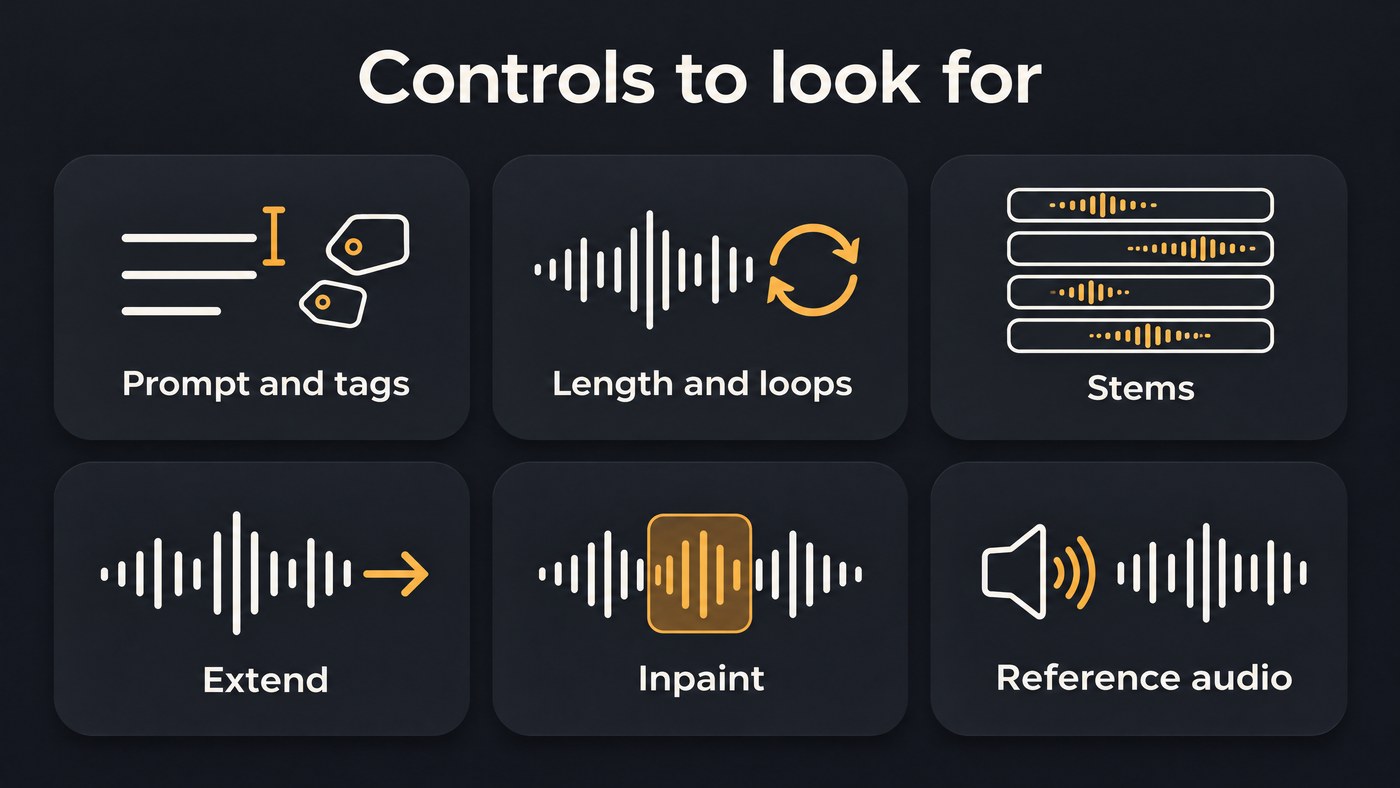
A prompt gets you a first draft. The apps differ in how far you can steer and fix it:
- Prompt plus tags: fields for genre, mood, tempo and instruments that pin the brief down.
- Tempo and key: most apps read BPM from the prompt or a tag; few accept an exact key.
- Length and loops: a set duration, or a loop mode for streams and game menus.
- Stems: separate parts you can mute, rebalance or replace.
- Extend and inpaint: add music before or after a take, or regenerate one section.
- Reference audio: steer the style with a clip you have the rights to.
The best AI apps for generating instrumentals from text prompts
Stable Audio
Best for producers who want parts. Stability AI's Stable Audio 3.0 prompt guide (18 August 2026) says the model is "designed primarily for instrumental work".
- Stems by prompt. The optional tag TrackType: Instrument asks for one part. In the guide's words: "If you need an individual part, like a bass line, guitar texture, or percussion layer, you can try prompting for a stem instead."
- Audio-to-audio. Start from a phrase or an earlier take and set a noise level, which the guide suggests keeping between 0.3 (almost no change) and 0.9.
- Length, extend, inpaint. Variable length up to about six minutes on Stable Audio 3.0 Large, continuation from the end of a file, and regeneration of a selected section, in a web app and a DAW plugin that were both in beta.
Prompt to try: TrackType: Instrument, a warm upright bass walking line at 92 BPM, close-miked in a small wooden room, relaxed late-night jazz feel
ElevenLabs Music
Best for structured cues you edit section by section. The Eleven Music documentation lists "Vocals or just instrumental", with tracks from 3 seconds to 5 minutes.
- Inpainting: select a section and regenerate just that part.
- Audio Reference: on paid plans, a clip of up to about 30 seconds guides sound, tempo and mood. The docs say it "does not copy or remix the uploaded audio, and the result remains a newly generated composition."
- Finetunes and stems: train the model on tracks you own; the Eleven Music page lists 2 and 4 stems on Starter and Creator and up to 6 on Pro.
Its Music Terms (updated 9 October 2026) ban artist names, song titles and label names in prompts, so describe the sound.
Prompt to try: Instrumental only. Documentary opening underscore, 80 BPM, felt piano motif over low strings, slow swell into soft taiko at 0:45, gentle resolve
Soundverse
Best for tag-driven instrumentals you keep building on. AI Music Generator makes music with no vocals from a prompt plus tags: up to two genres, one theme (such as Podcast - Background or Gaming), up to three vibes, up to five instruments and a tempo. Each run makes one take.
- Length and loops: on Creator and above, one of the extra options in the Model picker adds a Length setting from 15 seconds to five minutes, Loop and Ambience types, and Score a video for clips up to 10 minutes.
- Extend: Extend Music adds up to 85 seconds per run, after the end or before the start, on the Free plan too.
- Reference and inpaint: on Creator and above, Similar Music Generator matches 30 seconds of a reference you choose, and Inpainting rewrites a selected section as music with style tags.
Prompt to try: Calm podcast background bed, soft electric piano chords, brushed drums, round bass, no lead melody so a voice sits on top, with the Podcast - Background theme and the Calm vibe.
Mubert
Best for long beds you restructure after generating. Mubert Render takes a text prompt or an image plus a track type and duration. Its pricing page allows tracks up to 10 minutes on Creator, 25 on Pro and 60 on Ultra, and on Pro and Ultra the full Track Editor edits structure and sections, stems within sections, BPM and key. Every plan can regenerate or remove stems.
Prompt to try: Steady minimal techno for a 20-minute workout video, 126 BPM, rolling bass, crisp hats, no breakdowns
Soundraw
Best for beats you shape bar by bar. Soundraw's FAQ describes picking a genre (you can blend two, such as Hip-Hop with Orchestra), setting the mood and pressing Generate, so you work from choices rather than a written prompt. The editor gives bar-level mute, solo and intensity plus length and energy settings, with WAV and stems on Artist Pro and Artist Unlimited.
AIVA
Best for composers who want MIDI. The AIVA site offers more than 250 styles, your own style models and an audio or MIDI influence upload. Every plan downloads MIDI, and tracks run up to 3 minutes on Free, 5 on Standard and 5 minutes 30 seconds on Pro. Treat it as a sketchpad for themes you'll orchestrate yourself.
Beatoven.ai
Best for quick background cues. The homepage asks you to "describe the background music that fits your content", with MP3 or WAV downloads paid per track or through subscription minutes, and stems you can use for sampling. Its pricing page returned a 404 error on 21 November 2026, so we can't list plan limits.
Suno and Udio
Suno's AI Instrumental Generator page says to describe the "style, mood, instruments, tempo, energy or scene" in Create and turn on the instrumental option. Its pricing page lists no downloads or stems on Free; Pro adds stem separation and section replacement, and Premier adds Suno Studio.
Udio's Terms of Service, last revised on 12 November 2025, say "You may not download copies of any Output", so it can't supply files for a project.
Google Flow Music
Google's AI music studio runs on its Lyria models, and you direct it by chatting with a Producer assistant. Its pricing page FAQ says the Free plan, for users 18 or older in supported regions, includes stem splitting and MP3, WAV or M4A downloads, with monthly credits on paid plans.
Best AI instrumental generator by use case
- Beats to rap or sing over: Soundraw for bar-level edits, Suno's instrumental option for song-shaped beats, or Soundverse with the Hip Hop genre, the Song Production theme and 808 Bass with Drums.
- Film and game cues: Stable Audio for set lengths, ElevenLabs Music for section edits, AIVA for MIDI, and Soundverse's Score a video on Creator and above. Our guide to AI music tools for gaming soundtracks covers loops and middleware.
- Lo-fi and ambient: Mubert for long runs, Soundverse's Loop and Ambience types, and Stable Audio's continuation.
- Podcast and video beds: Soundverse's three Podcast themes for an intro, bed and outro in one style, Beatoven.ai for quick cues, and Mubert when one bed runs a whole episode.
Prompt examples to start from
These follow the order the vendors' guides recommend: genre, tempo as a number, main instruments with a texture word, then mood and arc. Add "instrumental, no vocals" when the app has no switch for it.
- Podcast intro: Upbeat podcast intro, 110 BPM, bright plucked guitar and claps, short rising synth swell, ends on one clean hit, instrumental, no vocals
- Boom-bap beat: Boom-bap hip-hop beat, 88 BPM, dusty soul-style piano chords, hard kick, crackly snare, walking bass, room for a verse, instrumental
- Game menu loop: Calm fantasy exploration loop, 100 BPM, pizzicato strings, harp arpeggios, soft woodwinds, no percussion, loops cleanly
- Thriller cue: Tense thriller underscore, 70 BPM, D minor, low string ostinato, ticking muted percussion, sparse piano hits, builds for 45 seconds, then stops dead
Use the app's own controls (a Length field, a tempo tag, TrackType) before relying on the prompt. Pair each mood word with an instrument or tempo, since moods read differently across genres, as our guide to how AI models interpret mood-based prompts explains. Then measure the take you keep: see how AI identifies the key and tempo of audio. For the full process from prompt to mixed track, read our guide to creating instrumentals with text-to-audio models.
Where Soundverse fits
Soundverse is an AI music platform that takes you from idea to audience, built for independent artists who release music; its instrumental tools also serve podcasters and video editors. Start in AI Music Generator, then open the take you keep in AI Studio to arrange and mix it, lengthen it with Extend Music, and split it into 2 or 6 stems with Stem Separator. Free accounts make instrumentals with Soundverse v6 and download MP3. Creator adds Soundverse v7 and v8 plus WAV and stem downloads, and Pro adds Soundverse v9. Licensing is set by plan: the Free plan is for personal use, and the Creator plan comes with a royalty-free license.
From 0:17, this walkthrough of Soundverse's Create tools shows AI Music Generator making an instrumental from a prompt, and from 2:04, Similar Music Generator making one from a reference track.
FAQ
Which AI app gives the most control over an instrumental? For editing after the first take, Stable Audio (stems by prompt, audio-to-audio, inpainting), ElevenLabs Music (section edits, Audio Reference) and Mubert's Track Editor on Pro and Ultra go furthest. Soundverse adds length, loop, extend, reference and inpaint tools, several of them from the Creator plan.
Can an AI instrumental generator make loops? Some can, such as Soundverse's Loop type on Creator and above. Otherwise, cut the loop on a bar line in your editor.
Can I set an exact BPM and key? Write both as numbers in the prompt, then measure the result. Mubert's Track Editor can change BPM and key on Pro and Ultra; elsewhere, warp or pitch-shift the take to fit.
Do I need a paid plan to download instrumentals? Often. Suno Free has no song downloads, AIVA Free allows three a month, and Soundverse Free downloads MP3, with WAV and stems on paid plans. Commercial use is a separate question that each vendor's terms answer plan by plan.
Sign up for Soundverse free and make your first instrumental from a prompt. More production guides on the Soundverse blog.

