How to Make a Song on Piano: A Complete Beginner’s Guide (2026 Edition)
Learn how to make a song on piano with step-by-step piano songwriting tips and AI tools.
How to Make a Song on Piano
Making a song on piano is one of the most rewarding experiences for beginner musicians and aspiring songwriters. Whether you’ve just learned your first chords or can play fluently, turning those melodies into a structured song takes both creativity and a bit of technique. In 2026, piano composition has evolved to include both traditional songwriting skills and advanced AI tools that help musicians bring their ideas to life faster.
Why Learn How to Make a Song on Piano?
Learning how to make a song on piano offers enormous creative freedom. The piano’s range covers both melody and harmony, letting you experiment with song structure and chord progressions right away. For beginners, piano songwriting builds a foundation for composing in any genre—from pop to classical or even electronic compositions. Modern creators increasingly combine piano compositions with digital production tools, creating hybrid tracks that align perfectly with current music industry trends (read more).

What Do You Need to Start Writing Piano Songs in 2026?
Gone are the days when you needed a full studio setup to compose music. Today, you only need three essentials:
- A piano or keyboard – acoustic or digital will work.
- A recording tool – most smartphones or computers can record audio for rough ideas.
- Basic music theory knowledge – understanding chords, scales, and rhythm helps structure your ideas.
You can enhance your learning by reading about how AI composition tools support beginners (check out).

How to Make a Song on Piano Step-by-Step
Songwriting is a creative journey, so let’s break it down into practical steps that guide you from improvisation to a complete musical piece.
Step 1: Feature Overview — Context: Access Melody to Song Generator
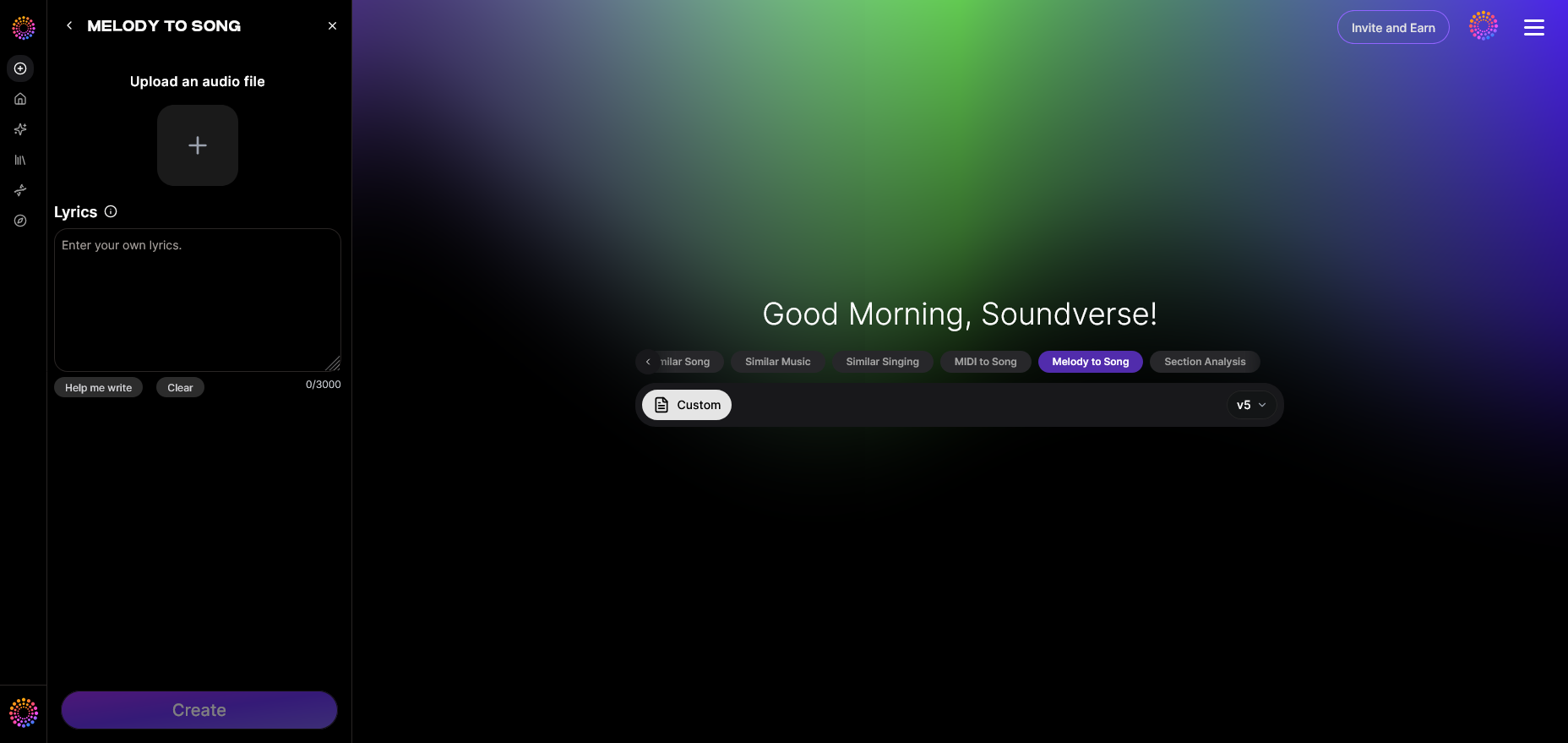
To start making your song, understand how creative ideas turn into finished tracks. In Soundverse, the Melody to Song Generator converts your melodic input—even simple humming or piano recordings—into fully produced songs. You can begin by accessing this tool from the Soundverse dashboard.
Step 2: Melody Input — Context: Record or Upload Melody
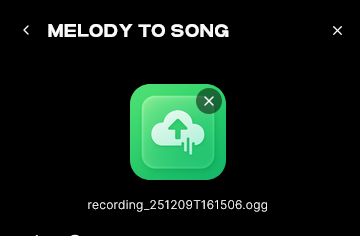
Your piano melody is the soul of the song. Play around with basic chord progressions such as C–G–Am–F. These progressions are popular because they naturally create emotional movement. Record your melody using any audio recorder or upload a piano audio file into Soundverse. Focus on expression and dynamics—how loud or soft you play impacts the texture of your eventual song. You can also explore deeper piano composition guides like How to Compose Your Own Piano Music for foundational techniques.
Step 3: Enter Optional Lyrics — Context: Give Lyrics
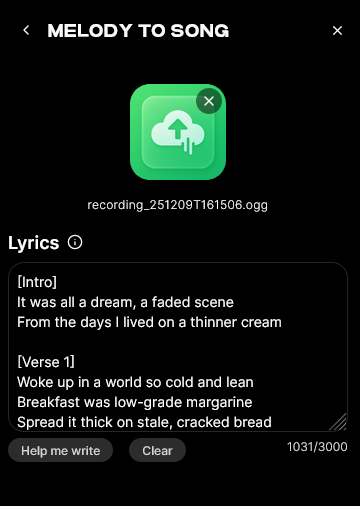
Once you have your melody, you can start adding lyrics. Writing lyrics for piano songs usually follows the melodic rhythm. Begin with themes that resonate with you—love, growth, or self-discovery. If lyric writing feels tricky, explore guides such as how to make good rap lyrics for tips on phrasing and emotion.
Step 4: Generation — Context: Generate Full Song with Lyrics and Vocals
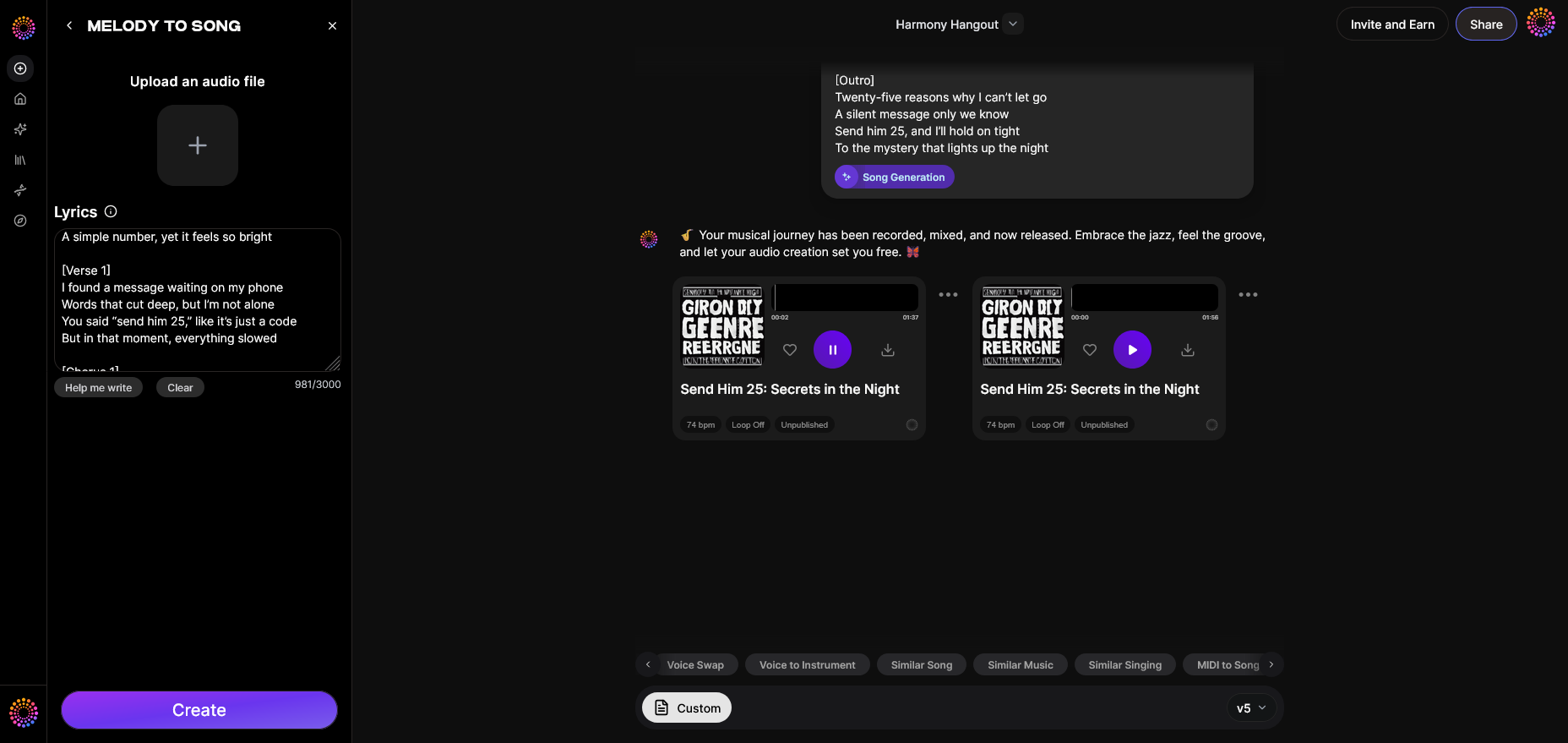
Upload your recorded melody and optional lyrics into Soundverse’s Melody to Song Generator. After processing, the AI analyzes the melodic contour and creates a full arrangement with harmonies, rhythm, and vocals around it. Your simple piano sketch turns into a complete track ready for mixing or distribution—all without needing live monitoring. For a deeper dive into the overall workflow, you can watch our Soundverse Tutorial Series - 9. How to Make Music.
What Are the Best Piano Songwriting Tips for Beginners?
Here are tried-and-true piano songwriting tips for aspiring composers:
- Start simple – Use two or three chords and build from there.
- Focus on melody first – Your melody should carry the emotional weight.
- Shape your song structure – Typical forms include verse, chorus, bridge.
- Use dynamics – Vary intensity between sections for contrast.
- Experiment with tempo – Slower tempos evoke emotion, faster ones generate energy.
- Record drafts frequently – Each recording helps refine your idea.
- Use AI tools – Learn how AI assists creativity (read about AI music fusion).
These steps make beginner piano composition less intimidating and more structured, helping you progress faster toward writing and producing your own songs. You can also reference detailed guides like How to Compose Music for ways to combine and refine musical fragments.
How Do You Compose Music on Piano That Sounds Polished?
To compose music on piano that feels complete, think of your composition as storytelling through sound. Start with a hook—a melody line that stands out. Then build harmonic support using left-hand chords. Use rhythmic variations to add interest. Finally, arrange layers with accompaniment patterns and subtle repetition so your listener feels guided through each section. For inspiration, How to Compose A Melody (10-Step Guide) offers a great methodology for shaping original musical ideas.
Many creators combine piano arrangements with genre-specific features. For example, when creating jazz or EDM piano songs, styles differ based on chord extensions or tempo (explore EDM creation; explore jazz with AI). You can also explore advanced ideas from guides such as How to Write a Piano Composition: Beginner's Guide.
How to Make a Song on Piano with Soundverse Melody to Song Generator
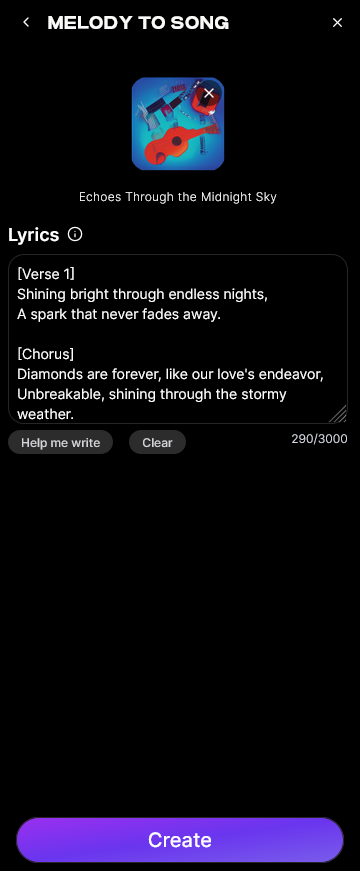
Now that you understand the creative process behind piano songwriting, here’s how to streamline the entire process using Soundverse.
Soundverse Melody to Song Generator is designed to convert raw melodic recordings—whether they come from a piano or a simple humming track—into fully arranged songs. It adds vocals, harmonies, and instrumental layers around your melody.
Key Capabilities:
- Audio Input Analysis: The AI interprets your melody’s rhythm, pitch, and phrasing.
- Lyric Input: You can provide lyrics to be blended with the arrangement.
- Full Arrangement Generation: The system automatically builds backing tracks, integrates vocals, and produces a polished output.
Core Use Cases:
- Turning quick piano ideas or voice memos into complete songs.
- Instrumentalists crafting vocal tracks from instrumental sketches.
- Reviving old melodic recordings into new music.
Workflow Recap:
- Record or upload your piano melody.
- Optionally include lyrics.
- Generate your full song—it’s that simple.
This approach eliminates the technical barrier between creative inspiration and production-ready songs. You no longer need multiple plugins or studio time to hear your ideas come alive. To learn similar process examples, visit Lesson 291: Composition Project: Chord Progressions | Hoffman Academy.
For visual learners, watch our Soundverse Tutorial Series - 8. "Explore" Tab and related video Soundverse Tutorial Series - 10. Make Deep House Music to see how users turn piano riffs into full AI-powered tracks.
Future of Piano Song Creation in 2026
In 2026, piano song creation continues blending artistry and technology. AI-driven platforms like Soundverse empower musicians to focus on emotional storytelling rather than technical hurdles. With growing integration between text-to-music and melodic AI systems, beginners find unprecedented creative freedom. The next generation of composers will not only learn traditional theory but also master hybrid AI composition frameworks.
So, if you dream of composing music on piano but worry about complexity, modern tools will help turn that dream into a produced reality.
To deepen your music creation journey, explore Soundverse’s other innovative tools such as MIDI to Song Generator, AI Music Generator, and the Arrangement Studio. These support the creative ecosystem where musicians of all skill levels can transform ideas into full compositions instantly.
By merging traditional piano techniques with cutting-edge AI, making a song on piano in 2026 has never been easier, faster, or more inspiring.
Start Creating Your Own Songs with Soundverse AI
Unlock your musical potential—compose, arrange, and refine tracks faster than ever using Soundverse’s intelligent music creation tools. Bring your piano melodies to life in minutes.
Related Articles:
- How to Create Jazz Music with Soundverse AI: Learn how to craft smooth and expressive jazz tracks using Soundverse’s AI-powered composition features.
- How to Create Country Music with Soundverse AI: Discover how to blend traditional country rhythms with AI-assisted composition techniques.
- Generate AI Music with Soundverse Text-to-Music: Turn your ideas into full songs just by typing—explore AI-driven text-to-music generation.
- The Benefits of Composing with AI Music Generator: Understand how AI can simplify songwriting and elevate your music-making workflow.
Here's how to make AI Music with Soundverse
Video Guide

Here’s another long walkthrough of how to use Soundverse AI.
Text Guide
- To know more about AI Magic Tools, check here.
- To know more about Soundverse Assistant, check here.
- To know more about Arrangement Studio, check here.
Soundverse is an AI Assistant that allows content creators and music makers to create original content in a flash using Generative AI. With the help of Soundverse Assistant and AI Magic Tools, our users get an unfair advantage over other creators to create audio and music content quickly, easily and cheaply. Soundverse Assistant is your ultimate music companion. You simply speak to the assistant to get your stuff done. The more you speak to it, the more it starts understanding you and your goals. AI Magic Tools help convert your creative dreams into tangible music and audio. Use AI Magic Tools such as text to music, stem separation, or lyrics generation to realise your content dreams faster. Soundverse is here to take music production to the next level. We're not just a digital audio workstation (DAW) competing with Ableton or Logic, we're building a completely new paradigm of easy and conversational content creation.
TikTok: https://www.tiktok.com/@soundverse.ai
Twitter: https://twitter.com/soundverse_ai
Instagram: https://www.instagram.com/soundverse.ai
LinkedIn: https://www.linkedin.com/company/soundverseai
Youtube: https://www.youtube.com/@SoundverseAI
Facebook: https://www.facebook.com/profile.php?id=100095674445607
Join Soundverse for Free and make Viral AI Music

We are constantly building more product experiences. Keep checking our Blog to stay updated about them!