How to Make a Beat: A Step-by-Step Guide for Beginners
Learn how to make a beat step-by-step using modern music production tools and Soundverse AI.
How to Make a Beat: A Step-by-Step Guide for Beginners
Learning how to make a beat is one of the most exciting entry points into music production. In 2026, beat making has never been more accessible—thanks to an incredible array of tools, tutorials, and AI music platforms that allow aspiring producers to create professional-quality instrumentals right from their laptop. Whether you dream of producing hip-hop, EDM, pop, or cinematic soundscapes, understanding beat construction gives you the foundation to create your own unique musical identity.
What is Beat Making and Why is it Important for Beginners?
A beat is the rhythmic and melodic foundation of most modern songs. It’s what gives music its energy, groove, and emotional direction. For beginners, learning how to make a beat teaches you not just technical skills, but the creative structure of music itself—timing, layering, and mood-building.
Beat making involves combining drums, melodies, basslines, and effects using digital tools known as Digital Audio Workstations (DAWs) or dedicated beat making software. In 2026, the process has evolved far beyond manual sequencing; AI-driven tools like Soundverse have automated many of the technical steps, allowing creators to focus more on creativity and sound design.
What Equipment Do You Need to Make a Beat?
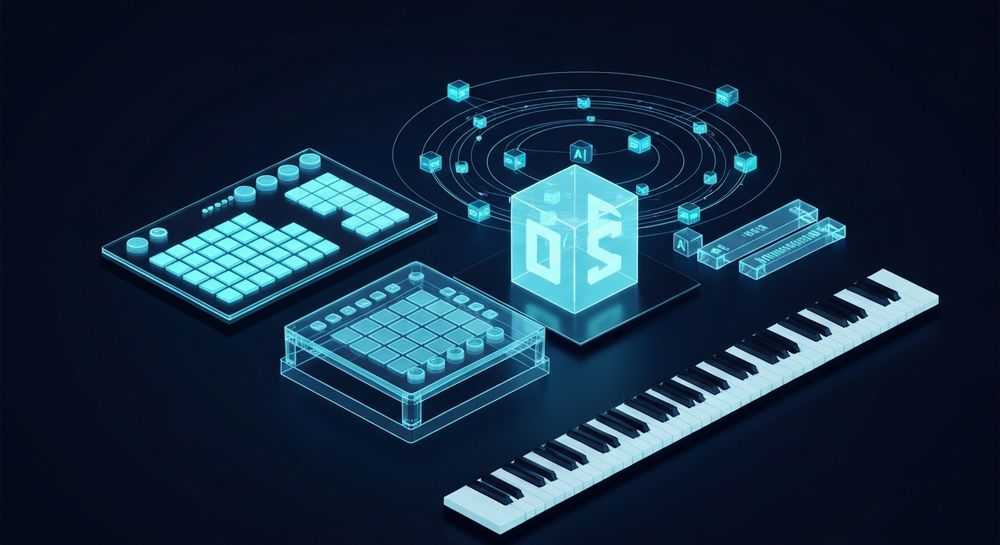
To start producing music, you don’t need an expensive studio setup. Many successful producers began using simple, affordable tools. Here’s what you’ll typically need:
- Laptop or Computer: Capable of running DAW software smoothly.
- DAW (Digital Audio Workstation): Tools like FL Studio, Ableton Live, and Logic Pro remain foundational environments for arranging and mixing beats.
- Headphones or Studio Monitors: Essential for hearing frequencies accurately.
- MIDI Controller or Keyboard: Helps to play melodies and chords more naturally.
- Beat Making Software or Plugins: Synthesizers, drum kits, and samplers.
- AI Music Tools: Modern solutions such as Soundverse’s AI Music Generator to instantly create instrumentals.
You can explore advanced music creation trends in The Role of AI Music in Film and Television to see how these tools are changing creative workflows.

How Do You Structure a Beat?
Every beat typically follows a structure of rhythm, melody, bass, and texture. Beginners often begin by creating drum patterns and then layering melodic elements around them.
Step-by-Step Breakdown:
- Drums: Start with a kick and snare pattern—these form the backbone. Add hi-hats or percussion for movement.
- Bassline: Establish low-end energy by aligning bass notes with drum hits.
- Melody: Use piano, synths, or sampled instruments to create emotional tone.
- Add Effects: Introduce reverb, delay, or distortion for atmosphere.
- Arrangement: Divide your beat into intro, verse, chorus, and outro sections.
For deeper insight into genre-based arrangement, you can refer to How to Create EDM with Soundverse AI which explores electronic genre structuring in detail. For an in-depth visual overview, watch our Soundverse Tutorial Series - 9. How to Make Music.
What Software is Best for Beginner Beat Making?
Choosing the right beat making software can shape your entire workflow. Here are popular tools used in 2026:
- FL Studio: User-friendly and ideal for beginners.
- Ableton Live: Great for electronic and experimental music.
- Logic Pro: Excellent for Mac users creating professional sound.
- Soundverse AI: Allows instant text-to-music generation for instrumentals.
- GarageBand: Entry-level, preinstalled on Apple devices.
A detailed analysis of modern AI-driven sound creation tools can be found in Best AI Music Generator: Top Picks and Review. You can also check the Soundverse Tutorial Series - 10. Make Deep House Music for practical demonstrations inside the platform.
How to Make a Beat: A Practical Step-by-Step Guide
Here’s your simplified roadmap for creating a beat—even if you’re starting from zero.
Step 1: Define Your Genre and Mood

Ask yourself—what type of vibe do you want? Hip-hop, trap, jazz, lofi, or cinematic? Your genre dictates tempo and instrument choice. For chill lofi beats, lower tempos and softer textures work best. Faster genres like EDM use crisp percussion and driving basslines.
Step 2: Choose Your Sounds

Select a drum kit that fits the mood—tight hip-hop drums or electronic kicks. Combine samples and virtual instruments. Many platforms even allow importing AI-generated sound loops, so your workflow remains seamless.
Step 3: Make a Basic Drum Pattern

Create a repeating rhythm with kick, snare, and hi-hats. Most producers start with a 4/4 time signature, placing a kick on beats 1 and 3 and a snare on beats 2 and 4.
Step 4: Add Your Melody and Harmony

Layer a piano riff, synth lead, or guitar pluck. Use chord progressions to add depth. Try simple triads first while adjusting velocity and timing for a human feel.
Step 5: Introduce a Bassline

The bass grounds your beat. It should complement the kick and groove smoothly with the melody. Experiment with sub-bass instruments or analog bass synths.
Step 6: Polish Your Mix
Adjust instrument levels, ensure clarity between frequencies, and apply reverb and EQ to blend sounds. A clean mix can make even simple beats sound professional.
Step 7: Master and Export
Once your beat sounds polished, export it to WAV or MP3 for sharing. Alternatively, you can use AI extensions like Soundverse’s Extend Music feature to automatically expand loops or transitions.
To understand how stem editing can refine your production, explore Soundverse Introduces Stem Separation AI Magic Tool. Another tutorial that can help you master this workflow is the Soundverse Tutorial Series - 8. "Explore" Tab.
How to Make Beats with Soundverse AI Music Generator

Now that you understand how to make a beat manually, here’s how to do it instantly with Soundverse.
Step 1: Feature Overview
Access the AI Music Generator from the main menu upon login. This is where the text-to-music creation begins.
Step 2: Description Input
Enter a descriptive text prompt, such as “groovy hip-hop beat with jazz elements” or “ambient lofi background music.” The AI interprets this description to compose the instrumental foundation.
Step 3: Style & Duration
Select the genre, mood, and duration you want. Whether you're creating 30-second loops or 3-minute tracks, Soundverse allows precise control over style, tempo, and instrumentation using the V4 or V5 Model versions.
Step 4: Generation
Once your settings are ready, click Generate. The AI transforms your text into fully produced instrumental music tailored to your request. It’s ideal for video backgrounds, gaming sound design, and creative projects.
Step 5: Export Options
After processing, download your instrumental as a high-quality audio file. You can then remix it, extend it, or separate its stems using other Soundverse tools such as Stem Separator or Extend Music.
Why Soundverse is Perfect for Beginner Beat Making
Soundverse doesn’t require advanced music theory or production experience. Its AI Music Generator makes creating a beat as simple as describing what you want. Beginners can skip complex sequencing while still learning structure and tone. For those exploring genre diversity, Soundverse offers fine mood control—from calm meditation music to high-energy EDM.
You can discover creative applications of this technology through articles like How AI Generated Music is Transforming the Music Industry.
Key Benefits for Beginners:
- Instant Results: Create quality instrumentals from simple text descriptions.
- Adaptive Creativity: Modify genre, tempo, or mood effortlessly.
- Seamless Looping: Perfect for repetitive hooks or background use with Loop Mode.
- Professional Sound: Powered by advanced AI models for polished audio output.
Start Creating Beats Instantly with Soundverse AI
Turn your ideas into professional-grade beats within minutes using AI-powered tools. No studio? No problem—Soundverse gives you the technology to create music anytime, anywhere.
Related Articles
- Generate AI Music with Soundverse Text-to-Music — Learn how Soundverse’s text-to-music tool can transform your ideas into full tracks instantly.
- How to Make AI-Generated Music — Discover the step-by-step process for creating custom AI-generated songs—even if you’re new to music production.
- Soundverse Assistant: Your AI Music Co-Producer — Explore how the Soundverse Assistant can help you produce, arrange, and fine-tune your beats with AI precision.
- The Benefits of Composing with an AI Music Generator — Understand how AI music generators simplify composition, spark creativity, and accelerate production workflows.
Here's how to make AI Music with Soundverse
Video Guide

Here’s another long walkthrough of how to use Soundverse AI.
Text Guide
- To know more about AI Magic Tools, check here.
- To know more about Soundverse Assistant, check here.
- To know more about Arrangement Studio, check here.
Soundverse is an AI Assistant that allows content creators and music makers to create original content in a flash using Generative AI.
With the help of Soundverse Assistant and AI Magic Tools, our users get an unfair advantage over other creators to create audio and music content quickly, easily and cheaply.
Soundverse Assistant is your ultimate music companion. You simply speak to the assistant to get your stuff done. The more you speak to it, the more it starts understanding you and your goals.
AI Magic Tools help convert your creative dreams into tangible music and audio. Use AI Magic Tools such as text to music, stem separation, or lyrics generation to realise your content dreams faster.
Soundverse is here to take music production to the next level. We're not just a digital audio workstation (DAW) competing with Ableton or Logic, we're building a completely new paradigm of easy and conversational content creation. TikTok: https://www.tiktok.com/@soundverse.ai Twitter: https://twitter.com/soundverse_ai Instagram: https://www.instagram.com/soundverse.ai LinkedIn: https://www.linkedin.com/company/soundverseai Youtube: https://www.youtube.com/@SoundverseAI Facebook: https://www.facebook.com/profile.php?id=100095674445607
Join Soundverse for Free and make Viral AI Music

We are constantly building more product experiences. Keep checking our Blog to stay updated about them!