How to Create AI Music Videos for Festivals and Events
Learn to create AI music videos for festivals using Soundverse tools in 2026.
How to Create AI Music Videos for Festivals and Events
In 2026, festivals and music events have become more immersive than ever. From dazzling lights to synchronized visuals, audiences now expect creative spectacles that merge music, art, and technology. One of the most exciting shifts reshaping event content creation is AI music video creation — where artificial intelligence helps organizers produce dynamic audio-visual experiences without massive budgets or production crews.
Why AI Music Video Creation Is Transforming Festivals in 2026
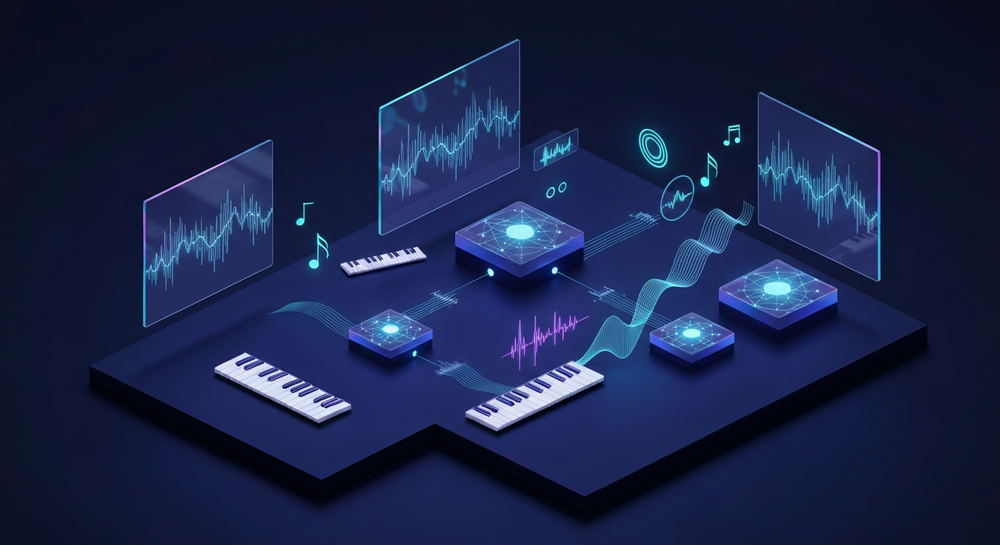
Music festivals have evolved from mere performances into sensory experiences. As AI continues to dominate creative production, tools capable of generating music, visuals, and motion graphics through text or audio prompts have been integrated into event workflows globally. AI video production has become a cornerstone of modern festivals, enabling teams to create festival visuals AI stylized uniquely for each performance. Learn more in AI Music Video Creation in 2026: A Practical Guide to Modern Visual Production Tools.
In past years (2024–2025), many festivals experimented with AI projections and reactive visuals. Now, in 2026, this technology has matured. Event organizers use AI video production pipelines to create loops that respond to beats, transitions, or moods generated by AI-powered tracks. This allows music event visuals to feel fully cohesive and responsive, shaping how audiences engage.
Beyond efficiency, the biggest advantage is creativity. AI gives visual artists and producers complete freedom to experiment — turning small concept ideas into fully realized multimedia experiences.
How to Make AI Music Videos for Festivals with Soundverse AI Music Generator

Before diving into the steps, let’s understand how Soundverse fits into the festival production ecosystem.
The Soundverse AI Music Generator
Soundverse’s AI Music Generator is the foundation of high-quality, AI-generated festival soundtracks. Designed to create fully produced instrumental music from text prompts, it supports looping and detailed genre, mood, and instrument control. You can generate custom beats, soundscapes, and ambient tracks for different stages or intermissions seamlessly.
Core capabilities include:
- Text-to-Music Generation: Turn ideas or written themes into ready-made instrumental tracks.
- Loop Mode: Build seamless loops ideal for background visuals or festival stage transitions.
- Fine Genre and Mood Control: Adjust genre, tempo, and instrumental layering.
- V4 & V5 Model Options: Choose between models specialized for various intensity ranges and genres.
These features make it ideal for AI music video creation workflows, where the soundtrack defines visual motion and atmosphere.
Now, let’s get into the step-by-step guide on how to produce your own AI music video for festivals using Soundverse.
Step 1: Feature Overview

Access the AI Music Generator from Soundverse’s main menu. The interface guides you to the music generation panel where users can choose the text-to-music option. This tool is built to work asynchronously — you enter your data, the AI processes it, and returns a fully produced track optimized for looping or visual synchronization.
Step 2: Description Input

Enter a descriptive text prompt for your desired music. Example: “Energetic electronic rhythm for a sunset festival stage with pulsing bass.” The more detailed your input, the more precise the AI composition. Keep your description aligned with your event’s visual theme — whether it's lightwave, techno, tropical, or deep house ambiance.
Pro Tip: For inspiration, check out related guides like Generate AI Music with Soundverse Text to Music or How to Create EDM with Soundverse AI to find strong starting prompts.
Step 3: Style & Duration Selection

Choose the style, genre, and track duration. Festival visuals often benefit from longer loops, typically between 2–5 minutes, enabling smoother transitions without abrupt changes. Adjust the mood parameter to match your visual tone — dark, euphoric, serene, or experimental.
Step 4: Generation

Once parameters are set, click “Generate.” The system processes your description and delivers an instrumental track crafted by AI. Using Soundverse’s V4 or V5 models, you can expect professional-level layering, spatial depth, and dynamic momentum perfect for event visuals. For a deeper dive, watch our guide on creating Deep House music.
After generation, preview the music offline and confirm it aligns with your festival’s atmosphere. This step ensures synchronization with pre-made visual effects or motion templates.
Step 5: Export Options

Download your produced instrumental. Soundverse offers multiple export formats suitable for use in event visual software such as Resolume, TouchDesigner, or any video editing suite. You can loop or segment your downloaded track and integrate it with pre-rendered video effects or live projection tools.
Optional Integration: Pair the output with AI visual generators — platforms like Runway or Kaiber can process your AI music track to produce stunning reactive motion visuals. The key is aligning the rhythm with the visual tempo extracted from the generated beats.
Pro Tips for Creating Immersive AI Festival Visuals
To craft unforgettable visual narratives, keep these 2026 strategies in mind:
- Sync Audio Energy with Visual Motion: Use beat analysis tools to match kinetic movement with the track’s rhythm.
- Experiment with Different Genres: Festivals thrive on diversity. Try creating multiple text prompts using Soundverse for unique genres — ambient, trance, lo-fi, or jazz. For inspiration, review their 50 Hand-Picked Background Music Prompts.
- Layer AI Elements: Blend audio loops from Soundverse with AI visual tools such as music-reactive motion art. This creates a cohesive atmosphere reflecting real-time musical evolution.
- Align Brand Identity: If it's a branded event or sponsorship activation, customize theme keywords like “neon,” “vintage,” or “futuristic beats” to generate soundtracks consistent with your event’s visual identity.
- Leverage Cross-Tool Collaboration: Use Soundverse’s other tools for more creative depth. The AI Song Generator can add vocals to highlight performer intros, and Voice Swap can personalize festival announcements with custom voices.
Why AI Video Production Is Revolutionizing Festivals
By 2026, AI video production tools have reached sophistication levels where they can autonomously produce visual loops synchronized with musical patterns. This is transforming how event teams orchestrate stage shows, reducing post-production time by over 50% while expanding creative potential.
For music producers collaborating with visual artists, creative AI tools for festivals mean less technical stress and more artistic experimentation. Organizers can now build complete, branded audio-visual ecosystems revolving around unique AI-generated soundtracks and motion visuals.
The result: immersive audience experiences previously achievable only with large production budgets.
The Future of Music Event Visuals and AI Collaboration
Looking ahead, the integration between AI music video creation platforms and live visual controllers will deepen. In 2026, event professionals are merging visual automation with dynamic sound prompts — producing adaptive shows that respond in real time to audience energy feedback.
To stay informed on future innovations, follow Soundverse’s coverage of Music Industry Trends and explore their breakdown of AI Magic Tools, which streamline AI creativity workflows.
Start Creating Stunning AI Music Videos Today
Bring your festival or event visuals to life with AI-generated music tailored to your vibe. Soundverse makes music video creation fast, flexible, and effortless.
Related Articles
- The Role of AI Music in Film and Television: Discover how AI-generated compositions are transforming visual storytelling across entertainment industries.
- Soundverse AI Magic Tools: Create Content Quickly with AI: Learn how Soundverse’s AI Magic Tools can accelerate your creative process and elevate your production quality.
- Generate AI Music with Soundverse Text-to-Music: Explore how simple text prompts can instantly turn ideas into festival-ready tracks with Soundverse.
- Creating a Faceless Valentine’s Day Video Message with Free AI Tools: See how AI-powered visuals can make engaging video messages without the need for on-camera appearances.
Here's how to make AI Music with Soundverse
Video Guide

Here’s another long walkthrough of how to use Soundverse AI.
Text Guide
- To know more about AI Magic Tools, check here.
- To know more about Soundverse Assistant, check here.
- To know more about Arrangement Studio, check here.
Soundverse is an AI Assistant that allows content creators and music makers to create original content in a flash using Generative AI. With the help of Soundverse Assistant and AI Magic Tools, our users get an unfair advantage over other creators to create audio and music content quickly, easily and cheaply. Soundverse Assistant is your ultimate music companion. You simply speak to the assistant to get your stuff done. The more you speak to it, the more it starts understanding you and your goals. AI Magic Tools help convert your creative dreams into tangible music and audio. Use AI Magic Tools such as text to music, stem separation, or lyrics generation to realise your content dreams faster. Soundverse is here to take music production to the next level. We're not just a digital audio workstation (DAW) competing with Ableton or Logic, we're building a completely new paradigm of easy and conversational content creation.
TikTok: https://www.tiktok.com/@soundverse.ai
Twitter: https://twitter.com/soundverse_ai
Instagram: https://www.instagram.com/soundverse.ai
LinkedIn: https://www.linkedin.com/company/soundverseai
Youtube: https://www.youtube.com/@SoundverseAI
Facebook: https://www.facebook.com/profile.php?id=100095674445607
Join Soundverse for Free and make Viral AI Music

We are constantly building more product experiences. Keep checking our Blog to stay updated about them!