How to Build a Music AI Workflow for Creators in 2026
Learn how to build a music AI workflow with Soundverse Agent to automate your creator production pipeline in 2026.
How to Build a Music AI Workflow for Creators
In 2026, artificial intelligence has become the creative partner of choice for music producers, digital artists, and content creators. Building a music AI workflow isn't just about automation — it’s about designing a process where creativity flows seamlessly between human intuition and algorithmic assistance. Whether you make beats, arrange tracks, or craft full compositions for videos, a structured music AI workflow can save hours of manual effort while keeping artistry front and center.
Creating this workflow involves combining multiple tools intelligently and understanding how to delegate parts of your music-making process to AI systems like Soundverse. Let’s explore how you can build your own complete and efficient music AI workflow as a creator in 2026.
How to make your music AI workflow with Soundverse Agent
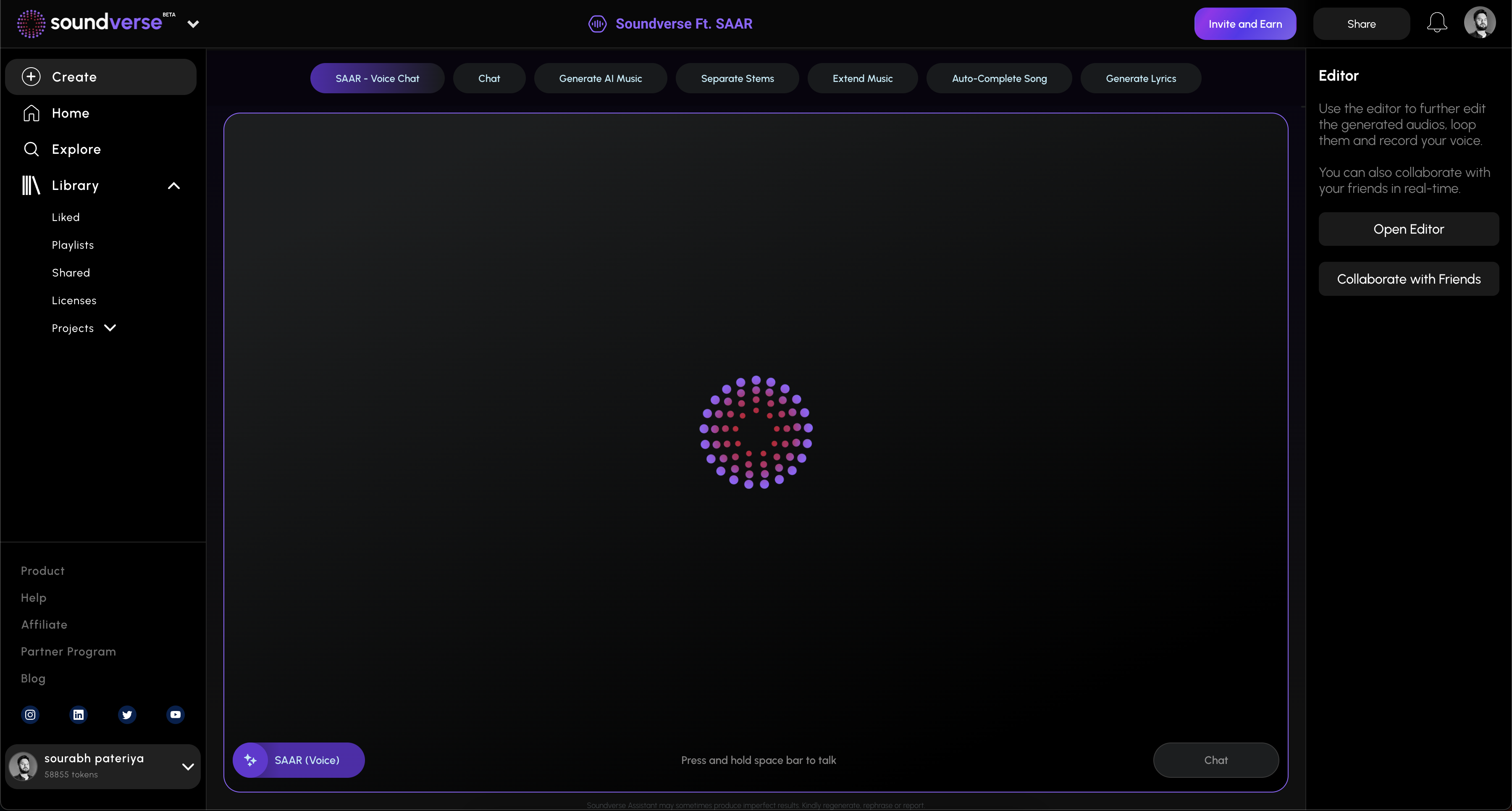

Soundverse Agent is the centerpiece of the Soundverse ecosystem — a conversational AI music assistant designed for creators who want to automate their production pipeline while keeping creative control. Acting as a centralized controller, the Agent uses multi-step reasoning to interpret natural language requests like “create a pop song, then separate the stems,” and triggers corresponding tools under the hood automatically.
Key Capabilities of Soundverse Agent
- Multi-step tool orchestration: Manage the entire AI process across song generation, arrangement, and export stages.
- Contextual memory: The Agent remembers previous requests, enabling sophisticated iterative workflows for refining tracks.
- Voice input support: You can communicate via voice prompts to generate, modify, or extend compositions.
- Cross-tool workflow automation: The Agent integrates tools such as the AI Music Generator, AI Song Generator, and Arrangement Studio for fluid transitions between creative stages.
This centralized orchestration turns Soundverse from a collection of tools into a cohesive music production pipeline — perfectly suited for anyone building a scalable creator workflow.
Step 1: Overview
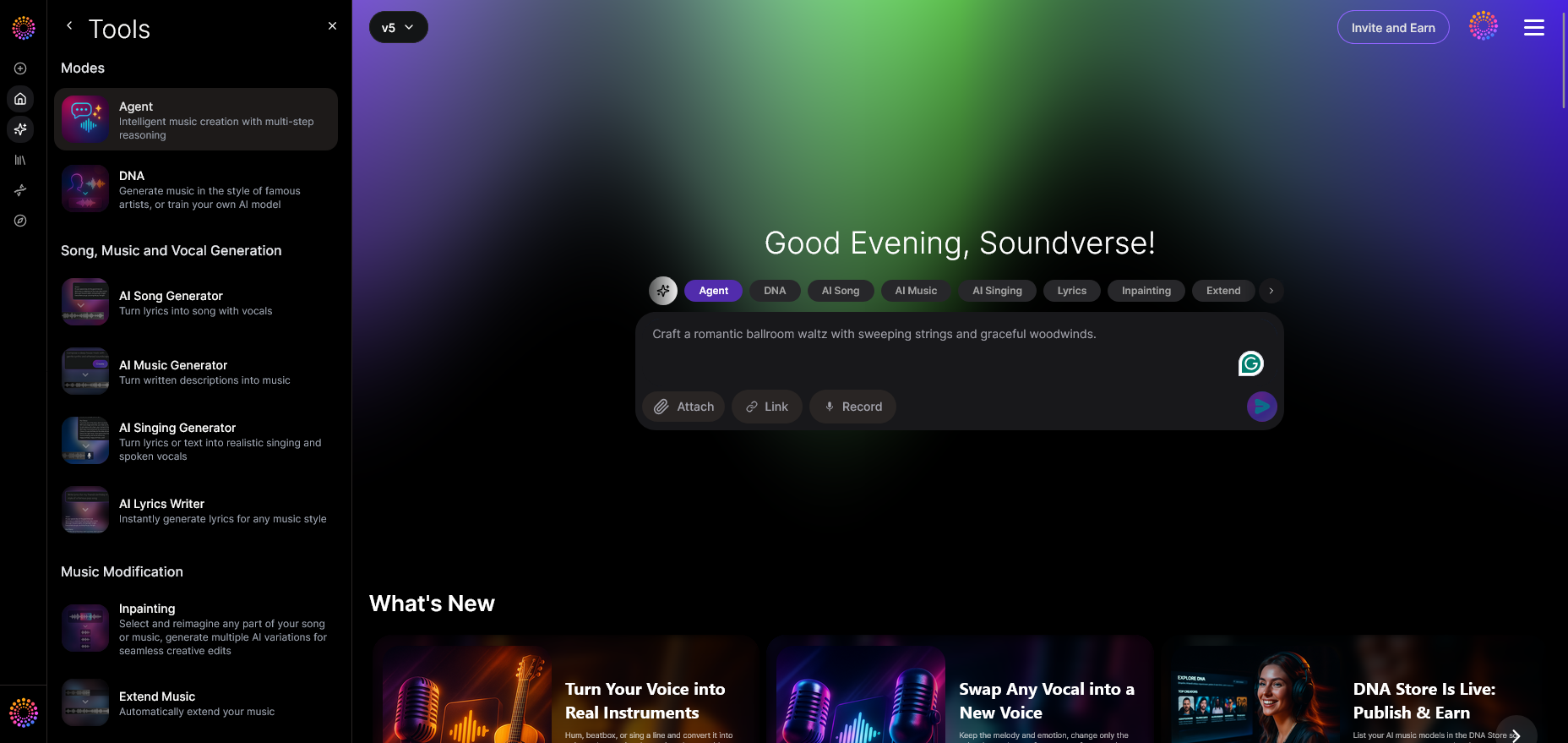
Start from the main Soundverse Agent interface. This is your command center where you enter instructions or upload references. Think of it as your digital co-producer that listens, understands, and executes multi-step creative tasks automatically.
Step 2: Reference Audio
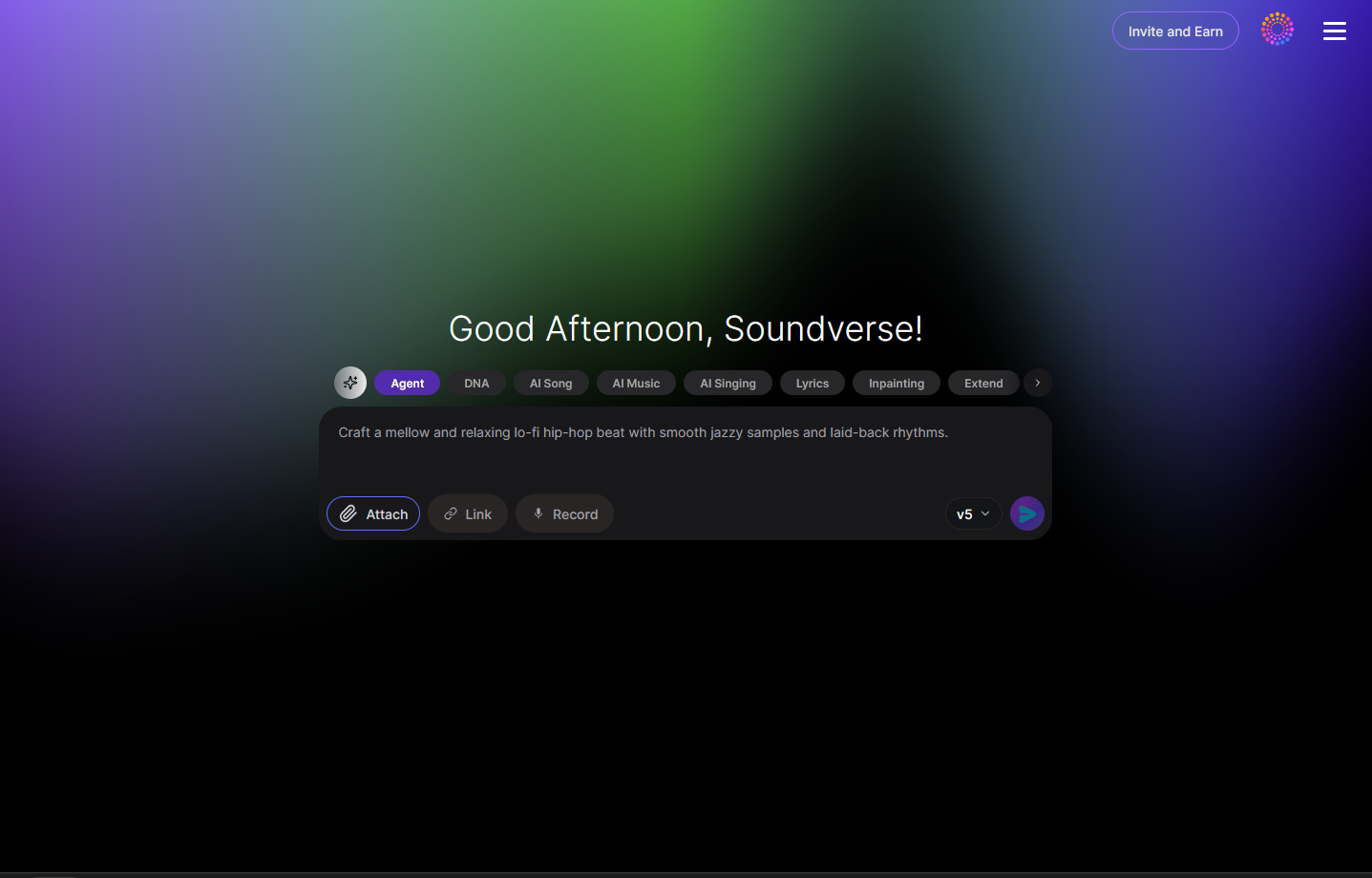
You can add reference audio or genres to guide the AI’s output. This helps the Agent align with your desired vibe or production style — whether it’s cinematic scores, lo-fi beats, or EDM arrangements. Having a reference improves AI pattern matching and musical coherence.
Step 3: Attach Button
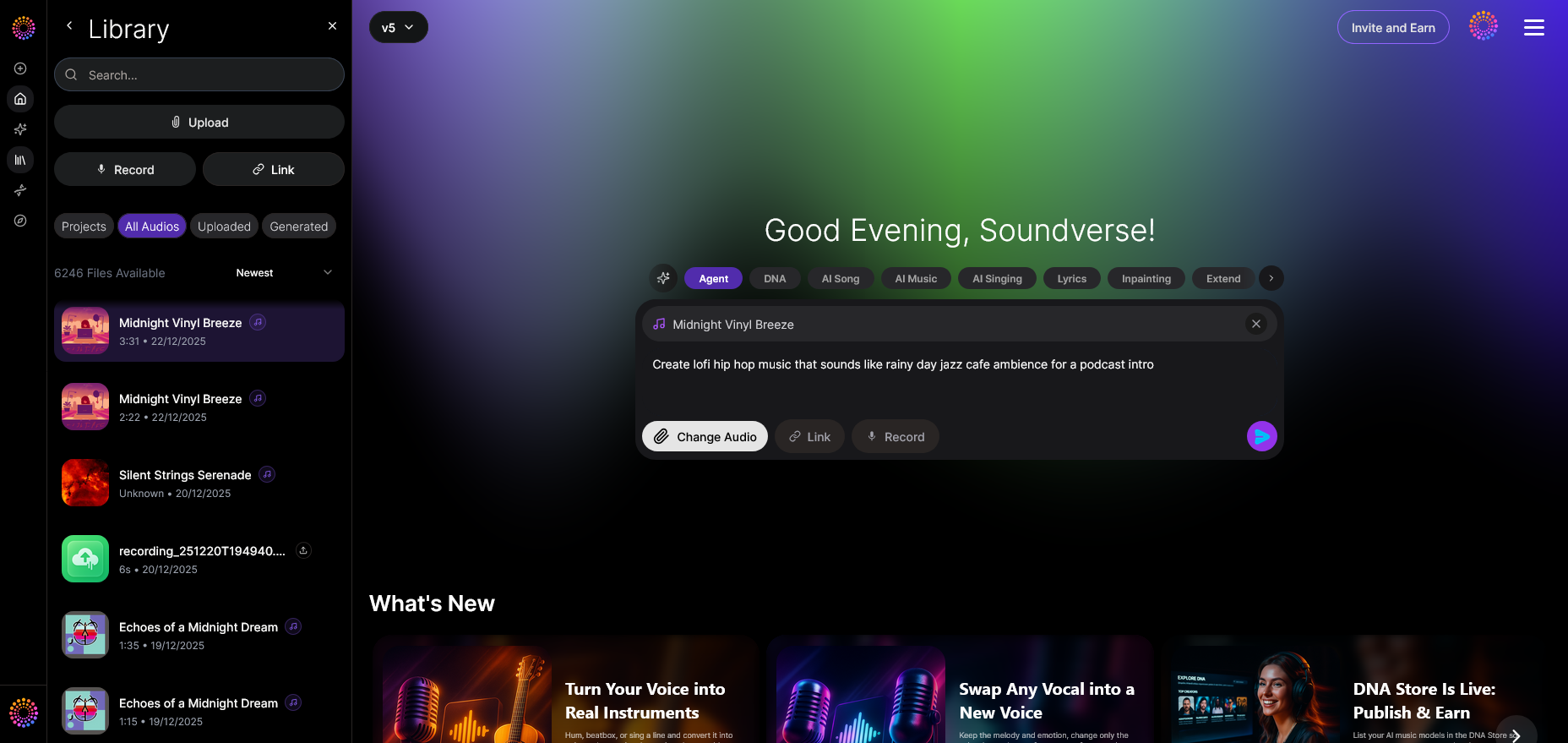
Use the attachment dialog to include files such as stems, partial mixes, or vocal takes. These inputs serve as foundations for transformative processes, like remixing or stem separation, which you can explore further in Soundverse’s AI Magic Tool.
Step 4: Submit Request
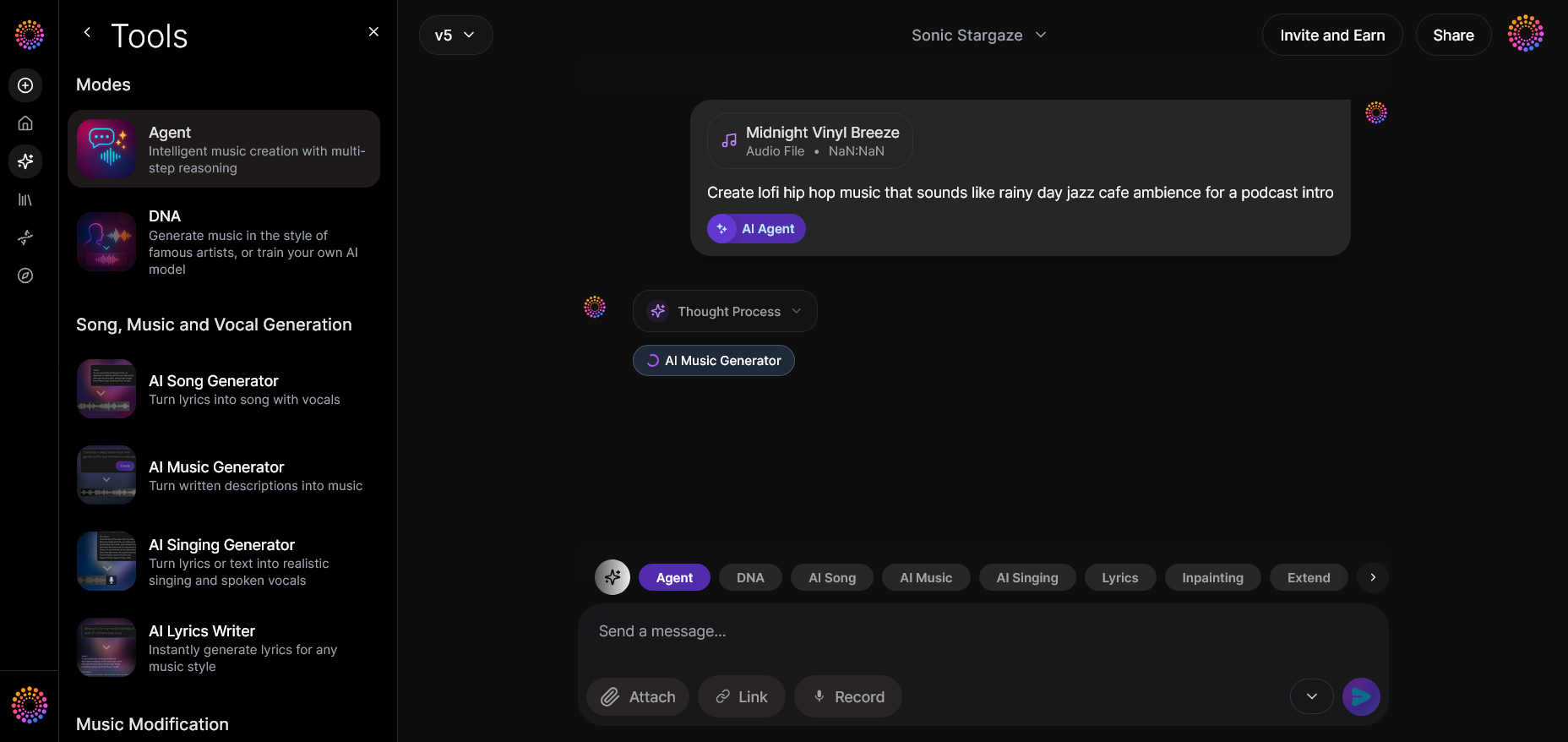
Click the submit button to send your prompt or configuration. The Agent then processes your request asynchronously — no live preview — returning the completed output after computation.
Step 5: Review Output
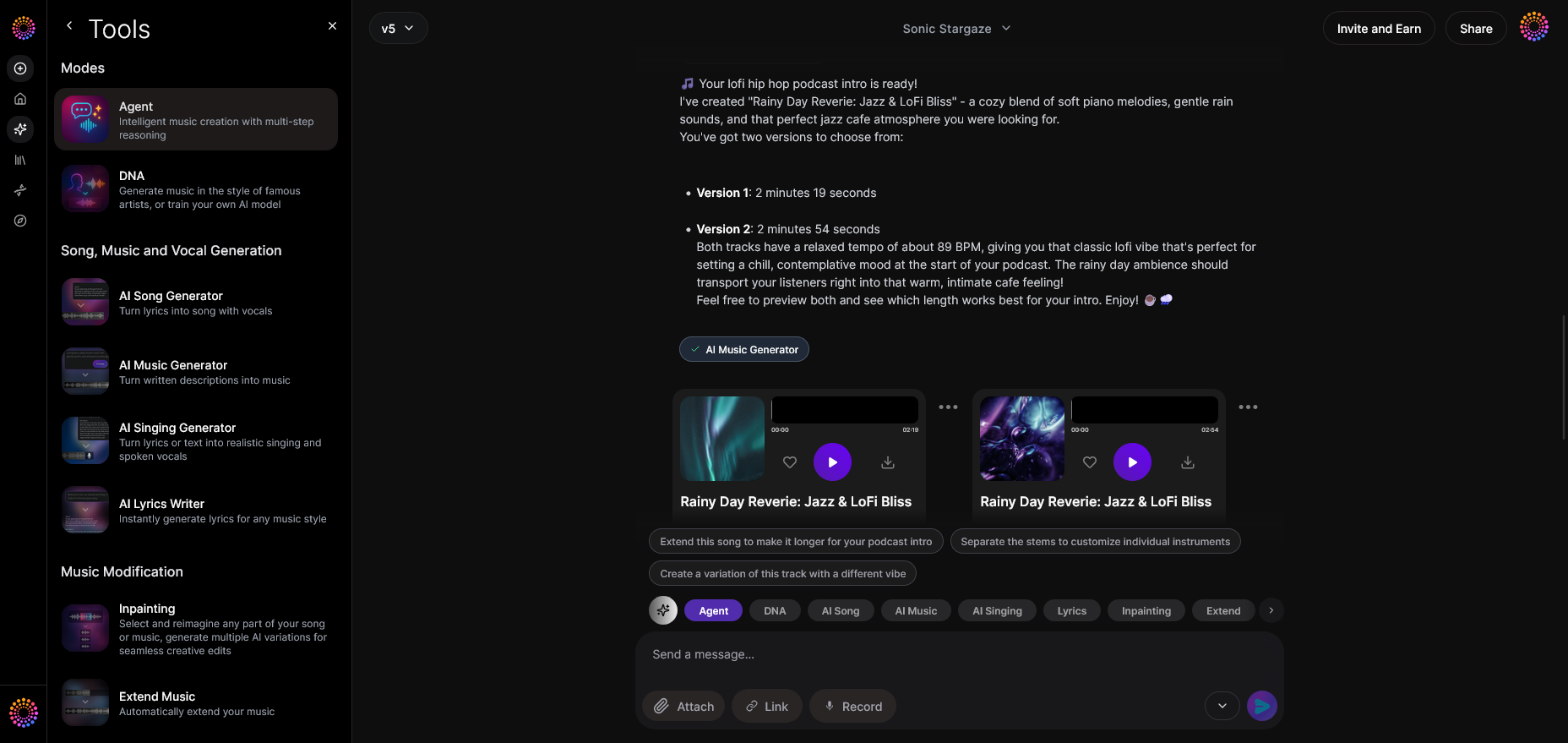
Once the processed track appears, review the composition. This asynchronous model ensures the AI completes rendering before playback, providing accurate representations of the generated music without distortion. For a deeper dive, watch our guide on creating Deep House music and learn how the asynchronous workflow feels in real time.
Step 6: Refine Conversation
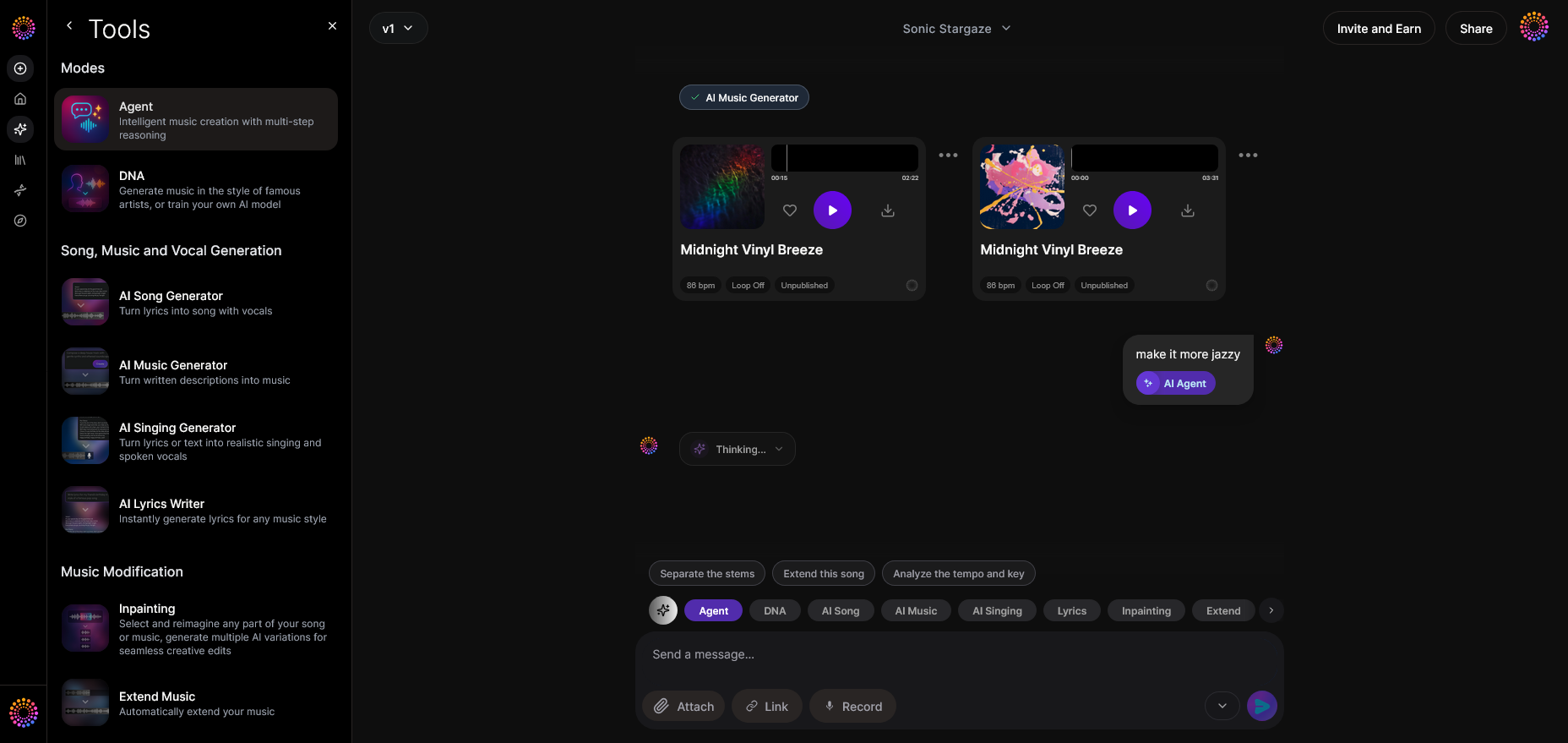
Use the iterative refinement interface to adjust parameters like tempo, instrumentation, or mood. Thanks to contextual memory, you can continue the same conversation, letting the AI understand your evolving creative intent without starting over.
Step 7: Advanced Controls
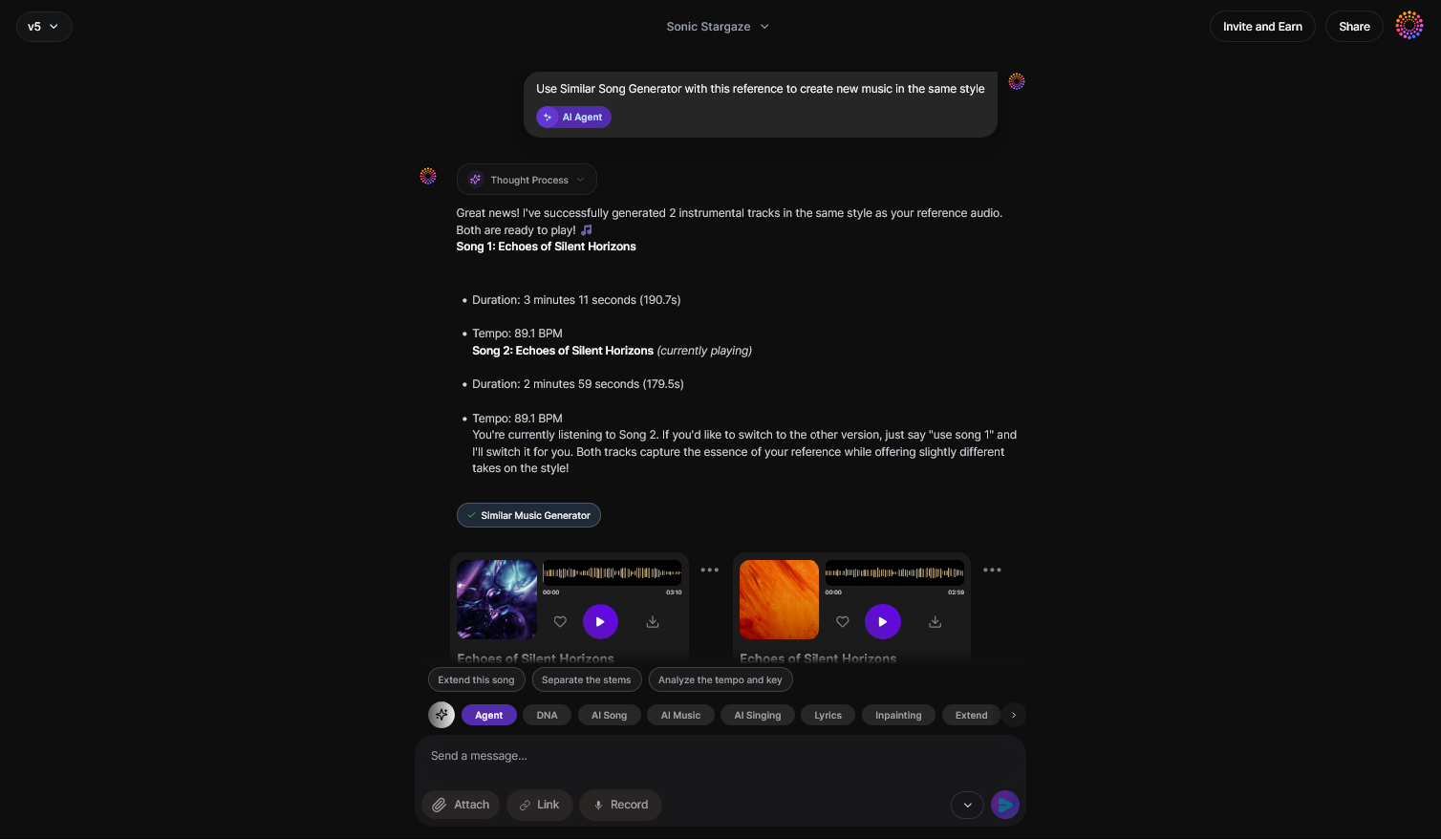
For experienced producers, dive into advanced options. You can select which underlying tools to enable — AI Song Generator for melody-driven pieces or AI Music Generator for instrumental soundscapes. These integrations make Soundverse a versatile companion for different stages of music design. Related guides like Generate AI Music with Soundverse Text-to-Music highlight these integrations further.
Step 8: Export Options
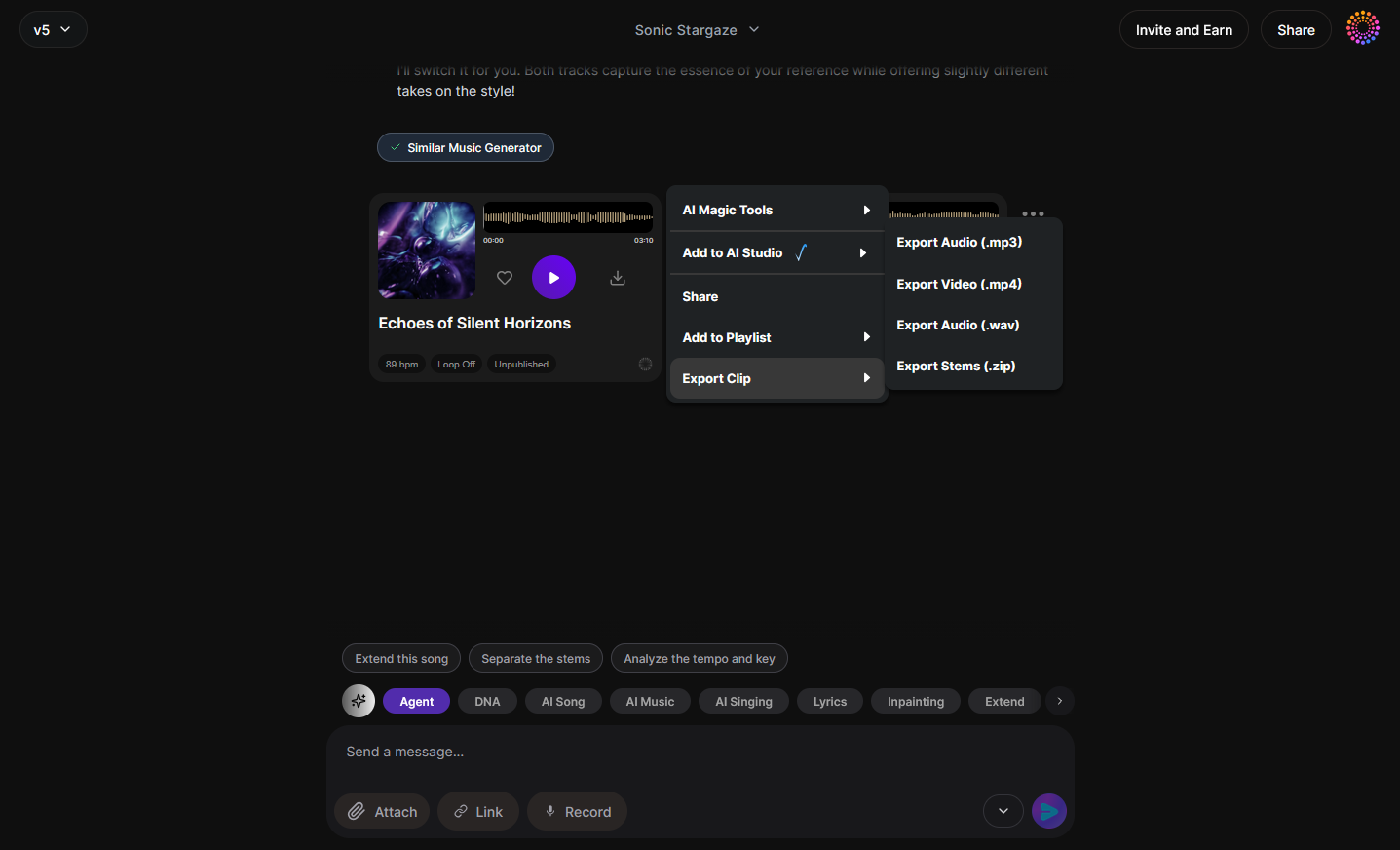
After finalizing your composition, use the export menu to save in preferred formats (WAV, MP3, or stems). This flexibility makes Soundverse suitable for everything from TikTok content to professional studio releases.
Step 9: New Conversation
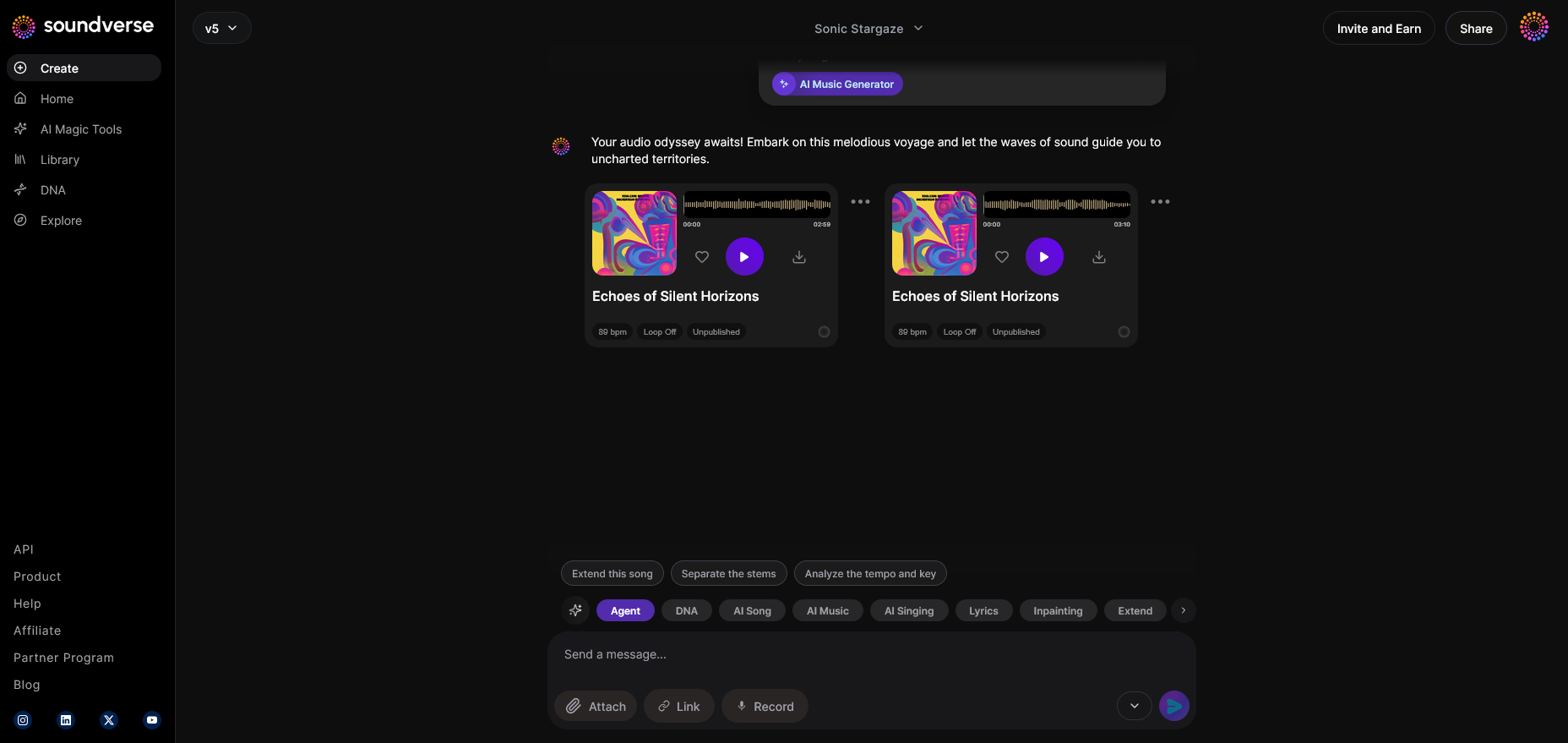
Finally, create a new project if you wish to start from scratch or switch styles. Each new session gives a clean slate, enabling experimentation across multiple genres — from jazz to EDM. You can learn genre-specific workflows through guides like How to Create Jazz Music with Soundverse AI and How to Create EDM with Soundverse AI. To see an example of efficient multi-genre exploration, check the Soundverse Tutorial - How to Make Music.
How can AI improve your production pipeline in 2026?
Integrating Soundverse Agent into your music AI workflow enhances productivity, collaboration, and creative experimentation. Here’s how:
- Rapid prototyping: Instantly test ideas and variations. The Agent can generate several musical options, helping producers find the perfect balance of rhythm and melody. Discover more about AI music mixing quality in 2026.
- Cross-tool consistency: Unlike fragmented setups, Soundverse ensures your prompts and references carry across tools without re-entry. This eliminates workflow friction.
- Educational support: Musicians learning music theory can interact with the Agent to understand chord progressions and arrangement logic interactively.
- Automation for repetitive tasks: Automate stem extraction or section rearrangement through connected Soundverse tools, freeing creators to focus on artistry.
- Collaboration scaling: In 2026, remote creative teams thrive on AI-assisted co-production. Soundverse streamlines this by handling multi-step processes conversationally. Learn how AI tools are transforming spatial audio music production for even broader collaboration use cases.
Pro Tips for Building Your Music AI Workflow
- Iterate conversationally: Don’t settle on your first generation. Use the refine stage to teach the Agent your stylistic preferences.
- Integrate Arrangement Studio: Once you generate music, open it in Arrangement Studio for section rearrangement, structure adjustments, and detailed editing.
- Use genre filters: Explore dynamic generation filters such as genre, theme, and instrument type, detailed in Now Generate Music with Filters.
- Experiment with lyric-based generation: For vocal tracks, use the AI Song Generator — a complementary model specialized in turning lyrics into arranged music.
- Keep your workflow modular: Treat each stage (generation, arrangement, export) as a segment that can be rerun or customized individually.
Start Building Your Music AI Workflow Today
Unlock creative efficiency and endless musical possibilities with Soundverse’s intelligent music AI tools. From idea to final mix, our platform empowers creators to produce professional-quality tracks in minutes.
Get Started with Soundverse AI
Related Articles
- Soundverse Assistant: Your AI Music Co-Producer: Discover how Soundverse Assistant helps streamline your music creation process with smart recommendations and powerful tools.
- How an AI Music Generator Inspires Creative Fusion: Explore how AI-generated music fuels artistic innovation and blends human creativity with machine intelligence.
- Soundverse AI: Revolutionizing Music Creation for New-Age Content Creators: Learn how Soundverse is redefining music production for digital creators, making high-quality sound creation effortless.
- Generate AI Music with Soundverse Text-to-Music: Turn your words and ideas into music instantly using Soundverse’s advanced text-to-music AI generator.
Here's how to make AI Music with Soundverse
Video Guide

Here’s another long walkthrough of how to use Soundverse AI.
Text Guide
- To know more about AI Magic Tools, check here.
- To know more about Soundverse Assistant, check here.
- To know more about Arrangement Studio, check here.
Soundverse is an AI Assistant that allows content creators and music makers to create original content in a flash using Generative AI.
With the help of Soundverse Assistant and AI Magic Tools, our users get an unfair advantage over other creators to create audio and music content quickly, easily and cheaply.
Soundverse Assistant is your ultimate music companion. You simply speak to the assistant to get your stuff done. The more you speak to it, the more it starts understanding you and your goals.
AI Magic Tools help convert your creative dreams into tangible music and audio. Use AI Magic Tools such as text to music, stem separation, or lyrics generation to realise your content dreams faster.
Soundverse is here to take music production to the next level. We're not just a digital audio workstation (DAW) competing with Ableton or Logic, we're building a completely new paradigm of easy and conversational content creation.
TikTok: https://www.tiktok.com/@soundverse.ai
Twitter: https://twitter.com/soundverse_ai
Instagram: https://www.instagram.com/soundverse.ai
LinkedIn: https://www.linkedin.com/company/soundverseai
Youtube: https://www.youtube.com/@SoundverseAI
Facebook: https://www.facebook.com/profile.php?id=100095674445607
Join Soundverse for Free and make Viral AI Music

We are constantly building more product experiences. Keep checking our Blog to stay updated about them!