A List of Platforms Offering Free Trials for AI-Powered Music Video Creation Software
AI music video free trial list, checked 19 Nov 2026: free plans, sign-up credits and paid trials, with limits, watermarks, commercial use and cancelling.
An AI music video free trial in November 2026 is usually a free plan (Soundverse, Runway, Freebeat), sign-up credits (Revid) or a paid trial that converts to a subscription (Kaiber's five-day trial). This list of platforms offering free trials for AI-powered music video creation software shows what each free tier includes and how to stop before you're charged.
We read each vendor's own pricing, help and terms pages on 19 November 2026. Three couldn't be read in full: Canva's pages returned an access block, Freebeat's pricing and terms pages hit a security checkpoint, and Kling's pricing page loads nothing without a full browser. For those, we say only what we could confirm. Prices and trial terms change often, so check the page on the day you sign up.
Free plan, sign-up credits or paid trial: what "free" means
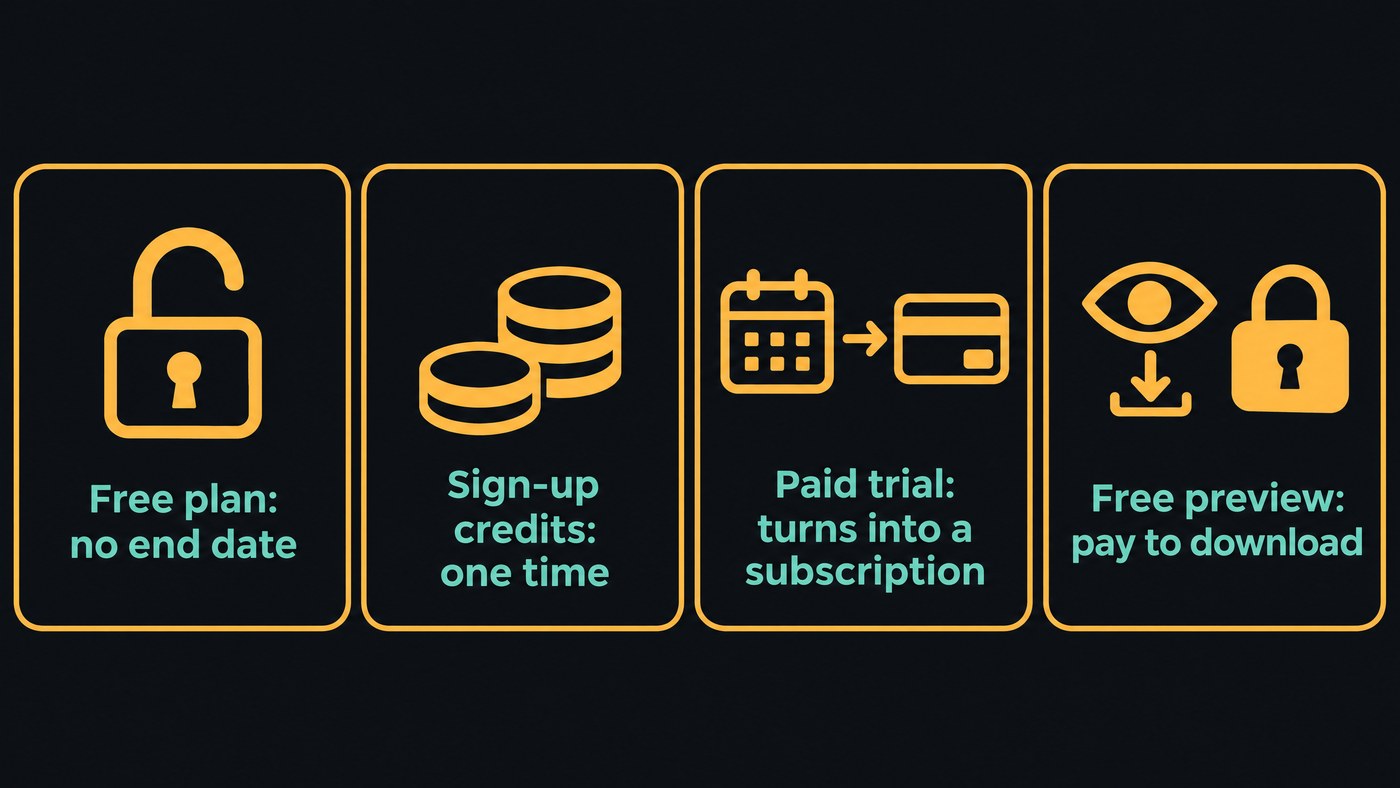
Vendors use "free trial" for four different deals, and the difference decides whether you can be charged.
- Free plan. No end date and nothing to cancel, but limited credits or features.
- Sign-up credits. A one-time balance. When it's gone, you pay or stop.
- Paid trial. A small charge for a few days of a paid tier, which renews as a full subscription unless you cancel.
- Free preview. You can make and watch videos for free, but downloading costs money.
For agency work, also check whether the free tier allows commercial use. Several don't, so a pitch test may not be usable in the campaign.
AI music video free trials and free plans, platform by platform
Soundverse: Free plan
- What's free: a Free plan; the feature pages say no card is needed. AI Studio is on every plan, and Free gives you 3 projects with 3 tracks each and one video lane. Its Visualizer renders an audio-reactive MP4 for your song in 16:9, 9:16, 1:1 or 4:5. Music Video Storyteller, which writes a video story from your song's sections and lyrics, is on every plan too.
- Output: video export up to 720p as MP4, WebM or MOV on Free; 1080p needs Creator.
- Not on Free: AI Music Video Generator and AI Video Generator need Creator or above.
- Watermark: not mentioned on the AI Studio or pricing pages.
- Commercial use: Licensing is set by plan: the Free plan is for personal use, and the Creator plan comes with a royalty-free license.
- Cancelling: the pricing FAQ says you can cancel a paid plan at any time with no lock-in.
Runway: Free plan with one-time credits
- What's free: 125 one-time credits that don't expire, "a selection of generative creative models to test concepts" and 5GB of storage. At Gen-4.5's 12 credits per second, that's about 10 seconds of video.
- Watermark: "No watermarks" is listed from the Standard plan up ($15 a month, or $12 billed yearly), not on Free.
- Commercial use: Runway's Terms of Use (last updated 23 October 2026) say it "does not restrict your commercial use of your Outputs", subject to the agreement.
- Good to know: Runway makes clips, so you cut them to the song yourself.
Pika: Free plan, credit packs only
- What's free: a Free plan with zero monthly credits. You buy credit packs, and a top-up doesn't start a subscription.
- Watermark: none on Free exports, per Pika's FAQ.
- Commercial use: not on Free. It starts on Starter at $10 a month.
- Cancelling: cancel from the Subscription page; the plan runs to the end of the period, then drops to Free. "Payments are non-refundable, so there is no refund for the rest of the period."
Freebeat: Free plan
- What's free: the homepage FAQ says "Freebeat includes a free plan" for testing, with paid tiers from Basic at $4.99 a week.
- Output: 720p and 1080p, in 16:9, 9:16 or 1:1, from 15 seconds to about 6 minutes, per the FAQ. We couldn't confirm what the Free plan itself allows.
- Watermark and commercial use: the FAQ says output comes with a commercial-use license subject to its Terms of Use, but the terms and pricing pages were blocked to us, so check both after you sign up.
Revid: sign-up credits
- What's free: its pricing FAQ says you can sign up without a credit card and new accounts get free credits to try video generation. Its terms call those credits promotional and changeable.
- Commercial use: the terms (last updated 25 October 2026) let you use your videos commercially, even after a subscription ends.
- Cancelling: from account settings; a paid plan stays active until the end of the period. Paid plans start with Growth at $39 a month.
Kaiber: five-day paid trial
- What's free: nothing, strictly. Kaiber's plans guide describes a 5-Day Trial for $5 with 500 credits and full access to Canvas, Editor and Beat Sync. "It will convert to a Creator Monthly plan after 5 days, or you can upgrade at any time during your trial." Creator is $29 a month.
- Output: MP4 in 9:16, 16:9 or 1:1, per the help centre.
- Commercial use: listed on Creator. The guide doesn't say whether the trial includes it.
- Cancelling: click your profile icon at the bottom of the toolbar to reach plan settings, and cancel before day five. Kaiber's own pricing page showed no text to us, so these details come from its help centre.
Rotor Videos: free previews
- What's free: you can sign up free and, per its pricing FAQ, "preview your video for free as many times as you like before downloading." Each download costs one to four credits, or comes with an Artist Unlimited plan from $9.99 a month billed yearly.
- Watermark and commercial use: exports are watermark-free and yours to use commercially.
- Cancelling: any time from account settings, but purchases are final with no refunds. Rotor edits stock clips rather than generating footage.
Neural Frames: no free tier listed
Its pricing page shows three paid plans, from Neural Knight at $39 a month, and no free plan or trial. Its terms allow an optional free version at its discretion. There's no blanket refund, but if you subscribed to try it and made only one project, support reviews refunds case by case.
Luma, Kling and Canva
- Luma: the pricing page lists only paid plans, from Plus at $30 a month with commercial use. Its Terms of Service (14 May 2026) limit commercial use to output made during an active paid subscription.
- Kling: the pricing page didn't load for us, so we can't confirm its free credits or watermark. Its Terms of Service (21 April 2026) say that without written permission you must label output with the Kling brand and may not use it commercially, so read the plan terms in your account before client work.
- Canva: canva.com returned an access block to our requests, so we couldn't read its trial terms. Check them in a browser before you start.
Start a free trial for a tool that makes AI-generated music videos
- Use a work email so the account and any outputs stay with the agency, not one person.
- Note whether a card is required. Soundverse and Revid say you can start without one.
- Put the conversion date in your calendar for paid trials. With Kaiber's, set a reminder for day four.
- Download one test file at once and check its resolution, length and any watermark.
- Read the commercial-use line for the tier you'd buy, then cancel anything you won't keep.
How to test five tools in one afternoon on the same song
Pick five with different strengths: Soundverse (Free), Freebeat (Free), Runway (free credits), Revid (sign-up credits) and Kaiber ($5 trial).
- Prep, 20 minutes. Export one 30-second excerpt of the song as WAV and MP3, and write one brief: mood, palette, subject and shape (16:9 or 9:16). Make a score sheet.
- Five 30-minute slots. In each, sign up, upload the same excerpt, paste the same brief and download one export. Start the slowest render first and set up the next tool while it runs.
- Review, 40 minutes. Put all five exports on one timeline over the same audio and watch them back to back.
Score each tool from 1 to 5 on:
- Match to the brief
- Cuts and motion on the song's changes
- Faces and on-screen text
- Export resolution and watermark
- Cost to make the full-length version on the plan you'd buy
- Commercial use on that plan
- How easy it is to cancel
For a frame-by-frame sync check on your shortlist, use the method in our guide to paid plans for audio-synced AI video makers. For what each tool does best beyond the free tier, see our best AI music video generators of 2026, and for how much of the job each one does for you, our guide to automated music video creation.
Where Soundverse fits
Soundverse is an AI music platform that takes you from idea to audience, and its Free plan is a low-risk place to plan and rough out a video with an artist. Music Video Storyteller reads the song's sections and lyrics and writes what happens in each part. AI Studio puts the song and a video lane on one timeline, renders an audio-reactive visualizer and exports up to 720p on Free.
When the artist signs off, AI Music Video Generator writes a script for the track, quotes the cost for your approval, then films and cuts the full video on Creator or above.
This tutorial walks through AI Studio from a generated track to AI visuals on the video lane and a video export.
FAQ
Which AI music video tools have a free plan with no time limit? Soundverse, Runway and Freebeat have free plans, and Pika's Free plan runs on credit packs you buy. Revid gives one-time credits on sign-up.
Do free AI music video exports have a watermark? Pika says its Free plan exports have none. Runway lists "No watermarks" only from Standard up, and Rotor's exports are watermark-free but downloads cost credits. Download one test file and check.
Can an agency use free-tier output for client work? It depends on the vendor. Runway's terms don't restrict commercial use, and Revid's terms allow it. Pika's Free plan has no commercial license, Luma needs an active paid plan, and Soundverse's Free plan is for personal use.
How do I cancel Kaiber's trial before I'm charged? Open plan settings from your profile icon at the bottom of the Kaiber toolbar and cancel before the five days end. Otherwise the trial converts to Creator Monthly.
Sign up for Soundverse free and plan your next video on the Free plan. More guides on the Soundverse blog.

