How to Make Electronic Music for Free in 2026
Learn how to make electronic music free using AI tools and DAWs for beginners in 2026.
How to Make Electronic Music for Free
Electronic music has evolved drastically over the past decade, and in 2026, it’s more accessible than ever. With free tools, AI-powered generators, and online communities offering tutorials, you can now make electronic music free without expensive hardware or software. This guide will walk you through everything you need to start producing professional-sounding beats, synths, and ambient tracks at home—all while spending zero dollars.
Why is Making Electronic Music Free Possible in 2026?
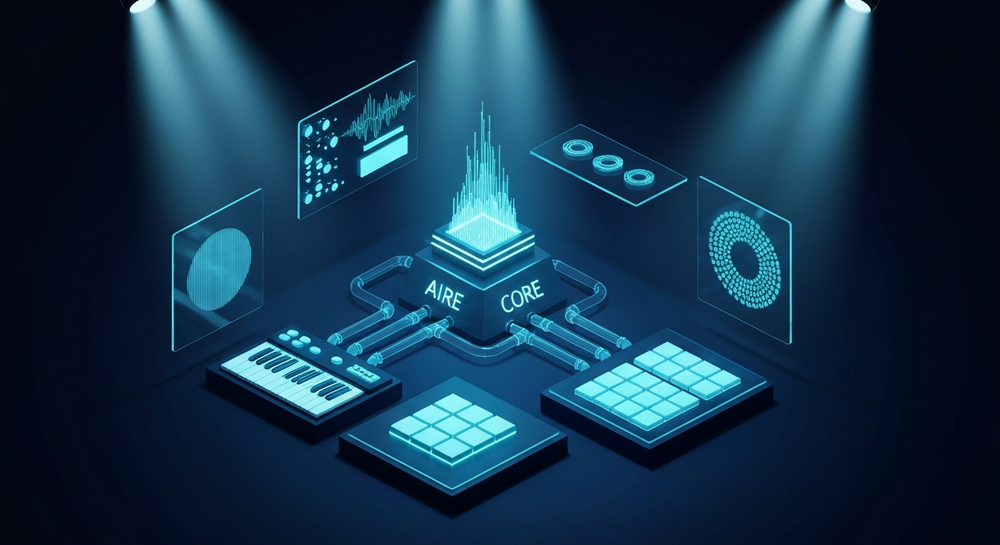
Back in 2024 and 2025, producing electronic music without spending money seemed challenging. Free software had limitations, and hardware setups were expensive. But in 2026, thanks to AI-driven platforms like Soundverse and numerous free DAWs for music production, beginners can compose, arrange, and mix tracks entirely online.
Cloud-based technology and AI assistance have democratized sound production. Today, you can create your own EDM, house, ambient, or techno tracks using descriptive text prompts instead of complex MIDI programming.
How to Make Electronic Music with Soundverse AI Music Generator


Soundverse’s AI Music Generator is one of the most revolutionary tools for creators looking to make electronic music free. It allows you to create high-quality instrumentals using simple text prompts, choosing genres, moods, and instruments effortlessly.
Core Features and Capabilities
- Text-to-Music Capability: Describe the track you want—such as “upbeat deep house with smooth synths and punchy kicks”—and the AI instantly generates a fully produced instrumental.
- Loop Mode: Perfect for electronic music producers who need seamless repetition for gaming, meditation, or EDM mixes.
- Genre and Mood Controls: Choose from vast style options like house, ambient, techno, trance, or lofi.
- V4 and V5 Model Options: Generate even more refined tracks suited for performance, content creation, or experimentation.
Typical Use Cases: Create video background music, soundscapes, game loops, or meditation tracks—all without vocals. You don’t need a physical studio, a MIDI controller, or complex understanding of audio mixing. For a deeper dive, watch our guide on creating Deep House music or tutorial on making music with Soundverse.
Now, let’s walk through each step of making electronic music free using Soundverse.
Step 1: Feature Overview — Access the AI Music Generator

After visiting the Soundverse platform, select the AI Music Generator from the main menu. It’s your central hub for creating instrumental tracks instantly.
Once inside the workspace, you’ll notice an intuitive design. There are no confusing waveforms or plug-ins—just text input and music generation capabilities. This makes Soundverse perfect for those who’ve never used production software before.
Step 2: Description Input — Enter Text Description of Desired Music

In this step, type a description of the music you want to generate. For instance, “create a high-energy EDM track with real analog bass and progressive buildup.” The AI interprets these cues and transforms them into sound compositions. Beginners can use inspiration from moods, activities, or genres rather than worrying about mixing specifics.
You can find creative examples of prompt writing in articles like 100 Text-to-Music Prompts That Will Help You Create Viral Music and its Part 2.
Step 3: Style & Duration — Select Music Style and Track Duration

Here you’ll define how long your track should be and choose the genre. Do you want a 1-minute trance loop or a 3-minute future bass instrumental? Soundverse’s flexibility allows both.
You can apply variations in tempo, instrumentation, and texture depending on your purpose. For instance, a meditation loop can benefit from slow pacing and soft pads (as explained in How to Create Healing Meditation Music with Soundverse AI), while an EDM track benefits from punchy kick drums and arpeggiated synths.
Step 4: Generation — Produce Instrumental Music Based on Description

Once details are set, click Generate. Soundverse will analyze your input asynchronously, then deliver a fully produced instrumental file. This means you don’t preview music live—it’s processed and rendered in stages, maintaining professional quality.
Beginners can focus on creativity without learning complex software routing or synthesis. The AI takes care of arrangement, mixing, and mastering.
If you’re curious how AI improves traditional music workflows, check How AI-Generated Music Is Transforming the Music Industry for insight. You can also explore Soundverse’s Explore tab overview for guided inspiration.
Step 5: Export Options — Download Your Generated Music

When your track is ready, simply download it. You can export audio for further mixing in free DAWs such as Audacity, LMMS, or Cakewalk. Each allows additional editing and mastering without cost.
Downloaded files from Soundverse are ideal for creators who produce EDM at home, need royalty-free background loops, or are working on DIY electronic music projects.
What Other Free Tools Help Make Electronic Music Free?
Although Soundverse covers instrumental generation, you can pair it with free DAWs and sound design apps:
- LMMS — A long-standing free DAW perfect for composing beats and melodies
- Cakewalk by BandLab — A professional-level Windows DAW that rivals paid software, noted among the 14 best options on LANDR Blog
- Tracktion Waveform Free — Known for zero restrictions on track count or plugin support, featured in MusicRadar’s free DAWs list
- GarageBand (macOS/iOS) — Ideal for Apple users seeking simple, high-quality output, highlighted by StemSplit’s guide to free music production
- SoundBridge — Streamlined for minimal CPU usage and modern EDM workflows.
Pairing these with Soundverse gives you a full studio environment with zero cost. If you need even more choices, explore Remasterify’s roundup of the best free DAWs for beginners or Movavi’s curated guide to free music making software.
Beginner Electronic Music Tips for 2026
Whether you use Soundverse or free DAWs, here are practical tips to keep your creativity flowing:
- Start with Simple Genres – Begin with house or ambient tracks to learn rhythmic patterns.
- Use Reference Tracks – Analyze professional mixes for arrangement ideas.
- Experiment with Soundverse Loop Mode – Create seamless beats for long mixes or games.
- Balance Frequencies – Use EQ plugins to keep bass and treble dynamic.
- Collaborate Online – Join Discord or Reddit communities for beat feedback and remix challenges.
- Learn Automation – Gradually increase or decrease effects like reverb and filters for fluid transitions.
- Use AI Tools for Expansion – Soundverse’s related tools such as the AI Song Generator and AI Singing Generator can add vocals or textures, elevating your compositions.
How Does Soundverse Revolutionize DIY Electronic Music?
Soundverse doesn’t just make music—it reshapes creativity. For people looking to make electronic music free, it bridges the gap between imagination and audio output. The process of writing, producing, and mixing used to take years of technical mastery, but now anyone can describe a mood and hear it come alive.
Alongside the AI Music Generator, Soundverse offers unique features described in other posts like Soundverse Introduces Stem Separation AI Magic Tool and Soundverse AI Revolutionizing Music Creation for New Age Content Creators, enabling creators to dissect and transform music efficiently.
Pro Tips to Elevate Your Free Music Production Game
- Use Text Prompts Wisely: The more descriptive your prompt, the more refined your generated music will be.
- Re-layer Sounds: Import Soundverse loops into a DAW for additional effects or remixing.
- Work with Genre Templates: Soundverse’s genre filters help you fine-tune moods and intensity levels.
- Stay Updated with Trends: Check online resources like Music Industry Trends to follow what’s popular in 2026.
- Experiment Beyond EDM: You can use Soundverse to make jazz, country, or film soundtracks, as seen in guides like How to Create Jazz Music with Soundverse AI and How to Create Country Music with Soundverse AI.
Start Making Music for Free with Soundverse
Bring your electronic music ideas to life effortlessly. Generate, mix, and master your tracks using Soundverse’s AI-powered creation suite — completely free.
Related Articles
- Generate AI Music with Soundverse Text-to-Music: Discover how Soundverse’s text-to-music tool lets you instantly turn your ideas into electronic music compositions.
- How to Create EDM with Soundverse AI: Learn step-by-step how to craft energetic EDM tracks for free using Soundverse AI’s music generation tools.
- Soundverse AI Magic Tools: Create Content Quickly with AI: Explore Soundverse’s suite of AI Magic Tools designed to accelerate your creative process and enhance your production workflow.
- The Benefits of Composing with AI Music Generator: Find out how AI music generators like Soundverse empower artists to create high-quality music efficiently and at zero cost.
Here's how to make AI Music with Soundverse
Video Guide

Here’s another long walkthrough of how to use Soundverse AI.
Text Guide
- To know more about AI Magic Tools, check here.
- To know more about Soundverse Assistant, check here.
- To know more about Arrangement Studio, check here.
Soundverse is an AI Assistant that allows content creators and music makers to create original content in a flash using Generative AI.
With the help of Soundverse Assistant and AI Magic Tools, our users get an unfair advantage over other creators to create audio and music content quickly, easily and cheaply.
Soundverse Assistant is your ultimate music companion. You simply speak to the assistant to get your stuff done. The more you speak to it, the more it starts understanding you and your goals.
AI Magic Tools help convert your creative dreams into tangible music and audio. Use AI Magic Tools such as text to music, stem separation, or lyrics generation to realise your content dreams faster.
Soundverse is here to take music production to the next level. We're not just a digital audio workstation (DAW) competing with Ableton or Logic, we're building a completely new paradigm of easy and conversational content creation.
TikTok: https://www.tiktok.com/@soundverse.ai
Twitter: https://twitter.com/soundverse_ai
Instagram: https://www.instagram.com/soundverse.ai
LinkedIn: https://www.linkedin.com/company/soundverseai
Youtube: https://www.youtube.com/@SoundverseAI
Facebook: https://www.facebook.com/profile.php?id=100095674445607
Join Soundverse for Free and make Viral AI Music

We are constantly building more product experiences. Keep checking our Blog to stay updated about them!