How to Make an AI Song with Any Artist
Discover how to make an AI song with any artist using Soundverse DNA for ethical, creative music production.
How to Make an AI Song with Any Artist
In 2026, AI music creation has become an essential tool for musicians, producers, and enthusiasts who want to collaborate with virtual artists or enhance their own creative workflow. Gone are the days when generating an AI song felt experimental—today’s creators are using sophisticated systems like Soundverse to legally and ethically create tracks that mirror the styles of real artists. Whether you’re crafting a duet with your favorite singer or exploring new sonic territories, understanding how to make an AI song with any artist is key to staying relevant and inspired.
What is AI music creation, and why is it so popular in 2026?
AI music creation refers to the process of generating original songs, instrumentals, and vocals using advanced machine learning models. By training on licensed data and replicating artistic nuances, tools such as AI song generators can produce rich, stylistically accurate compositions. In 2026, the appeal lies in accessibility and personalization—musicians can instantly create music that reflects a chosen aesthetic, mood, or genre without complex studio setups. Learn more about this technology in The Complete Guide to AI Music Creation in 2026.
AI music creation empowers creators to:
- Generate copyright-safe tracks fast.
- Experiment with unique sound identities.
- Collaborate virtually with models of real artists.
- Customize instrumentals and vocals to match emotions, brand sound, or narrative cues.
As the music industry evolves beyond conventional production workflows, artists increasingly rely on AI to co-write, produce, and even perform songs. Soundverse has been leading this transformation, providing tools that keep the process ethical and creative.
How to make an AI song with Soundverse DNA
Soundverse DNA is the centerpiece of this new music revolution. Designed as an artist-trained AI music generation system, it enables users to create original music based on specific sonic identities—essentially cloning the creative essence of an artist without infringing on copyright.
The system trains exclusively on licensed catalogs, allowing artists to monetize their style while ensuring users generate consistent, legal results. Discover more details on training music AI safely in How to Train Your Own AI Music Model: A Complete 2026 Guide.
Core capabilities of Soundverse DNA
- Full DNA (Songs/Instrumentals): Lets you reproduce the complete stylistic spectrum of an artist, including composition, rhythm, and instrumentation.
- Voice DNA (Vocal Timbre/Style): Generates vocals that replicate an artist’s tone and emotional delivery.
- DNA Marketplace: Artists can license their musical DNA, earning royalties whenever fans or creators use their sound.
- Sensitivity Selector: Adjusts the era or stylistic intensity—for instance, capturing the difference between early-career and late-career albums.
- Private Mode: For secure co-creations between licensed users and artists.
With Soundverse DNA, AI artist collaboration becomes safe, scalable, and profitable. It bridges technology with artistry while maintaining respect for ownership.
Step-by-Step Guide to Making an AI Song with Any Artist
Creating a song with Soundverse DNA involves a streamlined studio workflow. Below is a detailed tutorial aligned with the official Soundverse system flow. For a visual overview, watch the Soundverse Tutorial Series - How to Make Music.
Step 1: Overview
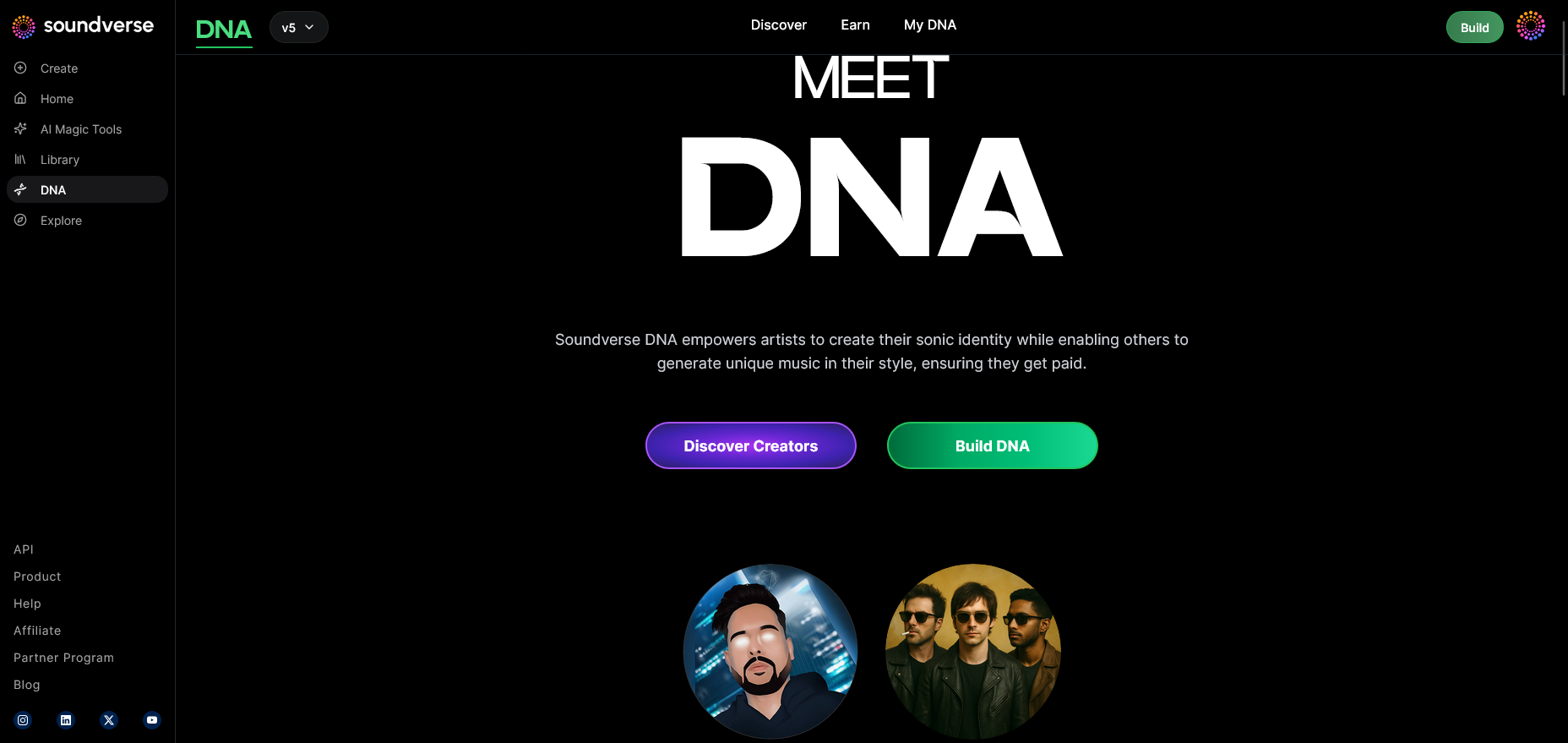
Begin in DNA Mode, where you’ll see the overview interface explaining Soundverse DNA’s creative possibilities. Decide whether your goal is to produce instrumentals, full songs, or AI vocals.
Step 2: Dashboard
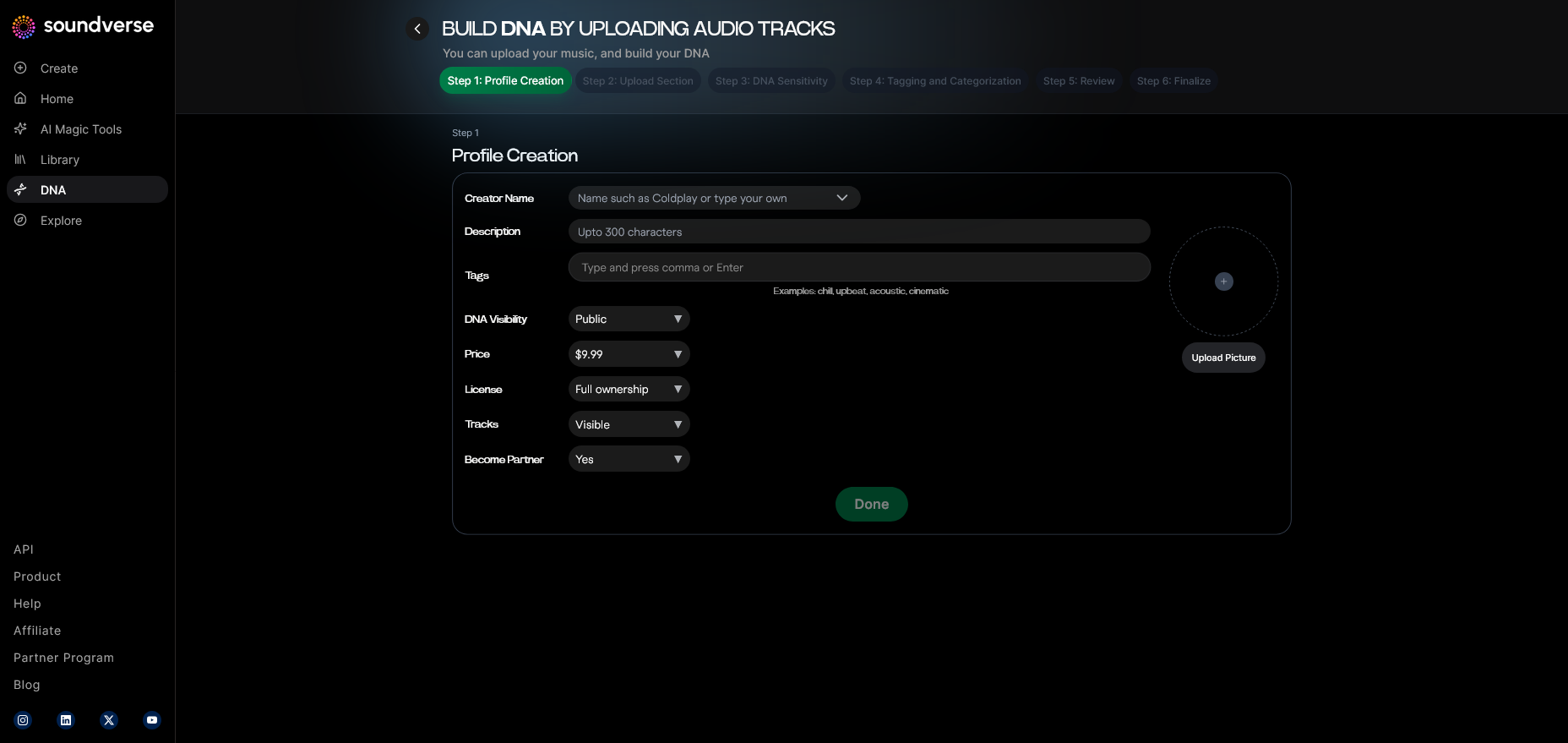
Navigate to your “My DNA” dashboard. Here, all DNA models are stored and managed. You can view previously created profiles, edit them, or start from scratch.
Step 3: Creator Profile
Set up your creator profile to personalize your AI collaboration. This helps maintain consistent branding across projects and is essential if you want to monetize your sound later.
Step 4: DNA Type Selection
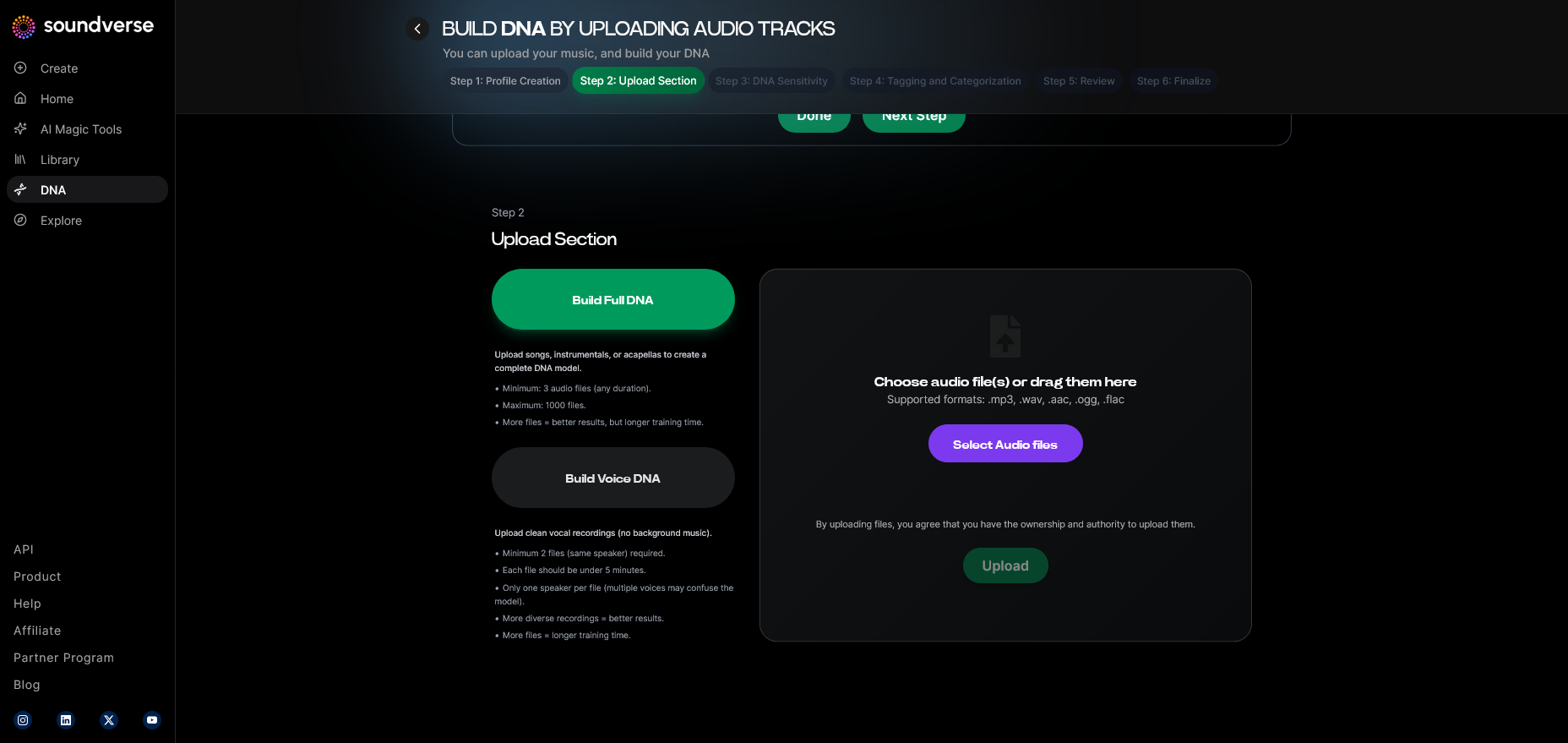
Choose between Full DNA (complete sound style and instrumentals) or Voice DNA (artist vocal replicas). If you aim to make a duet or virtual collaboration, Voice DNA is ideal.
Step 5: Upload Files
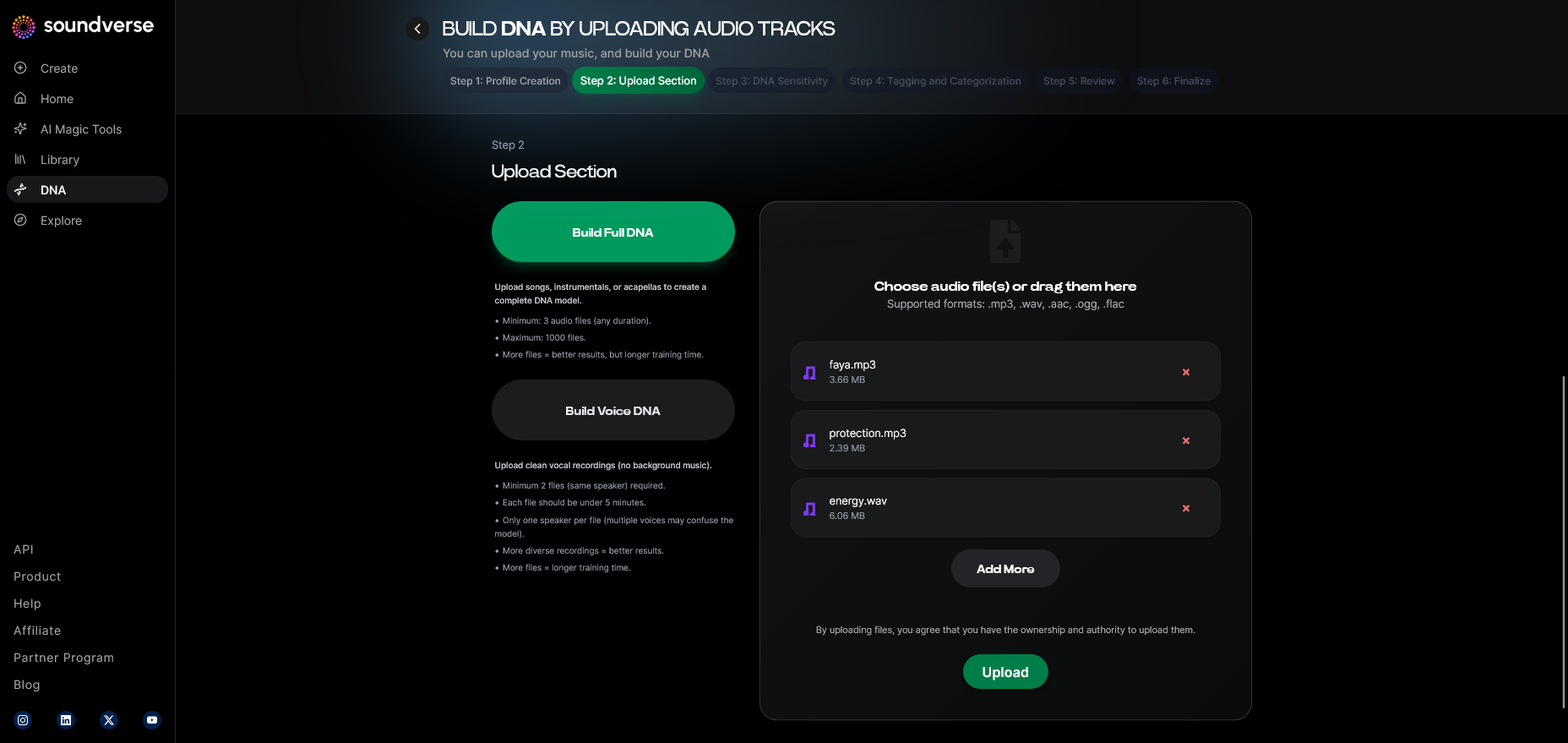
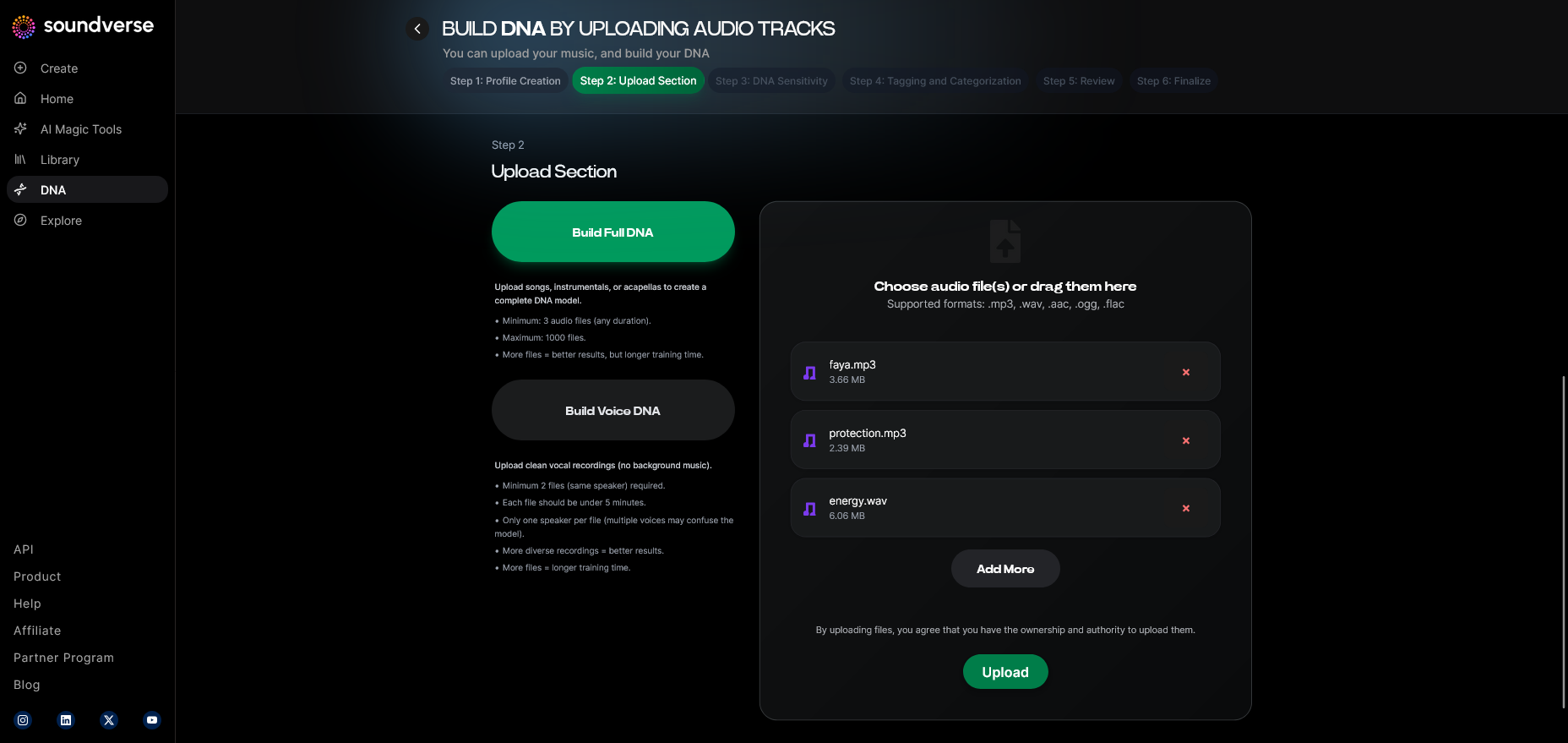
Upload the reference audio files or licensed tracks that represent the artist’s core sound identity. Soundverse processes them to extract stylistic features.
Step 6: Sensitivity Setting
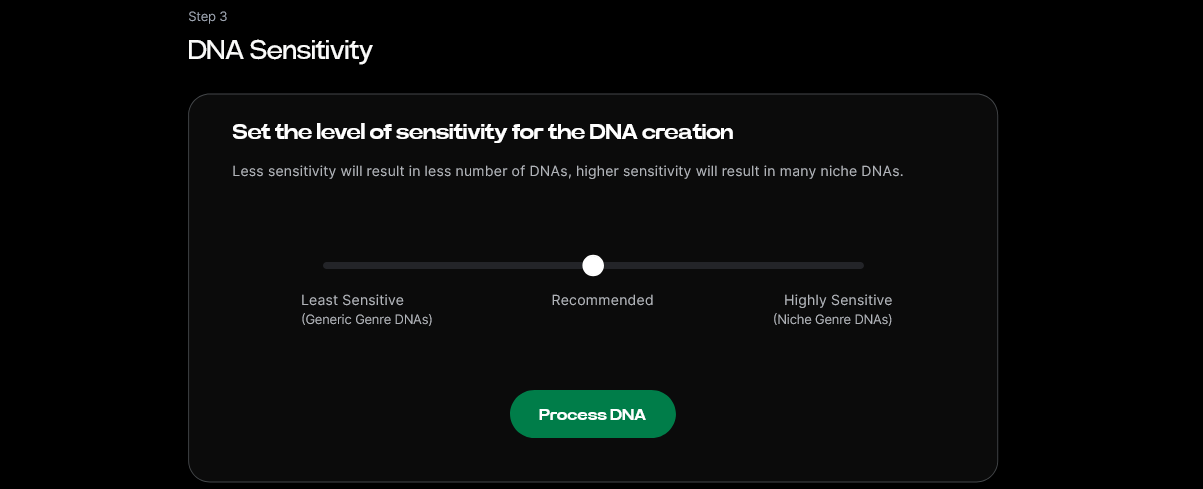
Use the Sensitivity Selector to determine how closely the generated output should match the artist’s catalog. Setting it lower gives general inspiration; higher settings replicate specific sonic signatures.
Step 7: Auto Tagging
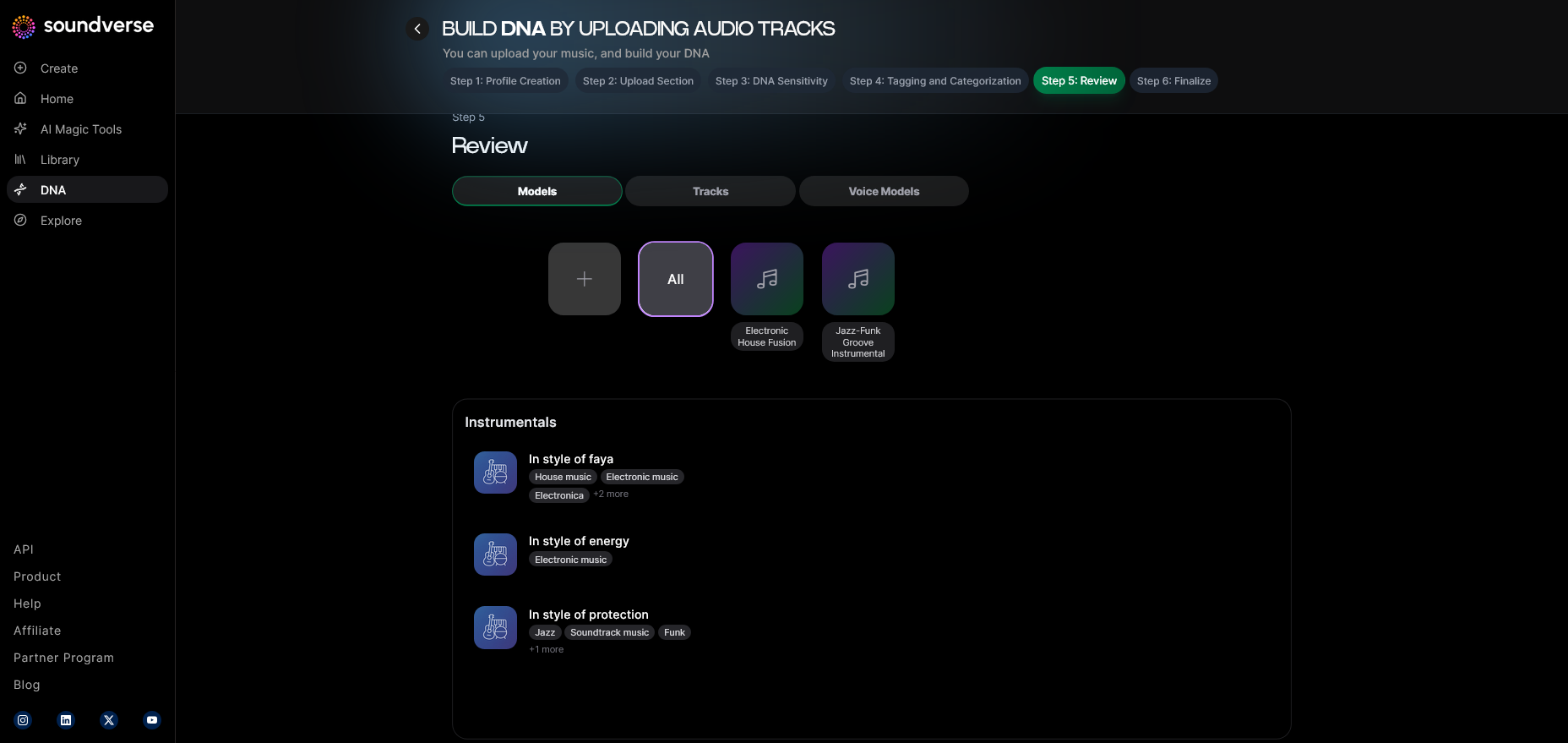
Soundverse automatically generates metadata such as genre, instrumentation, and mood tags. This step enhances organization and searchability for your DNA models.
Step 8: Review & Publish
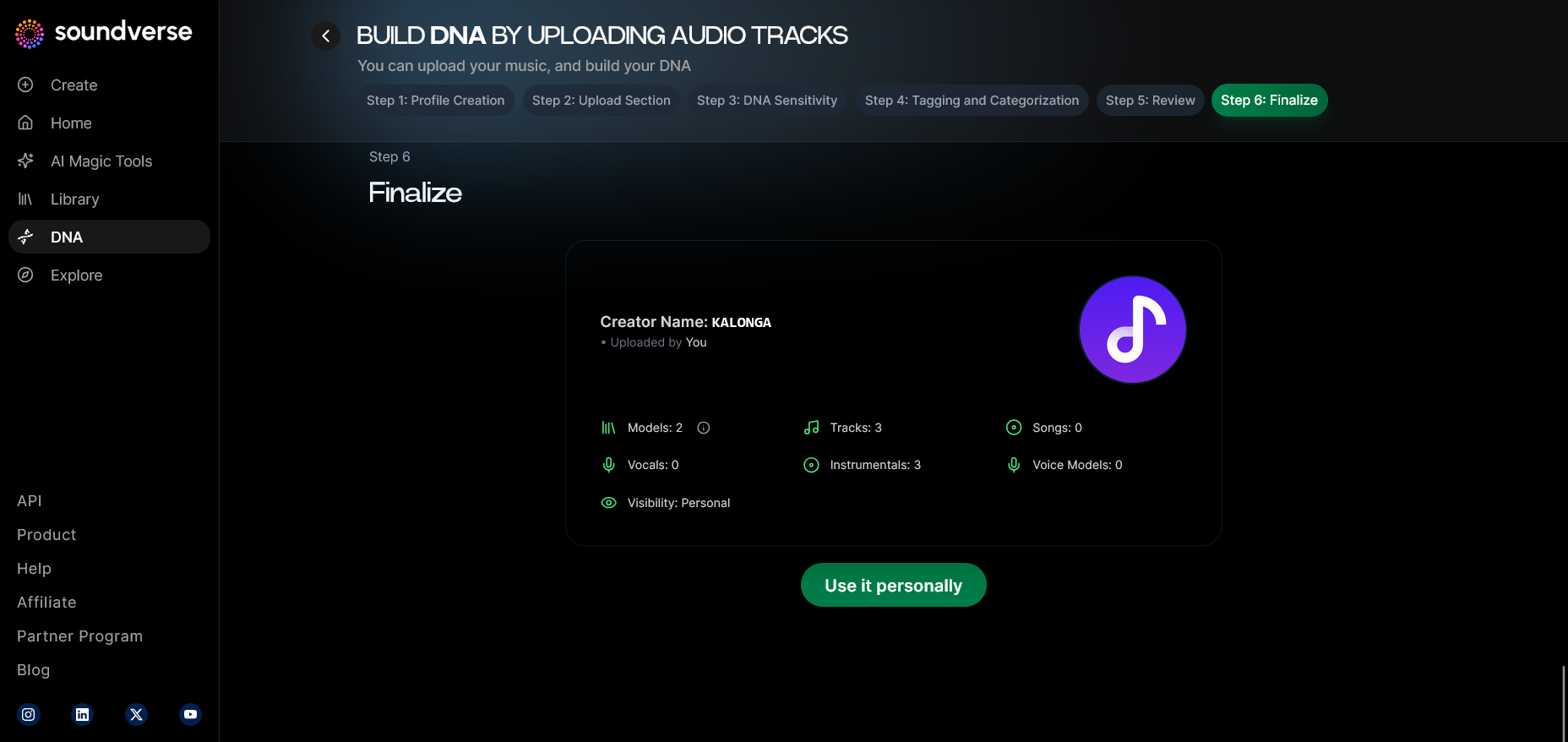
After reviewing all uploaded content and settings, publish the DNA model. If you are the artist or have licensed permissions, this step allows others to use your DNA for collaborative creations.
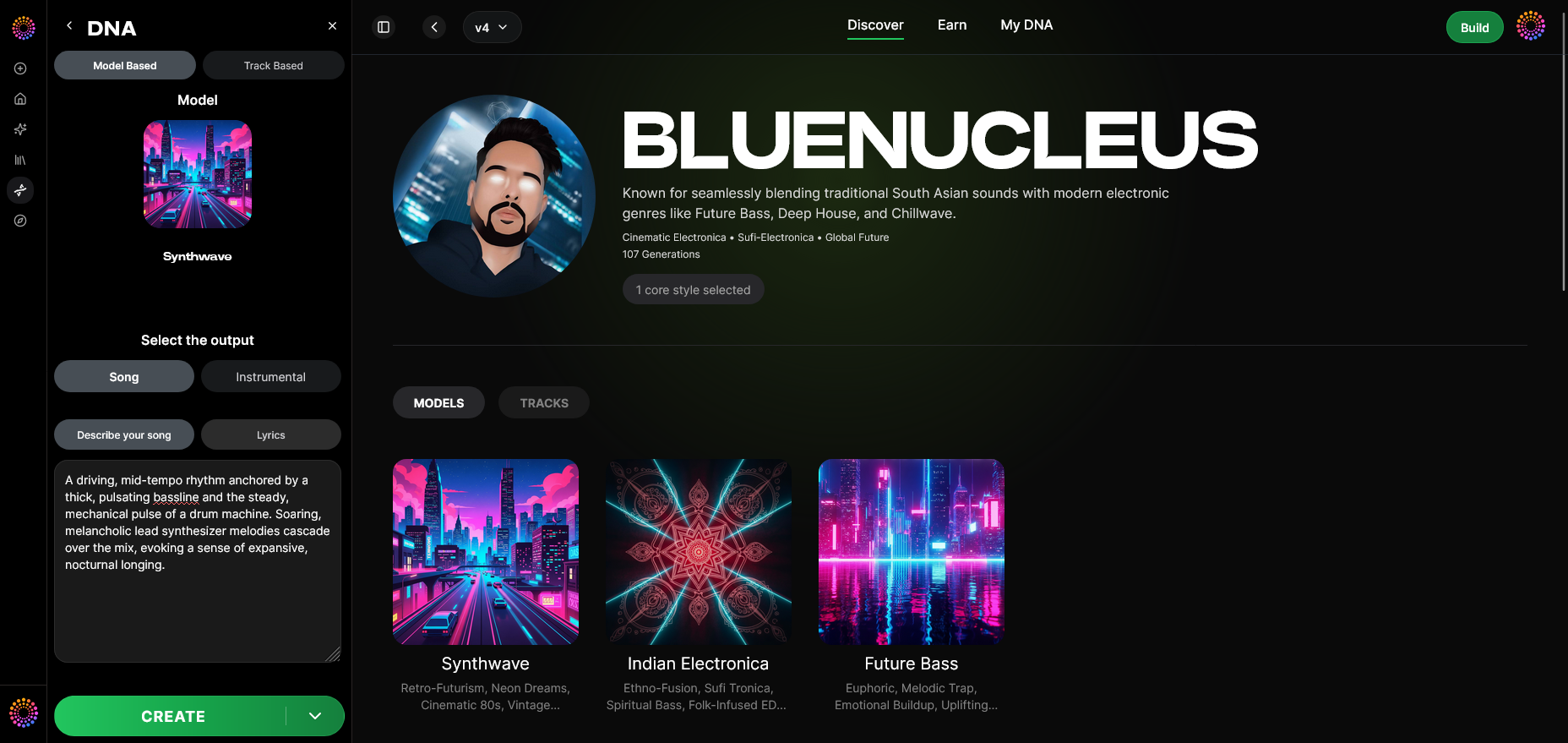
Step 9: Generation Panel
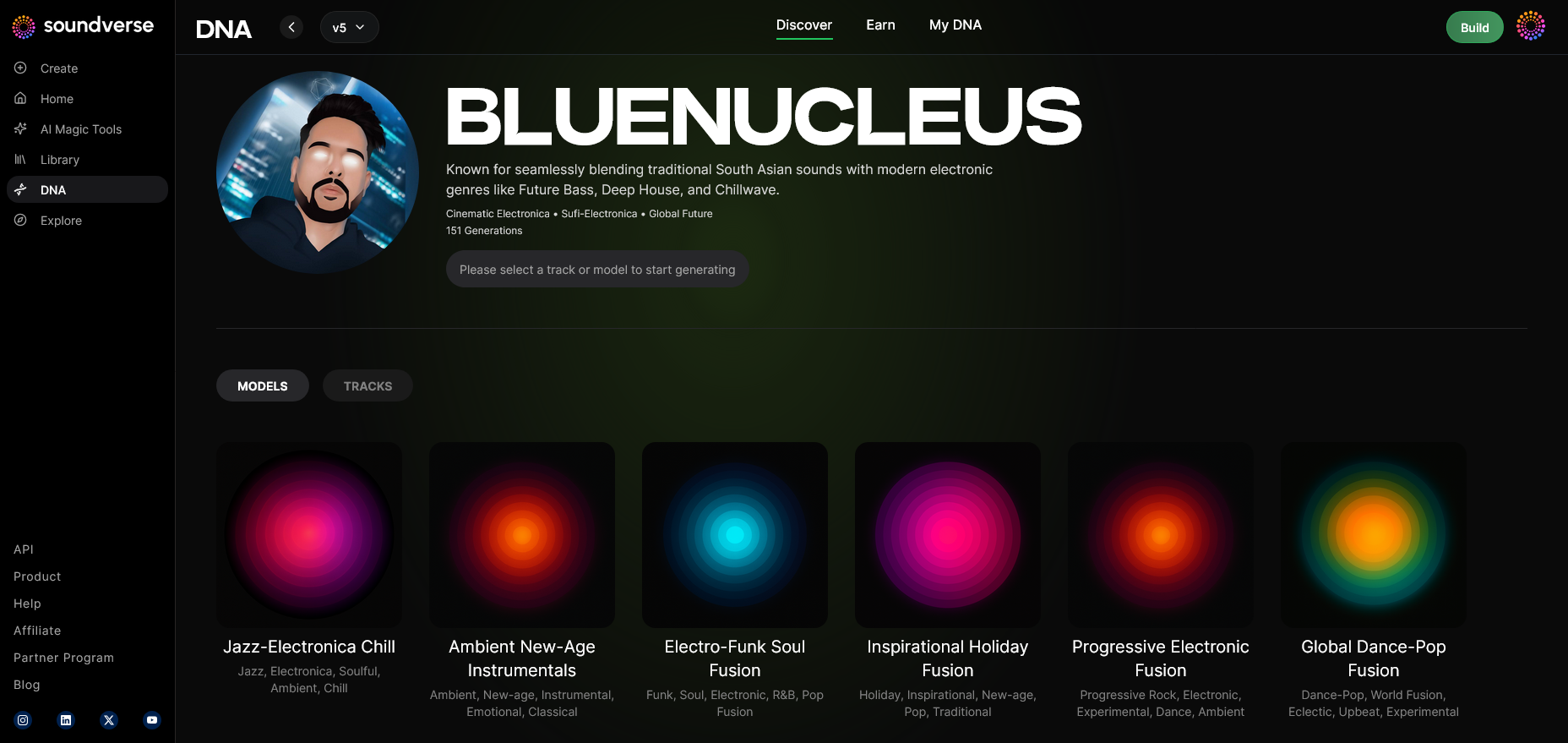
Access the generation interface to start creating music. You can select parameters like tempo, mood, and instrumentation.
Step 10: Model-Based Mode
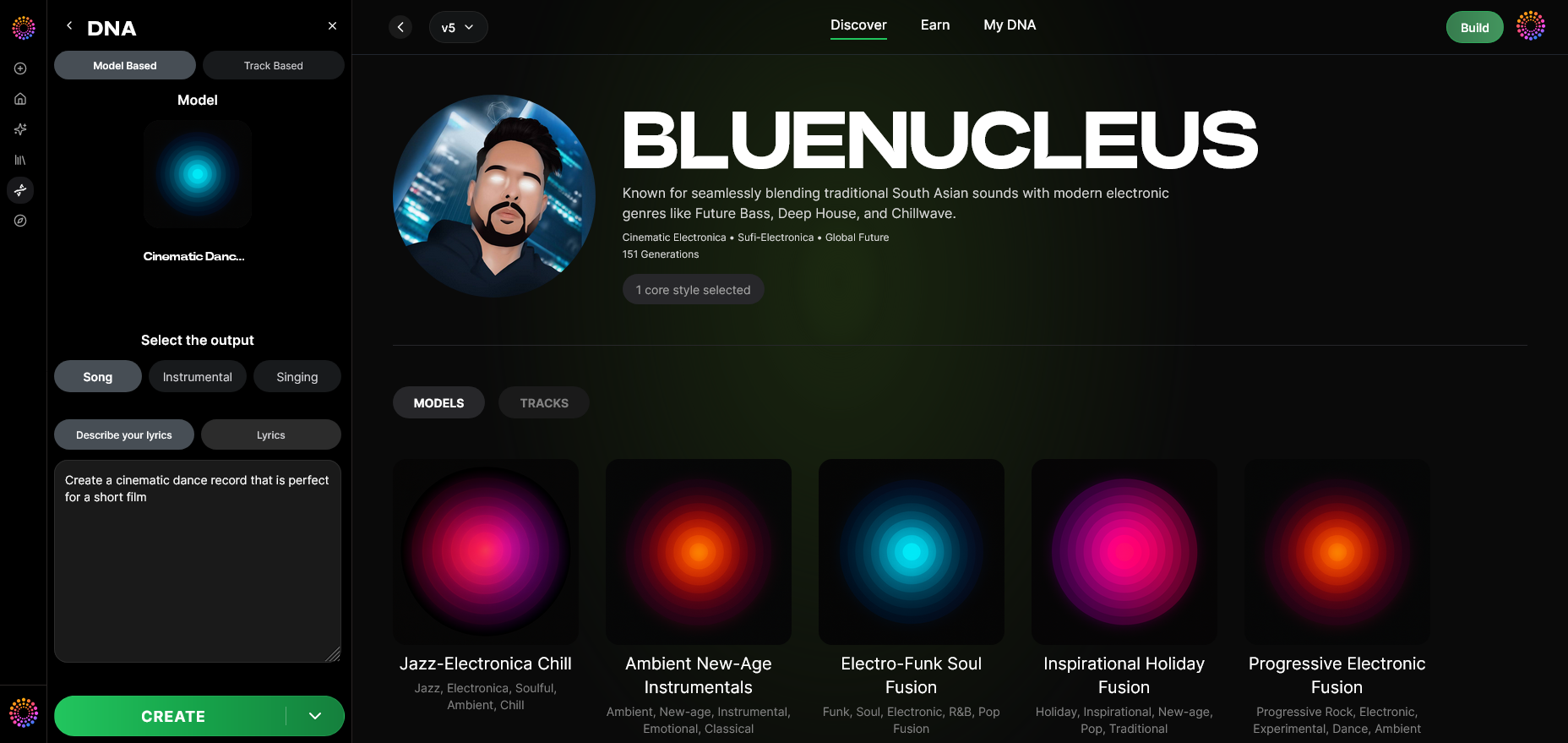
Toggle to Model-Based Generation to activate the artist-trained DNA model.
Step 11: Output Type
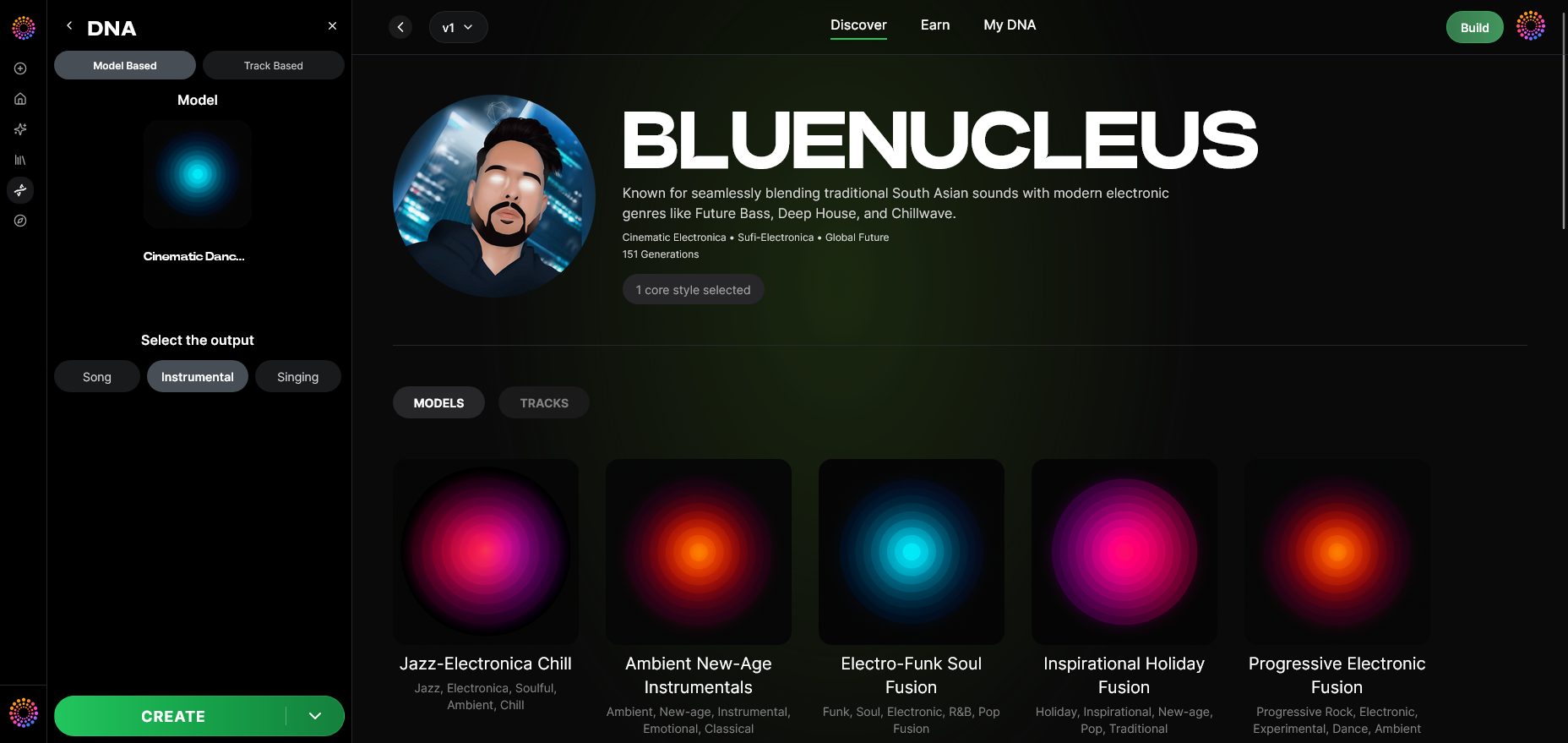
Select whether you want an instrumental, singing track, or full song output.
Step 12: Prompt Type
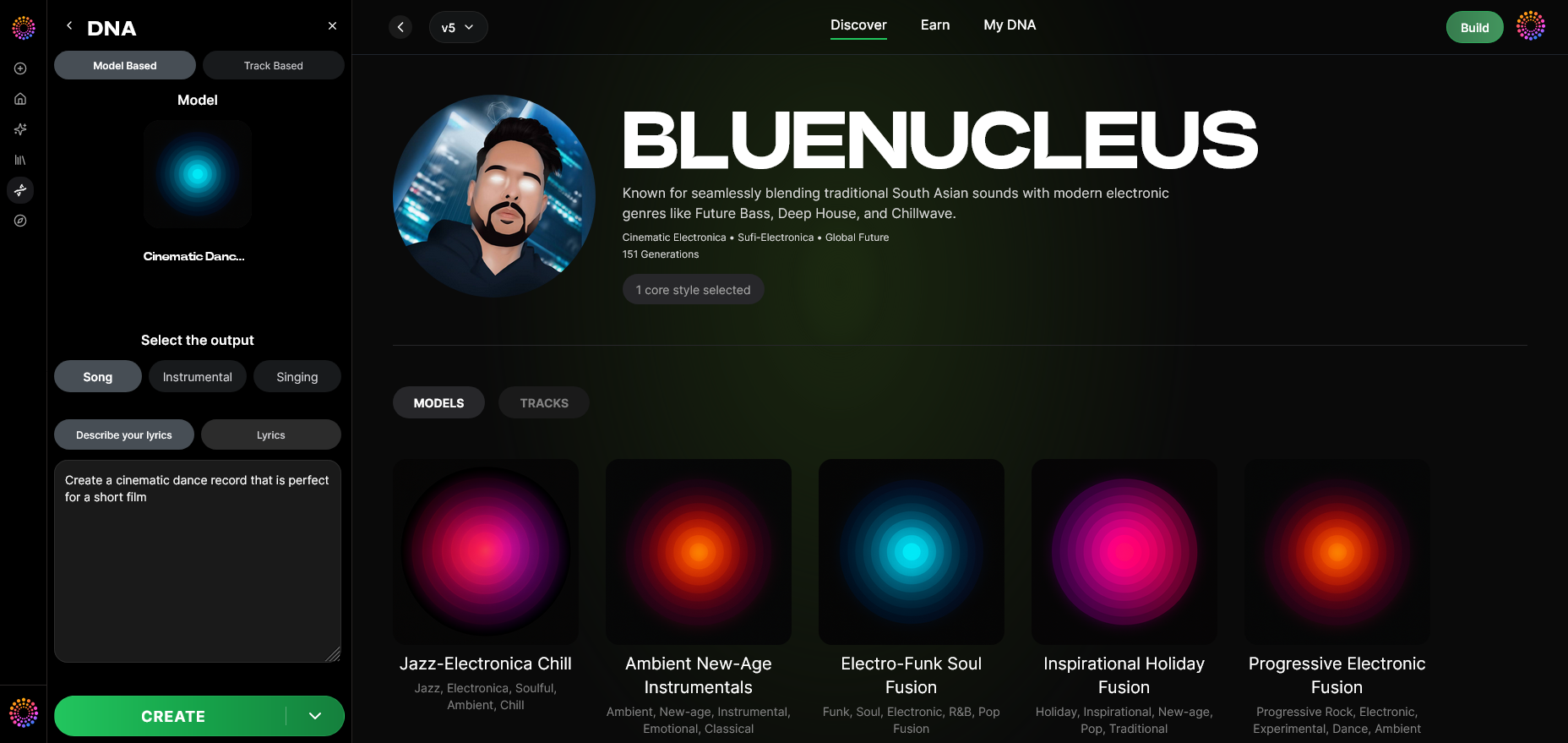
Choose how to feed your creative input—a text prompt (describing the vibe, emotion, or theme) or lyrics. See How to Make a Song Using AI: A Step-by-Step Guide for 2026 for extended workflow details.
Step 13: Generation Complete
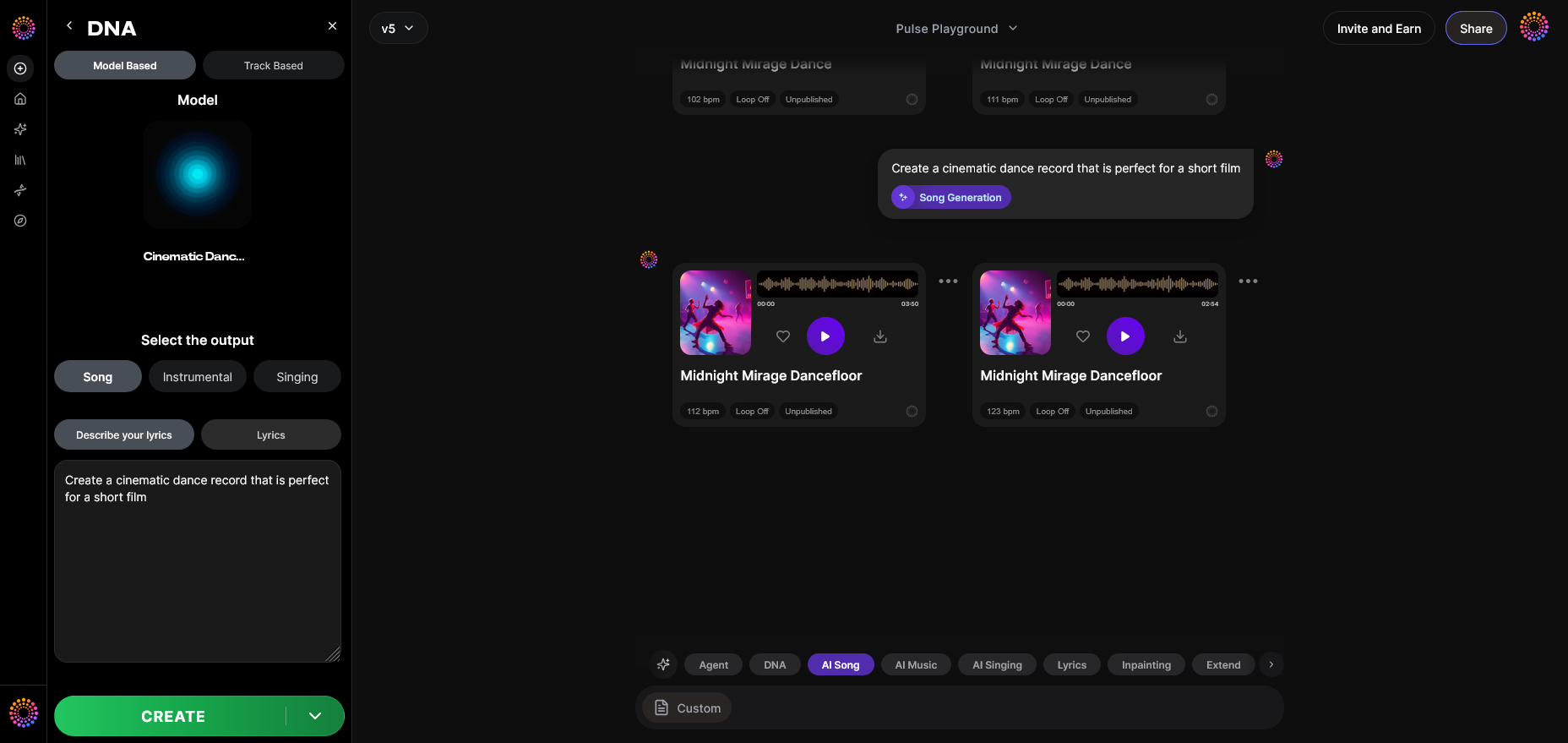
Wait for the system to process your request asynchronously. Once complete, the generated AI song appears in your workspace for listening.
Step 14: Export Options
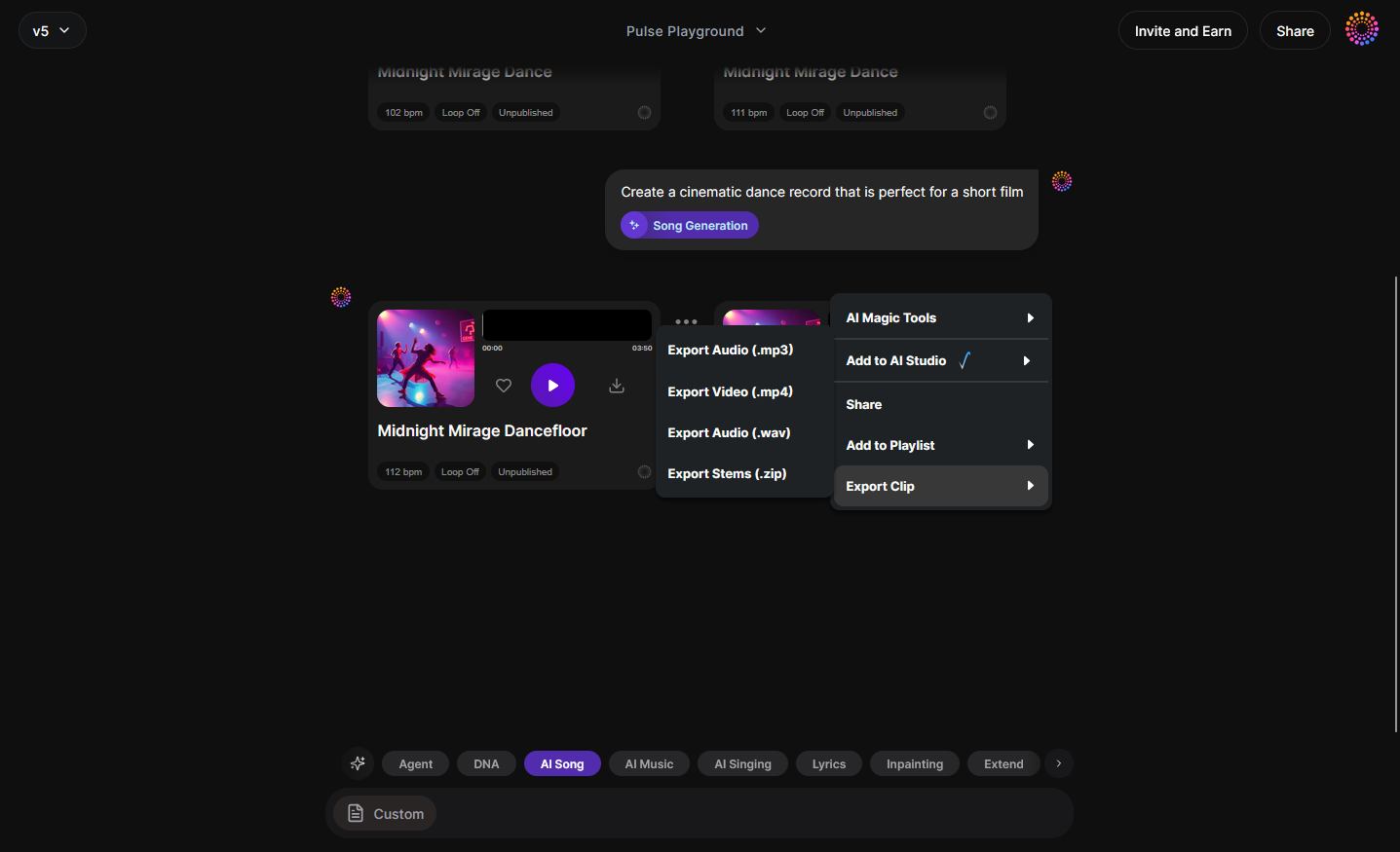
You can export the track in multiple formats for further mixing or release.
Step 15–19: Advanced Controls
For deeper customization:
- Step 15 (Track-Based Mode): Generate based on an existing composition.
- Step 16 (Style Selection): Pick stylistic filters such as genre or vibe (e.g., pop, electronic, cinematic).
- Step 17 (Lyrics Input): Add your lyrics for AI singing generation.
- Step 18 (Model-Based Singing): Activate AI vocals based on chosen Voice DNA.
- Step 19 (Attach Model): Attach pre-trained DNA models from licensed artists available on the marketplace.
This structured process ensures consistency while maintaining creative freedom. It also validates ethical usage, since DNA training depends on licensed material.
Pro Tips for Creating Unique AI Artist Collaborations
- Blend multiple DNA models: Use different artist DNAs to merge genres (e.g., pop and jazz).
- Refine emotion through prompts: Try describing tone or sentiment in detail when using text prompts.
- Use Voice Swap for remixes: This Soundverse tool replaces vocal identities while retaining performance nuances. Upload your original track, then apply another Voice DNA for an instant collaboration.
- Leverage AI Song Generator: If starting with lyrics, Soundverse’s AI Song Generator creates full songs via a pipeline handling melody, arrangement, and mixing. Learn more in this guide.
- Experiment with Sensitivity Selector: It controls how similar your track will sound to the source artist era—perfect for achieving variety. For additional inspiration, view our tutorial on creating Deep House music.
For more creative workflow ideas, check out related tutorials like How to Create EDM with Soundverse AI and insights from AI music industry trends.
Why Soundverse Leads Ethical AI Music Production
Unlike unregulated AI systems, Soundverse ensures copyright-safe creations. Artists retain control over their DNA, audiences enjoy authenticity, and producers gain rapid tools for professional output. Its Private Mode ensures secure projects, while licensing via the DNA Marketplace offers real monetary rewards to contributors.
Musicians can conduct sonic branding campaigns, quickly generate film or game scores, and explore futuristic soundscapes—all legally. Explore Soundverse’s approach in Best Free AI Music Generators in 2026 for Creators and Musicians and AI Practice Tools for Musicians: The Complete 2026 Guide.
For deeper learning on how Soundverse integrates with advanced workflows, see how the platform’s AI Magic Tools accelerate creative timelines.
Start Creating Your Own AI Songs Today
Explore Soundverse’s powerful AI music creation tools to craft tracks inspired by any artist, genre, or vibe. Turn your ideas into full-fledged songs in minutes—no studio or equipment required.
Create Music with AI
Related Articles
- How to Make AI-Generated Music: Discover the fundamentals of crafting original music using AI, from concept to production.
- Generate AI Music with Soundverse Text-to-Music: Learn how to turn your text descriptions into complete songs with Soundverse’s text-to-music feature.
- Soundverse Assistant: Your AI Music Co-Producer: Meet your virtual co-producer that helps automate mixing, arranging, and creative direction in your AI tracks.
- AI Music Generator and Human Composers: A Future Together: Explore how AI tools complement human creativity to redefine the future of music production.
Here's how to make AI Music with Soundverse
Video Guide

Here’s another long walkthrough of how to use Soundverse AI.
Text Guide
- To know more about AI Magic Tools, check here.
- To know more about Soundverse Assistant, check here.
- To know more about Arrangement Studio, check here.
Soundverse is an AI Assistant that allows content creators and music makers to create original content in a flash using Generative AI.
With the help of Soundverse Assistant and AI Magic Tools, our users get an unfair advantage over other creators to create audio and music content quickly, easily and cheaply.
Soundverse Assistant is your ultimate music companion. You simply speak to the assistant to get your stuff done. The more you speak to it, the more it starts understanding you and your goals.
AI Magic Tools help convert your creative dreams into tangible music and audio. Use AI Magic Tools such as text to music, stem separation, or lyrics generation to realise your content dreams faster.
Soundverse is here to take music production to the next level. We're not just a digital audio workstation (DAW) competing with Ableton or Logic, we're building a completely new paradigm of easy and conversational content creation.
TikTok: https://www.tiktok.com/@soundverse.ai
Twitter: https://twitter.com/soundverse_ai
Instagram: https://www.instagram.com/soundverse.ai
LinkedIn: https://www.linkedin.com/company/soundverseai
YouTube: https://www.youtube.com/@SoundverseAI
Facebook: https://www.facebook.com/profile.php?id=100095674445607
Join Soundverse for Free and make Viral AI Music

We are constantly building more product experiences. Keep checking our Blog to stay updated about them!