How to Create AI Music Videos With Consistent Visual Style
Learn AI music video creation with brand visuals consistency using Soundverse DNA in 2026.
How to Create AI Music Videos With Consistent Visual Style
Artificial intelligence has changed the landscape of music video production. In 2026, AI music video creation isn’t just a novelty—it’s a professional workflow used by creators, musicians, and marketers aiming for high-impact, visually consistent content. Yet, achieving a cohesive visual style is where many AI-generated videos fall short. This guide walks you through how to create AI music videos with consistent visual style using Soundverse DNA and complementary AI video editing tools.
Why does visual consistency matter in AI music videos?
Visual consistency builds recognition, trust, and engagement. For musicians and brands, a cohesive look across videos ensures audiences connect quickly with your identity. Whether it’s a recurring color palette, a signature motion aesthetic, or recognizable camera perspectives, consistency is the glue that ties music and visuals into a unified story. Without it, even the most technically impressive AI video feels fragmented.

In 2026, creators use AI for rapid video generation, but post-production visual harmony has become essential for brand visuals AI alignment. AI-generated branding content must not only sound authentic but also feel visually unified. That’s where the pairing of AI music generation and AI video editing tools become game-changing.
How to make AI music videos with Soundverse Soundverse DNA
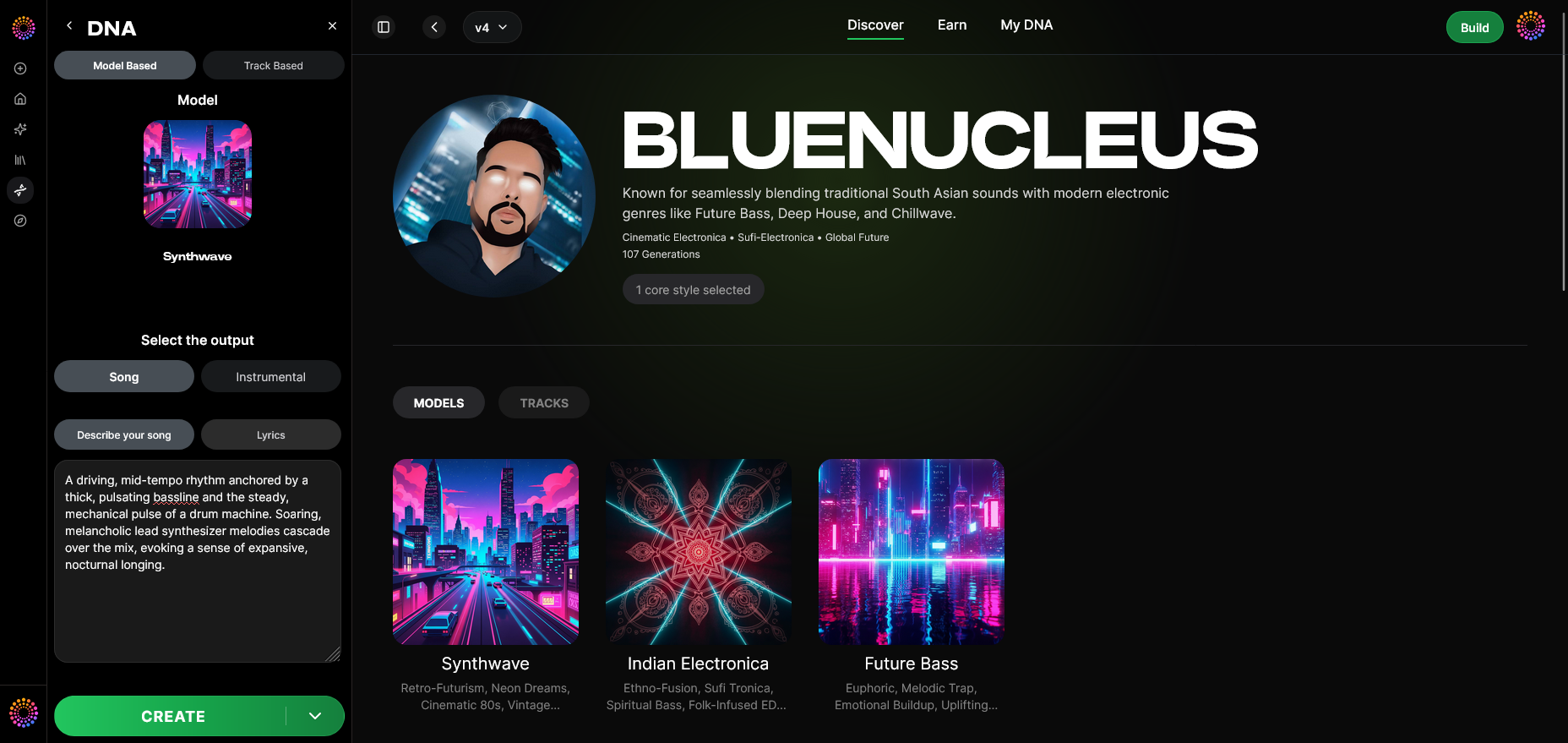
Soundverse DNA is the backbone for artists and content creators focusing on sonic and visual brand consistency. It’s an artist-trained AI system that creates original music based on specific sonic identities. Every Soundverse DNA model is trained on licensed catalogs, allowing musicians to monetize their style while users can legally generate copyright-safe tracks. Learn more about multi-style creation with Soundverse DNA.

Soundverse DNA features:
- Full DNA (Songs/Instrumentals): Create entire compositions consistent with your sonic aesthetic.
- Voice DNA: Generate vocals that mirror your signature tone and delivery.
- DNA Marketplace: License your style to fans for ethical creative exchange.
- Sensitivity Selector: Cluster catalog elements into eras or moods for stylistic control.
- Private Mode: Secure co-creation in private sessions.
With this, video creators can synchronize their music tone with recurring visual traits—creating brand visuals AI consistency across all releases.
Step 1: Overview — Understanding the DNA Mode Feature
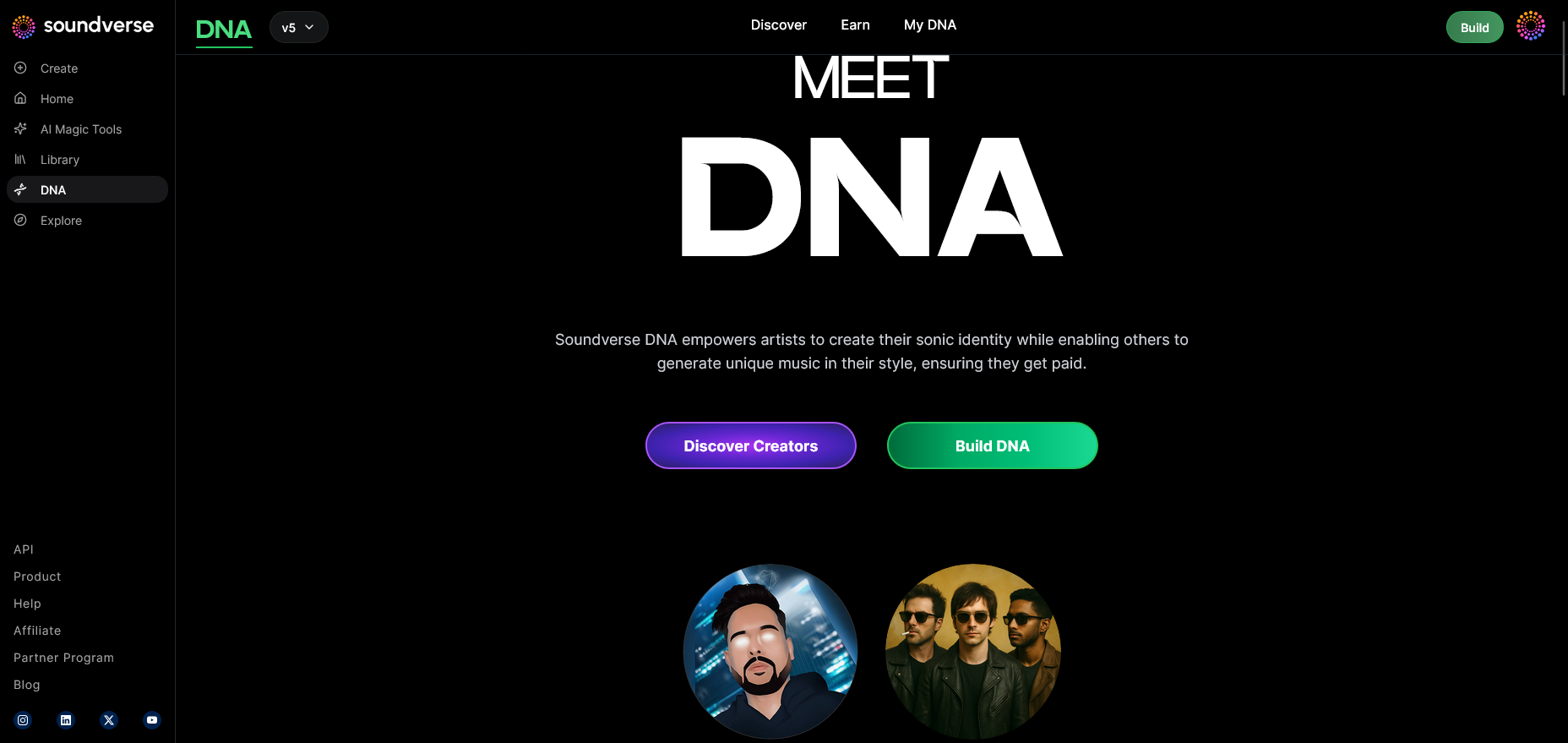
Begin by navigating to Soundverse’s DNA mode. This is where you define your sonic identity, which later guides your AI music video creation. The goal here is to align your unique sound style with your visual moodboard before generating music.
Step 2: Dashboard — Managing Your DNA Assets
In the DNA dashboard, creators can view and manage their DNA models. If you’ve built multiple versions (for different musical eras or moods), categorize them clearly. For a video series or multi-song campaign, consistent sound models are crucial to maintain sonic cohesion.
Step 3: Creator Profile — Setting Up Your Identity
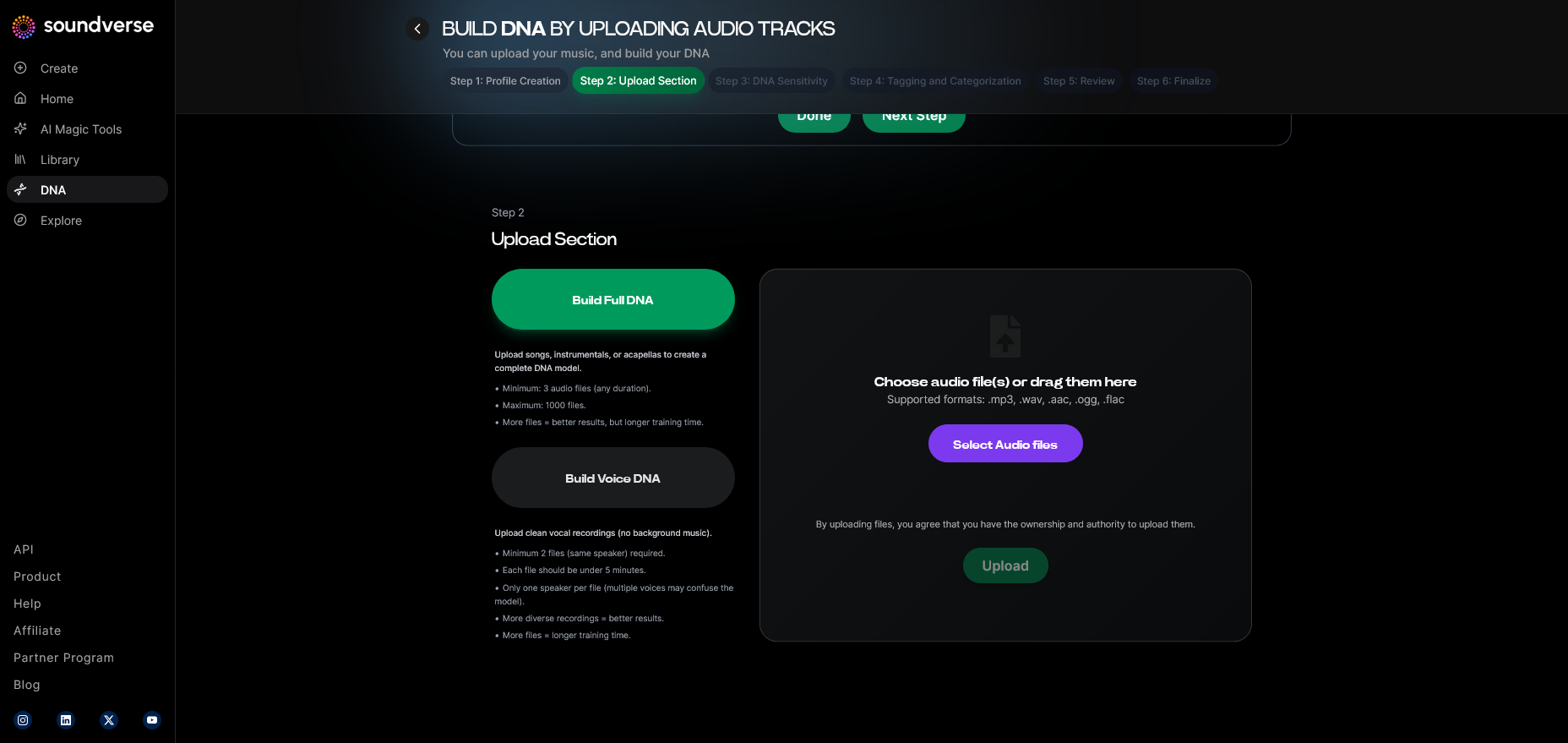
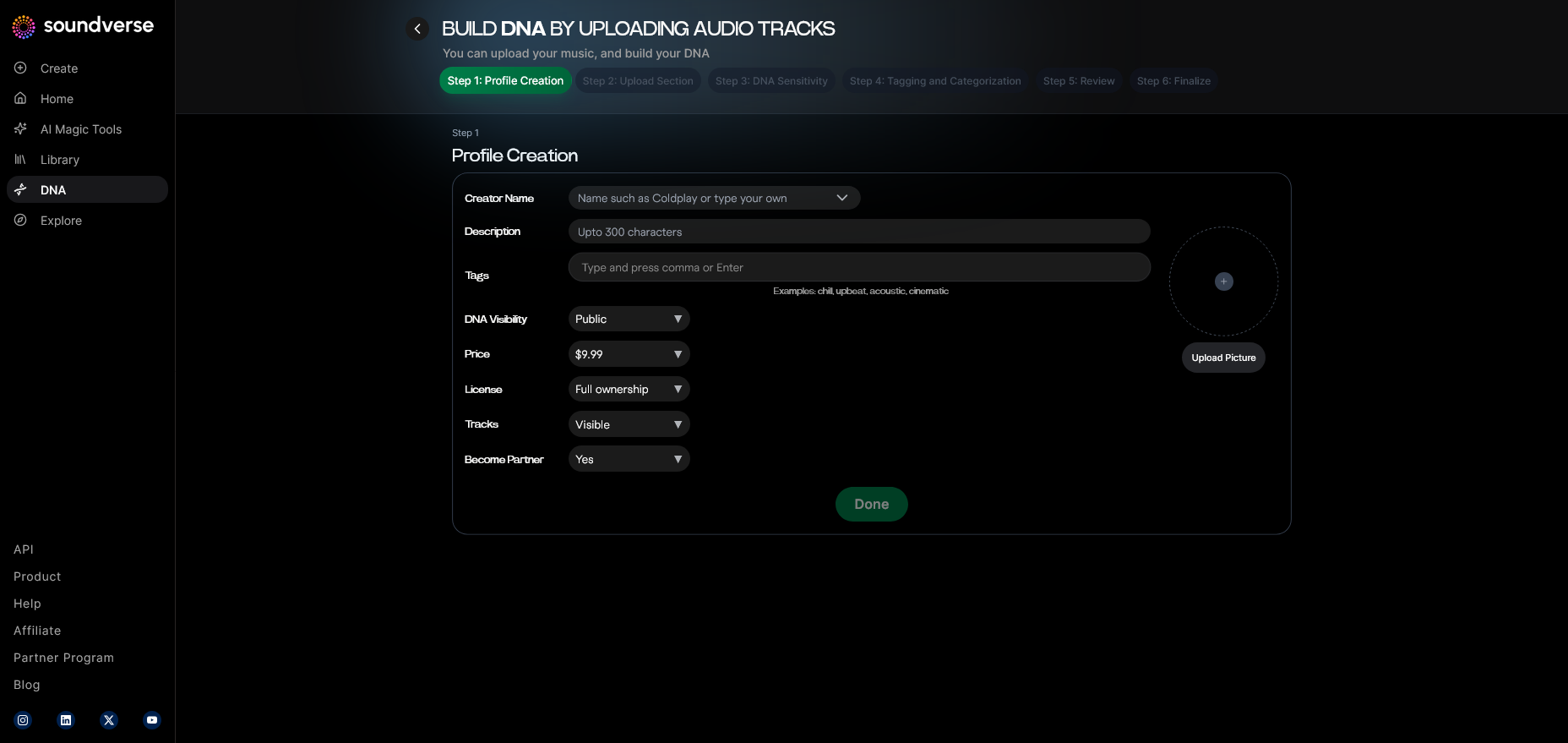
Your creator profile helps Soundverse AI understand the metadata behind your work. Upload background information, visual samples, and desired style notes. The DNA engine references these cues to ensure stylistic compatibility across your generated tracks.
Step 4: DNA Type Selection — Full DNA or Voice DNA
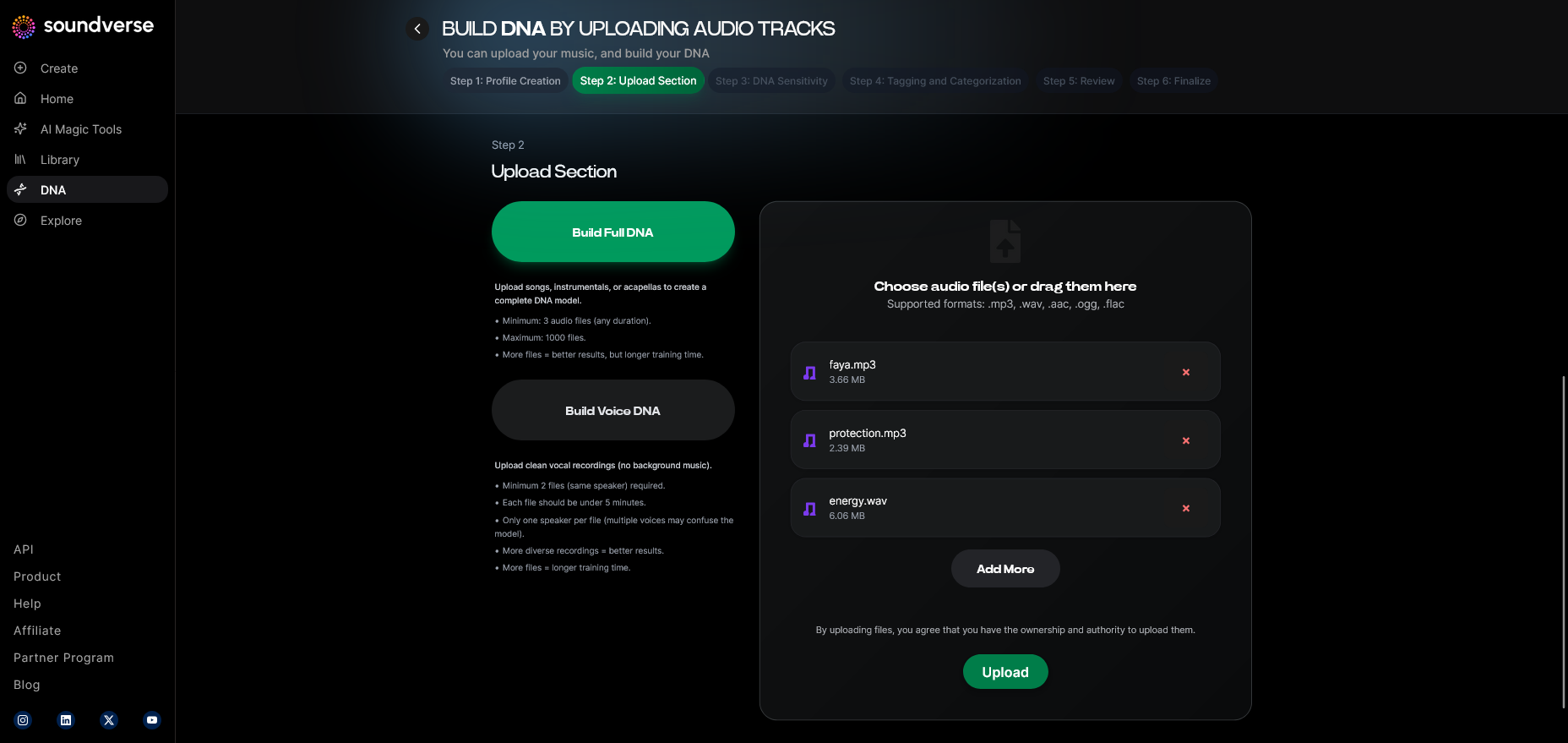
Choose Full DNA for complete compositions or Voice DNA for adding a consistent vocal timbre throughout your videos. This selection reinforces brand voice alignment—an important step for artists using singing AIs for recurring content themes. Watch the Soundverse tutorial for Full DNA creation for a clear demonstration.
Step 5: Upload Files — Feed Your AI With Source Material
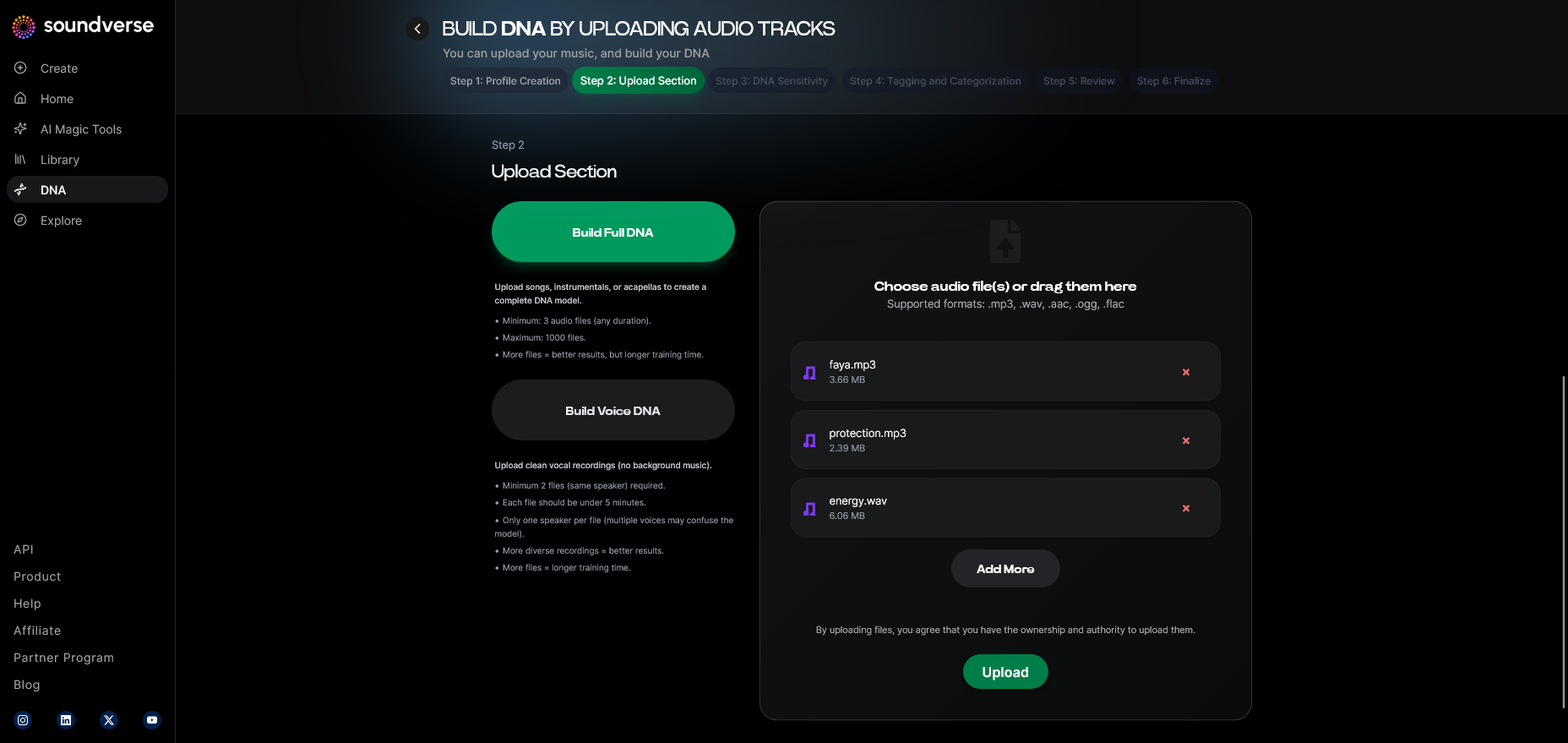
Upload reference audio or songs representative of your desired style. This defines the core of your sonic palette. It’s similar to how visual AI models need consistent color schemes—your audio uploads guide Soundverse in producing harmonized sound for video synchronization.
Step 6: Sensitivity Setting — Fine-Tuning Style Clusters
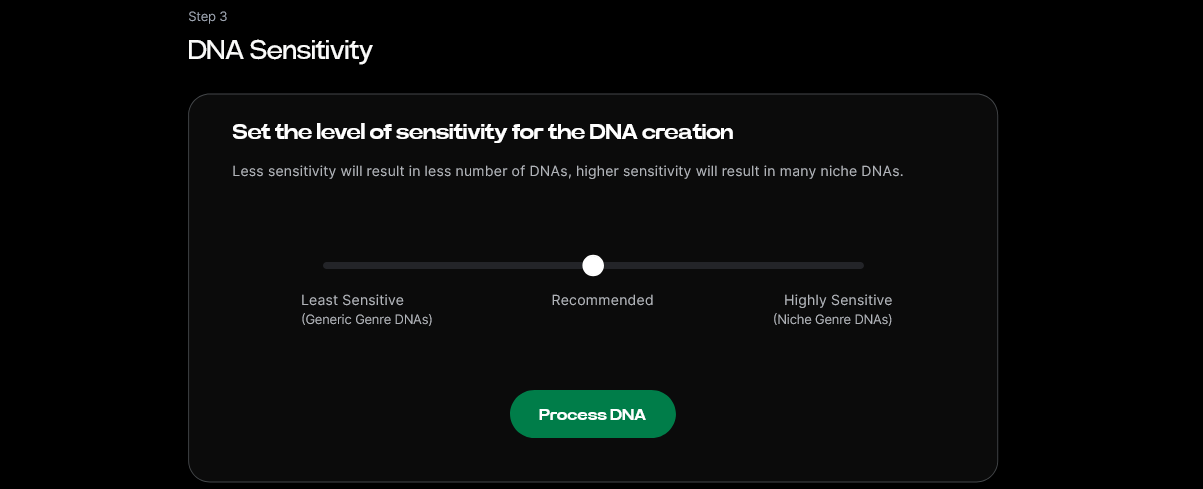
Use the sensitivity slider to decide how much variation your new tracks can have compared to your source sound. Lower sensitivity maintains stronger consistency for series-based videos, while higher sensitivity introduces subtle diversity for standalone projects.
Step 7: Auto Tagging — Metadata Generation
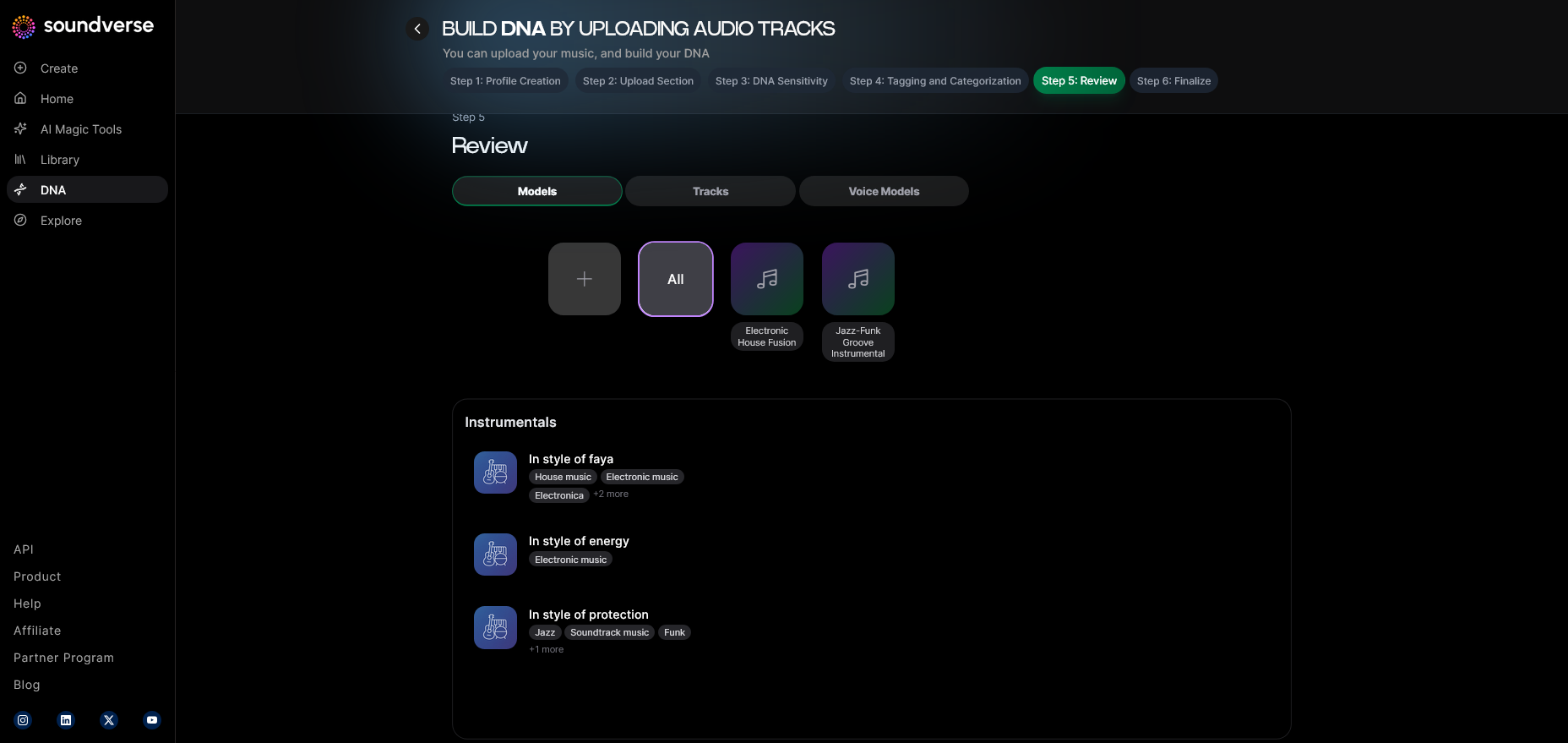
Soundverse automatically tags your music DNA with metadata like mood, genre, and tempo. These tags later help align AI video editing tools that rely on audio-driven motion cues, ensuring music-visual rhythm consistency.
Step 8: Review & Publish — Approving Your DNA Model
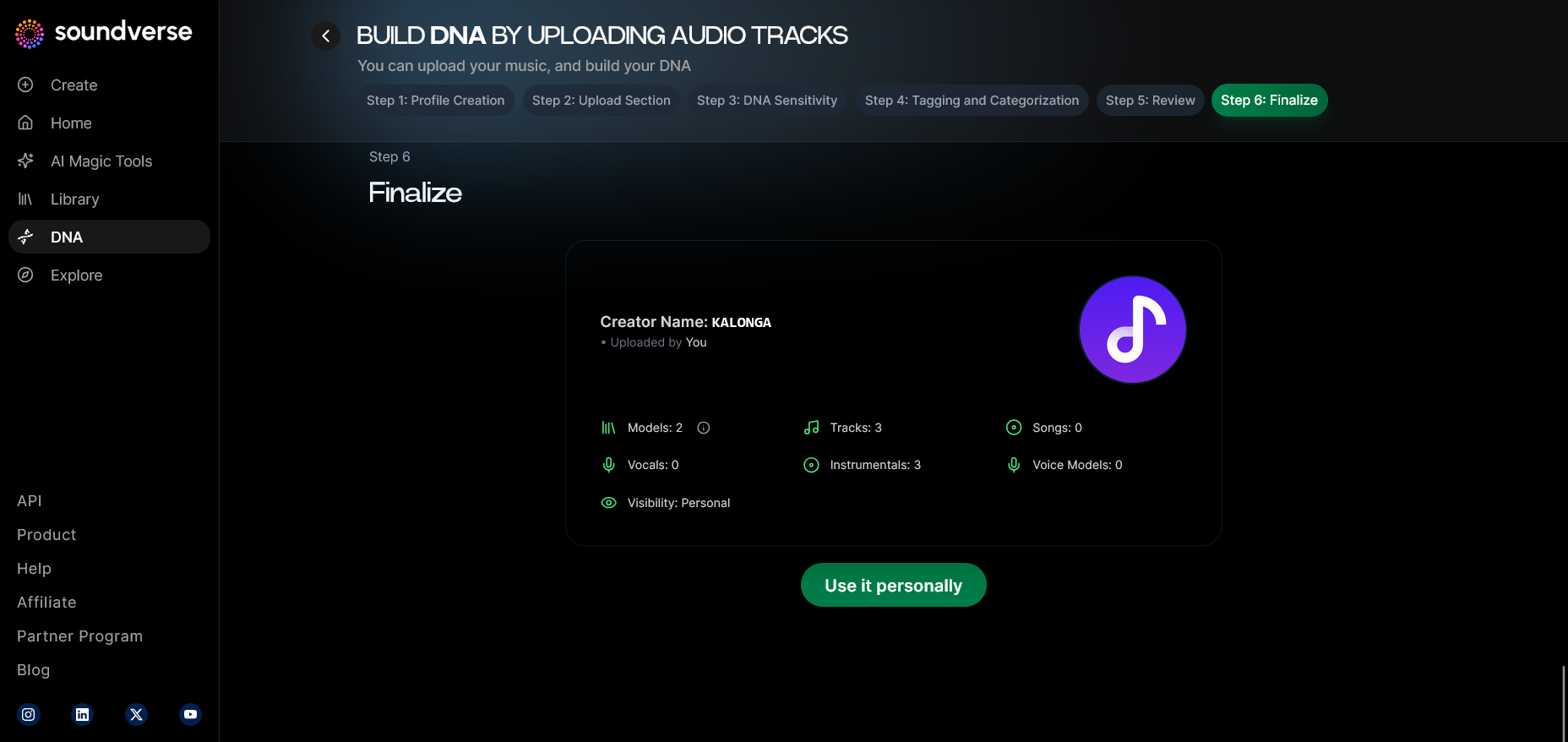
Once satisfied with the preview data, publish the DNA model. Your finalized style now becomes available for future AI music generations or collaborations through Soundverse’s DNA Marketplace.
Step 9: Generation Panel — Creating AI Music for Your Video
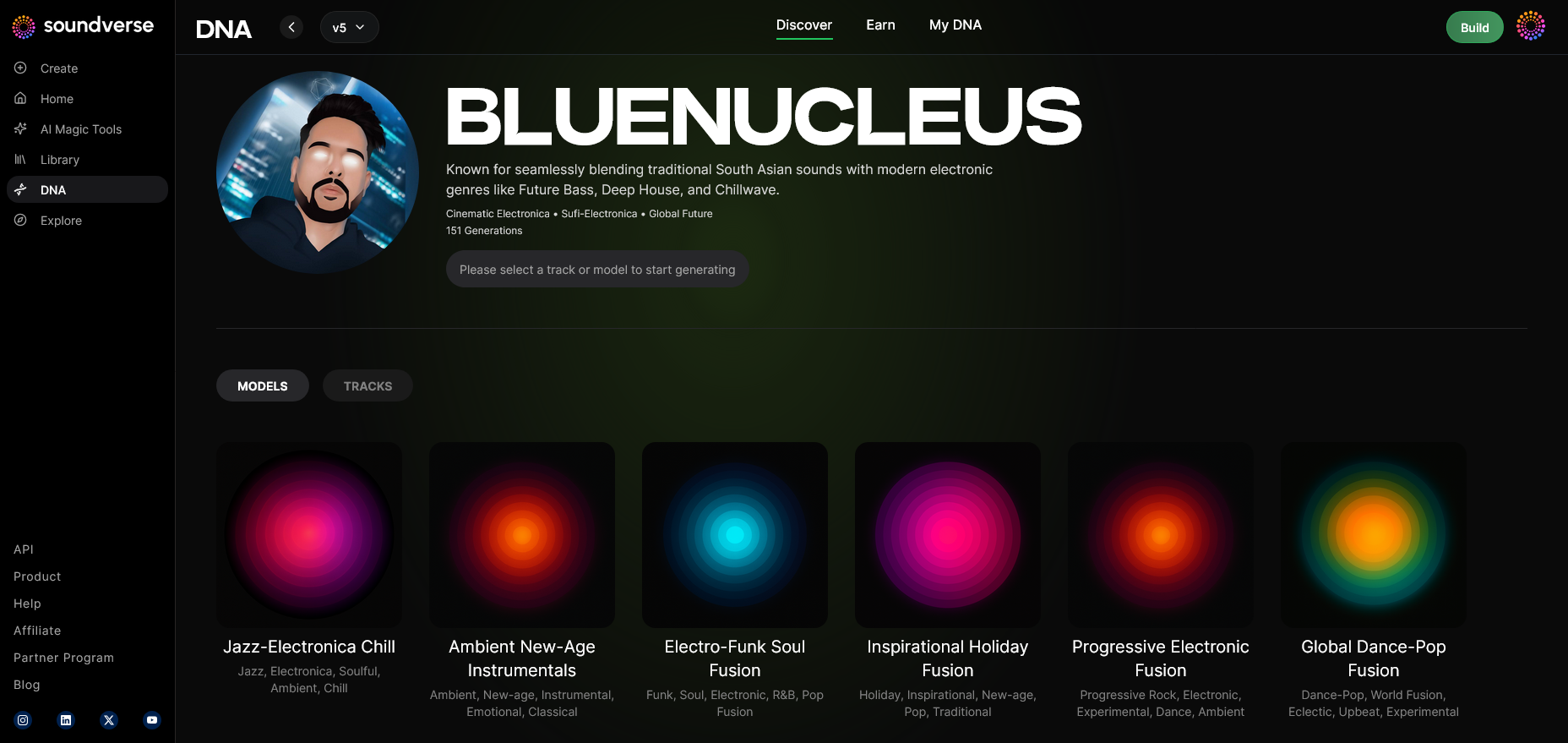
Access the generation panel, attach your trained DNA model, and input video-related prompts. For example, describe the visual tone: “neon-lit urban dance scenes” or “dreamlike coastal ambiance.” The AI then composes music that harmonizes with those aesthetics. Learn how music training data powers composition in How AI Music Is Trained: A Simple Explanation for 2026.
Step 10: Model-Based Mode — Activating Consistent Style Generation
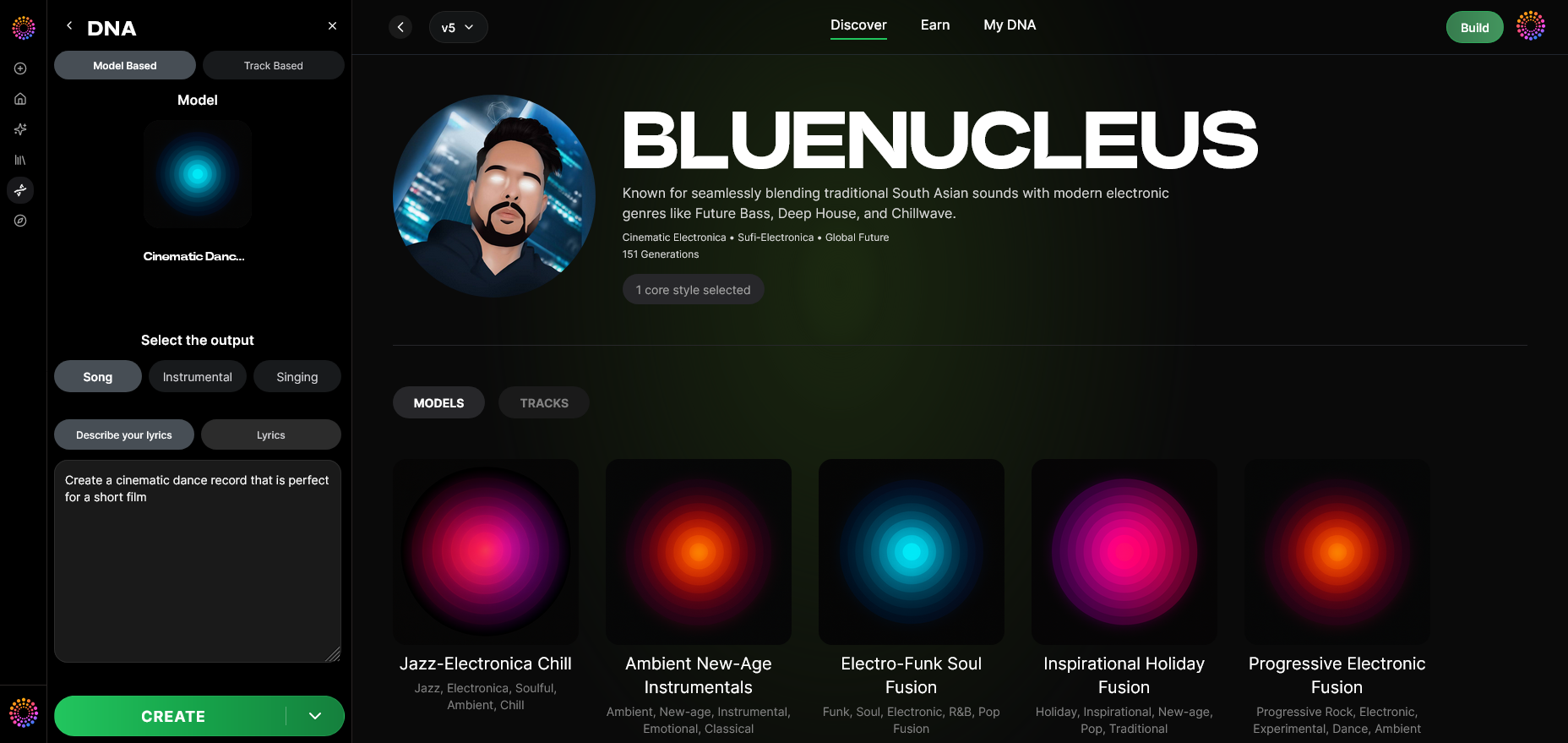
Enable model-based mode to use your trained DNA. This ensures all generated audio consistently reflects your signature sound, eliminating mismatched track aesthetics.
Step 11: Output Type — Choosing Composition Type
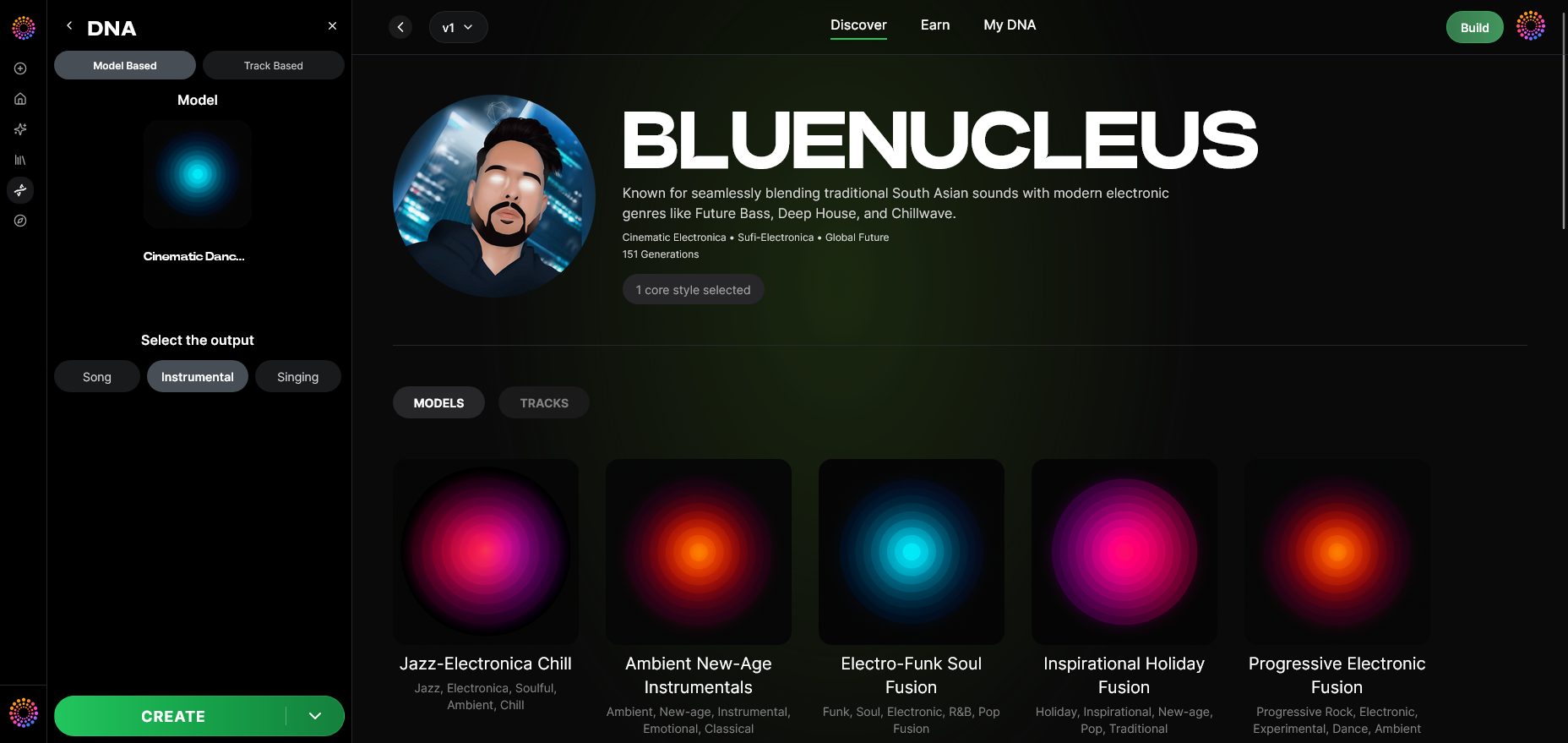
Select between Song, Instrumental, or Singing outputs depending on your project’s needs. Instrumental tracks often work best as background scores for AI-generated branding content. For insights on reducing generic outputs, check How to Make AI Music Less Generic.
Step 12: Prompt Type — Text or Audio Reference
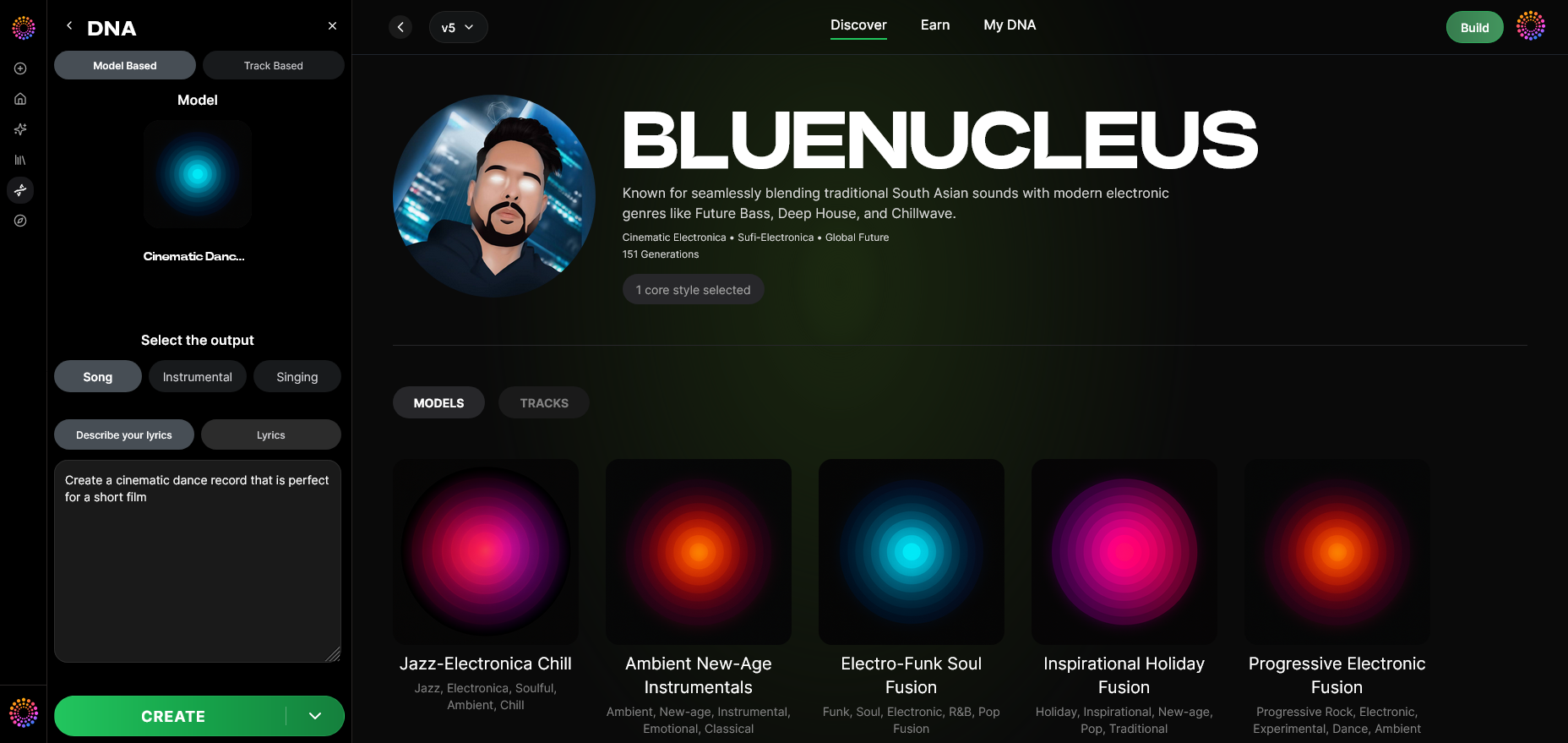
Define how you’ll guide the AI. Text prompts give descriptive context; audio references maintain tone matching. Choose the method that fits your workflow.
Step 13: Generation Complete — Reviewing Output
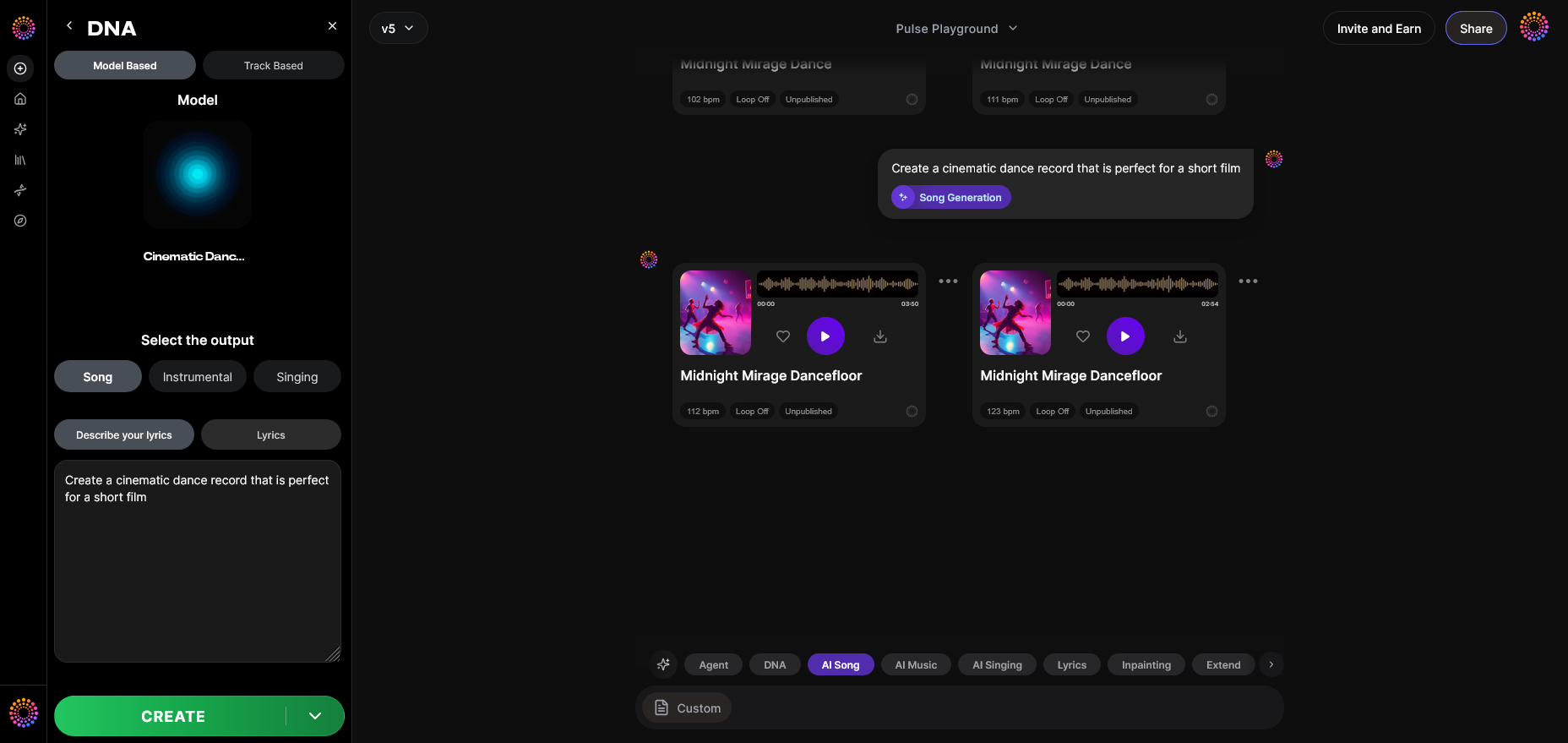
After generation, you’ll receive a processed track. Analyze it for tonal and emotional consistency with your visuals. AI music video creation thrives on micro-adjustments—don’t hesitate to iterate. See the full guide on creating AI-generated songs with Soundverse.
Step 14: Export Options — Integrating With AI Video Editing Tools
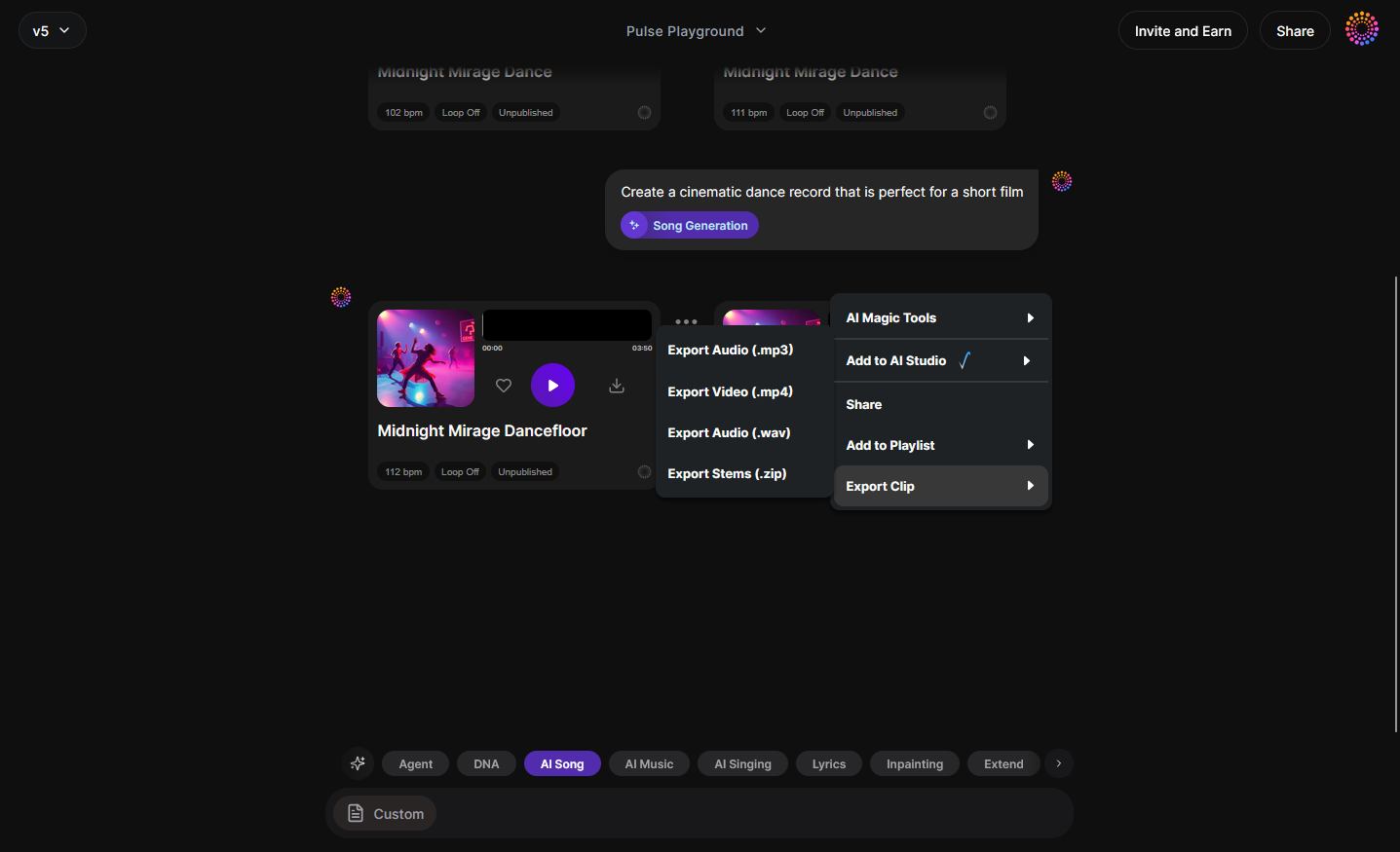
Export your final track and import it into your AI video editor. Tools like Runway ML, Pika Labs, or Kaiber AI can use the music’s tempo map to sync motions and transitions, ensuring visual consistency in AI videos. For additional guidance, you can review EXACTLY How I'd Start Making AI Music Videos in 2026.
How to maintain visual consistency in AI videos
Ensuring your AI video maintains brand visuals AI harmony involves strategic iteration:
- Establish a consistent color palette: Use the same tones across videos, aligned with your logo and brand presence.
- Define camera movement templates: Even in AI-generated scenes, predictive motion templates create a recognizable rhythm.
- Use style transfer models selectively: Consistency improves when the same trained visual style model is reused.
- Leverage Soundverse DNA metadata: Sync video pacing to track tempo or energy tags for natural cohesion.
- Centralize editing workflow: AI video editing tools like Runway ML or Pika enable timeline-level adjustments.
How Soundverse integrates with other AI video tools
Soundverse doesn’t directly generate visuals but provides the audio backbone for cohesive branding. For full AI music video creation workflows:
- Use Soundverse DNA for authentic, style-matched music.
- Pair with Kaiber or Runway for dynamic visuals.
- Apply Soundverse-generated tempo data to drive animation timing.
Soundverse supports film scoring and personal workflow acceleration, creating material that easily synchronizes with AI motion generation platforms. This synergy between sound and vision forms the essence of visual consistency in AI videos. For a deeper dive into creative workflow, watch our tutorial on making music.
Pro Tips for Brand Visuals AI Workflow
- Start with sonic identity first—music informs visual rhythm.
- Train DNA models around your active catalog, not random references.
- Create multi-era DNA clusters using the Sensitivity Selector to adapt visuals across short series.
- Integrate with visual prompt logs for consistent results.
- Regularly review DNA metadata to keep themes unified.
Cross-reference examples from Soundverse’s blog guides such as AI-generated music for film and television, how Soundverse revolutionizes content creation, and Soundverse AI Magic Tools.
Final Thoughts
In 2026, visual consistency isn’t optional—it’s strategic. Musicians and brands who combine AI-generated music with coordinated, repeatable visual styles dominate attention across platforms. Soundverse DNA empowers creators to build sonic foundations that pair perfectly with AI video editing tools, ensuring every project feels authentically yours.
By mastering AI music video creation workflows with Soundverse, you turn technology into a mirror of your artistic identity—keeping your sound, style, and visuals in perfect harmony.
Start Creating Stunning AI Music Videos Today
Bring your songs to life with AI-powered visuals that match your music’s vibe and rhythm. Join Soundverse and produce captivating, style-consistent videos with just a few clicks.
- Enhancing YouTube Content with Royalty-Free and Copyright-Free Music Using Soundverse AI: Learn how to elevate your YouTube videos with professional, royalty-free soundtracks made using Soundverse AI.
- The Role of AI Music in Film and Television: Discover how AI-generated music is transforming soundtracks and storytelling in movies and TV shows.
- How an AI Music Generator Inspires Creative Fusion: Explore how AI can spark new levels of creativity by blending different genres, moods, and musical ideas.
- Creating a Faceless Valentine’s Day Video Message with Free AI Tools: Find out how to craft expressive video messages without showing your face using powerful AI creation tools.
Here's how to make AI Music with Soundverse
Video Guide

Here’s another long walkthrough of how to use Soundverse AI.
Text Guide
- To know more about AI Magic Tools, check here.
- To know more about Soundverse Assistant, check here.
- To know more about Arrangement Studio, check here.
Soundverse is an AI Assistant that allows content creators and music makers to create original content in a flash using Generative AI. With the help of Soundverse Assistant and AI Magic Tools, our users get an unfair advantage over other creators to create audio and music content quickly, easily and cheaply. Soundverse Assistant is your ultimate music companion. You simply speak to the assistant to get your stuff done. The more you speak to it, the more it starts understanding you and your goals. AI Magic Tools help convert your creative dreams into tangible music and audio. Use AI Magic Tools such as text to music, stem separation, or lyrics generation to realise your content dreams faster. Soundverse is here to take music production to the next level. We're not just a digital audio workstation (DAW) competing with Ableton or Logic, we're building a completely new paradigm of easy and conversational content creation.
TikTok: https://www.tiktok.com/@soundverse.ai
Twitter: https://twitter.com/soundverse_ai
Instagram: https://www.instagram.com/soundverse.ai
LinkedIn: https://www.linkedin.com/company/soundverseai
Youtube: https://www.youtube.com/@SoundverseAI
Facebook: https://www.facebook.com/profile.php?id=100095674445607
Join Soundverse for Free and make Viral AI Music

We are constantly building more product experiences. Keep checking our Blog to stay updated about them!