How to Create Multiple AI Music Styles Using Soundverse DNA
Learn how to use Soundverse DNA for multi style AI music creation, blending originality and ethics for 2026 music producers.
How to Create Multiple AI Music Styles Using Soundverse DNA
In 2026, the world of music production looks different than ever before. The emergence of artificial intelligence in audio creation has transformed how artists conceptualize, produce, and monetize music. With tools like Soundverse DNA, music producers and sound designers now have the ability to generate consistent, authentic, and copyright-safe tracks across multiple genres and styles—all while preserving the emotional depth and individuality of human creativity.
This article will walk you through how to create multiple AI music styles using Soundverse DNA, exploring its artist-trained capabilities and guiding you through each step to bring your sonic vision to life.
Why Multi-Style AI Music Creation Matters in 2026
By 2026, AI music creation has expanded far beyond simple genre replication. Producers are no longer content with generating generic tracks—they want to fuse identities and evolve distinct sonic blueprints that adapt across multiple music genres.
For example, a single creator might produce cinematic orchestral cues one day and synth-driven ambient soundscapes the next. The increasing demand for stylistic diversity is driven by multimedia platforms, indie gaming, film scoring, and brand sound identity projects. Multi style AI music creation satisfies this demand, empowering artists to seamlessly transition between creative directions without losing authenticity.
Soundverse has positioned itself as a forerunner in this evolution, offering artists an ethical, style-based AI ecosystem built for both experimentation and monetization. It’s not just about automation—it’s about augmentation.
How to Make Multi-Style AI Music with Soundverse DNA
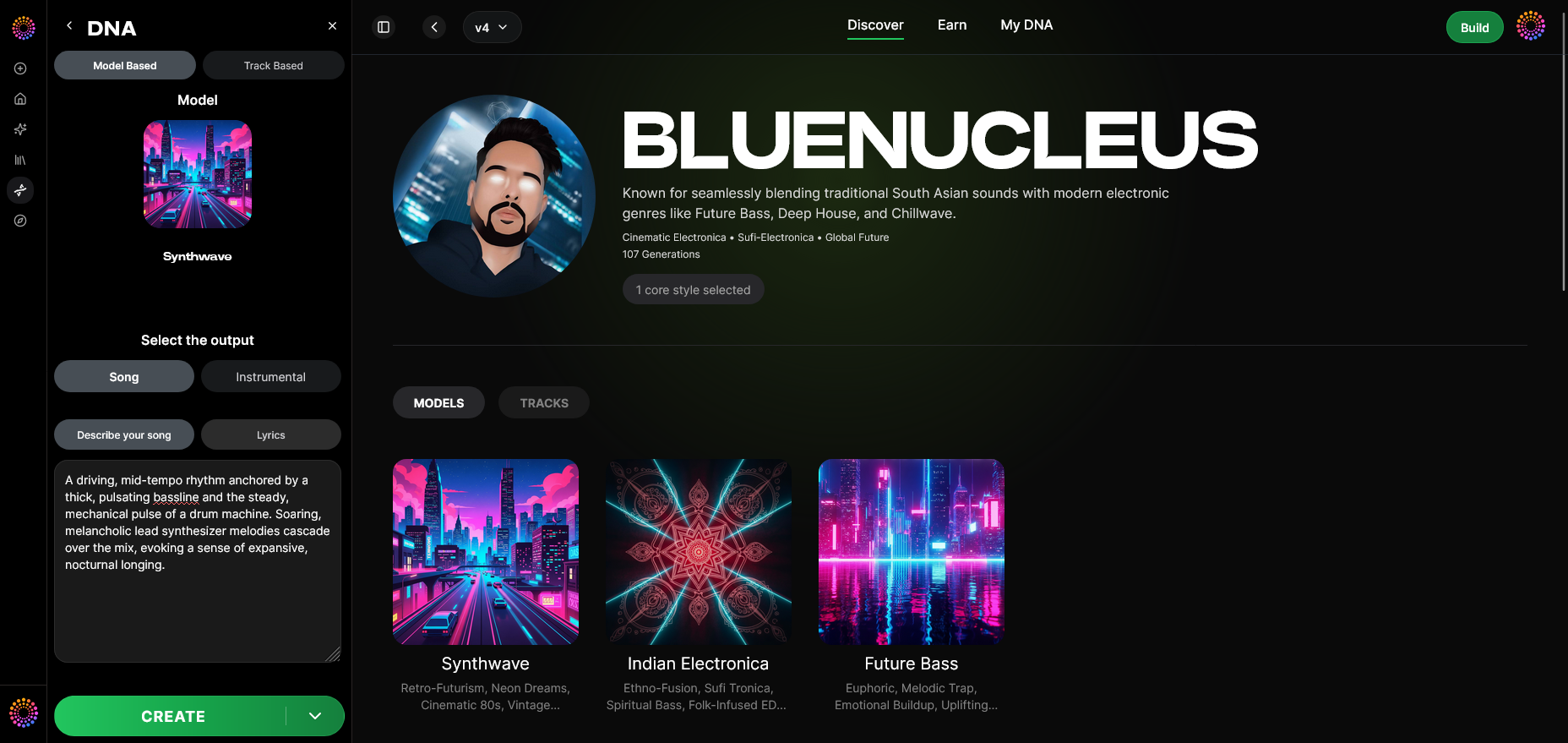
Soundverse DNA is not just another AI music generator; it’s a full-spectrum system that creates based on unique sonic identities rather than random algorithmic outputs. It’s trained using licensed catalogs, meaning every AI model respects ownership and lets creators earn when fans use their style. Learn more about how artist training and licensing work in Sound DNA Technology: Maintaining Signature Sound in 2026.
The Core of Soundverse DNA
Soundverse DNA introduces a breakthrough in AI sound design. Instead of generating tracks detached from the human touch, it allows artists to embed their stylistic fingerprint into an AI model that others can use while maintaining consistency.
Core Capabilities:
- Full DNA: Enables production of both full songs and instrumentals that capture your entire sonic identity.
- Voice DNA: Recreates vocal timbre, phrasing, and expressive nuances unique to each singer.
- DNA Marketplace: Artists can license their style DNA to fans, earning revenue whenever it’s used.
- Sensitivity Selector: Clusters catalogs into different creative eras, perfect for revisiting past sound phases.
- Private Mode: Allows secure AI-human collaboration—for professional or confidential projects.
With these tools, producers can maintain a unique sound across diverse genres—from pop to ambient, EDM, country, or even progressive jazz.
Step 1: Overview — Understanding DNA Mode
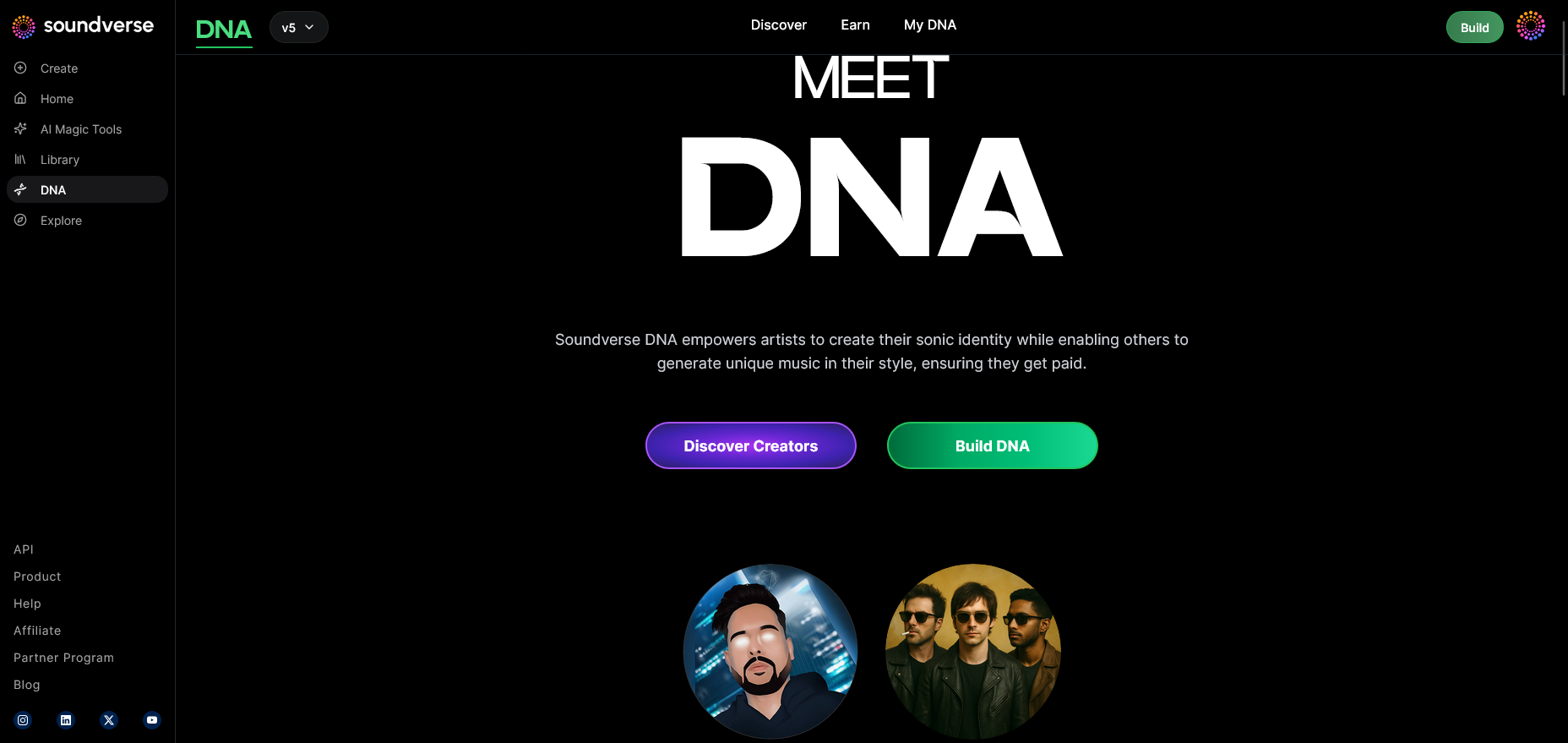
Begin by entering the DNA mode in your Soundverse dashboard. This is where you’ll define whether you’re capturing your sound identity or using another artist’s licensed DNA model. Think of it as the foundation of your AI music creation process.
Step 2: Dashboard — Managing Your DNA Collection
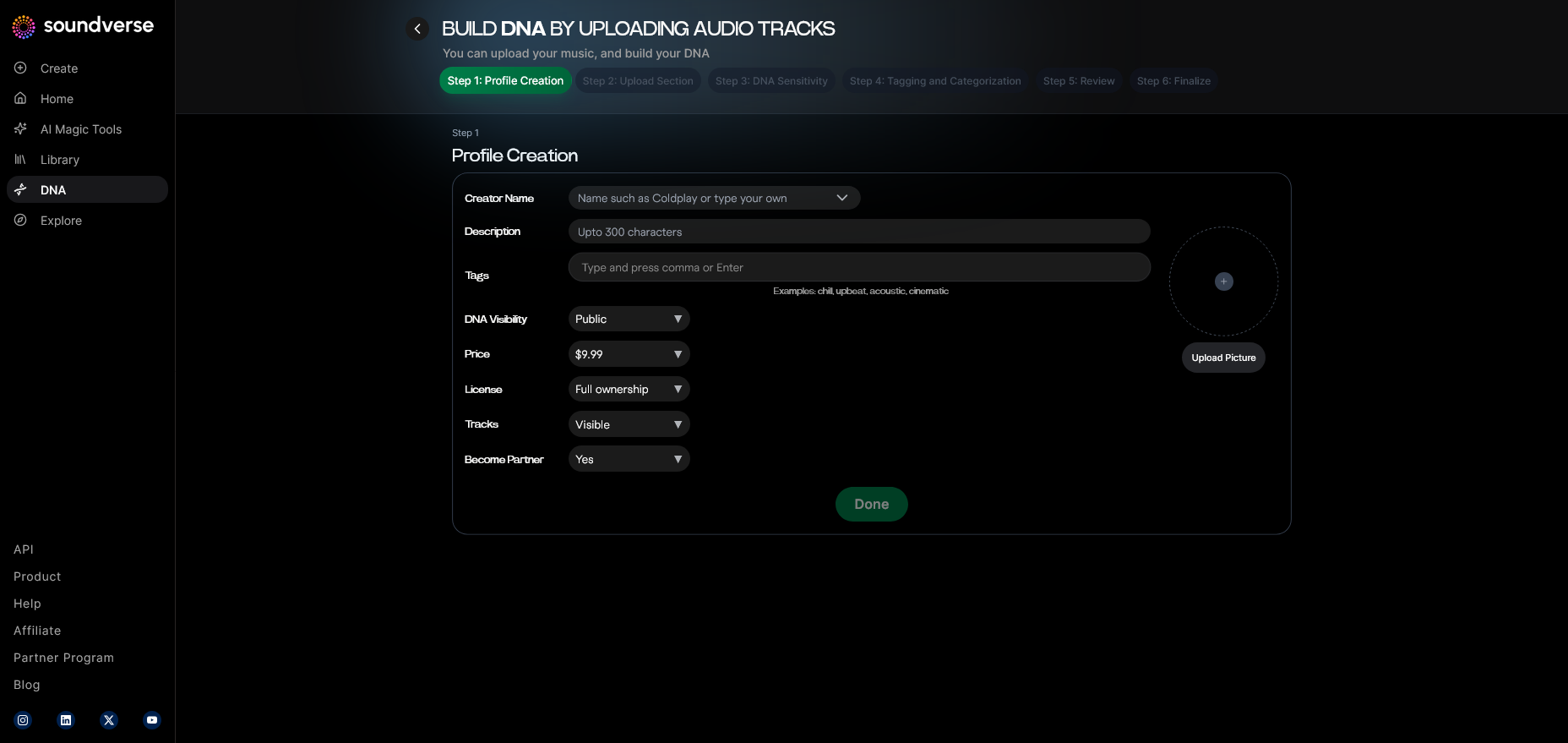
In the My DNA dashboard, you can organize and oversee every DNA model you own or have licensed. Each model can represent a distinct sonic era or style you wish to explore, making it essential for managing multi style AI music workflows.
Step 3: Creator Profile — Setting Up Your Artistic Identity
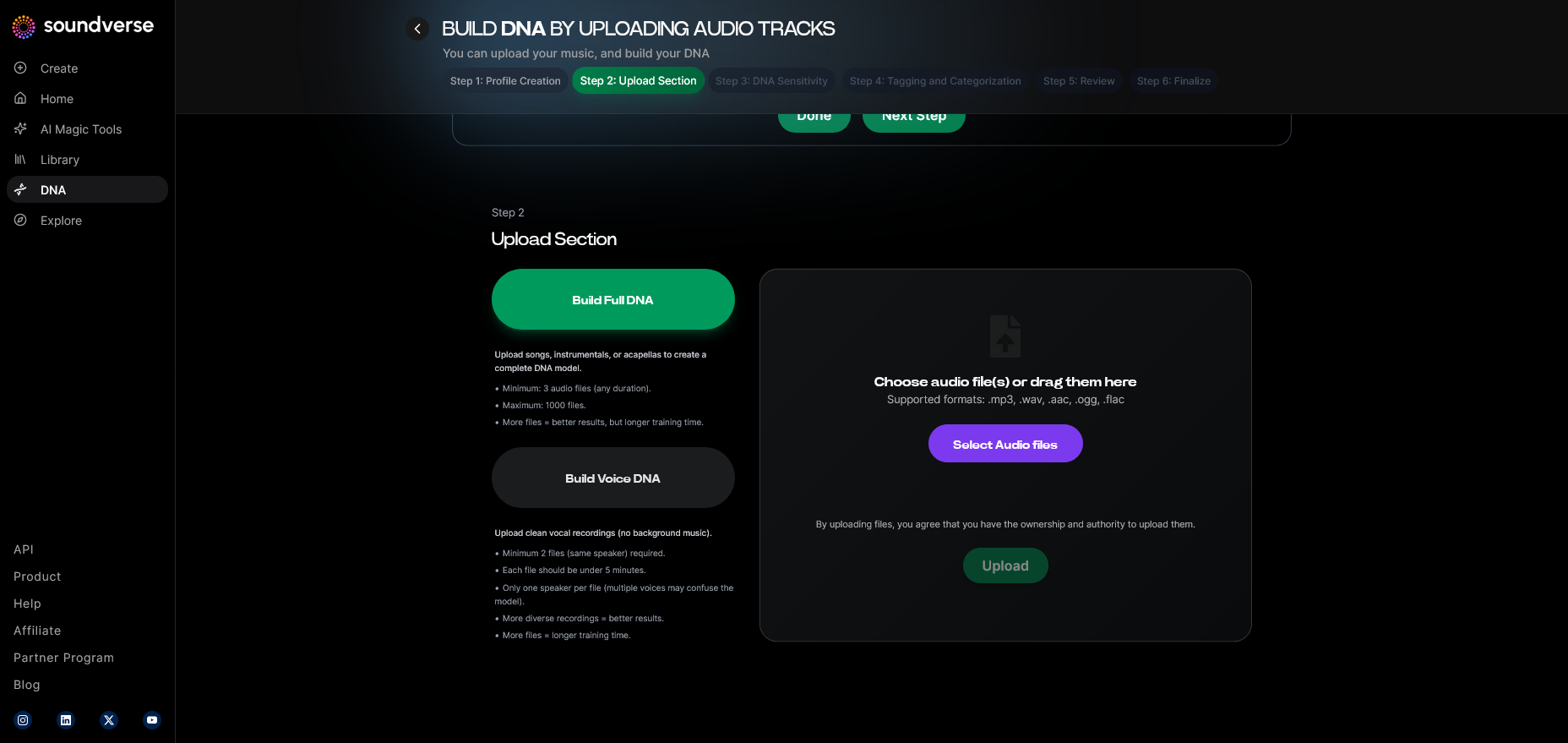
Your creator profile is the public face of your Soundverse ecosystem. Here, you define your musical background, influences, and genres so that your generated projects align with your style. This also controls how your DNA appears in the public marketplace.
Step 4: DNA Type Selection — Full DNA or Voice DNA
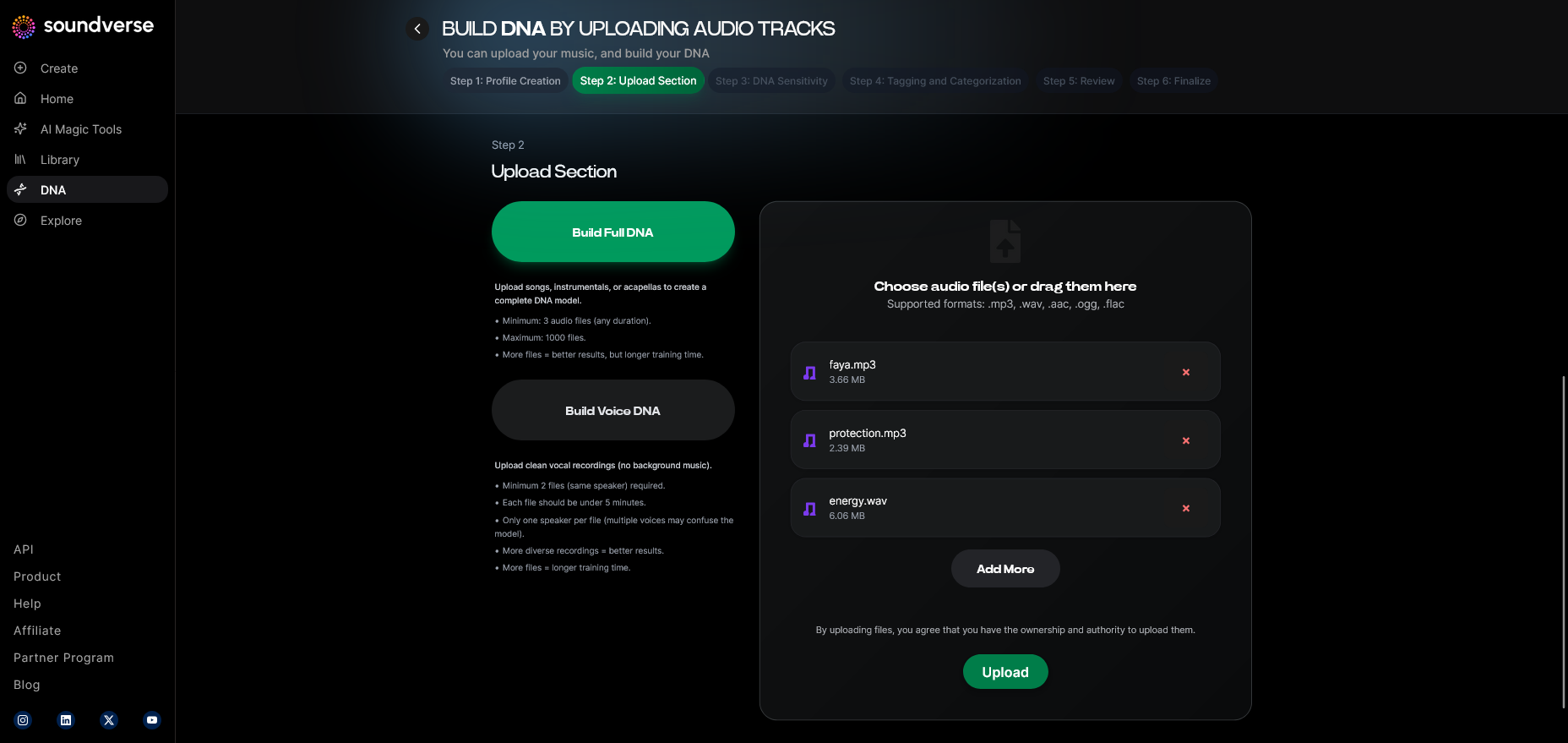
This is a key decision point. Select Full DNA if you want the model to learn from your entire productions (instrumentals, harmonies, arrangements). Choose Voice DNA if your focus is vocal re-creation. Producers often use both types to maintain brand consistency.
Step 5: Upload Files — Training Your Model
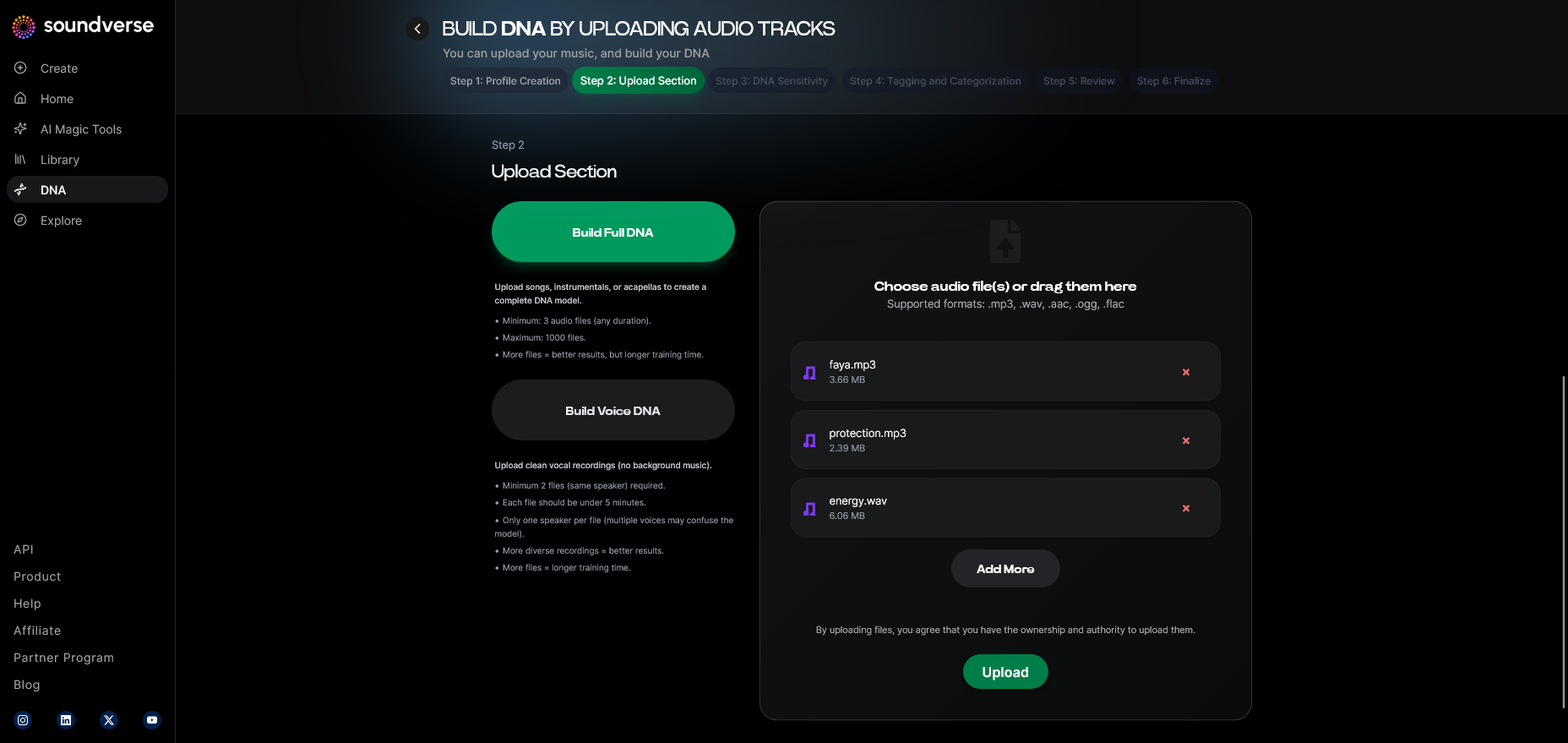
Upload your reference tracks or stems via the file upload interface. These are used to train your DNA. The system uses only licensed materials to ensure every track generated remains copyright-safe.
Step 6: Sensitivity Setting — Adjusting Style Influence
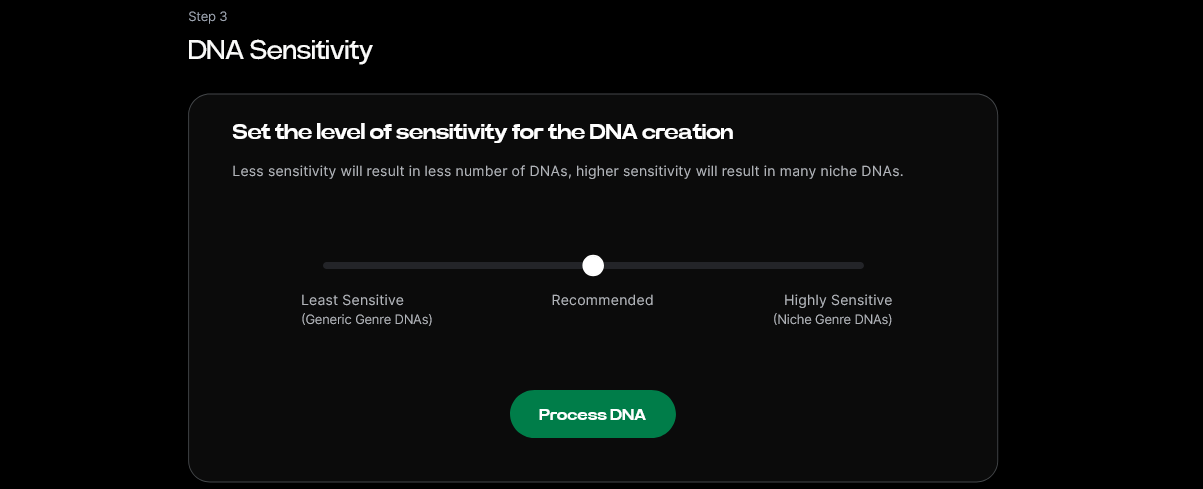
Use the Sensitivity Selector to determine how closely you want future outputs to align with your reference material. Lower sensitivity results in more style expansion, while higher sensitivity generates closer stylistic mimics.
Step 7: Auto Tagging — Metadata Organization
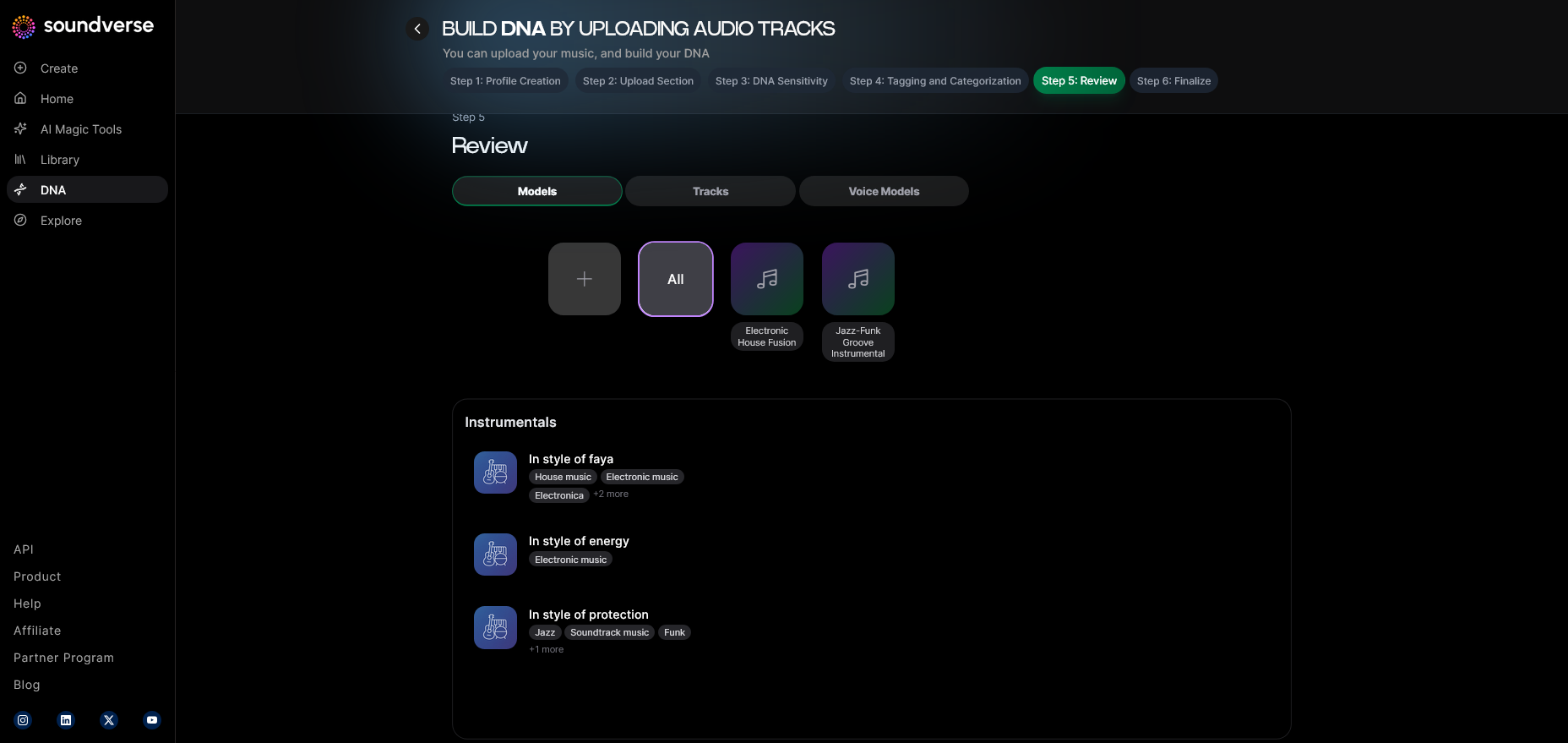
Once uploaded, Soundverse automatically tags your files with metadata like genre, tempo, and key. This enables faster retrieval and catalog organization, helping both AI and the user maintain creative control.
Step 8: Review & Publish — Final Checkpoint
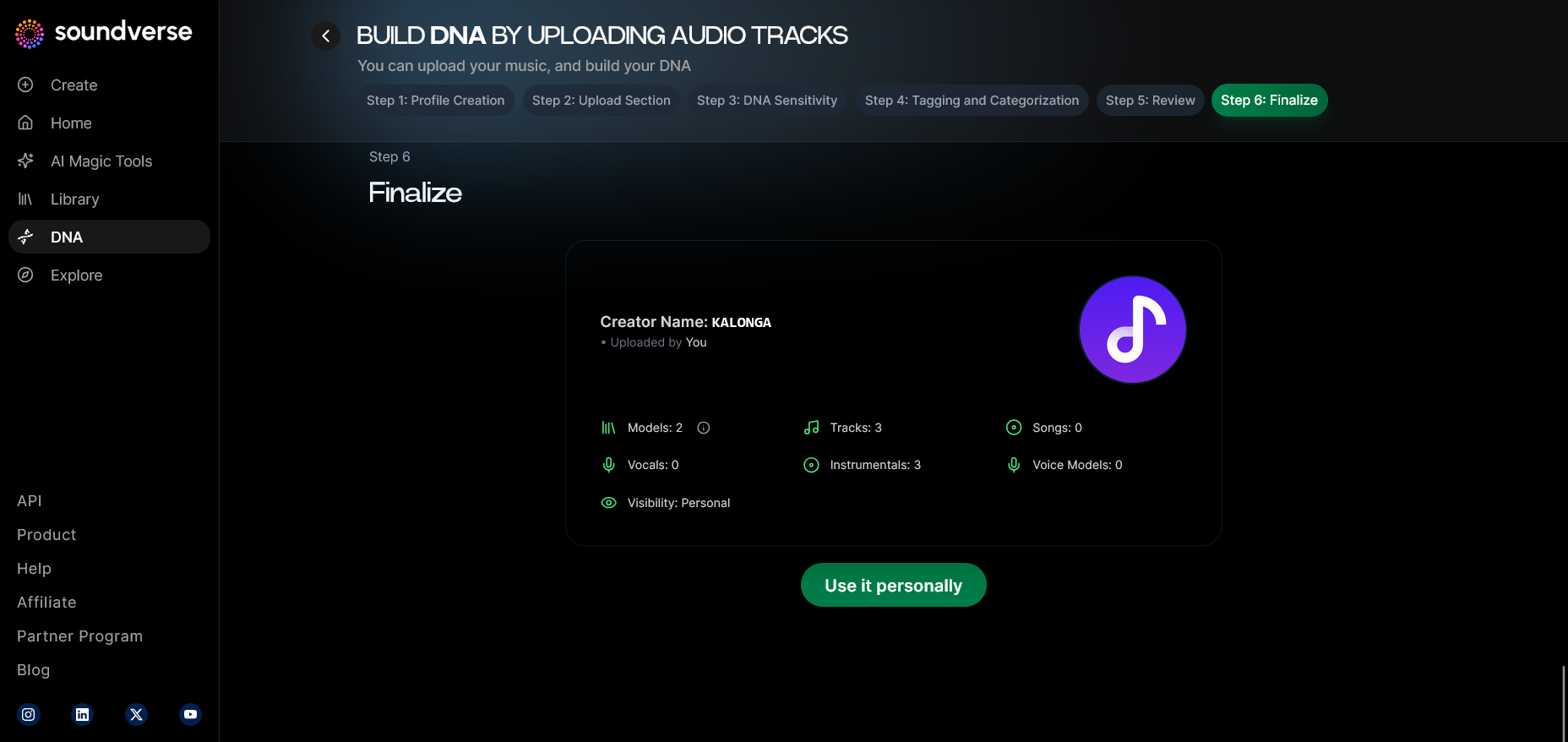
Review your DNA configuration and metadata before publishing it to your account or the DNA Marketplace. If you prefer to keep your sound private, use the Private Mode toggle.
Step 9: Generation Panel — Creating Music with Your DNA
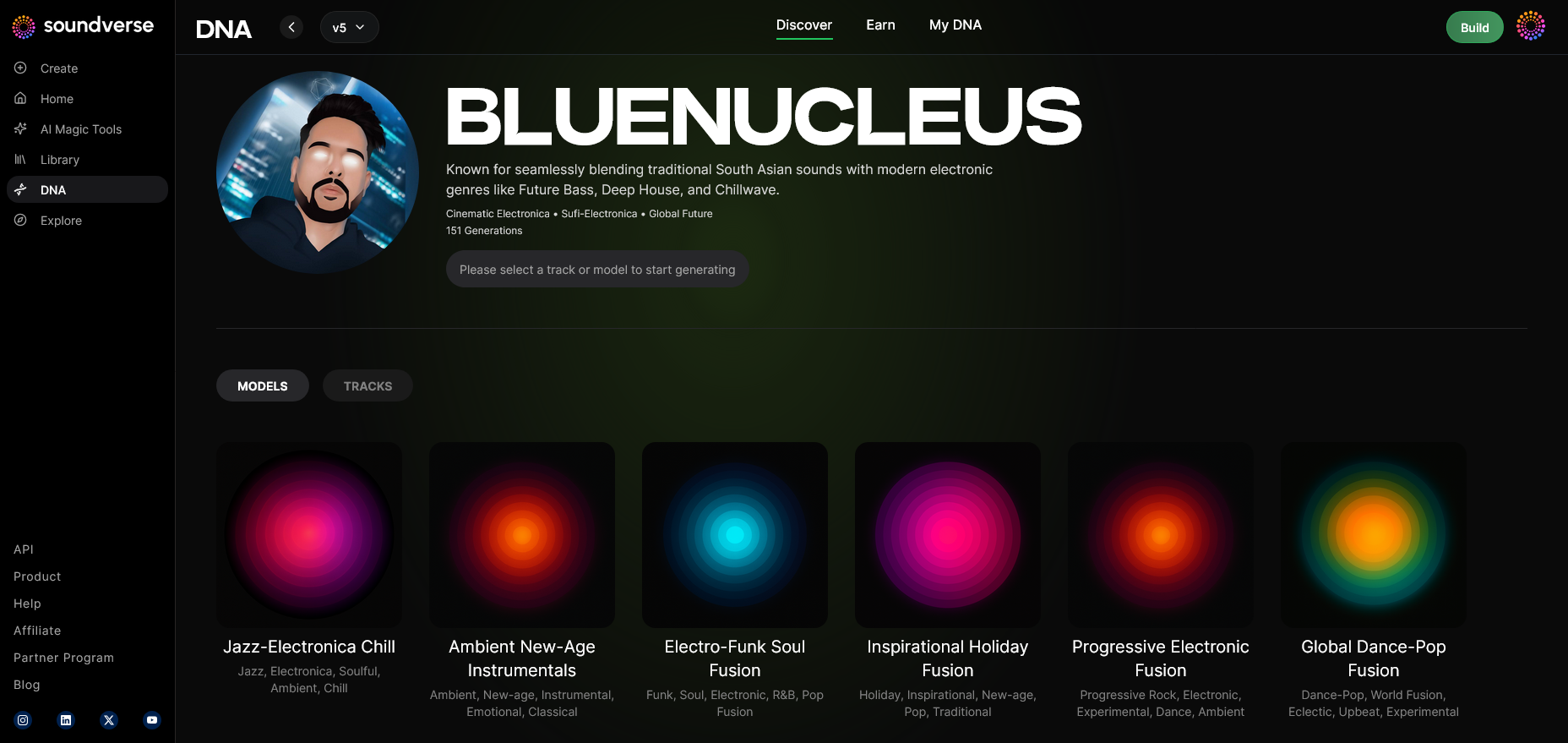
Here’s where the actual magic happens. Input prompts, select instruments, or describe the mood you want. The AI will reference your chosen DNA to produce an original composition aligned with your sonic identity. For a deeper dive into workflow optimization, check out our tutorial on how to make music and deep house production guide.
Step 10: Model-Based Mode — Using Pre-Trained DNAs
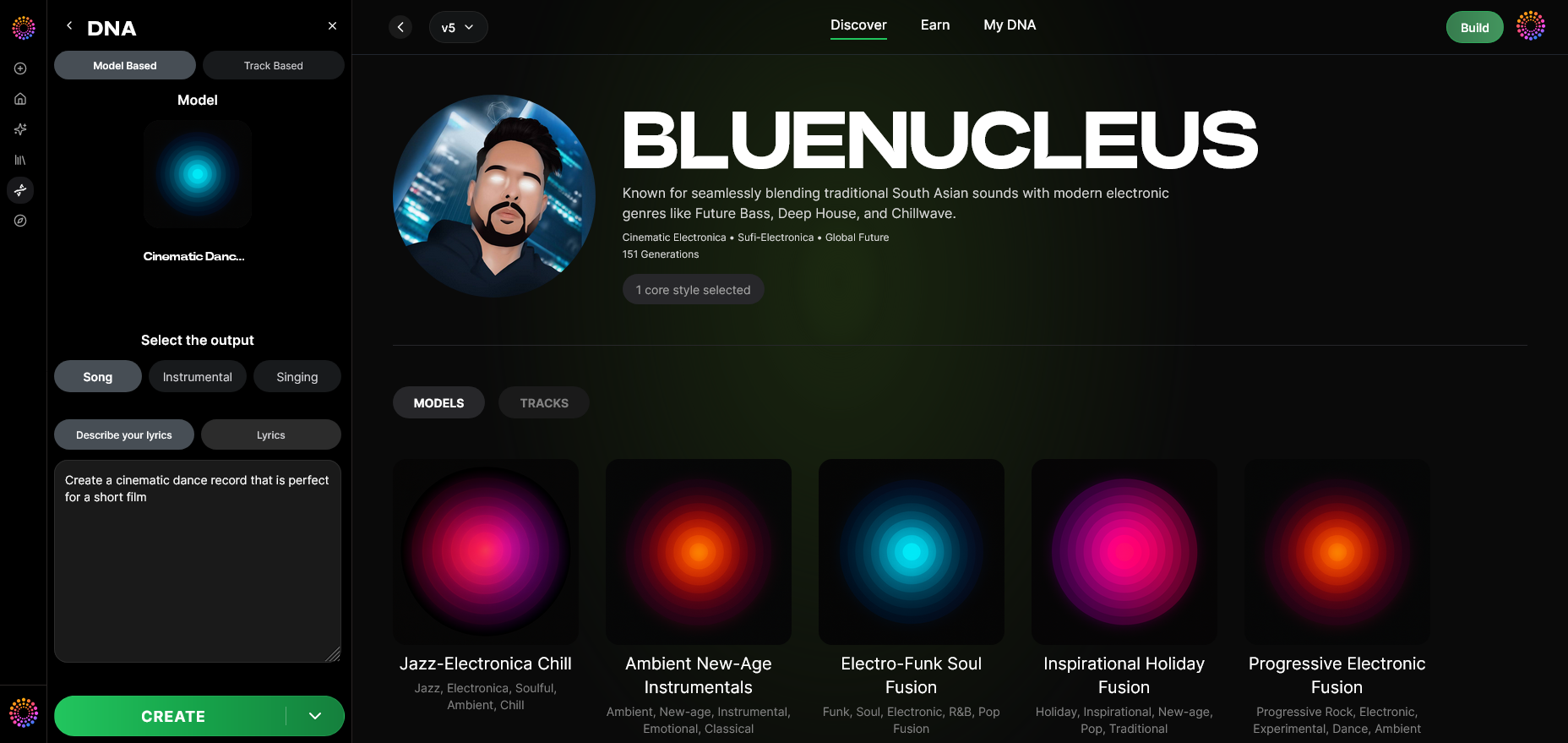
If you’re exploring other artists’ DNA models, activate Model-Based Mode. It enables you to mix, match, or layer multiple DNA styles, ideal for multi style AI music creation.
Step 11: Output Type — Choose Your Format
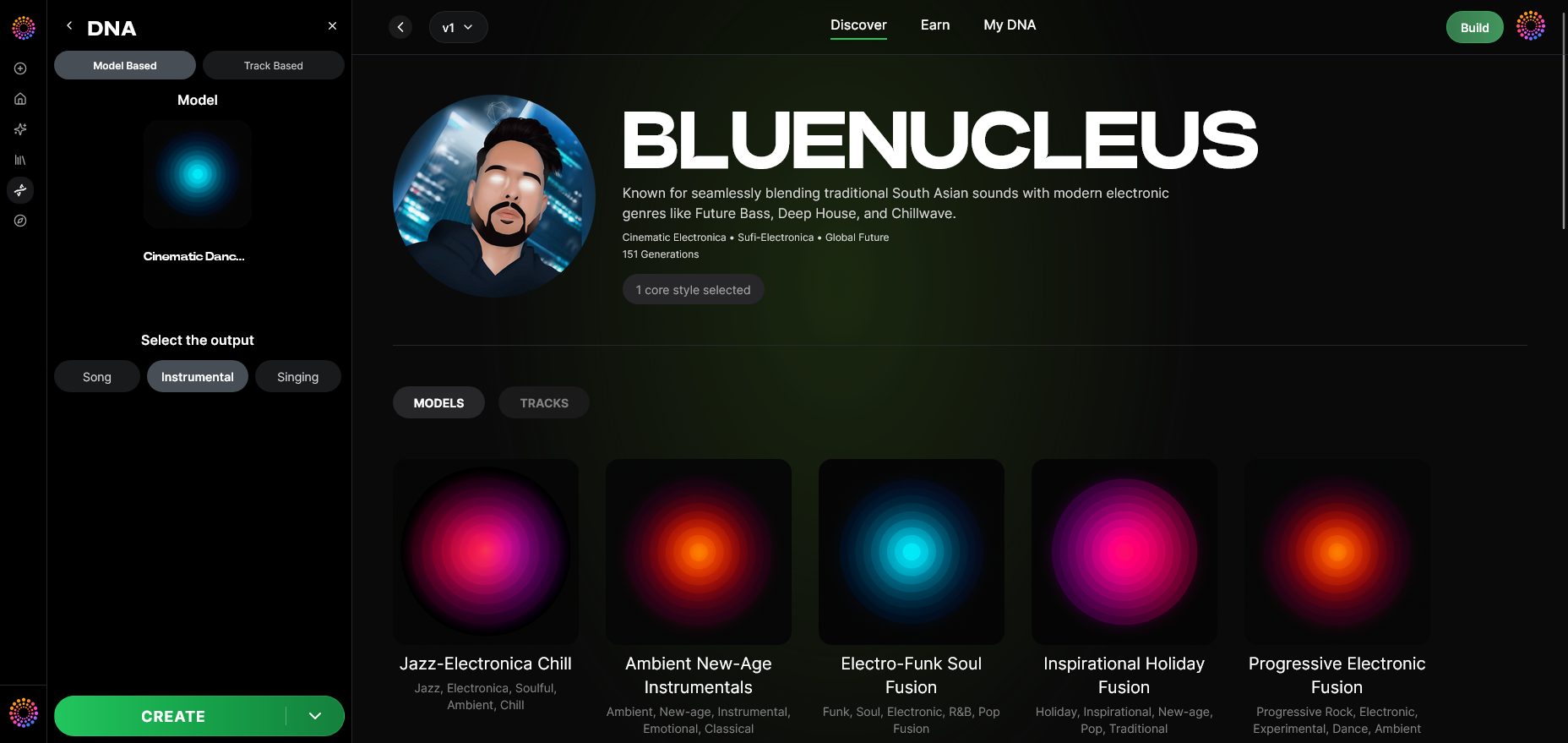
Select between Song (vocal) or Instrumental outputs. This ensures the generated content aligns with your specific production needs—whether it’s background scoring or a full commercial track.
Step 12: Prompt Type — Input Your Creative Instructions
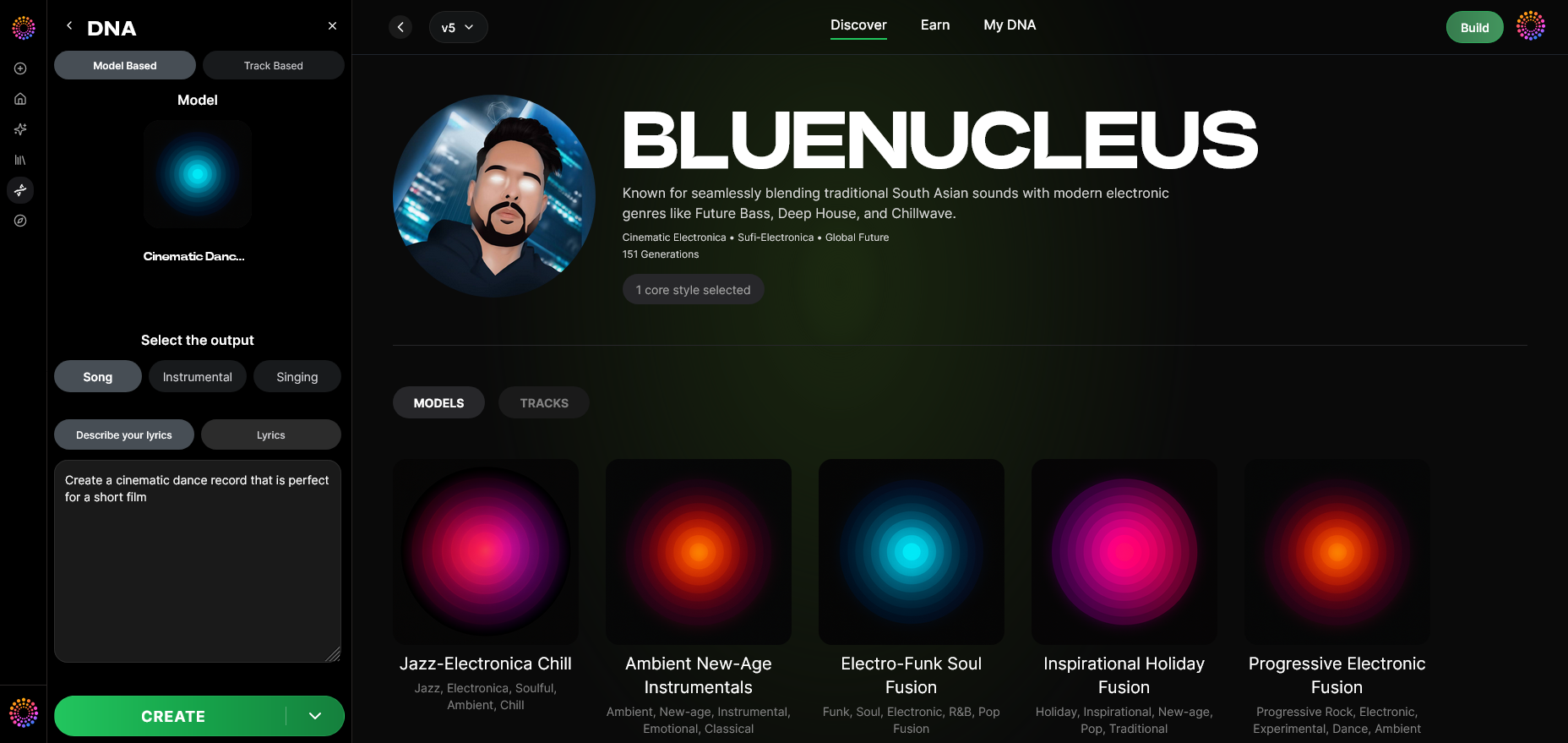
Enter your descriptive text prompt or musical concept. You can specify emotion, color, instrument focus, or even lyrical concept to guide the AI.
Step 13: Generation Complete — Review Your Result
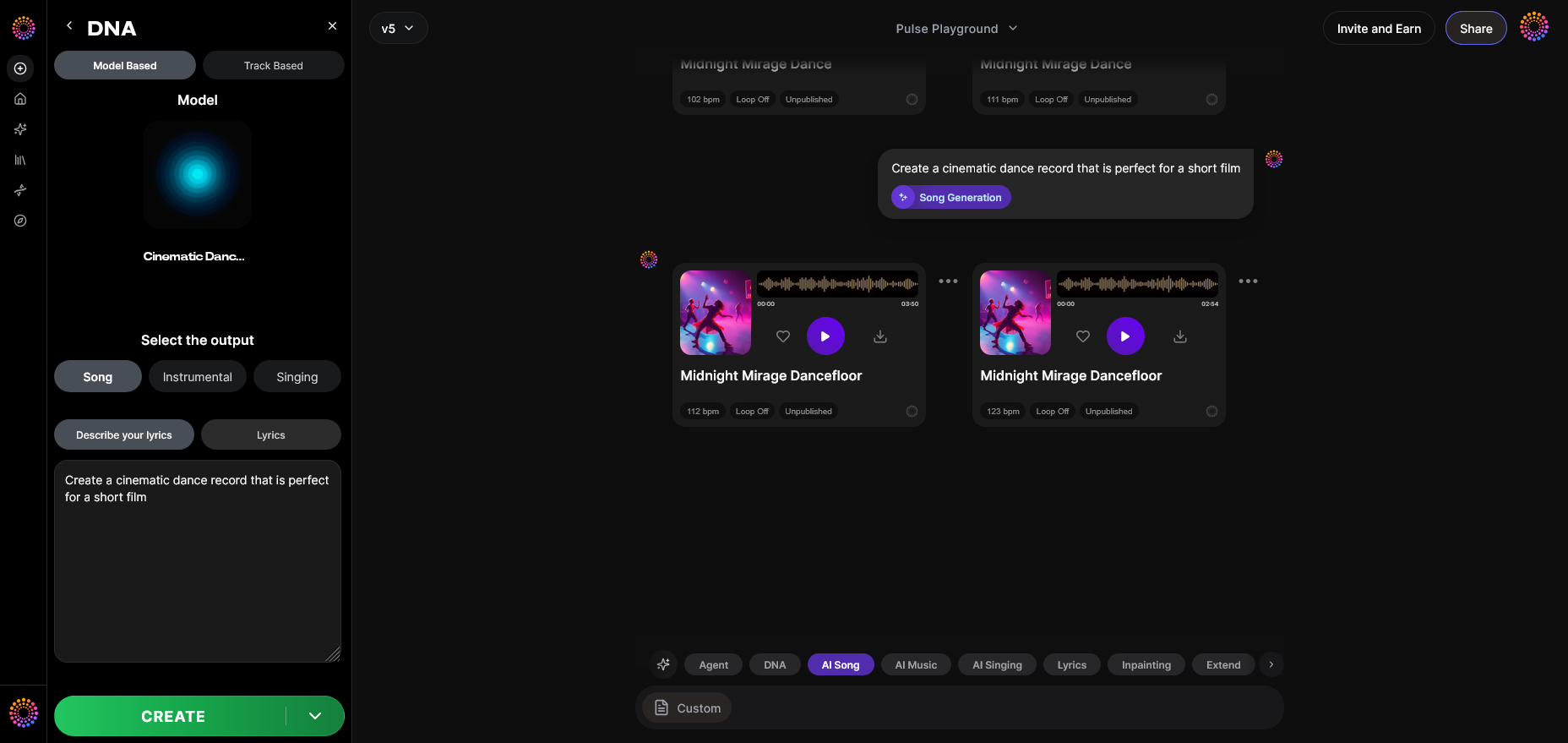
After generation, the AI returns a fully produced, copyright-safe result. Review it in your project view, and if needed, refine settings to regenerate variations.
Step 14: Export Options — Final Output Delivery
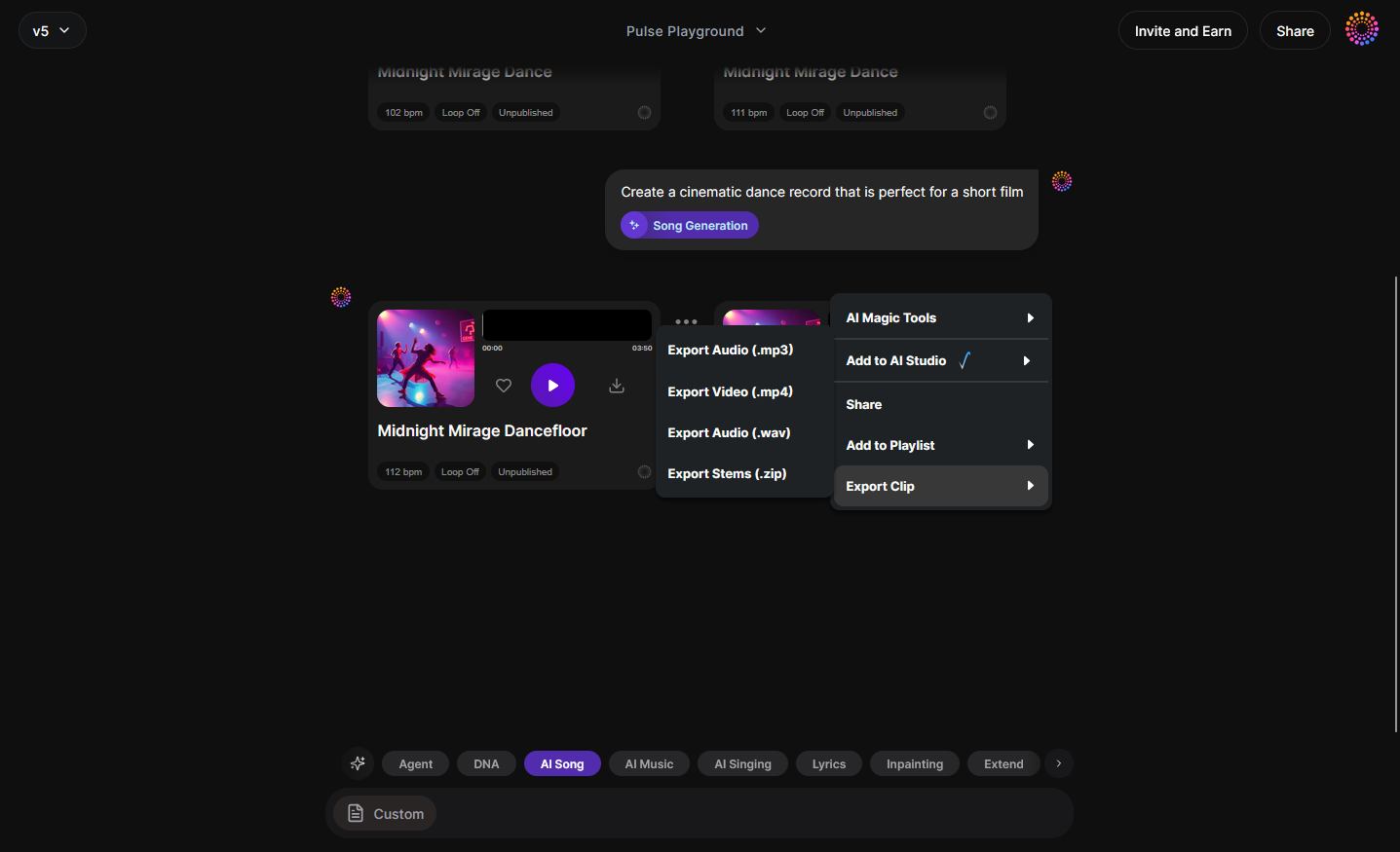
Export your generated track in your preferred format. Integrate the file into DAWs or share it directly across projects. You can also open the piece in Arrangement Studio for deeper editing and section rearrangement.
Pro Tips for Expanding Multi Style Music Production with AI
- Blend Multiple DNA Models: Combine two or more DNAs to achieve genre hybridization—like blending jazz elements with trap percussion.
- Utilize the Sensitivity Selector Creatively: Try creating multiple versions of the same theme with different era settings to build an evolving concept album.
- Manage Your DNAs Strategically: Use the dashboard to test your style across film scoring, commercials, and YouTube branding.
- Integrate Voice Swap for Character Creation: Switch vocal DNAs to give your instrumental pieces new life with character voices while maintaining the same musical DNA.
To learn more about creative applications, explore articles like How to Create Country Music with Soundverse AI, Generate AI Music with Soundverse Text-to-Music, and The Role of AI Music in Film and Television.
Why Soundverse DNA Defines the Future of AI Music Creation
The value of Soundverse DNA lies in how it bridges artistry and technology. In a world where authenticity matters, Soundverse gives producers ownership and ethical assurance through its licensed catalog training and monetization structure, as discussed in AI Music for Personal Branding and Identity in 2026.
While traditional AI music tools often emulate without permission, Soundverse DNA respects creators. Artists can license their sound while fans gain access to high-quality, ethically trained models. For more insights, see How Soundverse DNA is Powering the 2026 Audio Economy.
Complementary Soundverse tools—like the Arrangement Studio and the Similar Song Generator—integrate flawlessly with DNA models, giving total control over the creative process. You can move from concept to completion entirely within Soundverse’s environment.
Start Creating Music in Multiple AI Styles Today!
Unlock the full potential of AI music creation with Soundverse DNA. Blend genres, experiment with styles, and craft professional tracks effortlessly using advanced AI-powered tools.
Related Articles
- How an AI Music Generator Inspires Creative Fusion — Discover how AI platforms are enabling musicians to merge styles and ideas like never before.
- Soundverse Assistant: Your AI Music Co-Producer — Learn how Soundverse Assistant helps you streamline your workflow and refine your unique sound.
- Generate AI Music with Soundverse Text-to-Music — Explore how text-to-music technology lets you create entire compositions from a single idea or prompt.
- How to Make AI-Generated Music — A complete guide to producing high-quality, genre-blending tracks using Soundverse AI tools.
Here's how to make AI Music with Soundverse
Video Guide

Here’s another long walkthrough of how to use Soundverse AI.
Text Guide
- To know more about AI Magic Tools, check here.
- To know more about Soundverse Assistant, check here.
- To know more about Arrangement Studio, check here.
Soundverse is an AI Assistant that allows content creators and music makers to create original content in a flash using Generative AI.
With the help of Soundverse Assistant and AI Magic Tools, our users get an unfair advantage over other creators to create audio and music content quickly, easily and cheaply.
Soundverse Assistant is your ultimate music companion. You simply speak to the assistant to get your stuff done. The more you speak to it, the more it starts understanding you and your goals.
AI Magic Tools help convert your creative dreams into tangible music and audio. Use AI Magic Tools such as text to music, stem separation, or lyrics generation to realise your content dreams faster.
Soundverse is here to take music production to the next level. We're not just a digital audio workstation (DAW) competing with Ableton or Logic, we're building a completely new paradigm of easy and conversational content creation.
TikTok: https://www.tiktok.com/@soundverse.ai
Twitter: https://twitter.com/soundverse_ai
Instagram: https://www.instagram.com/soundverse.ai
LinkedIn: https://www.linkedin.com/company/soundverseai
Youtube: https://www.youtube.com/@SoundverseAI
Facebook: https://www.facebook.com/profile.php?id=100095674445607
Join Soundverse for Free and make Viral AI Music

We are constantly building more product experiences. Keep checking our Blog to stay updated about them!