What Are the Most Feature-Rich Alternatives for Professional Music Distribution and Editing?
Music distribution alternatives that also edit: FL Cloud Pro, LANDR Studio, BandLab, plus Logic Pro paired with DistroKid, TuneCore or Amuse.
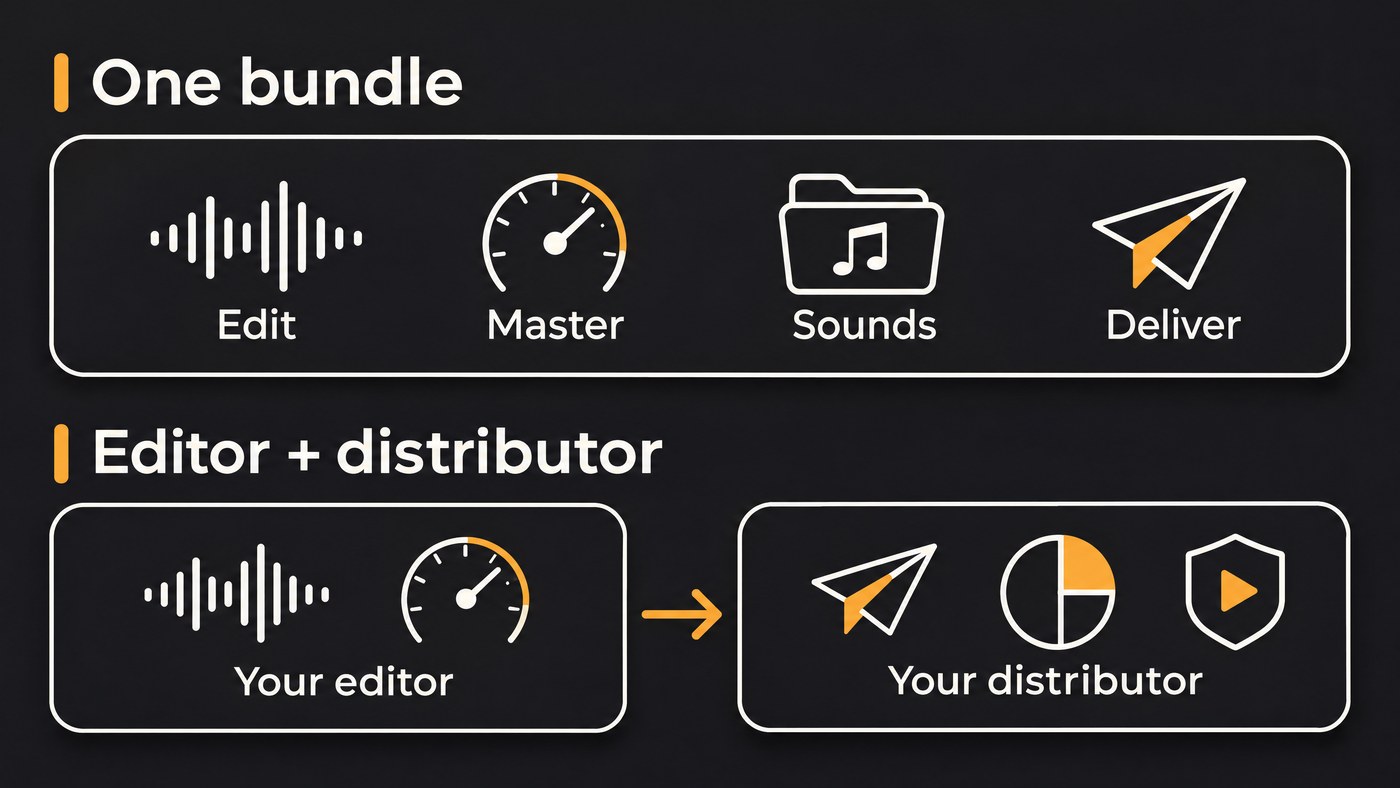
The most feature-rich music distribution alternatives that also cover editing are bundles: FL Studio with FL Cloud Pro, LANDR Studio and BandLab Membership. For the deepest editing, most professionals still pair a full DAW such as Logic Pro with a distributor like DistroKid, TuneCore or Amuse, chosen for its release tools and AI rules.
Everything below comes from each company's own pages, checked on 21 November 2026. Prices are as each vendor listed them that day, in US dollars, and they change often.
Why distribution and editing usually come from different tools
A distributor's job is delivery and money: it sends your audio, artwork and metadata to the stores, collects royalties, splits them with collaborators and handles claims such as YouTube Content ID. An editor's job is the sound: arranging, comping, fixing, mixing, mastering and printing stems.
Few companies do both well. What you find instead are two kinds of bundle:
- A DAW subscription that adds distribution, such as FL Cloud Pro inside FL Studio.
- A distributor or creative platform that adds editing extras, such as mastering, samples, plugins or a browser studio.
If you mainly want to buy one suite, our guide on where to buy an automated music distribution and editing suite covers that decision. If you care most about artwork, Canvas and video tools at the distributor, see distribution platforms with built-in creative features.
What to compare before you choose
Six points separate a professional setup from a hobby one:
- Editing depth. A full timeline with comping, automation and plugins, or presets only?
- Mastering. Built in, an add-on per track, or bring your own?
- Stems. Can you separate a bounced mix, and export stems for a mix engineer?
- Release tools. Scheduled dates, pre-saves, royalty splits, Content ID and the ability to replace audio after release.
- Pricing as the vendor states it, including per-artist costs if you run a roster.
- AI-content policy and cancellation terms. What the distributor accepts, and what happens to your catalogue when you stop paying.
Platforms that bundle distribution and editing
FL Studio with FL Cloud Pro
Image-Line's FL Cloud page describes "One subscription for sounds, plugins, storage, mastering, and distribution, all built into FL Studio." Distribution is a Pro feature that runs through DistroKid, and Image-Line says you keep 100% of your earnings and release as much as you want.
- Editing: a full DAW on Windows and Mac. FL Studio editions start at $99 with Lifetime Free Updates, per Image-Line's pricing page.
- Mastering and sounds: AI-powered mastering with genre presets and full customization, plus over two million royalty-free sounds that you can audition in your track's tempo and key.
- Extras on Pro: 107 included plugins, every FLEX pack and 1 TB of project backup. FL Cloud Plus keeps the sounds and mastering but not distribution.
Delivery runs through DistroKid, so its AI rules apply. Best for beatmakers who already live in FL Studio.
LANDR Studio
The LANDR Studio page lists unlimited AI mastering (including the LANDR Mastering Plugin for your DAW), unlimited distribution, up to 2,400 royalty-free samples a year from a library of more than 3 million, 70+ effect and instrument plugins including stem separation, 200+ courses and remote session tools. LANDR also says releases stay live if you cancel.
On AI, LANDR's guide to AI tools and distribution opens its stance with: "At LANDR, we believe innovation should serve artists, not replace them." It supports responsible AI use but reserves the right not to distribute music that relies entirely on AI audio generation, judged case by case.
Best for producers who mix in their own DAW and want mastering, samples and delivery on one bill.
BandLab with Membership
BandLab's Membership page says members can release singles, EPs or albums to major streaming platforms worldwide and keep 100% of earnings. The same tier adds an upgraded Splitter with guitar and piano separation, Voice Cleaner, AutoMix, Audio-to-MIDI, Smart Tools (Layer, Extend and Recompose), four exclusive mastering presets and a 32-track Studio.
Read the BandLab Terms of Use (current as of 9 September 2026) before you build a catalogue there. Section 5G says: "Users who have Distributed Content but who subsequently cease to be a Member (a “Lapsed Member”) may have some or all their Distributed Content removed from the Distribution Service at BandLab’s sole and absolute discretion." Withdrawing a release also needs two months' written notice. BandLab's help centre blocked our checks, so ask its support about AI-assisted releases before uploading.
Best for songwriters who start on a phone or in a browser.
Distributors with editing extras, paired with your own editor
DistroKid plus Mixea
DistroKid's pricing page lists Musician at $24.99, Musician Plus at $44.99 and Ultimate at $89.99, all billed annually. Every plan includes unlimited uploads, royalty splits, free promo tools and keeping 100% of earnings. Musician Plus adds custom release and preorder dates and synced lyrics in Apple Music; Ultimate adds "Replace song audio", advanced stats and 1 to 100 artists, which suits a small label.
Mixea, DistroKid's mastering service, masters your first track free, then charges $99 a year for unlimited masters, delivered as 24-bit, 48 kHz WAV. DistroKid's help centre blocked our check of its AI policy, so read it there before you upload AI-assisted songs.
TuneCore
TuneCore's pricing page lists CORE at $22.99 a year, PRO at $43.99 and PRO+ at $84.99 with four extra artists included, plus per-release Single ($24.99 a year) and Album plans. The plan comparison includes artist revenue splits, YouTube Content ID, scheduled release dates, your own ISRCs and a Cover Art Creator. TuneCore Mastering is a separate AI service at $5 a song with a free full-length preview, and TuneCore's Artist Services page lists Fender Studio Pro for producing, recording, mixing and mastering. TuneCore's GenAI policy sits in its help centre, which blocked our check, so read it there before you upload.
Amuse
Amuse's plans page lists Artist at $23.99, Artist Plus at $39.99 and Artist Pro at $59.99 a year. Every plan includes pre-saves and smartlinks, and music stays live after you downgrade, with a 25% royalty commission once you have no active subscription. Mastering with Masterchannel is $5.99 per file. YouTube Content ID carries a 15% royalty fee on Artist and none on Plus or Pro. Amuse's content rules, dated 18 May 2026, allow AI-generated music but exclude it from Qobuz, Meta and YouTube Content ID, and reject AI covers and tracks that imitate well-known artists.
Content ID works differently at each distributor, and AI tracks are often excluded from it. Our explainer on how distribution platforms handle Content ID goes through the details.
Professional editing stacks to pair with a distributor
Your editor doesn't change what the stores accept; your distributor does. So choose the editor for depth:
- Logic Pro. Apple's Logic Pro page lists Stem Splitter (drums, bass, vocals, guitar, piano and other instruments), Mastering Assistant and a growing royalty-free Sound Library. It costs $199.99 as a one-time purchase, or comes with Apple Creator Studio at $12.99 a month or $129 a year, and needs a Mac with Apple silicon running macOS 15.6 or later.
- FL Studio without FL Cloud. The same DAW with any distributor you prefer, or Fender Studio Pro if you're on TuneCore and want the DAW its Artist Services page points to.
Whatever you pick, export a 24-bit WAV master, keep the stems, and keep ISRCs and credits in one sheet you reuse for every release.
Picks by artist type
- Beatmaker already in FL Studio: FL Cloud Pro, for sounds, mastering and DistroKid delivery inside the DAW.
- Producer in Ableton, Logic or Cubase who wants one bill: LANDR Studio.
- Mac producer who wants the deepest editing: Logic Pro, paired with TuneCore if you want Content ID in the plan, or DistroKid Ultimate if replacing audio after release matters.
- Phone-first songwriter: BandLab Membership, keeping the lapsed-member clause in mind.
- Small label with several artists: DistroKid Ultimate (1 to 100 artists), TuneCore PRO+ (five artists) or Amuse Artist Pro (three or more profiles).
- Artist using AI tools: start from the distributor whose published policy fits how you work. Amuse and LANDR state theirs openly; ask the others before uploading.
Where Soundverse fits
Soundverse is an AI music platform that takes you from idea to audience. It covers the creation, editing and release-planning side and isn't a distributor, so it pairs with whichever distributor above suits you.
AI Studio is a multitrack studio in your browser: record, play eight built-in instruments, generate parts on the timeline, then mix with Mix One and master with Mastering One toward a target such as Streaming −14 LUFS. Stem Separator splits a song into 2 or 6 stems, or every part with a MIDI file each on Creator and above. Release Planner writes a day-by-day, platform-split rollout with pre-save, smart link and playlist pitch deadlines; it doesn't post or submit anything. Copyright Checker fingerprints a final master against released recordings before upload, and it is a recognition check, not legal clearance.
Licensing is set by plan: the Free plan is for personal use, and the Creator plan comes with a royalty-free license.
This walkthrough shows Release Planner turning a track and a few release details into a day-by-day rollout plan.
FAQ
Is there one platform that edits and distributes music professionally? FL Studio with FL Cloud Pro comes closest for producers, since FL Cloud Pro adds sounds, mastering and DistroKid delivery inside a full DAW. LANDR Studio and BandLab Membership also bundle both. Many labels still keep the DAW and distributor separate so either can be swapped.
Which distributors include YouTube Content ID? TuneCore lists YouTube Content ID in its plan comparison. Amuse includes it with a 15% royalty fee on Artist and no fee on Plus or Pro, but excludes AI-generated music from it. Check your distributor's own terms before you opt a track in.
What happens to my releases if I stop paying? LANDR says releases stay live. Amuse keeps them live and takes a 25% commission without an active subscription. BandLab's terms say lapsed members may have some or all releases removed.
Does Soundverse distribute music? No. Soundverse covers making, editing and planning a release. Delivery to Spotify, Apple Music and the other stores goes through a distributor such as DistroKid, TuneCore, Amuse, LANDR or BandLab.
Sign up for Soundverse free and take your next track from first idea to a release-ready master. More release guides on the Soundverse blog.

