How to Choose an AI Tool That Handles Both Lyric Writing and Full Song Arrangement
Choose an AI tool for lyric writing that also arranges the full song: what to check, a verified 2026 shortlist, and a workflow that keeps you the writer.
The right AI tool for lyric writing and arranging lets you keep your own words, change one section without redoing the song, and work with individual parts on a timeline. An AI tool that handles both lyric writing and full song arrangement should do all three. Soundverse, Suno with Suno Studio, ElevenLabs Eleven Music and Mureka come closest.
Almost every AI song tool can write lyrics, and almost every one returns a fully arranged track. The difference shows up after the first take: whether you can rewrite verse two and keep the chorus you love, or pull the drums out and play your own. For a singer-songwriter, that editing layer decides whether a tool stays in your workflow or ends up as a one-off demo machine.
What "full song arrangement" means in an AI music tool
"Arrangement" covers three different jobs, and tools handle them very differently:
- Structure from the lyrics. You mark sections with tags such as [Verse], [Chorus] and [Bridge], and the model builds the intro, the lift into the chorus and the ending around them. Nearly every song generator does this.
- Section-level edits. You select one part of a finished take and regenerate it with new lyrics or a new style, keeping everything else. Fewer tools do this well.
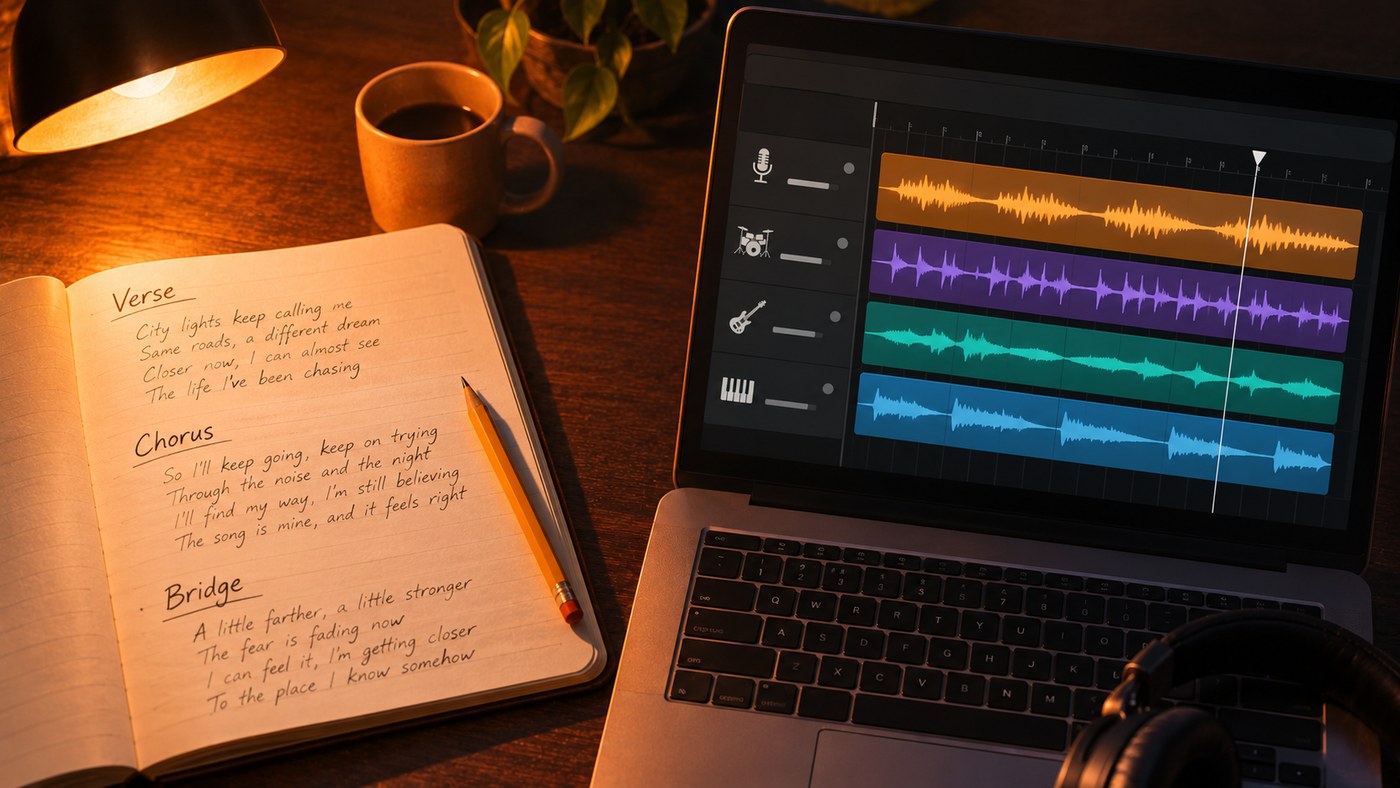
- Track-level arranging. The song lives as separate parts on a multitrack timeline where you cut, move, duplicate and add parts. This is closest to what a producer means by arranging.
For songs you plan to release and rework, levels two and three matter most. Our guide on how to arrange a song covers the musical side of those decisions.
What to check before you choose an AI tool for lyric writing
Run every candidate through this list:
- It sings your lyrics as written. Look for a custom or lyrics mode that doesn't rewrite your words. Test it with a line that contains a name or an unusual word.
- It drafts by section. A bridge on its own, or a second verse that matches the first verse line for line, is more useful than a whole song from one prompt.
- It reads structure tags. [Verse], [Pre-Chorus], [Chorus], [Bridge] and [Outro] in the lyrics box should change the shape of the song.
- You can replace one section. Fixing a line in verse two shouldn't cost you the take.
- You get stems or a timeline. Stems let you mute the AI drums, play your own guitar, or move the arrangement into your DAW.
- You can add a part. A new bass line or string layer that fits the track is the AI version of a session player.
- The license matches your plans. Check what your plan allows before you release anything.
A quick test: paste the same 16-line lyric into each tool, generate two takes, then try to change only the second chorus without starting over.
The shortlist: AI tools that cover lyrics and arrangement
Each entry below was checked against the tool's own site in November 2026. For how much say each tool gives you over the words, see which AI music generators allow the most control over lyric generation.
Soundverse. AI Lyrics Writer drafts a whole song or only the Intro, Verse, Chorus, Bridge or Outro, in 8 moods and 64 genres. It runs on every plan, Free included, and a lyrics run from its panel uses no tokens. AI Song Generator's Custom mode then sings your lyrics word for word, with section tags, up to 3,000 characters. The finished song opens in AI Studio, where Agent One writes MIDI beats, basslines, chords, pads and leads on their own tracks. On the Creator plan and above, Inpainting rewrites one selected section and AI Stem Generator adds one new part that fits. Best for songwriters who want writing and arranging in one place.
Suno. In Create, Suno writes lyrics from a description and makes the song, and Custom mode takes a line, a verse or a full lyric you wrote. Its help centre says you keep ownership of original lyrics you enter. Arranging happens in Suno Studio, a multitrack workstation for layering, arranging, extracting stems and generating new parts such as basslines and percussion. Studio is available only on the Premier plan. Best for people already making songs in Suno who want a timeline.
ElevenLabs Eleven Music. Eleven Music makes songs from a lyric, a mood, a loop or a voice recording. You set genre, mood, instruments and structure, then select any section and regenerate only that part. Its FAQ lists English, Spanish, French, German and Japanese among supported languages, and the Free tier is for personal use only. Its page doesn't describe a separate lyric drafter. Best for section-by-section rewrites and songwriters who work in several languages.
Mureka. Mureka offers a lyrics generator, or you can import your own lyrics for full song creation. Its Pro plan adds stem downloads and advanced editing, including region and melody extension. Best for people who want a lyric generator and downloadable stems in one subscription.
The two-app route. If you'd rather play and sing every part yourself, draft lyrics with a chat assistant and arrange in Logic Pro. Its Session Players for drums, bass, keyboard and synth follow the chords you set in the Chord Track. Logic Pro doesn't write lyrics and runs on Mac and iPad, so you'll be working across two apps. Best for singer-songwriters who record their own parts.
This walkthrough shows every tool in Soundverse's Create section, including AI Lyrics Writer and AI Song Generator, and how Agent One can run them for you.
A songwriting workflow that keeps the song yours
This order works in any of the tools above:
- Write the hook yourself. The title line and the chorus carry the song. Draft them before you open any tool.
- Use AI for the gaps. Ask for a second verse in the same meter as your first, or three bridge ideas that change the point of view. Keep what fits and rewrite it in your voice.
- Tag the structure. A common pop layout is [Intro] [Verse] [Pre-Chorus] [Chorus] [Verse] [Pre-Chorus] [Chorus] [Bridge] [Chorus] [Outro]. Match syllable counts line for line between verse one and verse two so the melody can repeat.
- Generate several takes from the same lyrics. Change only the style description between runs, for example "acoustic folk-pop, fingerpicked guitar, warm male vocal, 92 BPM" against "sparse piano ballad, strings entering on the second chorus".
- Fix sections instead of restarting. If verse two is weak, regenerate that section with new lines and keep the take.
- Arrange with parts. Split the take into stems, mute what you'll replace, add a new layer, trim a long intro to four bars, double the last chorus.
- Finish where you're comfortable. Export stems to your DAW and record your real vocal over the arrangement, or finish the mix in the browser.
Who owns AI-assisted lyrics and arrangements?
Writing your own lines matters for more than taste. In its report on generative AI outputs, published on 29 January 2025, the U.S. Copyright Office concluded that "the outputs of generative AI can be protected by copyright only where a human author has determined sufficient expressive elements". The same report says creative arrangements or modifications by a human can count, while the mere provision of prompts does not. Register of Copyrights Shira Perlmutter put it this way: "Where that creativity is expressed through the use of AI systems, it continues to enjoy protection."
In practice, the lyrics you write and the arrangement choices you make are your strongest contribution, so keep dated drafts and project files. That is the U.S. position; other countries differ, and none of this is legal advice.
Each platform also sets its own terms. On Soundverse, licensing is set by plan; the Free plan is for personal use; the Creator plan comes with a royalty-free license. Our guide on choosing an AI music tool for commercial use walks through what to compare.
Where Soundverse fits
Soundverse is an AI music platform that takes you from idea to audience, built for independent artists who release music. For this question, the useful part is that the writing and the arranging happen on the same project. AI Lyrics Writer drafts a full lyric or a single section on every plan. AI Song Generator sings those words as written in Custom mode, with Soundverse v9 on the Pro and Max plans. AI Studio puts the song on a multitrack timeline in your browser, where you can split, trim, duplicate and move clips, add parts with Agent One, and on Creator and above export one file per track.
It won't replace a DAW you love: AI Studio doesn't load third-party VST or AU plugins, and recording has no punch-in or take comping. A practical split is to write and arrange here, then finish the mix in your own DAW.
FAQ
Can one AI tool write lyrics and arrange a full song? Yes, several can. Soundverse, Suno and Mureka all draft lyrics and generate fully arranged songs, and Soundverse and Suno (on its Premier plan) add a multitrack timeline for rearranging parts.
Should I write my own lyrics or let the AI write them? Write at least the hook and chorus yourself. The song sounds more like you, and the U.S. Copyright Office ties protection to expressive elements a human determined. Use AI drafts for verses and bridges you then rewrite.
Can I change one verse after the song is generated? On tools with section regeneration, yes. Soundverse's Inpainting (Creator plan and above) regenerates a selected section of up to about a minute with new lyrics or style tags and keeps the rest, and Eleven Music lets you regenerate a single section.
Is there a free AI tool for lyric writing? Soundverse's AI Lyrics Writer runs on every plan, including Free, and a lyrics run from its panel uses no tokens. Turning those lyrics into a sung song does use tokens, and on Free the song's lyrics box takes up to 400 characters.
Can I take the arrangement into my own DAW? Usually, through stems. On Soundverse, AI Studio exports one file per track in a ZIP on the Creator plan and above, and Stem Separator can split a finished song into vocals and music or separate instrument stems.
Sign up for Soundverse free and draft your next lyric tonight.
More songwriting and production guides on the Soundverse blog.
