What Information Should I Prepare Before Uploading Music for Distribution?
How to prepare music for distribution: the master, cover art, metadata, credits, ISRC and UPC, publishing details and AI notes, from Spotify and Apple.
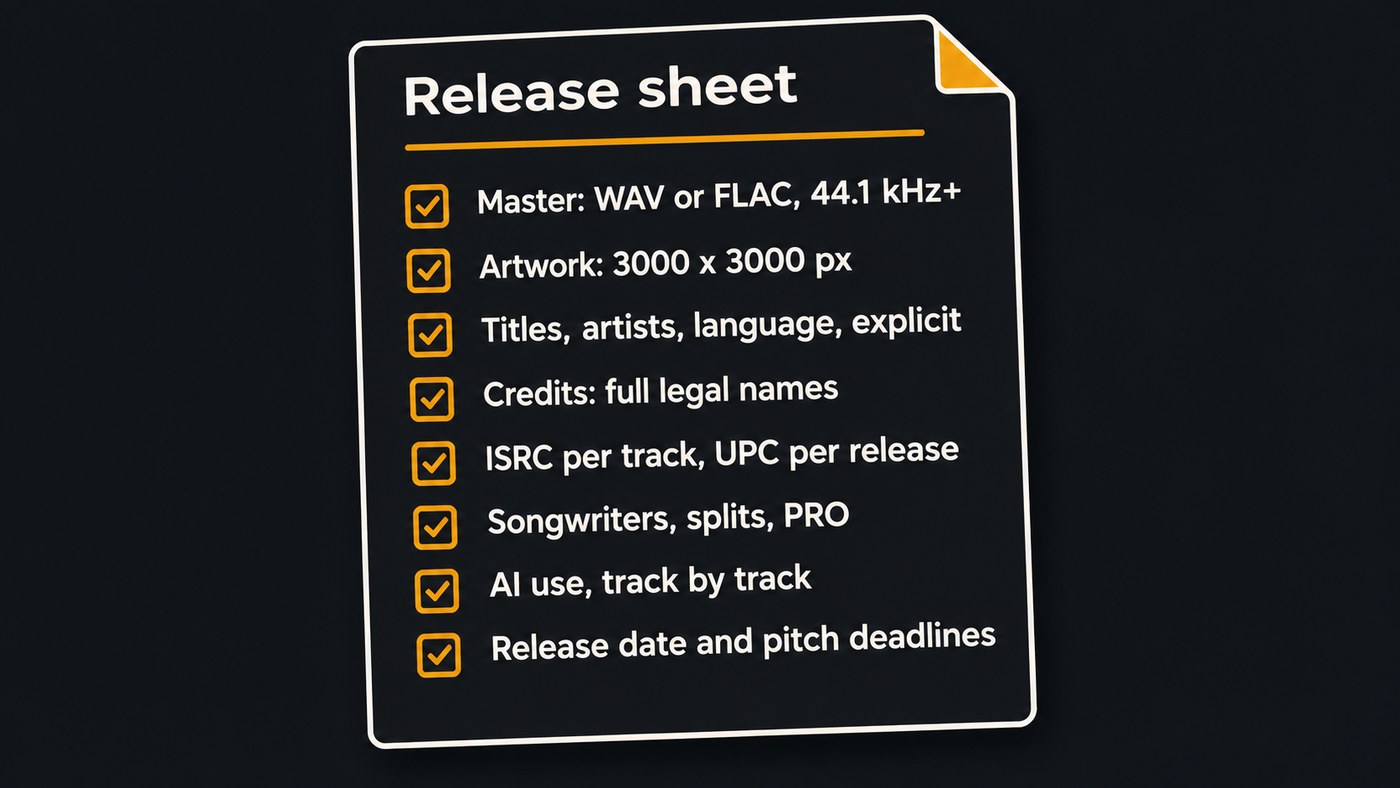
To prepare music for distribution, gather seven things before you open your distributor's upload form: a lossless stereo master, 3000 × 3000-pixel cover art, release and track metadata, full credits with legal names, ISRC and UPC codes, songwriter and publishing details, and a note on any AI use. Put them in one release sheet.
The specs below come from Spotify, Apple, IFPI and distributor help pages, checked on November 7, 2026. Your distributor's own form has the final say, so open its spec page next to this list.
Start a release sheet before you open the upload form
Upload forms ask for everything at once, and mistakes travel. A misspelled songwriter or a featured singer entered as a main artist shows up on every store. Once a release is delivered, Spotify's help centre says the fix is to ask your label or distributor to submit an update, which takes time you may not have before release day.
So keep one document per release, a note or a spreadsheet, with the sections below, and copy from it into the form. The same sheet serves your PRO registration, your playlist pitch and any future move to another distributor.
Audio: the master file
- Format. Spotify's audio file formats page says it strongly prefers FLAC and accepts WAV that meets the same requirements. Distributors set their own minimum: TuneCore's TuneCore 101 guide asks for a 44.1 kHz, 16-bit stereo WAV or FLAC file. Never upload an MP3.
- Resolution. Spotify asks for 44.1 kHz or higher, 24-bit when that's your native master, and 16-bit only if no higher master exists. Files below 16-bit or 44.1 kHz are upconverted and lose eligibility for lossless playback. Export at your session's native settings rather than converting up.
- One master per track. Spotify supports one stereo master per track, so settle the final version first. A clean edit of an explicit song is a separate track with its own entry.
- Loudness. Spotify's loudness guidance recommends mastering to -14 LUFS integrated with true peak below -1 dB. If your master is louder, keep true peak below -2 dB to avoid extra distortion in lossy formats.
Listen to the exported file from start to finish before you upload. Clicks, a cut-off reverb tail and dead air at the top are the usual problems. On your sheet, write the file name, length, sample rate, bit depth, integrated loudness and true peak.
Artwork: size and content rules
- Size and format. TuneCore's guide asks for a JPG or PNG at 3000 × 3000 pixels. CD Baby's pre-release guide (November 2019) gives the same size and adds RGB colour. Make the master artwork square at that size and export from it.
- Content. The Apple Music Style Guide, version 2.5 (revised October 2026), says art must not contain website addresses, logos, QR codes, release dates or pricing. It also rules out low-quality, pixelated, misaligned or rotated images, and art that doesn't match the release you're delivering.
- Text on the cover. If the cover shows your artist name and title, spell them exactly as in your metadata.
Metadata you need to prepare music for distribution
These fields decide how the song appears in every store. Apple publishes its rules in a public style guide, which makes it a useful reference even if Apple isn't your main store.
- Artist name, spelled as on your existing profiles. If you've released before, keep your Spotify and Apple Music artist links on the sheet so the distributor maps the song to the right profile. Apple doesn't accept generic artist names such as "Lo-Fi", "Sped Up" or "Workout".
- Featured artists in the featuring role, never as a second main artist. Apple allows one artist name per artist field.
- Titles. The original version gets the plain title. Version words like "Live" or "Remix" go in only when that's what the recording is. Don't write "(Explicit)" in a title.
- Explicit flag. Apple says explicit content must be flagged with a parental advisory tag, and Clean is only for tracks that have an explicit counterpart.
- Language. Apple wants the audio language code to match the language sung in the track.
- Genre, primary and secondary, chosen from your distributor's list.
- Release date, plus the original release date if the song was released before. Apple says older material keeps the date of its original issue.
- Label name and ownership lines. If you self-release, enter your own name or a label name, and use it the same way on every release.
Credits with full legal names
Apple's guide puts the rule simply: "Full, standard name spellings must be used for all artists and other credits on all content." It also says to leave a credit out entirely if it isn't known yet, and never to send placeholders such as "TBD".
Spotify's song credits page says it shows the credits in the metadata your label or distributor sends, from producers and engineers to songwriters and featured artists. It also notes that some distributors don't support credits yet, and that a correction means asking your distributor to resend the metadata; updates usually appear within 7 days.
List each person with role and legal name: songwriters, composers, lyricists, producers, mixing and mastering engineers, featured vocalists and session players.
ISRC and UPC codes
An ISRC identifies one recording. A UPC identifies the product you release, whether single, EP or album, and IFPI's ISRC FAQs say each different product needs its own UPC/EAN.
Three rules from the same FAQ save trouble:
- An ISRC stays the same for the lifespan of the track, even if ownership changes. If the song was released before, or you're moving it to a new distributor, enter its existing ISRC.
- "Once assigned, an ISRC must not be re-used under any circumstances." A new song never borrows an old code.
- Remixes, edits and versions whose playing time changes by more than 10 seconds need a new ISRC.
For a first release, ask your distributor whether it issues ISRCs and a UPC during upload, then copy them onto your sheet for your records.
Songwriter and publishing information
Distribution handles the recording. Songwriting royalties are collected separately, so prepare these details too:
- Every writer's legal name and agreed split, in writing before you upload.
- Each writer's performing rights organization (ASCAP, BMI, PRS, IPRS and so on) and IPI number if they have one.
- The publisher's name, or a note that the writer self-publishes.
- In the US, registration with The MLC, which administers blanket mechanical licenses for eligible streaming and download services and pays self-administered songwriters.
For a cover song, CD Baby's guide says you enter the songwriter and publisher information from your license. If several people share the recording income, our guide to music distributors with the best royalty splits covers how splits are paid.
AI use: what to write down
Spotify said on September 25, 2025 that AI disclosures in song credits would come through labels, distributors and music partners. Its October 20, 2026 update says AI Credits launched in April and that artists now submit tens of thousands of them every day. Digital Music News reported on May 14, 2026 that DistroKid now asks uploaders which parts of a track, if any, are AI-assisted.
For each track, note which parts used AI (vocals, instruments, lyrics, mixing or mastering), which tools, and what you wrote or performed yourself. Keep your session files and generation history. Then check your distributor's AI rules; our post on whether DistroKid allows AI-generated music is one example.
Dates and lead time
Pick a release date three to four weeks out. A Spotify pitch must land at least 7 days before release to reach your followers' Release Radar, according to Spotify's pitching guide. Apple's Pitch tool asks for at least 10 days for full consideration, and for independent artists those pitches go through the distributor. If time is short, read our guide to music distributors with fast-track releases.
Where Soundverse fits
Soundverse is an AI music platform that takes you from idea to audience. It doesn't deliver songs to stores: your distributor does that. It helps you get the files on this sheet ready.
In AI Studio, Analysis One shows integrated LUFS and 4× oversampled true peak, so you can fill in the loudness line with real numbers. Mastering One has a Streaming −14 preset that aims at −14 LUFS with a −1 dBTP ceiling. Both are on every plan, including Free, which exports MP3; WAV and FLAC export start on Creator. Asset Studio designs square cover art from the sound of your track, plus matching story backgrounds and a YouTube thumbnail. Check the exported size against your distributor's spec before you upload.
Licensing is set by plan: the Free plan is for personal use, and the Creator plan comes with a royalty-free license.
This video shows Mix One and Master One mixing and mastering a track by genre in Soundverse AI Studio.
FAQ
What file format should I upload to a music distributor? A lossless WAV or FLAC at 44.1 kHz or higher. Spotify prefers FLAC and accepts WAV, and asks for 24-bit when that's your native master. Check your distributor's minimum, which may be 16-bit, and never upload an MP3.
Do I need my own ISRC and UPC codes before uploading? Not for a song that has never been released; ask your distributor whether it issues them. If the song came out before or you're switching distributors, bring the existing ISRC, because IFPI says it stays with the track for life.
What size should cover art be for distribution? 3000 × 3000 pixels, square, as JPG or PNG. Keep website addresses, logos, QR codes, release dates and prices off the cover, and make any text match your metadata exactly.
Do I have to disclose AI use when I distribute music? It depends on your distributor; DistroKid, for one, now asks. Spotify displays AI Credits that artists submit through labels and distributors. Write down which parts used AI for each track before you upload so your answers are accurate.
Sign up for Soundverse free and get your master and artwork ready before upload day. More release guides on the Soundverse blog.
