Voice to Instrument: hum a line, hear tabla, dholak or your own trained instrument
Turn a hum, song or beatbox into tabla, dholak, sitar, piano and more with Voice to Instrument, or train an AI model of your own instrument and play it with your voice.
Quick answer: On Soundverse you can turn your voice into an instrument in two ways. Voice to Instrument takes a hummed, sung or beatboxed line and plays it back as tabla, dholak, sitar, guitar, piano, violin, flute, synths and more. Train Instrument Model goes one step further: upload recordings of an instrument you actually play, train your own model of it, and then hum a line and hear it played on your instrument. Agent One can package your recordings and start the training for you.
Train an AI model of your own instrument, then hum to play it.
Why play an instrument with your voice?
Most melodies start as a hum. You hear a line in your head, sing it into your phone, and then spend an hour trying to play it back on an instrument, or find someone who can. Voice to Instrument skips that step. You keep the exact phrasing, timing and feel of the line you sang, and get it back as an instrument part you can drop into a track.
It's useful when:
- you have the idea but can't play the instrument you hear in your head;
- you want a quick tabla or dholak pattern without a percussionist;
- you want your demo to sound like a band rather than a voice memo;
- you play an instrument well and want an AI model of your sound, not a generic one.
Part 1: Voice to Instrument
Voice to Instrument works with the built-in instrument models. Hum it, sing it or beatbox it, pick an instrument, and Soundverse plays your line back on it. Inside AI Studio the result lands on the timeline as a new track, so you can stack several instruments from the same idea.
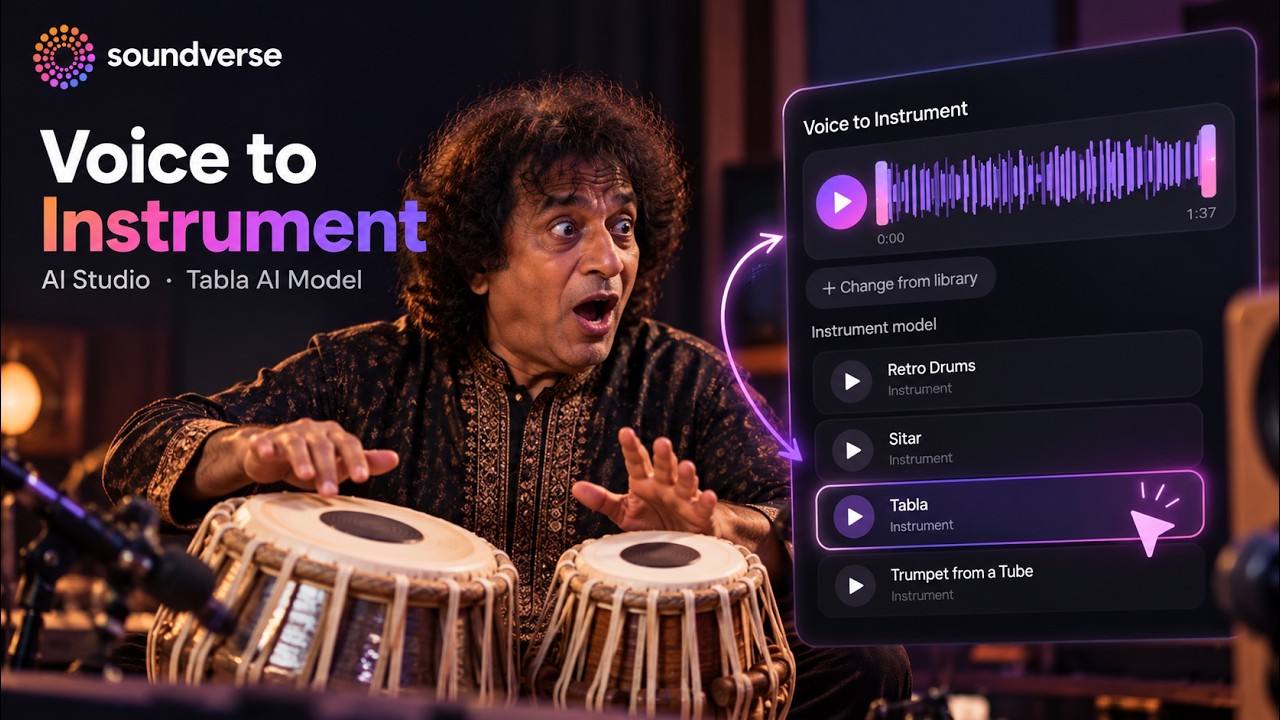
Tabla from a beatboxed rhythm
Beatbox a rhythm or tap out a pattern with your voice and turn it into tabla, with real bols and real dynamics, ready to drop into your track.
Voice to Instrument in AI Studio: the Tabla AI model.
Dholak from a sung melody
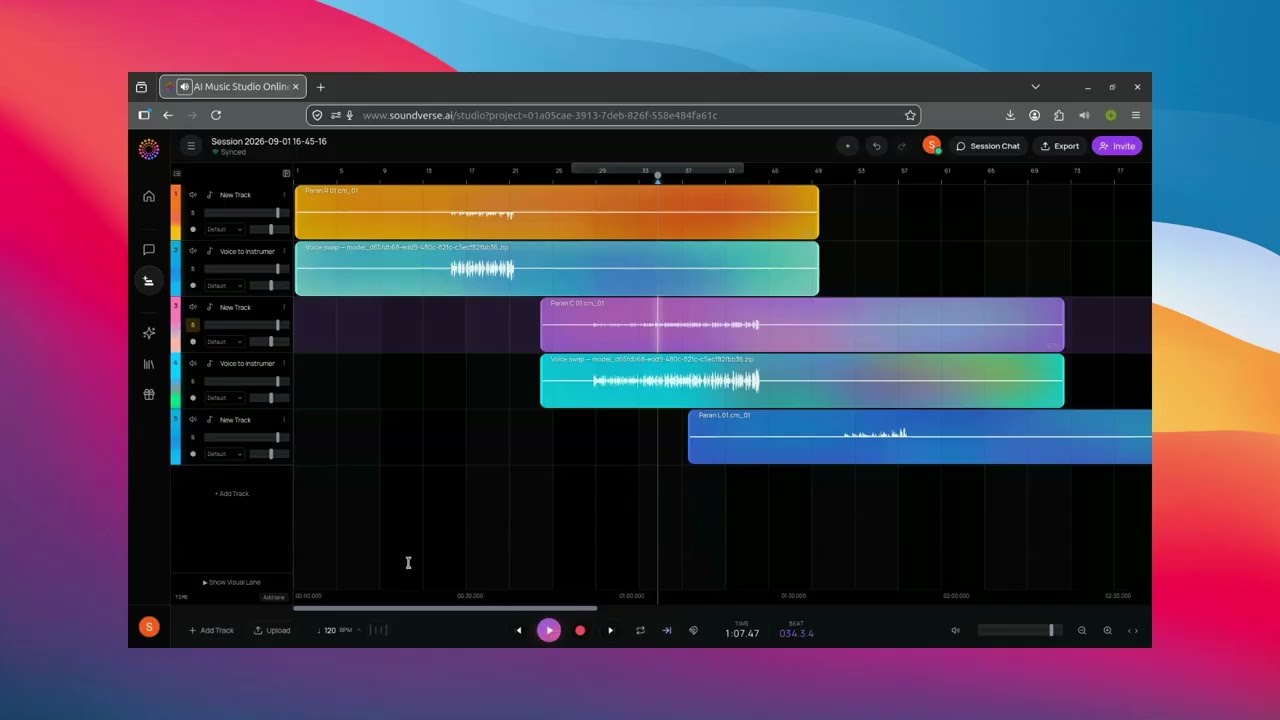
The same tool with a different model. Here a voice recording becomes dholak, and the parts stack up as separate tracks in AI Studio.
Voice to Instrument in AI Studio: the Dholak AI model.
How to use Voice to Instrument
- Open AI Studio, or the Voice to Instrument tool from the tools panel.
- Record your hum, song or beatbox, or pick a recording from your Library.
- Choose an instrument model: tabla, dholak, sitar, guitar, piano, violin, flute, synths and more.
- Generate, listen, and keep the take you like. Try another instrument on the same line to build layers.
No instruments, no music theory and no studio are needed: just the idea and your voice.
Part 2: Train a model of your own instrument
The built-in models cover the common instruments. If you play something with a sound of its own, a particular cello, a hand-built drum or a vintage synth, you can train a model of it with Train Instrument Model.
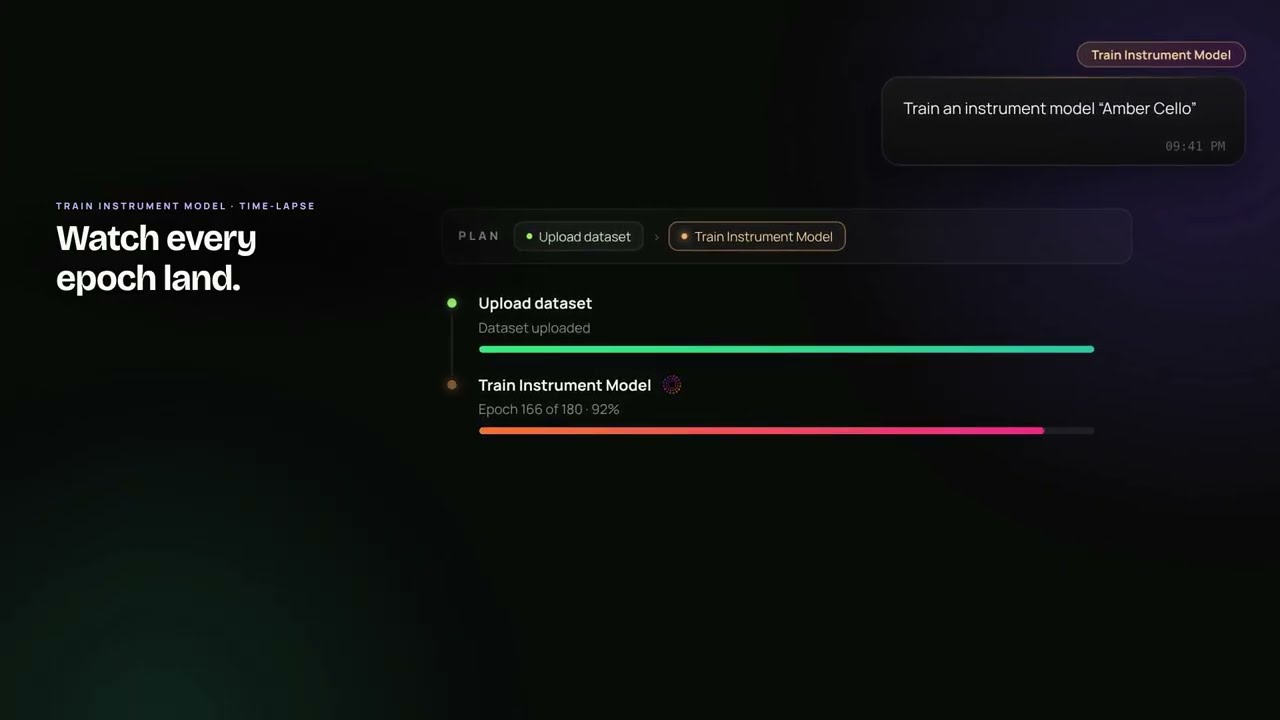
The video above walks through it with a cello called "Amber Cello":
- Name your model and add recordings. Open Train Instrument Model, give it a name, add recordings of the instrument you play, and choose the training quality.
- Let Agent One package and send it. Agent One uploads the dataset and starts the training for you, so you don't have to prepare files by hand.
- Watch every epoch land. Training progress shows live, epoch by epoch, until your model is ready under My DNA.
- Hum a line, hear your instrument. In Voice to Instrument, pick your new model and turn a hummed melody into your instrument.
Tips for a good instrument model
- Record the instrument on its own. No backing track, no other instruments.
- Cover its range. Low and high notes, soft and loud, short and long phrases.
- Keep the setup consistent. Same room and microphone for every recording.
- More good material is better. The model learns from what you give it.
What to do with the result
Once you have instrument parts from your voice, the rest of Soundverse picks up from there:
- Arrange and mix the parts in AI Studio.
- Turn the line into a full song with the melody to song generator.
- Get MIDI from a vocal line with voice to MIDI if you'd rather play it on your own synth.
FAQ
Which instruments does Voice to Instrument support?
The videos name tabla, dholak, sitar, guitar, piano, violin, flute and synths, among others. You can also use instrument models you train yourself.
Can I beatbox instead of singing?
Yes. The tabla demo turns a beatboxed rhythm into tabla.
Where does my trained instrument model appear?
Under My DNA. From there you can pick it in Voice to Instrument.
Can Agent One do the training for me?
Yes. In the video, Agent One uploads the dataset and starts training; you watch the progress until the model is ready.
Do I need music theory?
No. If you can hum the line, you can turn it into an instrument part.
Try it
Open Voice to Instrument, hum the line that's been stuck in your head, and hear it on tabla, sitar or piano. When you're ready, train a model of your own instrument.
