The Complete Guide to Creating Your Own AI Music Model With Soundverse DNA
Learn how to build a custom AI music model with Soundverse DNA for ethical, professional-grade music generation.
The Complete Guide to Creating Your Own AI Music Model With Soundverse DNA
In a world where AI and creativity are merging faster than ever, musicians and producers in 2026 are finding new ways to define their sonic identity. One of the most innovative tools transforming this space is Soundverse DNA — a pioneering system that allows artists to create their own AI music model trained on their personal catalog. If you’ve ever wanted to generate new tracks that sound like you, while keeping ownership and monetization rights intact, this guide is for you.
What Is an AI Music Model and Why Does It Matter in 2026?
An AI music model is a machine learning system trained to compose or generate music automatically using data — typically songs, stems, and metadata. In 2026, the technology has evolved far beyond experiment-level tools. Modern generative music engines understand harmonic emotion, structure, and even production style, making them key allies for composers, producers, and content creators.
Unlike early systems that trained on unlicensed material, leading-edge frameworks like Soundverse DNA use licensed catalogs, giving creators ethical and copyright-safe control. With musicians increasingly integrating machine learning for music into their daily workflow, the advantages are clear: faster idea generation, brand-consistent output, and passive income opportunities through model licensing.
Learn more about how AI music captures human nuances and emotions by 2026, and why that matters to professional creators.
How to Make Your Own AI Music Model With Soundverse DNA
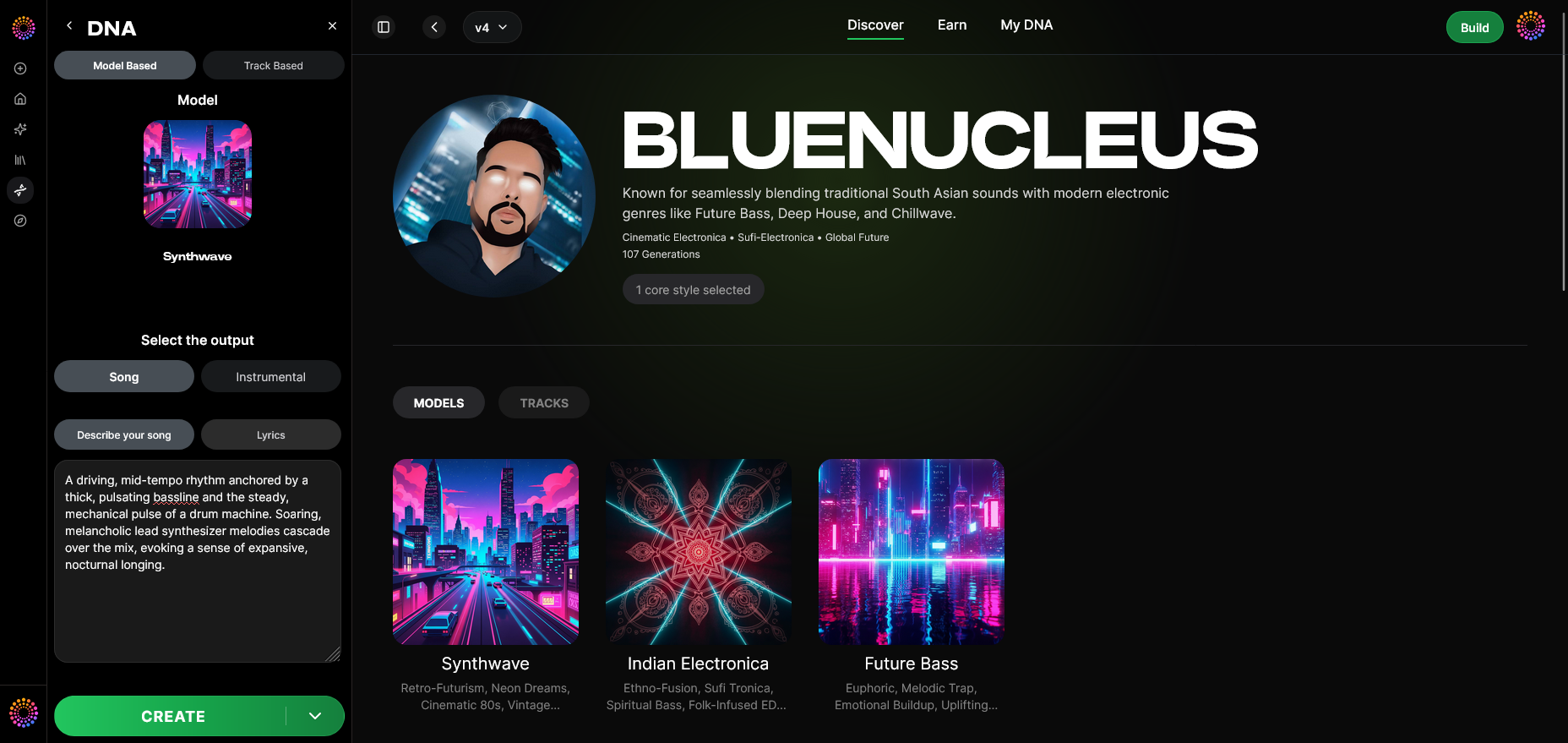

Soundverse DNA is a professional suite designed specifically for artists who want to model their sound ethically and profit from it. It’s not just a generator — it’s a full ecosystem where creators, producers, and fans interact through securely trained models.
Overview of Soundverse DNA
Soundverse DNA is an artist-trained AI music generation system that crafts original music based on sonic identity. Unlike generic generators, it relies exclusively on licensed and authorized catalogs. Artists can monetize their sound while users get to generate music that respects creative rights.
Core capabilities include:
- Full DNA: Capture the essence of your songs or instrumentals.
- Voice DNA: Recreate your vocal timbre and performance nuances ethically.
- DNA Marketplace: License your style to fans or collaborators.
- Sensitivity Selector: Adjust model responsiveness by musical era or creative phase.
- Private Mode: Secure, isolated co-creation sessions with your own AI.
Primary use cases are diverse — from artist monetization and film/game scoring to sonic branding and personal production acceleration.
If you’re familiar with AI composition environments such as Soundraw or Mubert, Soundverse DNA offers an artist-first and ethical alternative, which you can explore further in this comparison: Best Soundraw Alternative.
For creators who want to see this in action, watch our Soundverse Tutorial Series - How to Make Music for a full walkthrough of composing with Soundverse tools.
Step-by-Step Guide: Creating Your Own Custom AI Music Model in Soundverse DNA
Step 1: Overview
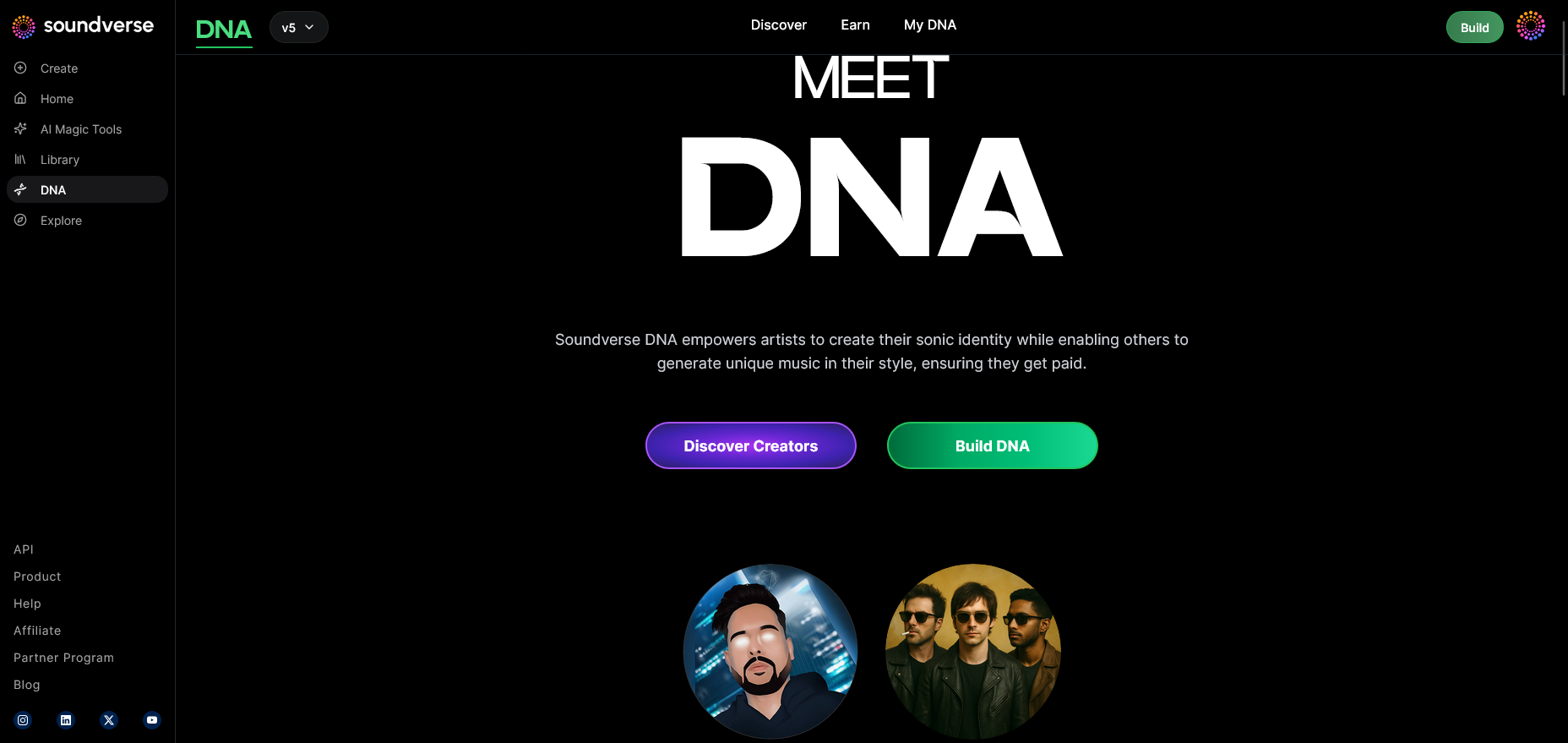
Get started in DNA mode. This is where Soundverse introduces how your uploads are processed, secured, and mapped to create a personalized generative engine.
Step 2: Dashboard
Enter your My DNA management dashboard. Here you’ll find all your active models, usage analytics, and royalty information.
Step 3: Creator Profile
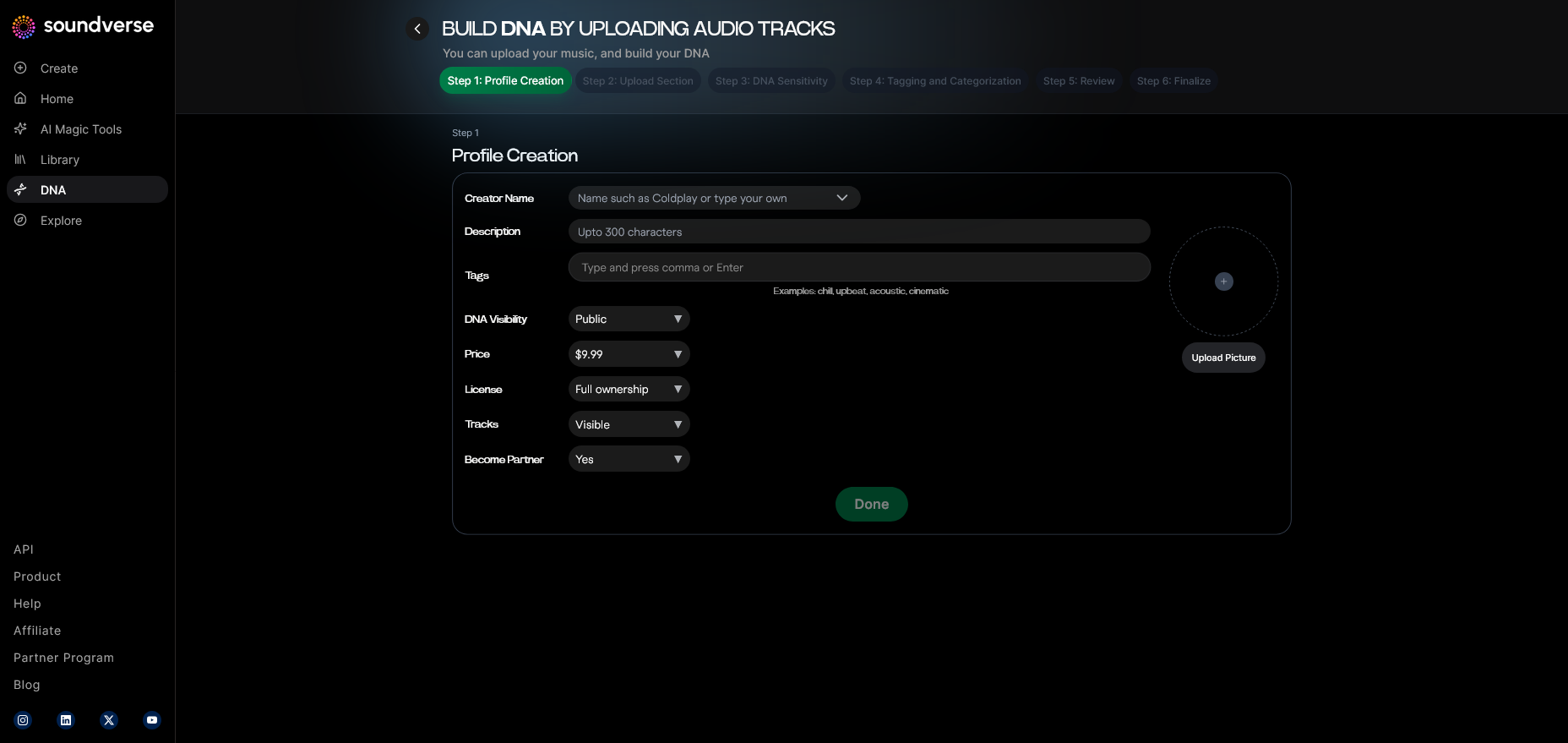
Set up your Creator Profile — this public-facing section includes your artist name, genre preferences, and sonic signature description.
Step 4: DNA Type Selection
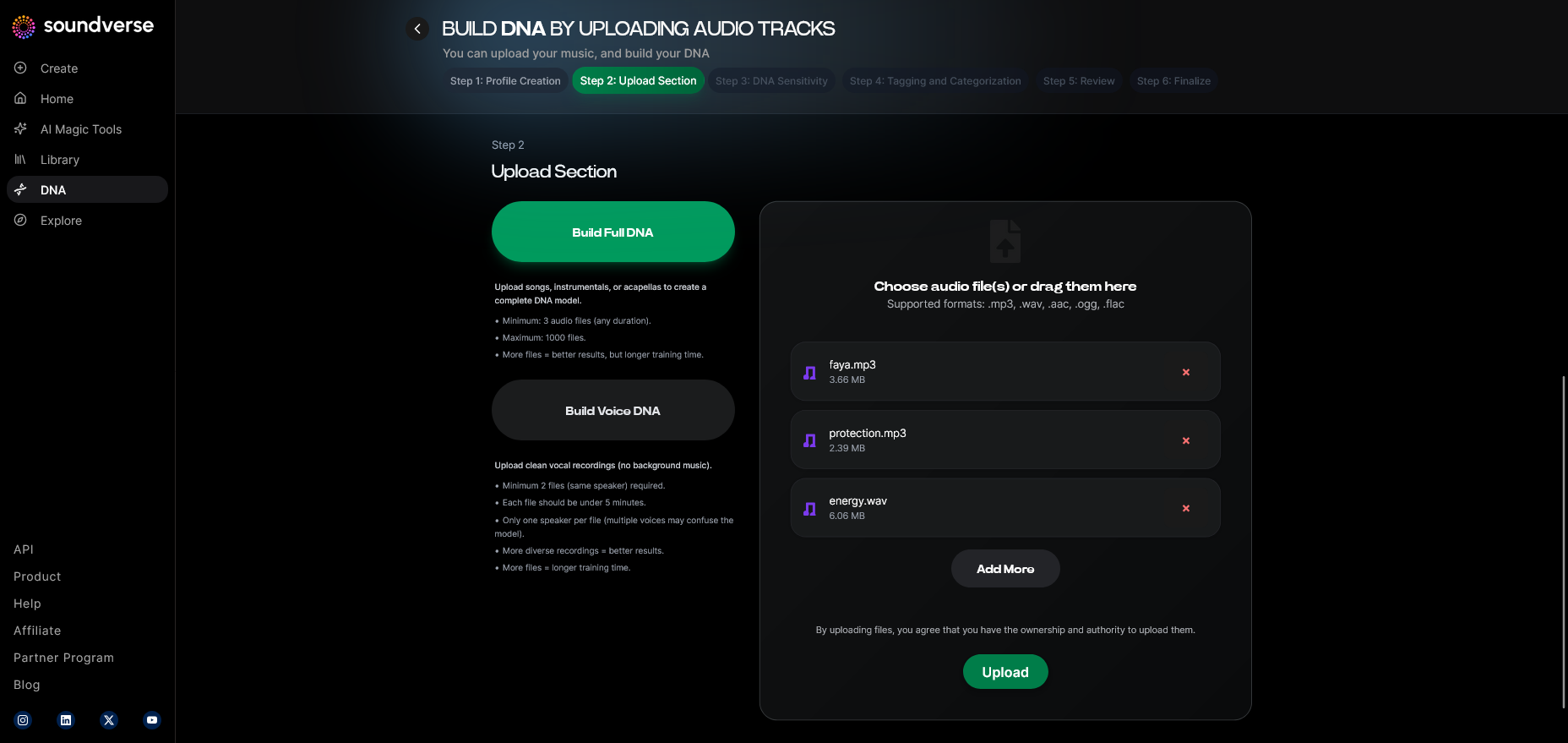
Choose between Full DNA (songs and instrumentals) or Voice DNA (if you want to train only on vocals and style).
Step 5: Upload Files
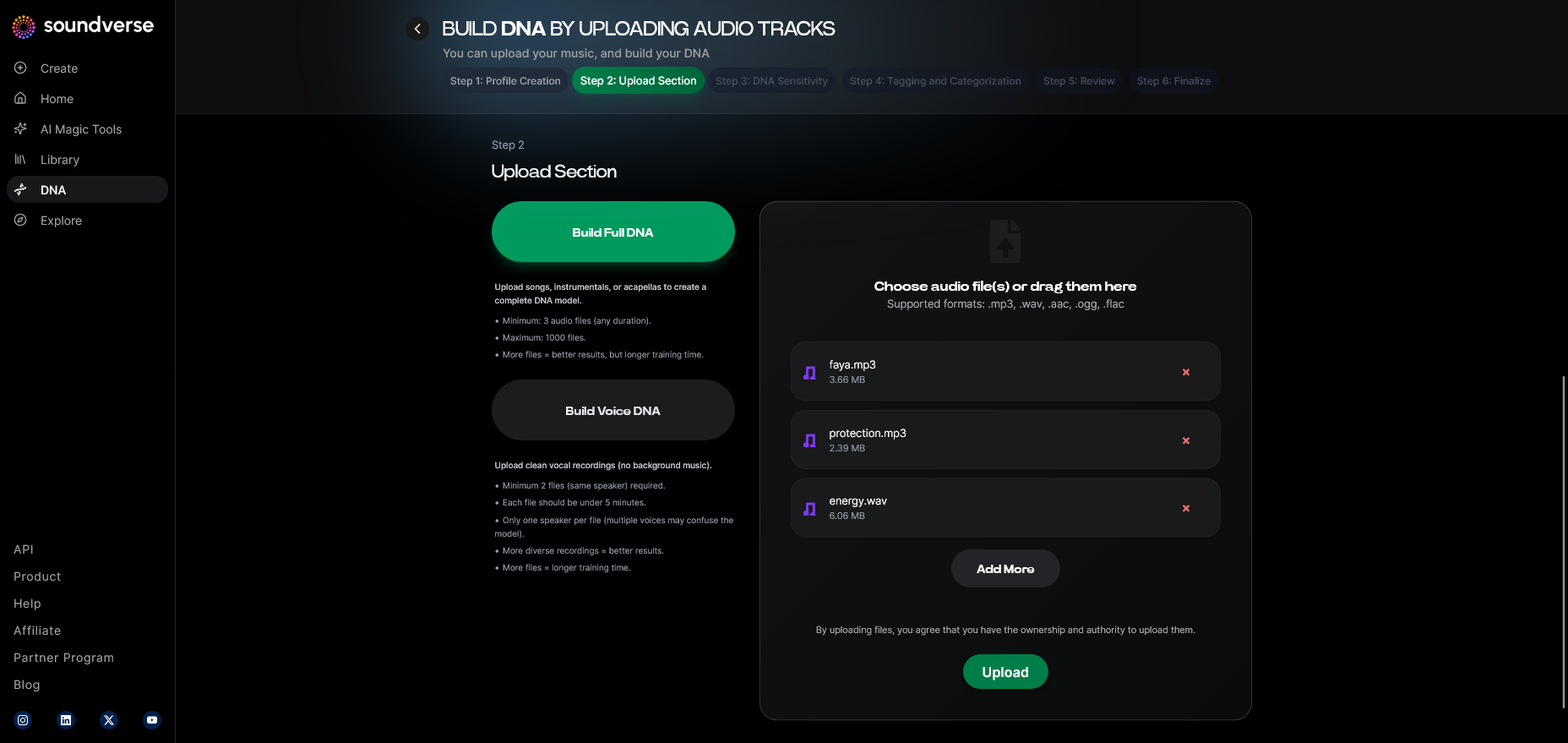
Upload WAVs or high-quality stems. This asynchronous upload interface ensures your material is processed securely — not in real-time, but through authorized AI pipelines.
Step 6: Sensitivity Setting
Use the Sensitivity Selector to adjust how responsive your DNA is to stylistic deviations. Want your 2020s style to shine through more than your 2018 material? Just slide the control.
Step 7: Auto Tagging
Soundverse automatically generates metadata tags — genre, mood, tempo, and influences — ensuring your DNA behaves predictably across prompts.
Step 8: Review & Publish
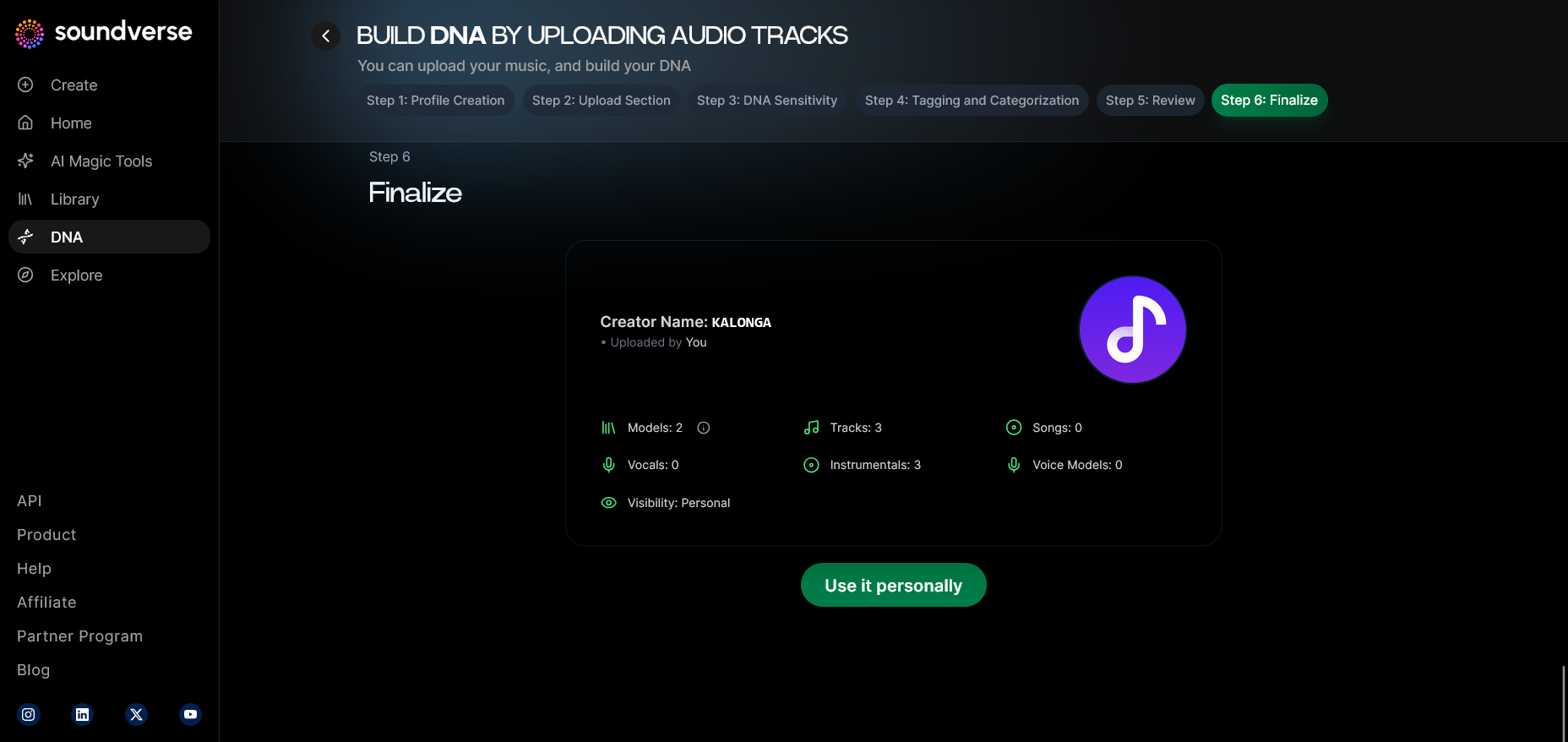
Confirm the details, licensing choices, and revenue participation terms before publishing. You can keep the model private or join the DNA Marketplace for monetization opportunities.
Step 9: Generation Panel
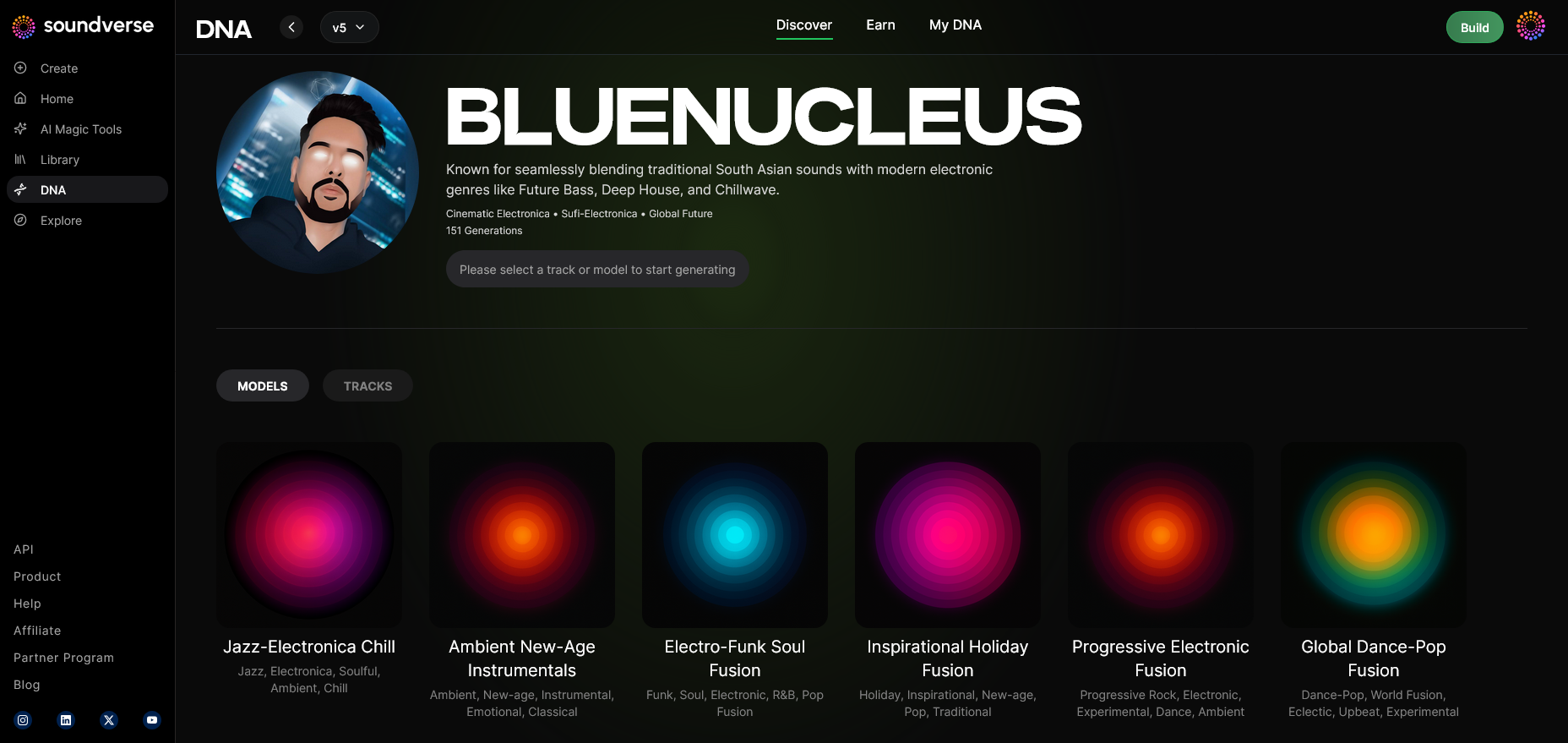
Access the DNA generation interface. Here, you input prompts, select your model, and guide the AI in generating fresh content.
Step 10: Model-Based Mode
Toggle model-based generation to ensure results exclusively follow your trained DNA rather than global blends.
Step 11: Output Type
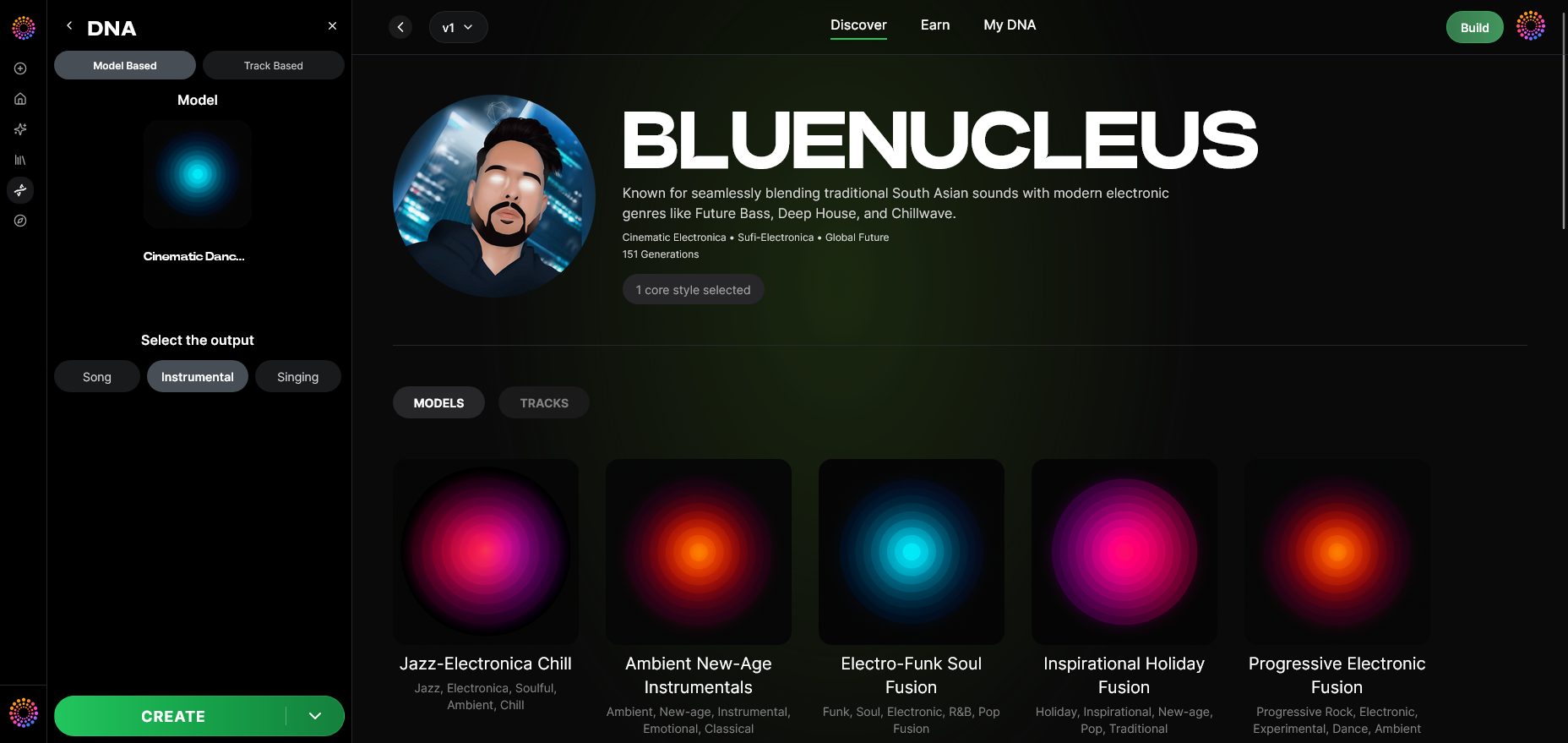
Select whether you want to generate a Song, Instrumental, or Singing piece.
Step 12: Prompt Type
Enter your creative command text (e.g., “Moody cinematic strings with ambient percussion”). Prompts define the structure, emotion, and direction for your model.
Step 13: Generation Complete
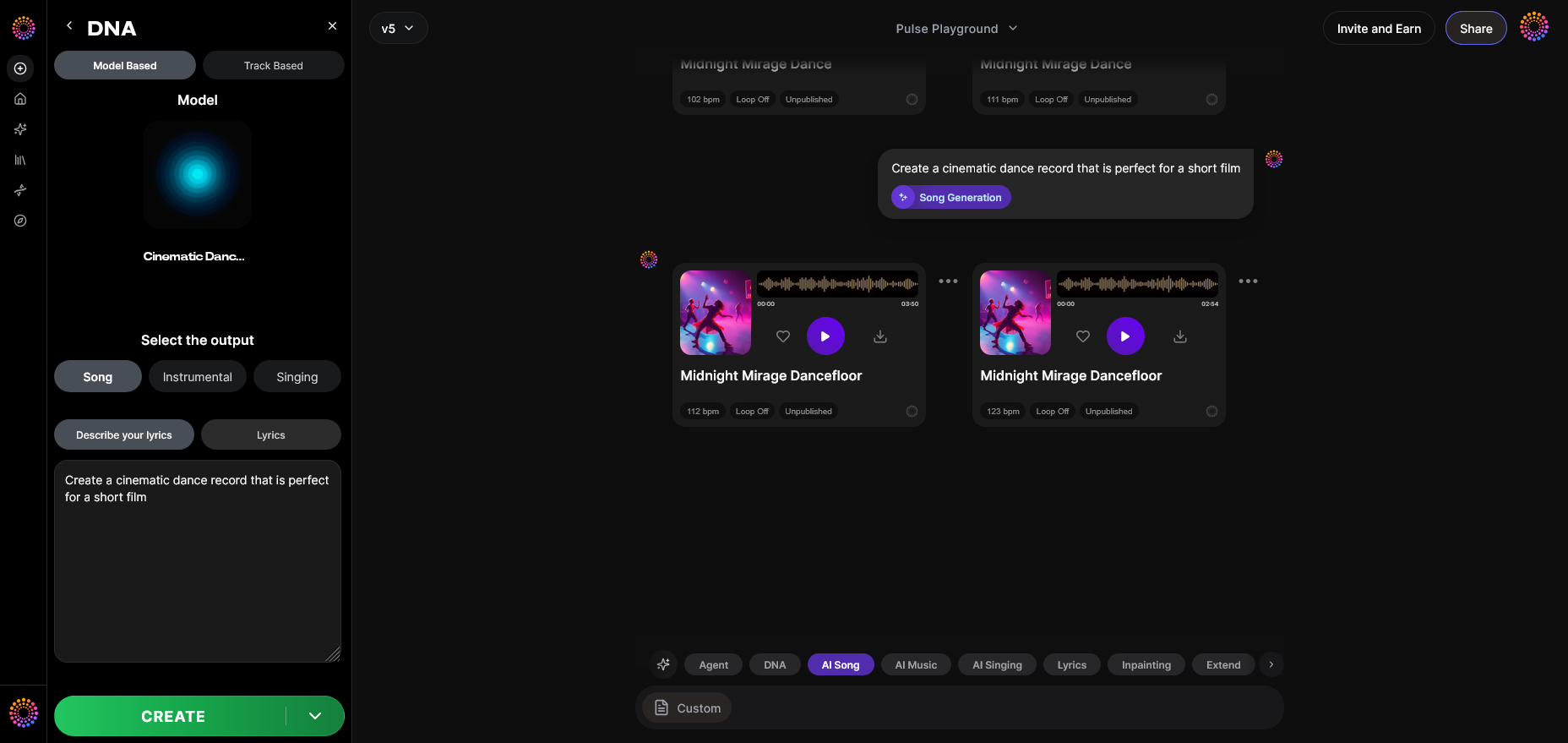
Once processed, results appear in your Generation Complete section. You can play, compare, and refine the generated versions.
Step 14: Export Options
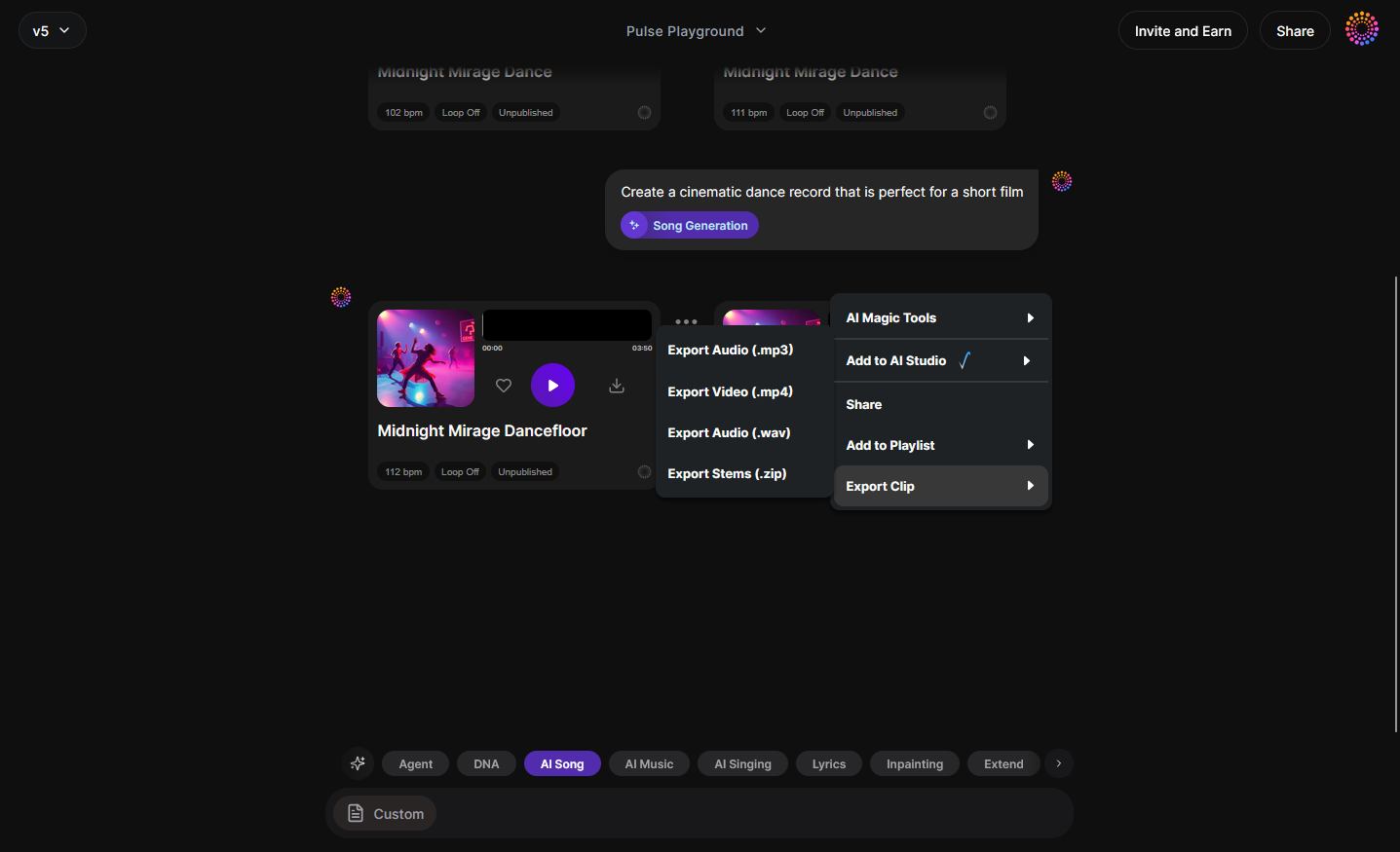
Export your final track as stems or mixed audio for integration into your DAW. Soundverse supports multiple quality formats for seamless workflow.
Step 15: Track-Based Mode
Optionally, switch to Track-Based Mode if you want to feed existing compositions for stylistic reimagination by your DNA.
Step 16: Style Selection
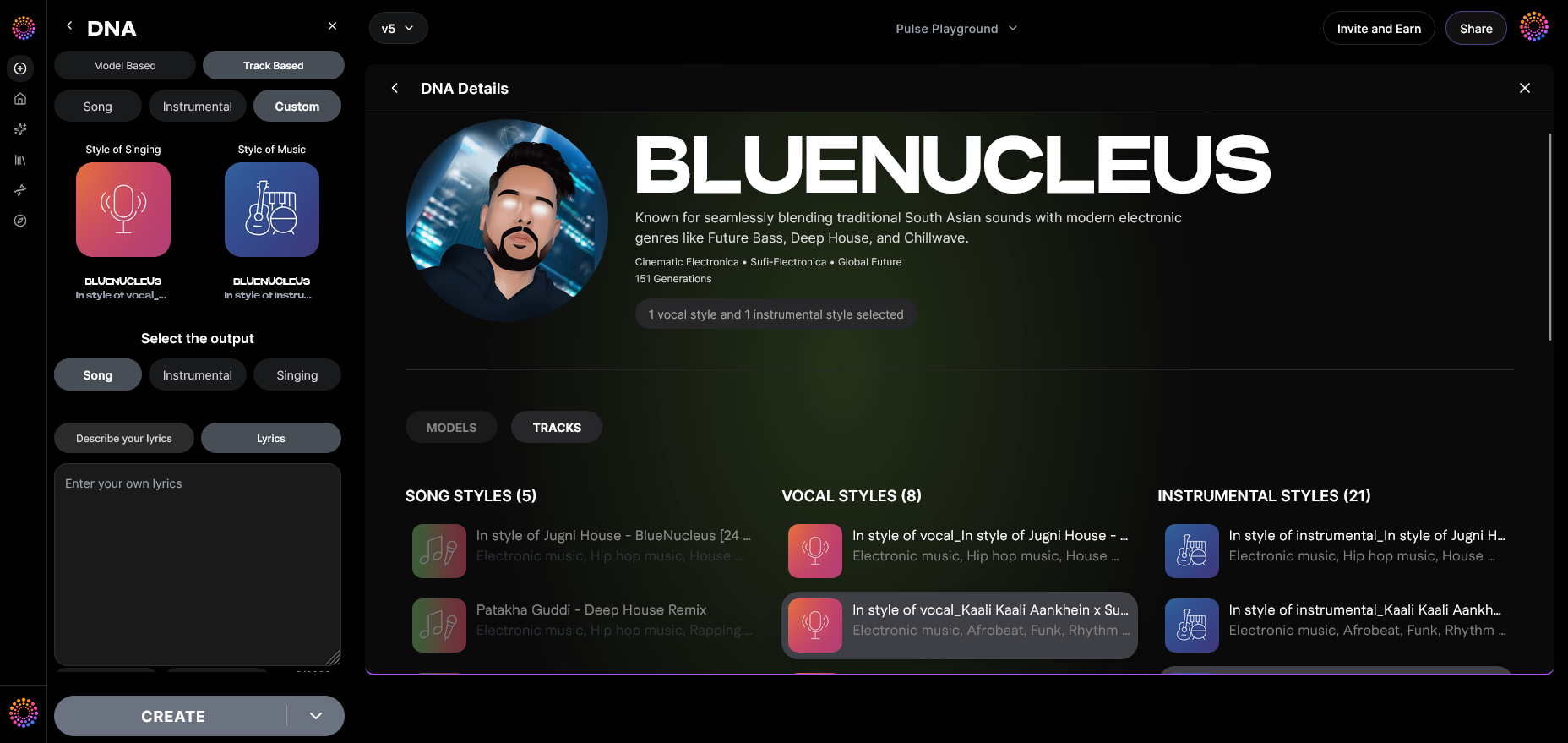
Define genre traits or emotional cues such as ‘lo-fi chill’, ‘cinematic tension’, or ‘ambient jazz’. Your AI DNA combines your historical patterns with these inputs to craft original outcomes.
Step 17: Lyrics Input
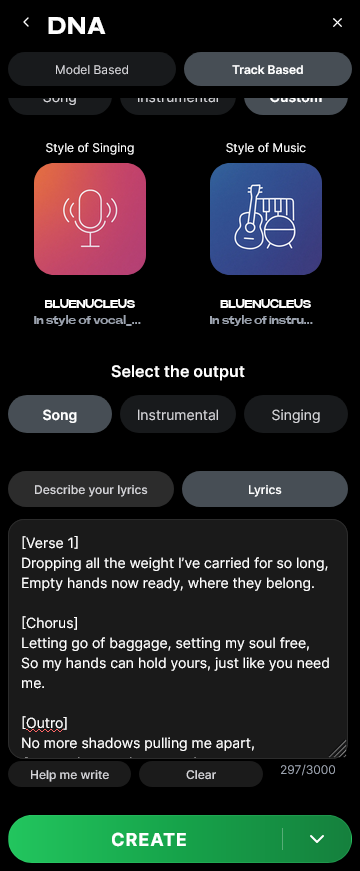
If your output involves vocals, add lyrics using the Lyrics input field. These are processed along with the chosen voice model for coherent vocal generation.
Step 18: Model-Based Singing
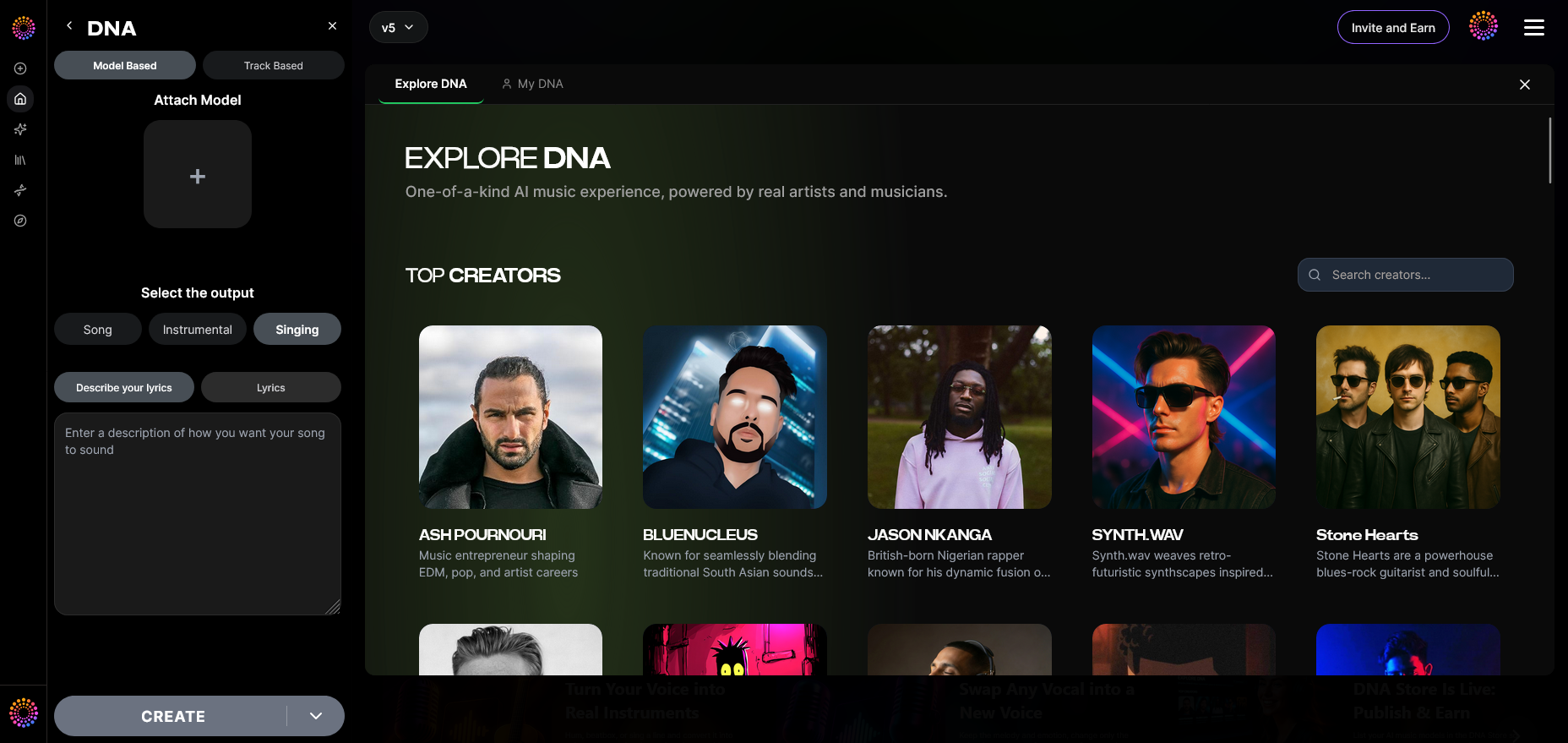
Soundverse processes this singing mode asynchronously — not live. It reconstructs timbre and phrasing consistent with your trained Voice DNA.
Step 19: Attach Model
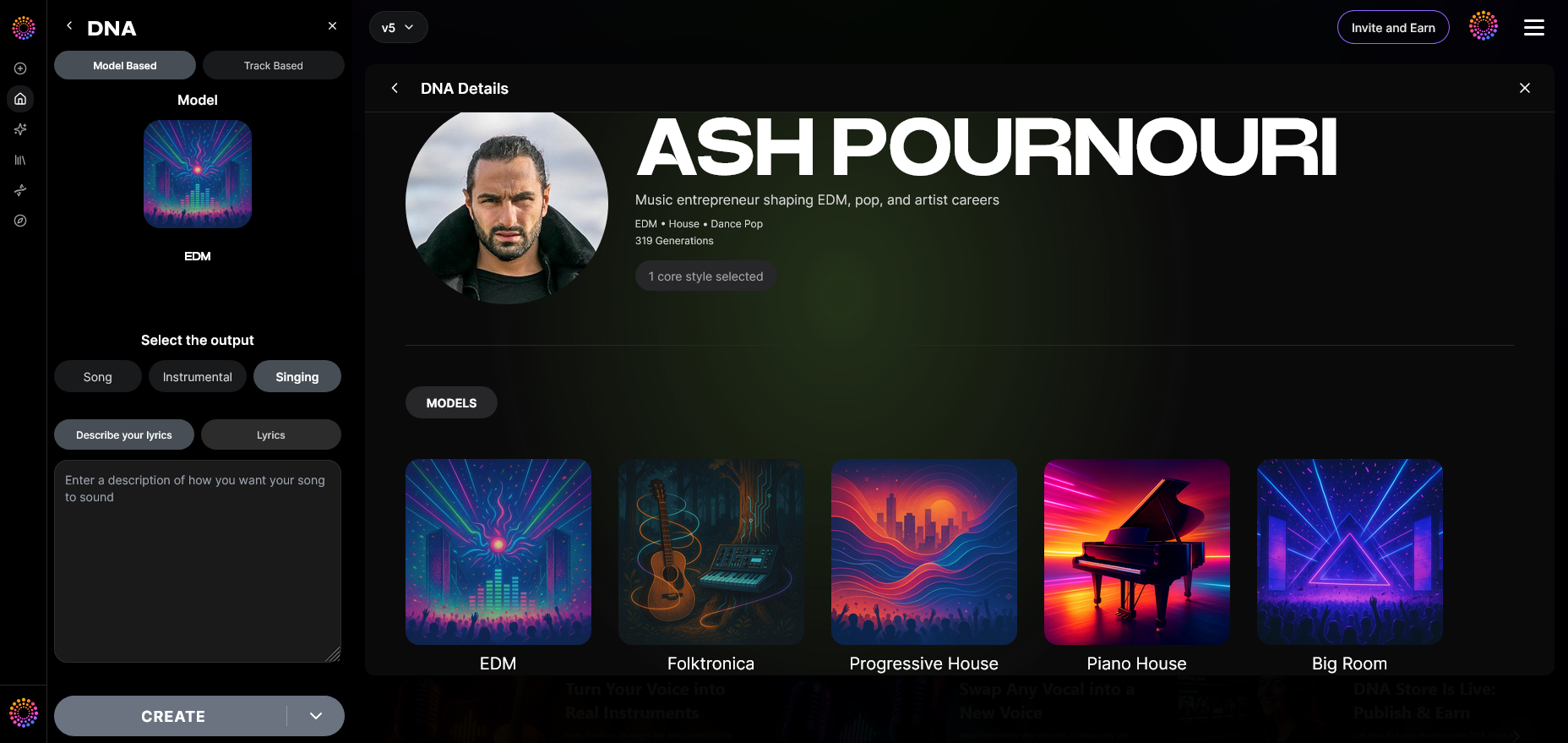
Attach previously trained DNAs to new projects or blend multiple models for collaborative fusions within the Arrangement Studio.
How Does Soundverse DNA Promote Ethical AI Music Creation?
Since its release, Soundverse DNA operates within the Ethical AI Music Framework, a transparent pipeline that ensures consent, attribution, and recurring compensation. It ends the cycle of unlicensed scraping and replaces it with verifiable collaboration.
This framework ties directly to the Content Partner Program, where rights-holders earn proportional royalties every time their model or song data influences generated music. In 2026, this framework stands as a global benchmark for ethical innovation in AI music creation.
To learn how these models impact creator independence, explore AI Music and Creator Independence: Redefining Artistic Freedom, and for broader economic context, see How Soundverse DNA is Powering the 2026 Audio Economy.
Pro Tips for Building a Successful AI Music Model
- Curate intentionally. Don’t upload everything; focus on material that represents your signature sound.
- Test prompts regularly. Adjust inputs to explore how your AI interprets moods and timbres.
- Monetize through the Marketplace. Create a public DNA listing for collaborators and fans—earn royalties transparently.
- Integrate with Arrangement Studio. Refine your generated output for film, games, or songwriting sessions. Learn more in What Is Soundverse Arrangement Studio and What Does It Do.
- Stay inspired. Explore text-based generation ideas from guides like 100 Text-to-Music Prompts That Will Help You Create Viral Music.
How Soundverse DNA Differs From Alternatives
While other AI music tools in 2026 focus on automation, Soundverse DNA centers around authenticity and ownership. When compared to platforms like Suno or Udio, Soundverse doesn’t just clone sounds — it builds authorized AI models grounded in creative ethics. You can read a detailed analysis in Best Udio Alternative – Soundverse AI Free Sign-up.
To explore practical applications, check out our Soundverse Tutorial Series - Explore Tab for insights into discovering and testing AI-generated results.
Final Thoughts
Building your own AI music model is more than a technological exercise — it’s a new form of creative self-expression. With Soundverse DNA, musicians retain authorship while pushing generative boundaries. It’s a step toward sustainable, ethical, and deeply personalized music creation.
Whether you’re crafting cinematic soundscapes, designing podcast scores, or shaping your next album, Soundverse’s DNA technology gives you a foundation to evolve your artistry confidently in 2026 and beyond.
For further reading on AI’s role in music’s future, see AI Music Generator and Human Composers: A Future Together — a reflection on how human emotion and computational intelligence can co-create the next era of sound.
Start Building Your Own AI Music Model Today
Experience the next era of music creation with Soundverse. Use our powerful AI tools to design, train, and customize your own AI music model with ease.
Related Articles
- Generate AI Music with Soundverse Text-to-Music — Learn how to instantly convert text prompts into unique musical compositions with Soundverse’s text-to-music technology.
- How AI-Generated Music Is Transforming the Music Industry — Discover how artificial intelligence is reshaping creativity, production, and the entire landscape of modern music-making.
- Soundverse Assistant: Your AI Music Co-Producer — Meet your intelligent creative partner that helps you compose, mix, and perfect music in a fraction of the time.
- The Benefits of Composing with AI Music Generator — Explore the advantages of working with AI to streamline your creative process and unlock new musical potential.
Here's how to make AI Music with Soundverse
Video Guide

Here’s another long walkthrough of how to use Soundverse AI.
Text Guide
- To know more about AI Magic Tools, check here.
- To know more about Soundverse Assistant, check here.
- To know more about Arrangement Studio, check here.
Soundverse is an AI Assistant that allows content creators and music makers to create original content in a flash using Generative AI.
With the help of Soundverse Assistant and AI Magic Tools, our users get an unfair advantage over other creators to create audio and music content quickly, easily and cheaply.
Soundverse Assistant is your ultimate music companion. You simply speak to the assistant to get your stuff done. The more you speak to it, the more it starts understanding you and your goals.
AI Magic Tools help convert your creative dreams into tangible music and audio. Use AI Magic Tools such as text to music, stem separation, or lyrics generation to realise your content dreams faster.
Soundverse is here to take music production to the next level. We're not just a digital audio workstation (DAW) competing with Ableton or Logic, we're building a completely new paradigm of easy and conversational content creation.
TikTok: https://www.tiktok.com/@soundverse.ai
Twitter: https://twitter.com/soundverse_ai
Instagram: https://www.instagram.com/soundverse.ai
LinkedIn: https://www.linkedin.com/company/soundverseai
Youtube: https://www.youtube.com/@SoundverseAI
Facebook: https://www.facebook.com/profile.php?id=100095674445607
Join Soundverse for Free and make Viral AI Music

We are constantly building more product experiences. Keep checking our Blog to stay updated about them!