Release-ready with AI: playlist pitches, a day-by-day release plan, matching visuals and a DSP check
Four Soundverse tools for releasing music: Playlist Pitch names real playlists, Release Planner builds a day-by-day rollout, Asset Studio makes matching visuals, and the distribution check catches problems first.
Quick answer: Making the song is half the job; releasing it right is the other half. Soundverse has four tools for the release itself: Playlist Pitch writes Spotify, Apple Music, Amazon Music, Deezer and curator pitches that name real playlists found on the web; Release Planner builds a day-by-day, platform-split rollout with the best release day and key deadlines; Asset Studio makes matching cover art, story backgrounds, a YouTube thumbnail, a tour poster and a merch mockup from your track; and the distribution check tells you whether your artwork, audio and lyrics are ready for streaming platforms before you submit.
1. Playlist Pitch: pitches that name real playlists
Curators and editors get thousands of submissions. The pitches that stand out are short and specific. Playlist Pitch listens to your track, searches the web for real playlists that fit, and writes pitches that name them, plus personalised curator emails with subject lines, ready to copy and send.
AI playlist pitch generator: write Spotify, Apple Music and curator pitches in seconds.
How it works
- Soundverse analyses your track with the AI Style Extractor to understand its genre, mood, energy and influences.
- AI Web Search looks for real playlists that fit your sound across Spotify, Amazon Music, Apple Music and Deezer.
- It writes a pitch for each platform, naming the playlists that fit.
- It writes several curator pitch emails, each with its own subject line, tailored to a specific playlist.
What you get
- A pitch for each streaming platform, in the right length and style.
- Spotify pitches that fit within the character limit you set.
- Real playlist names found on the web, not made-up suggestions.
- Several curator emails with subject lines.
- Pitches that only quote lyrics you've provided, so nothing gets invented.
Settings worth knowing
Add your track, optionally paste your lyrics and a brief (release date, the story behind the song, press so far), enter the track name and reference artists, pick your target platforms, turn on Name Real Playlists, and set the Spotify character limit and the number of curator variations. Then click Generate in Chat.
2. Release Planner: a day-by-day rollout
Release Planner builds a day-by-day, platform-split release plan for your song. It recommends the best day to release, maps out your pre-save and playlist pitch deadlines, and tells you what to do on each platform, every day of the campaign.
AI music release planner: get a day-by-day rollout plan for your song.
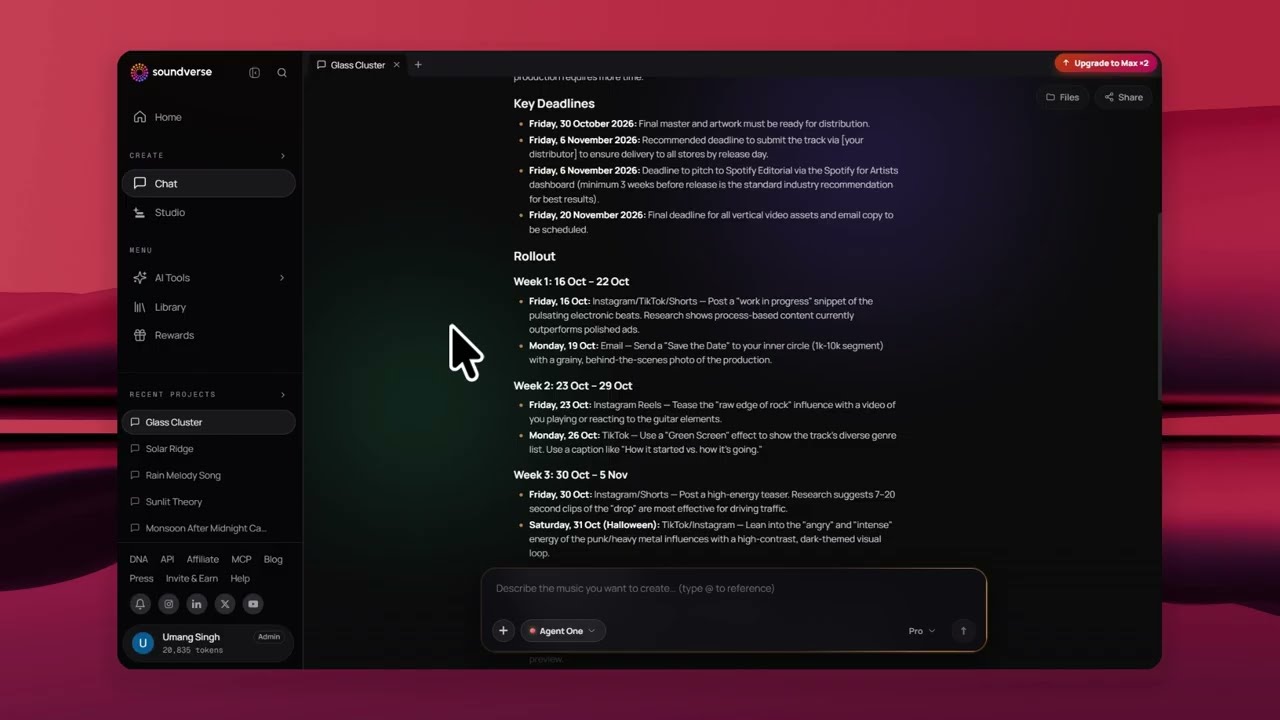
How to use it
- Open Release Planner and add your track.
- Optionally add a brief: the story behind the song, your budget and what has worked for you before.
- Enter your track name and release date.
- Set your audience size, main region, rollout length and platforms.
- Turn on Recommend Release Day if you want Soundverse to suggest the best day.
- Click Generate in Chat.
The plan adapts to you: a first-time artist with a small audience gets a different plan from an established artist with a big following.
3. Asset Studio: one track, every visual
Asset Studio creates matching release images from your track's style: cover art, Instagram story backgrounds, a YouTube thumbnail, a tour poster and a merch mockup, or a Full Pack with all of them in one style, so your whole release feels like one brand.
Upload your track, get matching release visuals in seconds.
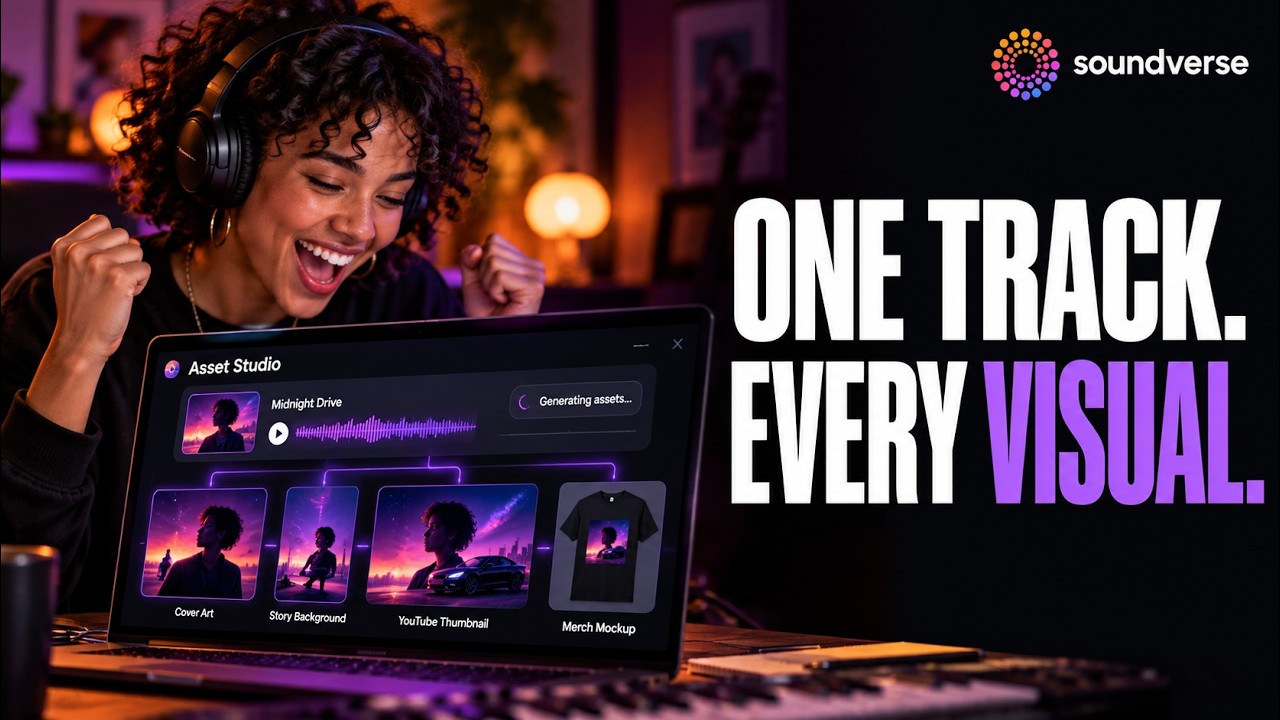
How to use it
- Pick a track from your Library or upload one.
- Optionally paste your lyrics; their imagery helps steer the pictures.
- Optionally add a brief with themes, colours, references or anything to avoid.
- Choose an asset, or Full Pack.
- Generate, download and use the visuals across your release.
Good to know: Asset Studio images carry no text, so you get clean artwork. Add your song title, artist name and release date on top, in your own fonts and layout.
4. The distribution check: is your song ready for Spotify and Apple Music?
Before you submit, upload your artwork, song and lyrics and run the distribution check. If everything is ready, you get the green light. If not, Soundverse shows exactly what the issue is and what to fix, so your release doesn't get rejected or delayed. You can ask Agent One to run it for you.
Is your song ready for Spotify and Apple Music? Check it with Agent One.
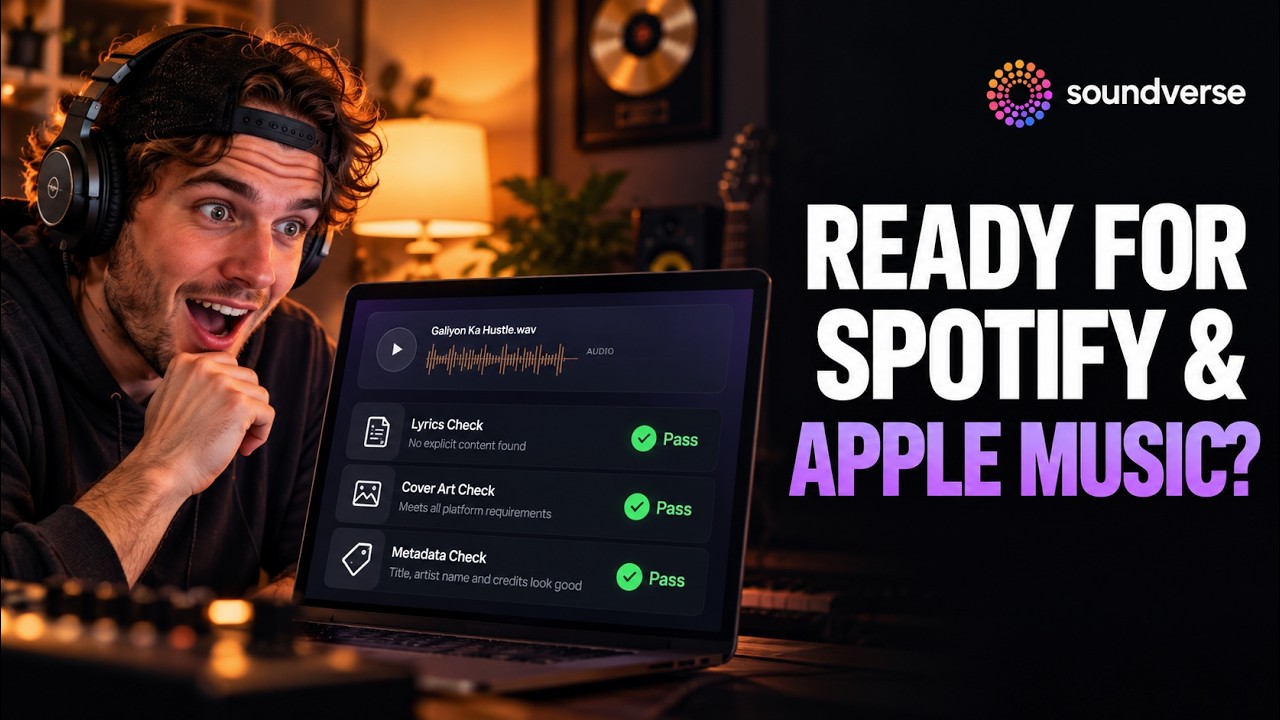
What it checks
| Part | What's checked |
|---|---|
| Artwork | Size, resolution, format, and content like text, URLs or logos that platforms often reject |
| Song | Audio format, quality and technical issues |
| Lyrics | Formatting, explicit content and whether they match the song |
Put it together: a release in four steps
- Check your artwork, audio and lyrics with the distribution check, and fix anything flagged.
- Design a matching release pack in Asset Studio.
- Plan the rollout with Release Planner, with the release day and pitch deadlines.
- Pitch curators and editors with Playlist Pitch, in time for those deadlines.
Then release it to YouTube, SoundCloud, Bandcamp or your distributor from the same chat with Computer Use, and read how to release AI music on Spotify for the store side.
FAQ
Will Playlist Pitch get my song on playlists?
It writes the pitches and finds real playlists that fit; the curators decide. What it saves you is the research and the writing.
Does Playlist Pitch make up playlist names?
No. With Name Real Playlists on, it uses real playlists found on the web.
Can Release Planner choose my release day?
Yes. Turn on Recommend Release Day and it suggests the best day.
Why don't Asset Studio images have text?
So the artwork stays clean. Add your title and artist name on top in your own fonts.
What does the distribution check look at?
Your artwork, your audio and your lyrics, against what streaming platforms and distributors look for.
Try it
Pick your next single, run the distribution check, and work down the list. Start on Soundverse.
