How to Release AI Music on Spotify in 2027, Legally: 8 Steps
Release AI music on Spotify without breaking its rules or losing rights: licenses, copyright, voices, mastering, AI credits, distributors and fake streams.
Quick answer: Yes, you can release AI music on Spotify in 2027. Spotify says "all music is treated equally, regardless of the tools used to make it," but it removes unauthorized voice clones, stops recommending spam and penalizes fake streams. Soundverse covers making, clearing, mastering and cover art in one place, and its Distribution license on Max is the one built for streaming revenue, with self-serve distribution coming to Max in early November 2026. Until then, pick a distributor whose AI policy accepts your track.
Prices are as listed in October 2026. Check each vendor's site before you buy.
The 8 steps at a glance
| Step | What to do | Why it matters |
|---|---|---|
| 1 | Check your license covers streaming release | Personal and non-commercial licenses don't let you monetize |
| 2 | Make the human-authored parts yours | Prompts alone don't make you the author |
| 3 | Never imitate a real artist's voice or name | Spotify removes unauthorized vocal impersonation |
| 4 | Clear the track | Distributors require you to own the rights |
| 5 | Master to streaming loudness | Spotify normalizes playback to -14 dB LUFS |
| 6 | Prepare honest metadata, credits and cover art | Spotify shows your metadata exactly as delivered |
| 7 | Choose a distributor and read its AI policy | Distributor AI policies differ a lot |
| 8 | Release, and avoid artificial streaming | Fake streams cost royalties and can get music removed |
Policies below are quoted from official pages as of October 2026. Check the links before you release.
Step 1: Check that your license covers streaming release
Every AI music tool sets its own terms, so read the license for the plan you made the song on.
On Soundverse, the pricing page names a license for each tier:
- Free: "Personal license (non-commercial)". Don't release Free-plan songs on Spotify.
- Creator ($12.49/mo, or $9.99/mo billed yearly): Royalty Free license, to "monetize your content".
- Pro ($31.24/mo, or $24.99/mo billed yearly): Sample license, to "flip & release derivatives".
- Max (from $72/mo, or $60/mo billed yearly): Distribution license, to "collect streaming revenue".
Sync and Full Ownership sit on Enterprise. For Spotify and streaming royalties, the Distribution license on Max is the one written for it. Whatever your plan, read its license and the Terms of Service before you release.
Step 2: Make sure the human-authored parts are yours
Owning a license to use a track is not the same as owning the copyright. The US Copyright Office's Part 2 report (January 2025) concluded, as the Office summarized it, that AI outputs can be protected "only where a human author has determined sufficient expressive elements." That can include human-authored work that's perceptible in the output, or creative arrangements and modifications, "but not the mere provision of prompts."
In practice:
- Write your own lyrics. The AI Lyrics Writer & Co-Writer can help you draft, but keep the final lines yours.
- Arrange and edit the song yourself in AI Studio.
- Keep drafts, lyric sheets and project files as a record.
Spotify also describes AI use as "increasingly a spectrum, not a binary." This isn't legal advice.

Watch: "Fully AI" isn't enough: the Spectrum of Creation, explained. Read the Spectrum of Creation whitepaper.
Step 3: Never imitate a real artist's voice or name without consent
Spotify's rule is direct: "Vocal impersonation is only allowed in music on Spotify when the impersonated artist has authorized the usage." Its impersonation policy says "Spotify will remove music that impersonates another artist's voice without their permission," by AI cloning or any other method, even when the artist's name isn't in the metadata but the voice is clearly recognizable. Some exceptions apply, "such as certain forms of parody."
Names count too. Spotify is fighting uploaders who "fraudulently deliver music (AI-generated or otherwise) to another artist's profile," and its metadata guidelines say "You shouldn't include any artists' names in your track or release titles."
Want a voice that isn't yours? Use one with consent: clone your own with Voice Clone, or use Soundverse's consent-based Artist DNA models (both Creator and up), with TRACE attribution on Pro and up. See also the best AI singing voice generators of 2027.
Step 4: Clear the track
Distributors put the rights on you. DistroKid's policy, as of October 2026: "You must own 100% of the rights, including the legal right to distribute music created with any AI tools, samples, lyrics, etc." Spotify's Platform Rules list "content that infringes third-party copyrights or trademarks" as something to avoid.
Before you upload:
- Run Soundverse's Copyright Checker and Watermark Checker (Creator and up) on the final mix. Pro adds Quality Check.
- Keep the licenses for any outside samples or loops with your release files.
- Fix anything a check flags before you upload, not after a takedown.
Step 5: Master to streaming loudness
Spotify's loudness guide says it adjusts tracks to "-14 dB LUFS," so an over-loud master just gets turned down. It advises targeting "-14dB integrated LUFS" and keeping peaks "below -1dB TP (True Peak) max" (below -2dB if your master is louder).
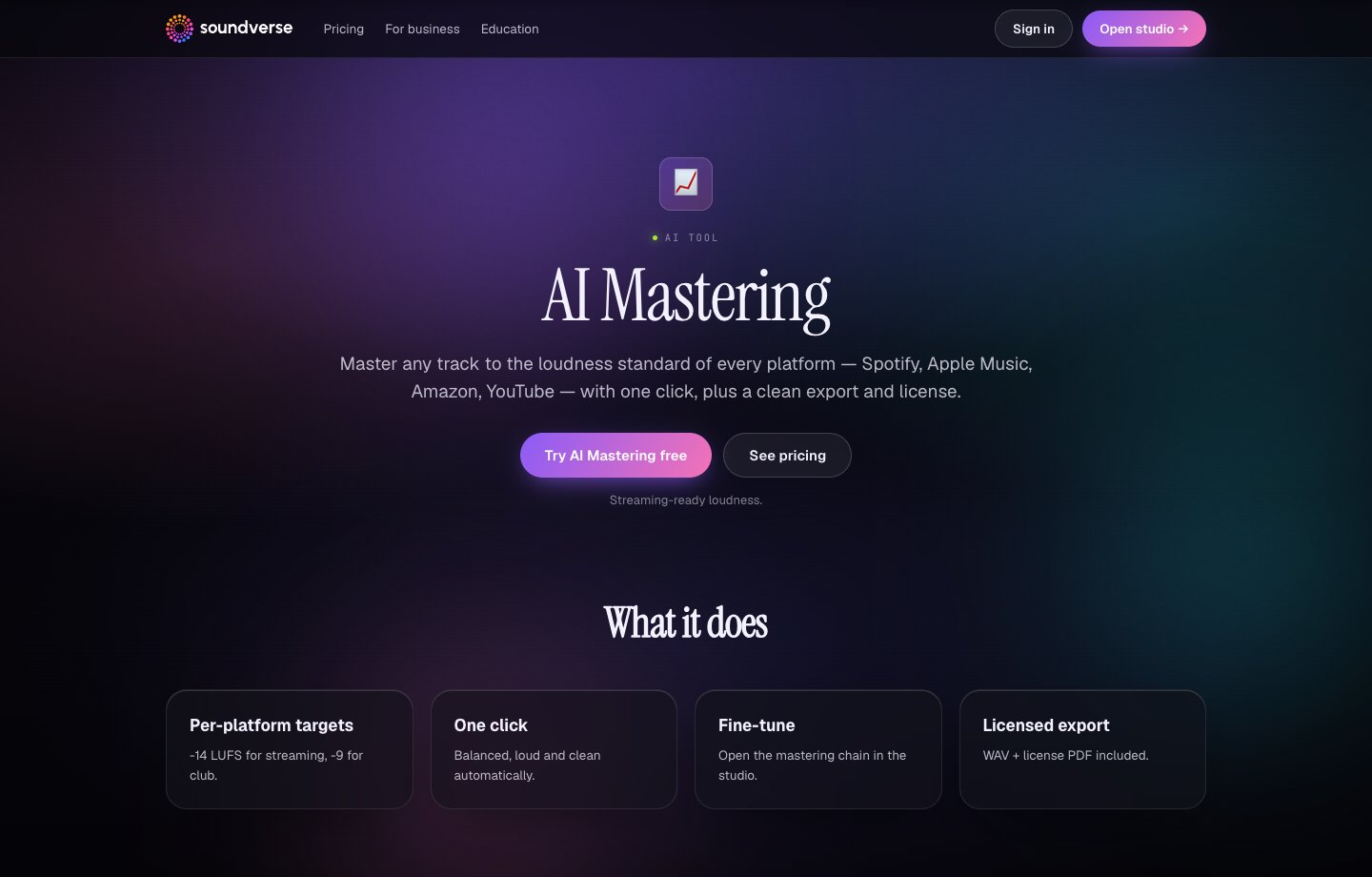
Soundverse AI Mastering does this in one click: upload a mix and get a streaming-ready master at platform-standard loudness for Spotify, Apple Music, YouTube and more, with per-platform targets (-14 LUFS for streaming, -9 for club). You can fine-tune the chain in AI Studio, and the WAV export includes a license PDF to file with your release.
Step 6: Prepare honest metadata, credits and cover art
Spotify says "We display your music exactly as it's delivered to us," and your distributor sets that metadata. Get it right the first time:
- Artist name: Spotify doesn't allow "artist names that use SEO terms like Christmas Hits or Sleep Music."
- Roles: credit composers, lyricists and producers, not just performers.
- Live date: Spotify recommends "at least 7 days in the future" so you can pitch the song to its editors.
AI credits. Spotify lets you disclose AI use role by role, such as lyrics, vocals or production. "You add AI credits through your distributor when you upload your music," and the feature is "in beta and only available with certain distributors" (AI credits). Credits are optional, and Spotify says disclosure is "not about punishing artists who use AI responsibly or down-ranking tracks for disclosing information about how they were made." DistroKid's upload form (October 2026) asks whether AI generated the lyrics, the music, or all or part of the audio, and says AI-assisted mixing or mastering doesn't need a credit.
Cover art. Spotify requires a 1:1 image, 640 to 10,000 pixels, in TIFF, PNG or JPG, not upscaled. The AI Album Cover Generator turns a description of your release, or a reference image, into art in square, story and banner formats.
One caution: Spotify's AI Persona badge can apply when artist imagery, including album artwork, "is AI-generated and appears to be a real person who doesn't exist." AI Personas are left out of editorial and personalized recommendations unless a listener engages, for example by following. The badge is about your identity, not whether you use AI to make music, so don't present a photorealistic AI person as yourself.
Step 7: Choose a distributor and read its AI policy
Spotify is plain: "Work with a distributor to get your music on Spotify" (getting started). It notes "Most distributors charge a fee or commission," and lists preferred distributors.
As of October 2026, their AI policies differ:
- DistroKid "accepts music created with AI tools, but there are some rules": own the rights, no impersonation, no mass-generated spam, no infringement (policy). See how it compares in Soundverse vs DistroKid.
- TuneCore "only distributes music created using GenAI models trained on fully licensed datasets," and that applies if GenAI is used at any point in a track. It suggests checking each tool's documentation and terms (framework).
- CD Baby does not accept "music generated in whole or in part by AI, even when you have a license" (help page).
Using another distributor? Read its current AI policy before you upload, and if you can't find one, ask its support team in writing.
On Soundverse, self-serve distribution to Spotify, Apple Music and 150+ stores is coming to Max in early November 2026. Until then, use the distributor of your choice. Background: the DistroKid alternative page and our earlier AI music distribution checklist.
Step 8: Release, and avoid artificial streaming
Spotify says "Paid 3rd-party services that guarantee streams aren't legitimate," and using them "could result in your music being removed from Spotify." Confirmed artificial streams can mean withheld royalties and corrected stream counts. Your distributor may issue warnings or, in flagrant or repeated cases, remove your content or suspend your account. Spotify also "charges labels and distributors per track when flagrant artificial streaming is detected."
Spam rules matter too. Spotify's spam filter targets "mass uploads, duplicates, SEO hacks, artificially short track abuse," tagging those uploaders and tracks and no longer recommending them. In October 2026 it said it had taken "more than 50 million slop and spam tracks out of recommendations" this year.
So release like a working artist: finished songs on a schedule, not hundreds of near-copies, promoted through your own channels. And note that a track needs at least 1,000 streams in the previous 12 months to count toward Spotify's recorded-music royalty pool (details).
Older background: Is AI music allowed on Spotify?
Frequently asked questions
Can you release AI music on Spotify in 2027? Yes. Spotify treats music equally regardless of the tools used, but it removes unauthorized voice impersonation, stops recommending spam and penalizes artificial streams. Use a plan whose license covers streaming release (on Soundverse, the Distribution license on Max), clear and master the track, and pick a distributor whose AI policy accepts it.
Do I have to label my song as AI on Spotify? Spotify's AI credits are optional and go through your distributor, where it supports them. Some distributors, like DistroKid, ask at upload.
Can I release songs from Soundverse's free plan? No. Free-plan songs carry a Personal, non-commercial license. For streaming revenue, look at the Distribution license on Max, and check your plan's license and the Terms of Service first.
Do I own the copyright to an AI-generated song? Under the US Copyright Office's 2025 Part 2 report, prompts alone don't make you the author, but human-authored parts, like lyrics you write and your arrangement and edits, can be protected. This isn't legal advice.
Can I use an AI version of a famous singer's voice? Not without their permission. Spotify allows vocal impersonation only when the impersonated artist has authorized it, and it removes releases that clone a voice without permission.
Ready to release your next song? Compare Soundverse plans and licenses, with self-serve distribution to 150+ stores coming to Max in early November 2026.
Related: Master your track with AI Mastering · Soundverse vs DistroKid · The best AI music generators of 2027