How to Write Effective Prompts for Suno AI Music Generation
Learn how to craft powerful Suno AI music prompts for high-quality AI-generated music in 2026.
How to Write Effective Prompts for Suno AI Music Generation
Writing effective Suno AI music prompts has become a crucial skill for musicians, producers, and creators in 2026. As AI-generated music continues to dominate creative workflows, the quality of your prompts determines how expressive, genre-accurate, and emotionally resonant your tracks will sound. Whether you're producing ambient loops for video content or building game soundtracks, knowing how to guide Suno AI’s text-to-music engine through precise descriptions can lead to more professional results.
Why Do Suno AI Music Prompts Matter in 2026?
AI music generation has matured rapidly since 2024, and by 2026, tools like Suno AI have become central to sound design and media production. The prompt functions as the bridge between your creative intention and the output generated by the AI. Poorly written prompts can yield generic, mismatched tracks, while specific, detailed prompts can generate music that aligns perfectly with your vision.
A well-structured Suno AI music prompt communicates genre, mood, instrumentation, tempo, and atmosphere. Unlike traditional composing, you don’t provide musical notes — you describe the kind of music you want in words, and the AI interprets them.
What Elements Make a Strong Suno AI Music Prompt?
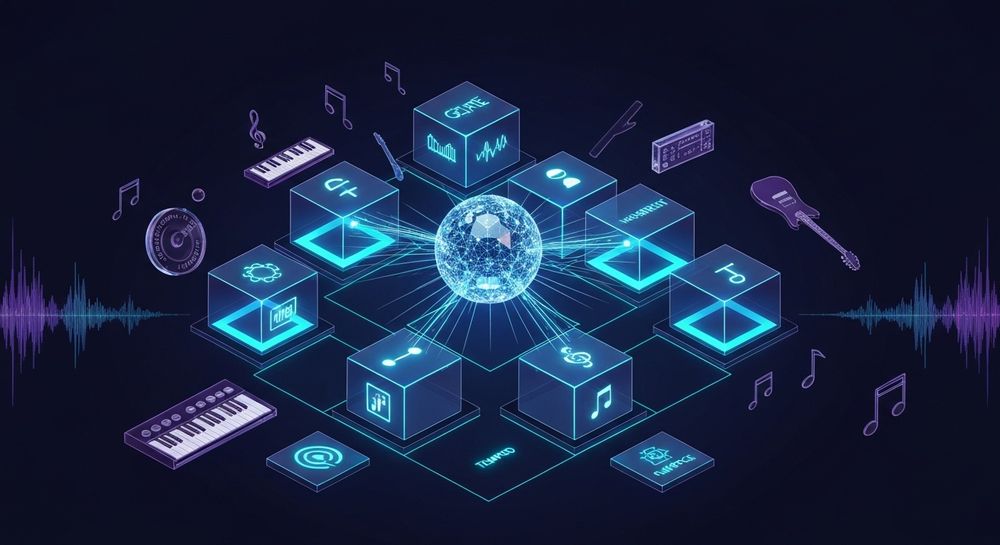
To write an effective AI music prompt, several elements work together:
- Genre – Start by defining your genre clearly: pop, jazz, ambient, lofi, EDM, classical, etc. AI models rely on genre labels to apply correct instrumentation and rhythm.
- Mood – Emotional context is key. Describe the desired emotion: melancholic piano, uplifting background beat, cinematic tension, or peaceful meditation.
- Instrumentation – Mention instruments to refine tonal balance. For instance, “saxophone-led jazz groove” or “guitar and synth-based chillwave.”
- Tempo or Energy Level – Use descriptors like “slow and calming,” “fast-paced,” or “mid-tempo groove.” AI responds well to pacing cues.
- Purpose or Use Case – Context like “background track for a documentary” or “loop for a mobile game” helps the AI generate a track suited for its environment.
Each component adds clarity. Together, they convert vague musical ideas into structured input that leads to cohesive results.
How Do You Structure a Suno AI Music Prompt?
An optimal structure looks like this:
Example Format:
[Genre] + [Mood/Emotion] + [Instrumentation/Style] + [Purpose/Usage].
Illustration: “Ambient electronic music with soft piano and lush pads, ideal for meditation background.”
This structure ensures Suno AI’s text-to-music model processes genre-specific acoustic patterns while layering emotions accurately.
If you’re familiar with other text-to-music platforms (like Mubert or Udio), you’ll notice Suno AI responds best to clear, condensed phrasing. Avoid wordy or poetic descriptions that lack musical detail.
How to Test and Improve Your AI Music Prompts
Like any creative workflow, prompt writing for AI benefits from iteration.
- Draft several versions: Slight variations help you understand how word choice affects results.
- Experiment with adjectives: Try descriptors such as “cinematic,” “dreamy,” or “organic.”
- Use concrete nouns: Instead of “cool vibes,” write “funk bassline with vintage percussion.”
- Document results: Keep notes of what works. Over time, you’ll develop a personal library of tested Suno AI music prompts.
Many creators maintain digital prompt journals. For inspiration, refer to resources like 100 Text-to-Music Prompts That Will Help You Create Viral Music and 50 Hand-Picked Background Music AI Music Generation Prompts for All Occasions.
What are Common Mistakes in Writing Suno AI Music Prompts?
Even experienced creators sometimes make errors that lead to unsatisfactory tracks.
1. Being Too Vague
Prompts like “make a nice song” or “create cool music” don’t provide enough information. The AI won’t know which genre or emotion you want.
2. Overloading the Prompt
Including too many instructions (e.g., “jazzy but also EDM with classical strings and rock guitar”) can confuse the AI, leading to blended results that lack coherence.
3. Ignoring the Use Case
Always define where the music will be used. Purpose-driven prompts guide tonal and structural choices better.
4. Skipping Instrumentation
Omitting instruments can cause generic arrangements. Specify lead or supporting instruments to refine sound.
5. Forgetting Emotion and Dynamics
AI-generated tracks rely heavily on expressive keywords. Terms like “aggressive,” “bright,” “warm,” or “minimalistic” provide shaping guidance.
How Do AI Music Prompts Enhance Creative Freedom?
In 2026, AI music generation represents a high-speed creative companion rather than a replacement for musicians. Effective prompt writing lets artists prototype moods, explore cross-genres, and quickly create track foundations. This workflow mirrors how visual artists use AI to visualize concept art.
For music producers, Suno AI’s prompt system provides an entry point to inspiration when facing creative blocks. You can rapidly test “what-if” ideas, discover new genre blends, and then use editing tools for fine-tuning.
If you’re exploring deeper AI music workflows, check out Soundverse AI Magic Tools — they enable you to combine AI music generation with lyrics writing, stem separation, and arrangement automation.
For a hands-on approach, you can also watch our guide on creating Deep House music or explore the How to Make Music tutorial from the Soundverse YouTube series.
How to Make Suno AI Music Prompts Work Seamlessly with Soundverse

Now that you understand how to write effective AI music prompts, let’s explore how to create complete instrumental tracks instantly using Soundverse’s AI Music Generator.
Step 1: Feature Overview

Access the AI Music Generator directly from the Soundverse main menu. This tool creates fully produced instrumental music from text prompts, specializing in background tracks, beats, and soundscapes without vocals. If you want loops for gaming, meditation, or ads, this is your starting point.
Step 2: Description Input

Enter your well-designed prompt. For example, “uplifting tropical house background with bright synths and gentle percussion.” The AI interprets this description into rhythm, melody, and harmonic structure.
Step 3: Style & Duration

Select genre, mood, and track duration. Soundverse supports detailed control over musical style, enabling fine-tuning of creative direction.
Step 4: Generation

Soundverse processes your description with either the V4 or V5 Model to generate instrumental music asynchronously. You simply submit the request, and once processed, your music file becomes available for listening and evaluation.
Step 5: Export Options

Download your AI-generated track as a high-quality file. Optional Loop Mode ensures seamless repetitions, perfect for videos or games needing continuous background audio.
Soundverse’s integration with its Agent and AI Lyrics Writer further enhances this ecosystem. The Agent can interpret requests such as “make this ambient loop darker” while automatically adjusting generator settings. The AI Lyrics Writer complements vocal song production, useful when switching from instrumental work to complete compositions.
Why Choose Soundverse for Your AI Music Generation Workflow?
Compared to other platforms, Soundverse offers a unified creative environment tailored for professionals. Its AI Music Generator excels in:
- Producing emotion-driven instrumentals from precise text descriptions.
- Seamless looping for commercial use.
- Genre and mood customization that pairs perfectly with AI-generated lyrics.
You can also expand your workflow by integrating features detailed in Generate AI Music with Soundverse Text-to-Music and Soundverse AI Revolutionizing Music Creation for New Age Content Creators. These guides explain how AI-driven composition in Soundverse merges accessibility with professional-grade output.
Start Crafting Powerful Suno AI Music Prompts Today
Unlock limitless sound possibilities by creating effective text-to-music prompts with Soundverse. Generate unique tracks tuned to your creative vision in seconds.
Related Articles
- 100 Text-to-Music Prompts That Will Help You Create Viral Music — Discover a curated list of creative prompts to help you generate music that resonates and goes viral using Soundverse AI.
- Best Suno Alternative — Soundverse AI Free Sign-Up — Explore why Soundverse is the top alternative to Suno AI for musicians seeking powerful and flexible AI-driven music creation tools.
- Generate AI Music with Soundverse Text-to-Music — Learn how to turn text prompts into fully produced music tracks with Soundverse’s intuitive text-to-music technology.
- What AI Can Generate Songs? — Compare leading AI music generators and discover which platforms offer the best quality and versatility for your projects.
Here's how to make AI Music with Soundverse
Video Guide

Here’s another long walkthrough of how to use Soundverse AI.
Text Guide
- To know more about AI Magic Tools, check here.
- To know more about Soundverse Assistant, check here.
- To know more about Arrangement Studio, check here.
Soundverse is an AI Assistant that allows content creators and music makers to create original content in a flash using Generative AI.
With the help of Soundverse Assistant and AI Magic Tools, our users get an unfair advantage over other creators to create audio and music content quickly, easily and cheaply.
Soundverse Assistant is your ultimate music companion. You simply speak to the assistant to get your stuff done. The more you speak to it, the more it starts understanding you and your goals.
AI Magic Tools help convert your creative dreams into tangible music and audio. Use AI Magic Tools such as text to music, stem separation, or lyrics generation to realise your content dreams faster.
Soundverse is here to take music production to the next level. We're not just a digital audio workstation (DAW) competing with Ableton or Logic, we're building a completely new paradigm of easy and conversational content creation.
TikTok: https://www.tiktok.com/@soundverse.ai
Twitter: https://twitter.com/soundverse_ai
Instagram: https://www.instagram.com/soundverse.ai
LinkedIn: https://www.linkedin.com/company/soundverseai
Youtube: https://www.youtube.com/@SoundverseAI
Facebook: https://www.facebook.com/profile.php?id=100095674445607
Join Soundverse for Free and make Viral AI Music

We are constantly building more product experiences. Keep checking our Blog to stay updated about them!