How to Write Effective Prompts for Instrumental Music on Suno.ai
Master Suno.ai instrumental prompt writing in 2026 with expert AI music generation tips.
How to Write Effective Prompts for Instrumental Music on Suno.ai
In 2026, AI-generated music has evolved beyond novelty into a central tool for creative professionals. Platforms like Suno.ai empower music producers, content creators, and AI enthusiasts to seamlessly generate instrumental tracks from simple text prompts. Yet, the art of writing an effective prompt for instrumental music on Suno.ai is not just about typing a few descriptive words—it’s a structured creative process that shapes genre, mood, tempo, and overall sound design.
Why Does Prompt Writing Matter in AI Music Generation?
AI music generation thrives on clarity and specificity. A well-written prompt acts as the creative blueprint guiding the algorithm to produce music that matches your intent. When writing prompts for Suno.ai instrumentals, you are essentially communicating emotional direction to an intelligent composer. Overly vague instructions often lead to generic or mismatched results, while detailed prompts yield professional-quality compositions ideal for background scores, video projects, or ambient soundscapes.
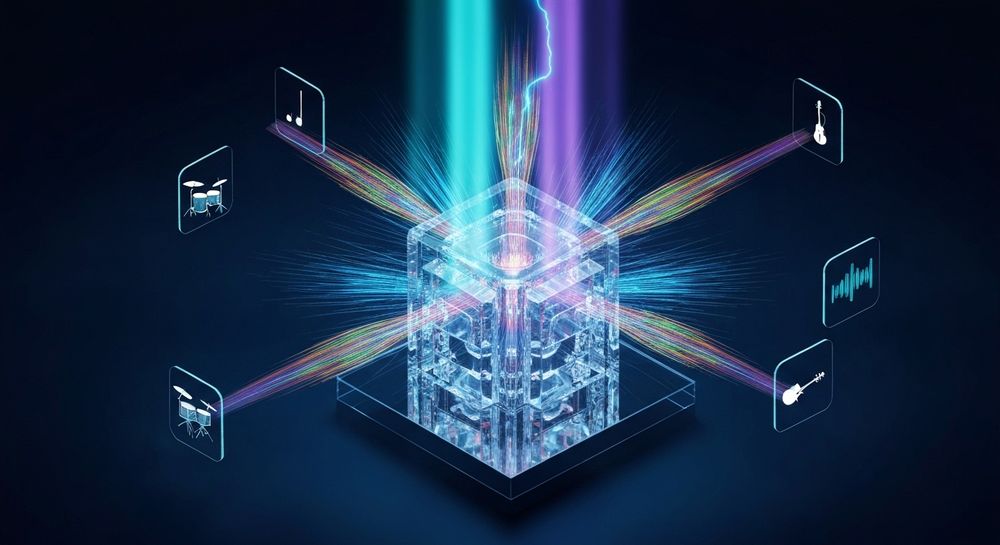
What Makes an Effective Suno.ai Instrumental Prompt?
An effective Suno.ai instrumental prompt balances musical context with emotional detail. It should answer three questions:
- What genre or mood is desired? Specify genres like ambient, lo-fi, jazz, or cinematic.
- What is the atmosphere or emotion? Words such as uplifting, mysterious, relaxed, or tense help shape the tonal character.
- What instruments or textures are dominant? Mention elements like piano, synth pad, guitar riffs, or orchestral strings.
For example, instead of typing “calm background music,” use something richer: “ambient instrumental with warm synth pads, gentle acoustic guitar, and a meditative rhythm suitable for relaxation videos.”
How Has AI Composition Evolved by 2026?
From 2024 to 2025, AI music technology expanded rapidly across platforms. In 2026, Suno.ai and similar tools have refined text-to-music systems to interpret nuanced musical language and emotional cues. Modern AI composition engines now generate full instrumentals that sound indistinguishable from studio productions. The rise of models like V4 and V5 on Suno.ai offers improved control over instruments, looping structures, and moods—enabling complete production workflows for advertising, gaming, and film scoring.
Creators today use these platforms not only for experimentation but as reliable tools. Some producers even integrate AI-generated stems into larger digital audio workstation (DAW) sessions to combine human performance and AI arrangement seamlessly. You can also explore community-driven tutorials like Suno AI Music Generator Tutorial: How to use Suno in 2026 for video guidance.
Step-by-Step Guide: How to Write Prompts for Suno.ai Instrumentals
Because this article is a tutorial, we’ll follow clear action steps aligning with the official workflow for Suno.ai’s AI Music Generator.
Step 1: Feature Overview

Access the AI Music Generator from Suno.ai’s main interface. This feature is specifically designed for creating fully produced instrumental music from text prompts. It specializes in background tracks, beats, and soundscapes without vocals and includes a Loop Mode for seamless repetition—essential for tasks such as meditation sessions or game soundtracks.
Step 2: Description Input

In the input box, describe your desired instrumental track. Combine genre, instruments, and mood keywords. For example:
- “Jazz instrumental with soft piano and brushed drums for a relaxing café ambiance.”
- “Epic orchestral composition with strings and percussion, intense and cinematic.”
The AI analyzes descriptive language to decide structural elements, rhythm, and harmonic content.
Step 3: Style & Duration

Choose your preferred music style and set the duration. Suno.ai allows control over genre depth—electronic, acoustic, classical, and experimental styles are common choices. Short loops work well for social media clips or advertising backgrounds. Longer tracks fit better for podcast intros or full soundscapes.
Step 4: Generation

Once parameters are set, click Generate. Suno.ai’s text-to-music system then processes your prompt using either its V4 or V5 model variants. The resulting instrumental captures the mood and tone specified. While generation is asynchronous, expect professional fidelity with balanced mixing suitable for immediate use in post-production workflows. For practical examples, check the Soundverse Tutorial Series - 9. How to Make Music.
Step 5: Export Options

When happy with the result, download your generated track. Suno.ai provides options for loopable formats—ideal for creative projects that need continuous playback. Many creators combine multiple generated loops into larger arrangements for flexibility.
What Are Common Mistakes in Suno.ai Instrumental Prompt Writing?
- Vague Descriptions: Avoid short prompts like “cool beat” or “chill music.” They lack musical detail.
- Ignoring Instrumentation: The choice of instrument dramatically affects tone.
- Overloading Keywords: Excessive input confuses the AI and produces inconsistent results.
- Skipping Mood Tags: Emotional direction anchors the sonic output.
- Failing to Consider Context: Music for commercials differs from game ambience; tailor accordingly.
The key is balance—informative yet succinct prompts yield the most consistent results.
What Are Advanced Music Prompt Tips for Professionals in 2026?
For experienced users, fine-tuning Suno.ai instrumental prompts includes:
- Genre Fusion: Blend multiple influences, like “lo-fi ambient with jazz undertones.”
- Temporal Cues: Add phrases like “sunset vibe” or “late-night mood” for temporal accuracy.
- Texture Depth: Include words such as “layered,” “minimal,” or “dense.”
- Motion References: Describe rhythmic flow—“steady pulse” or “flowing piano arpeggios.”
These nuances push AI composition closer to creative human vision, bridging technology and artistry.
How Do AI Music Generators Compare in 2026?
While Suno.ai remains an industry leader for instrumental generation, other systems offer complementary workflows. Mubert focuses on algorithmic generative streaming, while Soundraw emphasizes loop-based structured editing for creators. However, Suno.ai’s text-first approach gives it flexibility and creative control unmatched by purely algorithmic generators.
For professionals exploring broader AI music ecosystems, check out these informative reads:
- Best Suno.ai Alternative: Soundverse AI Free Sign-Up
- AI Music Generator and Human Composers: A Future Together
- Generate AI Music with Soundverse Text-to-Music
- Music Industry Trends in 2026
How to Make Suno.ai Instrumentals Instantly Using Soundverse AI Music Generator

Now that you understand the principles of effective prompt writing, here’s how you can apply these skills using Soundverse—the all-in-one AI music solution.
Soundverse’s AI Music Generator creates fully produced instrumental compositions from simple text prompts, much like Suno.ai. However, Soundverse integrates additional creative controls, allowing precise genre, mood, and instrumentation selection. With the V4 and V5 model options, creators can generate loops, cinematic pieces, ambient textures, and dynamic beats quickly.
Core Features Include:
- Text-to-Music: Enter detailed prompts to describe desired instrumentals.
- Loop Mode: Generate seamless repeating tracks for videos, games, or meditation.
- Detailed Control: Customize genre, mood, and specific instrument presence.
- Model Flexibility: Switch between V4 and V5 versions for tonal variety.
Use Cases:
- Video Backgrounds: Create matching atmospheres for ads, social reels, or tutorials.
- Game Soundtracks: Loop instrumental scenes with dynamic transitions.
- Meditation Tracks: Produce calming soundscapes for wellness content.
- Commercial Scoring: Compose royalty-safe backing music for marketing campaigns.
Soundverse also complements creative work by integrating with Soundverse DNA, ensuring ethical generation through licensed artist catalogs, and with Similar Music Generator—perfect for matching a reference score or cinematic tone.
To explore AI instrumental creation further, visit Soundverse’s ecosystem featuring innovative tools like Soundverse Assistant and AI Magic Tools for automated content generation.
Start Creating AI Instrumentals Instantly
Transform your musical ideas into professional-quality instrumentals in seconds. Use Soundverse to experiment, refine, and generate unlimited royalty-free music inspired by your Suno.ai prompts.
Related Articles
- Best Suno Alternative – Soundverse AI Free Sign Up: Discover why Soundverse is the top free alternative to Suno.ai for generating high-quality, copyright-free music.
- 100 Text-to-Music Prompts That Will Help You Create Viral Music: Explore a collection of creative text-to-music prompts to inspire your next hit and elevate your AI music generation.
- Generate AI Music with Soundverse Text-to-Music: Learn how Soundverse’s text-to-music feature turns your artistic prompts into complete, genre-perfect compositions.
- Soundverse Assistant: Your AI Music Co-Producer: Meet Soundverse Assistant — the smart tool that guides you through generating and editing AI music like a pro.
Here's how to make AI Music with Soundverse
Video Guide

Here’s another long walkthrough of how to use Soundverse AI.
Text Guide
- To know more about AI Magic Tools, check here.
- To know more about Soundverse Assistant, check here.
- To know more about Arrangement Studio, check here.
Soundverse is an AI Assistant that allows content creators and music makers to create original content in a flash using Generative AI. With the help of Soundverse Assistant and AI Magic Tools, our users get an unfair advantage over other creators to create audio and music content quickly, easily and cheaply. Soundverse Assistant is your ultimate music companion. You simply speak to the assistant to get your stuff done. The more you speak to it, the more it starts understanding you and your goals. AI Magic Tools help convert your creative dreams into tangible music and audio. Use AI Magic Tools such as text to music, stem separation, or lyrics generation to realise your content dreams faster. Soundverse is here to take music production to the next level. We're not just a digital audio workstation (DAW) competing with Ableton or Logic, we're building a completely new paradigm of easy and conversational content creation.
TikTok: https://www.tiktok.com/@soundverse.ai
Twitter: https://twitter.com/soundverse_ai
Instagram: https://www.instagram.com/soundverse.ai
LinkedIn: https://www.linkedin.com/company/soundverseai
Youtube: https://www.youtube.com/@SoundverseAI
Facebook: https://www.facebook.com/profile.php?id=100095674445607
Join Soundverse for Free and make Viral AI Music

We are constantly building more product experiences. Keep checking our Blog to stay updated about them!