How to Produce EDM Music: A Complete Guide for 2026
Learn EDM music production in 2026 and create high-energy electronic dance music using Soundverse AI.
How to Produce EDM Music
Electronic dance music (EDM) continues to dominate clubs, festivals, and streaming platforms around the world in 2026. From melodic trance to bass-heavy dubstep, the sound of EDM evolves constantly, and producers are blending genres and styles more than ever. If you’ve been inspired by artists experimenting with futuristic sounds and want to start producing your own beats, this guide will walk you through everything you need to know about EDM music production – from tools and techniques to using AI-powered software like Soundverse.
Why learn EDM music production in 2026?
The demand for high-quality EDM tracks has never been greater. Platforms such as TikTok, YouTube, and Spotify continuously fuel the need for fresh, energetic soundscapes. Learning EDM production gives aspiring DJs and creators the ability to craft original content instead of relying on stock tracks. In 2026, AI-enhanced music production tools allow anyone, even beginners, to create professional-grade electronic tracks faster than traditional workflows.
Modern producers benefit from cloud-based DAWs, AI-assisted mixing tools, and text-to-music generators that simplify composition. Instead of needing years of experience, you can use intuitive tools to design festival-ready music in minutes.
What defines electronic dance music?
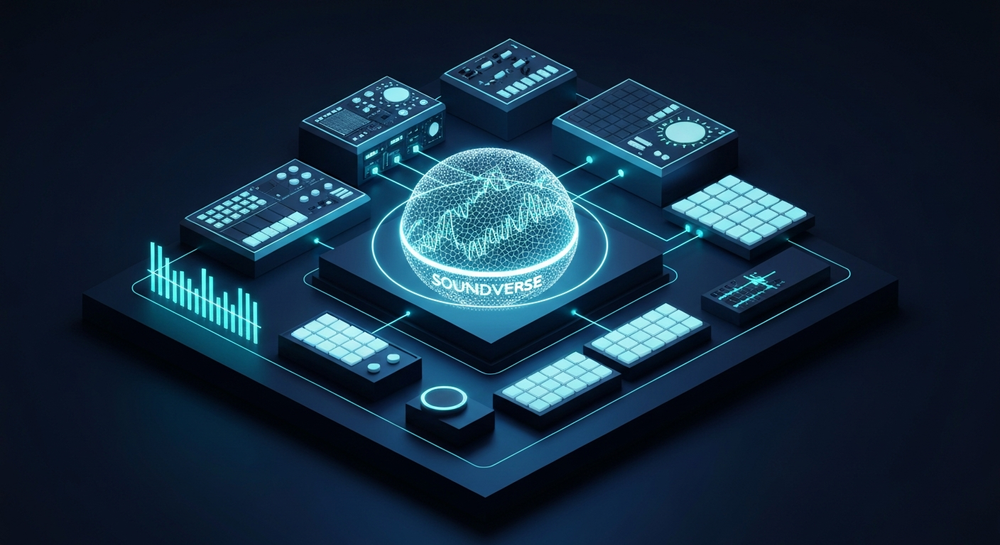
EDM is characterized by rhythm, groove, and energy. It covers many subgenres: house, techno, trance, drum and bass, trap, and progressive styles. The essence of EDM music production lies in creating consistent beats, layering synths and bass lines, and structuring drops that captivate listeners. EDM producers rely on both creativity and technical expertise, balancing sound design with arrangement to achieve emotional impact.
Common elements include:
- Kick Drum and Bassline: The driving pulse that makes electronic dance music suitable for clubs.
- Synth Leads and Pads: Define the melodic and atmospheric tone of the track.
- Percussion Layers: Hi-hats, claps, and snares establish groove and energy.
- Effects: Reverb, delay, filter sweeps, and risers build tension and release.

How to make EDM with Soundverse AI Music Generator

Soundverse offers an innovative way to approach EDM music production using the AI Music Generator, a powerful text-to-music system that transforms written prompts into full instrumental tracks. It’s ideal for producing electronic music loops, background beats, and festival-style instrumentals. Learn more from How to Start Producing EDM: A Beginner's Guide in 2026.
Official Feature Description: The AI Music Generator lets users create fully produced instrumental tracks from text prompts. You control genre, mood, and instrumentation, whether crafting a looping deep house groove or an atmospheric trance background. It specializes in background tracks, beats, and soundscapes without vocals. Loop Mode ensures seamless repetition when used for DJ sets or video edits. Soundverse currently supports V4 and V5 model options, enabling refined genre control and detailed production quality.
Primary use cases include background tracks for videos, game soundtracks, meditation music, and commercial scores. However, EDM producers can now leverage these capabilities to generate creative baselines and melodic ideas for entire sets.
For a deeper dive, watch our tutorial on creating Deep House music or check out the Soundverse Tutorial Series - How to Make Music.
Step 1: Feature Overview

Access the AI Music Generator directly from the Soundverse main menu. It’s located among multiple creation tools, including the AI Song Generator and AI Singing Generator, which expand possibilities for full-track composition. Once opened, the Music Generator environment focuses on instrumental generation, perfect for creating EDM patterns and loops.
Step 2: Description Input
This step defines the creative direction. Write a text prompt describing your desired music. For example, you could type: “Energetic festival-style EDM track with punchy drums, deep bass, and melodic synths.” The AI interprets this prompt and prepares to build music accordingly. Specific adjectives such as tempo range, mood (“uplifting” or “dark club vibe”), and genre style will help refine output.
Step 3: Style & Duration

Choose the specific EDM subgenre (house, techno, trance, or future bass) and select the duration. Beginners often start with shorter loops (15–30 seconds) that can be extended later. Professionals might generate full-length tracks of 3–5 minutes. Soundverse’s Loop Mode ensures smooth continuity when looping sections for DJ edits or seamless transitions.
Step 4: Generation

Once all settings are confirmed, click “Generate.” Soundverse processes the description asynchronously and produces instrumental music based on your prompt. Within seconds, you’ll receive a downloadable file that reflects your selected parameters. Each output highlights clean tonal balance and rhythmic cohesion — essential traits in EDM production.
Step 5: Export Options

After generation, export your instrumental directly to your computer or integrate it into your DAW (Digital Audio Workstation). The downloaded file can then be manipulated further using tools like Ableton Live, FL Studio, or Logic Pro. You can apply additional effects, remix the loop, or layer vocals using the AI Singing Generator.
What tools do EDM producers use?
To polish tracks generated through Soundverse, many producers combine traditional software with AI innovation:
- DAWs: Ableton Live, FL Studio, and Logic Pro are industry standards.
- Synth Plugins: Serum and Massive still dominate for sound design, though 2026 has seen new AI-assisted synth engines emerging.
- Mixing Software: Use plugins for EQ, compression, and dynamic range enhancement.
However, AI systems lighten the workload. For instance, beginners experimenting with Soundverse AI Magic Tools have found it easier to launch ideas than purely relying on sample packs. This efficiency is why AI music generation has become central to EDM creativity. Explore more insights from What Is EDM Music? A 2026 Guide to Electronic Dance Music | ZIPDJ.
Pro tips for mastering EDM music production
- Start Simple: Focus on building strong rhythm sections before diving into complex melodies.
- Experiment Constantly: EDM thrives on innovation — explore hybrid genres and new textures.
- Use Reference Tracks: Compare your mix with professional examples to adjust levels and frequencies.
- Collaborate with AI: Combine generated loops from Soundverse with your own samples to produce distinctive tracks.
- Stay Inspired: Platforms like music industry trend reports reveal creative movements that help producers anticipate what audiences will love in 2026.
Why AI tools have changed beat making for EDM
Beat making for EDM used to demand high-end gear, but now creators rely on online generators and intelligent assistants. AI simplifies sound design, while tools like AI Music Generator enable rapid production cycles. This speed benefits DJs and YouTube creators who need fresh background loops regularly.
Features such as genre customization and looping eliminate repetitive manual editing. EDM artists can build intricate sonic worlds using minimal resources, marking a pivotal shift since 2024. Learn more from The Best Electronic Music Production Software (2026).
Expanding creativity: Integrate with other Soundverse tools
Soundverse’s ecosystem allows users to go beyond instrumental generation:
- AI Song Generator: Add lyrics for vocal-driven electronic tracks.
- AI Singing Generator: Produce custom acapellas or vocal textures.
- Extend Music: Continue or elongate existing EDM segments with style and tempo match.
These tools create a workflow that covers every step of digital music creation.
To learn more about integrating Soundverse AI into specific musical genres, check guides like How to Create Jazz Music with Soundverse AI or How to Create EDM with Soundverse AI.
Start Producing Your Own EDM Tracks Today! Unlock the full potential of AI-powered music creation with Soundverse. Generate mesmerizing EDM beats, mix stems, and master your tracks—all in one seamless platform. Create EDM Music with AI
Related Articles
- How to Create EDM with Soundverse AI - Discover how to craft energetic EDM soundscapes using Soundverse’s intuitive AI tools.
- 50 Hand-Picked Deep House Text-to-Music AI Music Generation Prompts - Explore curated prompts designed to inspire your next deep house or EDM creation.
- Best AI Music Generator: Top Picks and Review - Compare leading AI music generators and find out why Soundverse stands out for EDM producers.
- Soundverse AI Revolutionizing Music Creation for New-Age Content Creators - Learn how AI innovation is transforming the way electronic music is composed and shared.
Here's how to make AI Music with Soundverse
Video Guide

Here’s another long walkthrough of how to use Soundverse AI.
Text Guide
- To know more about AI Magic Tools, check here.
- To know more about Soundverse Assistant, check here.
- To know more about Arrangement Studio, check here.
Soundverse is an AI Assistant that allows content creators and music makers to create original content in a flash using Generative AI.
With the help of Soundverse Assistant and AI Magic Tools, our users get an unfair advantage over other creators to create audio and music content quickly, easily and cheaply.
Soundverse Assistant is your ultimate music companion. You simply speak to the assistant to get your stuff done. The more you speak to it, the more it starts understanding you and your goals.
AI Magic Tools help convert your creative dreams into tangible music and audio. Use AI Magic Tools such as text to music, stem separation, or lyrics generation to realise your content dreams faster.
Soundverse is here to take music production to the next level. We're not just a digital audio workstation (DAW) competing with Ableton or Logic, we're building a completely new paradigm of easy and conversational content creation.
TikTok: https://www.tiktok.com/@soundverse.ai
Twitter: https://twitter.com/soundverse_ai
Instagram: https://www.instagram.com/soundverse.ai
LinkedIn: https://www.linkedin.com/company/soundverseai
Youtube: https://www.youtube.com/@SoundverseAI
Facebook: https://www.facebook.com/profile.php?id=100095674445607
Join Soundverse for Free and make Viral AI Music

We are constantly building more product experiences. Keep checking our Blog to stay updated about them!