How to Produce a Beat: A Complete Beat Making Tutorial for Beginners (2026 Guide)
Learn how to produce a beat using Soundverse AI Music Generator. Step-by-step guide for beginner music producers in 2026.
How to Produce a Beat
If you’re exploring how to produce a beat in 2026, you’re entering one of the most exciting eras for music creation. The world of music production has evolved rapidly, and technology has made it easier than ever for beginner music producers, DJs, and creators to bring their sonic ideas to life. Whether you aim to create hip-hop instrumentals, EDM grooves, or chill background tracks, understanding the fundamentals of beat making is your first step into modern music production.
In this comprehensive beat making tutorial, we’ll walk you through every step — from understanding rhythm and tempo to hands-on production using Soundverse’s powerful AI Music Generator. This guide is tailored for aspiring producers who may not yet be familiar with complex digital audio workstations but are ready to create professional-grade beats.
Why Learn How to Produce a Beat in 2026?
The music production landscape in 2026 continues to evolve at lightning speed. Artificial intelligence (AI) and virtual studios have become integral to the creative process. Back in 2024 and 2025, producing music still required mastery of traditional tools like MIDI controllers and advanced DAWs. Today, tools such as Soundverse lower the barriers for anyone interested in creating beats without needing expensive equipment or years of technical experience.
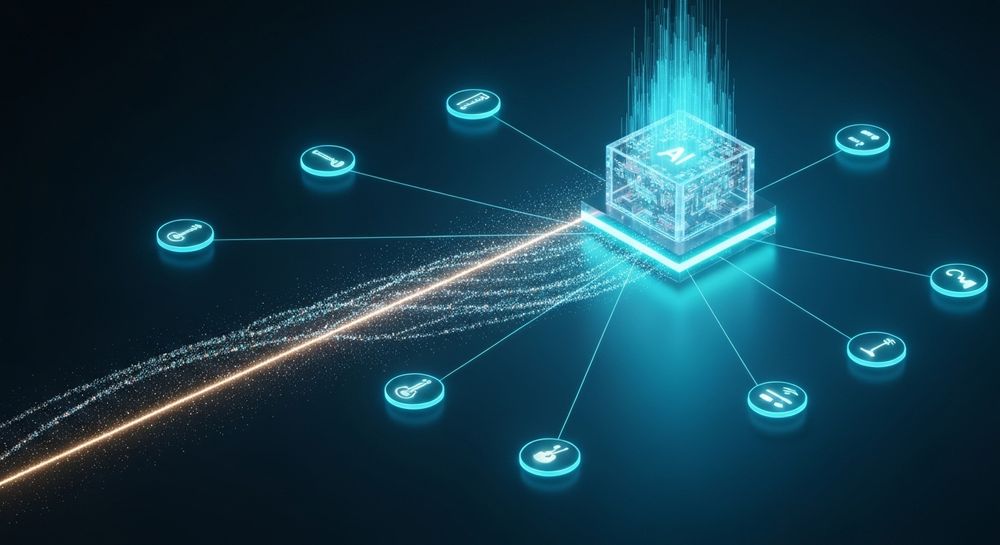
What makes producing beats so impactful this year is the democratization of creativity — AI is enabling everyone, from beginner music producers to professional composers, to realize musical ideas instantly. Genres overlap more than ever, and producers focus on vibe-driven expression rather than strict formulaic composition.
How to Make Beats with Soundverse AI Music Generator

Soundverse has revolutionized the way creators approach music production. Its AI Music Generator empowers users to create fully produced instrumental music directly from text prompts — no instruments or complex mixing needed.

What the AI Music Generator Does
Using this tool, you can generate professional beats, background tracks, and soundscapes simply by describing what you want to hear. The system uses advanced AI models (V4 and V5), understanding genre, emotion, and instrumentation from text-based instructions. This means you can enter a prompt like “a chill lo-fi beat with warm piano chords and a slow tempo,” and Soundverse will generate a unique instrumental loop fitting that description.
Core Capabilities
- Text-to-Music: Translate written descriptions into fully realized instrumental tracks.
- Loop Mode: Ensure seamless repetition for background music, game soundtracks, or meditation beats.
- Genre/Mood Control: Fine-tune emotional tone and genre-specific elements.
- V4 & V5 Models: Choose between model versions optimized for different music types and levels of detail.
This makes Soundverse perfect for creating beats for videos, games, wellness, or commercial scoring — while also serving as an educational tool for new producers learning how to translate creative ideas into sound.
For a deeper dive, watch our guide on creating Deep House music or explore the How to Make Music tutorial video from the Soundverse channel.
How Soundverse Fits the Modern Music Producer’s Workflow
Unlike older tools that demand high technical skill, Soundverse lets you focus on creativity. You can still use a digital audio workstation later for arranging, editing, or mixing, but the AI Music Generator handles the most time-consuming parts — generating instrumental layers and rhythmic structures.
Now, let’s dive into the step-by-step guide for producing your first beat using Soundverse.
Step 1: Feature Overview — Access AI Music Generator from Main Menu

After signing into your Soundverse account, navigate to the AI Music Generator from the main dashboard. This is your creative studio hub where all instrumentals and beat generation begin. The intuitive interface makes it ideal even for beginner music producers, eliminating the need for manual setup or sound library installation. Learn more in How to Make Beats for Free in 2026: The Ultimate Guide for Beginners.
Step 2: Description Input — Enter Text Description of Desired Music

Once inside, type a detailed prompt describing the beat you want. For example: “Create a high-energy trap beat with punchy drums and deep bass.” The clearer your description, the more accurate and expressive the result. You can also specify mood words like “dark,” “uplifting,” or “cinematic.” For beginners, this replaces traditional DAW sequencing and instrument selection. See detailed workflow tips in How to Make Beats Online: A Complete 2026 Guide for Aspiring ....
Step 3: Style & Duration — Select Music Style and Track Duration

Set the genre, tempo, and length. You might choose hip-hop, EDM, or even experimental soundscapes. Producers love this stage because it combines the creativity of choosing vibe, rhythm, and pacing — similar to setting BPM and arrangement tracks in a typical digital audio workstation. You can get additional insights from The Complete Guide to AI Music Creation in 2026 - Soundverse AI.
Step 4: Generation — Generate Instrumental Music Based on Description

Click Generate. The AI processes your request asynchronously — this means it analyzes your input and crafts the instrumental piece without requiring live monitoring. You’ll receive a complete beat ready for review. This step embodies the essence of music production in 2026: instant transformation from text concept to musical sound. Learn variations in How to Create Beats for Free in 2026: A Complete Guide for Beginners.
Step 5: Export Options — Download Generated Instrumental Music

Finally, export your creation. You can download the beat as a file for use in your projects — whether uploading it into a DAW for further mixing or looping it in game soundtracks or commercial uses. Soundverse also supports loop mode, allowing seamless playback for continuous production or streaming needs. Check more creative use cases at AI Music Generator for Startups: How Founders Can Empower Their ....
Pro Tips for Beginner Music Producers
Learning how to produce a beat doesn’t end with clicking Generate. Here are expert insights to refine your workflow:
- Understand Structure: Beats often follow a pattern — intro, verse, chorus, and outro. Experiment with dynamic changes across these sections.
- Practice Layering: Add depth using percussion layers or melodic textures. You can refine these using Soundverse’s Stem Separator, which allows extraction of individual drum, bass, and accompaniment tracks for precise editing. Learn more at Soundverse Stem Separation AI Magic Tool.
- Experiment Across Genres: Try generating beats for different settings, like lofi chill (see lofi generation prompts) or EDM (create EDM music with AI) to broaden your creative range.
- Combine Tools: Use Voice to Instrument if you prefer starting with vocalized ideas — humming or beatboxing transforms into instrumental versions automatically.
- Study Rhythm and Groove: Even with AI support, understanding timing enhances your production decisions.
- Join Creative Communities: In 2026, the Soundverse platform supports collaborative learning through AI-powered showcases and creator networks.
Why AI Is the Future of Beat Making
AI-generated music has shifted from novelty to necessity. By 2026, creators across YouTube, gaming, and digital art depend on AI tools like Soundverse to meet production deadlines while maintaining originality. The integration between human creativity and AI assistance leads to faster workflows and endless inspiration. You can explore this evolution in detail at How AI-Generated Music Is Transforming the Music Industry.
Moreover, using text prompts rather than manual instrument recording allows new producers to focus on storytelling, branding, and emotion. You don’t need a studio to start — just imagination.
Start Producing Beats with AI Today!
Unlock limitless creativity with Soundverse—generate professional-quality beats in seconds, experiment with styles, and refine your sound effortlessly. Join thousands of music creators pushing boundaries using AI.
- Generate AI Music with Soundverse Text-to-Music: Discover how you can turn text descriptions into full music tracks using Soundverse’s innovative AI engine.
- Soundverse Assistant: Your AI Music Co-Producer: Learn how Soundverse’s smart assistant helps you craft beats and tracks effortlessly with personalized AI support.
- How to Create Rap Music with AI: Explore step-by-step methods for generating rap instrumentals and lyrics using Soundverse AI tools.
- What Is Soundverse Arrangement Studio and What Does It Do: Understand how Soundverse’s Arrangement Studio helps you structure your beats and songs with AI-powered precision.
Here's how to make AI Music with Soundverse
Video Guide

Here’s another long walkthrough of how to use Soundverse AI.
Text Guide
- To know more about AI Magic Tools, check here.
- To know more about Soundverse Assistant, check here.
- To know more about Arrangement Studio, check here.
Soundverse is an AI Assistant that allows content creators and music makers to create original content in a flash using Generative AI.
With the help of Soundverse Assistant and AI Magic Tools, our users get an unfair advantage over other creators to create audio and music content quickly, easily and cheaply.
Soundverse Assistant is your ultimate music companion. You simply speak to the assistant to get your stuff done. The more you speak to it, the more it starts understanding you and your goals.
AI Magic Tools help convert your creative dreams into tangible music and audio. Use AI Magic Tools such as text to music, stem separation, or lyrics generation to realise your content dreams faster.
Soundverse is here to take music production to the next level. We're not just a digital audio workstation (DAW) competing with Ableton or Logic, we're building a completely new paradigm of easy and conversational content creation.
TikTok: https://www.tiktok.com/@soundverse.ai
Twitter: https://twitter.com/soundverse_ai
Instagram: https://www.instagram.com/soundverse.ai
LinkedIn: https://www.linkedin.com/company/soundverseai
Youtube: https://www.youtube.com/@SoundverseAI
Facebook: https://www.facebook.com/profile.php?id=100095674445607
Join Soundverse for Free and make Viral AI Music

We are constantly building more product experiences. Keep checking our Blog to stay updated about them!