How to Play Music Using an AI Assistant in 2026: The Complete Guide
Learn how to play music with an AI assistant using voice commands and smart devices.
How to Play Music Using an AI Assistant
Playing music with an AI assistant has become one of the most seamless experiences in 2026. Smart devices and AI-driven platforms have evolved to interpret complex commands and personalize playlists effortlessly. If you’ve ever said, “Hey, play music with AI assistant,” and wondered what goes on behind that command, this guide will walk you through the process, explore the technology behind AI music control, and show you how to do it efficiently with Soundverse Agent.
Why Is AI Music Control So Popular in 2026?
Voice control and automation have transformed how users interact with entertainment systems. From phones to smart speakers, an AI assistant can now understand natural language commands like “play jazz with no vocals” or “create a workout playlist with upbeat tracks.” With contextual memory and personalized learning, assistants can predict what you want to hear based on earlier sessions, mood, or even time of day.
AI music control saves time and enhances the experience of listening. Users no longer need to scroll through menus or adjust settings manually; they simply speak or type their intent, and the AI executes multiple steps automatically.
What Devices Support AI Assistants for Music Playback?
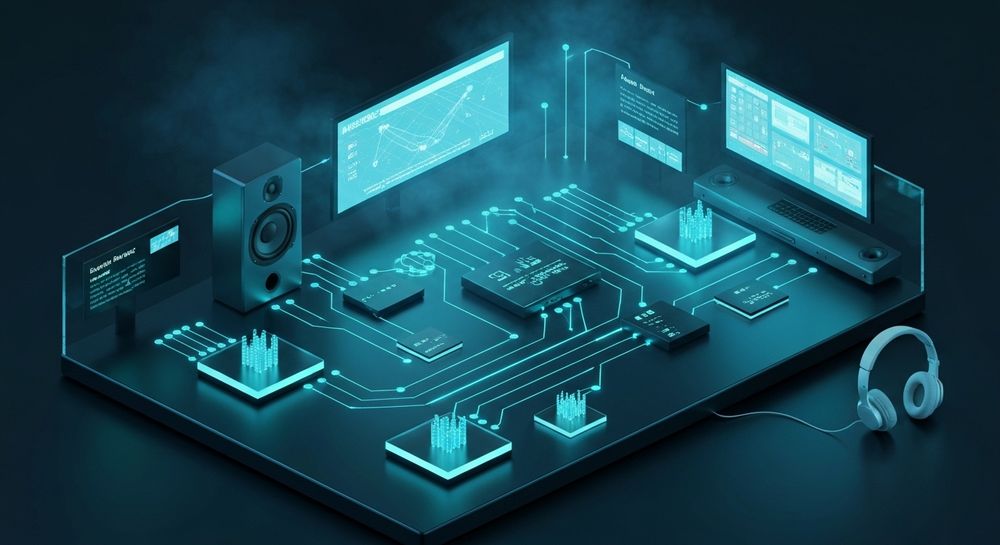
Most devices today are AI-ready, including:
- Smart Speakers: Amazon Echo, Google Nest, and Apple HomePod support voice commands for streaming services.
- Smartphones and Tablets: Built-in assistants like Siri, Google Assistant, and Bixby can synchronize with music apps.
- Wearables: Headphones and watches can trigger playback or playlist adjustments through voice.
- Desktop Interfaces: AI assistants integrated into apps help creators manage digital workstations and playlists.
By 2026, the integration of AI music assistants expanded to automotive entertainment systems and home streaming hubs. This means you can ask your car to play your Soundverse playlist or let your living room setup respond to dynamic mood commands.

How Can You Play Music Using a Virtual Assistant?
The process generally involves connecting your streaming account and issuing commands. Here’s how:
- Set Up Your Streaming Account: Link Spotify, YouTube Music, Apple Music, or Soundverse streaming service.
- Use Smart Speaker Voice Commands: Say a phrase such as “Play ambient music for relaxation” or “Play my evening playlist.”
- Adjust Controls: You can say “Next track,” “Volume up,” or “Play similar songs.”
- Automate Preferences: Use routines to trigger music automatically based on calendar events or activities.
The convergence of voice technology with AI playlist management created smarter routines—for example, your assistant could detect you’re cooking and queue upbeat kitchen soundtracks. For practical examples, watch Soundverse Tutorial Series - How to Make Music for an interactive walkthrough.
What Are the Benefits of AI Playlist Management?
AI playlist management combines recommendation systems, historical data, and sentiment analysis to tailor playlists in real time. Benefits include:
- Personalization: Your playlists adapt based on listening habits.
- Efficiency: Commands replace manual queueing.
- Discovery: AI surfaces new artists and genres you didn’t know you’d love.
- Integration: Works across devices and services.
This trend mirrors insights from Soundverse’s AI music industry trends report, showing that personalization became the dominant paradigm between 2024 and 2026.
How to Set Up Your Voice Assistant for the Best Music Experience
To maximize your AI assistant performance:
- Enable permissions for voice and app integration.
- Train your assistant with preferred genres and streaming apps.
- Set up a multi-room configuration if you use several smart speakers.
- Test commands such as “Play morning vibes” to confirm responsiveness.
- Calibrate sound output based on environment.
Smart speaker voice commands have matured into intuitive systems capable of contextual recognition. This means they remember your preferences even if spoken differently—“play workout tunes” and “start my fitness playlist” yield similar results.
How to Make Play Music with AI Assistant Setup More Advanced
If you want complex functionality, consider linking a creative music AI platform. Tools such as Soundverse AI Magic Tools enhance control, bringing composition and arrangement under a unified interface. Unlike traditional streaming assistants, Soundverse enables music creation through voice or text, not just playback.
Now that you understand how AI assistants manage and play music, let’s explore how you can do it directly using Soundverse Agent — a conversational music AI. You can also watch Soundverse Tutorial Series - Explore Tab to see how Soundverse tools integrate into the platform.
How to Make Play Music with AI Assistant with Soundverse Agent
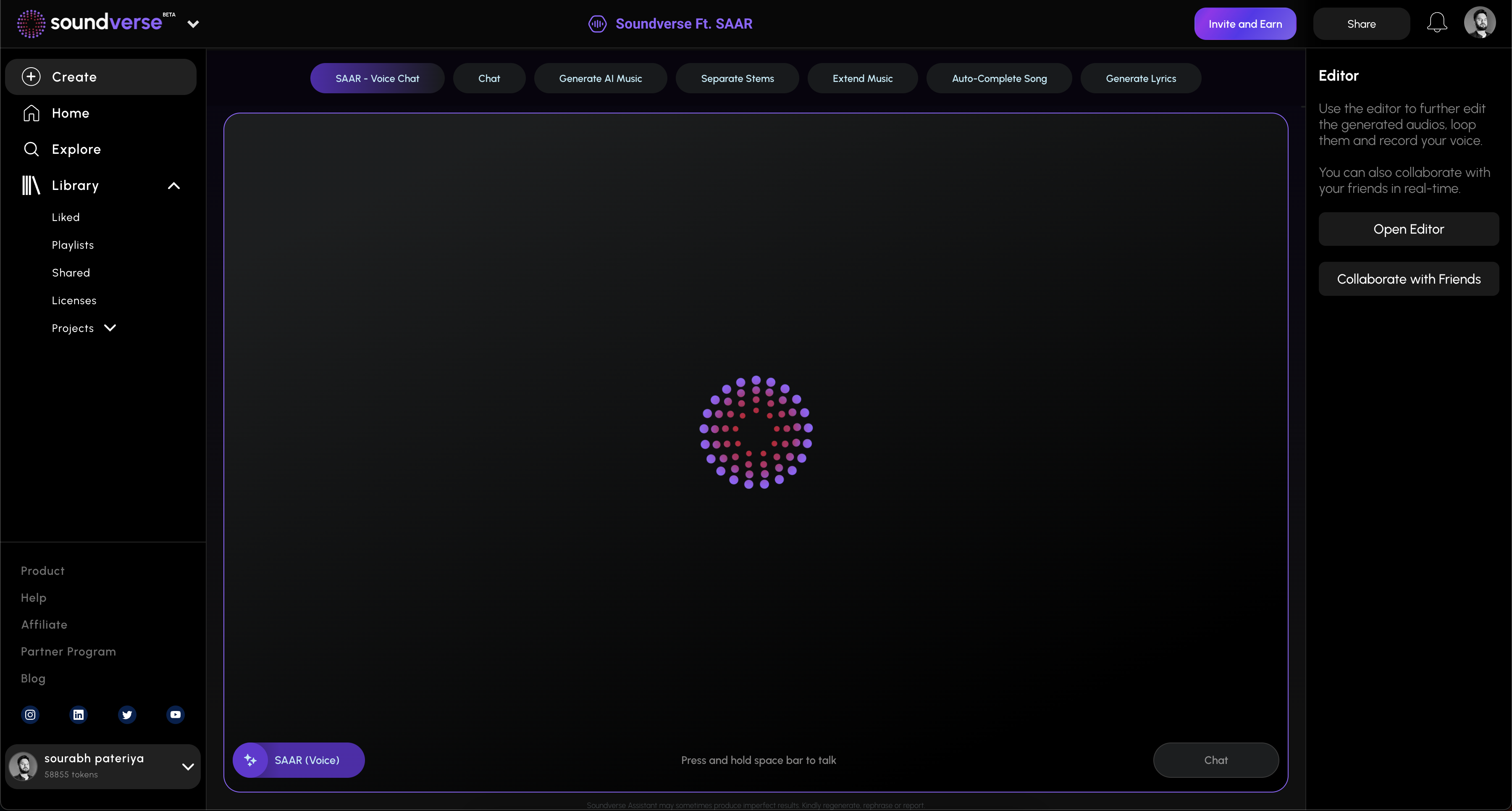
Soundverse Agent is Soundverse’s conversational AI music assistant that acts as a centralized controller for creative workflows. It doesn’t just play songs—it interprets complex natural language requests and unifies multiple tools under one system.
Step 1: Overview
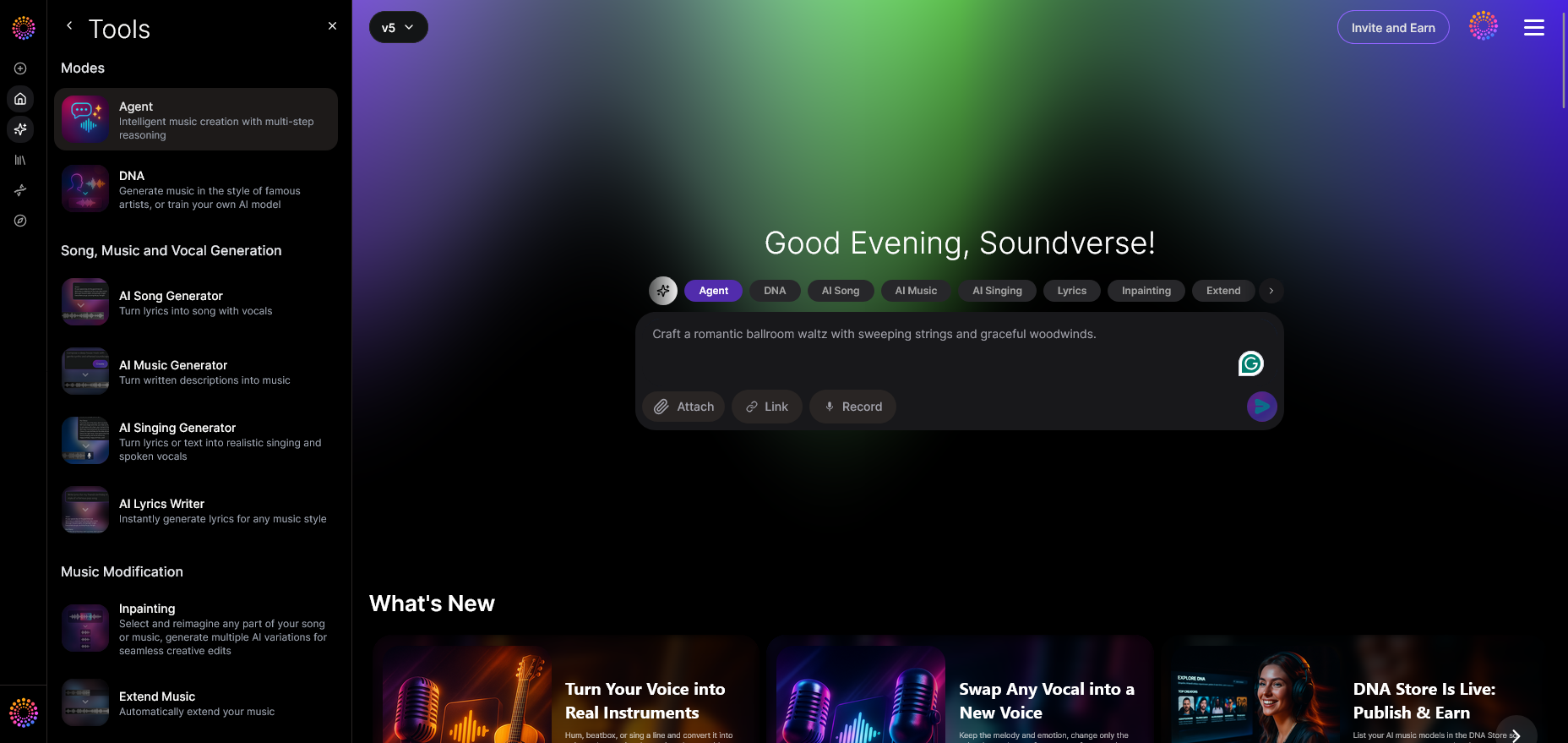
When you open Soundverse Agent, you see a simple interface designed for natural dialogue. You can type or speak requests like “create a pop song and remove drums.” The system’s contextual memory lets it recall prior instructions. This aligns with insights from AI Practice Tools for Musicians: The Complete 2026 Guide, showing how natural language commands drive AI music creation.
Step 2: Reference Audio
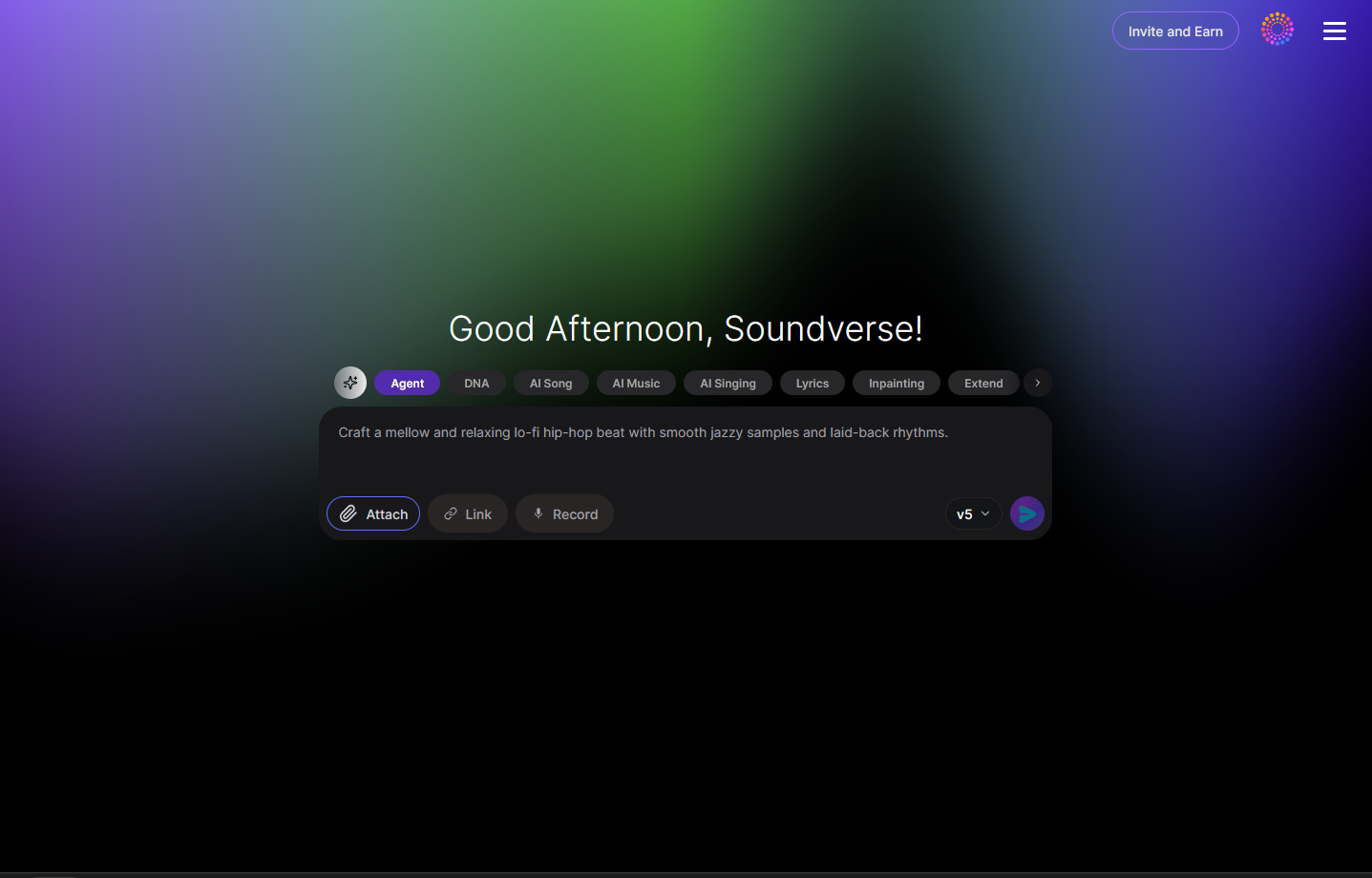
If you want the AI to mimic a style, attach a reference track. This helps the assistant understand the vibe or instrumentation through intelligent audio mapping.
Step 3: Attach Button
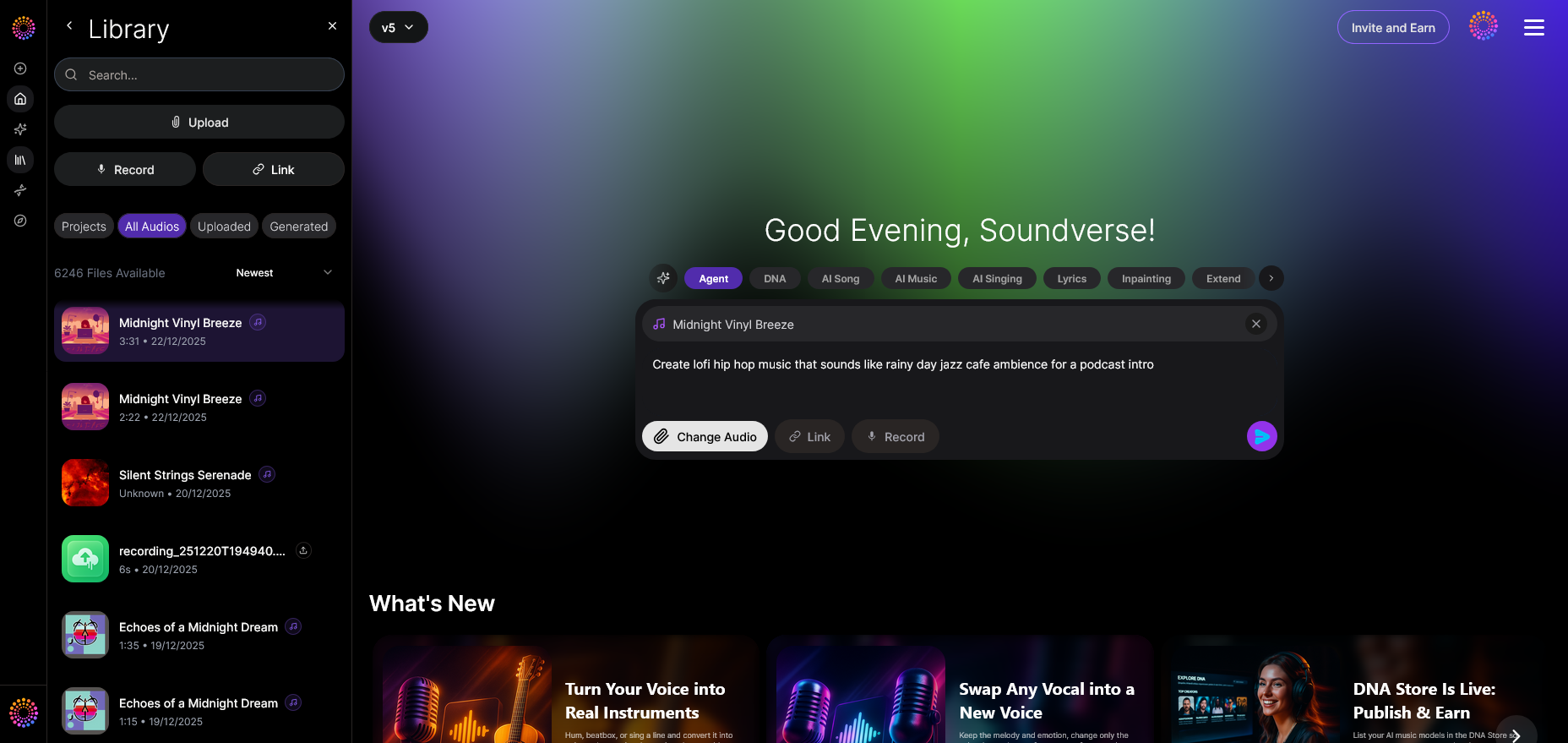
Using the file dialog, select local files or reference audio. The Agent accepts supported formats for orchestration.
Step 4: Submit Request
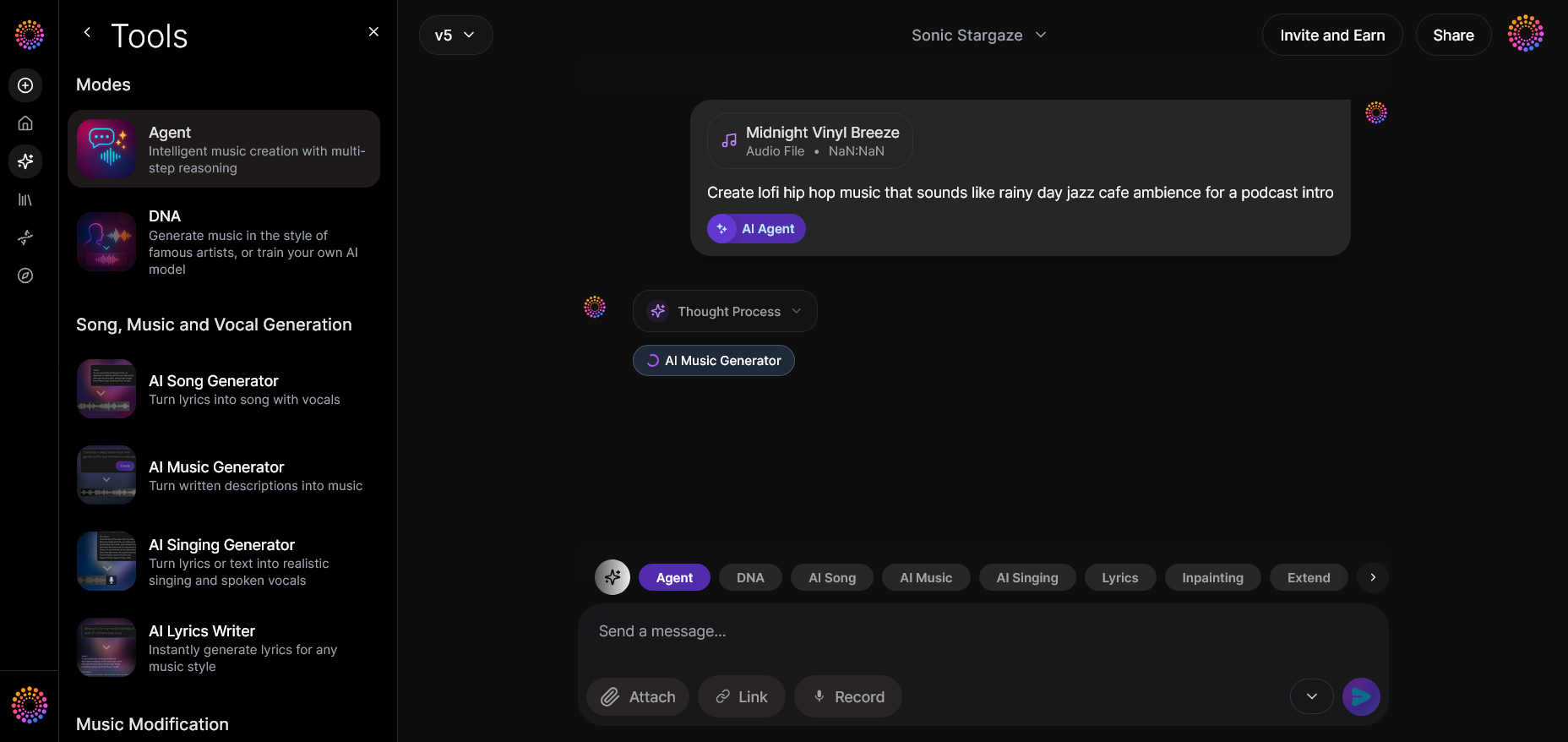
Once your setup is ready, hit the Submit button. The AI interprets your request, executes multi-step reasoning, and processes through the platform’s backend.
Step 5: Review Output
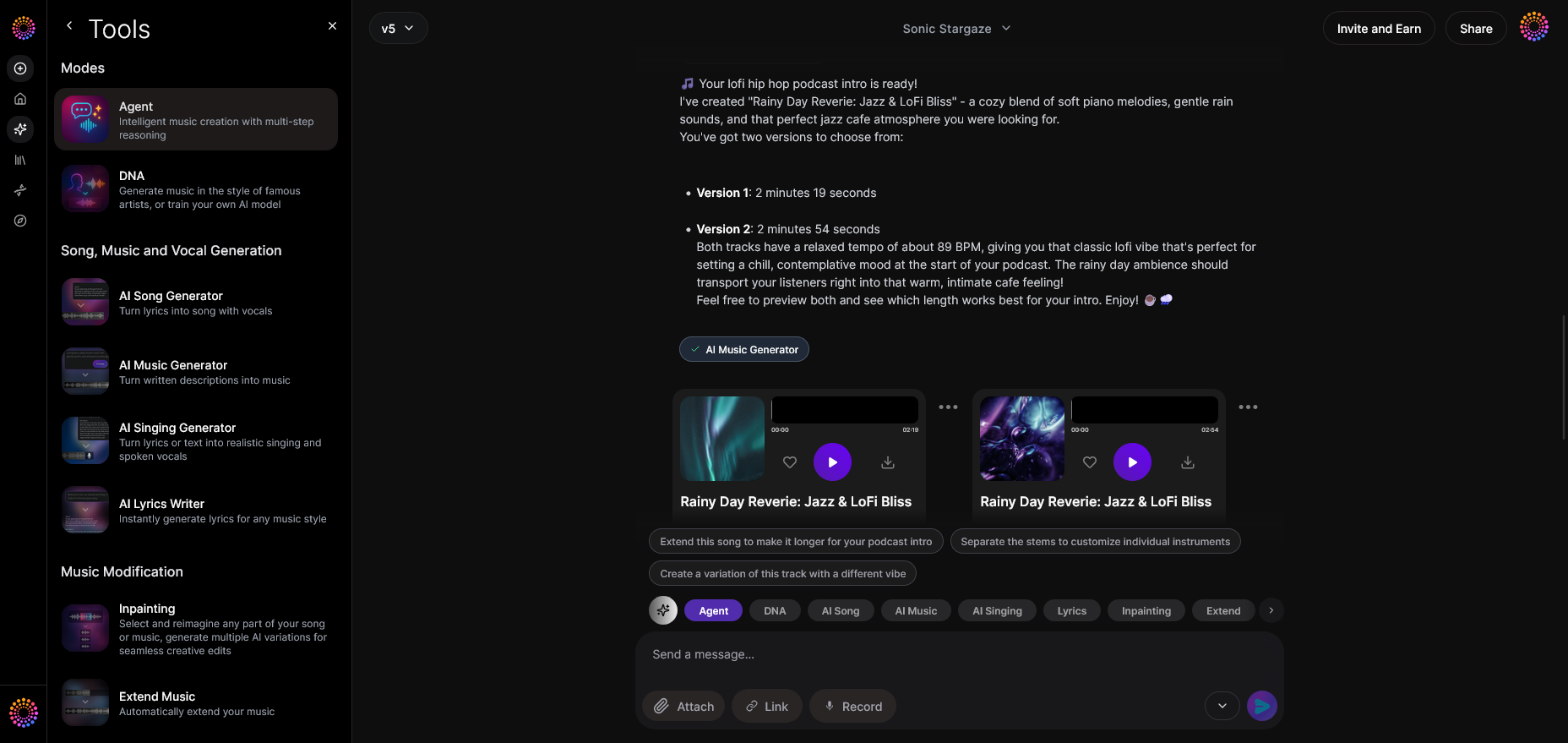
After the generation process, you’ll see the resulting audio displayed. You can playback and check versions directly within the platform.
Step 6: Refine Conversation
Not satisfied with the first result? You can continue chatting with the Agent—say “extend the bridge” or “add percussion.” With contextual memory, it integrates updates seamlessly.
Step 7: Advanced Controls
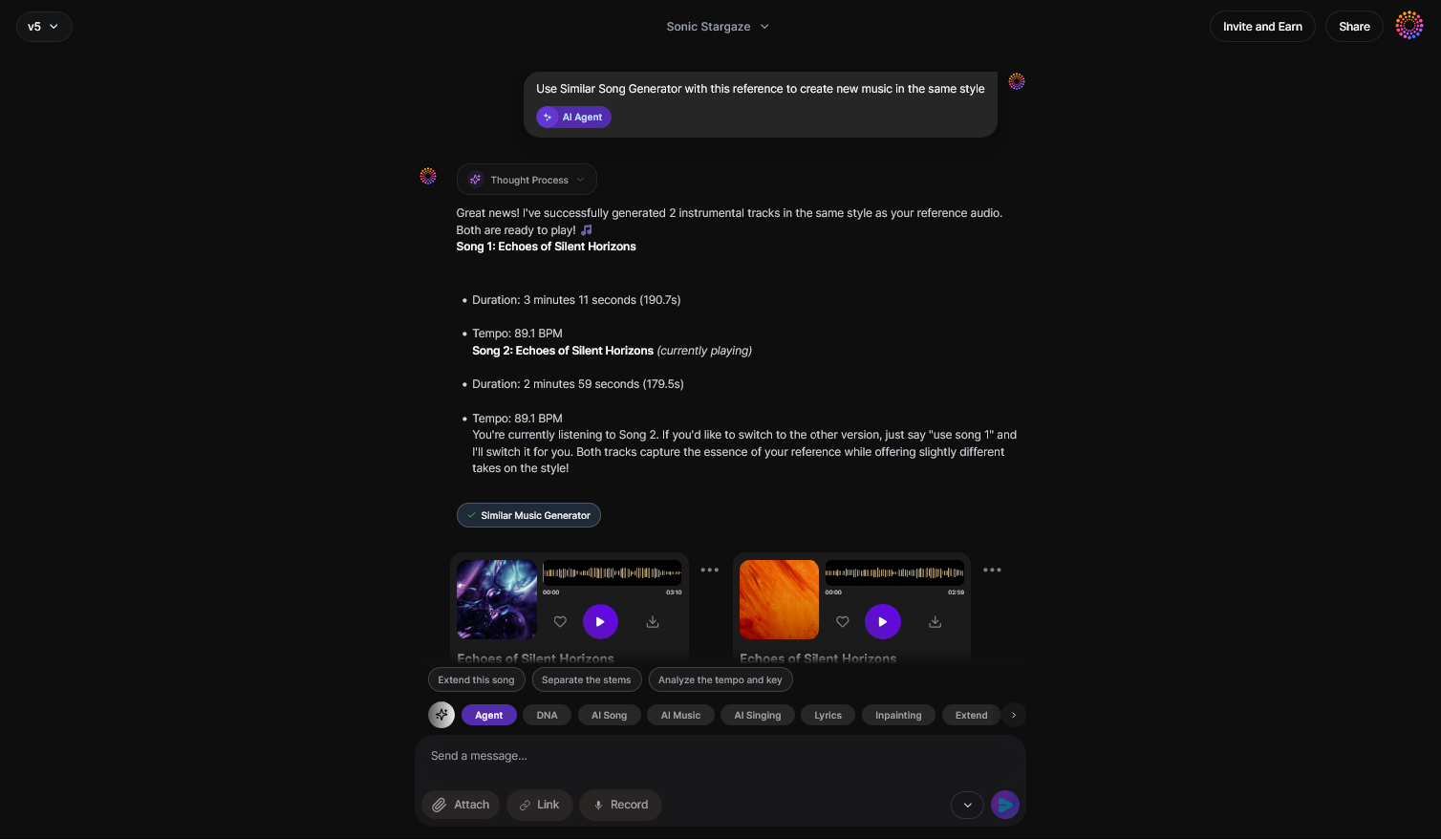
Through the advanced options, select different underlying tools like the AI Music Generator (for instrumentals) or the AI Song Generator (for full vocals). These tools operate asynchronously, ensuring detailed music generation.
Step 8: Export Options
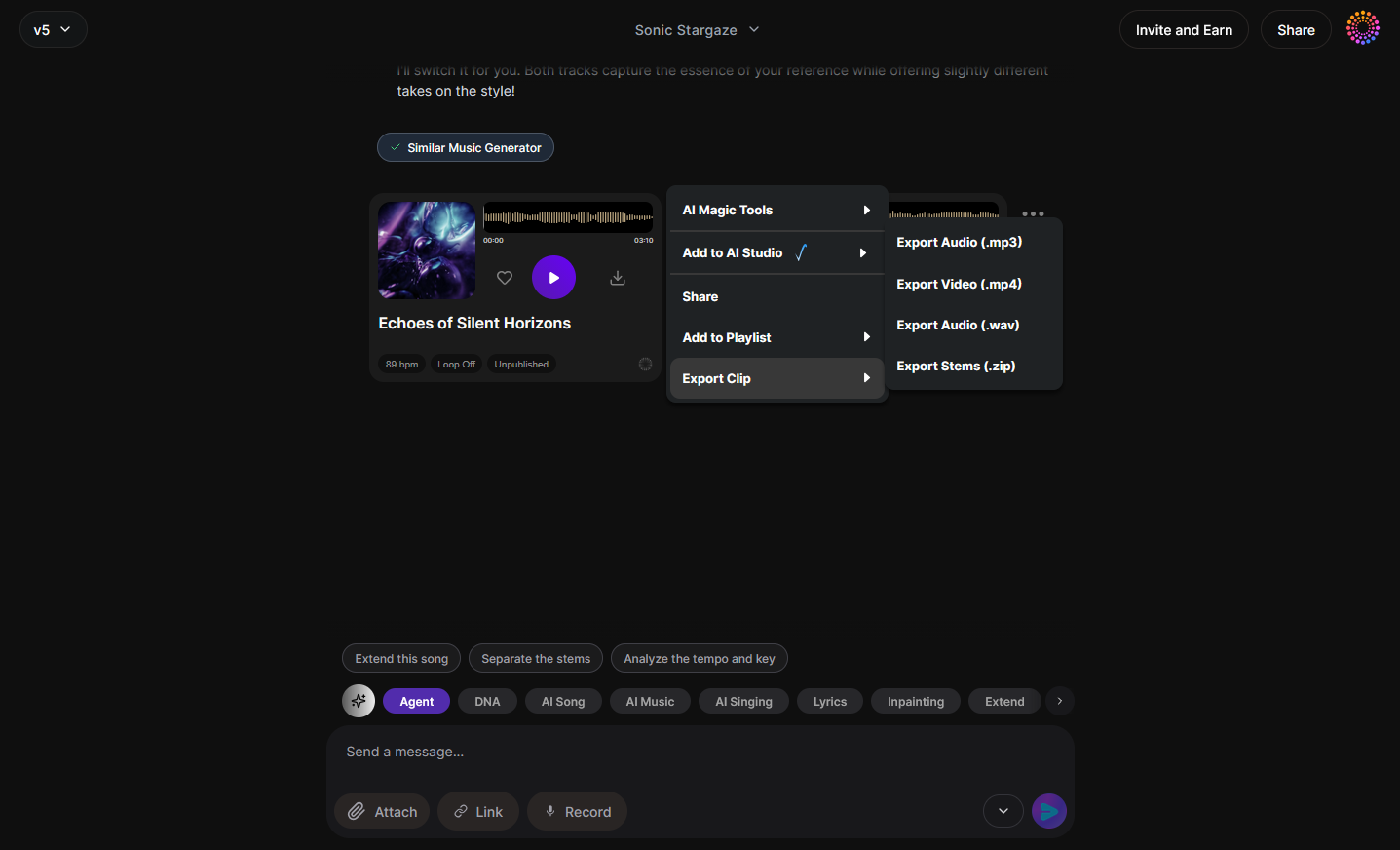
Once your track is complete, export using the menu. Supported formats include WAV and MP3, ideal for distribution or remixing. For visual learners, check out Soundverse Tutorial Series - Make Deep House Music.
Step 9: New Conversation
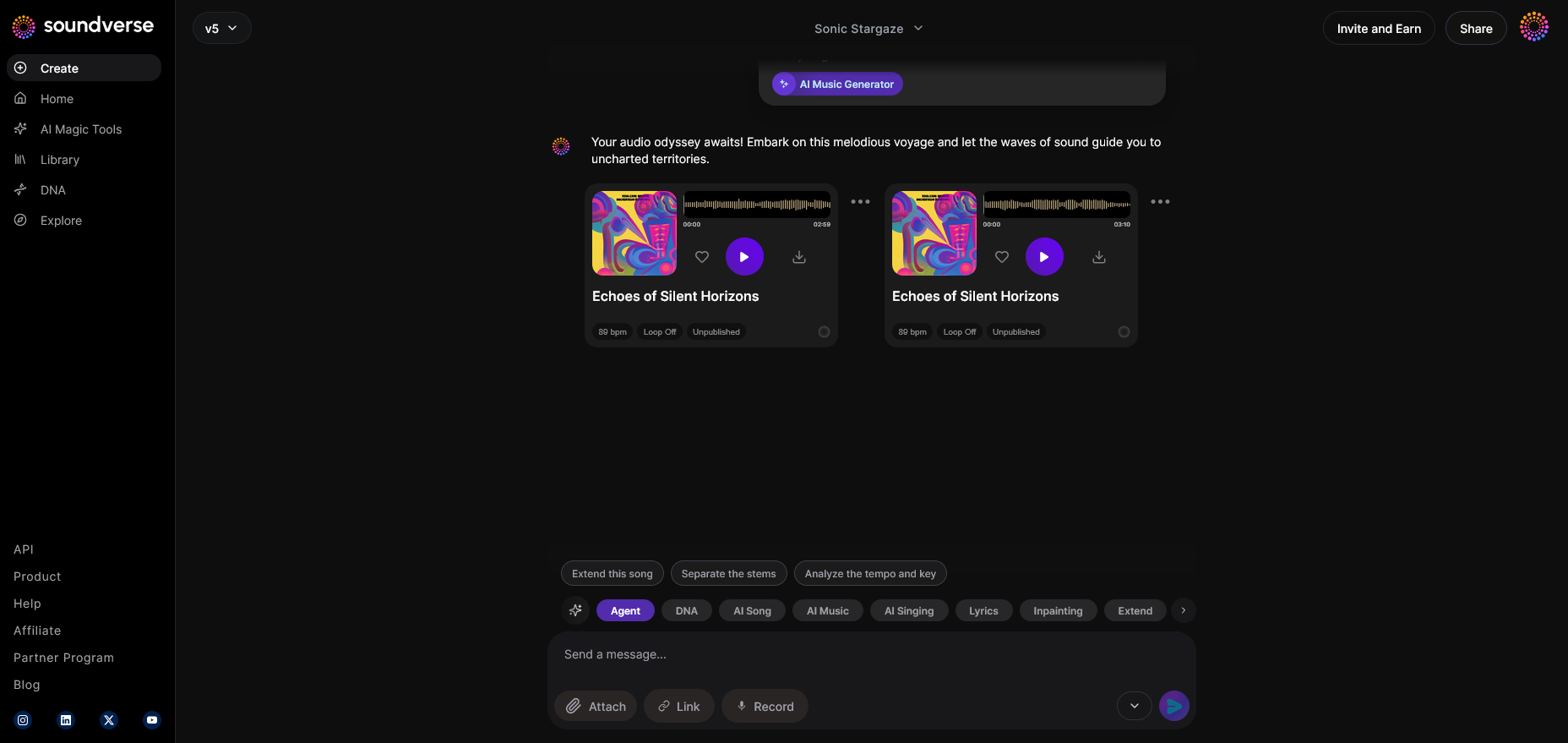
Want a fresh project? Click “New Conversation” to reset context and start another creative journey.
Why Soundverse Agent Is Unique in 2026
Soundverse Agent’s multi-step orchestration enables beginners and producers alike to enjoy an intelligent workflow. Beginners can craft tracks without technical skill, while professionals can automate tasks like separating stems or re-arranging sections. The integration with Arrangement Studio offers detailed editing post-generation.
It also pairs seamlessly with Soundverse’s suite: the AI Music Generator for background tracks or beats, and the AI Song Generator for complete vocal compositions. Whether you want ambient loops or pop anthems, you can create, control, and play everything through a unified AI conversation. This supports findings from AI Music Accessibility Tools: Empowering Inclusive Music Creation about accessible intelligent workflows for creators.
Final Thoughts: The Future of Playing Music with AI Assistants
By 2026, the line between music creation and playback blurs. Users expect contextual interaction—where “play my latest Soundverse creation” triggers both browsing and production through conversational AI. Innovations outlined in Soundverse’s AI revolution indicate that assistants are evolving from passive playback tools into cooperative creative partners.
Playing music with an AI assistant now means directing a creative orchestra from your voice, where command phrases initiate composition, streaming, or playlist management instantly. The Soundverse Agent exemplifies this future, merging voice control, AI reasoning, and automation—all tuned for a personalized music journey.
Soundverse shows that listening and creating are no longer separate experiences—they are part of a continuous dialogue between humans and intelligent tools. If you’re ready to explore next-generation AI music setups, check out Soundverse’s text-to-music generation article and join a community shaping how music will sound in 2026 and beyond.
Start Creating Music with Your AI Assistant Today
Transform the way you compose, mix, and play music using Soundverse’s intelligent AI tools. Experience effortless creativity and personalized sound generation in just a few clicks.
Try Soundverse Free
Related Articles
- Soundverse Assistant: Your AI Music Co-Producer — Discover how Soundverse’s AI Assistant can co-create, refine, and enhance your music, acting as your digital creative partner.
- Generate AI Music with Soundverse Text-to-Music — Learn how to turn simple text prompts into complete songs using Soundverse’s text-to-music technology.
- Soundverse SAAR: AI Voice Assistant — Explore Soundverse SAAR, the intelligent AI voice assistant that makes music creation even more interactive and intuitive.
- What AI Can Generate Songs — Understand the different AI technologies powering modern music generation and see which platforms lead the way.
Here's How to Make AI Music with Soundverse
Video Guide

Here’s another long walkthrough of how to use Soundverse AI.
Text Guide
- To know more about AI Magic Tools, check here.
- To know more about Soundverse Assistant, check here.
- To know more about Arrangement Studio, check here.
Soundverse is an AI Assistant that allows content creators and music makers to create original content in a flash using Generative AI.
With the help of Soundverse Assistant and AI Magic Tools, our users get an unfair advantage over other creators to create audio and music content quickly, easily and cheaply.
Soundverse Assistant is your ultimate music companion. You simply speak to the assistant to get your stuff done. The more you speak to it, the more it starts understanding you and your goals.
AI Magic Tools help convert your creative dreams into tangible music and audio. Use AI Magic Tools such as text to music, stem separation, or lyrics generation to realise your content dreams faster.
Soundverse is here to take music production to the next level. We're not just a digital audio workstation (DAW) competing with Ableton or Logic, we're building a completely new paradigm of easy and conversational content creation.
TikTok: https://www.tiktok.com/@soundverse.ai
Twitter: https://twitter.com/soundverse_ai
Instagram: https://www.instagram.com/soundverse.ai
LinkedIn: https://www.linkedin.com/company/soundverseai
Youtube: https://www.youtube.com/@SoundverseAI
Facebook: https://www.facebook.com/profile.php?id=100095674445607
Join Soundverse for Free and Make Viral AI Music

We are constantly building more product experiences. Keep checking our Blog to stay updated about them!