How to Make Your Own Sound on TikTok in 2026: Full Guide for Creators
Learn how to make your own sound on TikTok using Soundverse DNA and create viral custom audio clips in 2026.
How to Make Your Own Sound on TikTok
TikTok continues to dominate the social media landscape in 2026, setting the pace for music discovery, viral trends, and creative expression. Whether you're an influencer, musician, or casual creator, knowing how to make your own sound on TikTok can be your secret weapon for standing out. Custom audio clips elevate content, support sonic branding, and help creators tap into the platform’s algorithmic potential for originality.
Why should you make your own sound on TikTok in 2026?
Since TikTok’s algorithm rewards novelty and creativity, original audio has become a signature element of viral posts in 2026. Instead of recycling trending sounds, creators are focusing on producing custom TikTok audio to express individuality and distinguish their content from the crowd. Original sounds also enable thematic storytelling—be it comedy, motivation, lifestyle, or brand storytelling—and help establish recognizable audio identities.
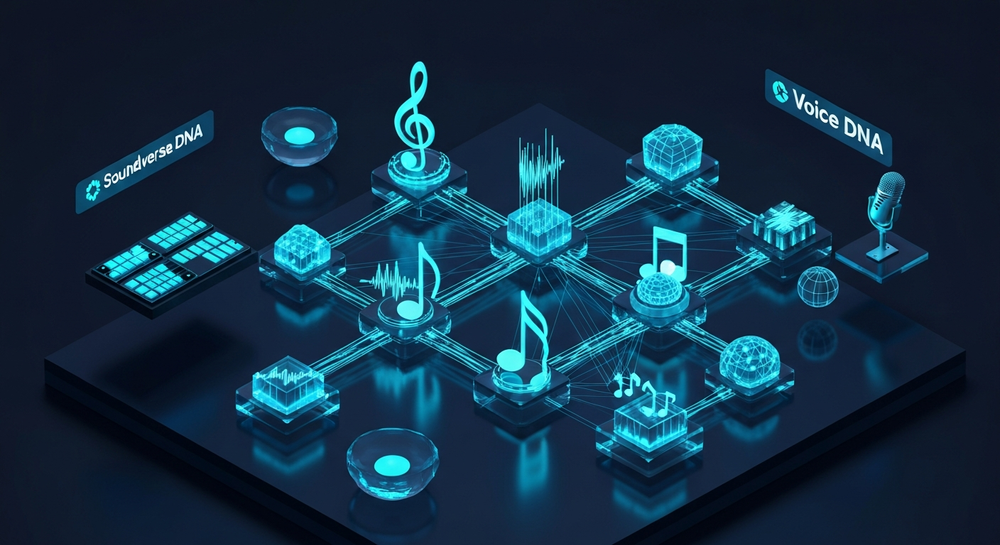
The past few years (2024–2025) marked a surge in AI-assisted music creation, leading into 2026 where copyright-safe generative tools have become essential for creators. Platforms that guarantee ownership and licensing rights, like Soundverse, empower users to create without fear of takedowns or copyright strikes.
How to make your own sound on TikTok with Soundverse DNA
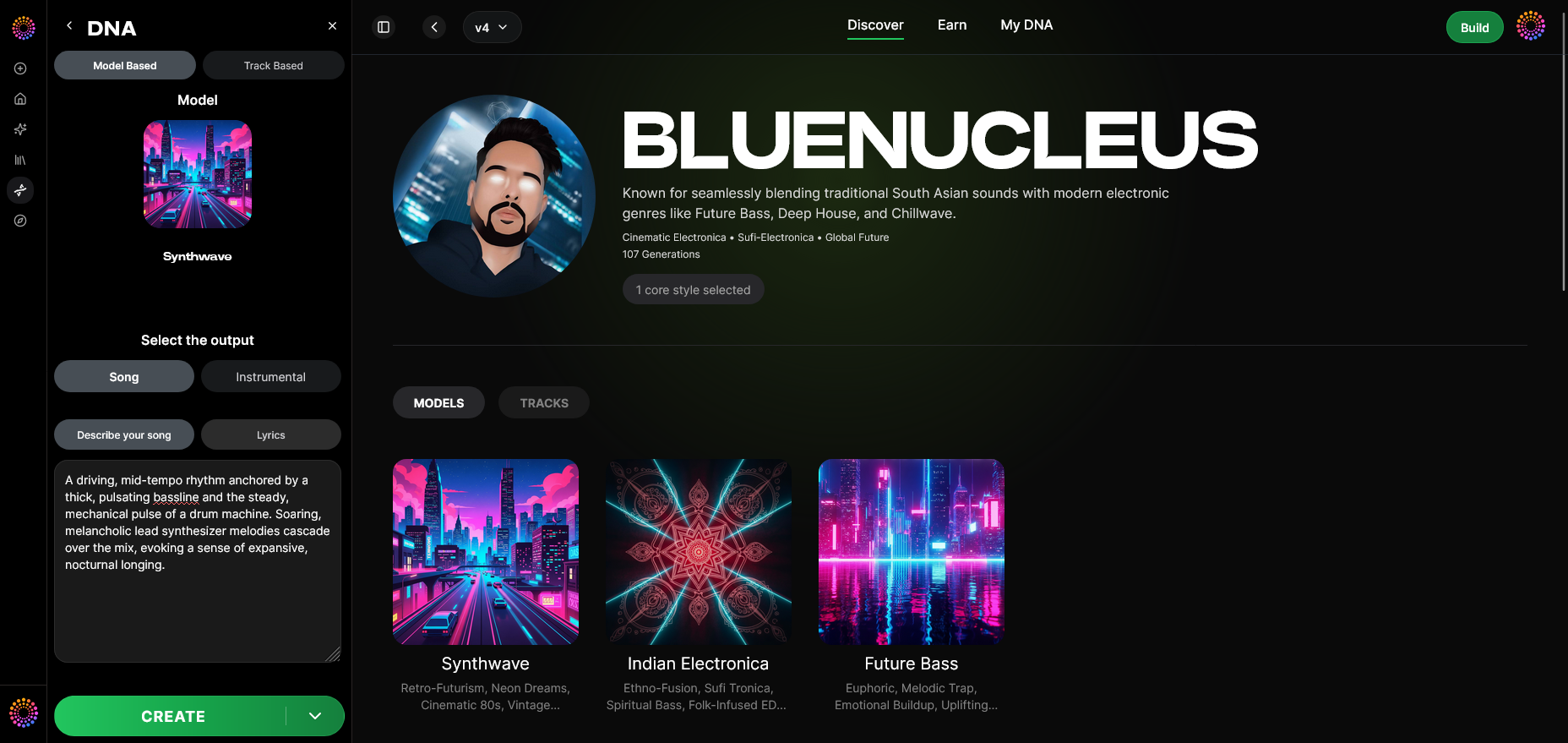
Soundverse DNA is an artist-trained AI music generation system designed to create entirely original music based on specific sonic identities. Trained only on licensed catalogs, it solves ethical and copyright issues, and allows artists to monetize their unique sound style. For TikTok creators, this translates into an easy, secure way to generate distinctive, copyright-safe tracks for videos.
Core Capabilities of Soundverse DNA:
- Full DNA (Songs/Instrumentals): Generate complete musical works with consistent thematic elements.
- Voice DNA (Vocal timbre/style): Create or replicate a unique vocal personality for choreography, storytelling, or reaction videos.
- DNA Marketplace: License an artist’s model so fans can generate content inspired by their sound.
- Sensitivity Selector: Choose how close or experimental your new tracks are compared to the source catalog.
- Private Mode: Secure workflow for creators who need exclusive or confidential co-creations.
These tools make Soundverse an all-in-one solution for TikTok sound creation. Compared to apps such as Mubert or Soundraw, Soundverse stands out for its DNA approach, ensuring every piece you generate aligns with licensed, monetizable ethics. For more reading on AI-driven originality, explore Soundverse’s breakdown of AI Magic Tools or music industry trends.
For a deeper dive, watch our guide on creating Deep House music or explore the Soundverse “Explore” Tab walkthrough.
Step-by-Step Guide: Make Your Own Sound on TikTok Using Soundverse DNA
Step 1: Overview
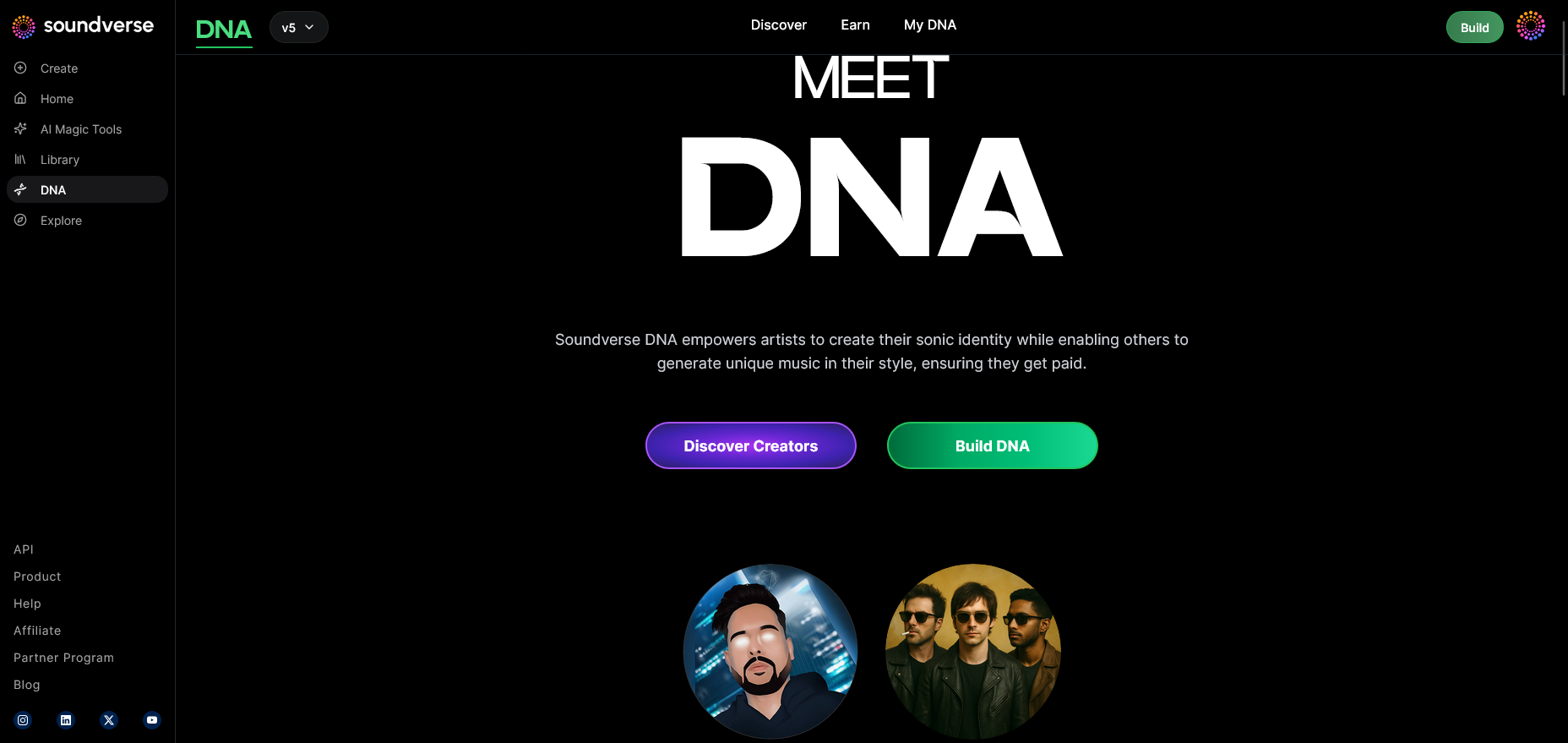
Start by signing in to Soundverse and activating DNA Mode. In 2026, this mode is optimized for TikTok creators who want quick and copyright-safe music generation for short-form content.
Step 2: Dashboard
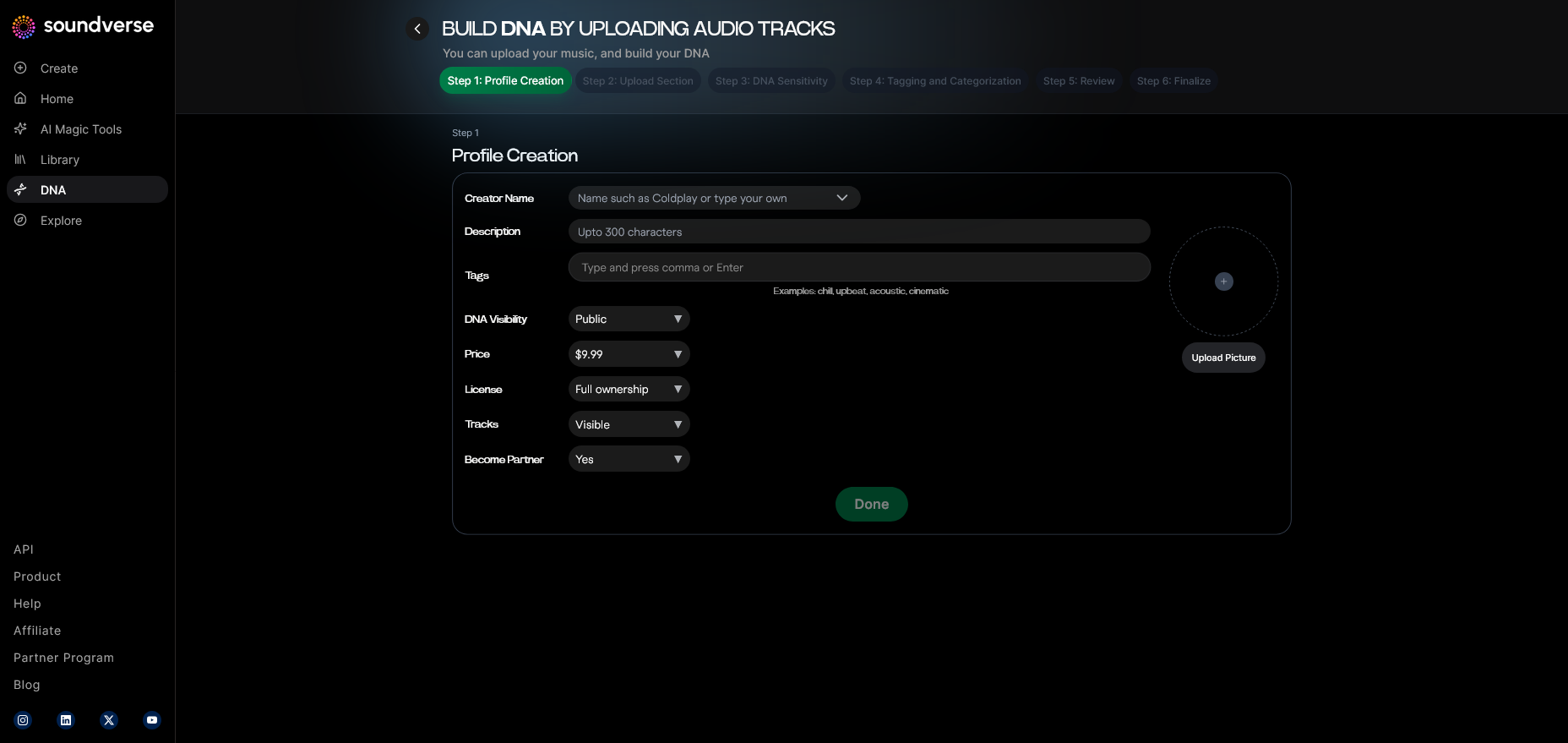
Access your My DNA dashboard. This is your central content hub for managing audio models, previously generated tracks, and active sound licenses.
Step 3: Creator Profile
Set up your Creator Profile. This profile represents your audio identity and connects your productions to your TikTok presence, enabling consistent branding.
Step 4: DNA Type Selection
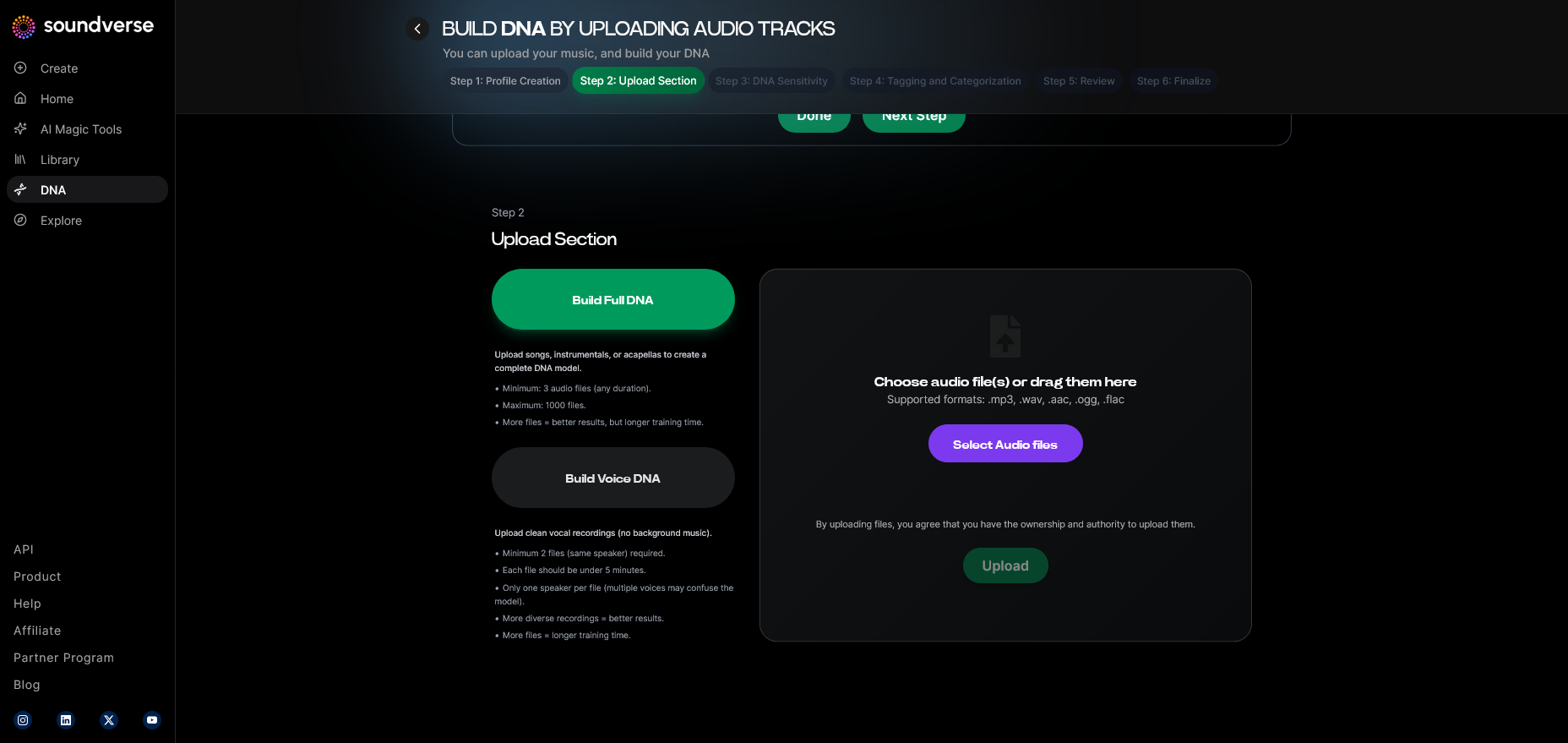
Choose between Full DNA (song or instrumental) and Voice DNA (vocal timbre). Creators often prefer Voice DNA for reaction or lip-sync clips, and Full DNA for entire musical soundscapes.
Step 5: Upload Files
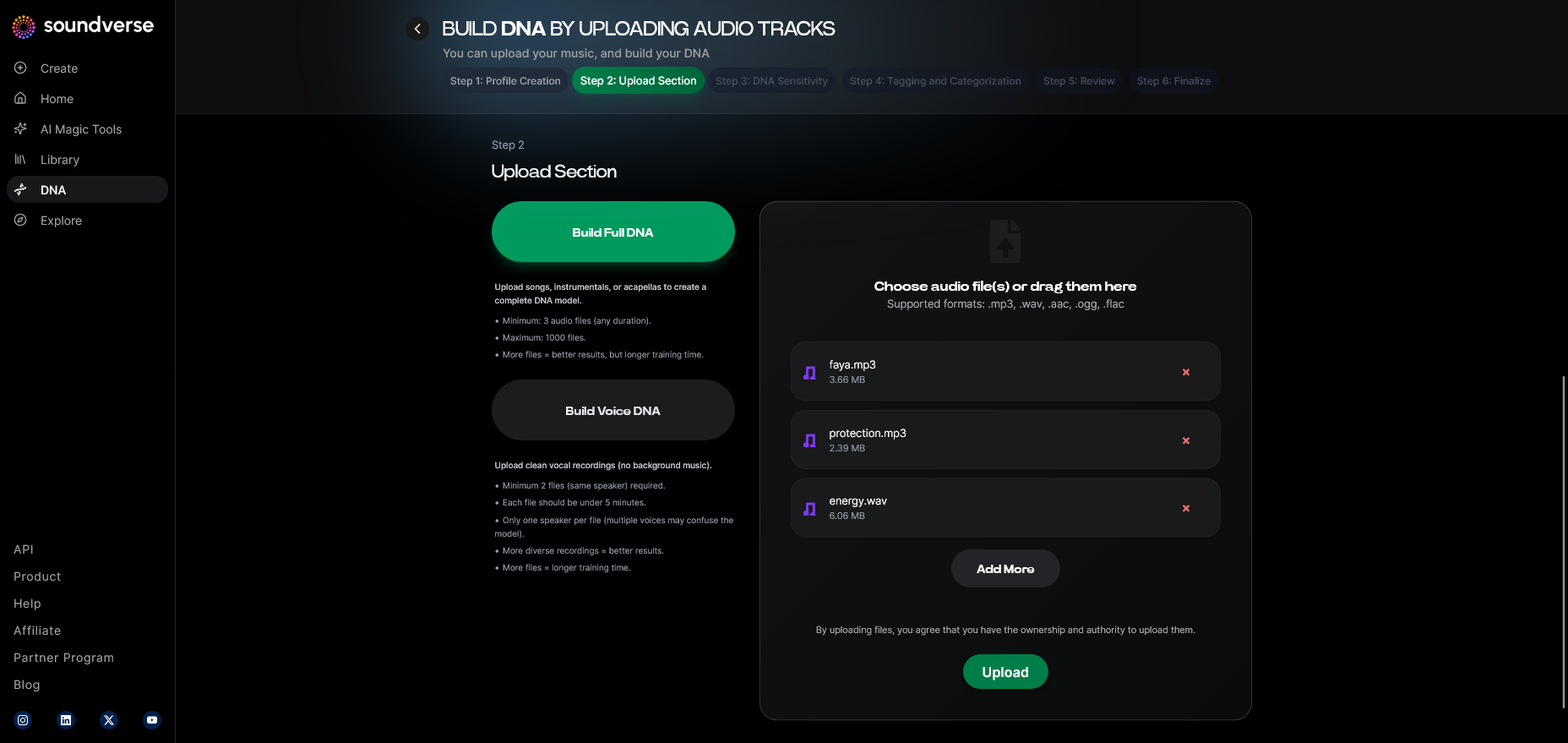
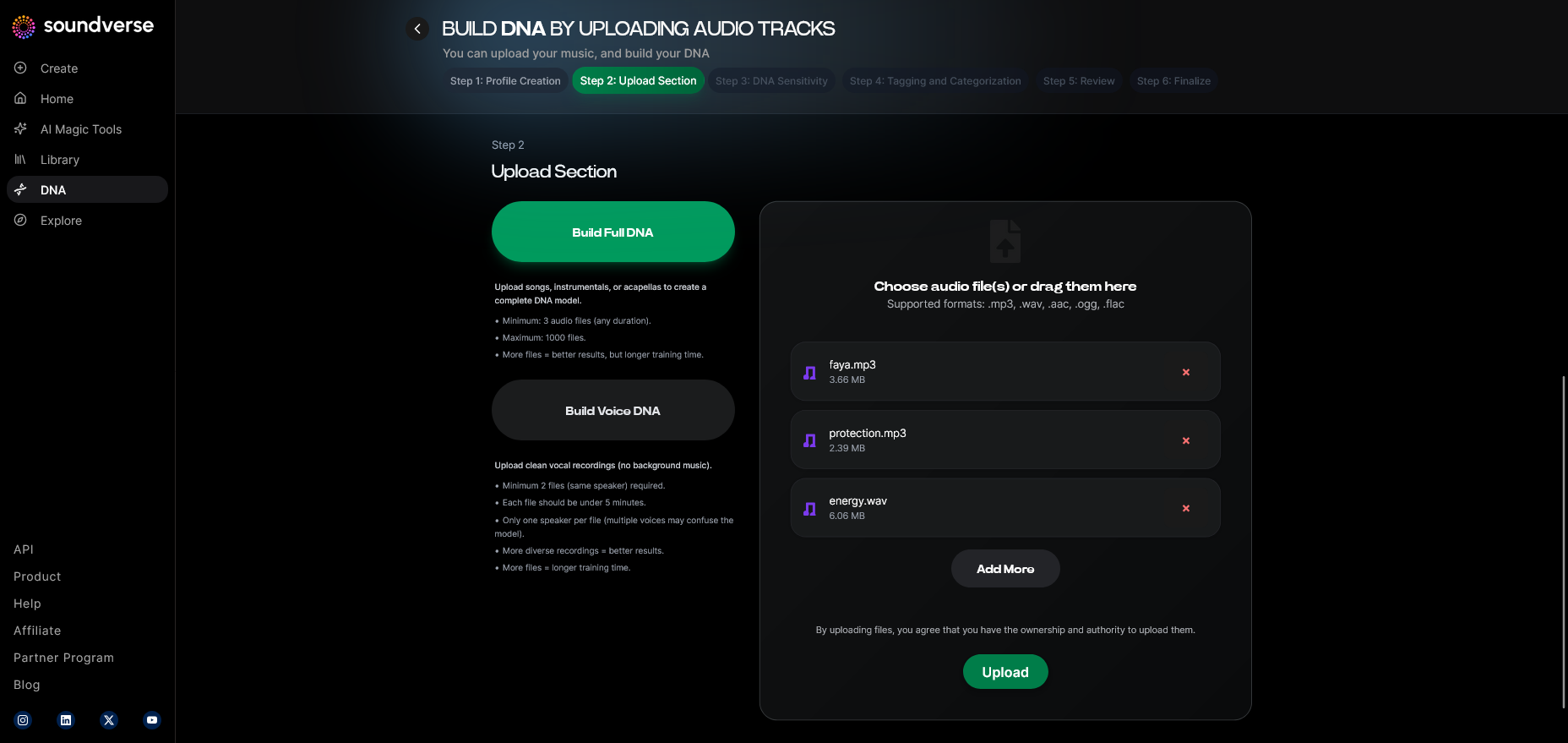
Upload reference audio from your collection if you wish Soundverse to learn your sonic tone. This could be snippets of old instrumentals, beats, or vocal phrases.
Step 6: Sensitivity Setting
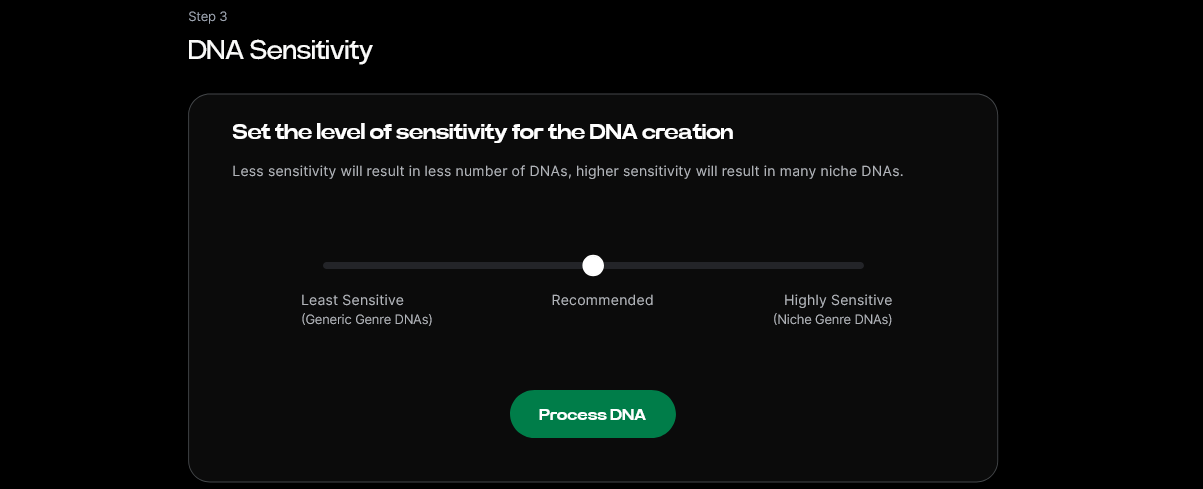
Adjust the Sensitivity Selector slider. Lower sensitivity results in tighter resemblance to your reference sound; higher values yield more experimental sound profiles.
Step 7: Auto Tagging
Soundverse automatically generates metadata tags to optimize search visibility within its system—keywords like genre, mood, or emotion make generated tracks easy to organize.
Step 8: Review & Publish
Preview your DNA configuration and publish the model. This step makes your audio identity available in private or marketplace modes depending on your preference.
Step 9: Generation Panel
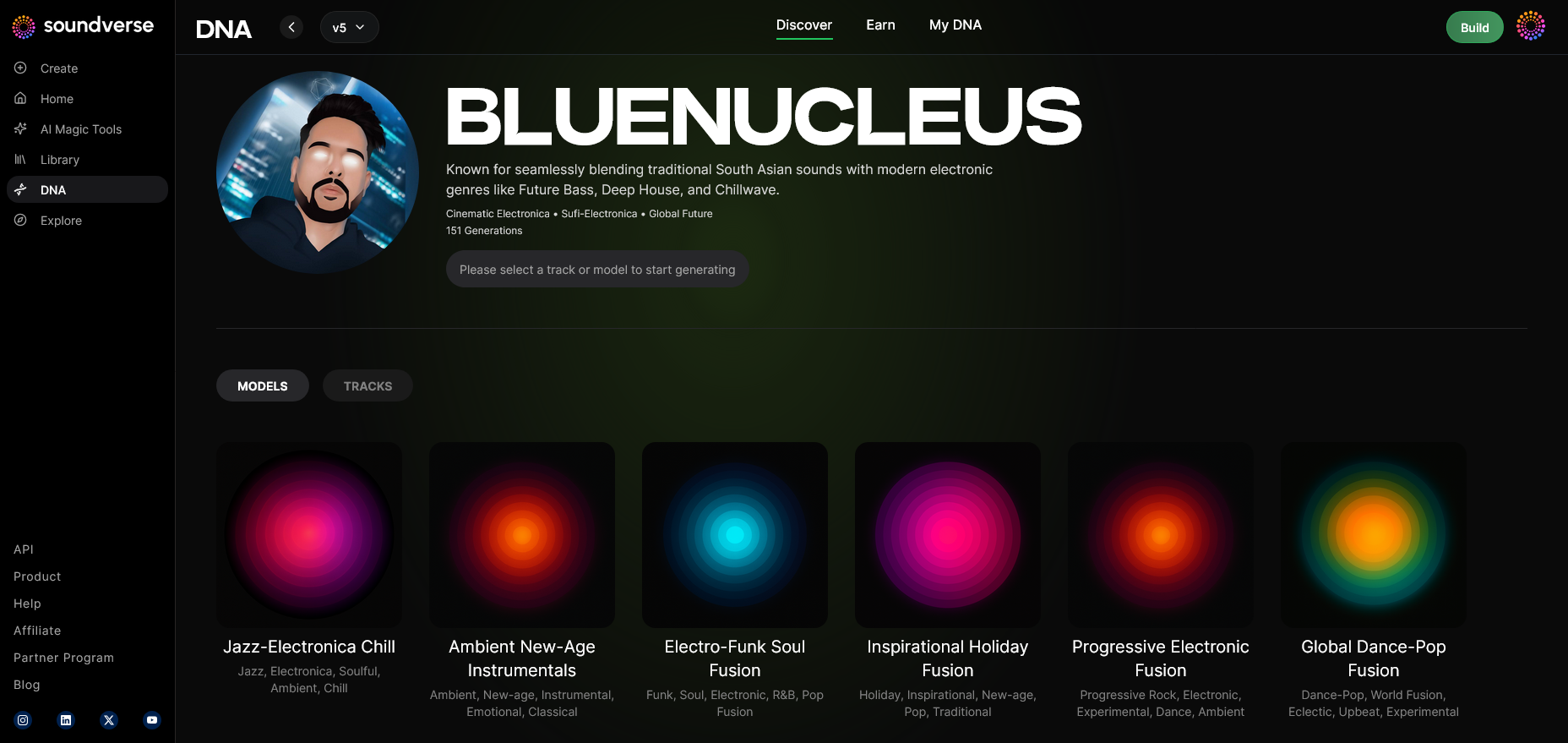
Navigate to the DNA Music Generation panel. Here you describe the mood or concept of the TikTok clip you’re planning—e.g., “energetic fashion intro” or “slow-motion cinematic moment.”
Step 10: Model-Based Mode
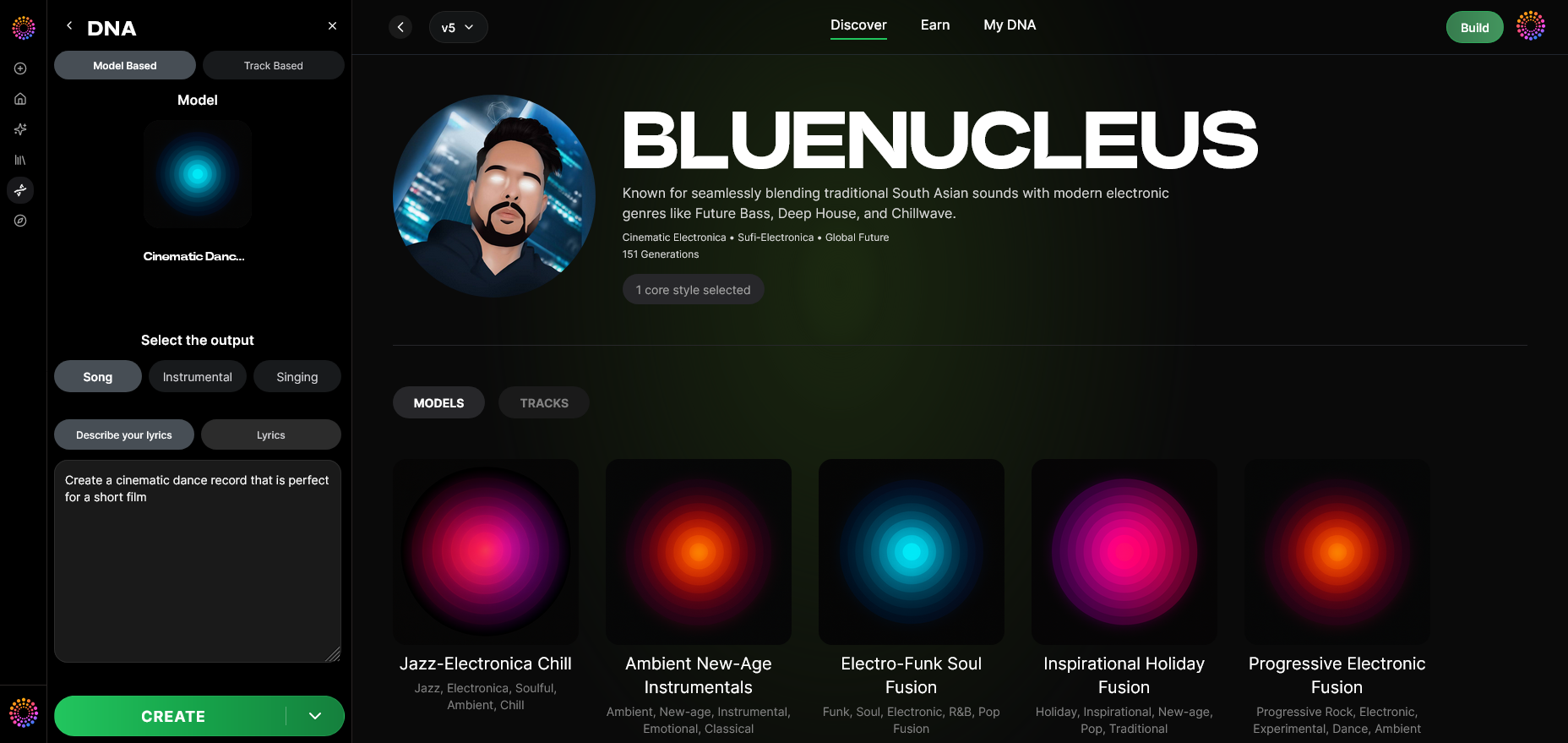
Toggle Model-Based Mode to generate music directly with your custom DNA profile. It ensures stylistic coherence between your TikTok sounds.
Step 11: Output Type
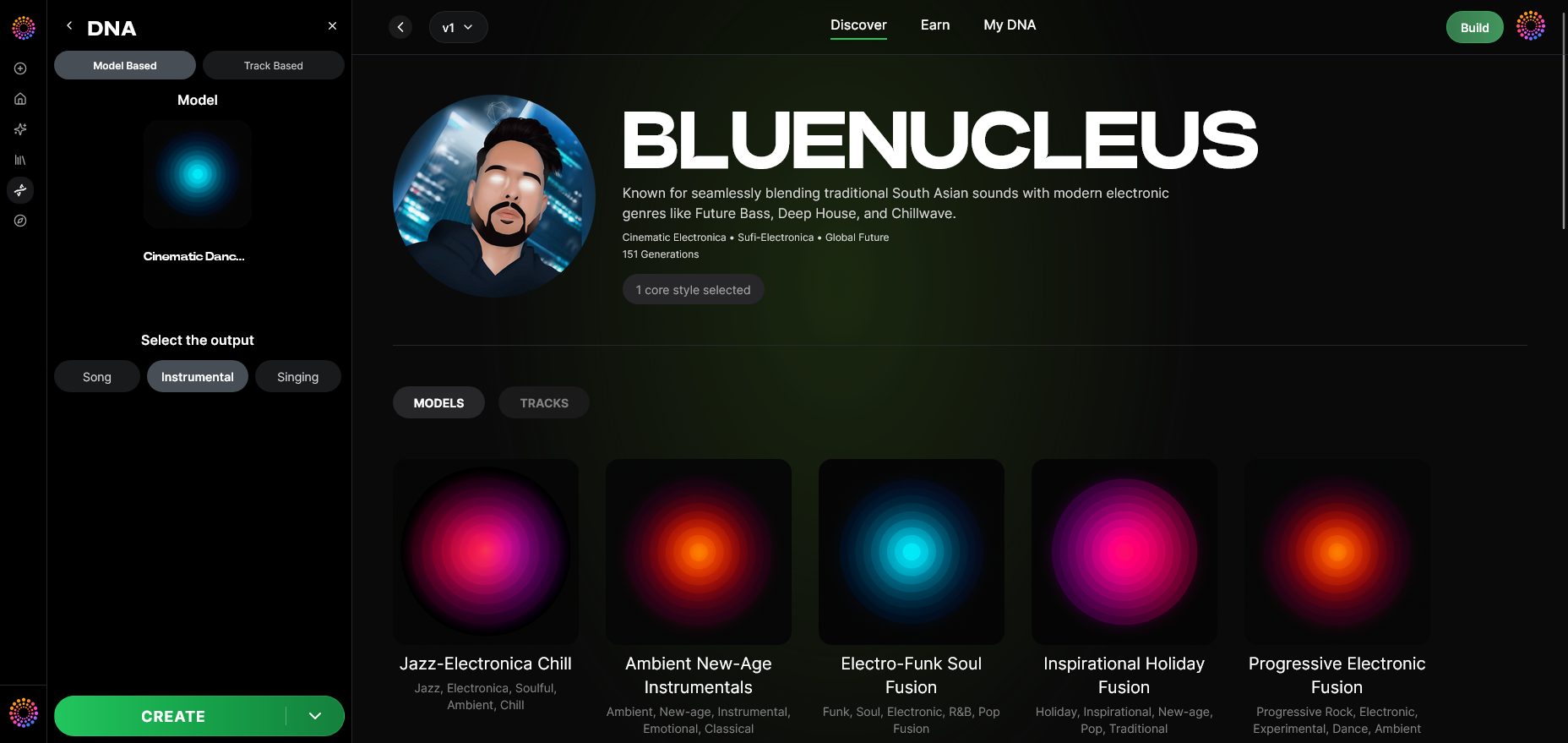
Select your Output Type—song, instrumental, or vocal. For TikTok, short instrumentals typically perform best for trends and transitions.
Step 12: Prompt Type
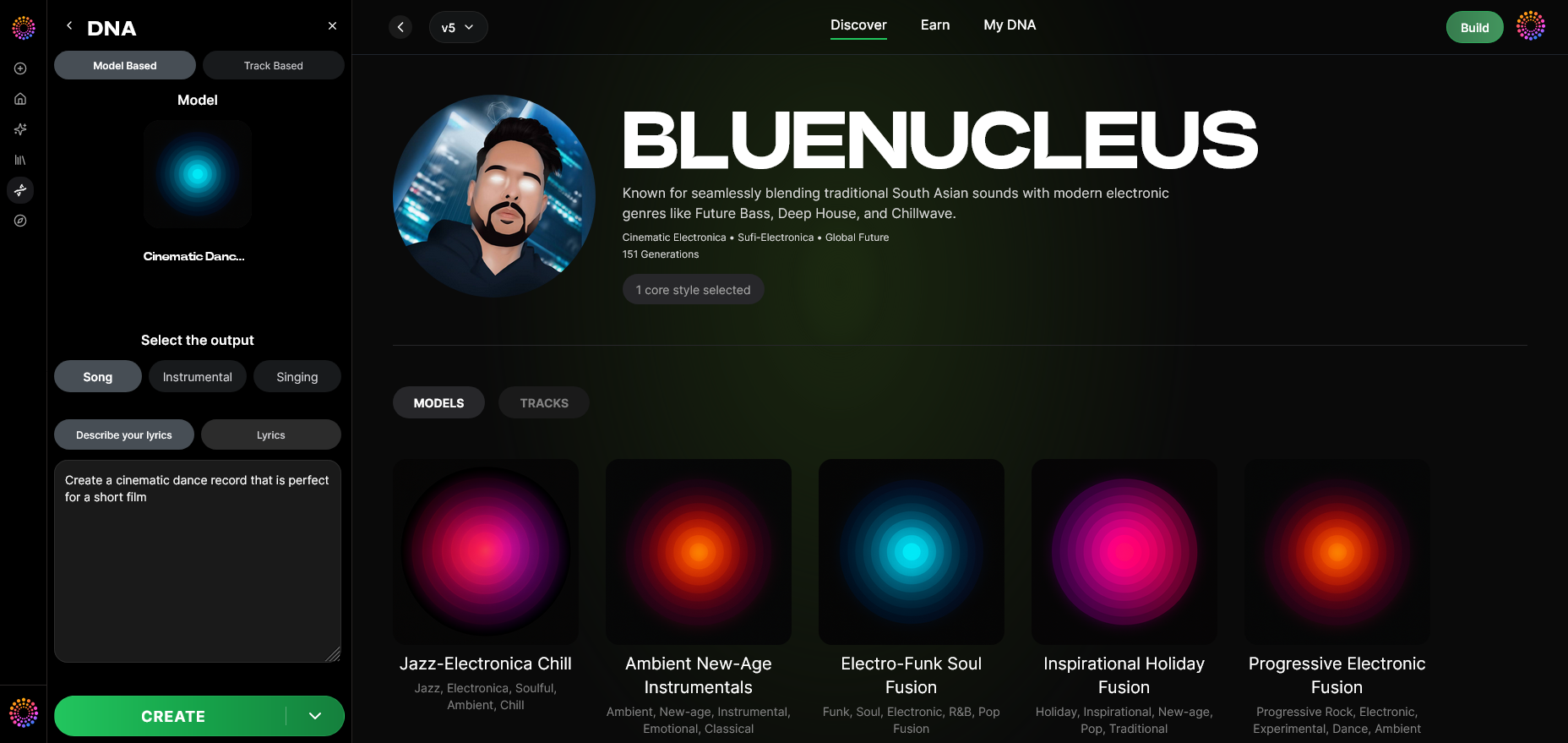
Choose text description, audio reference, or emotion-driven prompt. For instance, type “dreamy vaporwave vibe” or “motivational hip-hop drop.”
Step 13: Generation Complete
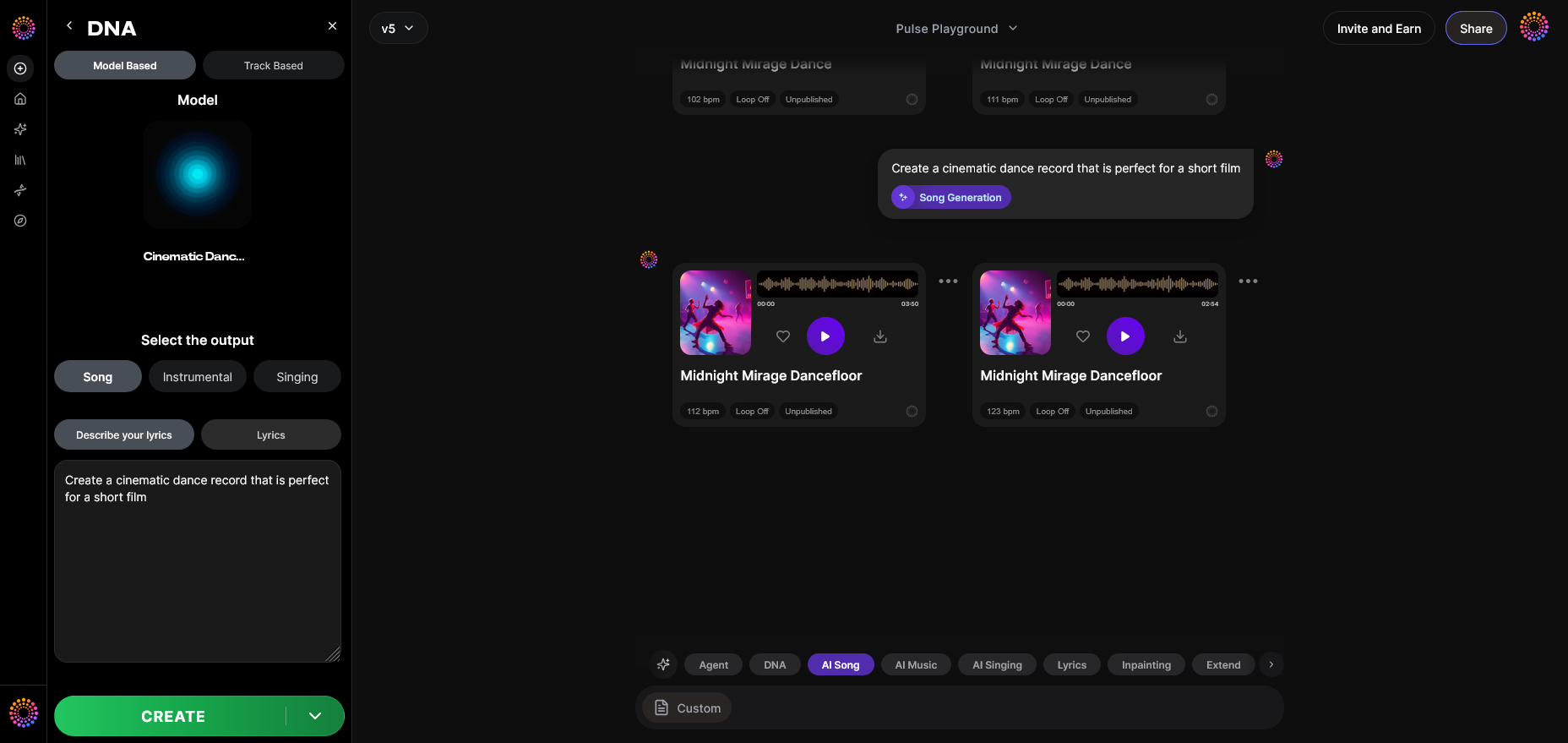
After processing, Soundverse presents generated results. Each track is fully original and ready for use as custom TikTok audio.
Step 14: Export Options
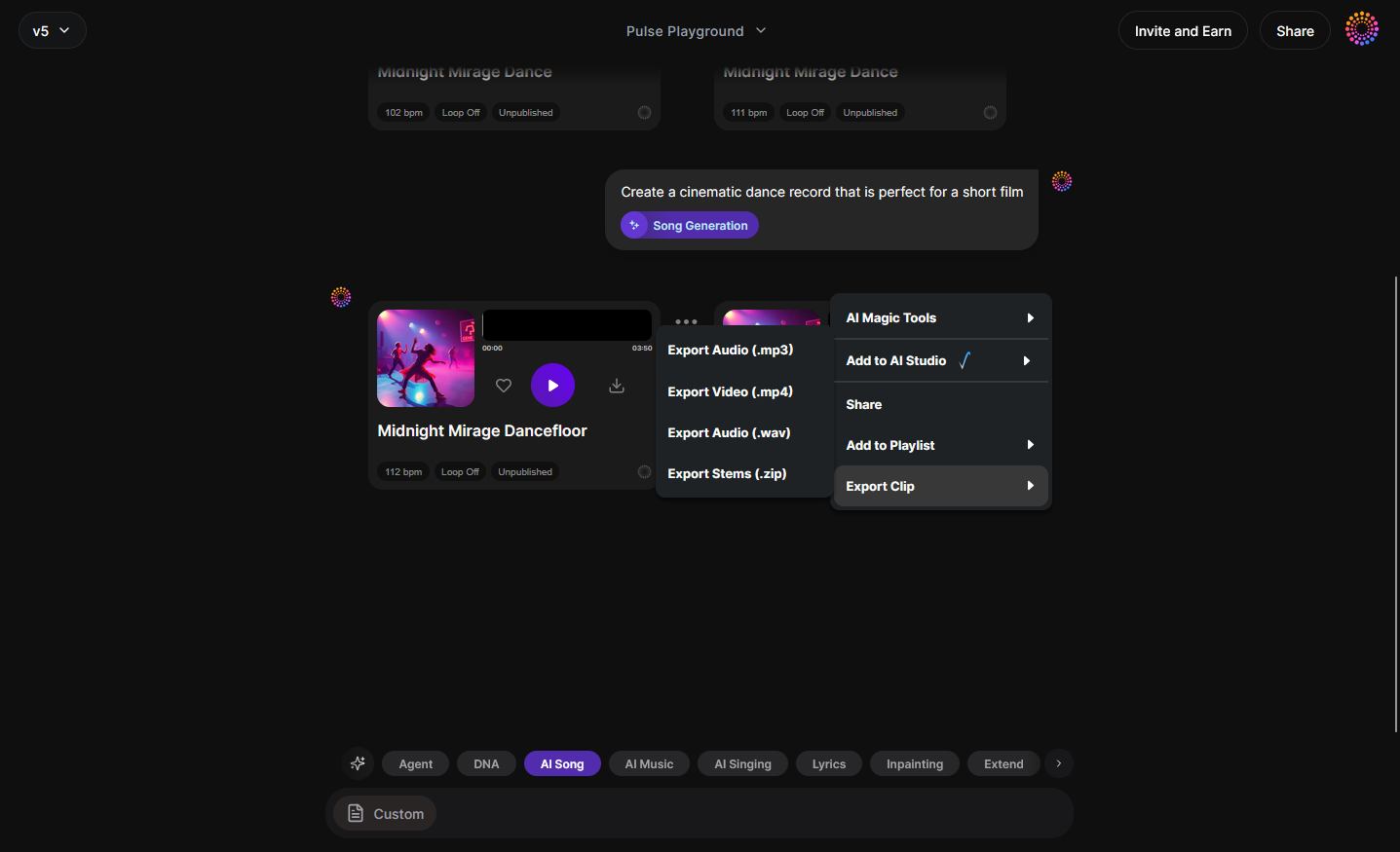
Access the Export Menu. Choose formats suitable for TikTok—MP3 for simplicity or WAV for studio-level quality.
Step 15: Track-Based Mode
Fine-tune the individual sections of your track or loop it for TikTok’s typical 15–60 second duration.
Step 16: Style Selection
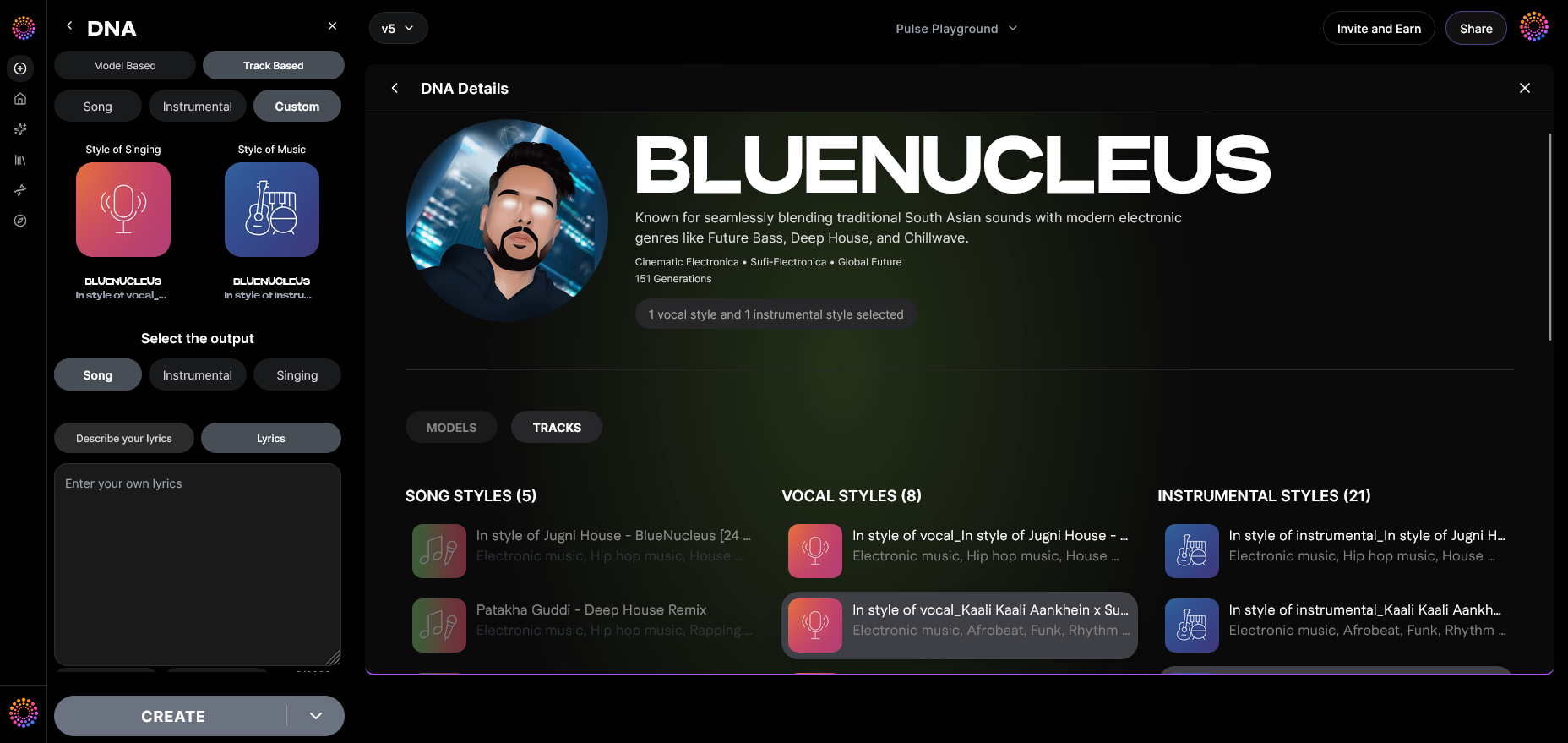
Adjust genre or instrumentation via Style Selection. Perfect your theme—lofi, pop, trap, jazz—using filters similar to Soundverse’s text-to-music features.
Step 17: Lyrics Input
If creating original songs, add lyrics. Be sure they’re original; TikTok forbids copyrighted content reuse. For writing inspiration, see How to Make Good Rap Lyrics.
Step 18: Model-Based Singing
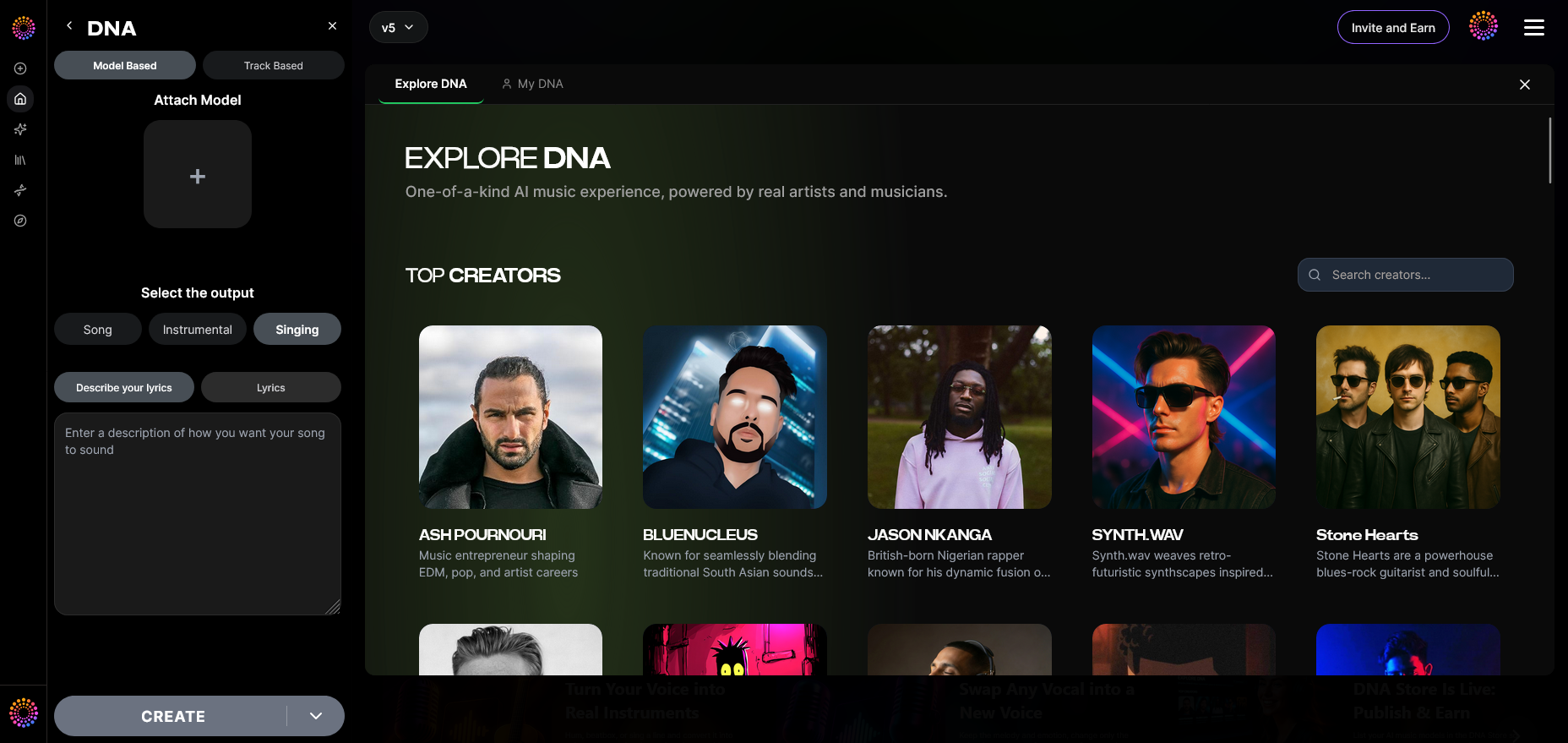
Activate Model-Based Singing for AI vocal generation. You can attach a trained DNA voice model to ensure unique tone without infringing any rights.
Step 19: Attach Model
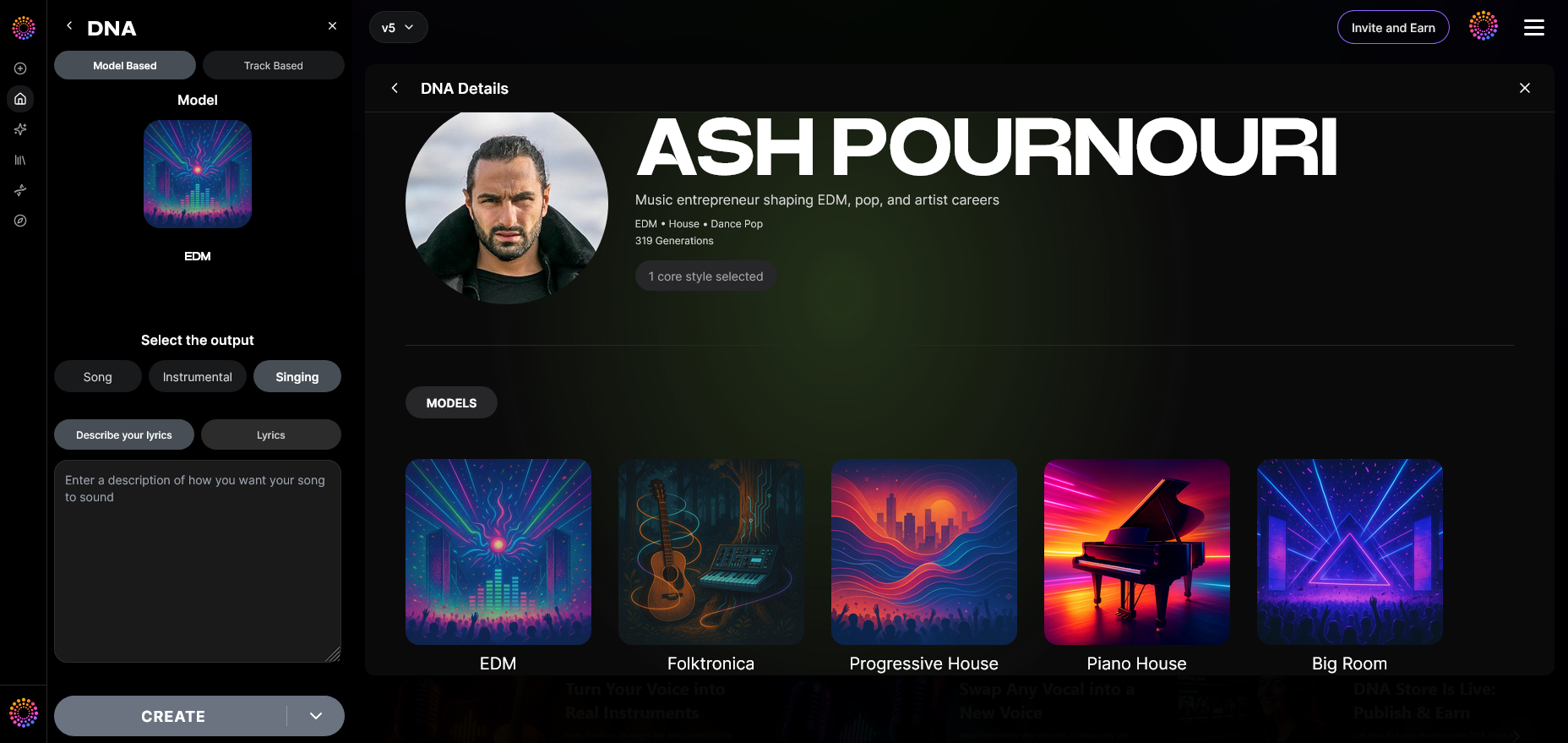
Finally, link your personalized DNA model to this track. It defines the unique timbre and style that will make your TikTok clip memorable.
Once exported, upload the track to TikTok via the app’s Add sound feature, select your custom file, and sync it with your visuals or choreography. This method ensures your content features fresh, copyright-free sound every time.
Pro Tips for Perfect TikTok Sound Creation
- Keep Length Brief: TikTok favors short snippets—opt for 15–30 seconds for optimal replay value.
- Emphasize the Drop: Start with impactful audio moments that hook listeners within the first 2 seconds.
- Brand Consistency: Use similar audio motifs to strengthen your TikTok sonic identity.
- Experiment with Voice Swap: Soundverse’s complementary Voice Swap tool lets you alter vocal timbres ethically to suit different video narratives.
- Leverage AI Arrangement Studio: Explore Soundverse Arrangement Studio for deeper track customization.
How Soundverse Transforms TikTok Audio Creation in 2026
Between algorithmic visibility and legal protection, Soundverse gives creators freedom to innovate safely. The DNA Marketplace encourages collaborations between established artists and emerging voices, allowing direct monetization of original musical identities. For those exploring diverse genres—such as EDM or Country—Soundverse’s genre-specialized features featured in How to Create EDM with Soundverse AI or How to Create Country Music with Soundverse AI illustrate how easily creators can adapt musical DNA for TikTok use.
In 2026, originality drives digital recognition. Making your own sound on TikTok not only elevates your brand authenticity but also connects audiences through fresh, personalized melodies. With Soundverse DNA, custom TikTok audio becomes a scalable, ethical, and monetizable experience—turning every clip into a sonically unique piece of art.
Start Creating Your Own TikTok Sound Today!
Generate unique, royalty-free tracks instantly with Soundverse AI and stand out from the crowd on TikTok. Turn your ideas into viral sounds in minutes — no studio experience required.
Related Articles:
- Generate AI Music with Soundverse Text-to-Music — Discover how to turn text prompts into fully produced AI music tracks using Soundverse’s innovative tools.
- Soundverse AI Magic Tools: Create Content Quickly with AI — Learn how Soundverse AI Magic Tools help streamline music creation for social media and content projects.
- 100 Text-to-Music Prompts That Will Help You Create Viral Music — Get inspired with 100 creative prompts designed to help you generate viral, trend-ready music for TikTok and beyond.
- Enhancing YouTube Content with Royalty-Free and Copyright-Free Music Using Soundverse AI — Find out how to enhance your YouTube and TikTok content using royalty-free AI-generated music from Soundverse.
Here's how to make AI Music with Soundverse
Video Guide

Here’s another long walkthrough of how to use Soundverse AI.
Text Guide
- To know more about AI Magic Tools, check here.
- To know more about Soundverse Assistant, check here.
- To know more about Arrangement Studio, check here.
Soundverse is an AI Assistant that allows content creators and music makers to create original content in a flash using Generative AI.
With the help of Soundverse Assistant and AI Magic Tools, our users get an unfair advantage over other creators to create audio and music content quickly, easily and cheaply.
Soundverse Assistant is your ultimate music companion. You simply speak to the assistant to get your stuff done. The more you speak to it, the more it starts understanding you and your goals.
AI Magic Tools help convert your creative dreams into tangible music and audio. Use AI Magic Tools such as text to music, stem separation, or lyrics generation to realise your content dreams faster.
Soundverse is here to take music production to the next level. We're not just a digital audio workstation (DAW) competing with Ableton or Logic, we're building a completely new paradigm of easy and conversational content creation.
TikTok: https://www.tiktok.com/@soundverse.ai
Twitter: https://twitter.com/soundverse_ai
Instagram: https://www.instagram.com/soundverse.ai
LinkedIn: https://www.linkedin.com/company/soundverseai
Youtube: https://www.youtube.com/@SoundverseAI
Facebook: https://www.facebook.com/profile.php?id=100095674445607
Join Soundverse for Free and make Viral AI Music

We are constantly building more product experiences. Keep checking our Blog to stay updated about them!