How to Make Music Beats: A Complete Beat Making Tutorial for 2026
Learn how to make music beats with modern tools and Soundverse AI Music Generator.
How to Make Music Beats
Creating music beats in 2026 is easier than ever. With accessible technology, AI-powered platforms, and home studio setups, aspiring producers can make professional-quality music without expensive hardware. If you're a beginner wondering how to make music beats, this detailed guide will walk you through the process from start to finish — including modern techniques and how Soundverse can transform your workflow.
Why learn how to make music beats in 2026?
Beat making has evolved dramatically in the past few years. Between 2024 and 2025, we saw rapid adoption of AI tools and democratized digital production. In 2026, the trend continues, with more creators producing beats at home, using intuitive platforms and text-to-music systems. Learning how to make music beats today means gaining creative freedom — enabling you to design loops, background tracks, or full instrumentals for any genre.
What tools do you need for DIY beat making?
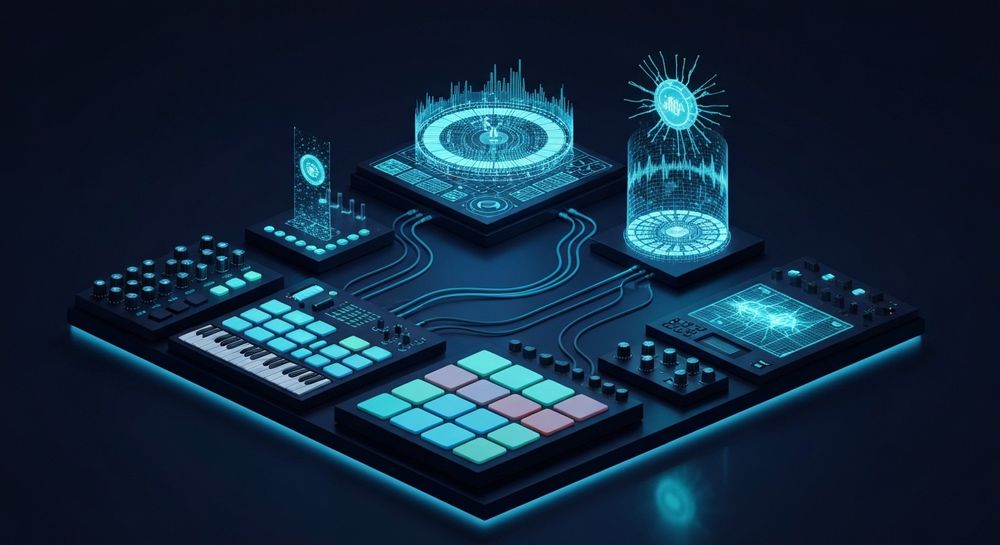
To start creating beats for beginners, you need a few essential tools:
- Digital Audio Workstation (DAW) – Popular choices include Ableton Live, FL Studio, Logic Pro, and GarageBand. These provide a visual grid to sequence drums, bass, and melodies.
- MIDI Controller or Keyboard – For hands-on beat playing and melody input.
- Sample Packs and Virtual Instruments – These form the foundation of your sound palette, allowing you to layer drums, synths, and atmospheres.
- Audio Interface and Headphones – For quality monitoring and recording.
- AI Music Tools – Platforms like Soundverse simplify beat generation with text prompts, letting you create custom instrumentals even if you’re not an expert musician.

What are the basics of music production for beginners?
Before diving into a beat making tutorial, understanding basic concepts will help you create balanced tracks:
- Tempo (BPM): Determines the speed of your beat.
- Key and Scale: Defines the musical mood — major keys are brighter, minor keys are moodier.
- Rhythm and Pattern: Anchors your beat and keeps listeners engaged.
- Layering: Build from drums to bass to melody, ensuring each element fits harmoniously.
- Arrangement: Decide on intro, verse, chorus, and outro sections to make your beat structured.
Step-by-Step Beat Making Tutorial
Creating a professional beat can be broken down into structured steps:
Step 1: Choose your genre and vibe

Decide whether you’re making a hip-hop, EDM, lo-fi, or pop beat. Genre informs your tempo and sound palette. For example, trap beats often sit around 140 BPM with heavy hi-hats, while lo-fi tends to be slower and more chill. For a deeper dive, watch our guide on creating Deep House music and how to make music.
Step 2: Set up your home studio production environment

A quiet space, a pair of good headphones, and music software are enough. You don’t need a large studio in 2026; DIY beat making tools make it possible to work even from a laptop.
Step 3: Create your rhythm foundation

Start with a simple drum pattern. Kick, snare, and hi-hats are the core. Experiment with swing and velocity to make it feel human. You can use your DAW’s built-in drum samples or record your own beatboxing, then transform it into instruments using Soundverse’s Voice to Instrument tool (learn more at Soundverse AI Magic Tools).
Step 4: Add melody and harmony

Layer chords and pluck melodies over your rhythm. A good melody reinforces the emotional tone of the beat. If you record humming or singing ideas, Soundverse’s Voice to Instrument feature can turn those into guitar or flute melodies automatically.
Step 5: Mix and refine your track

Adjust volume and EQ to balance each layer. Remove unnecessary frequencies that clash. Reference your mix against other songs. Using the Stem Separator can help isolate individual parts for detailed mixing or remixing.
Step 6: Export and share your beat
Once you’re satisfied, export your beat as an MP3 or WAV file. You can upload your beats to platforms like SoundCloud, YouTube, or use them for your own songs and content. To extend your music, Soundverse also offers Extend Music, which intelligently lengthens your track without losing flow or key.
What music production tips can help beginners grow in 2026?
- Listen actively: Study songs you admire to understand arrangement and mixing.
- Experiment often: Don’t stick to one genre. Try AI-generated prompts for inspiration — check out 100 Text-to-Music Prompts for creative ideas.
- Collaborate: Exchange stems and samples with other producers to diversify your sound.
- Stay current: Follow new 2026 music industry trends from articles like Music Industry Trends.
How to make music beats with Soundverse AI Music Generator

Now that you understand how to make music beats manually, here’s how you can create them instantly using Soundverse.
Soundverse’s AI Music Generator is designed for creators who want to make instrumental music from text prompts. It specializes in background tracks, beats, and soundscapes without vocals. Whether you need hip-hop loops, cinematic backgrounds, or EDM grooves, Soundverse’s intelligent models produce results tailored to your description.
Step 1: Feature Overview
Access the AI Music Generator from Soundverse’s main menu. This is where you'll initiate the beat creation process.
Step 2: Description Input
Enter a text prompt describing your desired beat — for example, “a chill lofi rhythm with soft snares and jazzy basslines.” The system analyzes your words to translate them into musical concepts.
Step 3: Style & Duration
Select your preferred genre, mood, and duration. You can choose between V4 and V5 models, adjusting instrument emphasis for different sound qualities.
Step 4: Generation
Click generate. The AI composes a fully produced instrumental beat based on your input. Each track is delivered asynchronously — you’ll receive the completed beat ready for playback, editing, or looping.
Step 5: Export Options
Once your beat is generated, you can download it in various formats. Use Loop Mode for seamless repetition if you plan to use it as background music for a video or game soundtrack.
Soundverse makes it possible to achieve professional results without complex studio setups. For creators interested in exploring genre-specific tutorials, see guides like How to Create EDM with Soundverse AI or How to Create Jazz Music with Soundverse AI.
Start Creating Music Beats with Soundverse AI
Unlock your creativity and produce professional-quality beats effortlessly. With Soundverse AI, you can generate, refine, and customize music across genres—all in minutes.
Try Soundverse Free
- How to Make AI-Generated Music — Discover step-by-step how AI tools can help you make original music that matches your unique style.
- Generate AI Music with Soundverse Text-to-Music — Learn how Soundverse’s text-to-music tool transforms your words into fully composed beats and songs.
- Soundverse Introduces Stem Separation AI Magic Tool — Explore how Soundverse’s stem separation technology helps you remix, edit, and master your beats like a pro.
- The Benefits of Composing with AI Music Generator — Understand how AI composition tools enhance creativity and streamline your beat-making workflow.
Here's how to make AI Music with Soundverse
Video Guide

Here’s another long walkthrough of how to use Soundverse AI.
Text Guide
- To know more about AI Magic Tools, check here.
- To know more about Soundverse Assistant, check here.
- To know more about Arrangement Studio, check here.
Soundverse is an AI Assistant that allows content creators and music makers to create original content in a flash using Generative AI. With the help of Soundverse Assistant and AI Magic Tools, our users get an unfair advantage over other creators to create audio and music content quickly, easily and cheaply. Soundverse Assistant is your ultimate music companion. You simply speak to the assistant to get your stuff done. The more you speak to it, the more it starts understanding you and your goals. AI Magic Tools help convert your creative dreams into tangible music and audio. Use AI Magic Tools such as text to music, stem separation, or lyrics generation to realise your content dreams faster. Soundverse is here to take music production to the next level. We're not just a digital audio workstation (DAW) competing with Ableton or Logic, we're building a completely new paradigm of easy and conversational content creation.
TikTok: https://www.tiktok.com/@soundverse.ai
Twitter: https://twitter.com/soundverse_ai
Instagram: https://www.instagram.com/soundverse.ai
LinkedIn: https://www.linkedin.com/company/soundverseai
Youtube: https://www.youtube.com/@SoundverseAI
Facebook: https://www.facebook.com/profile.php?id=100095674445607
Join Soundverse for Free and make Viral AI Music

We are constantly building more product experiences. Keep checking our Blog to stay updated about them!