How to Make Lofi Versions of Songs: A Step-by-Step Guide for 2026
Learn how to make lofi versions of songs with easy steps, expert lofi remix techniques, and Soundverse tools in 2026.
How to Make Lofi Versions of Songs
Introduction
Lofi music continues to dominate the creative music space in 2026, blending nostalgia, simplicity, and emotion into a genre that resonates deeply with listeners. For music producers and remix artists, learning how to make lofi versions of songs is one of the most valuable skills today. Whether you want to remix classic tracks, transform pop hits into chill beats, or craft ambient background loops, mastering lofi music production opens doors to countless creative opportunities.
In this guide, you’ll discover everything about lofi remix techniques, sound design principles, and step-by-step instructions to create your own lofi edits. By the end, you’ll also learn how to use the Soundverse Similar Music Generator to instantly generate instrumental lofi versions inspired by your reference track.
What Makes Lofi Music Unique?

Lofi, short for “low fidelity,” refers to the intentional use of imperfections in sound—such as vinyl crackle, tape hiss, or ambient noise—to create warmth and character. Instead of polishing songs to perfection, lofi embraces texture and nostalgia.
Key Elements of Lofi Sound Design:
- Warm Textures: Vinyl hiss, tape saturation, and ambient imperfections.
- Soft Percussion: Lazy swing drums, rim shots, or brushed snares.
- Muted Melodies: Jazzy chords or mellow synth leads played through low-pass filters.
- Atmospheric Ambience: Rain sounds, café chatter, or subtle field recordings.
If you’re curious about genre crossovers, check our deep dive into music industry trends to see how lofi aesthetics have influenced hip-hop, chillhop, and cinematic music styles in recent years.
Why Remix Songs into Lofi Versions?

In 2026, audiences crave authenticity and mood-driven music. Converting well-known tracks into lofi versions offers:
- Emotional Appeal: A mellow reinterpretation that adds intimacy and depth.
- Creative Freedom: Experimentation with textures, chord progressions, and rhythmic looseness.
- Monetization Opportunities: Royalty-free instrumentals for YouTube, podcasts, or streaming playlists.
Whether you’re using AI tools or manual techniques, making lofi edits is a sustainable way to stand out in the music creation ecosystem. Learn more about how AI is transforming music creation and how independent creators leverage sound aesthetics for brand identity.
How to Make Lofi Versions of Songs – Step-by-Step
Creating a lofi remix involves both technical and creative decisions. Below are essential steps you can follow.
Step 1: Feature Overview — Access Similar Music Generator
To begin your lofi journey, you can use the Soundverse Similar Music Generator. It produces original instrumental compositions inspired by your selected reference track. This tool is designed for instrumental style transfer, analyzing tempo, key, and overall mood to produce music with a similar vibe. Log into Soundverse and access the feature from your dashboard.
Step 2: Reference Selection — Upload Reference Music Track
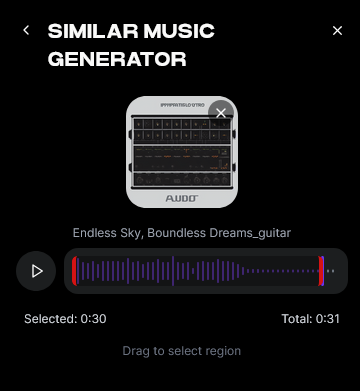
Select the song you wish to convert into a lofi version. Upload the audio file as your reference. The generator will analyze it in detail—examining mood, tempo, and harmonic profile—to understand what makes your chosen track feel the way it does. This step is critical because lofi depends heavily on emotion and tonal character.
Step 3: Generation — Generate Music in Similar Style
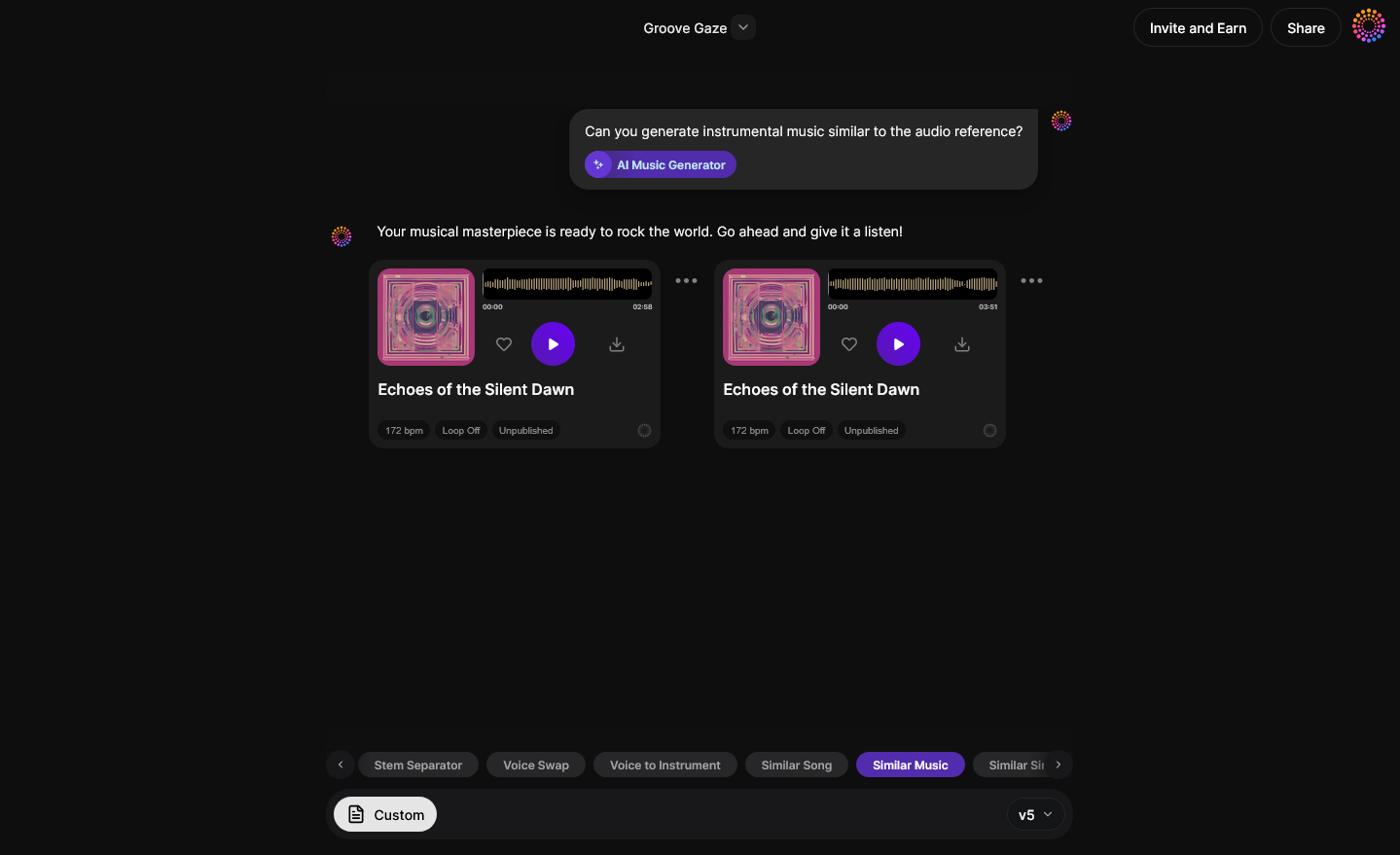
Once the analysis is complete, click Generate. Soundverse will create an original instrumental composition inspired by your reference. This result won’t replicate the copyrighted material but will mimic the overall lofi aesthetic you’re targeting. You can refine style parameters like tempo or mood for more chill or jazzy variations. Learn more about how these generation filters work in this detailed guide.
Step 4: Download Music — Export Generated Instrumental

After the generation process finishes, download your new instrumental. This file serves as your foundation for adding effects, ambient textures, and percussive layers to complete your lofi mix. Exporting your track gives you control to further edit or extend using complementary tools like Stem Separator or Extend Music.
Advanced Lofi Remix Techniques for Authentic Sound
To achieve professional-grade lofi vibes, combine creative production choices with subtle imperfections.
- Use the Stem Separator for Remixing: Separate vocals or drums using the Soundverse Stem Separator AI. Once isolated, apply filters and distortion to soften transients and add warmth.
- Add Vintage Effects: Use tape plugins, vinyl emulation, or re-pitching. Slight detuning gives tracks a nostalgic character.
- Play with Sampling: Incorporate old jazz recordings or traditional instrument samples. Ensure they are royalty-free or recreated. See our guide on navigating royalty-free music.
- Layer Ambient Noises: Soft rain or café chatter can create immersive scenes and deepen listener engagement.
By combining these processes, you embrace the essence of lofi sound design, blending analog charm with modern creativity.
Common Mistakes When Making Lofi Edits
While lofi is meant to sound imperfect, balance is key. Avoid:
- Over-distortion: Too much saturation can mask melody and clarity.
- Excessive reverb: Though lofi thrives on ambience, heavy reverb may cause muddiness.
- Lack of dynamics: Keep subtle contrast between sections for emotional flow.
For inspiration, explore some AI-driven music trends showing how producers in 2026 merge analog emulation with AI-generated backgrounds.
How to Make Lofi Versions of Songs with Soundverse Similar Music Generator
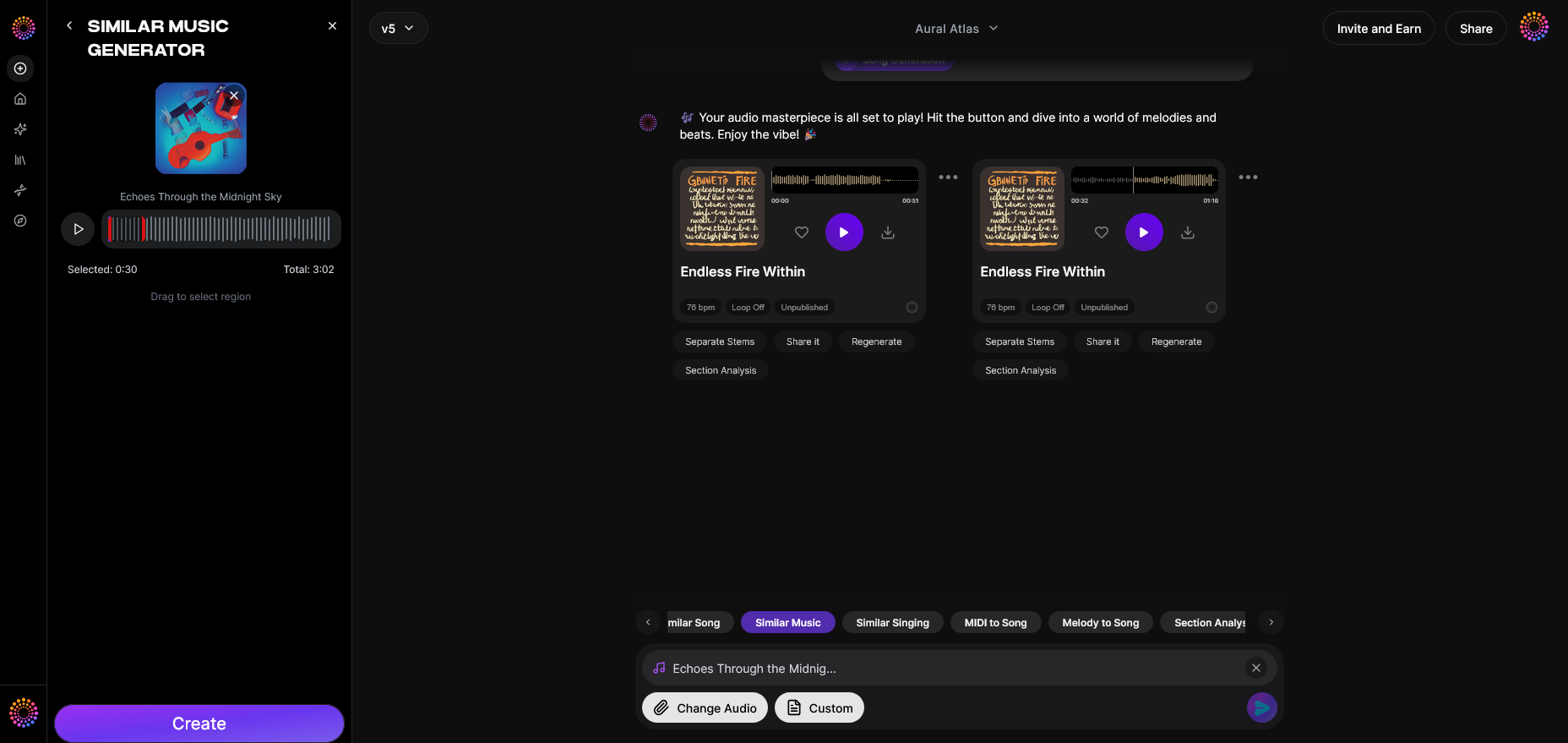
Now that you understand the fundamentals, here’s how Soundverse simplifies the entire workflow.
The Similar Music Generator produces original instrumental compositions inspired by your chosen reference song. It conducts detailed musical analysis (tempo, key, and mood) and supports reference-based loop creation—perfect for crafting lofi instrumentals, cinematic transitions, or relaxing background loops.
Core capabilities include:
- Instrumental style transfer without using copyrighted material.
- Intelligent loop creation that maintains continuity and tone.
- High-quality audio generation ideal for film scoring, podcast intros, or ambient projects.
Primary Use Cases:
- Film or TV scoring (matching approved temp score vibe)
- Game environment themes and lobby music
- Podcast backgrounds, intros, and outros
Combine with Other Soundverse Tools
After generating, you can use:
- Stem Separator: For extracting drums or melody.
- Extend Music: To lengthen generated loops seamlessly.
- Inpainting: To surgically edit any portion, changing arrangement while preserving flow.
Explore other creation guides like How to Create Jazz Music with Soundverse AI or How to Create EDM with Soundverse AI for genre-specific insights.
Start Creating Your Own Lofi Tracks With AI
Turn any song into a chill lofi masterpiece using Soundverse’s intuitive AI tools. Instantly generate, remix, and refine your tracks with perfect vibe and texture.
Related Articles
- 40 Hand-Picked Lofi Text-to-Music Prompts for All Occasions: Discover curated lofi music prompts to inspire your next relaxing track using Soundverse AI.
- Soundverse Introduces Stem Separation AI Magic Tool: Learn how Soundverse’s stem separation tool makes remixing existing songs effortless.
- How to Make AI-Generated Music: Explore how to generate songs from text prompts and customize genres, moods, and instruments with AI.
- Soundverse AI Magic Tools: Create Content Quickly with AI: Unlock a suite of AI-powered music tools designed to supercharge creativity and speed up your production process.
Here's how to make AI Music with Soundverse
Video Guide

Here’s another long walkthrough of how to use Soundverse AI.
Text Guide
- To know more about AI Magic Tools, check here.
- To know more about Soundverse Assistant, check here.
- To know more about Arrangement Studio, check here.
Soundverse is an AI Assistant that allows content creators and music makers to create original content in a flash using Generative AI. With the help of Soundverse Assistant and AI Magic Tools, our users get an unfair advantage over other creators to create audio and music content quickly, easily and cheaply. Soundverse Assistant is your ultimate music companion. You simply speak to the assistant to get your stuff done. The more you speak to it, the more it starts understanding you and your goals. AI Magic Tools help convert your creative dreams into tangible music and audio. Use AI Magic Tools such as text to music, stem separation, or lyrics generation to realise your content dreams faster. Soundverse is here to take music production to the next level. We're not just a digital audio workstation (DAW) competing with Ableton or Logic, we're building a completely new paradigm of easy and conversational content creation.
TikTok: https://www.tiktok.com/@soundverse.ai
Twitter: https://twitter.com/soundverse_ai
Instagram: https://www.instagram.com/soundverse.ai
LinkedIn: https://www.linkedin.com/company/soundverseai
Youtube: https://www.youtube.com/@SoundverseAI
Facebook: https://www.facebook.com/profile.php?id=100095674445607
Join Soundverse for Free and make Viral AI Music

We are constantly building more product experiences. Keep checking our Blog to stay updated about them!