How to Make EDM Remixes: A Step-by-Step Guide for Beginners
Learn how to make EDM remixes step-by-step using beginner-friendly remix techniques and tools.
How to Make EDM Remixes: A Step-by-Step Guide for Beginners
Electronic dance music (EDM) has evolved dramatically by 2026, becoming more diverse, immersive, and accessible than ever. Aspiring DJs and producers worldwide are experimenting with remixing tracks to craft unique versions that light up dance floors, social platforms, and streaming playlists. If you’ve ever wondered how to make EDM remixes, this comprehensive edm remix tutorial breaks down the steps, strategies, and essential music production tips you need to start creating.
What is an EDM Remix and Why Should You Try Making One?
An EDM remix is a creative reinterpretation of an existing track—transforming it through new beats, tempos, melodies, or effects while keeping its core recognizable. Remixing helps beginners understand production, arrangement, and mixing dynamics while giving artists exposure to fan bases from original songs. In 2026, EDM remixing has become a gateway for emerging DJs to shape their unique sonic identity, especially with AI-assisted remix software simplifying complex processes.
What Do You Need to Start Making EDM Remixes?
Before diving into the steps, assembling the right gear and mindset is crucial. Here’s what every beginner should start with:
- A Digital Audio Workstation (DAW) such as Ableton Live, FL Studio, or Logic Pro. These let you edit, layer, and mix stems intuitively.
- Remix software capable of extracting individual song components like vocals or drums.
- High-quality headphones or monitors for accurate sound checks.
- Music library or stem packs—either from royalty-free sources or legally licensed material.
- Basic understanding of song structure and rhythm. Studying rhythm can help you create smoother transitions.
For more background on the rise of remixing technology, check out Soundverse AI Magic Tools which explains how AI redefines music edits.

How to Choose the Right Track for Remixing
Picking the right song determines how enjoyable— and successful—your remix will be.
- Select tracks with strong vocal lines. Vocals anchor emotional appeal in EDM remixes.
- Choose songs with clear rhythmic identities. Tracks with consistent beats are easier to transform.
- Pick songs that suit your style. Deep house remixes differ drastically from high-energy trap edits.
- Use royalty-free or licensed material. Avoid copyright violations by working with legal stems.
You can learn about royalty-free guidelines in this related article: Navigating the World of Royalty-Free and Copyright-Free Music Using Soundverse AI.
Step 1: Upload Interface — Importing the Original Audio
To begin your edm remix tutorial, open your remixing environment and upload the original track. In most platforms like DAWs, this means importing the full mix or stems. Within Soundverse’s workflow, the upload interface provides options for URLs, files, or recordings. This flexibility helps users start quickly whether pulling songs from an online source or personal library.
When uploading, ensure you work in high-quality audio formats like WAV or FLAC. This maintains fidelity during stem separation and editing.
Step 2: Additional References — Upload Reference Audio or Influences
Once your main track is loaded, the next step involves uploading reference material. A reference could be another EDM song that inspires your remix’s vibe, an ideal tempo guide, or key styling from popular producers.
Reference audio helps match tonal balance and energy. For instance, house remixers might reference past success stories from 2024–2025 to reimagine new versions with modern 2026 flair.
For deeper learning on contemporary remix styles, explore Soundverse Introduces Stem Separation AI Magic Tool which showcases how producers leverage extracted stems creatively.
For an example workflow, check the Soundverse Tutorial Series - 9. How to Make Music, which demonstrates fundamental production setup and DAW handling.
Step 3: Results Display — Viewing Separated Stems
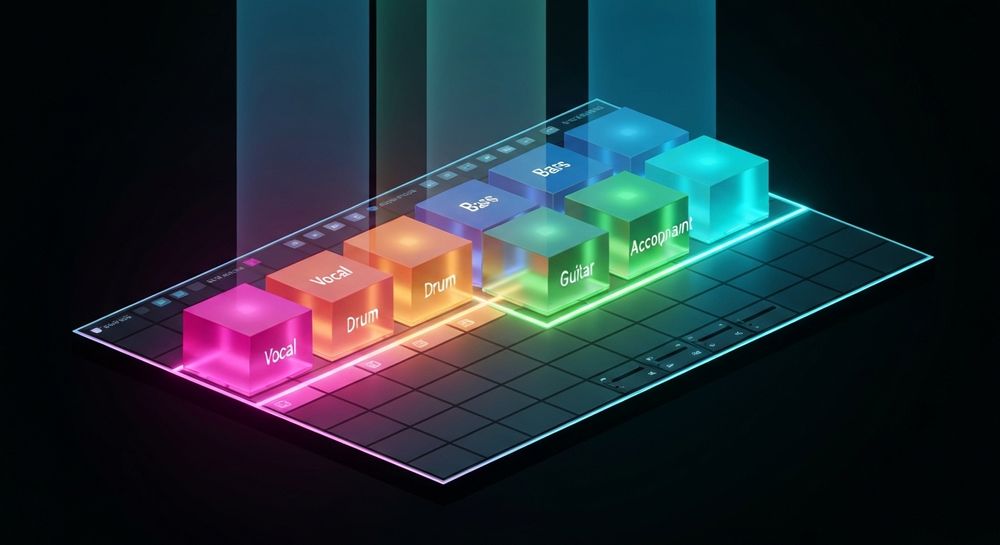
After processing, your DAW or remix software will display the results: separated stems for vocals, drums, bass, guitar, accompaniment, etc. This stage is where creativity begins. You can adjust tempo, add side-chain compression on bass lines, or tweak drum patterns to change rhythmic intensity.
Modern EDM in 2026 often emphasizes clean separation for remixing clarity. With Soundverse’s Stem Separator delivering six distinct editable categories, you can isolate, rearrange, and remix without losing definition.
You can also watch our Soundverse Tutorial Series - 10. Make Deep House Music for inspiration on remix setups and rhythmic reconstruction.
Step 4: Download Stems — Exporting Individual Elements
Once stems are neatly visualized, you can download or export individual elements to your DAW. This enables you to:
- Resample vocals to create chopped melodies.
- Replace the original drums with punchier EDM kits.
- Add new harmonic layers through synths or pads.
Be sure to name and organize each file systematically. Workflow efficiency is essential when handling complex productions. Use folders for Bass, Drums, Vocals, and FX.
How to Arrange and Mix EDM Remixes Professionally
Once you have the clean stems, the creative phase begins.
- Set your project tempo and key. Match them to the original or choose a contrasting tone for unique interpretation.
- Rearrrange structure. Lower energy sections first; build toward drops and climatic choruses.
- Layer new drums and effects. Bright hi-hats, filtered risers, and reverb tails fill the remix with modern character.
- Balance frequencies. Avoid muddy lows by EQing bass against kick frequencies.
- Automate transitions. Add dynamic sweeps or stutters between verse and chorus.
These music production tips reflect standard EDM remix workflow trends in 2026, focusing heavily on sound clarity and dynamic emotional build-up.
How to Develop Your DJ Remix Techniques Further
To evolve creatively, explore more advanced EDM subgenres. Practice remixing different rhythms, tempos, and keys to master diverse mixing approaches. Experiment with:
- Future bass elements for hyper-modern energy.
- Melodic techno spaces emphasizing atmosphere.
- Vocal chops syncopated to match modern social sound trends.
You can gain additional insights from related guides like How to Create EDM with Soundverse AI or Music Industry Trends. For advanced production visuals, see Soundverse Tutorial Series - 8. "Explore" Tab.
How to Make EDM Remixes with Soundverse Stem Separator

Now that you understand how to make edm remixes conceptually, here’s how to achieve instant results using Soundverse.
The Soundverse Stem Separator is a specialized AI tool that dissects any mixed audio into up to six editable stems—Vocals, Drums, Bass, Guitar, and Accompaniment. It supports URL, file, and recording inputs—offering unmatched flexibility for professional or hobbyist remixing.
Core Capabilities:
- High-quality isolation for crystal-clear stem extraction.
- 6-stem breakdown ideal for remixing and sampling.
- Compatible input formats (URL, direct file upload, and recording).
Primary Use Cases:
- Create new EDM remixes using extracted instrumentals.
- Build karaoke or backing tracks for live sets.
- Analyze mix structure for education and remix planning.
- Clean up messy recordings before production.
Its superior isolation and adaptable workflow make it perfect for aspiring EDM remixers who want precision without spending hours manually editing frequencies.
Other related Soundverse features complement your remixing journey:
- Extend Music generates new sections in the same key and tempo, letting you elongate your remix effortlessly.
- Inpainting allows surgical regeneration of specific parts—perfect for correcting mistakes or reimagining drops.
- Section Analysis auto-labels song segments like Intro, Verse, or Chorus so you can target remix edits precisely.
These interconnected tools simplify the remixing process across genres—from trance to deep house—unleashing creativity beyond traditional boundaries.
Final Takeaway: Step Into the Future of Remixing
Learning how to make edm remixes by 2026 isn’t just about technical editing; it’s about understanding feel, rhythm, and flow. AI tools like Soundverse empower creators to extract stems, reimagine beats, and transform songs seamlessly. Whether you’re polishing your DJ remix techniques or exploring new electronic dance music trends, mastering these processes opens the door to endless creative possibilities.
With practice, patience, and the right digital companion like Soundverse’s Stem Separator, you’ll be remixing like a professional in no time—turning ideas into explosive tracks that captivate audiences worldwide.
Start Remixing EDM with AI Today!
Bring your creative vision to life using Soundverse’s AI music tools. Mix, master, and remix your favorite EDM tracks effortlessly—no studio setup required.
Create Your EDM Remix Now
Related Articles
- How to Create EDM with Soundverse AI: Learn how to produce your own EDM tracks using Soundverse’s intelligent music generation features.
- Soundverse Introduces Stem Separation AI Magic Tool: Discover how Soundverse’s stem separation technology empowers remix creators by isolating vocals, drums, and instruments with precision.
- Generate AI Music with Soundverse Text-to-Music: Find out how you can turn text prompts into complete EDM tracks using Soundverse’s text-to-music generator.
- 50 Hand-Picked Deep House Text-to-Music AI Music Generation Prompts: Get inspired by curated Deep House prompts perfect for those experimenting with EDM subgenres and AI music tools.
Here's how to make AI Music with Soundverse
Video Guide

Here’s another long walkthrough of how to use Soundverse AI.
Text Guide
- To know more about AI Magic Tools, check here.
- To know more about Soundverse Assistant, check here.
- To know more about Arrangement Studio, check here.
Soundverse is an AI Assistant that allows content creators and music makers to create original content in a flash using Generative AI.
With the help of Soundverse Assistant and AI Magic Tools, our users get an unfair advantage over other creators to create audio and music content quickly, easily and cheaply.
Soundverse Assistant is your ultimate music companion. You simply speak to the assistant to get your stuff done. The more you speak to it, the more it starts understanding you and your goals.
AI Magic Tools help convert your creative dreams into tangible music and audio. Use AI Magic Tools such as text to music, stem separation, or lyrics generation to realise your content dreams faster.
Soundverse is here to take music production to the next level. We're not just a digital audio workstation (DAW) competing with Ableton or Logic, we're building a completely new paradigm of easy and conversational content creation.
TikTok: https://www.tiktok.com/@soundverse.ai
Twitter: https://twitter.com/soundverse_ai
Instagram: https://www.instagram.com/soundverse.ai
LinkedIn: https://www.linkedin.com/company/soundverseai
Youtube: https://www.youtube.com/@SoundverseAI
Facebook: https://www.facebook.com/profile.php?id=100095674445607
Join Soundverse for Free and make Viral AI Music

We are constantly building more product experiences. Keep checking our Blog to stay updated about them!