How to Make EDM Beats: A Complete Guide for Beginners in 2026
Learn how to make EDM beats with Soundverse AI Music Generator and expert production tips.
How to Make EDM Beats
Electronic dance music (EDM) continues to dominate festivals, clubs, and streaming platforms across the world in 2026. Whether you're an aspiring producer, DJ, or simply curious about electronic music beat making, mastering how to make EDM beats is both a creative and technical process. This guide breaks down everything you need to know – from understanding rhythm patterns and synth layering to using advanced tools like Soundverse AI Music Generator to create professional-quality EDM tracks quickly.
How to make EDM beats with Soundverse AI Music Generator

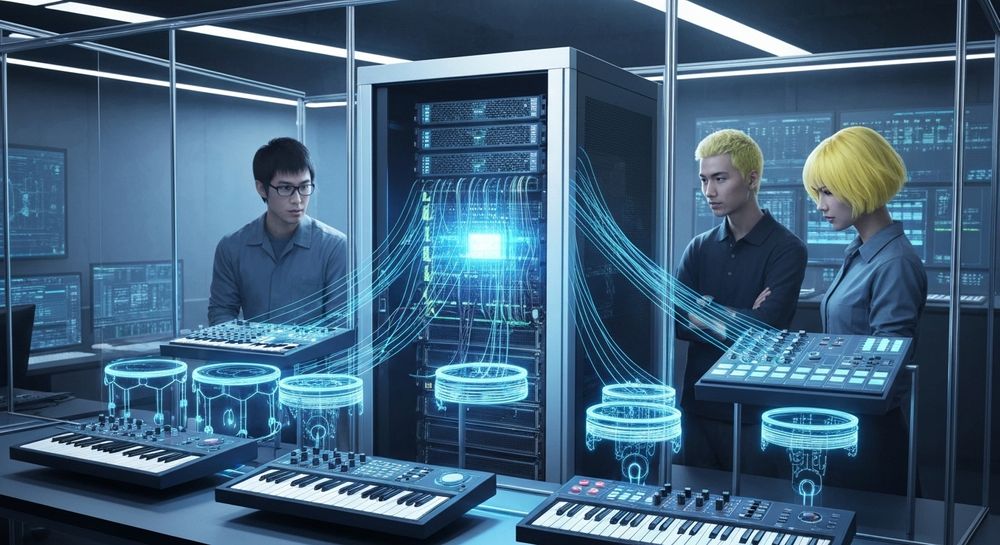
To make your EDM production process efficient and inspiring, Soundverse offers an advanced AI Music Generator, perfectly suited for electronic music creators. Here’s how this tool can transform your workflow:
Feature Overview: Soundverse’s AI Music Generator allows users to create fully produced instrumental music directly from text prompts. It specializes in background tracks, beats, and soundscapes without vocals, providing options for seamless looping – ideal for EDM where repetition and progression are key.
Core Capabilities:
- Text-to-Music Generation: Simply describe your track concept – for example, “high-energy EDM festival beat with punchy kicks and deep basslines” – and let AI generate it.
- Loop Mode: Ensures your beats repeat seamlessly, great for DJs building live sets.
- Detailed Genre, Mood, and Instrument Control: You can fine-tune your results by specifying styles like trance, house, or future bass.
- V4 and V5 Model Options: Choose from advanced generative engines tailored to precision beat design or atmospheric EDM soundscapes.
For example, platforms like Soundverse emphasize AI EDM beat generation to help producers instantly craft loops with style and clarity.
Primary Use Cases:
- Video and content creators needing EDM background tracks.
- Game developers and app designers wanting energetic loops.
- DJs and producers experimenting with remix-ready material.
You can also complement this workflow with other Soundverse tools – such as the Stem Separator for isolating drum tracks from existing songs, or Extend Music to lengthen generated instrumentals while preserving their groove. These tools make Soundverse an end-to-end platform for electronic producers. Check out Soundverse Introduces Stem Separation - AI Magic Tool and Generate AI Music with Soundverse Text-to-Music for deeper insights.
Step 1: Feature Overview

Access the AI Music Generator directly from the Soundverse main menu. You’ll find it under “Music Tools.” It’s your entry point to start building electronic dance beats from scratch.
Step 2: Description Input

Enter a detailed text description of your desired EDM beat. Mention genre, mood, tempo, and instrumental vibe. For example: “An uplifting trance loop with melodic synths and pumping bass at 128 BPM.” The more precise you are, the better the generated audio aligns with your intent.
Step 3: Style & Duration

Select your music style – options like deep house, tech house, drum & bass, or synthwave are available. Then, set the track duration based on your project needs, from short 15-second loops to full-minute instrumentals for DJ sets or dance tracks.
Step 4: Generation

Once your description and settings are finalized, click “Generate.” The AI engine processes your input and produces an instrumental EDM track suited for production, remixing, or live use. Remember, Soundverse works asynchronously – there is no live preview; you receive the finished track after generation.
For a deeper dive, watch our guide on creating Deep House music or the Soundverse tutorial series on how to make music.
Step 5: Export Options

Download your resulting instrumental in standard formats like WAV or MP3. You can loop it, mix it with vocals, or import it into your DAW for further customization.
What makes a quality EDM beat in 2026?
Sound design and beat structure have evolved since 2024. In 2026, successful EDM producers emphasize:
- Layered Synth Leads: Modern EDM relies heavily on textural synths. Tools like Serum, Massive, or Sylenth1 remain mainstays.
- Punchy Low-End: Basslines drive the energy. Careful sidechaining and dynamic EQ keep the mix clean while maintaining power.
- Innovative Drop Design: Audiences expect big emotional payoffs. Using build-ups, risers, and breakdowns strategically keeps listeners hooked.
- AI-Assisted Beat Generation: AI models speed up the creative process, letting producers iterate faster without sacrificing uniqueness.
You can explore how AI impacts creativity in our article How AI-Generated Music is Transforming the Music Industry.
What DAW should beginners use for EDM production?
Selecting the right DAW for EDM is essential. Some of the best in 2026 include:
- Ableton Live: Unmatched real-time arrangement and performance features.
- FL Studio: Favored by beat-makers for intuitive pattern creation.
- Logic Pro: Excellent built-in plugins and automation tools.
You can also combine your DAW workflow with Soundverse AI outputs. For instance, import generated loops and layer them using your DAW’s mixer or automation tools to create a polished track. Learn more in Soundverse AI Magic Tools: Create Content Quickly with AI.
Essential EDM production tips for new producers
If you’re starting out, keep these best practices in mind:
- Start Simple: Focus on kick, snare, hi-hat, and bass patterns before layering melodies.
- Learn Arrangement Theory: Study how professional tracks build tension and release through breakdowns and drops.
- Experiment with Effects: Use delay, reverb, and automation to add movement.
- Reference Tracks: Compare your mix loudness, energy, and tonal balance with popular releases.
- Collaborate: Sharing your stems or AI-generated material through platforms like Soundverse improves creativity and learning.
Integrating Soundverse with traditional EDM workflows
Even experienced DJs can benefit from combining Soundverse AI generation with traditional production workflows. You might:
- Use Soundverse-generated loops as intro sequences in your mix.
- Employ the Stem Separator to extract vocals or drum lines from well-known tracks for remix practice.
- Extend short instrumental renders using Extend Music for custom-length sets.
Each of these tools complements rather than replaces your creative input, enabling a hybrid human-AI production style unique to 2026.
Pro tips: Enhancing your EDM beats beyond the basics
To develop a recognizable sound, consider:
- Sound Layering: Combine multiple kicks or snares to shape your sonic identity.
- Automation Control: Gradual filter sweeps and modulations keep the listener engaged.
- MIDI Programming Mastery: Precise timing differences create groove.
- Genre Hybridization: Blend EDM substyles like melodic techno or future bass for distinctive energy.
You can also look into related tutorials like How to Create EDM with Soundverse AI to deepen your understanding.
Start Creating Your Own EDM Beats Instantly with Soundverse AI
Jump into the future of music creation. Generate EDM tracks with AI precision, experiment with genres, and produce full-length beats in minutes—no studio experience required.
Related Articles
- How to Create EDM with Soundverse AI — Discover step-by-step how Soundverse transforms your ideas into professional EDM tracks using its AI-powered music tools.
- Generate AI Music with Soundverse Text-to-Music — Learn how to turn words into rhythm with Soundverse’s text-to-music tool and produce unique EDM soundscapes effortlessly.
- Soundverse AI Magic Tools: Create Content Quickly with AI — Explore the suite of Soundverse Magic Tools that simplify beat-making, mixing, and creative experimentation for EDM producers.
- 50 Hand-Picked Deep House Text-to-Music AI Music Generation Prompts — Get inspired with creative prompts tailored for deep house and EDM styles to supercharge your next production session.
Here's how to make AI Music with Soundverse
Video Guide

Here’s another long walkthrough of how to use Soundverse AI.
Text Guide
- To know more about AI Magic Tools, check here.
- To know more about Soundverse Assistant, check here.
- To know more about Arrangement Studio, check here.
Soundverse is an AI Assistant that allows content creators and music makers to create original content in a flash using Generative AI. With the help of Soundverse Assistant and AI Magic Tools, our users get an unfair advantage over other creators to create audio and music content quickly, easily and cheaply. Soundverse Assistant is your ultimate music companion. You simply speak to the assistant to get your stuff done. The more you speak to it, the more it starts understanding you and your goals. AI Magic Tools help convert your creative dreams into tangible music and audio. Use AI Magic Tools such as text to music, stem separation, or lyrics generation to realise your content dreams faster. Soundverse is here to take music production to the next level. We're not just a digital audio workstation (DAW) competing with Ableton or Logic, we're building a completely new paradigm of easy and conversational content creation.
TikTok: https://www.tiktok.com/@soundverse.ai
Twitter: https://twitter.com/soundverse_ai
Instagram: https://www.instagram.com/soundverse.ai
LinkedIn: https://www.linkedin.com/company/soundverseai
Youtube: https://www.youtube.com/@SoundverseAI
Facebook: https://www.facebook.com/profile.php?id=100095674445607
Join Soundverse for Free and make Viral AI Music

We are constantly building more product experiences. Keep checking our Blog to stay updated about them!