How to Create an AI Song with Your Voice: A Step-by-Step Guide for 2026
Learn how to create an AI song with your voice using Soundverse DNA and modern AI music tools.
How to Make an AI Song Using Your Own Voice
How can you create an AI song with your own voice in 2026?
Creating an AI song with your voice has become one of the most exciting innovations in music production by 2026. Whether you're a musician, content creator, or tech enthusiast, artificial intelligence now makes it possible to turn your vocal timbre and musical style into complete tracks with just a few clicks. The process blends AI vocal synthesis, voice cloning for songs, and sophisticated AI music generators that let anyone craft unique compositions.
Before exploring how to do it practically, let’s first understand the technologies behind AI music creation.
What is AI music creation and how does it work?
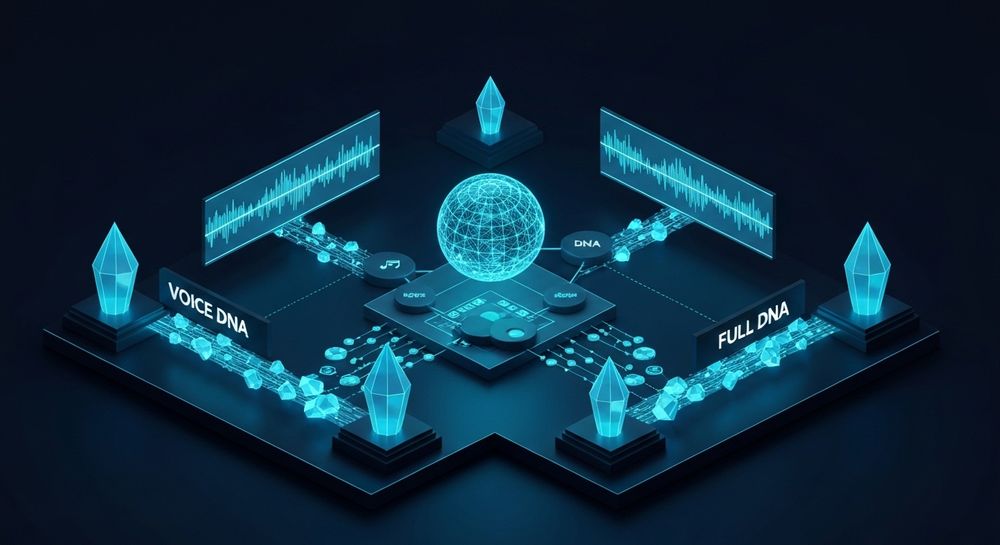
AI music creation refers to the process of generating melodies, lyrics, arrangements, and vocal performances using machine learning algorithms. Modern AI systems analyze datasets of licensed music and learn patterns across harmony, rhythm, and vocal dynamics. In 2026, the leading platforms focus on ethical creation through licensed catalogs, ensuring artists receive compensation when their style or voice is used.
Through AI vocal synthesis, voice models can mimic vocal characteristics such as tone, pitch, dynamics, or expressive style. Combined with tools like voice cloning for songs, artists can record a few samples of their voice and create an AI model that replicates their singing style to produce new tracks.
Now let’s explore how exactly you can create an AI song using your voice.
Step-by-Step Guide: How to Create AI Songs with Your Voice
This process involves training your AI voice model, generating your song, and refining the final output. Using AI tools in 2026 such as Soundverse DNA, users can clone their voice safely and ethically.
Step 1: Overview
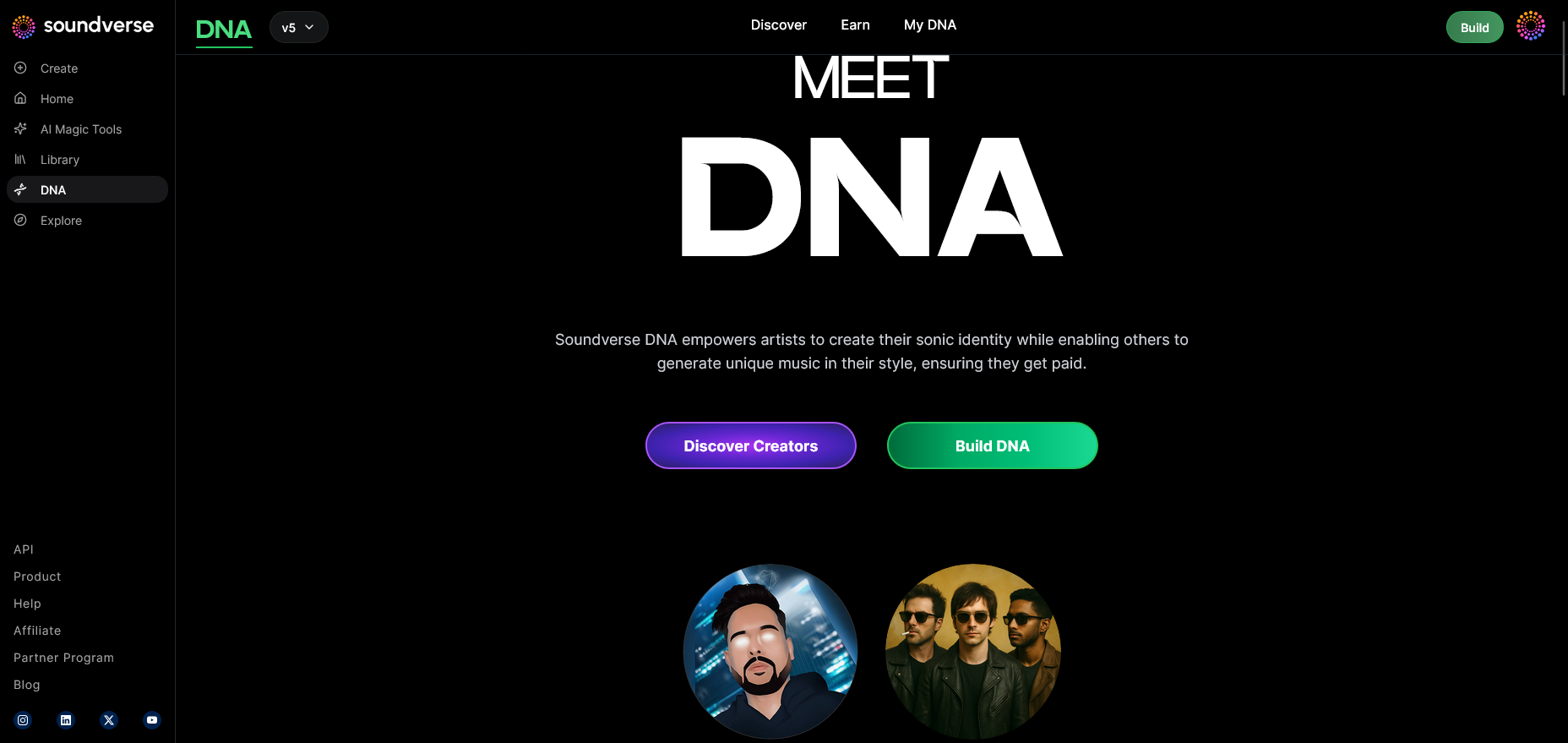
The first step is understanding the general workflow of Soundverse DNA. This feature combines Full DNA (instrumental + vocal style) and Voice DNA (vocal timbre/style only). You can choose between generating songs entirely with your synthetic style or adding AI vocals that replicate your real voice.
Step 2: Dashboard
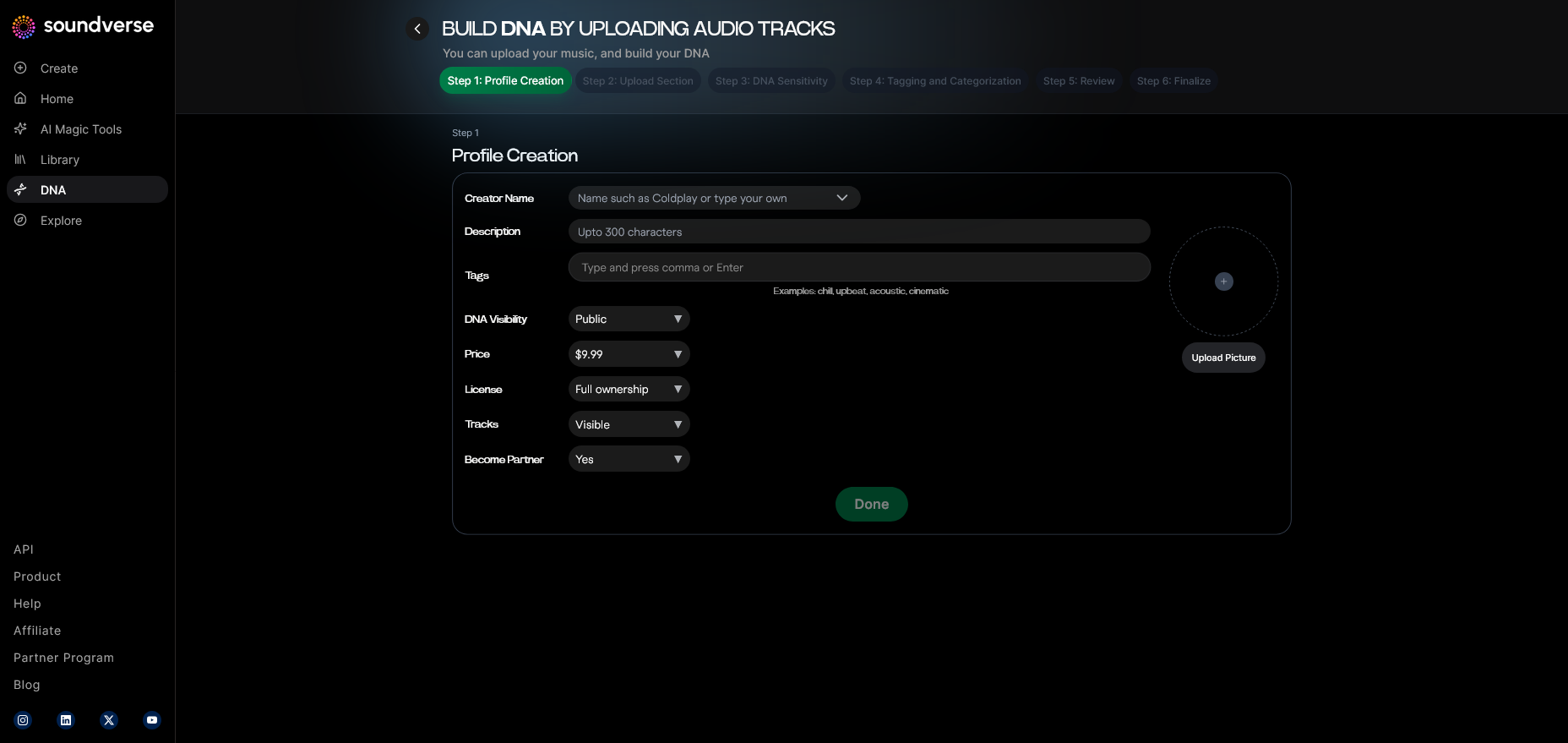
Upon signing in, you’ll access the My DNA management dashboard, which is the central interface for creating and managing your custom music models. From this hub, you can organize different DNA profiles — one for singing, another for instrumental style, etc.
Step 3: Creator Profile
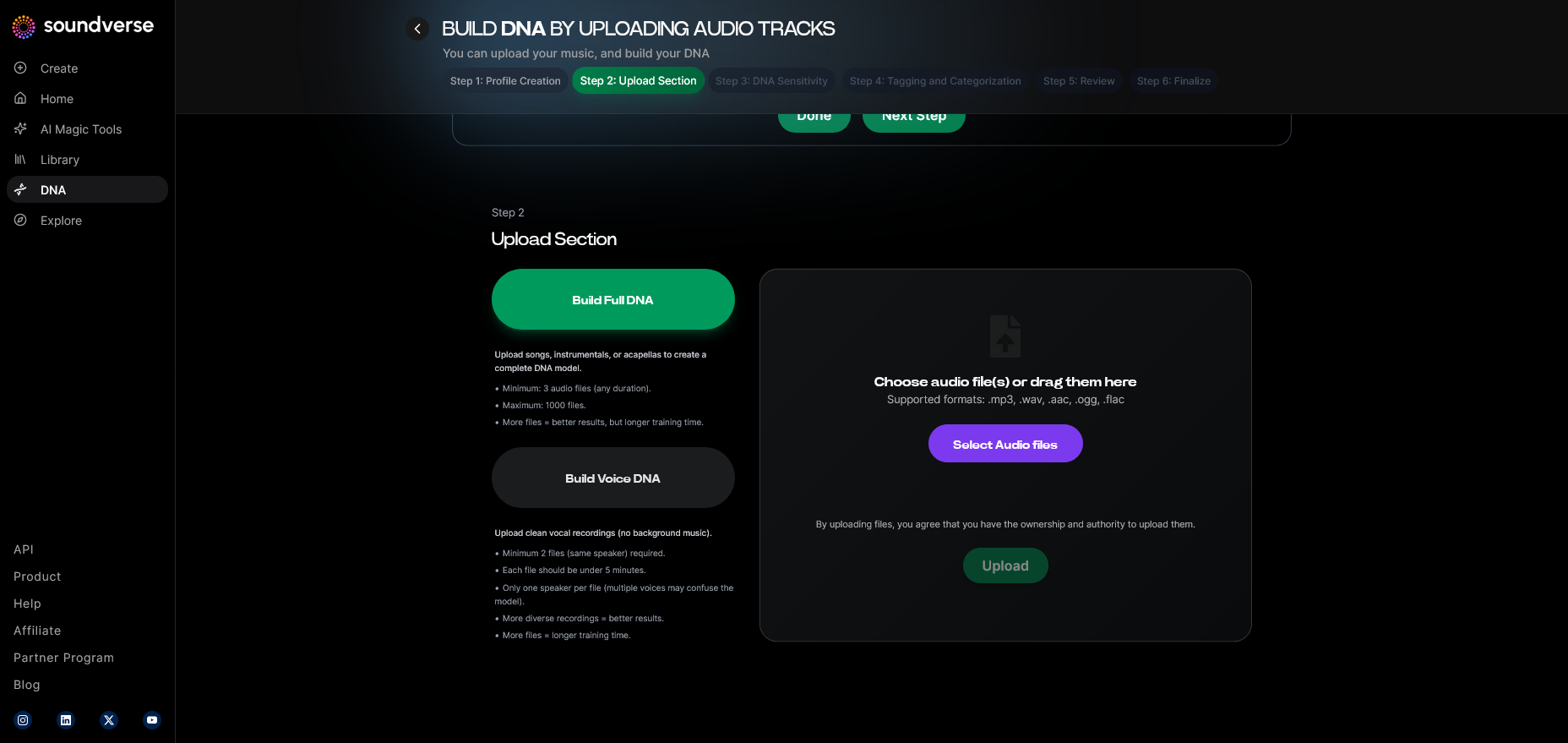
Before training your voice model, fill out your Creator Profile. This includes your artist name, genre preferences, and musical persona details. This stage defines your identity inside the AI system, helping the algorithms align generation with your brand sound.
Step 4: DNA Type Selection
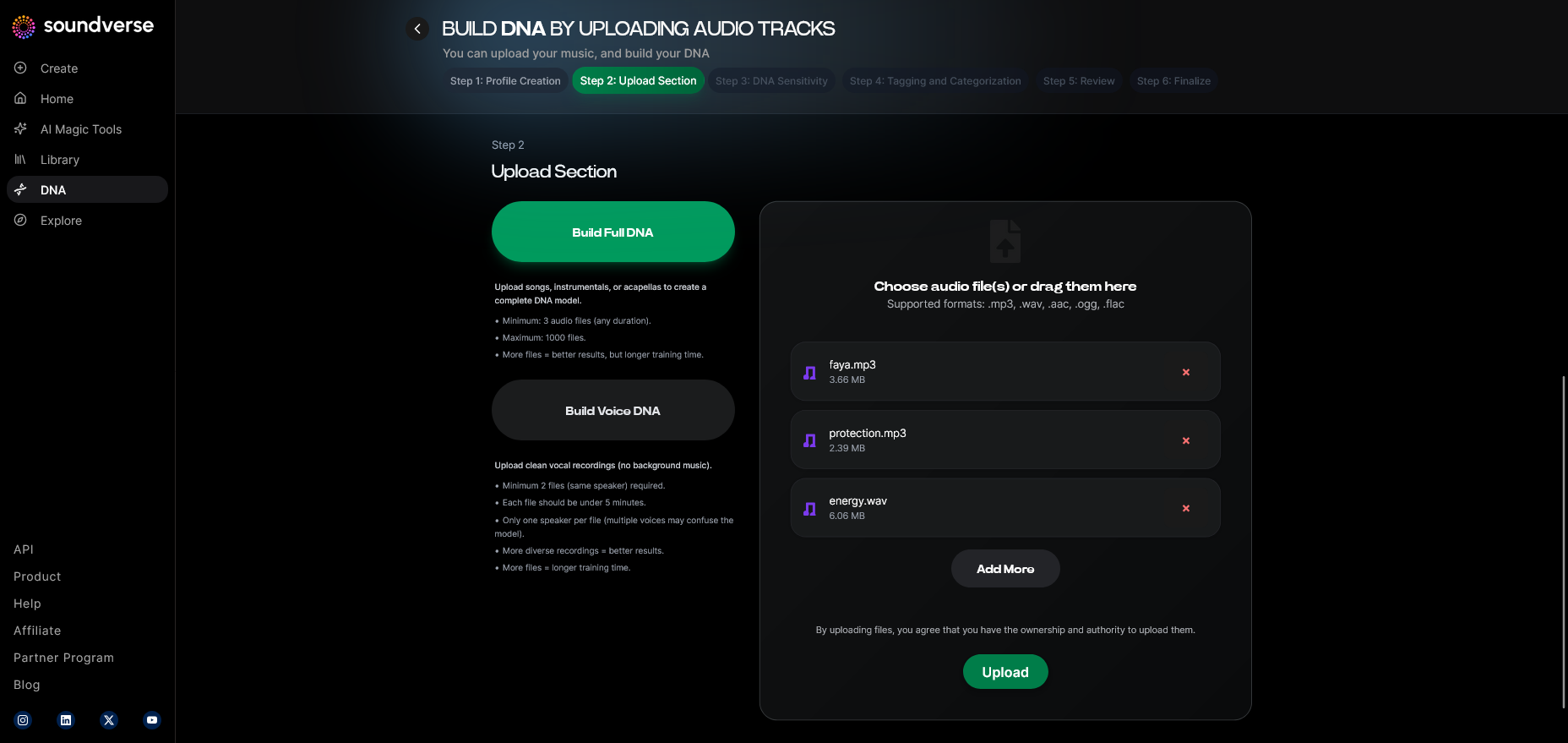
You’ll then choose the type of DNA to create. Select Voice DNA if you only want to clone your vocal timbre and style for singing, or Full DNA for complete songs that reflect both singing and production style.
Step 5: Upload Files
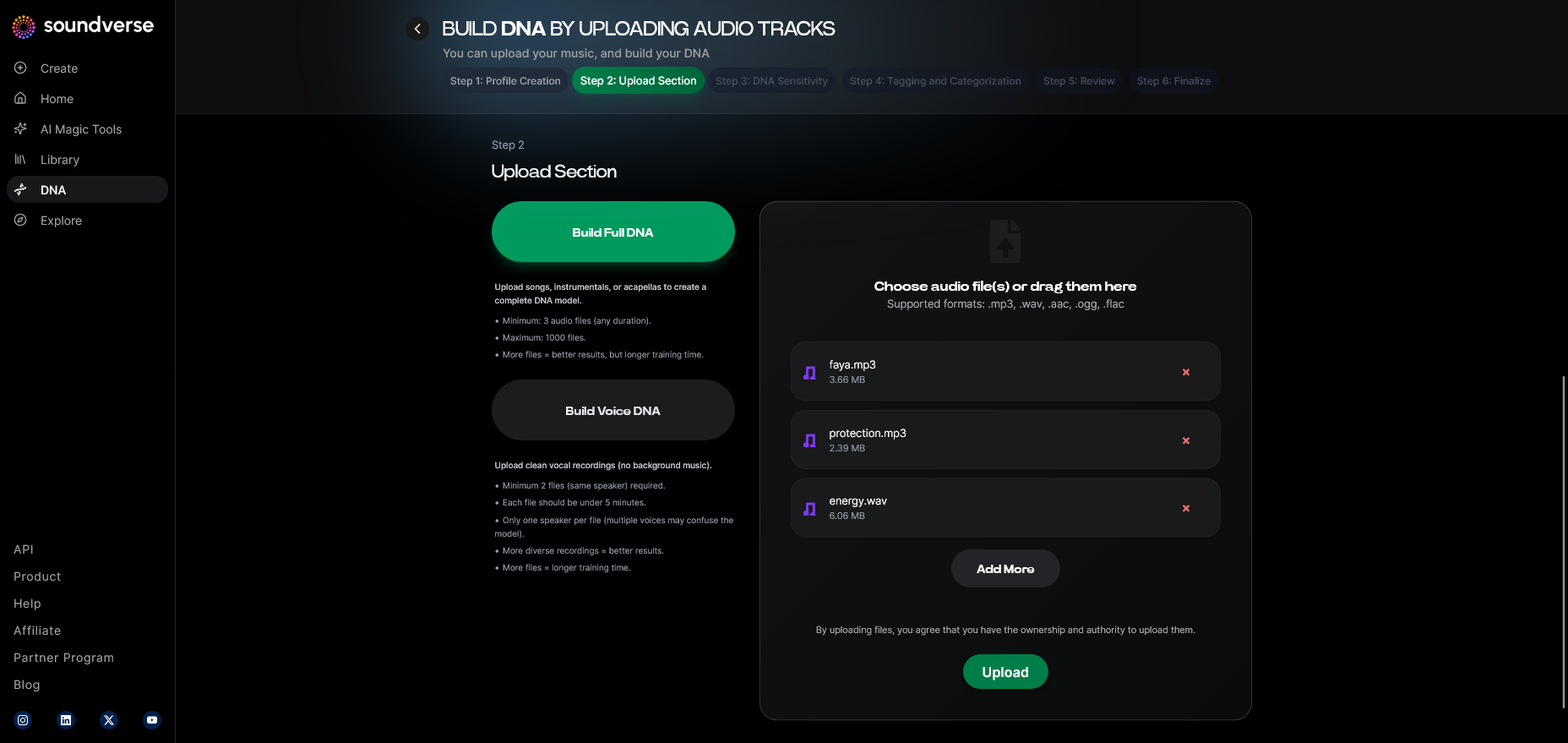
Record and upload high-quality audio samples of your voice. Soundverse operates asynchronously, meaning the AI processes your recordings after upload (not in real-time). The better the recording quality, the more accurate your AI vocal synthesis will be.
Step 6: Sensitivity Setting
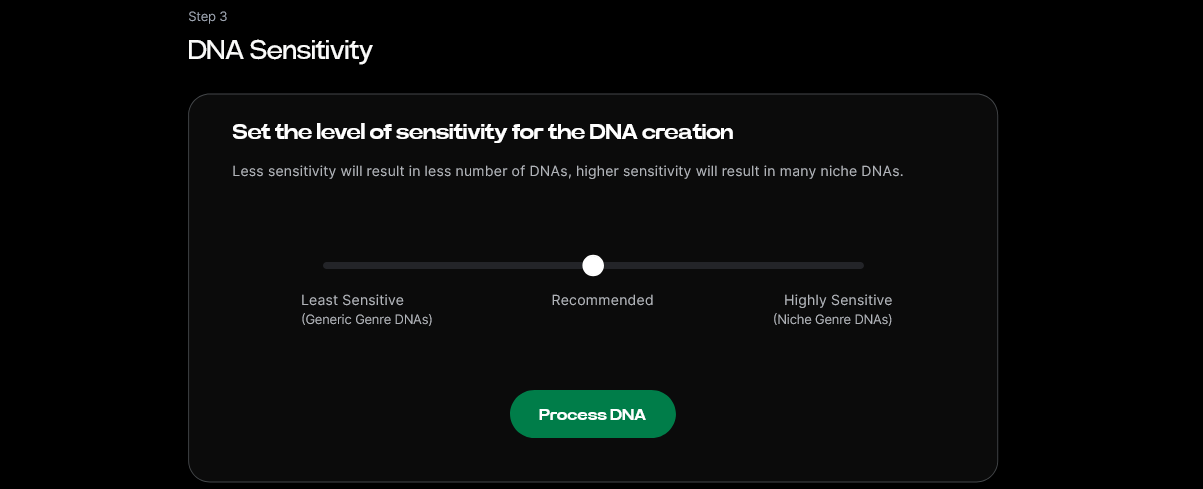
Next, adjust the Sensitivity Selector. This slider controls how closely your generated songs follow your original recordings. A high sensitivity keeps the AI model tightly bound to your style, while lower sensitivity allows broader creative exploration.
Step 7: Auto Tagging
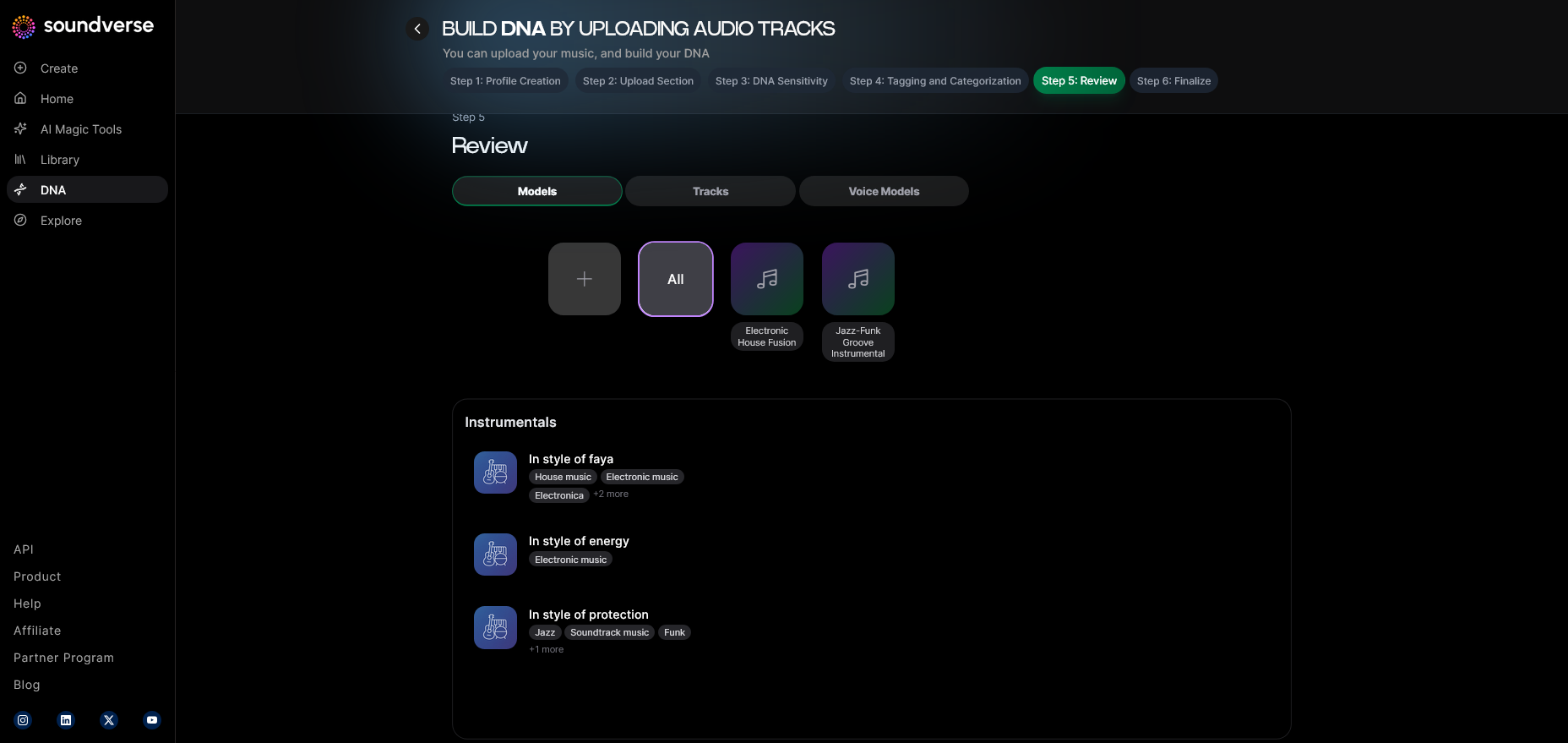
The system automatically organizes your uploaded files with metadata tags, including genre, emotion, vocal style, and tempo. These tags make future song generation easier and ensure coherent catalog structuring.
Step 8: Review & Publish
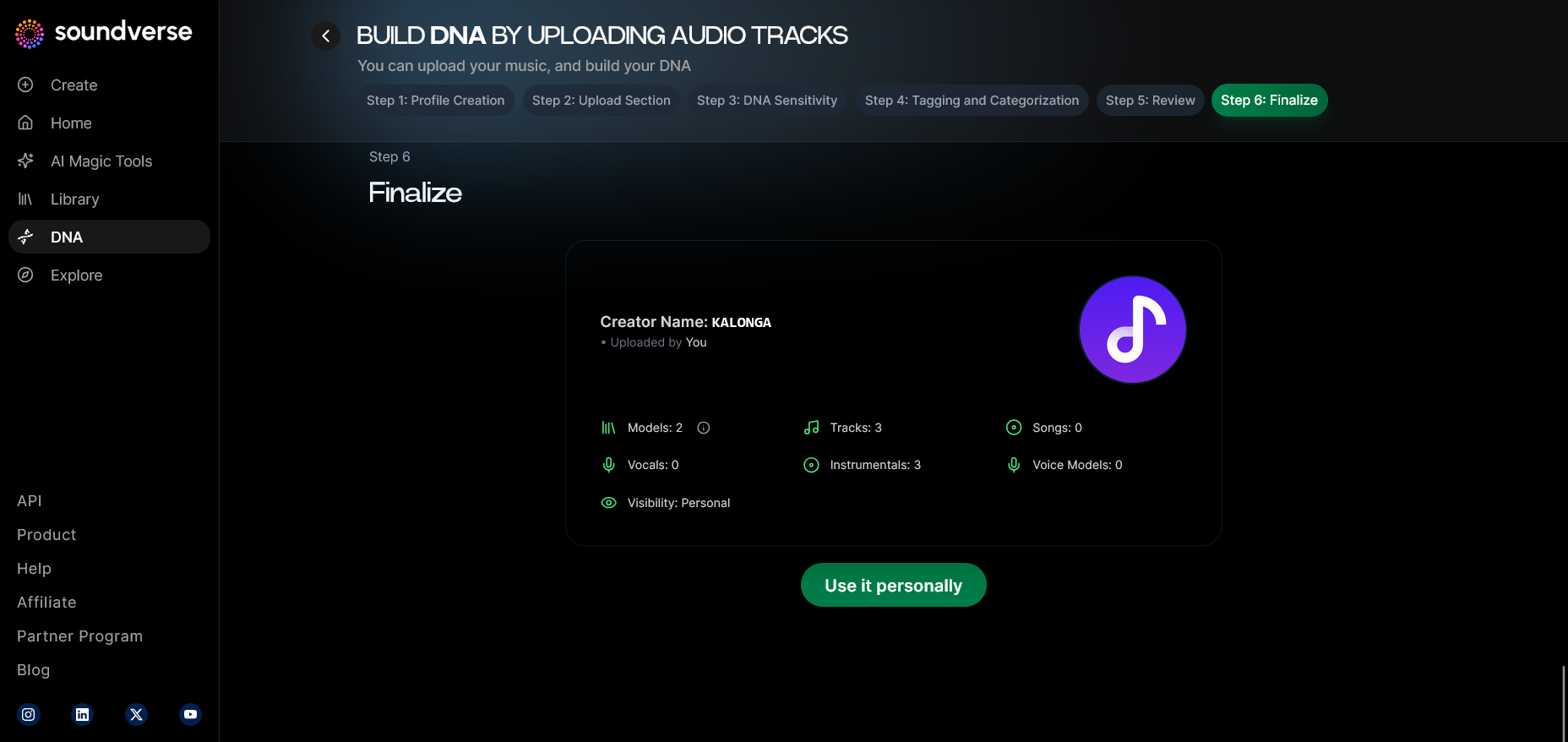
Once satisfied with your setup, review and publish your DNA model. Soundverse ensures all data is kept in Private Mode if you want secure co-creation inside your account without sharing with the DNA Marketplace initially.
Step 9: Generation Panel
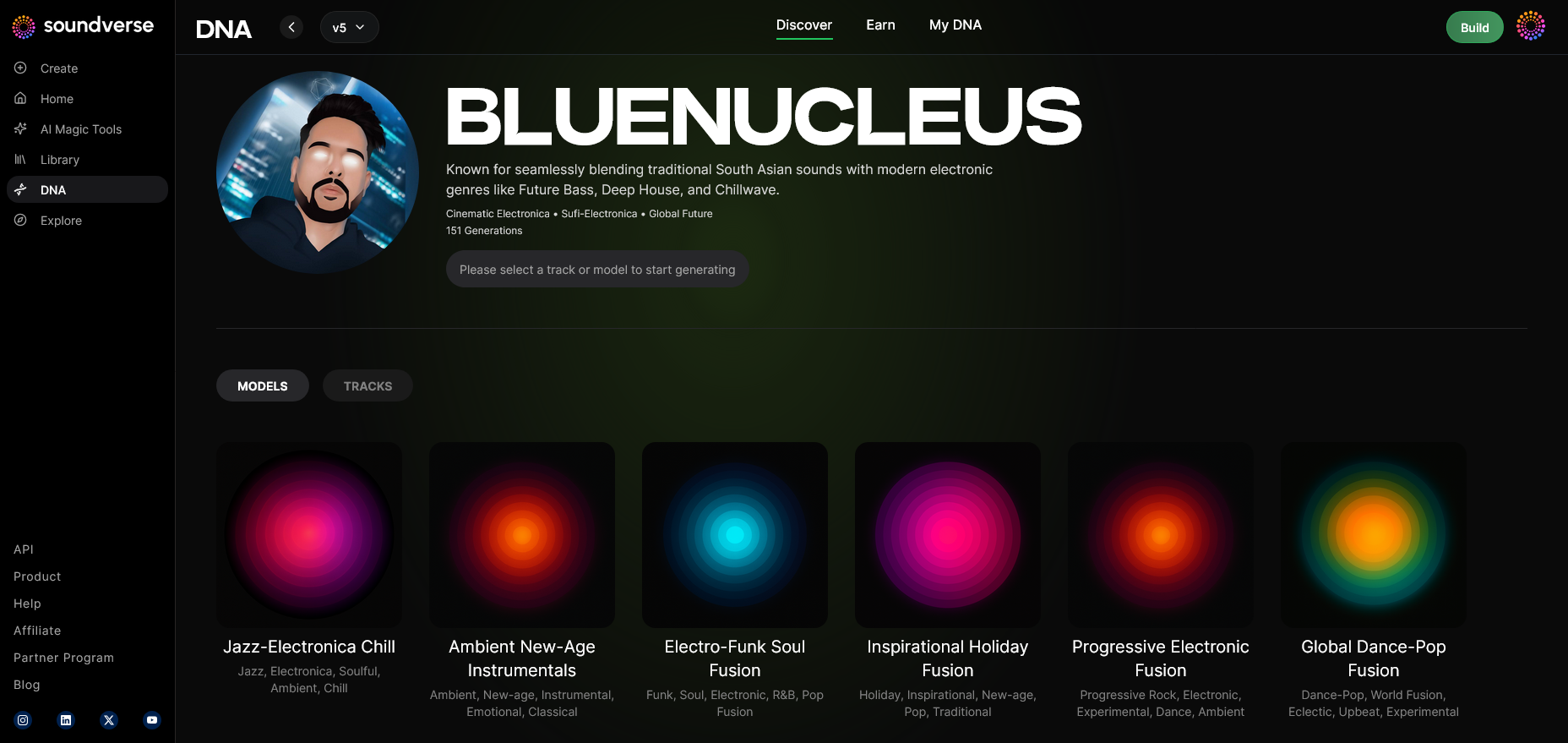
Now access the DNA music generation interface. Here, you can instruct the AI to create either full songs or acapella tracks using your voice DNA.
Step 10: Model-Based Mode
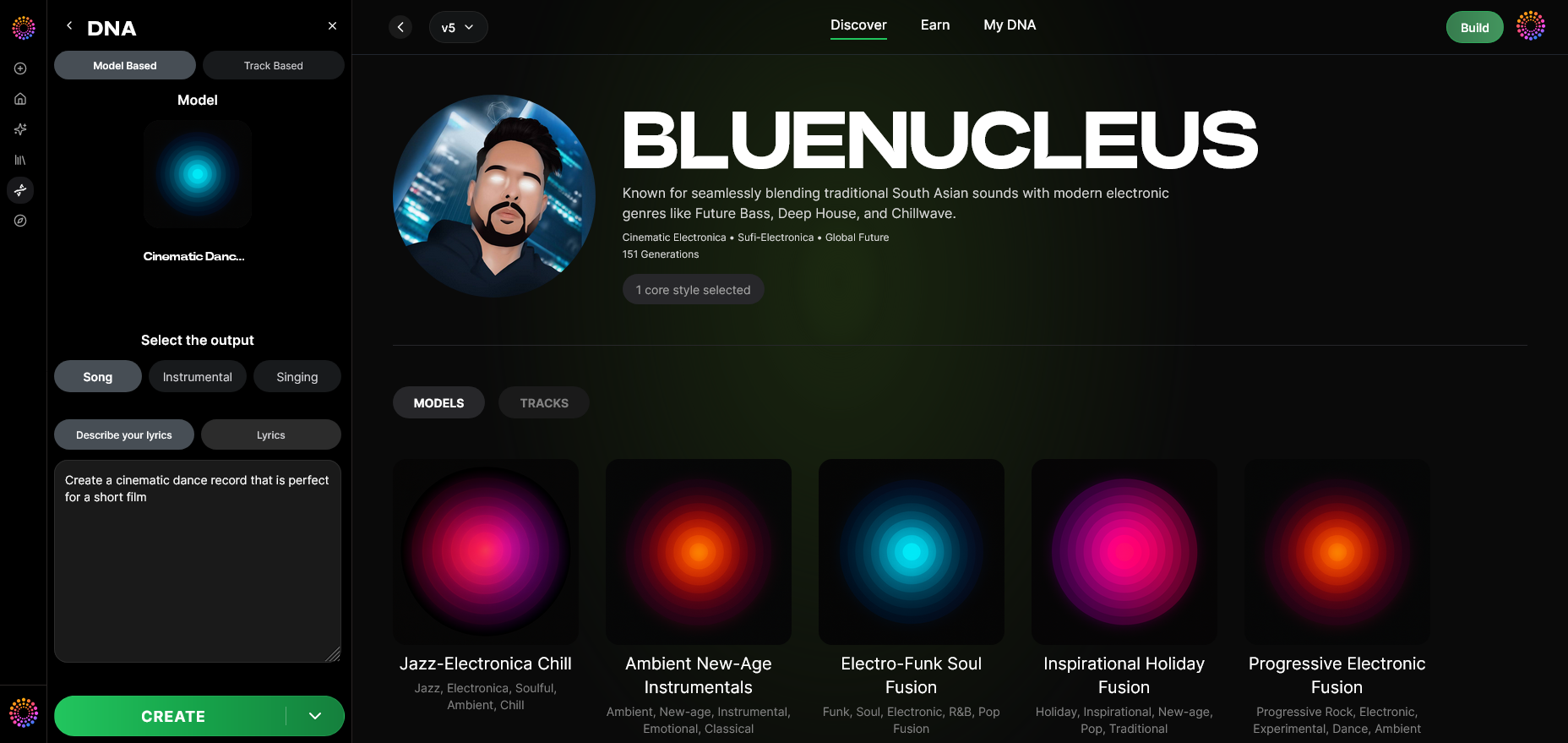
Enable Model-Based Mode to apply your trained voice directly to the generation system. This ensures the results reflect your vocal timbre and expression.
Step 11: Output Type
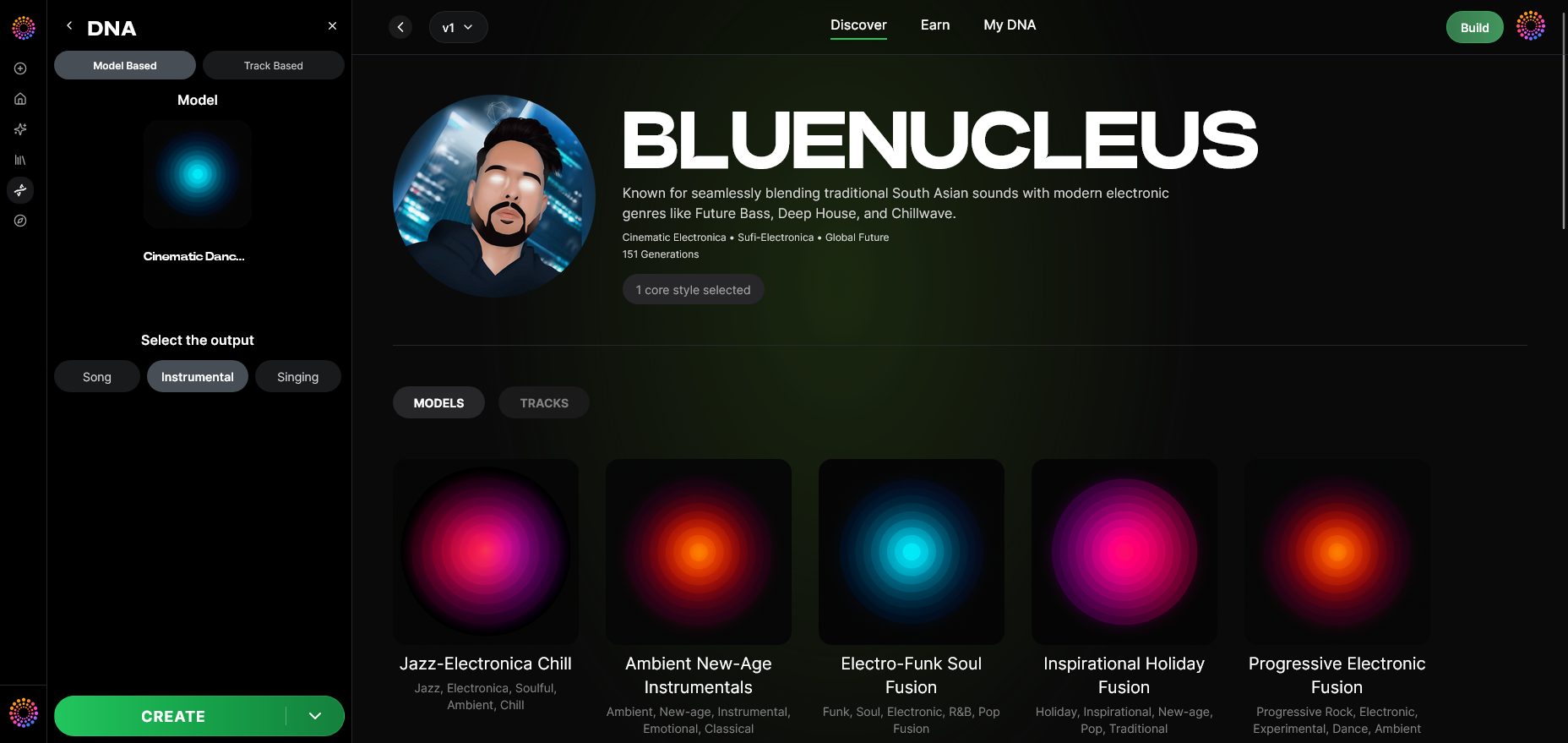
Select whether you want an instrumental-only output or a full song featuring AI-generated vocals.
Step 12: Prompt Type
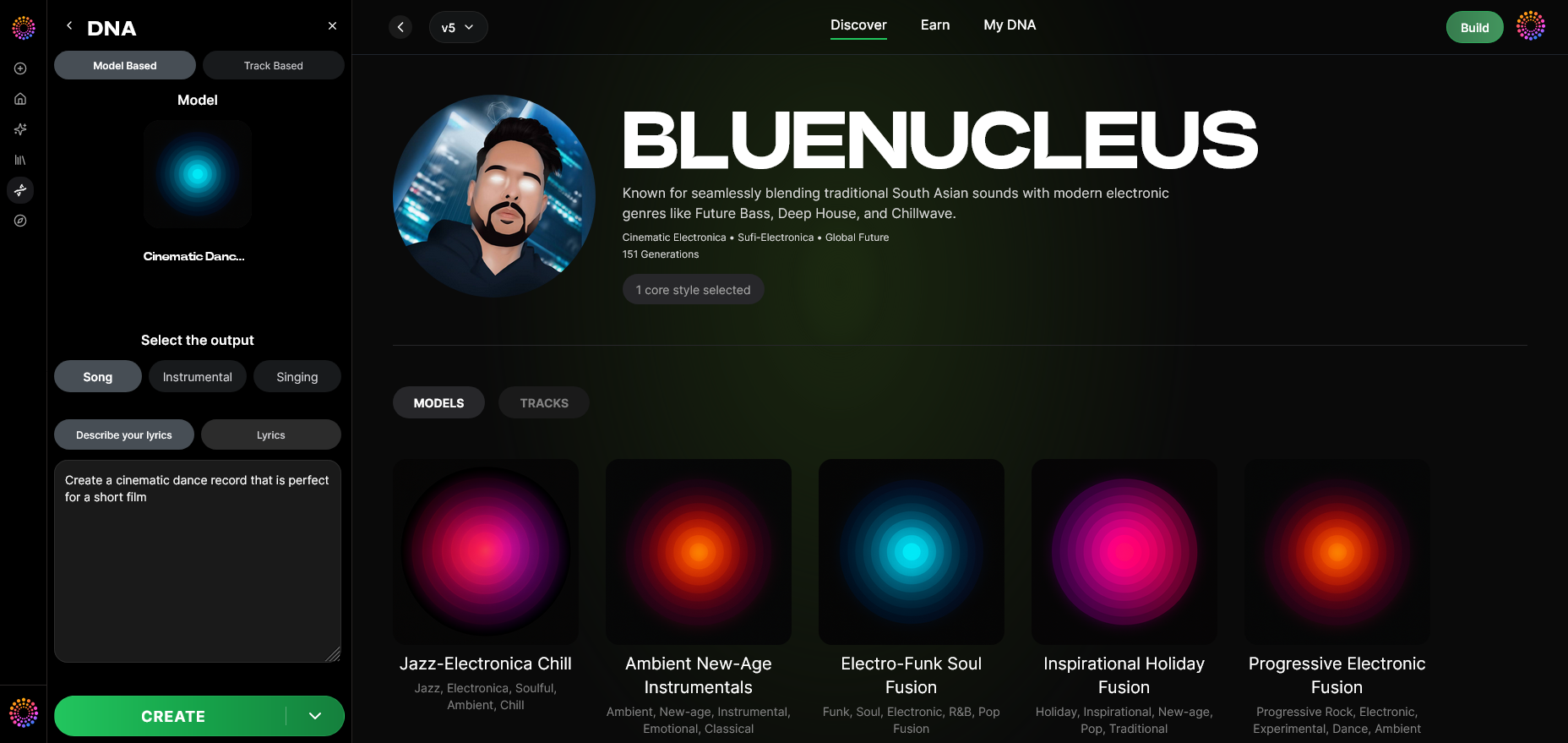
You can write descriptive text prompts—such as “Dreamy pop track with soft female vocals”—or input lyrics directly. The AI uses these prompts to shape melody, harmony, and vocal phrasing.
Step 13: Generation Complete
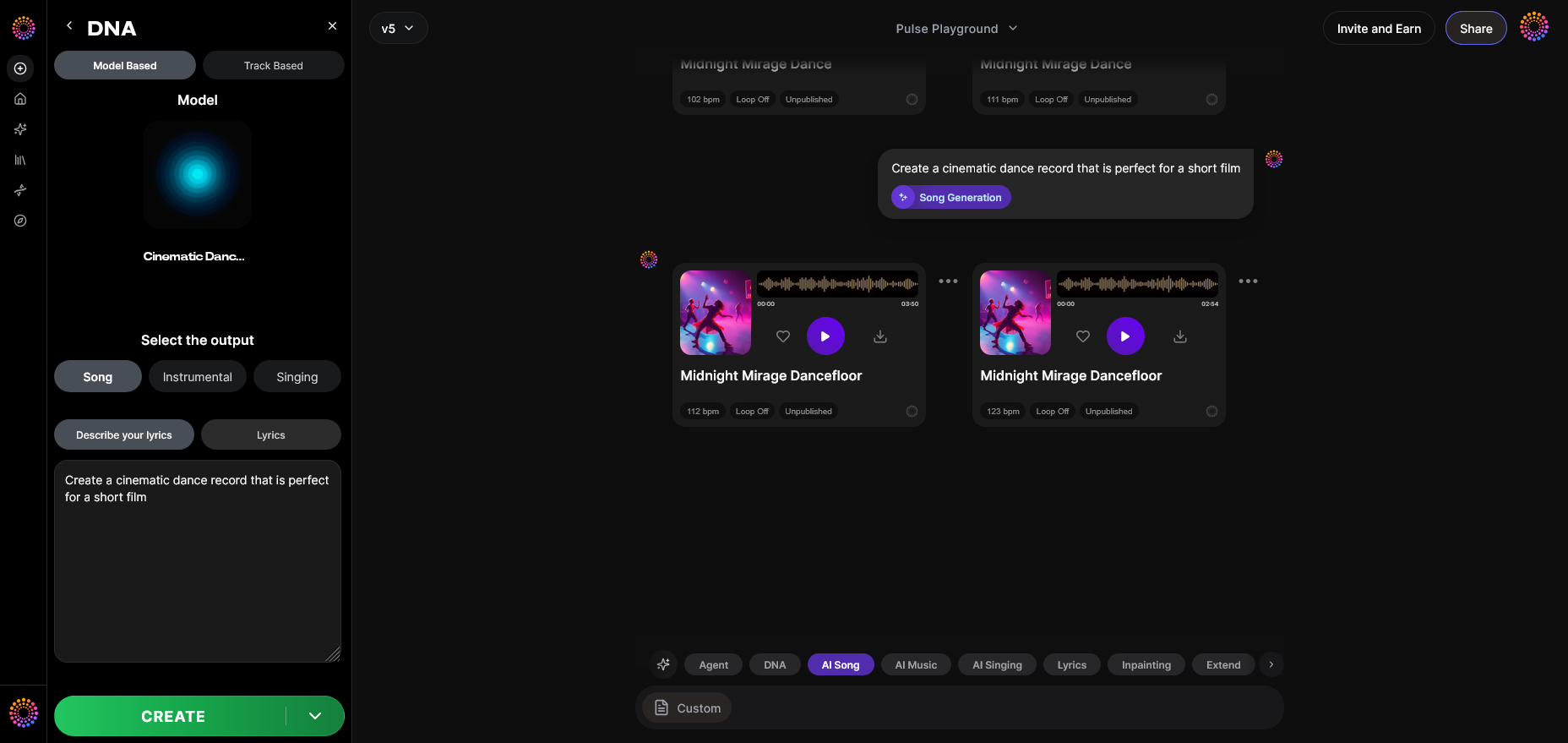
Once processed, your AI song will appear in the results display section. You can listen, compare variations, and export different mixes. For a deeper dive into how this generation step looks in practice, watch our Soundverse Tutorial Series - How to Make Music.
Step 14: Export Options
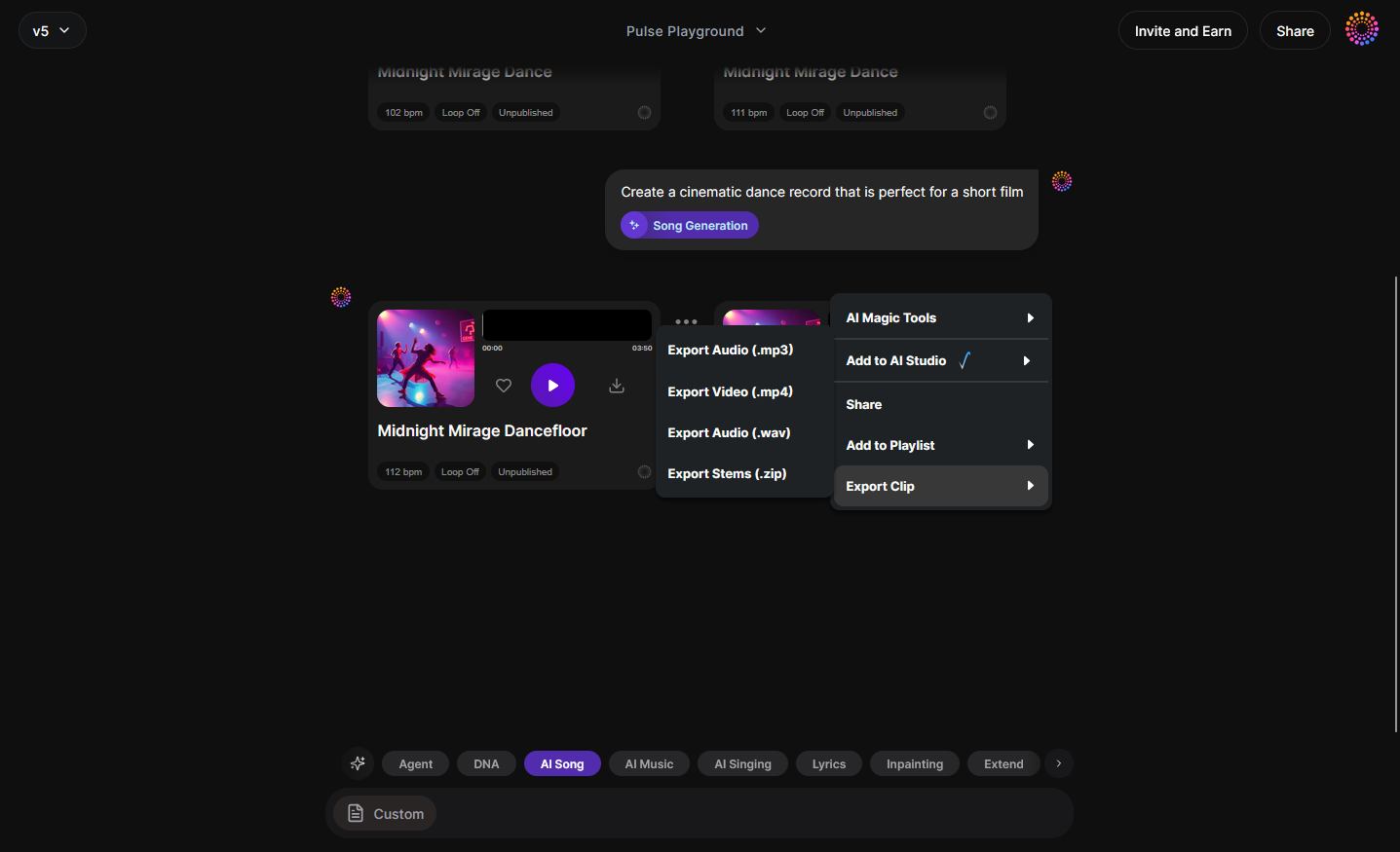
Finally, choose from multiple export formats (MP3, WAV, stems). This flexibility lets you integrate your AI-generated voice song into your production workflow, live shows, or social media content.
What other AI tools can help make songs with your voice?
In 2026, creators often combine multiple AI tools for more personalized results:
- AI Singing Generator: Generates professional acapella performances from text or lyrics with diverse vocal effects, explored by platforms like Canva’s AI Music Generator.
- AI Song Generator: Converts written lyrics or poetic descriptions into full arrangements, similar to what EasyMusic.AI and Soundful offer.
- Voice Swap: Lets you replace vocals in an existing track with a different voice DNA model.
These tools complement Soundverse DNA for full creative control. Whether you want to imitate famous singers or build your own vocal brand, combining features amplifies the creative potential. The growing ecosystem from Wammpromotions and Reliqus showcases this collaboration trend in the AI music scene.
For broader exploration on AI-driven composition techniques, check guides like How AI-Generated Music is Transforming the Music Industry or Best AI Music Generator: Top Picks and Review. You can also explore thematic songwriting ideas from 100 Text-to-Music Prompts That Will Help You Create Viral Music.
For a deeper example of genre-focused workflows, watch our Soundverse Tutorial - Make Deep House Music.
How to make AI songs using Soundverse DNA
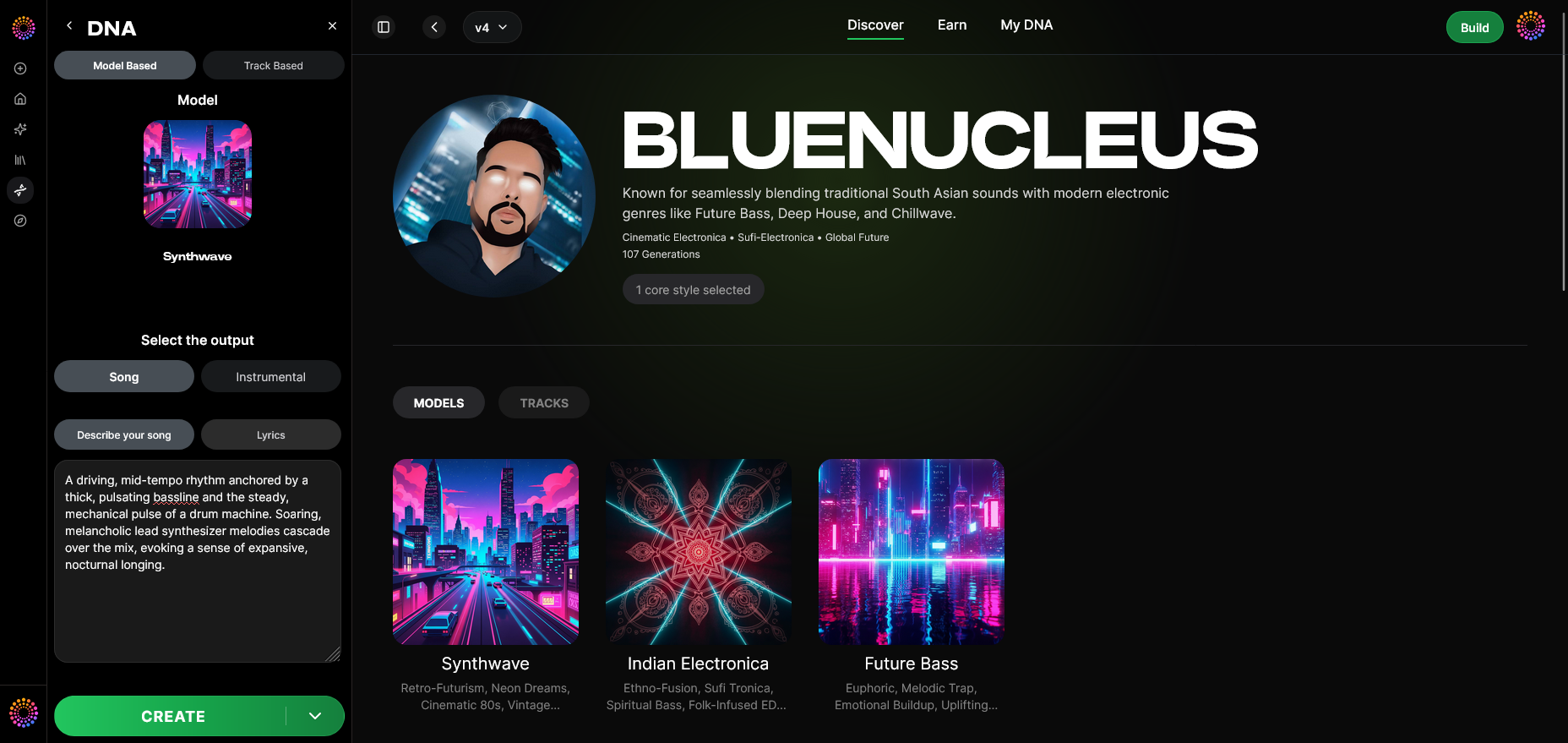
Now that you understand the broad steps of AI music creation, let’s see how Soundverse DNA simplifies everything.
Soundverse DNA is an artist-trained AI music generation system designed for ethical and high-quality production. Instead of relying on unlicensed data, it creates models based on licensed catalogs, ensuring artists are monetized when others use their sound.
Key Features
- Full DNA & Voice DNA: Build a complete model from your instrumentals and vocals or just clone your singing voice.
- DNA Marketplace: License your vocal style to fans or collaborators.
- Sensitivity Selector: Control how deeply the AI mimics your timbre and era of work.
- Private Mode: Enables secure, private co-creation without public sharing.
Why Soundverse DNA is ideal in 2026
By 2026, ethical AI music creation is non-negotiable. Soundverse DNA allows true creative ownership for artists while enabling fans or producers to generate new compositions based on those licensed models. This framework avoids copyright issues and helps streamline professional workflows.
Use Soundverse DNA to maintain a consistent sonic brand, create music for film or games, or simply accelerate your songwriting process with AI-powered innovation.
For examples of advanced uses, check Soundverse AI Magic Tools: Create Content Quickly with AI and How to Create Country Music with Soundverse AI.
Start Creating Songs with Your Own Voice — Powered by AI
Bring your musical ideas to life with Soundverse's AI music tools. Transform your voice into full-fledged tracks, explore infinite genres, and produce professional-quality music in minutes.
- Generate AI Music with Soundverse Text-to-Music — Learn how to turn written prompts into dynamic songs using Soundverse’s text-to-music technology.
- Soundverse AI Magic Tools: Create Content Quickly with AI — Discover how Soundverse’s AI Magic Tools help you generate and customize music effortlessly.
- Soundverse Assistant: Your AI Music Co-Producer — Find out how Soundverse Assistant can collaborate with you to refine your AI-generated songs.
- What AI Can Generate Songs — Explore the AI technologies capable of composing and producing realistic, high-quality music.
Here's how to make AI Music with Soundverse
Video Guide

Here’s another long walkthrough of how to use Soundverse AI.
Text Guide
- To know more about AI Magic Tools, check here.
- To know more about Soundverse Assistant, check here.
- To know more about Arrangement Studio, check here.
Soundverse is an AI Assistant that allows content creators and music makers to create original content in a flash using Generative AI. With the help of Soundverse Assistant and AI Magic Tools, our users get an unfair advantage over other creators to create audio and music content quickly, easily and cheaply. Soundverse Assistant is your ultimate music companion. You simply speak to the assistant to get your stuff done. The more you speak to it, the more it starts understanding you and your goals. AI Magic Tools help convert your creative dreams into tangible music and audio. Use AI Magic Tools such as text to music, stem separation, or lyrics generation to realise your content dreams faster. Soundverse is here to take music production to the next level. We're not just a digital audio workstation (DAW) competing with Ableton or Logic, we're building a completely new paradigm of easy and conversational content creation.
TikTok: https://www.tiktok.com/@soundverse.ai
Twitter: https://twitter.com/soundverse_ai
Instagram: https://www.instagram.com/soundverse.ai
LinkedIn: https://www.linkedin.com/company/soundverseai
YouTube: https://www.youtube.com/@SoundverseAI
Facebook: https://www.facebook.com/profile.php?id=100095674445607
Join Soundverse for Free and make Viral AI Music

We are constantly building more product experiences. Keep checking our Blog to stay updated about them!