How to Make an AI Music Video From Scratch in 2026
Learn how to make an AI music video from scratch in 2026 using AI tools like Soundverse. Step-by-step AI music video tutorial for creators.
How to Make an AI Music Video From Scratch
In 2026, the fusion of artificial intelligence and creativity has redefined how music and visuals come together. If you’ve ever wondered how to make an AI music video from scratch, this comprehensive tutorial will guide you through every step — from generating your own instrumental soundtrack to pairing it with stunning, AI-generated visuals. Whether you’re a musician looking to enhance your work, a digital artist experimenting with new formats, or a content creator seeking to stand out online, this guide gives you the blueprint for fusing sound and motion through AI.
Why Create an AI Music Video in 2026?
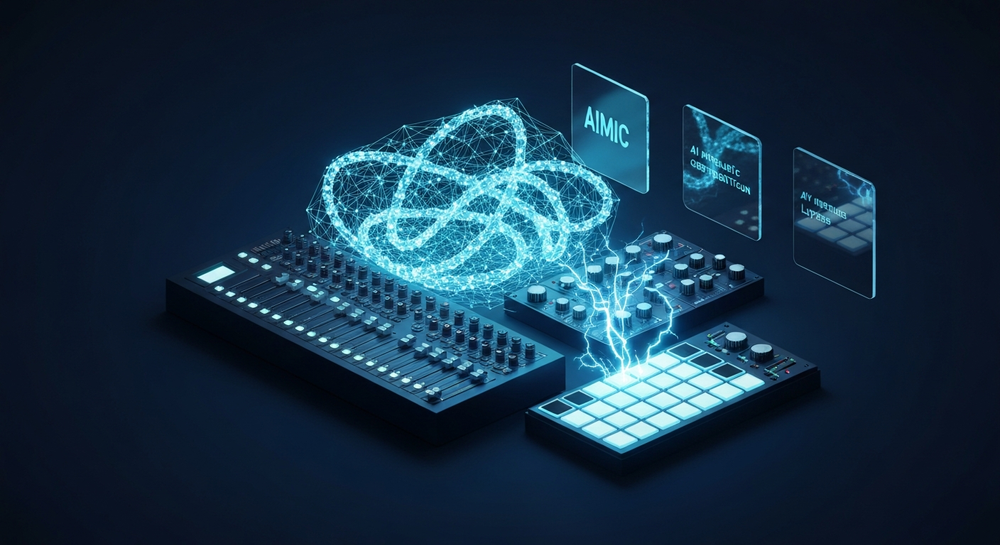
AI video generation has become one of the most dynamic areas in content creation today. Platforms that blend video synthesis, generative visuals, and text-to-music tools give creators unmatched flexibility. What used to take days of video editing and music production can now be done in hours — without compromising quality.
By 2026, AI models have evolved to understand themes, moods, and cinematic tones more intuitively. This means your vision, expressed in simple text, can be transformed into an immersive music video with minimal manual effort. AI-driven music videos resonate strongly on social media platforms, advertising campaigns, and streaming portfolios.
Before diving into the steps, let’s explore the cornerstone of this process — the Soundverse AI Music Generator.
How to Make an AI Music Video with Soundverse AI Music Generator
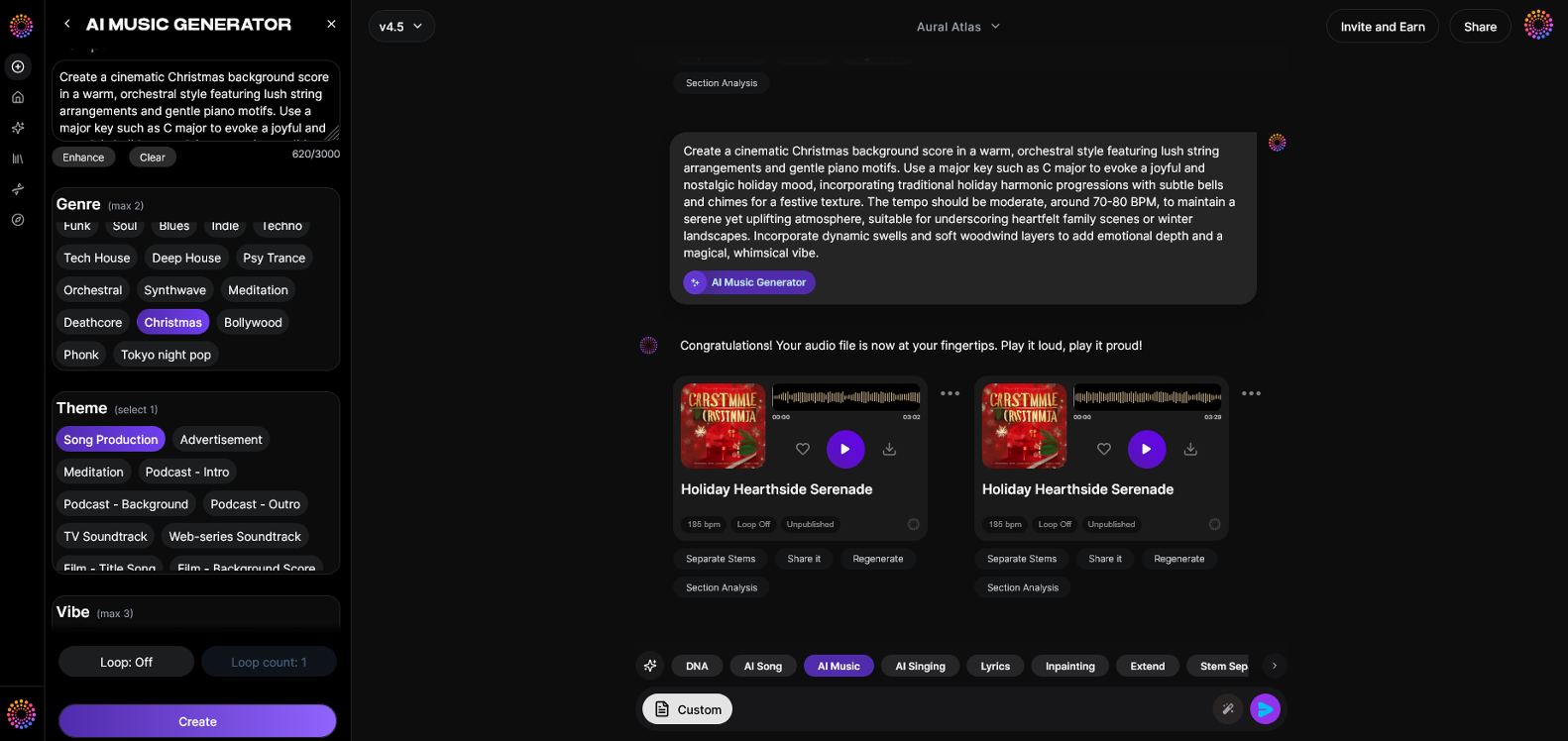

The Soundverse AI Music Generator allows creators to produce fully arranged instrumental tracks directly from text prompts. You simply describe the kind of sound you envision, and the model generates professional-level audio ready to pair with film or animation.
Official Features and Capabilities:
- Text-to-Music Generation: Create instrumentals, beats, and atmospheric compositions from written prompts.
- Loop Mode: Ideal for background video soundtracks, allowing seamless looping for YouTube or TikTok visual content.
- Genre, Mood, and Instrument Control: Whether you want orchestral drama or ambient synth textures, you can fine-tune every sonic layer.
- V4 and V5 Model Options: Choose the version that fits your sound preference, with V5 emphasizing realism and dynamic mixing.
- Primary Use Cases: Background scores for video, advertising music, wellness loops, and gaming soundscapes.
When combined with AI video generation platforms like Runway or Pika, Soundverse creates the foundation — your original soundtrack — for visually stunning productions. You can also integrate tracks generated earlier via the Soundverse Text-to-Music workflow for continuity between music and video.
For a deeper dive, watch our tutorial on how to make music from the Soundverse YouTube series.
Now, let’s walk through each part of the creation process.
Step 1: Feature Overview
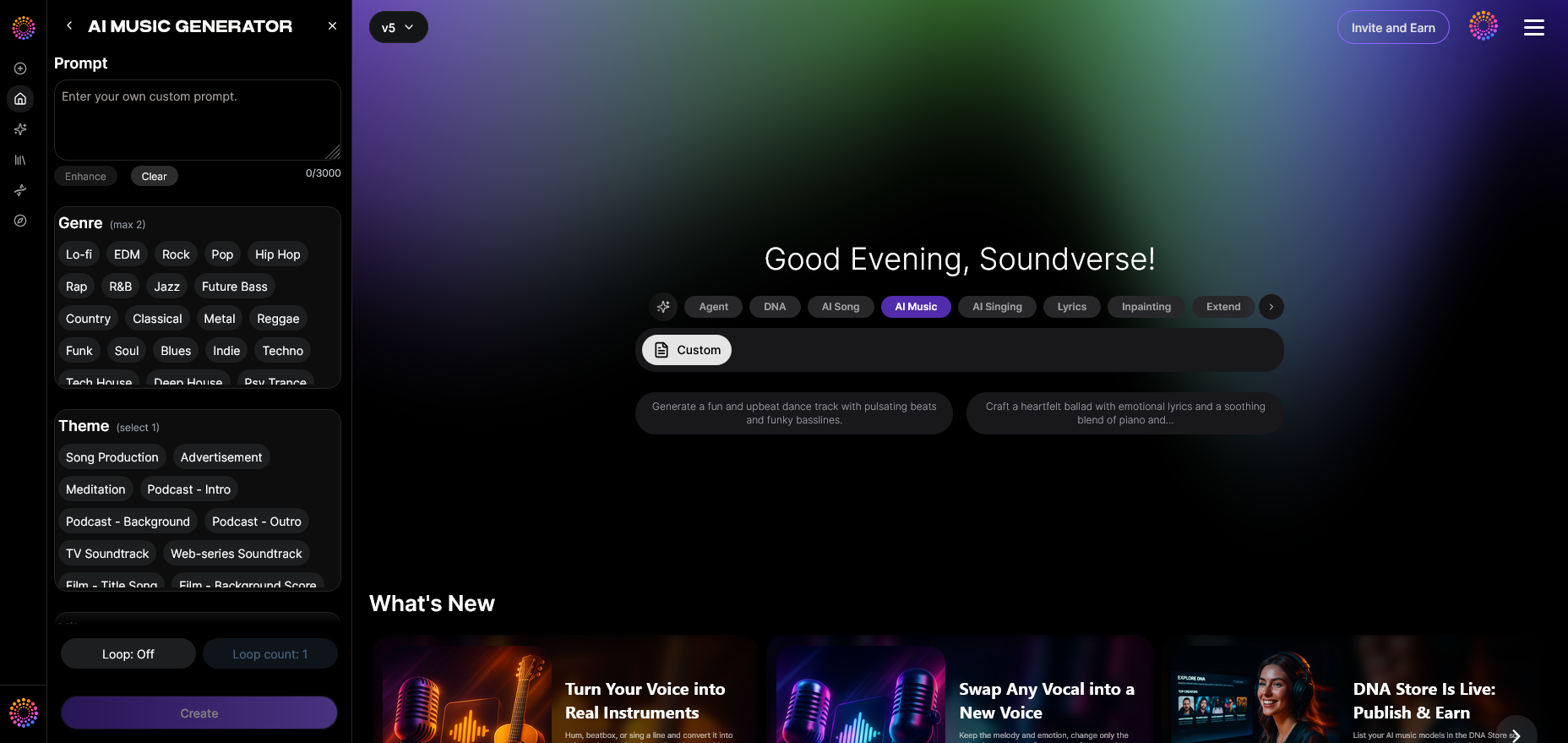
Access the AI Music Generator from the main Soundverse menu. This is your entry point to build the musical base of your video. Here you’ll find model selection options, prompt text boxes, and customization parameters for looping and genre control.
Step 2: Description Input
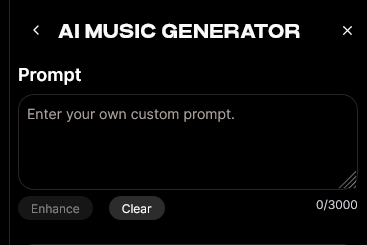
Next, describe the kind of music you want. Be detailed yet concise. For example: "A futuristic electronic soundtrack with slow builds and shimmering synth textures for a sci-fi short film." The AI interprets these cues to form the structure, mood, and instrumentation. You can draw inspiration from examples across Soundverse’s blog, such as how to make AI-generated music or 100 text-to-music prompts for viral inspiration.
Step 3: Style & Duration
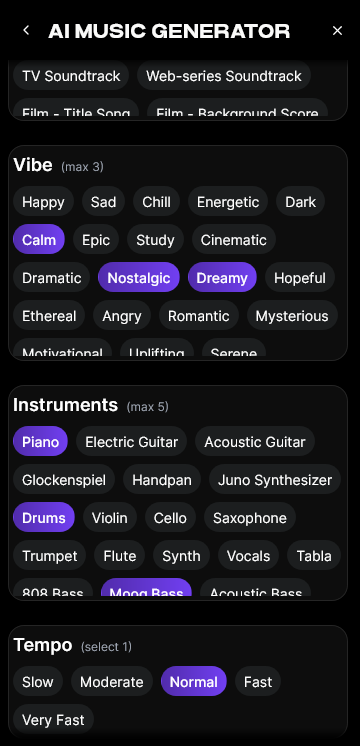
Now set your preferred style and track duration. If it’s for a full-length video, aim for 2–4 minutes. For looping background visuals, 30–60 seconds might work better with Loop Mode activated. You can also adjust attributes such as tempo, instrument blend, and dynamic density to better match the intended visual pacing.
Step 4: Generation
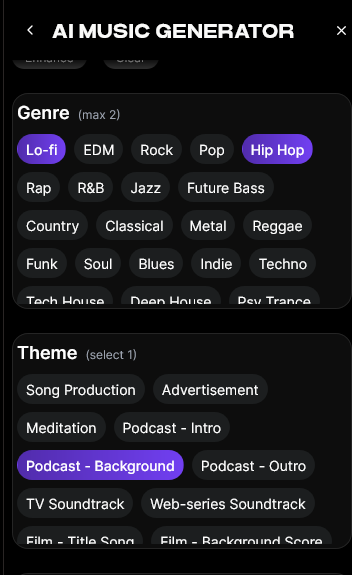
After finalizing your settings, click Generate. The Soundverse AI Music Generator processes your text asynchronously, composing a fully produced instrumental. Within minutes, you’ll have an original track structured with intro, body, and outro sections.
Once the track is ready, preview the output, and if necessary, refine your text prompt to emphasize certain moods or instrument types. This iterative process is what makes AI content creation for music so intuitive and satisfying.
For another demonstration, see our Explore Tab walkthrough on YouTube.
Step 5: Export Options
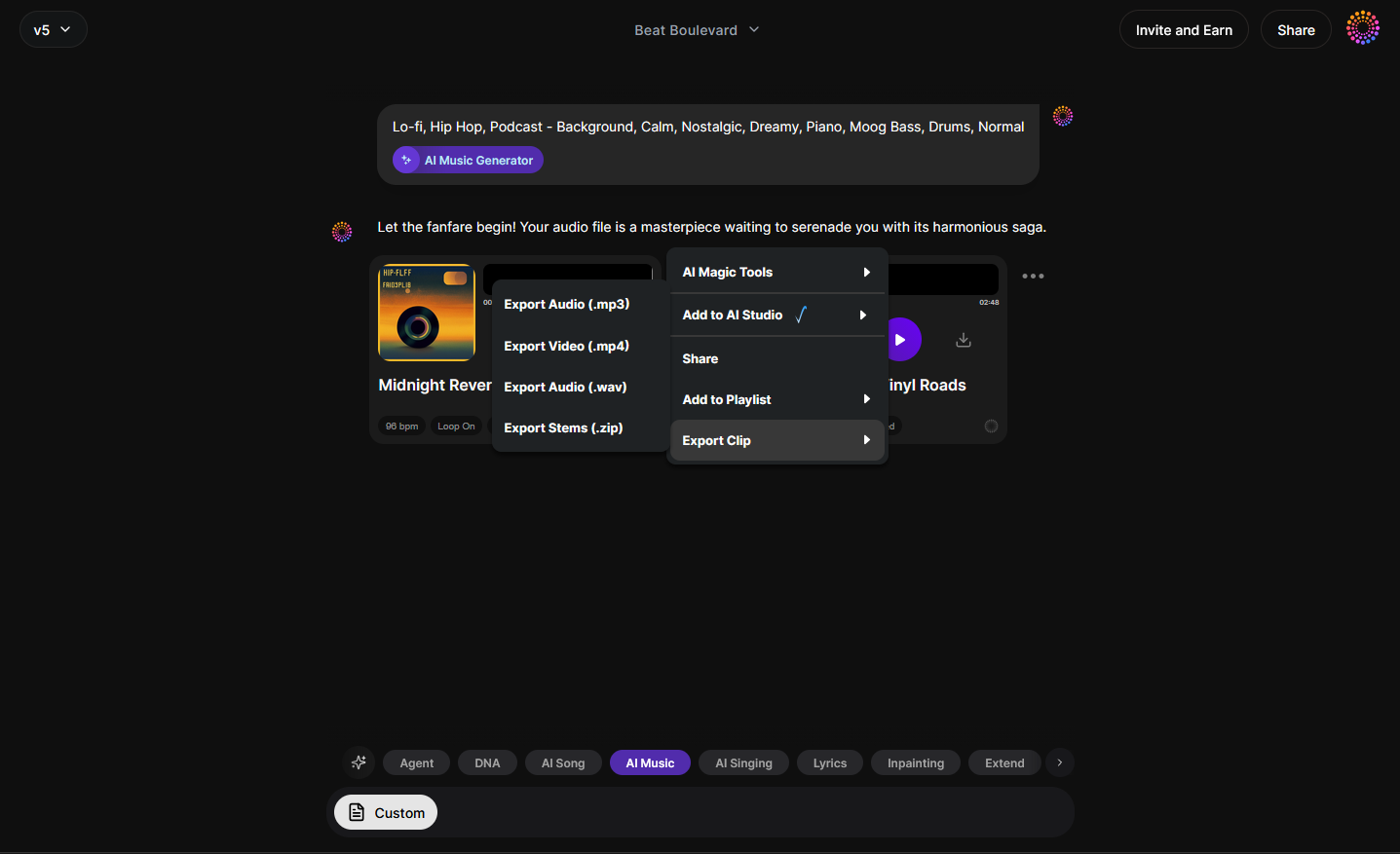
After you’re satisfied with the generated instrumental, export your track. You can choose between high-quality WAV or compressed MP3 depending on your intended use. The audio can now be combined with visuals in your favorite AI video editing or generation platform.
For secure music lifecycle management, Soundverse integrates Soundverse Trace, embedding attribution and copyright integrity into each exported piece — a major advantage for creators monetizing their video content.
How to Generate Visuals for Your Music Video
Once the soundtrack is ready, you’ll need visuals. Here’s how to create them:
- Choose an AI video generator: Modern tools like Runway, Kaiber, and Pika allow you to generate visuals from text-to-video or image-to-video models.
- Align mood and narrative: Use the same keywords from your Soundverse prompt. Consistent descriptive language ensures the visuals complement your soundtrack's emotion.
- Edit together: Combine AI-generated scenes in a video editor like DaVinci Resolve or CapCut. Align transitions and cuts with musical changes to sustain engagement.
- Add effects and text overlays: Add subtle motion effects or thematic text overlays to contextualize your clip.
- Finalize with mastering: Sync final audio and render in HD for uploads to platforms like YouTube Shorts or TikTok.
For inspiration on matching your soundtrack to video atmosphere, explore how AI-generated music is transforming the industry or the role of AI music in film and TV. You can also visit Shai Creative’s guide on the best AI music video generators to see what tools are leading in 2026.
Pro Tips for Creating AI Music Videos That Stand Out
- Experiment with prompt specificity: The more vividly you describe sound and visuals, the better your outcome.
- Use loop mode wisely: Perfect for background visualizers and ambient channels.
- Mix with human creativity: Layer AI-generated audio with natural sound effects or dialogue for realism.
- Leverage diverse models: Try V4 vs V5 within Soundverse to compare tonal balance.
- Stay on-brand with rights: Use Soundverse Trace to ensure every export carries embedded usage rights metadata.
Why Musicians and Creators Prefer AI Video Creation Tools in 2026
AI video and music generation is no longer about replacing artists; it’s about amplifying creative speed and accessibility. Independent creators who once needed pricey equipment can now produce cinematic material with text commands and cloud-based rendering. AI doesn’t diminish authenticity — it gives rise to new hybrid art forms where human imagination directs machine synthesis.
Platforms like Soundverse, known for its advanced AI Magic Tools, now represent the frontier of cross-media creativity. The ability to generate, adapt, and export music tailored to your visuals marks the new era of digital expression.
You can also check the Soundverse Tutorial Series – Make Deep House Music video for extended production workflows.
Create Your Own AI Music Video Today
Turn your ideas into stunning audio‑visual experiences with Soundverse’s all‑in‑one AI music and video creation tools. No studio required—just your creativity and a few clicks.
Start Creating Free →
Related Articles
- Generate AI Music with Soundverse Text-to-Music: Discover how Soundverse transforms your text prompts into fully realized tracks perfect for soundtracks and music videos.
- Enhancing YouTube Content with Royalty-Free and Copyright-Free Music Using Soundverse AI: Learn how to enhance your video projects with copyright‑free background music generated by Soundverse.
- The Role of AI Music in Film and Television: Explore how AI‑generated compositions are shaping soundtracks across film, TV, and digital content.
- Creating a Faceless Valentine’s Day Video Message with Free AI Tools: See how to produce engaging faceless video content using AI visuals and audio—ideal for any creative theme.
Here's how to make AI Music with Soundverse
Video Guide

Here’s another long walkthrough of how to use Soundverse AI.
Text Guide
- To know more about AI Magic Tools, check here.
- To know more about Soundverse Assistant, check here.
- To know more about Arrangement Studio, check here.
Soundverse is an AI Assistant that allows content creators and music makers to create original content in a flash using Generative AI.
With the help of Soundverse Assistant and AI Magic Tools, our users get an unfair advantage over other creators to create audio and music content quickly, easily and cheaply.
Soundverse Assistant is your ultimate music companion. You simply speak to the assistant to get your stuff done. The more you speak to it, the more it starts understanding you and your goals.
AI Magic Tools help convert your creative dreams into tangible music and audio. Use AI Magic Tools such as text to music, stem separation, or lyrics generation to realise your content dreams faster.
Soundverse is here to take music production to the next level. We're not just a digital audio workstation (DAW) competing with Ableton or Logic, we're building a completely new paradigm of easy and conversational content creation.
TikTok: https://www.tiktok.com/@soundverse.ai
Twitter: https://twitter.com/soundverse_ai
Instagram: https://www.instagram.com/soundverse.ai
LinkedIn: https://www.linkedin.com/company/soundverseai
Youtube: https://www.youtube.com/@SoundverseAI
Facebook: https://www.facebook.com/profile.php?id=100095674445607
Join Soundverse for Free and make Viral AI Music

We are constantly building more product experiences. Keep checking our Blog to stay updated about them!