How to Make a Spanish Song Using an AI Music Generator in 2026
Learn how to make a Spanish song using an AI music generator in 2026 with Soundverse’s step-by-step guide.
How to Make a Spanish Song Using an AI Music Generator
Creating Spanish music has always been one of the most expressive ways to capture emotion, rhythm, and culture. As we step into 2026, artificial intelligence is transforming the way musicians and producers compose, arrange, and produce songs — including those rooted in distinctly Spanish genres like flamenco, reggaetón, bachata, and Latin pop. If you’ve ever wondered how to make a Spanish song with AI, this comprehensive guide will walk you through the process using Soundverse, an advanced AI music generator designed for professional and creative artists.
Why Create Spanish Music with AI in 2026?
Spanish-language music continues to dominate global charts and streaming platforms. From viral TikTok sounds to film scores, the demand for Spanish instrumentals and AI-assisted songmaking has skyrocketed. In 2026, musicians are blending regional influences with futuristic production, making AI tools indispensable for sound exploration.
Creating Spanish music with AI offers benefits like faster workflow, genre precision, and inspiration when you're stuck. Instead of spending hours finding the right beat or instrumental groove, you can use an AI Music Generator Spanish-focused setup to instantly craft a background that fits the desired mood and tempo.
How to Make a Spanish Song with Soundverse AI Music Generator
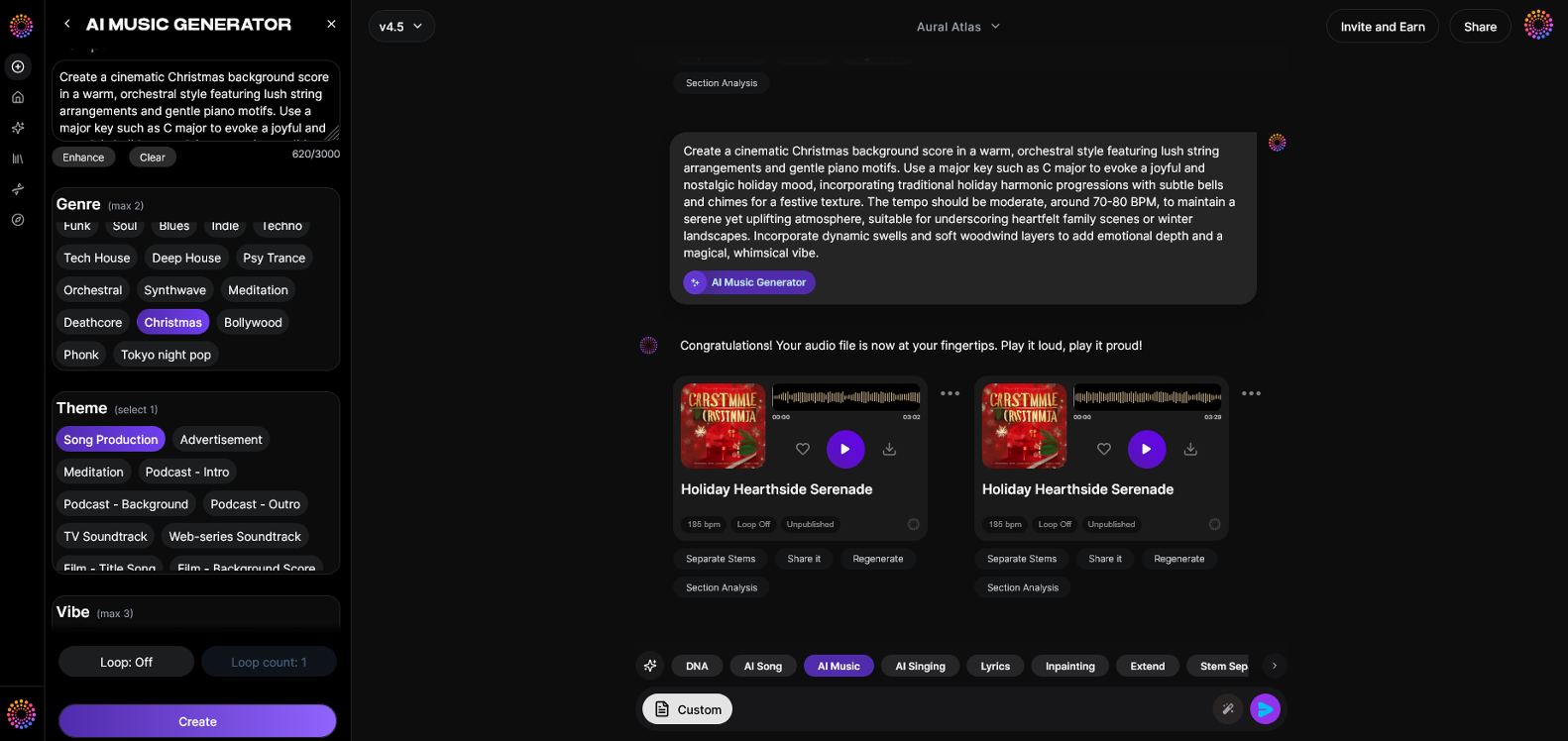
Soundverse’s AI Music Generator provides a seamless and creative way to generate instrumental tracks — ideal for Spanish compositions or collaborations. The AI Music Generator is engineered around text-to-music intelligence, meaning you describe the style you want, and it produces a fully mixed instrumental track.
Soundverse AI Music Generator Overview
Soundverse’s AI Music Generator allows users to create fully produced instrumental music from text prompts. It specializes in beats, loops, and soundscapes but does not generate vocals directly. Key capabilities include:
- Text-to-Music: Generate music by simply describing it (e.g., “upbeat Latin pop with flamenco guitar”).
- Loop Mode: Perfect for repeated sections or background use.
- Genre, Mood, and Instrument Control: Customize each layer of your instrumental.
- Model Options (V4 & V5): Choose different sound engines to match production detail or computational intensity.
Typical use cases include background tracks for social videos, game sound design, wellness soundscapes, and advertising jingles. But in 2026, many songwriters are using it to develop Spanish instrumentals before adding vocals with AI singing or lyric tools.
For a deeper dive into AI music techniques, watch our tutorial on how to make music from the Soundverse channel.

Step 1: Feature Overview
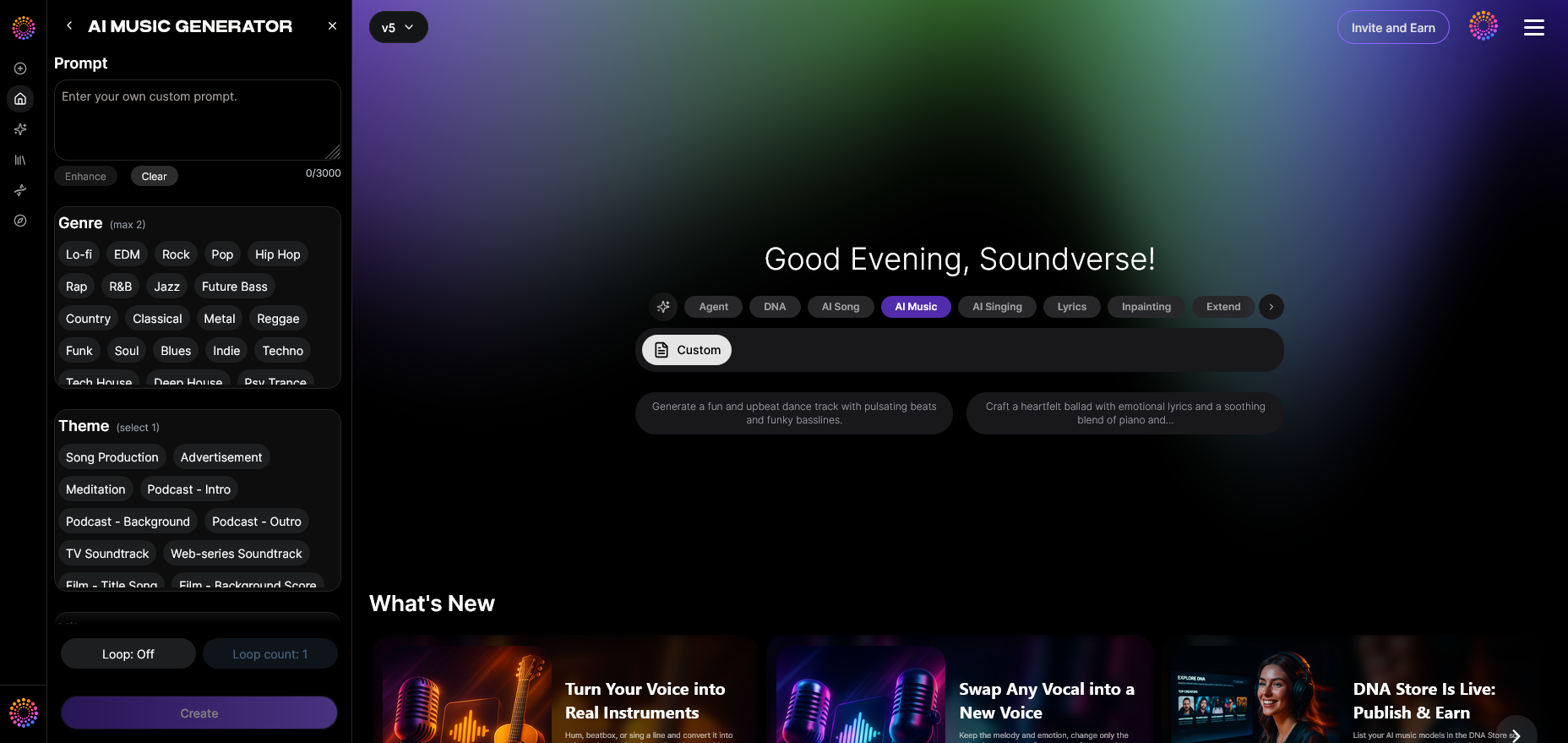
Access Soundverse’s AI Music Generator from the main menu. Once inside, you’ll find an intuitive interface that guides you through creating your instrumental. It’s designed for musicians and creators who want to quickly prototype music aligned with a particular vibe or genre — for example, modern reggaetón or romantic Spanish ballads.
Step 2: Description Input
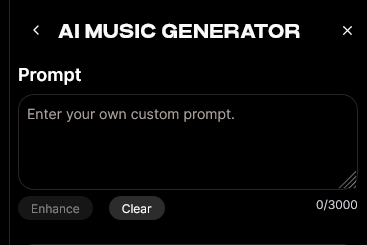
Type a descriptive text that expresses what you want the AI to create. To make a Spanish track, your prompt could include genre and emotion details like “energetic Latin pop with acoustic guitar and festive percussion.” The more specific you are, the more accurate and nuanced the generated music will be.
If you’re unsure how to write effective prompts, browse articles like 100 Text-to-Music Prompts That Will Help You Create Viral Music and Generate AI Music with Soundverse Text-to-Music — both excellent resources to fine-tune your prompt-writing approach.
Step 3: Style & Duration
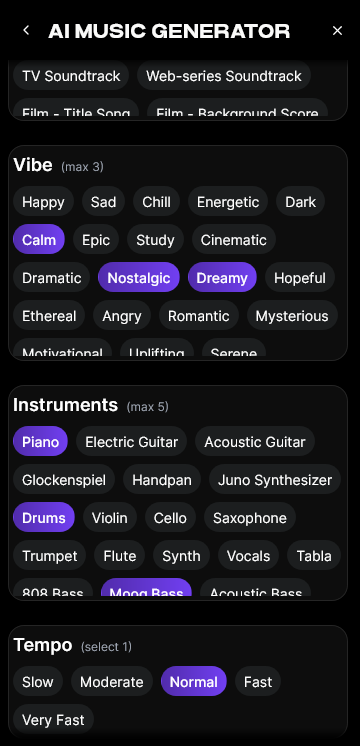
Choose the genre and duration of your track. For Spanish music, select options like Latin pop, flamenco, reggaetón, or salsa-inspired beats. You can adjust duration for different use cases — shorter clips for social media or longer loops for commercial background use.
Soundverse’s flexibility means you can experiment with different lengths and vibes before committing to a final version. Those producing extended projects, such as podcast intros, can also explore related guides like 100 Text-to-Music Prompts for Podcast Intro and Outro Music.
Step 4: Generation
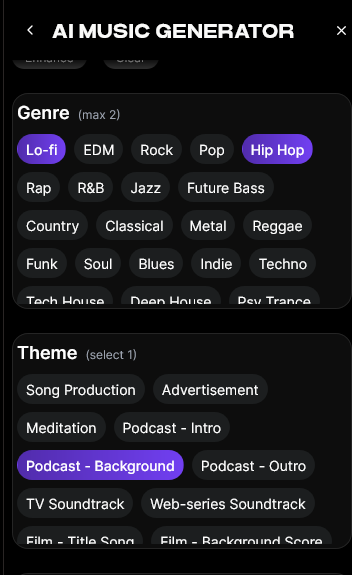
After entering your description and choosing parameters, hit “Generate.” The process is asynchronous — Soundverse processes your request and produces your instrumental track. Once complete, you can play and evaluate the composition.
You might receive mellow flamenco guitar layers or vibrant Latin pop percussion, depending on your prompt. The AI music composition reflects modern Spanish influences blended with electronic depth, perfect for modern creators.
Step 5: Export Options
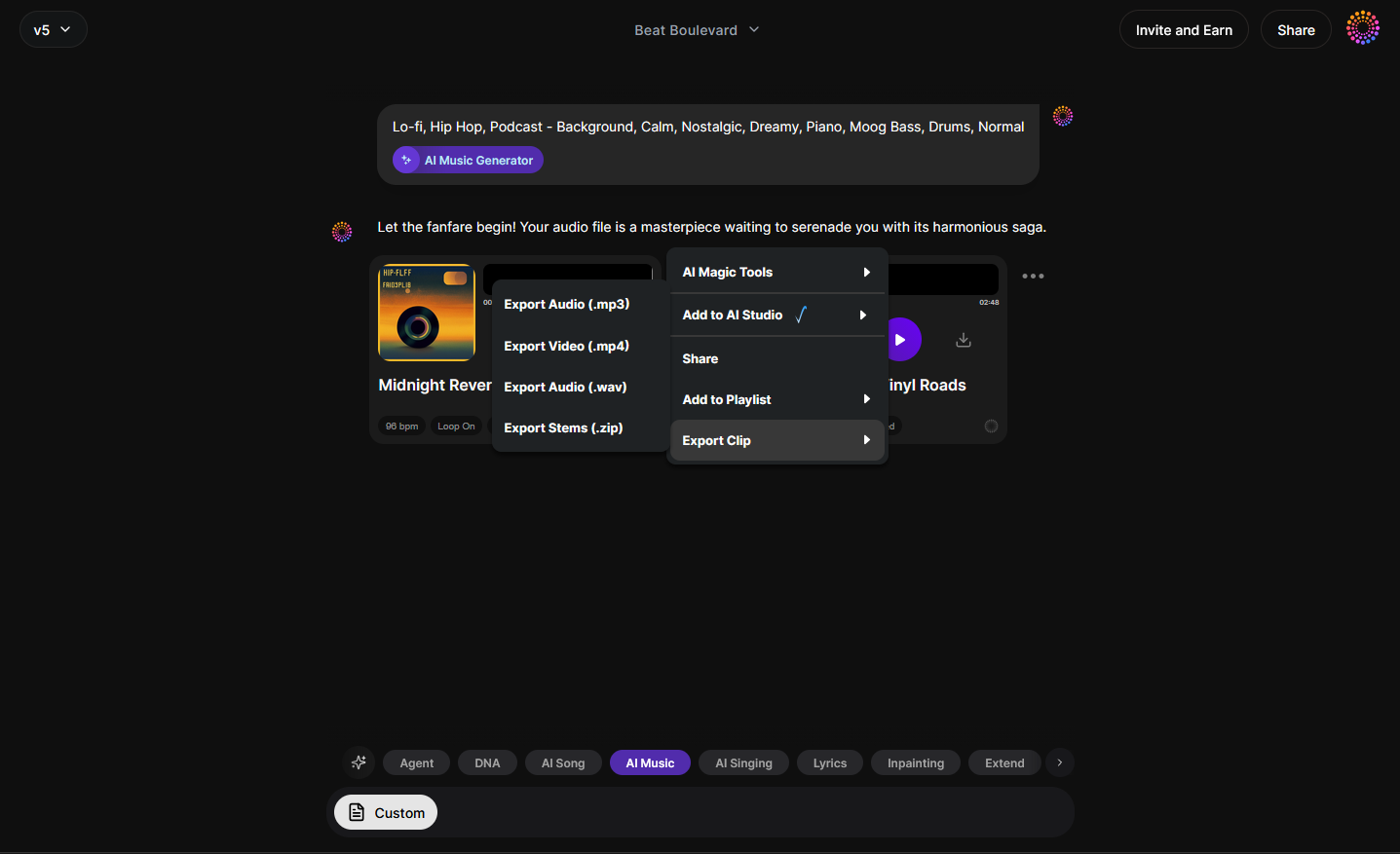
Once you’re satisfied, export the instrumental in your preferred format. You can loop it for performance backdrops or use it as the foundation for a vocal track.
If you plan to add lyrics and vocals later, you can use Soundverse’s AI Lyrics Writer to instantly generate Spanish verses matching your track’s theme. For vocals, try the AI Singing Generator to bring your lyrics to life with realistic acapella performances.
How to Integrate Lyrics and Vocals with AI Tools
- Write Spanish Lyrics with AI Lyrics Writer: Input themes like love, culture, or celebration. The tool generates structured Spanish lyrics ready for vocal integration.
- Add Vocal Performance with AI Singing Generator: After you’ve written the lyrics, upload them to the AI Singing Generator, which produces high-quality vocals reflecting your song’s mood. It supports both traditional Spanish singing styles and experimental textures.
- Blend with Instrumental: Merge the generated vocals and Soundverse’s instrumental using your preferred DAW (Digital Audio Workstation) for a polished mix.
For deeper cross-tool workflows, check out Soundverse AI Magic Tools, which explains how multiple Soundverse technologies collaborate in an effortless production chain.
Pro Tips for Creating Spanish Music with Artificial Intelligence
- Focus on Emotional Expression: Spanish music thrives on emotion. Use adjectives like “romántico,” “intenso,” or “alegre” in your prompt.
- Experiment with Regional Styles: Try combining Latin pop with flamenco or reggaetón rhythms. AI composition allows boundary-pushing hybrids.
- Leverage Similar Song Generator: If you admire the mood of a specific track, the Similar Song Generator can reproduce an inspired sound-alike style without copyright infringement.
- Use Model Variations: The V4 model might suit traditional acoustic-style instrumentals, while V5 excels in electronic depth and cinematic richness.
- Optimize for Content Platforms: Consider how the track will be used — for YouTube intros, TikTok snippets, or advertisements. Soundverse’s Loop Mode ensures smooth repetition for compatibility across formats.
To explore how AI is reshaping this creative landscape, review How AI-Generated Music Is Transforming the Music Industry and Soundverse AI Revolutionizing Music Creation for New Age Content Creators.
Why Musicians Choose AI Songmaking Tools in 2026
In previous years (2024–2025), AI tools were primarily experimental. By 2026, they’ve matured into professional-grade systems integrated into production workflows. Musicians and producers appreciate that Soundverse allows creative flexibility while maintaining sound quality comparable to studio recordings.
Spanish songwriting with artificial intelligence is more accessible than ever. Whether you’re composing a soulful flamenco piece, a reggaetón club hit, or cinematic Spanish guitar instrumentals, AI saves time and broadens creative possibilities.
Start Creating Your Own Spanish Song with AI Today!
Transform your musical ideas into polished Spanish tracks in just minutes. Experience powerful AI tools that simplify songwriting, composition, and production—all in one seamless platform.
Related Articles
- How to Create Country Music with Soundverse AI: Learn how to use AI tools to compose authentic country music that resonates with emotion and storytelling.
- How to Create Jazz Music with Soundverse AI: Discover how to blend smooth melodies and improvisations using AI-powered jazz music generation.
- Generate AI Music with Soundverse Text-to-Music: Turn your ideas into music instantly with Soundverse’s advanced text-to-music generator.
- How to Create Rap Music with AI: Explore how to build catchy rap beats and flows using AI generation tools designed for creators.
Here's how to make AI Music with Soundverse
Video Guide

Here’s another long walkthrough of how to use Soundverse AI.
Text Guide
- To know more about AI Magic Tools, check here.
- To know more about Soundverse Assistant, check here.
- To know more about Arrangement Studio, check here.
Soundverse is an AI Assistant that allows content creators and music makers to create original content in a flash using Generative AI. With the help of Soundverse Assistant and AI Magic Tools, our users get an unfair advantage over other creators to create audio and music content quickly, easily and cheaply. Soundverse Assistant is your ultimate music companion. You simply speak to the assistant to get your stuff done. The more you speak to it, the more it starts understanding you and your goals. AI Magic Tools help convert your creative dreams into tangible music and audio. Use AI Magic Tools such as text to music, stem separation, or lyrics generation to realise your content dreams faster. Soundverse is here to take music production to the next level. We're not just a digital audio workstation (DAW) competing with Ableton or Logic, we're building a completely new paradigm of easy and conversational content creation.
TikTok: https://www.tiktok.com/@soundverse.ai
Twitter: https://twitter.com/soundverse_ai
Instagram: https://www.instagram.com/soundverse.ai
LinkedIn: https://www.linkedin.com/company/soundverseai
Youtube: https://www.youtube.com/@SoundverseAI
Facebook: https://www.facebook.com/profile.php?id=100095674445607
Join Soundverse for Free and make Viral AI Music

We are constantly building more product experiences. Keep checking our Blog to stay updated about them!