How to Make a Song Using AI: The Complete 2026 Guide to AI Song Creation
Learn AI song creation with Soundverse — step-by-step guide to make music with artificial intelligence.
How to Make a Song Using AI
Artificial intelligence has completely reshaped how music is created, produced, and distributed. In 2026, AI song creation has evolved from being a novelty into a professional-grade workflow used by musicians, producers, and content creators worldwide. Whether you’re an independent artist seeking new inspiration or a professional looking to speed up your songwriting process, mastering how to make a song using AI can transform the way you create.
Why AI Song Creation Is Taking Over in 2026
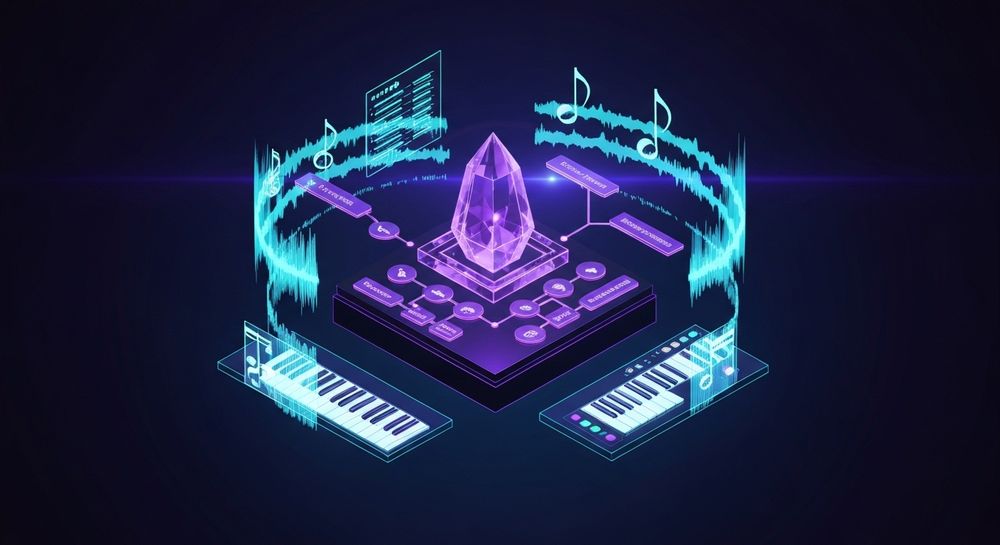
AI music technology has grown exponentially since 2024. By 2026, creators use it not only for generating instrumental tracks but also complete songs with vocals and production-quality arrangements. Tools such as Soundverse, AIVA, and Amper are empowering artists to produce commercial-grade music without the need for a full studio team.
This trend reflects a broader movement in the music industry — automation in music production and the rise of prompt-driven creativity. Instead of starting with manual chord progressions or DAW setups, creators now start with text descriptions, lyrics, or moods, and let AI generate full compositions ready for tweaking and mixing.
Some key reasons behind this boom include:
- Accessibility: Affordable and browser-based tools make AI song creation easy for anyone.
- Speed: Songs that once took days can now be prototyped in minutes.
- Diversity of output: You can generate pop, EDM, jazz, rock, and even multilingual songs.
- Creative experimentation: AI can suggest new chord progressions, lyrics, or melodies you wouldn’t have thought of.
If you want to explore recent developments in this space, check out how AI-generated music is transforming the music industry or AI music generator and human composers: a future together.
How to Make Songs with Soundverse AI Song Generator


Soundverse’s AI Song Generator is a complete production tool capable of turning any lyrics or descriptive text into a finished song with vocals and instrumental backing. It works through a multi-stage pipeline that handles lyrics, melody composition, arrangement building, and audio mixing.
Features Overview
- Describe Your Song mode: Enter a short description of your song — like “an uplifting pop song about summer freedom” — and Soundverse automatically generates lyrics, melody, and music.
- Custom mode: Paste your own lyrics and adjust settings (genre, voice type, tempo, language). Perfect for songwriters who want specific verses or custom phrasing.
- Reference Audio support: Upload music or vocal samples to guide the AI’s arrangement and performance tone.
- Quick Style Selection: Choose genres such as Pop, EDM, Rock, Jazz, Metal, and more for instant creative direction.
You can use the AI Song Generator for songwriting demos, vocal prototyping, custom greetings, and multilingual content creation in over 10 languages. It integrates seamlessly with Soundverse’s AI Lyrics Writer, AI Singing Generator, and AI Music Generator to cover the entire creative pipeline.
Visit Soundverse AI Magic Tools to explore how these features combine for full music production workflows.
Step 1: Feature Overview

Access the AI Song Generator directly from the Soundverse main menu. The dashboard presents easy access to all creative tools: lyrics generation, singing AI, music arrangement, and exporting. You’ll start here to choose your mode – either Describe Mode or Custom Mode. For a deeper dive, watch our guide on how to make music or explore the Deep House tutorial.
Step 2: Lyrics Input
Enter or paste your lyrics into the input box. If you don’t have lyrics yet, click “Help Me Write” and Soundverse’s integrated AI Lyrics Writer will instantly generate structured verses, choruses, and bridges tailored to your desired tone and genre.
Step 3: Style Selection

Once the lyrics are ready, choose a musical style. For example, Pop, R&B, EDM, or Rock. The chosen genre determines the instrumentation and production style the AI uses. This step is critical because it affects chord structures, rhythm, and mixing priorities.
Creators often use this step to explore alternate genres — you might turn a ballad into an EDM remix or test how your lyrics sound as a lo-fi track. To understand genre impact further, check out the most popular music genres and 100 text-to-music prompts that will help you create viral music.
Step 4: Configuration

Here, you define additional parameters: tempo, mood, vocal style, and instrumental balance. The AI adapts your selections, building structure and layering instruments accordingly. You can also upload reference audio — either music, vocals, or both — to give the system a clearer sense of direction.
Soundverse processes inputs asynchronously. That means you submit your request, and the platform’s backend handles the composition and mixing before delivering the result. There’s no live preview or mic-based immediate feedback, preserving CPU efficiency for high-quality output.
Step 5: Generation

Once all settings are ready, click “Generate Song.” Soundverse now processes your inputs through its multi-stage pipeline — lyrics interpretation → melody creation → arrangement matching → AI vocal synthesis → mixing and mastering. This automated process often finishes in minutes, delivering professional-grade results.
Step 6: Generation Complete

After generation, you’ll see the completed song displayed with AI-generated vocals and full instrumental backing. Review the playback, make minor adjustments (if needed), or regenerate specific sections such as melody or vocals using the advanced editing options.
If you want to dive deeper into variations and remixing ideas, see Soundverse introduces Stem Separation AI Magic Tool, which allows extracting or remixing instrumental parts for creative flexibility. There’s also a Soundverse Explore Tab overview for advanced discovery.
Step 7: Export Results

Finally, export your track. Soundverse supports multiple audio formats suitable for social media uploads, streaming services, or DAW imports. This flexibility enables creators to merge AI-generated compositions with manual production workflows.
Pro Tips for Better AI Song Creation Results
- Start with a clear mood description – AI excels when prompts are specific. Instead of “make a happy song,” try “create an upbeat pop track with a tropical vibe and female vocals.”
- Use the reference audio feature – Upload a sample of a song you like to guide arrangement and vocal texture.
- Experiment with multilingual generation – Reach audiences by producing songs in Spanish, Japanese, or French in the same session.
- Combine Soundverse tools – Use AI Lyrics Writer and Singing Generator together for full harmony development.
- Aim for post-production tweaks – AI can create near-ready output, but human mixing still brings polish.
For genre-specific inspiration, explore guides like How to Create EDM with Soundverse AI, How to Create Jazz Music with Soundverse AI, and How to Create Country Music with Soundverse AI.
Why Musicians Are Embracing AI Song Creation in 2026
The year 2026 marks the era of hybrid creativity — humans and machines co-composing. AI songwriting tools save time, reduce production costs, and allow creators to experiment across diverse genres instantly. Musicians use AI as a co-producer, not a replacement, blending human feeling with algorithmic precision.
Soundverse leads this evolution by delivering multi-modal creation in one unified workspace. Instead of juggling software and plugins, its AI Song Generator provides end-to-end composition power for audio professionals and newcomers alike.
Start Creating Your First AI Song Today
Turn your creative ideas into complete songs in minutes. Soundverse makes AI song creation effortless—generate, refine, and publish professional-quality music right from your browser.
- Generate AI Music with Soundverse Text to Music
- How to Make AI-Generated Music
- What AI Can Generate Songs
- Soundverse Assistant: Your AI Music Co-Producer
Here's how to make AI Music with Soundverse
Video Guide

Here’s another long walkthrough of how to use Soundverse AI.
Text Guide
- To know more about AI Magic Tools, check here.
- To know more about Soundverse Assistant, check here.
- To know more about Arrangement Studio, check here.
Soundverse is an AI Assistant that allows content creators and music makers to create original content in a flash using Generative AI.
With the help of Soundverse Assistant and AI Magic Tools, our users get an unfair advantage over other creators to create audio and music content quickly, easily and cheaply.
Soundverse Assistant is your ultimate music companion. You simply speak to the assistant to get your stuff done. The more you speak to it, the more it starts understanding you and your goals.
AI Magic Tools help convert your creative dreams into tangible music and audio. Use AI Magic Tools such as text to music, stem separation, or lyrics generation to realise your content dreams faster.
Soundverse is here to take music production to the next level. We're not just a digital audio workstation (DAW) competing with Ableton or Logic, we're building a completely new paradigm of easy and conversational content creation.
TikTok: https://www.tiktok.com/@soundverse.ai Twitter: https://twitter.com/soundverse_ai Instagram: https://www.instagram.com/soundverse.ai LinkedIn: https://www.linkedin.com/company/soundverseai Youtube: https://www.youtube.com/@SoundverseAI Facebook: https://www.facebook.com/profile.php?id=100095674445607
Join Soundverse for Free and make Viral AI Music

We are constantly building more product experiences. Keep checking our Blog to stay updated about them!