How to Make a Hip Hop Beat in 2026: A Complete Beginner’s Tutorial
Learn how to make a hip hop beat with step-by-step tips and Soundverse AI Music Generator in 2026.
How to Make a Hip Hop Beat
Hip hop is one of the most influential music genres of all time, continually evolving through the creativity of producers who turn rhythm and sound into cultural expression. In 2026, hip hop production is more dynamic than ever. Thanks to powerful AI-based production tools, even aspiring musicians can learn how to make a hip hop beat with ease. If you’re new to music production for beginners, this guide will show you not only the traditional methods of hip hop beat creation but also how Soundverse’s advanced AI Music Generator can automate vast parts of the process while giving you total creative control.
Why learning how to make a hip hop beat matters in 2026
Hip hop beat production has shifted dramatically in recent years. By 2025, beat-making software became increasingly integrated with AI-assisted composition, and in 2026, these innovations now allow producers to command intricate musical structures simply by describing moods, genres, and instrumentation.
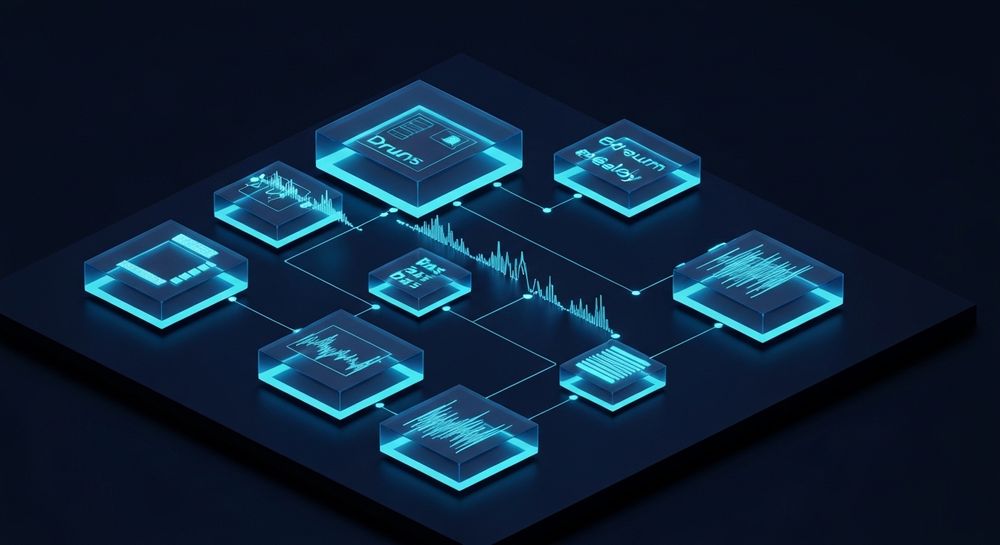
Whether you’re producing old-school boom bap, trap, drill, or jazzy lo-fi grooves, learning the fundamentals of beat-making lets you design your own sound identity. With platforms like Soundverse, what once required costly equipment and years of technical skill can now be achieved with intuitive prompts and smart processing.
How to make hip hop beats with Soundverse AI Music Generator

Before diving into the steps, it’s essential to understand what Soundverse offers. The AI Music Generator is designed for creators who need high-quality instrumentals fast – without relying on vocals or human session players.
Soundverse AI Music Generator Overview
The AI Music Generator enables users to create fully produced instrumental music directly from text descriptions. You can instruct it to make hip hop beats that loop seamlessly, define genre and mood, control the instrumentation, and choose between V4 and V5 models for different sonic styles. These tracks can serve as perfect backdrops for rap, video content, commercials, or games.
Core capabilities include:
- Text-to-music generation based on descriptive prompts
- Loop Mode for ongoing rhythm sections and background playback
- Genre, mood, and instrument-level customization
- Output focused exclusively on instrumentals — no vocals
Its most common use cases include music for media environments such as gaming, advertising, and video scoring, but in this tutorial, the purpose is to create engaging hip hop instrumentals.
For more inspiration, watch our Soundverse Tutorial Series - How to Make Music.
Step 1: Access AI Music Generator from the main menu
Start by logging into Soundverse and navigating to the main dashboard. Select AI Music Generator, the primary tool used for generating beats. As part of the process, ensure you’re set up with the latest model version; in 2026, the V5 model offers improved realism and groove detection for drum patterns.
Step 2: Enter a text description of your desired music

Type out a description for your beat. For example, a beginner might write: “90 BPM chill lo-fi hip hop beat with vinyl crackle, jazzy chords, and warm drums.” Your text prompt helps the generator interpret the desired genre, tempo, instrumentation, and overall feel.
To get advanced results, check Soundverse’s official collection of prompt inspiration guides like 100 Text-to-Music Prompts That Will Help You Create Viral Music, which offers ready-to-use natural language inputs.
Step 3: Select music style and track duration

At this stage, you can fine-tune parameters. Choose styles ranging from East Coast boom bap to modern trap or experimental lo-fi. You can also define track length — for example, a 16-bar loop ideal for rapping or a 1-minute instrumental perfect for testing flow ideas.
This flexibility allows hip hop producers to iterate rapidly. If you plan on looping for freestyle sessions or background production, activate Loop Mode for smooth transitions between sections.
Step 4: Generate instrumental music based on your description

Once settings are configured, click Generate. Within moments, Soundverse will process your text prompt and deliver a fully mixed instrumental. The AI focuses on genre-specific characteristics like punchy kick drums, syncopated hi-hats, layered bass, and textured melodies.
If the tone isn’t perfect, use the Inpainting tool in Soundverse for surgical regeneration — allowing you to alter just a particular section or instrument without affecting the rest of the track. This is a game-changer for producers who wish to swap chord progressions or fix timing errors.
Step 5: Download your generated beat

Finally, export your instrumental. You can download it as a seamless loop or a full-length track depending on your use case. Many creators will import these beats into their DAW for further mixing, or combine them with vocals later.
For remixing purposes, Soundverse offers a Stem Separator, letting you break down your AI-created beat into up to six stems (drums, bass, melodic lines, etc.) for deeper control.
Core concepts in hip hop beat production
Even with AI assistance, understanding the structural backbone of a hip hop beat enhances creativity. A typical hip hop instrumental has several defining components:
- Drums – The beat’s heartbeat. Focus on kicks, snares, and hi-hats that define groove and swing.
- Bassline – Often deep and repetitive; it connects rhythm with melody, driving momentum.
- Melody or Sample – Many producers layer chopped samples, synths, or piano loops for mood.
- Arrangement – Intro, verse, chorus, bridge. AI helps automate transitions when looping.
- Mixing – Balancing elements using EQ and compression to maintain clarity and punch.
A beginner learning hip hop beat production in 2026 should combine these traditional concepts with modern AI strategies to achieve fast professional results.
Pro tips for making beats tutorial success
- Experiment with prompts: Don’t just use genre tags. Describe vibes and atmospheres like “dark underground New York tone” or “trap beat with ethereal pads.”
- Combine AI and manual editing: After exporting from Soundverse, use external DAWs such as FL Studio or Ableton for detailed arrangement tweaks.
- Use additional Soundverse tools: The Voice to Instrument feature can turn your beatboxing into full drum kits, perfect for custom percussive elements.
- Study industry trends: Stay informed with Music Industry Trends to know what sounds and cadences dominate hip hop playlists in 2026.
- Explore multi-genre merging: You can use AI-generated fusion from articles like How to Create EDM with Soundverse AI to pull electronic influences into hip hop beats.
Why Soundverse AI is revolutionizing music production for beginners
Soundverse empowers beginners who previously struggled with technical barriers. Its AI Music Generator turns verbal imagination into working instrumentals. Combined with secondary tools like Stem Separator and Inpainting, it forms a complete ecosystem for creators.
Aspiring producers no longer need expensive MIDI controllers or advanced mixing knowledge to produce professional results. This democratization of beat-making is shaping the next generation of hip hop talent. It aligns with generative trends seen across creative technology since 2025, tying music creation directly to descriptive thought processes.
Start Creating Your Hip Hop Beats with AI Today! Soundverse makes beat-making faster, smarter, and more creative. Generate custom hip hop tracks from text, refine stems, and experiment with sounds—all powered by advanced AI. Create Your First Beat
Related Articles
- How to Create Rap Music with AI — Explore how AI can help you craft rap instrumentals, verses, and vibes effortlessly.
- Generate AI Music with Soundverse Text-to-Music — Learn to transform your ideas into full tracks using Soundverse’s text-to-music generator.
- Soundverse AI Magic Tools: Create Content Quickly with AI — Discover Soundverse’s suite of AI Magic Tools that simplify audio production and speed up creativity.
- What Are Song Stems and Why Do You Need Them — Understand the role of stems in remixing, mixing, and producing more dynamic music.
Here's how to make AI Music with Soundverse
Video Guide

Here’s another long walkthrough of how to use Soundverse AI.
Text Guide
- To know more about AI Magic Tools, check here.
- To know more about Soundverse Assistant, check here.
- To know more about Arrangement Studio, check here.
Soundverse is an AI Assistant that allows content creators and music makers to create original content in a flash using Generative AI.
With the help of Soundverse Assistant and AI Magic Tools, our users get an unfair advantage over other creators to create audio and music content quickly, easily and cheaply.
Soundverse Assistant is your ultimate music companion. You simply speak to the assistant to get your stuff done. The more you speak to it, the more it starts understanding you and your goals.
AI Magic Tools help convert your creative dreams into tangible music and audio. Use AI Magic Tools such as text to music, stem separation, or lyrics generation to realise your content dreams faster.
Soundverse is here to take music production to the next level. We're not just a digital audio workstation (DAW) competing with Ableton or Logic, we're building a completely new paradigm of easy and conversational content creation.
TikTok: https://www.tiktok.com/@soundverse.ai Twitter: https://twitter.com/soundverse_ai Instagram: https://www.instagram.com/soundverse.ai LinkedIn: https://www.linkedin.com/company/soundverseai Youtube: https://www.youtube.com/@SoundverseAI Facebook: https://www.facebook.com/profile.php?id=100095674445607
Join Soundverse for Free and make Viral AI Music

We are constantly building more product experiences. Keep checking our Blog to stay updated about them!