How to Make a Gospel Song Using an AI Song Generator in 2026
Learn how to make a gospel song with AI using Soundverse's advanced AI Song Generator.
How to Make a Gospel Song Using an AI Song Generator
Gospel music has always been about uplifting the soul, celebrating faith, and inspiring through melody. As of 2026, the process of making a gospel song has transformed dramatically thanks to artificial intelligence. Many creators are now exploring how to make a gospel song with AI, using cutting-edge tools that handle everything from lyrics to instrumentals. If you’re a songwriter, musician, or worship leader looking to blend faith and technology, this guide will walk you through the process of creating your own AI-generated gospel song using Soundverse’s AI Song Generator.
Why Gospel Musicians Are Turning to AI in 2026
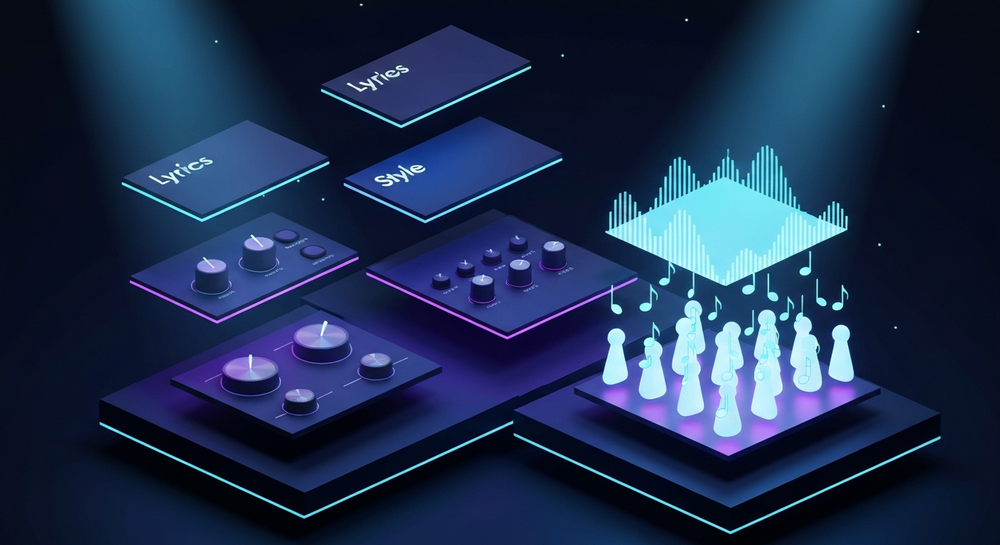
Gospel music continues to thrive globally. Artists today blend traditional choir harmonies with contemporary sounds like R&B, pop, or even electronic music. However, producing a full gospel track can be resource-intensive—requiring singers, producers, and studios. AI bridges that gap by enabling musicians to create gospel songs with AI that sound professional yet are fast and cost-effective to produce.
In 2026, AI tools like Soundverse empower gospel creators to:
- Generate custom instrumentals with real worship energy.
- Add AI vocals that emulate gospel choir tones.
- Experiment with multiple arrangements instantly.
- Write faith-based lyrics infused with emotion and authenticity.
These technological advances align perfectly with the spiritual and emotional depth of gospel music, opening new creative pathways for aspiring artists.
How to Make a Gospel Song with Soundverse AI Song Generator


Soundverse’s AI Song Generator is a comprehensive tool designed to transform your lyrics or text descriptions into complete songs—with both instrumentals and AI vocals. It uses a multi-stage pipeline that processes lyrical input, melody composition, instrumental arrangement, and mixing. Whether you want to create a powerful gospel ballad or a joyful praise anthem, this feature is ideal. Discover how AI Music Generation for the Content Creator Economy in 2026 supports creators in this transformative process.
Core Capabilities of the AI Song Generator
- Describe Your Song Mode: Simply type a description like “Create an uplifting gospel song about faith and gratitude” and let AI handle the rest.
- Custom Mode: For professional creators who already have lyrics or partial compositions.
- Reference Audio Support: Upload reference tracks to match your desired sound aesthetic—whether traditional gospel choir or modern gospel pop.
- Quick Style Selection: Choose from pre-set styles to reinforce your gospel vibe.
Use cases include songwriting demos, voice and arrangement prototyping, content creation for online worship sessions, and even multilingual gospel recordings. For broader exploration of Soundverse’s tools, check out Soundverse AI Revolutionizing Music Creation for New Age Content Creators or learn about AI Magic Tools for fast content creation. To see Soundverse's capabilities in action, watch our How to Make Music tutorial.
Step 1: Feature Overview

Access the AI Song Generator from the main menu on Soundverse. This is your hub for creating music in any genre—especially fitting for AI gospel music production. Familiarize yourself with the interface to switch between prompt-based or custom lyric generation modes.
Step 2: Lyrics Input
If you already have lyrics, you can paste them directly into the lyric box. Otherwise, you can use the integrated AI Lyrics Writer to generate brand-new gospel lyrics based on your chosen theme—be it faith, redemption, or gratitude. For example, prompts like “worship through struggle” or “praise through hope” will help create emotionally resonant content.
Step 3: Style Selection

Now, select the style for your song. Whether traditional worship with choir harmonies or modern gospel with drums and synths, choose a genre preset that matches your intended sound. Soundverse’s gospel presets allow flexibility for hybrid genres, perfect for artists bridging traditional and contemporary worship.
Step 4: Configuration

Configure your audio parameters including tempo, pitch range, instrumental focus, and vocal intensity. You can even upload a reference audio—perhaps an inspirational sound you love—to guide the AI’s interpretation without risking copyright conflicts.
Step 5: Generation

Click “Generate Song.” The AI system processes your lyrics, structures melodies, arranges instruments, and produces a mix. The workflow is asynchronous—Soundverse processes everything behind the scenes and not in real-time.
Step 6: Generation Complete

Within a few minutes, your complete gospel track appears in the results section. You’ll see options to preview segments, check vocal clarity, and make minor lyric or musical adjustments if needed.
Step 7: Export Results

Once satisfied, export your song in preferred formats (MP3, WAV, or stems). Stems are particularly useful if you want to remix or collaborate further in digital audio workstations like Ableton or Logic Pro. To learn more about why stems are valuable, explore What Are Song Stems and Why Do You Need Them.
How to Bring Authentic Emotion Into AI Gospel Music
A core part of gospel is spiritual conviction. To maintain that while using AI:
- Personalize your theme: Reference personal faith experiences or biblical inspiration.
- Layer harmonies: Add multiple vocal layers for that classic gospel choir feel.
- Mix traditional and modern instruments: Combine organ sounds with modest synth pads.
- Final touches: Use human post-production mixing or feedback for authenticity.
AI doesn’t replace the emotion; it amplifies creativity. For inspiration on genre-blending beyond gospel, check out How to Create Jazz Music with Soundverse AI or How to Create Country Music with Soundverse AI. You can also explore visual walkthroughs like our “Explore” Tab overview for a deeper understanding of Soundverse’s interface.
Pro Tips for AI Gospel Song Creation
- Start with a clear emotional intent: Gospel songs are message-driven. Define whether your focus is praise, worship, or testimony.
- Use the AI Singing Generator to add soulful vocals or backing choirs that elevate emotion.
- Leverage Similar Song Generator to model tone and rhythm of your favorite references—without infringing on copyrights.
- Translate your song: Use Soundverse’s multilingual support to share hope across different languages.
- Iterate frequently: Each generation may yield creative melodies or arrangements that inspire new directions.
Why Soundverse Leads in AI Gospel Song Generation
Unlike many AI tools that only generate background sounds, Soundverse delivers complete songs with rich vocals and solid mixes. Gaining attention across 2026’s creator landscape, it has become a go-to platform not only for content creators but also for musicians aiming to build faith-based music libraries efficiently.
Soundverse’s modular ecosystem—integrating AI Lyrics Writer, AI Singing Generator, and Reference Audio tools—ensures seamless creation workflows. For musicians exploring alternatives in music generation ecosystems, see Best Udio Alternative – Soundverse and Best Splash Pro Alternative – Soundverse.
Start Creating Your Gospel Song with Soundverse AI Today!
Bring your spiritual vision to life effortlessly with AI-powered music generation. Compose high-quality gospel instrumentals and vocal arrangements in minutes with Soundverse’s intuitive tools.
Create Music Now
Related Articles
- How to Create Country Music with Soundverse AI: Discover step-by-step how to craft heartfelt country songs using Soundverse AI’s intelligent music generation features.
- How to Create Jazz Music with Soundverse AI: Learn how AI can help you compose smooth and soulful jazz pieces with dynamic improvisation and rich harmonies.
- Generate AI Music with Soundverse Text-to-Music: Explore how you can turn your words into fully produced tracks using Soundverse’s text-to-music generation technology.
- Soundverse Assistant: Your AI Music Co-Producer: Meet your creative partner—Soundverse Assistant—who helps refine, arrange, and mix your AI-generated songs effortlessly.
Here's how to make AI Music with Soundverse
Video Guide

Here’s another long walkthrough of how to use Soundverse AI.
Text Guide
- To know more about AI Magic Tools, check here.
- To know more about Soundverse Assistant, check here.
- To know more about Arrangement Studio, check here.
Soundverse is an AI Assistant that allows content creators and music makers to create original content in a flash using Generative AI. With the help of Soundverse Assistant and AI Magic Tools, our users get an unfair advantage over other creators to create audio and music content quickly, easily and cheaply. Soundverse Assistant is your ultimate music companion. You simply speak to the assistant to get your stuff done. The more you speak to it, the more it starts understanding you and your goals. AI Magic Tools help convert your creative dreams into tangible music and audio. Use AI Magic Tools such as text to music, stem separation, or lyrics generation to realise your content dreams faster. Soundverse is here to take music production to the next level. We're not just a digital audio workstation (DAW) competing with Ableton or Logic, we're building a completely new paradigm of easy and conversational content creation.
TikTok: https://www.tiktok.com/@soundverse.ai
Twitter: https://twitter.com/soundverse_ai
Instagram: https://www.instagram.com/soundverse.ai
LinkedIn: https://www.linkedin.com/company/soundverseai
Youtube: https://www.youtube.com/@SoundverseAI
Facebook: https://www.facebook.com/profile.php?id=100095674445607
Join Soundverse for Free and make Viral AI Music

We are constantly building more product experiences. Keep checking our Blog to stay updated about them!