How to Make a Celebration Song for Any Occasion Using an AI Song Generator
Learn how to make celebration songs for any event using an AI song generator in 2026.
How to Make a Celebration Song for Any Occasion Using AI
Celebrations are the heartbeat of social life — birthdays, weddings, anniversaries, graduations, or even a successful product launch. Music makes these moments come alive, turning regular memories into unforgettable ones. But as we step into 2026, you no longer need a full-production studio to create that perfect celebration track. Thanks to cutting-edge AI tools like Soundverse’s AI Song Generator, anyone — from event planners to content creators — can compose professional-quality celebration songs in minutes.
In this guide, we’ll explore how to make a celebration song for any occasion using an AI song generator. Whether you're crafting a personalized birthday anthem or an energetic party soundtrack, this step-by-step walkthrough will show you exactly how to do it.
How to make celebration songs with Soundverse AI Song Generator

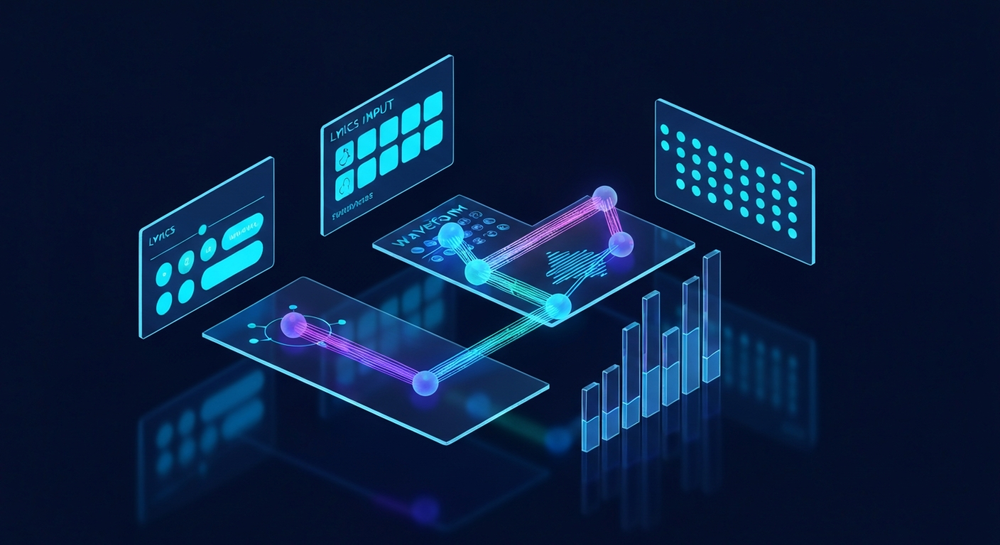
Soundverse’s AI Song Generator is a next-generation creation tool that transforms your lyrics or written descriptions into complete songs. It handles every step of the production pipeline — lyrics, melody, arrangement, vocals, and mixing — so you can focus entirely on creative direction.
Core capabilities include:
- Describe Your Song Mode: Just type what you want — for example, “an upbeat funk-inspired graduation celebration song with female vocals” — and Soundverse’s AI will generate it.
- Custom Mode: Upload your own lyrics or adjust parameters like tempo, emotion, or key.
- Reference Audio Support: Provide sample music, a singing recording, or both, to influence the resulting track’s vibe.
- Quick Style Selection: Choose from instantly ready genres like Pop, EDM, Rock, Jazz, or more.
These features make it the perfect celebration song maker and party music generator, ideal for producing catchy customized soundtracks for any event.
Now, let’s go through the exact process for making your own celebratory anthem.
Step 1: Feature Overview

Start by accessing the AI Song Generator from the main Soundverse dashboard. Once inside, you’ll find intuitive modes that let you begin with a text prompt, custom lyrics, or reference audio. This simple starting point makes it accessible whether you’re a seasoned producer or someone planning a birthday party mix.
Step 2: Lyrics Input
Write or paste your lyrics into the input field. You can use Soundverse’s integrated AI Lyrics Writer if you need help generating fun, thematic, or emotional verses. Simply select the theme — for example, “friendship celebration” or “wedding toast” — and the AI provides a ready structure.
Remember to tailor the lyrics to your event: mention names, milestones, or inside jokes to personalize the experience.
Step 3: Style Selection

Next, select your preferred music style. Whether you want EDM for a lively dance party or acoustic pop for a sentimental wedding moment, Soundverse’s Quick Style Selection offers genres that suit every vibe. For high-energy moments, try Pop or Rock; for elegant ambience, choose Jazz or Classical.
The style you pick will shape the instrumental tone and arrangement — something Soundverse handles expertly in seconds.
Step 4: Configuration


Here’s where you tweak your generation settings. You can control tempo, mood, vocal type (male/female/duet), and even specify languages for multilingual celebrations. Want the song to sound like a tropical beach party? Choose upbeat rhythms and steel drums. A slower, heartfelt birthday ballad? Pick a softer tempo and smooth melody settings.
The built-in AI Music Generator engine also syncs smoothly with these configurations, helping create a seamless instrumental and vocal blend.
Step 5: Generation

Click Generate Song to begin. The AI Song Generator will process each element — melody, harmony, arrangement, and vocals — through multiple neural stages. Within moments, you’ll have a coherent composition ready for listening. Unlike traditional music production that can take hours or days, Soundverse does it asynchronously in minutes.
Step 6: Generation Complete

Once the process finishes, your completed track appears in the Results Panel. You can preview it, make small adjustments, or create multiple versions with different genres to compare. This is an excellent way to test mood variations for your party playlist.
For a deeper dive, watch our tutorial on how to make music with Soundverse or explore the Deep House music guide.
Step 7: Export Results

When satisfied, download your new celebration song in your preferred format (MP3, WAV, etc.). You can add the custom AI soundtrack to videos, social posts, birthday slideshows, or live performances.
For multimedia projects like YouTube intros or event recaps, check out how creators are enhancing their content with royalty-free music using Soundverse.
Why use an AI Song Generator for celebration music in 2026?
In 2026, AI music creation has matured to the point where results rival professional producers. Using AI isn’t just about speed — it’s about empowering creativity and personalization.
Key advantages:
- Speed and Accessibility: You can design a song in minutes, even without musical training.
- Personalization: Include names, languages, and custom messages for unique gifts.
- Affordability: No need to hire studios or session artists.
- Versatility: Suitable for parties, greetings, commercials, and social media videos.
Soundverse bridges creativity and accessibility, becoming a go-to celebration song maker for event planners, influencers, and families.
If you're curious about trends influencing this technology, explore how AI-generated music is transforming the music industry and how creators worldwide are leveraging tools like Soundverse for fresh workflows.
Pro Tips for Crafting Perfect Celebration Songs with AI
Even though the AI handles production, your creative input sets the tone. Here are some practical tips:
- Start with a Clear Theme: Define the event’s emotion — joyful, nostalgic, romantic, or empowering.
- Leverage Reference Audio: If you love a particular vibe, upload a small clip so the AI picks up on style cues.
- Use Genre Filters: Pair your occasion with fitting music tones. A retro disco for anniversaries, urban beats for milestone birthdays.
- Experiment with Languages: Impress global guests by creating multilingual verses using Soundverse’s multilingual capabilities.
- Use AI Singing Generator: If you want unique vocal textures or playful voices (like whisper or cat sounds), consider integrating the AI Singing Generator.
For deeper inspiration, check how others create unique music styles using AI in guides like How to Create EDM with Soundverse AI or How to Create Jazz Music with Soundverse AI.
Beyond Parties: Creative Ways to Use AI Celebration Songs
AI-made celebration songs have applications far beyond traditional parties. Brands use them for product launches, influencers create mini jingles for fan milestones, and educators generate congratulatory songs for classrooms. With Soundverse’s AI ecosystem, you can even produce full event soundtracks, jingles, or musical montages effortlessly.
Explore how AI impacts creators globally by reading about soundverse’s AI magic tools that speed up content creation and why it’s leading innovation as a modern Mubert alternative.
Create Your Celebration Song with Soundverse AI
Turn any special occasion into a musical masterpiece using our AI song generator. Instantly craft unique, high-quality tracks that capture the spirit of your event—no production skills required.
Related Articles
- Generate AI Music with Soundverse Text-to-Music — Discover how to instantly create customized songs using text prompts with Soundverse’s advanced AI music technology.
- 100 Text-to-Music Prompts That Will Help You Create Viral Music — Explore creative prompt ideas that inspire catchy, original tracks perfect for videos, social media, and special events.
- How to Make AI-Generated Music — Learn step-by-step how to design and produce professional-grade tracks using Soundverse’s AI song generator tools.
- The Benefits of Composing with AI Music Generator — Find out how using AI-powered music tools boosts creativity, saves time, and enhances your songwriting process.
Here's how to make AI Music with Soundverse
Video Guide

Here’s another long walkthrough of how to use Soundverse AI.
Text Guide
- To know more about AI Magic Tools, check here.
- To know more about Soundverse Assistant, check here.
- To know more about Arrangement Studio, check here.
Soundverse is an AI Assistant that allows content creators and music makers to create original content in a flash using Generative AI.
With the help of Soundverse Assistant and AI Magic Tools, our users get an unfair advantage over other creators to create audio and music content quickly, easily and cheaply.
Soundverse Assistant is your ultimate music companion. You simply speak to the assistant to get your stuff done. The more you speak to it, the more it starts understanding you and your goals.
AI Magic Tools help convert your creative dreams into tangible music and audio. Use AI Magic Tools such as text to music, stem separation, or lyrics generation to realise your content dreams faster.
Soundverse is here to take music production to the next level. We're not just a digital audio workstation (DAW) competing with Ableton or Logic, we're building a completely new paradigm of easy and conversational content creation.
TikTok: https://www.tiktok.com/@soundverse.ai Twitter: https://twitter.com/soundverse_ai Instagram: https://www.instagram.com/soundverse.ai LinkedIn: https://www.linkedin.com/company/soundverseai Youtube: https://www.youtube.com/@SoundverseAI Facebook: https://www.facebook.com/profile.php?id=100095674445607
Join Soundverse for Free and make Viral AI Music

We are constantly building more product experiences. Keep checking our Blog to stay updated about them!