How to Isolate Vocals from a Song: Step-by-Step Guide for 2026 Producers
Learn how to isolate vocals from a song using Soundverse's Stem Separator for remixing, karaoke, and audio clarity in 2026.
How to Isolate Vocals from a Song
Isolating vocals from a fully mixed track has become one of the most valuable capabilities in modern music production. Whether you are a professional audio engineer preparing remix stems or a hobbyist creating cleaner karaoke tracks, learning how to isolate vocals from a song efficiently can unlock countless creative possibilities. In 2026, the workflows and tools for vocal isolation have evolved significantly, thanks to AI-powered platforms like Soundverse that make the process highly accurate and user-friendly.
Why producers isolate vocals in 2026
The desire to isolate vocals from songs has moved beyond remixing alone. Professionals use vocal isolation for sound restoration, educational context, and immersive audio experiences. By separating vocals from instrumentals, producers can:
- Create new arrangements or remixes without losing clarity.
- Build karaoke versions by removing instrumentals.
- Teach mix engineering by analyzing each component in a track.
- Improve vocal clarity when editing podcasts or live performances.
AI-assisted vocal isolation, now common across advanced DAWs and web platforms, achieves better separation quality than traditional EQ and phase-cancellation techniques used before 2025.
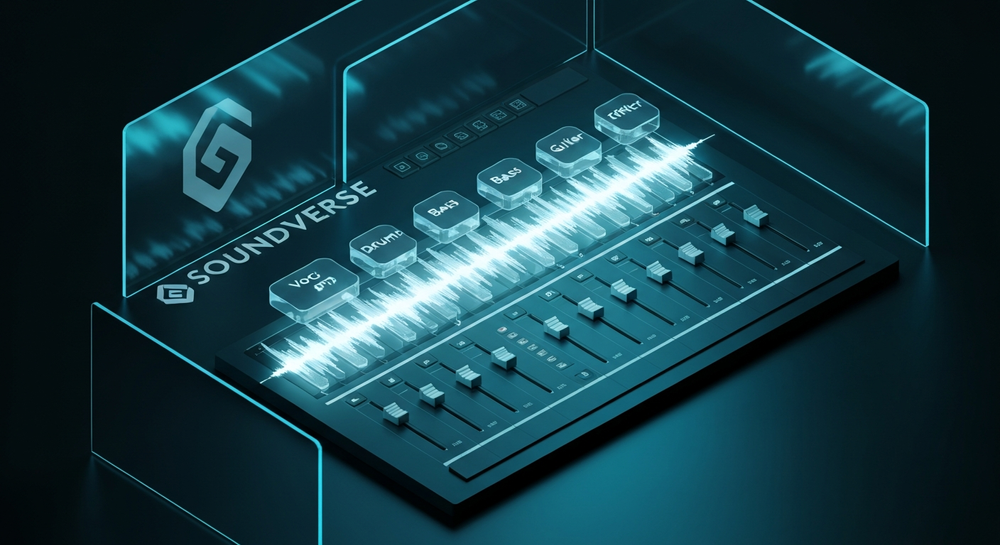
How to make vocal isolation easy with Soundverse Stem Separator

Soundverse’s Stem Separator provides one of the most precise AI-based separation systems available in 2026. It can dissect mixed audio into up to six editable stems: Vocals, Drums, Bass, Guitar, Accompaniment, and others. This clarity enables flexible post-processing, remix building, and educational analysis.
Core features
- 6-stem separation: Accurate extraction of core components including vocals, instrumentals, and rhythm sections.
- Input options: Accepts URL, file upload, or direct recording sources, making it versatile for any workflow.
- High-quality isolation: Uses AI-driven processing to ensure minimal artifacts and clear stem results.
Use cases
- Remixing and sampling: Reimagine released songs by extracting vocals or instrumentals separately.
- Backing track creation: Perfect for karaoke or live performance arrangements.
- Audio cleanup: Improve old recordings with cleaner vocal channels.
- Mix structure analysis: Great for music students learning how complex tracks are layered.
With Soundverse Stem Separator, isolation becomes an asynchronous process—upload or record, process with AI, and then receive downloadable stems for further editing.
Step 1: Upload Interface

Begin by opening the Soundverse Stem Separator. The upload interface allows you to drag and drop an audio file or paste a track URL. You can also record vocals directly into Soundverse if you want to isolate live performances. Ensure your source file is in a common format such as WAV or MP3.
Step 2: Additional References

You can enhance separation accuracy by uploading a reference audio file. If you're isolating vocals similar to another mix or want AI guidance based on a texture reference, this step fine-tunes the process for better clarity and alignment.
Step 3: Results Display

Once the AI finishes processing, Soundverse displays the separated stems visually. Each component—vocals, drums, bass, guitar, accompaniment—appears on its own waveform panel. You can audition them, solo the vocal track, and evaluate artifact levels before downloading.
Step 4: Download Stems

Finally, select and download the stems you want to work with. Many producers download vocals separately to load them into DAWs like Ableton Live or Logic Pro for remixing. Others choose to download both instrumentals and vocals for complete control during mastering sessions.
Pro tips for perfect vocal isolation
- Clean input first: Remove noise or clipping before uploading.
- Avoid lossy formats: Use WAV to maintain detail for AI analysis.
- Enhance post-separation vocals: Apply EQ and compression to polish outcomes.
- Combine with other tools: Soundverse’s Voice Swap can replace the singer identity with a custom voice DNA while retaining expression; Inpainting allows fixing or rewriting small lyric sections after isolation.
To explore deeper integration, consider Arrangement Studio, where you can rearrange separated stems collaboratively and refine full compositions right inside Soundverse.
If you’re working on genre-based projects, such as creating EDM with Soundverse AI or producing rap with Soundverse AI tools, the ability to isolate vocals improves blending consistency. You can also reference what AI tools can generate songs or discover the Soundverse AI Magic Tools for fast composition workflows. For a deeper dive into production techniques, watch our Soundverse Tutorial Series - How to Make Music.
Why AI vocal isolation outperforms manual techniques
Before 2024, isolating vocals required multiband EQing or phase inversion between stereo channels. These methods were prone to distortion. Soundverse’s machine learning models trained on thousands of multi-genre datasets now yield clear separation even in dense mixes. For complex layers such as orchestral pop or lo-fi hip-hop, AI can identify harmonics that conventional filters missed.
This leap has made remix culture thrive. DJs can extract lead vocals from favorite tracks for mashups; sound designers can embed solo vocals into new cinematic textures, and educators can demonstrate how layering affects the perception of vocal tone.
Integrating isolated vocals into your production workflow
Once you have extracted vocals using Soundverse, you can:
- Add new instrumentals underneath to create alternate versions.
- Pitch-shift or time-stretch vocals without introducing artifacts.
- Replace the voice with Soundverse’s Voice Swap model to generate new interpretations.
- Perform edits or lyric changes with Inpainting without altering surrounding sections.
By combining these capabilities, creators can fully reconstruct or reinvent existing tracks in ways unimaginable before the AI separation era.
Common questions about vocal isolation
What formats can I upload?
Soundverse accepts most common audio formats, including WAV, FLAC, and MP3. Always use high-resolution files for best isolation accuracy.
Can I isolate vocals from streaming links?
Yes, Soundverse supports URL-based input. Simply paste the link, and the platform will process the audio asynchronously before stem generation.
Is the process instant?
No, Soundverse does not feature real-time preview. It analyzes uploaded audio asynchronously to ensure high-quality separation. You’ll receive results once processing completes.
Can instrumentals be removed completely?
While 100% perfect separation depends on mix density, AI-based processes in 2026 achieve exceptionally clean vocal tracks suitable for remixing, karaoke, and educational contexts.
Start Isolating Vocals with Soundverse AI Today
Effortlessly separate vocals and instrumentals in seconds using Soundverse's AI Magic Tool. Perfect for remixing, sampling, or creating karaoke tracks with professional clarity.
- Soundverse Introduces Stem Separation AI Magic Tool — Discover how Soundverse’s new AI Magic Tool takes music editing to the next level with precise stem separation.
- What Are Song Stems and Why Do You Need Them — Learn the basics of song stems and how they empower music creators to remix, isolate, and fine-tune tracks.
- Soundverse Assistant: Your AI Music Co-Producer — Explore how Soundverse Assistant guides you through music creation, making your workflow faster and more intuitive.
- Soundverse AI Magic Tools: Create Content Quickly with AI — Unlock a suite of AI-powered tools designed to simplify music generation, editing, and enhancement for creators.
Here's how to make AI Music with Soundverse
Video Guide

Here’s another long walkthrough of how to use Soundverse AI.
Text Guide
- To know more about AI Magic Tools, check here.
- To know more about Soundverse Assistant, check here.
- To know more about Arrangement Studio, check here.
Soundverse is an AI Assistant that allows content creators and music makers to create original content in a flash using Generative AI.
With the help of Soundverse Assistant and AI Magic Tools, our users get an unfair advantage over other creators to create audio and music content quickly, easily and cheaply.
Soundverse Assistant is your ultimate music companion. You simply speak to the assistant to get your stuff done. The more you speak to it, the more it starts understanding you and your goals.
AI Magic Tools help convert your creative dreams into tangible music and audio. Use AI Magic Tools such as text to music, stem separation, or lyrics generation to realise your content dreams faster.
Soundverse is here to take music production to the next level. We're not just a digital audio workstation (DAW) competing with Ableton or Logic, we're building a completely new paradigm of easy and conversational content creation.
TikTok: https://www.tiktok.com/@soundverse.ai Twitter: https://twitter.com/soundverse_ai Instagram: https://www.instagram.com/soundverse.ai LinkedIn: https://www.linkedin.com/company/soundverseai Youtube: https://www.youtube.com/@SoundverseAI Facebook: https://www.facebook.com/profile.php?id=100095674445607
Join Soundverse for Free and make Viral AI Music

We are constantly building more product experiences. Keep checking our Blog to stay updated about them!