How to Create an AI Music Video Using AI Music Generators
Learn how to make AI music videos using Soundverse AI Music Generator and AI video tools in 2026.
How to Create an AI Music Video Using AI Music Generators
In 2026, AI music video creation has become one of the most exciting innovations for musicians, content creators, and digital artists. With the help of advanced AI music generator tools and intelligent video production software, creators can turn concepts into complete audiovisual experiences—all without traditional studio setups or expensive production teams.
Artificial intelligence has evolved beyond simple automation. Today, it can compose music, generate visuals, and synchronize audio and video seamlessly. Whether you’re producing social media content, promotional videos, or music visuals for streaming platforms, AI-driven workflows can transform your creative process.
How to make an AI music video with Soundverse AI Music Generator
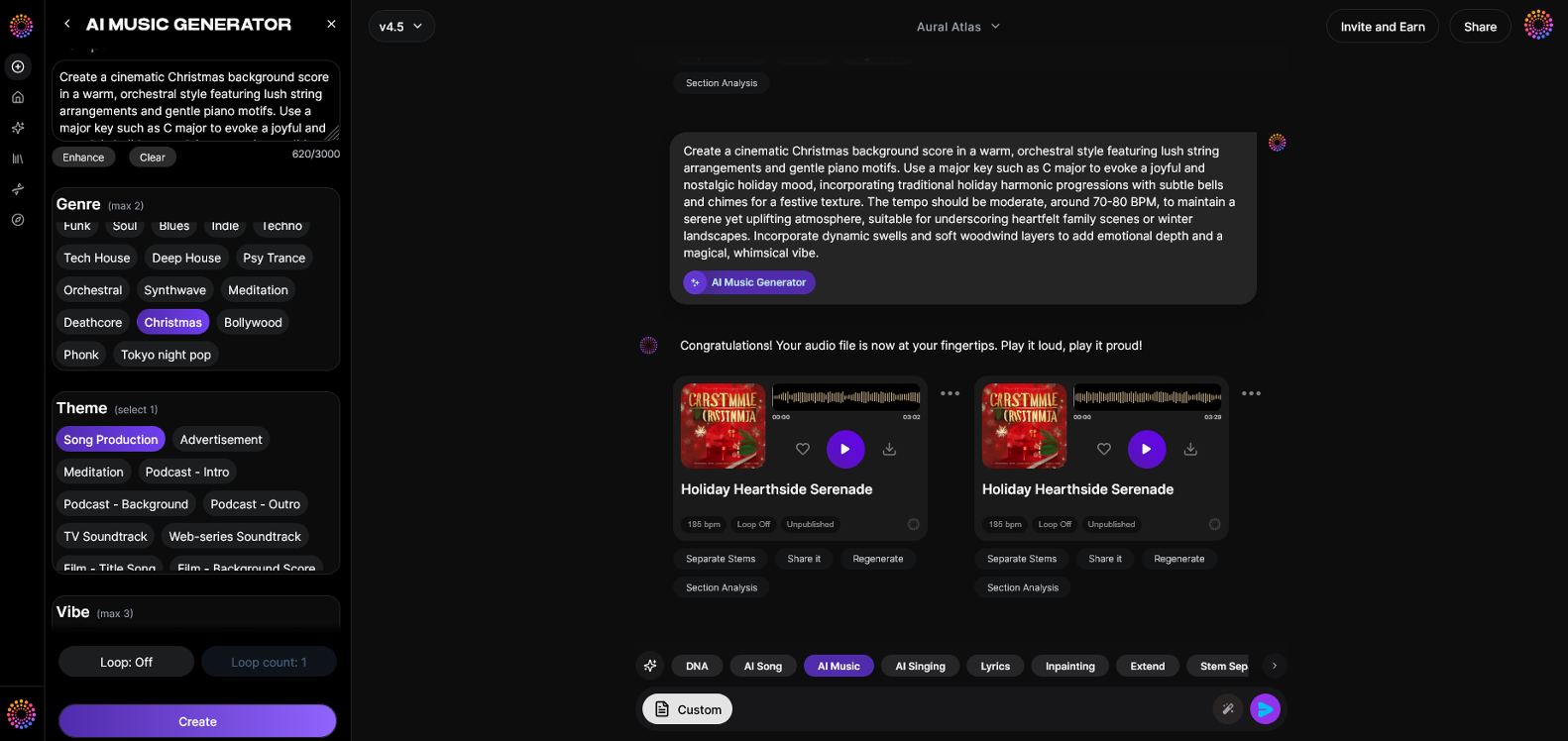
Soundverse’s AI Music Generator is the cornerstone for anyone looking to explore AI music video creation. It produces fully instrumented background tracks, beats, and ambient soundscapes from simple text prompts, eliminating the complexities of manual composition.
Core Capabilities:
- Text-to-music: Enter descriptive prompts like "dreamy synthwave beat" or "cinematic orchestral backdrop," and Soundverse generates a cohesive instrumental track.
- Loop Mode: Enables seamless repetition—perfect for videos requiring continuous background sound.
- Detailed genre/mood/instrument controls: Customize tone, genre, instrumentation, and overall vibe.
- V4 and V5 models: Offer refined sound generation quality for creators who want flexibility between fast production and high-detail rendering.
Primary Use Cases:
Soundverse’s AI music generator powers background music for video projects, games, commercial ads, podcast intros, and meditation sessions. For creators aiming to pair audio with visuals, it’s an ideal foundation for building AI-generated music videos.
Now, let’s walk through exactly how to create an AI music video in Soundverse, step by step.
Step 1: Feature Overview
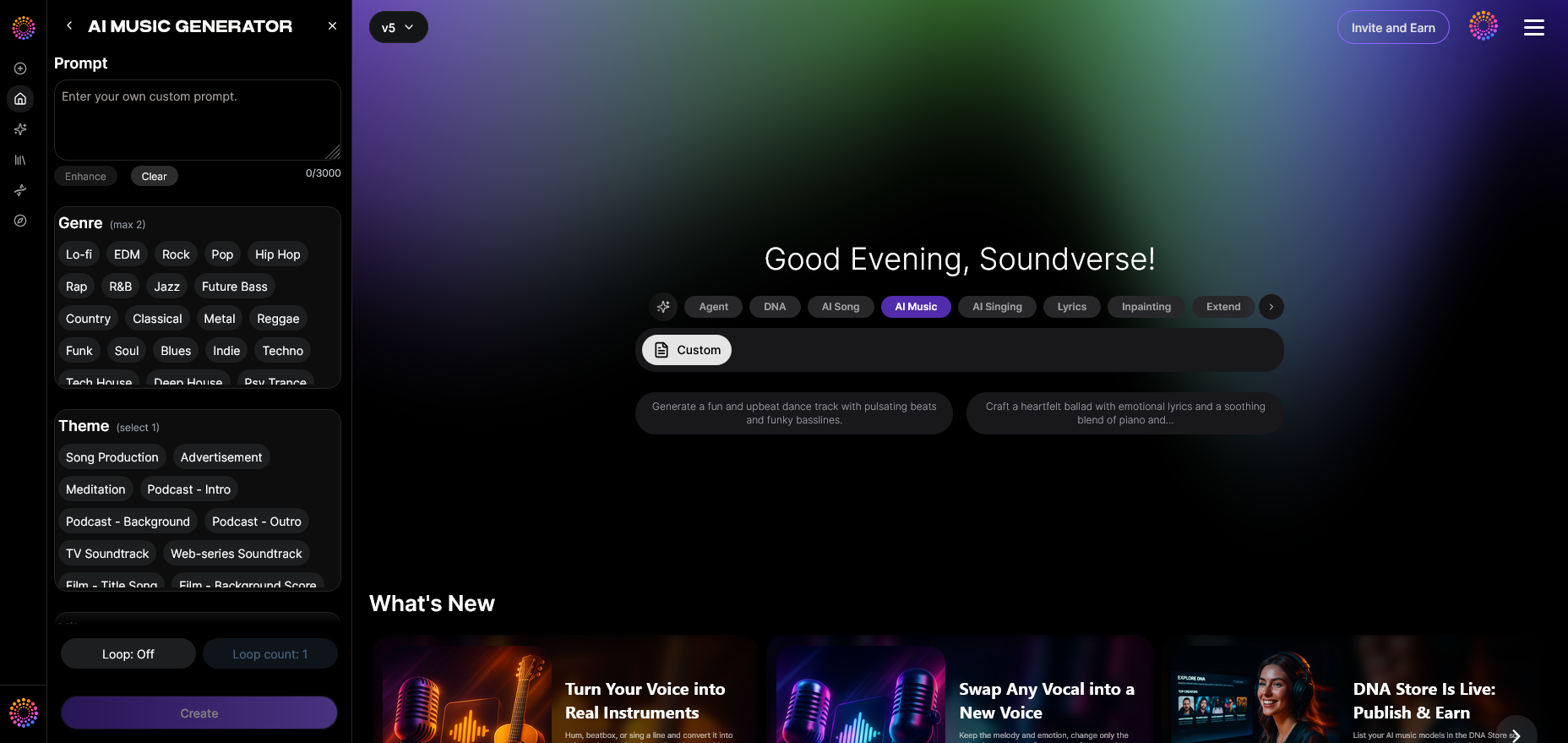
Begin in the Soundverse dashboard and select AI Music Generator from the main menu. It’s the entry point for creating custom instrumental tracks via text description. Other Soundverse tools such as AI Song Generator, AI Lyrics Writer, and Inpainting are accessible, but for video creation, the music generator is the central tool. For a deeper dive, watch our guide on creating Deep House music.
Step 2: Description Input
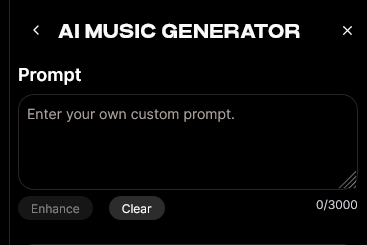
Input a short text description that conveys the sound you envision. For instance, if you’re making a futuristic visual, describe it as “ambient synth textures with tech-inspired pulses.” The more detailed your prompt, the more accurate the output. Check Soundverse’s guide on 100 text-to-music prompts for inspiration.
Step 3: Style & Duration
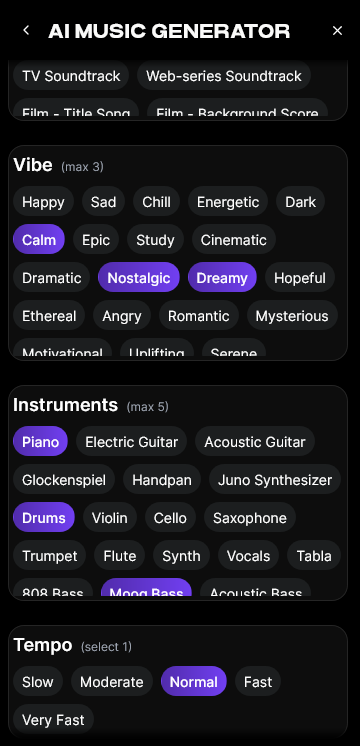
Next, choose your preferred style, genre, and track length. Video producers often match track duration with their visuals—typically 30 seconds to 3 minutes. In this stage, Soundverse’s filtering features help you refine attributes based on genre, instruments, and vibe. This ensures your video and audio integrate smoothly.
Step 4: Generation
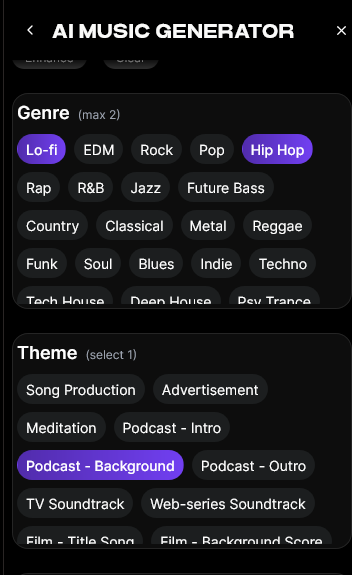
Click Generate to initiate the music creation process. The Soundverse AI system processes your description asynchronously, meaning it doesn’t preview live but delivers the finished track after computation. Once ready, you’ll have a completely unique instrumental composition that fits your input intent.
Step 5: Export Options
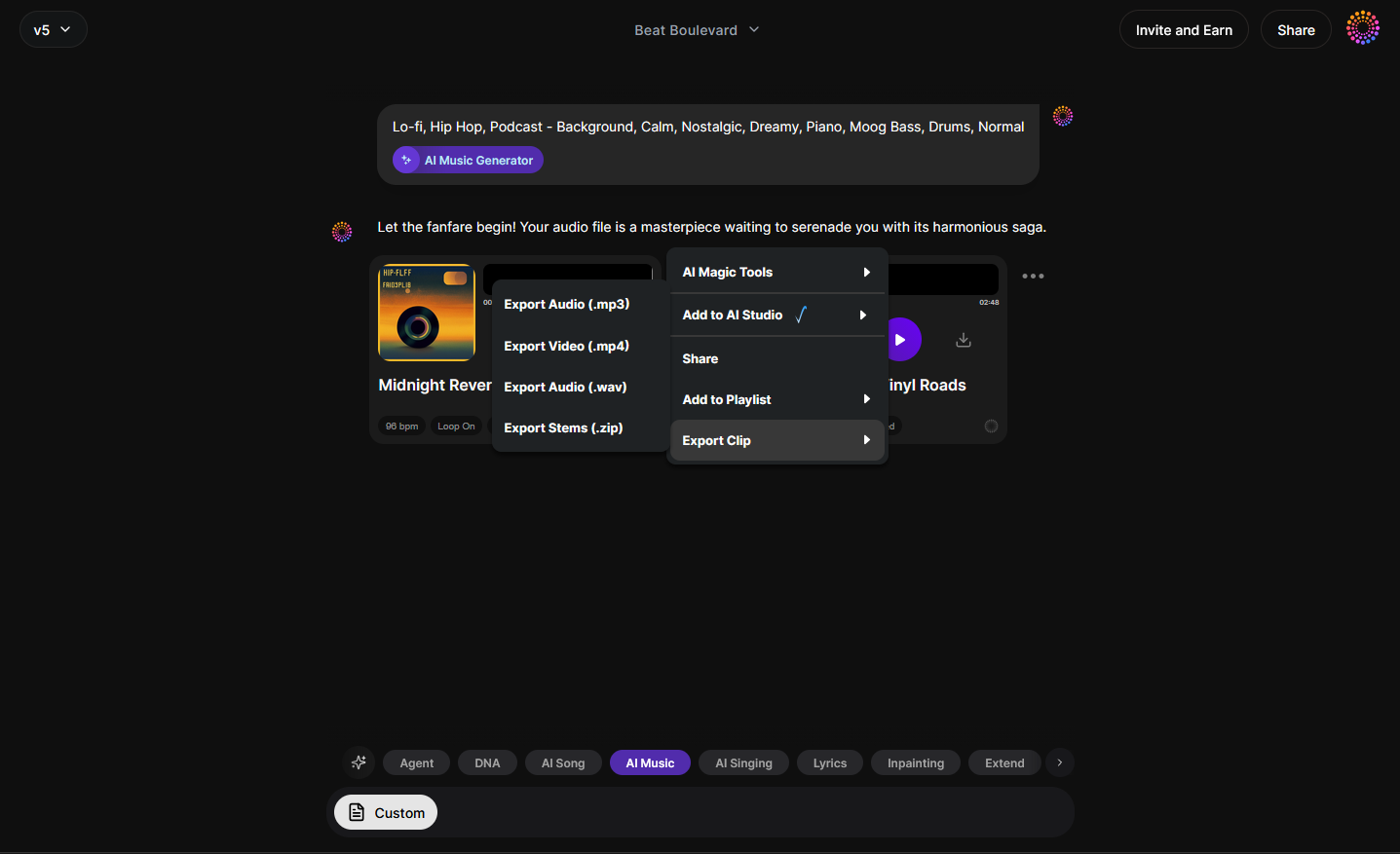
After generation, download your instrumental as a high-quality audio file. Export options are available for looped or single-play tracks, depending on your video type. Loop Mode is ideal for background visuals like art montages or tutorials, while single tracks work best for narrative-style videos.
How do you combine AI-generated music and AI video visuals?
Creating an AI music video doesn’t stop at generating music—you’ll need visuals that reflect your sonic mood. Several modern AI video production tools make this process efficient:
- Runway: Generate dynamic video scenes from text prompts or synchronize animation with audio.
- Pika: Ideal for fast video generation based on cinematic descriptions.
- Kaiber: Allows musicians to create video loops or visual-style transformations synced to their track.
- Synthesia: Great for creators adding virtual avatars and messaging to their music videos.
Import your Soundverse-generated audio into one of these platforms to bring your AI music visuals to life.
What makes AI music video creation popular in 2026?
This year, 2026, AI music video creation sits at the intersection of creativity and automation. The process empowers creators to:
- Save production costs: No need for recording sessions, studio rentals, or complex editing.
- Achieve faster turnarounds: AI reduces time from concept to final export from weeks to hours.
- Enable creative experimentation: Try diverse genres—electronic, ambient, classical, or trap—without technical skill barriers.
Moreover, integrations like Soundverse’s upcoming AI Magic Tools (see Soundverse AI Magic Tools create content quickly with AI) continue to simplify multi-tool workflows.
Pro Tips for AI Music Video Creation in 2026
To maximize results, consider these expert strategies:
- Plan your video structure first: Define sections—intro, buildup, climax, outro—and align music generation accordingly.
- Use Loop Mode creatively: For continuous visuals like meditation or tutorial backgrounds, looped music ensures seamless auditory experience.
- Refine using Inpainting: Use Soundverse’s Inpainting feature to modify specific music regions without regenerating the entire track.
- Mix and master externally: Once exported, minor EQ adjustments and mastering polish will optimize sound quality for video-sharing platforms.
- Leverage AI stem separation: Explore Soundverse’s stem separation tool for more granular control over individual instruments when syncing visuals.
Why Soundverse stands out from other AI music generator tools
Soundverse differs from competitors like Mubert, Soundraw, and Udio by offering extensive flexibility in text-to-music precision and genre customization. It’s not only a composition engine but also a comprehensive production suite designed for creators of multimedia projects. Articles comparing Soundverse’s unique capacities, such as Mubert alternatives and Soundraw alternative, explain why it remains the preferred platform in 2026.
When combined with external AI video editing tools, Soundverse becomes an end-to-end system for generating cohesive multimedia experiences.
Start Creating Your Own AI Music Videos Today
Transform your creative ideas into stunning audio-visual experiences. Generate original tracks, sync visuals effortlessly, and bring your imagination to life with Soundverse’s powerful AI music generator.
Related Articles
- Enhancing YouTube Content with Royalty-Free and Copyright-Free Music Using Soundverse AI: Discover how AI-generated, copyright-free music can elevate your YouTube videos and boost engagement.
- The Role of AI Music in Film and Television: Explore how AI is transforming music production for visual media, from scoring to sound design.
- Creating a Faceless Valentine’s Day Video Message with Free AI Tools: Learn how to craft engaging faceless video content using free AI tools for visuals and music.
- Generate AI Music with Soundverse Text-to-Music: Turn words into custom soundtracks using Soundverse’s innovative text-to-music generation tool.
Here's how to make AI Music with Soundverse
Video Guide

Here’s another long walkthrough of how to use Soundverse AI.
Text Guide
- To know more about AI Magic Tools, check here.
- To know more about Soundverse Assistant, check here.
- To know more about Arrangement Studio, check here.
Soundverse is an AI Assistant that allows content creators and music makers to create original content in a flash using Generative AI.
With the help of Soundverse Assistant and AI Magic Tools, our users get an unfair advantage over other creators to create audio and music content quickly, easily and cheaply.
Soundverse Assistant is your ultimate music companion. You simply speak to the assistant to get your stuff done. The more you speak to it, the more it starts understanding you and your goals.
AI Magic Tools help convert your creative dreams into tangible music and audio. Use AI Magic Tools such as text to music, stem separation, or lyrics generation to realise your content dreams faster.
Soundverse is here to take music production to the next level. We're not just a digital audio workstation (DAW) competing with Ableton or Logic, we're building a completely new paradigm of easy and conversational content creation.
TikTok: https://www.tiktok.com/@soundverse.ai
Twitter: https://twitter.com/soundverse_ai
Instagram: https://www.instagram.com/soundverse.ai
LinkedIn: https://www.linkedin.com/company/soundverseai
Youtube: https://www.youtube.com/@SoundverseAI
Facebook: https://www.facebook.com/profile.php?id=100095674445607
Join Soundverse for Free and make Viral AI Music

We are constantly building more product experiences. Keep checking our Blog to stay updated about them!