How to Create a Hip Hop Song in English Using AI
Learn how to create a hip hop song using AI with Soundverse's AI Song Generator. Step-by-step guide for rappers in 2026.
How to Create a Hip Hop Song in English Using AI
In 2026, artificial intelligence has become the go-to co-producer for aspiring rappers and producers. Whether you’re an emerging artist writing your first bars or a seasoned emcee looking to streamline your production process, AI tools like Soundverse make it easier than ever to create hip hop songs in English using AI. This guide will show you exactly how to create a hip hop song using AI, from lyrics to beats to finished vocals.
Why Use AI for Hip Hop Music Creation in 2026?
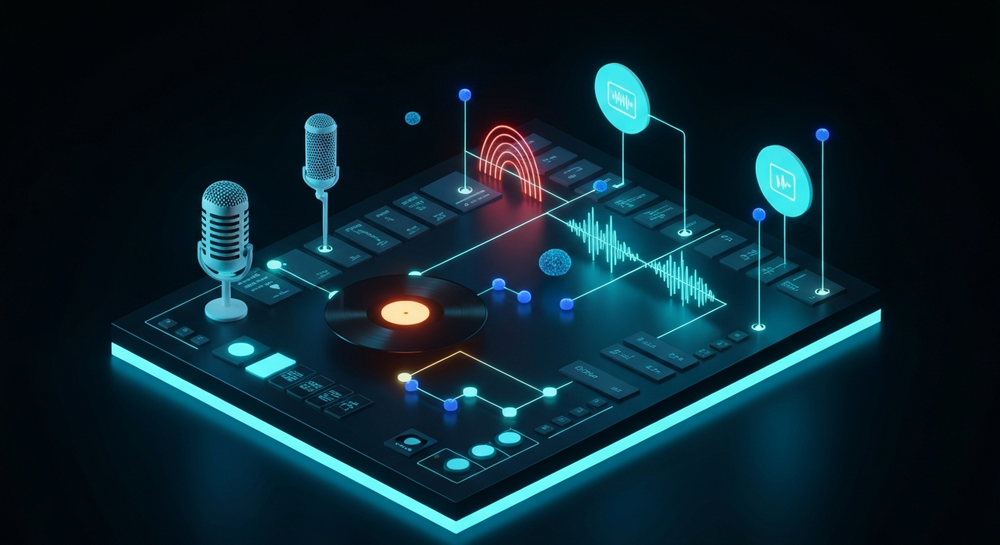
AI isn’t replacing creativity—it’s amplifying it. With advances in AI rap music and AI music production, creators now have digital assistants that can generate beats, write lyrics, and even perform them. The technology frees artists from the grind of mixing or arranging, giving them more time to focus on their flow, storytelling, and presentation.
In 2026, platforms like Soundverse are at the center of this revolution. Through AI-driven workflows, artists can ideate, produce, and distribute their tracks faster than ever before—without compromising individuality. Explore AI music sustainability and how Soundverse enables ethical, green music production in 2026.
How to Make a Hip Hop Song with Soundverse AI Song Generator

Soundverse’s AI Song Generator is the ultimate tool for anyone learning how to create a hip hop song using AI. It transforms your text or lyrics into a complete track with instrumentals, melodies, and AI-performed vocals. Discover how AI music for creators transforms social media content in 2026 with Soundverse's AI Song Generator.
What Is the Soundverse AI Song Generator?
The AI Song Generator takes you from concept to mastered song through a multi-stage pipeline. You can:
- Describe your idea using a text prompt (Describe Your Song mode).
- Upload or write your own lyrics (Custom mode).
- Provide reference audio for style guidance.
- Select quick styles like Pop, Rock, or EDM—or adapt these for hip hop grooves.
It generates both vocals and instrumental layers, synchronizing rhythm and tone to produce a professional-grade demo. Users commonly rely on it for songwriting demos, short-form content, or multilingual creative experiments. Soundverse DNA is an artist-trained AI system that generates original music from distinct sonic identities.
For cross-functional projects, Soundverse also connects seamlessly with other tools:
- AI Lyrics Writer: Generates full rap lyrics based on topics or moods.
- AI Music Generator: Builds instrumental-only beats from text descriptions. Soundverse's AI Music Generator is a production tool that transforms text prompts into complete instrumentals.
- AI Singing Generator: Produces acapella vocals of any style for mixing and layering.
Let’s go through the exact workflow to help you master your first AI-driven hip hop song. For a deeper dive, watch our tutorial on how to make music on the Soundverse YouTube channel.
Step 1: Feature Overview — Access AI Song Generator from Main Menu

After logging into your Soundverse dashboard, click on AI Song Generator from the main menu. This feature is built for song creation from text or lyrics. You’ll notice the interface offers two major pathways: Describe Your Song (prompt-based generation) and Custom Mode (for your own lyrics and settings).
Step 2: Lyrics Input — Enter or Paste Song Lyrics
In this step, write or paste your hip hop lyrics. If you’re starting from scratch, use the integrated AI Lyrics Writer through the “Help Me Write” option. Enter your topic—for instance, “self-made hustle story” or “city nights freestyle.” The AI will return rhymed verses, hooks, and bridges tailored to your theme.
You can also tweak phrasing or structure to align with your flow before moving forward.
If you want additional lyric writing guidance, check out how to make good rap lyrics for in-depth methods to improve your wordplay.
Step 3: Style Selection — Choose Music Style and Genre

Now let’s shape your track’s musical backbone. While Soundverse lists styles like Pop, EDM, or Rock, you can specify “Hip Hop” or “Trap” as your genre in the style prompt. Add key details like “boom-bap drums, deep bassline, jazzy chords,” or “UK drill energy with 808 slides.”
In 2026, subgenres of hip hop are thriving thanks to AI—Trap Soul, Conscious Rap, and AI-generated Drill are among the most popular variants. You can explore how these trends have evolved in music industry trends for broader insight.
Step 4: Configuration — Set Generation Parameters

After style selection, configure your parameters. Adjust tempo, vocal tone, and energy level to match your desired vibe. For instance:
- Tempo: 85–100 BPM for classic hip hop
- Vocal tone: Confident, deep timbre for storytelling or high-energy bars for party tracks
- Mood: Motivational, funny, street-wise, or reflective
You can add reference audio—upload a snippet of a beat or vocal that matches your vision. The AI analyzes rhythm, tone, and energy level, then adapts your song accordingly. Learn how AI music production reduces expenses and enables low-cost music creation for producers and artists.
Step 5: Generation — Generate Song with Vocals and Instruments

Now click “Generate.” The system processes your lyrics and configuration settings to build a full song. Soundverse’s asynchronous engine handles this behind the scenes, generating instrumental arrangements and vocal performances before returning your mastered file. There is no live monitoring, but you’ll receive a ready-to-play file after the render completes.
This stage normally takes a few minutes, depending on song length. The AI blends rhythm, flow, and tone cohesively—creating an output that can rival early demo recordings by professional artists.
Step 6: Generation Complete — Review and Adjust

Once your AI song is ready, check the output. You can play your new track, evaluate phrasing and beat alignment, and decide whether to tweak your lyrics or regenerate with new energy settings. Many creators run multiple iterations to experiment with unique flows, rhythmic phrasing, and delivery styles. For additional tips, watch our Explore Tab walkthrough video.
Step 7: Export Results — Download Your AI-Generated Hip Hop Song

When you’re satisfied, export your AI-generated hip hop track. Soundverse lets you download it in several formats for easy uploading to streaming platforms or content editing software.
For those integrating hip hop tracks into YouTube projects, you can explore enhancing YouTube content with royalty-free and copyright-free music to understand legal and distribution nuances.
Pro Tips for Creating a Great AI Hip Hop Song
- Refine Your Prompt: Be as descriptive as possible when writing prompts for topics or moods. Instead of “aggressive rap,” say “angry freestyle about overcoming challenge with heavy 808 bass and tight hi-hats.”
- Leverage Multiple Tools: Use the AI Lyrics Writer for your verses and hook, then merge it with the AI Song Generator for full production.
- Experiment with Subgenres: Try different substyles like Lo-Fi Hip Hop, Trap, or Drill to stretch your creativity. Check ideas from other genre guides like How to Create EDM with Soundverse AI for inspiration.
- Layer Vocal Outputs: You can render several vocal takes with slightly changed energy levels for a realistic multi-take sound.
- Mix with External Tools: For more refined sound design, import AI stem outputs into a DAW after exporting. See Soundverse introduces Stem Separation AI Magic Tool to handle vocals, drums, and bass individually.
The Future of AI-Generated Hip Hop
By 2026, AI doesn’t just mimic human creativity—it collaborates with it. Artists can produce entire EPs or viral singles using tools like Soundverse’s AI Song Generator. AI bridges language barriers, democratizes access to production resources, and accelerates content delivery for digital platforms.
AI has already reshaped how new genres evolve. Learn more about how AI-generated music is transforming the industry to see how platforms like Soundverse continue to lead this transformation.
Start Creating Your Own AI-Powered Hip Hop Tracks Today
Level up your music-making process with Soundverse. Use AI to craft unique beats, lyrics, and full arrangements in minutes — no studio required.
Related Articles
- How to Create Rap Music with AI: Explore how to generate professional-quality rap tracks quickly using AI-driven music tools.
- How to Make Good Rap Lyrics: Learn practical strategies to write engaging, memorable rap lyrics that resonate with listeners.
- Generate AI Music with Soundverse Text-to-Music: Discover how Soundverse turns text prompts into full-fledged songs with its powerful AI generator.
- Soundverse AI Magic Tools: Create Content Quickly with AI: See how Soundverse’s AI Magic Tools simplify the music creation process for producers and creatives.
Here's how to make AI Music with Soundverse
Video Guide

Here’s another long walkthrough of how to use Soundverse AI.
Text Guide
- To know more about AI Magic Tools, check here.
- To know more about Soundverse Assistant, check here.
- To know more about Arrangement Studio, check here.
Soundverse is an AI Assistant that allows content creators and music makers to create original content in a flash using Generative AI.
With the help of Soundverse Assistant and AI Magic Tools, our users get an unfair advantage over other creators to create audio and music content quickly, easily and cheaply.
Soundverse Assistant is your ultimate music companion. You simply speak to the assistant to get your stuff done. The more you speak to it, the more it starts understanding you and your goals.
AI Magic Tools help convert your creative dreams into tangible music and audio. Use AI Magic Tools such as text to music, stem separation, or lyrics generation to realise your content dreams faster.
Soundverse is here to take music production to the next level. We're not just a digital audio workstation (DAW) competing with Ableton or Logic, we're building a completely new paradigm of easy and conversational content creation.
TikTok: https://www.tiktok.com/@soundverse.ai
Twitter: https://twitter.com/soundverse_ai
Instagram: https://www.instagram.com/soundverse.ai
LinkedIn: https://www.linkedin.com/company/soundverseai
Youtube: https://www.youtube.com/@SoundverseAI
Facebook: https://www.facebook.com/profile.php?id=100095674445607
Join Soundverse for Free and make Viral AI Music

We are constantly building more product experiences. Keep checking our Blog to stay updated about them!