How to Create a Beat for a Song: A Complete 2026 Guide for Beginner Music Producers
Learn how to create a beat for a song using Soundverse’s AI Music Generator. Step-by-step guide for beginner music producers in 2026.
How to Create a Beat for a Song
Creating a beat for a song is one of the most exciting parts of music production. In 2026, with AI tools like Soundverse, anyone—from aspiring musicians to professional producers—can design rhythmic foundations with ease. If you’ve ever wondered how to create a beat that captures your song’s emotion and vibe, this guide will take you through every step, from concept to completion.
Why Learning How to Create a Beat Matters in 2026
Music creation has evolved rapidly over the past few years. By 2026, millions of beginner producers are turning to digital audio workstations (DAWs) and AI-powered platforms to compose beats. Whether you aim to craft an instant hit or simply explore sound design, understanding beat making helps you unlock creativity and build stronger compositions.
Beat making isn’t just about rhythm—it’s about emotion, spacing, and movement. The beat defines the energy and identity of a song, from soft acoustic arrangements to high-energy dance tracks. Learning how to build one teaches you how all parts of music fit together: tempo, instrumentation, layering, and transitions.
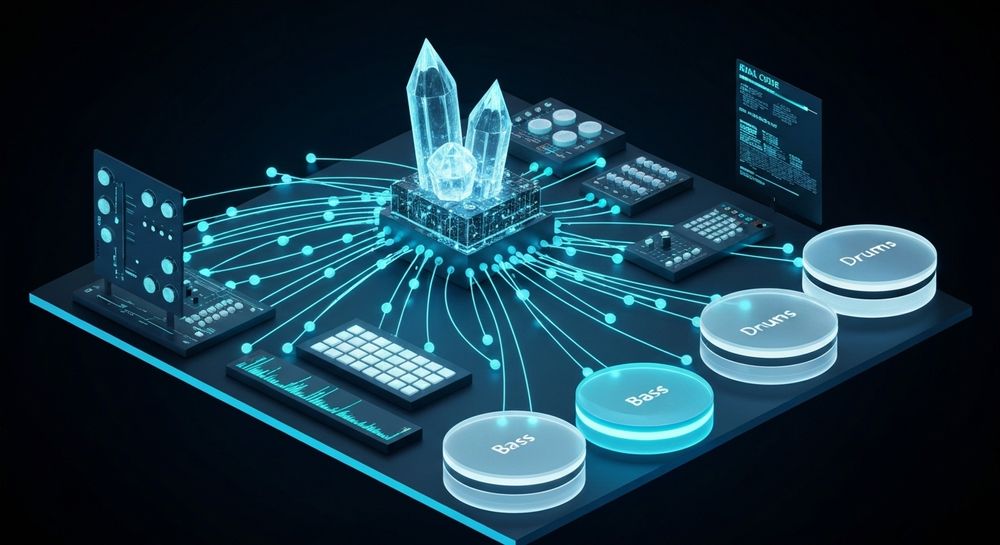
How to Make a Beat for a Song with Soundverse AI Music Generator

Soundverse’s AI Music Generator is a revolutionary tool designed to simplify music creation for both new and experienced producers. Let’s explore how it enhances beat making.
Official Description: The AI Music Generator creates fully produced instrumental music from text prompts. It specializes in beats, loops, and soundscapes without vocals, offering users control over genre, mood, and instrumentation. You can choose between V4 and V5 Model versions depending on the project detail you need.
Core Capabilities:
- Text-to-Music creation: Turn written descriptions into music instantly.
- Loop Mode: Perfect for beat producers who need seamless repeating patterns.
- Genre/Mood/Instrument Control: Customize drums, bass, synths, and tone.
- Model Options (V4/V5): Choose your complexity level.
Primary Use Cases:
- Creating original background beats for songs and videos.
- Crafting rhythmic foundations for advertising or game soundtracks.
- Designing healing loops and meditative soundscapes.
If you dream of becoming a beginner music producer, this tool accelerates your learning. Instead of spending weeks understanding advanced DAW mechanics, you can start producing with creative freedom and then refine your craft progressively.
Step 1: Feature Overview

Access Soundverse’s AI Music Generator from the main menu. After signing into Soundverse, navigate to the AI tools section to locate “Music Generator.” This is the entry point for creating beats through AI assistance. The platform interface is streamlined, making it easy for beginners to begin without technical complexity.
Step 2: Description Input

Here, you’ll describe the kind of beat you want. For example, input “a chill lo-fi beat with soft drums and jazzy bass” or “an energetic pop rhythm with future bass undertones.” The AI interprets keywords to create drum patterns, bass frequency relationships, and textures matching your prompt.
If you’re unsure what to write, check out Soundverse’s library of 100 text-to-music prompts that will help you create viral music. These examples can jumpstart creativity and guide your descriptions effectively.
Step 3: Style & Duration

Now, select the music style (genre) and track length. Soundverse offers rich genre diversification—from EDM and pop to ambient and jazz. Pick durations ideal for your workflow, especially if you plan to loop or export stems later.
You can learn more about creating specific genres through guides such as How to Create EDM with Soundverse AI or How to Create Jazz Music with Soundverse AI.
Step 4: Generation

Click “Generate” to let Soundverse build your beat based on the provided description and options. The AI processes your request asynchronously, meaning it will analyze and produce sound patterns before you can download them. The generation phase creates a fully mixed instrumental piece ready for use or editing. For a deeper dive, watch our guide on creating Deep House music or the explore tab walkthrough from Soundverse’s Tutorial Series.
Step 5: Export Options

Finally, download your generated beat as a high-quality audio file. You can use this instrumental directly or import it into other DAWs for further customization. If you wish to remix or fine-tune sections, use Soundverse’s Stem Separator—found here—to extract drums, bass, or accompaniment separately.

What Are the Basics of Beat Composition?
Creating a beat involves balancing rhythm, timbre, and space. Even before using AI tools, understanding manual composition principles helps refine your results.
- Tempo Selection: Your BPM (beats per minute) sets the groove. Faster tempos fit dance genres; slower ones are ideal for ambient or R&B music.
- Drum Pattern Design: Kick, snare, and hi-hat placement guide movement. Experiment with syncopation and ghost notes for complexity.
- Bass Integration: The low-end forms pulse and depth. Match your bass rhythm with drum flow for coherence.
- Layering Instruments: Add melodic or textural layers—pads, keys, or samples—to enrich sound.
- Looping and Variation: Repetition anchors rhythm, while subtle variations keep your listeners engaged.
If you work in traditional DAW software, Soundverse complements that process beautifully. You can integrate generated beats into Ableton, FL Studio, or Logic Pro as foundational loops. For advanced users, Soundverse’s Extend Music feature also allows seamless beat lengthening without breaking tempo.
Learn more about using these tools efficiently in Soundverse AI Magic Tools: Create Content Quickly with AI.
Pro Tips for Beginner Music Producers in 2026
- Start Simple: Don’t overload tracks early. Focus on rhythm and spacing before layering effects.
- Use AI Wisely: AI assists creativity, but human feeling gives music life. Combine generated beats with personal tweaks.
- Learn Arrangement: Study song composition—intro, verse, chorus, bridge—to understand how beats interact.
- Remix Existing Material: With the Stem Separator, isolate drums or basslines from past songs to practice rearrangement.
- Stay Inspired: Visit related resources like Music Industry Trends to keep up with creative movements.
How Soundverse Elevates Modern Beat Making
Soundverse changes how creators approach production. Instead of manual sequencing, you describe your sound vision, and AI transforms text into music. Combined with Soundverse’s additional tools—such as Voice to Instrument, Extend Music, and Stem Separator—you can produce full, detailed compositions starting from the beat and ending with a polished track.
Compared to manual production or traditional generators like Mubert, Soundverse provides deeper genre control and musical realism, making it one of the most accessible beat creation solutions in 2026.
For more on how AI reshapes modern artistry, explore How AI Generated Music Is Transforming the Music Industry.
Start Creating Beats with Soundverse AI
Experience effortless beat creation powered by advanced AI that brings your musical ideas to life. No equipment or experience required—just inspiration and a few clicks to produce professional-quality beats.
Related Articles
- Generate AI Music with Soundverse Text-to-Music — Discover how to turn words into melodies with Soundverse’s cutting-edge text-to-music technology.
- How to Create Rap Music with AI — Learn the step-by-step process of making rap beats and verses using Soundverse’s AI music tools.
- How to Create EDM with Soundverse AI — Explore how AI can help you produce energetic EDM tracks effortlessly from concept to final mix.
- Soundverse Assistant: Your AI Music Co-Producer — Meet the Soundverse Assistant and see how it helps creators produce songs faster with intelligent guidance.
Here's how to make AI Music with Soundverse
Video Guide

Here’s another long walkthrough of how to use Soundverse AI.
Text Guide
- To know more about AI Magic Tools, check here.
- To know more about Soundverse Assistant, check here.
- To know more about Arrangement Studio, check here.
Soundverse is an AI Assistant that allows content creators and music makers to create original content in a flash using Generative AI.
With the help of Soundverse Assistant and AI Magic Tools, our users get an unfair advantage over other creators to create audio and music content quickly, easily and cheaply.
Soundverse Assistant is your ultimate music companion. You simply speak to the assistant to get your stuff done. The more you speak to it, the more it starts understanding you and your goals.
AI Magic Tools help convert your creative dreams into tangible music and audio. Use AI Magic Tools such as text to music, stem separation, or lyrics generation to realise your content dreams faster.
Soundverse is here to take music production to the next level. We're not just a digital audio workstation (DAW) competing with Ableton or Logic, we're building a completely new paradigm of easy and conversational content creation.
TikTok: https://www.tiktok.com/@soundverse.ai
Twitter: https://twitter.com/soundverse_ai
Instagram: https://www.instagram.com/soundverse.ai
LinkedIn: https://www.linkedin.com/company/soundverseai
Youtube: https://www.youtube.com/@SoundverseAI
Facebook: https://www.facebook.com/profile.php?id=100095674445607
Join Soundverse for Free and make Viral AI Music

We are constantly building more product experiences. Keep checking our Blog to stay updated about them!