How to Build an EDM Track: A Complete 2026 Guide for Beginners
Learn how to build an EDM track in 2026. Step-by-step guide covering composition, mixing, and mastering for beginner music producers.
How to Build an EDM Track
Electronic Dance Music (EDM) remains a driving force in global music culture, and in 2026, building an EDM track has become more accessible than ever thanks to advanced tools, intuitive DAWs, and AI-assisted platforms. If you are wondering how to build an EDM track, this guide will walk you through the complete process—from creative concept to final master—while offering essential insights into modern electronic music composition techniques.
What is an EDM track, and why is it popular in 2026?
An EDM track typically blends rhythmic energy, melodic hooks, and synthetic textures that make people move. The genre continues to evolve, with subgenres like future bass, techno, progressive house, and melodic dubstep dominating the 2026 music landscape. The popularity of streaming platforms and festivals worldwide keeps EDM on the cutting edge of sound innovation. For producers, learning to craft such tracks is both creatively fulfilling and professionally rewarding.
What tools do you need for EDM production?
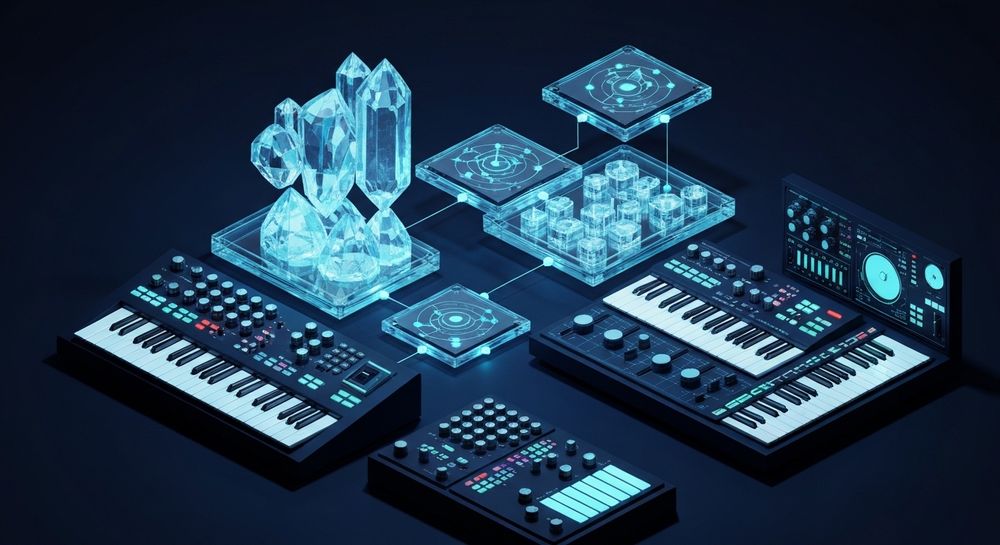
Before diving into composition and arrangement, make sure you have the right tools for music creation.
Digital Audio Workstation (DAW) – Your DAW is your central hub. Popular options for EDM include Ableton Live, FL Studio, and Logic Pro. Each offers sequencing, sound design, and automation features vital for dance music. Learn more in The Best Electronic Music Production Software (2026).
VST synthesizers and virtual instruments – Software synths like Serum, Massive X, and Sylenth1 are essential for designing lush leads, deep basslines, and evolving pads.
Audio interface and monitoring setup – Good headphones or studio monitors ensure accurate mixing and mastering decisions.
Sample libraries – Quality drum samples and FX packs give your production a professional edge, similar to tools featured in How to Learn EDM & Progressive House Production.
If you’re looking for modern AI tools beyond traditional DAWs, check out Soundverse’s ecosystem which seamlessly assists in automated music generation. Learn more in Soundverse Introduces Stem Separation AI Magic Tool and Soundverse AI Magic Tools Create Content Quickly with AI.

How do you compose an EDM track?
Composition starts with a solid structure. EDM tracks often follow a pattern consisting of:
- Intro – Sets the mood and introduces rhythm or ambient textures.
- Build-up – Adds tension through percussion and risers.
- Drop – The high-energy section featuring the main hook or bass groove.
- Breakdown – Offers contrast and emotion.
- Outro – Winds down for DJ-friendly transitions.
Focus on establishing a memorable motif early. In EDM composition, repetition with variation drives listener engagement. Begin with a chord progression and rhythm that reflect your chosen subgenre. As explained in How to Produce EDM: A Beginner's Guide to Making Your First Track, understanding these structural basics lays the foundation for strong compositions.
To dive deeper into electronic composition styles, you can explore guides like How to Create EDM with Soundverse AI or Generate AI Music with Soundverse Text-to-Music. For an interactive demo, watch our Soundverse Tutorial Series - 10. Make Deep House Music.
How do you design sounds for your EDM track?
Sound design defines your style. Synthesis is critical—learn how oscillators, filters, and envelopes interact to create distinct tones.
- Lead sounds: Bright, dynamic synths often processed with reverb or delay.
- Basslines: Sculpt using distortion or modulation for movement.
- Pads and atmosphere: Layer multiple textures for depth.
- Drums and percussion: Combine clean samples with subtle saturation to give punch.
Experimentation is key. Aim for contrast between sections while keeping sonic coherence. According to EDM Production: How to Make an EDM Track in 9 Steps, effective sound design can make or break your track’s emotional and rhythmic impact.
How do you arrange an EDM track for maximum impact?
Arrangement gives your music shape. Start with a rough sketch, then refine the transitions:
- Automate filter sweeps to enhance build-ups.
- Use white noise risers and impacts to punctuate drops.
- Balance tension and release with breaks.
Keep listeners anticipating the next section. Drop placement and build intensity should align with the energy curve typical in modern EDM trends of 2026. As highlighted in 2026 House Production Secrets | HUGEL's Formula, mastering your arrangement flow makes a strong difference in rhythm development.
For more creative arrangement ideas, consider exploring What is Soundverse Arrangement Studio and What Does It Do. You can also watch the Soundverse Tutorial Series - 9. How to Make Music for hands-on arrangement inspiration.
How do you mix and master an EDM track?
Mixing and mastering translate your creative vision into a polished, professional product.
Mixing Tips:
- Balance levels between kick and bass first.
- Apply EQ to clear overlapping frequencies.
- Use compression to maintain punch in drum tracks.
- Add sidechain compression for rhythmic drive.
Mastering Tips:
- Apply multiband compression to maintain clarity.
- Use a limiter to reach commercial loudness levels.
- Test across headphones, monitors, and streaming services.
Thanks to digital tools, mastering can now be partially automated while retaining creative control. Tools like AI-assisted stem separation and smart mastering plug-ins cut hours off workflow time.
Common mistakes beginners make when building EDM tracks
- Overusing effects: Too much reverb or compression can muddy your mix.
- Ignoring arrangement flow: A flat energy curve fails to engage listeners.
- Clashing frequencies: Inadequate EQing produces an unbalanced mix.
- Weak sound selection: Low-quality samples compromise overall quality.
- Neglecting creative identity: Copying popular tracks without adding unique flavor can stunt artistic growth.
Learning from these mistakes accelerates your progress as a producer, as demonstrated in The Ultimate Beginners' Guide to Start Producing in 2026.
How to make an EDM track with Soundverse AI Song Generator

Now that you understand the fundamentals of how to build an EDM track, here’s how you can create one instantly using Soundverse AI Song Generator.
Soundverse’s AI Song Generator enables you to turn lyrics or descriptive text into complete songs with AI-generated vocals and instrumental backing. The system runs through a multi-stage pipeline managing lyrics, melody, arrangement, and mixing automatically. Ideal for songwriting demos, vocal prototypes, and content creators, it supports multilingual outputs in over ten languages.
Step 1: Feature Overview

Access the AI Song Generator from Soundverse’s main menu. It’s designed for intuitive use across both desktop and mobile browsers.
Step 2: Lyrics Input
Enter or paste your lyrics. Alternatively, describe your desired track—such as “energetic EDM festival anthem”—to let the AI craft lyrics and melody from scratch.
Step 3: Style Selection

Choose EDM under Quick Style Selection. You can specify whether you want sub-genres like house, trance, or future bass.
Step 4: Configuration

Tune generation parameters like tempo, energy level, and vocal tone. Optional reference audio can guide the AI toward a similar vibe or performance style.
Step 5: Generation

Click Generate. The AI processes the input asynchronously, combining vocals, arrangement, and mix into a finished track.
Step 6: Generation Complete

Once generation finishes, you can preview results and refine by rerunning specific stages with adjusted settings.
Step 7: Export Results

Download your completed EDM track in multiple formats for personal use, sharing, or commercial release.
Why Soundverse is perfect for EDM producers in 2026
Soundverse not only accelerates workflow but also integrates seamlessly with creative DAWs. Combined with its companion tools—AI Music Generator, Inpainting, and Extend Music—it gives producers end-to-end flexibility. Need to lengthen a drop? Extend Music expands your section while matching tempo and key. Want to correct a vocal phrase? Inpainting regenerates it cleanly without touching the rest of the song.
The platform perfectly complements traditional production, making it ideal for EDM creators who value speed and experimentation while maintaining artistry. Explore complementary resources such as EDM | House of Tracks | 2026 or How To Become An EDM DJ In 2026: A Step-By-Step Guide for shaping your professional journey.
For further exploration of AI-driven music innovation, read How AI-Generated Music is Transforming the Music Industry or Soundverse AI Revolutionizing Music Creation for New Age Content Creators. You can also explore the Soundverse Tutorial Series - 8. "Explore" Tab for live platform demos.
Final Thoughts
In 2026, learning how to build an EDM track blends creativity and technology more than ever before. Start by mastering the basics—composition, arrangement, and mix—and then accelerate production using tools like Soundverse’s AI Song Generator. Whether you’re a beginner or a seasoned artist looking to streamline your workflow, the fusion of human creativity and AI assistance unlocks new levels of musical freedom and innovation.
Start Building Your EDM Track with Soundverse AI
Turn your creative ideas into a fully produced EDM track in minutes. Experience effortless sound design, arrangement, and mastering driven by AI innovation.
Related Articles
- How to Create EDM with Soundverse AI — Discover how Soundverse AI can help you craft dynamic EDM tracks with powerful stems and intelligent sound generation.
- Soundverse Introduces Stem Separation AI Magic Tool — Learn how to separate and remix song stems instantly using Soundverse’s revolutionary AI Magic Tool.
- Generate AI Music with Soundverse Text-to-Music — Create polished music tracks directly from text prompts using Soundverse’s text-to-music generation technology.
- 50 Hand-Picked Deep House Text-to-Music AI Music Generation Prompts — Get inspired with genre-specific text prompts that help you generate infectious house and EDM vibes instantly.
Here's how to make AI Music with Soundverse
Video Guide

Here’s another long walkthrough of how to use Soundverse AI.
Text Guide
- To know more about AI Magic Tools, check here.
- To know more about Soundverse Assistant, check here.
- To know more about Arrangement Studio, check here.
Soundverse is an AI Assistant that allows content creators and music makers to create original content in a flash using Generative AI.
With the help of Soundverse Assistant and AI Magic Tools, our users get an unfair advantage over other creators to create audio and music content quickly, easily and cheaply.
Soundverse Assistant is your ultimate music companion. You simply speak to the assistant to get your stuff done. The more you speak to it, the more it starts understanding you and your goals.
AI Magic Tools help convert your creative dreams into tangible music and audio. Use AI Magic Tools such as text to music, stem separation, or lyrics generation to realise your content dreams faster.
Soundverse is here to take music production to the next level. We're not just a digital audio workstation (DAW) competing with Ableton or Logic, we're building a completely new paradigm of easy and conversational content creation.
TikTok: https://www.tiktok.com/@soundverse.ai
Twitter: https://twitter.com/soundverse_ai
Instagram: https://www.instagram.com/soundverse.ai
LinkedIn: https://www.linkedin.com/company/soundverseai
Youtube: https://www.youtube.com/@SoundverseAI
Facebook: https://www.facebook.com/profile.php?id=100095674445607
Join Soundverse for Free and make Viral AI Music

We are constantly building more product experiences. Keep checking our Blog to stay updated about them!