How Artists Can Train an AI Model on Their Own Sound Using Soundverse DNA
Learn how artists can train AI on their own sound with Soundverse DNA for ethical, personalized music creation.
How Artists Can Train an AI Model on Their Own Sound Using Soundverse DNA
In the ever-evolving landscape of 2026, artists are no longer confined to traditional recording studios or production workflows. Artificial intelligence has become an indispensable creative partner, enabling musicians to generate new sounds, styles, and entire songs in seconds. However, for artists seeking authentic expression, the challenge has been personalization — how can AI truly sound like you? That’s exactly what Soundverse DNA solves. In this guide, we’ll explore how artists can train an AI model on their own sound using Soundverse DNA, step by step.
Why AI Music Model Training for Artists Matters in 2026
As AI continues to reshape the music industry, musical identity has become a core part of an artist's brand. In 2026, AI music creation is not just about speed — it’s about creating copyright-compliant tracks that sound personal and professional. Training an AI model on your own sonic identity ensures your unique tone, production techniques, and style remain intact while unlocking tools that scale your creative workflow.
Unlike general-purpose music generators like Mubert or Soundraw, artist-specific AI models offer direct ownership and monetization potential. Instead of random outputs, your audience or collaborators can experience music that feels authentically yours. This is the power of artist-centric machine learning for musicians.
What Is Soundverse DNA and How Does It Empower Artists?
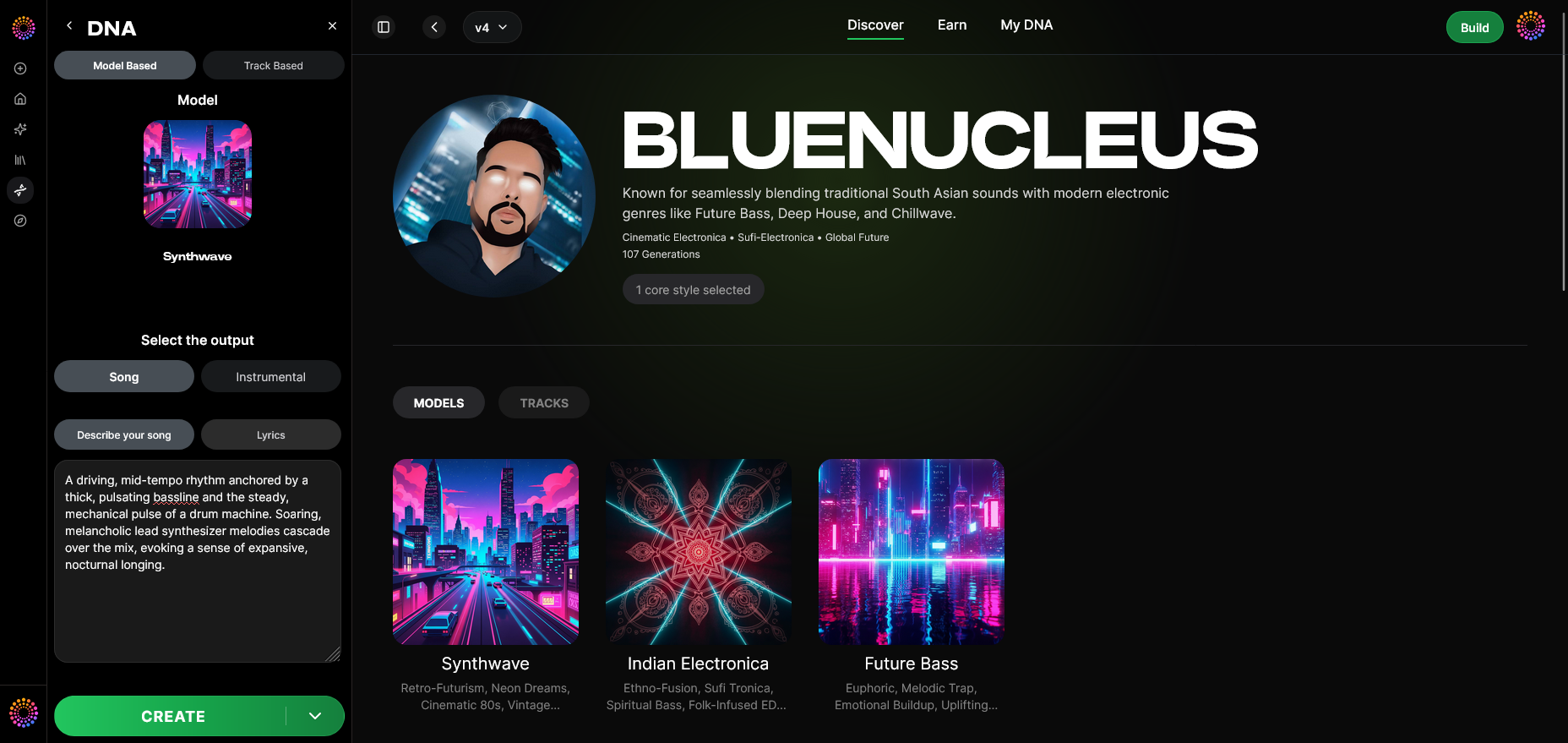

Soundverse DNA is an artist-trained AI music generation system designed to recreate and extend your sonic identity. It gives artists, producers, and labels the ability to ethically train AI models using licensed catalogs. In doing so, Soundverse DNA enables both creative expansion and a new form of income through AI collaboration. Learn more about the process in How AI Music Is Trained: A Simple Explanation for 2026.
Core Features of Soundverse DNA
- Full DNA: Enables artists to train models on their entire sonic catalog, capturing composition, style, and production patterns.
- Voice DNA: Focuses on vocal timbre, performance nuances, and delivery styles, letting you or others reproduce songs using your voice ethically.
- DNA Marketplace: Lets artists license their sounds to fans, brands, or other creators — ensuring recurring monetization whenever their “DNA” is used.
- Sensitivity Selector: Helps cluster catalogs into eras or tonal phases. For example, you could train one model on your 2021 indie era and another on your 2025 electronic productions.
- Private Mode: Perfect for confidential collaborations or unreleased tracks. Artists can co-create securely without risking leaks.
Soundverse DNA fits within Soundverse’s Ethical AI Music Framework, a transparent six-stage system guaranteeing consent, attribution, and royalty-sharing for every AI generation. You can also learn how licensing works in How to License Your Music for AI Training in 2026.
How to Train an AI Music Model on Your Sound Using Soundverse DNA
Training your own AI model with Soundverse DNA is straightforward, even if you have no previous experience with machine learning. Below is a detailed walkthrough of how to do it.
Step 1: Overview — Getting Familiar with DNA Mode
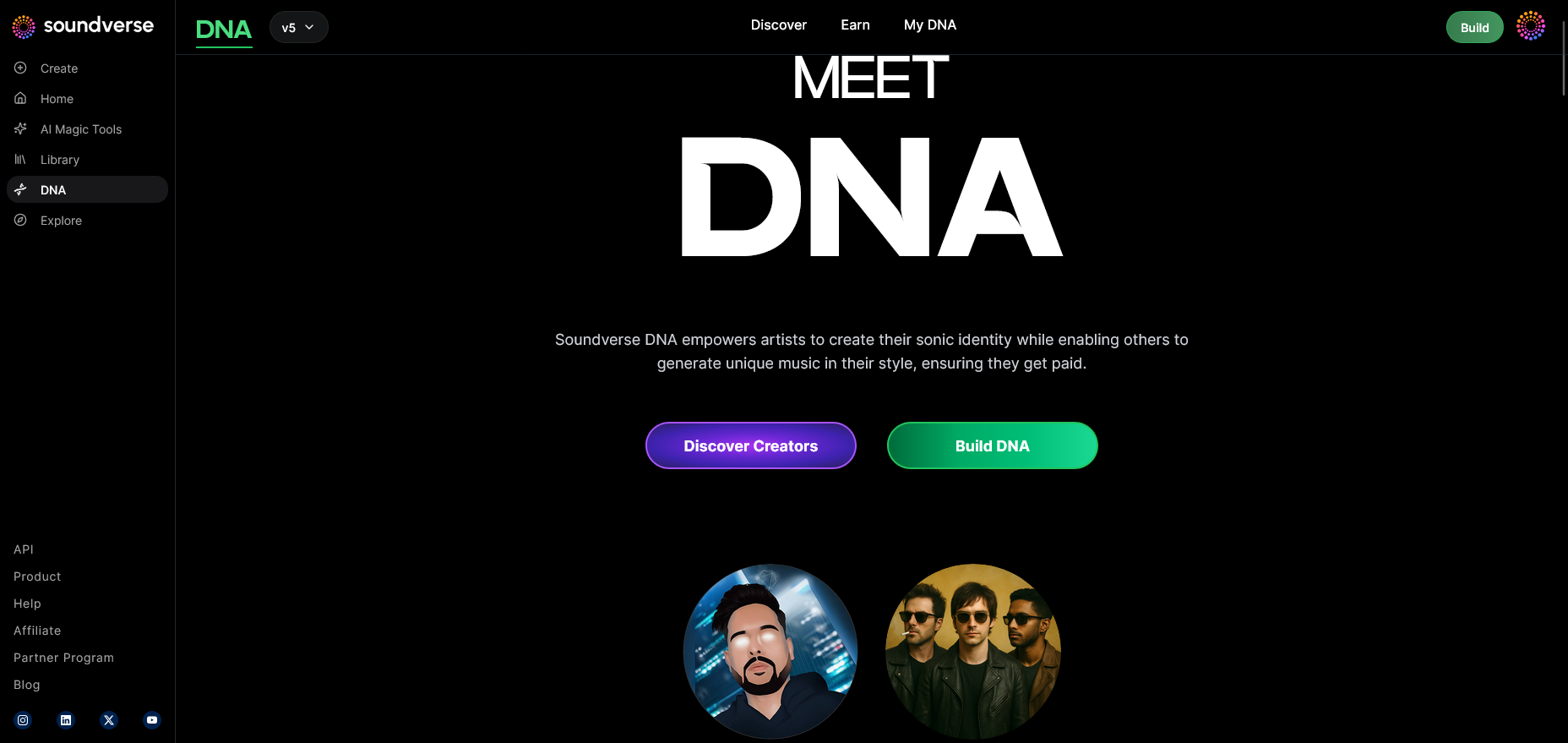
When you first open Soundverse DNA, you’re introduced to DNA Mode — the hub where your AI music identity begins. This step explains how Soundverse securely processes your uploaded material while protecting ownership rights. Musicians can review guidelines on how the model is ethically trained using your own licensed audio.
Step 2: Dashboard — Manage Your DNA Database
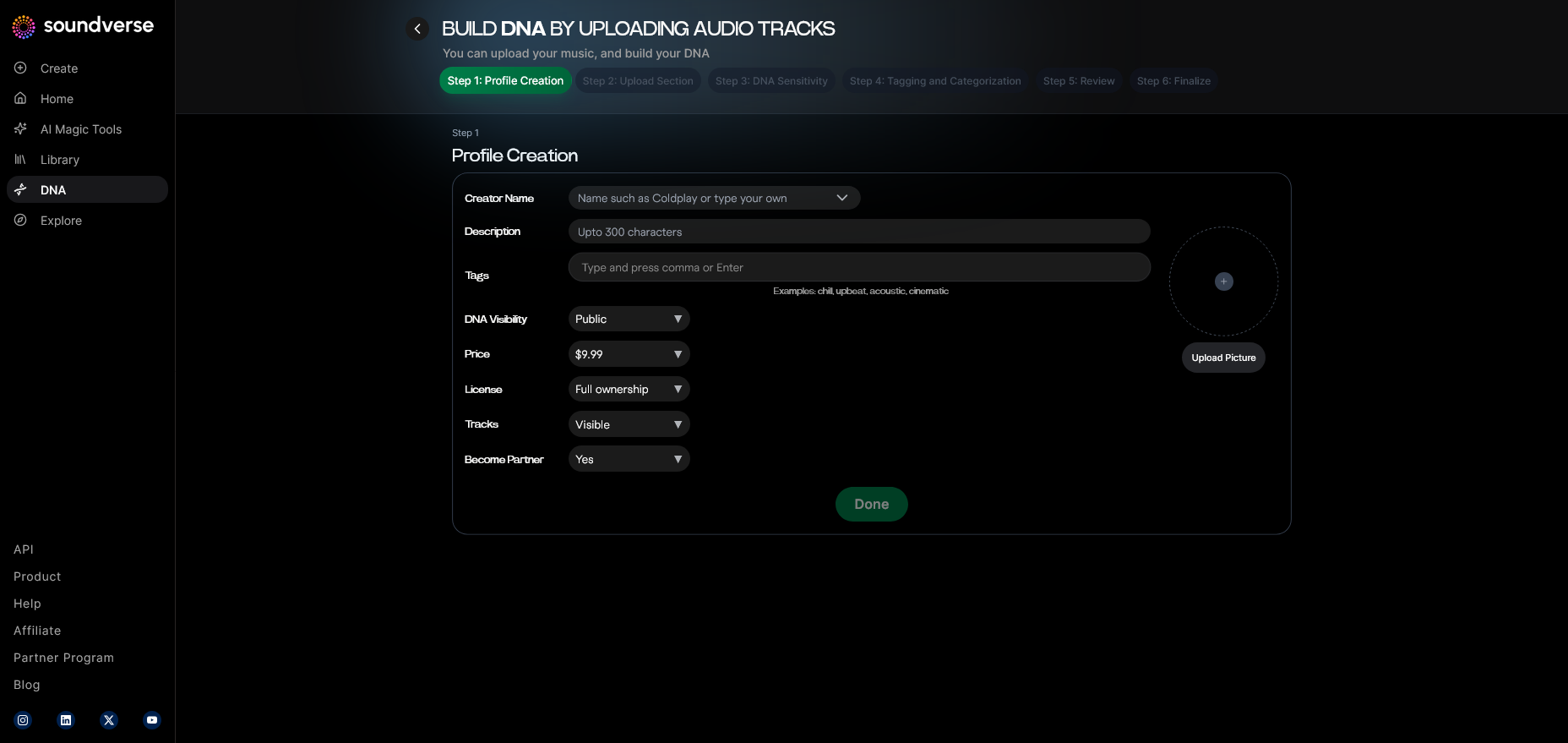
The Dashboard is where you oversee all your created or developing DNA models. Here, you can monitor usage statistics, review current AI outputs, and manage revenue from the DNA Marketplace. Each model has distinct categories, whether it’s for full production DNA or vocal timbre DNA.
Step 3: Creator Profile — Set Up Your Artist Identity
Next, build your Creator Profile. This is where you define who you are as an artist, providing essential data like genre, influences, and key sonic descriptors. These metadata inputs help Soundverse’s AI better understand what makes your sound unique.
Step 4: DNA Type Selection — Choose Full DNA or Voice DNA
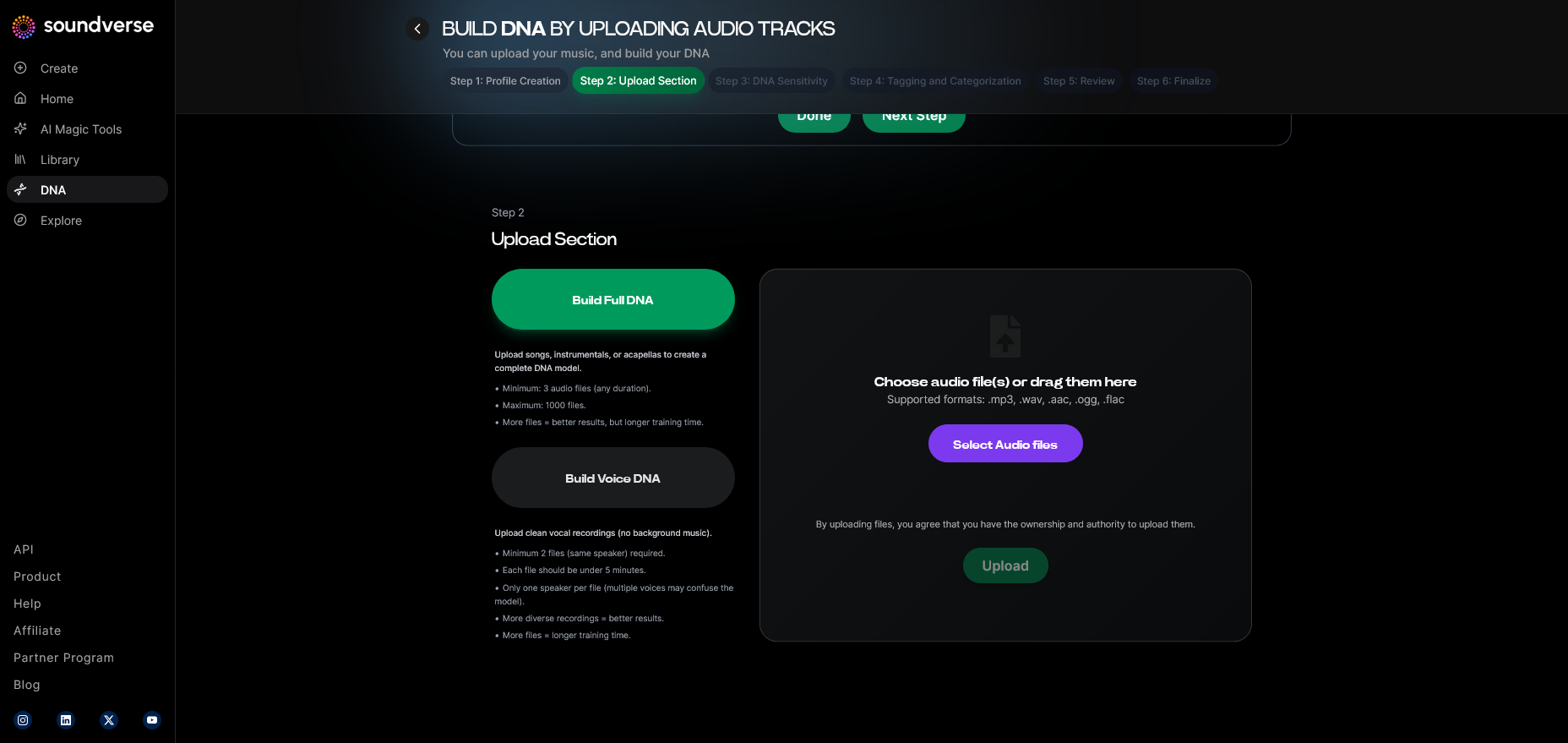
Artists can choose between Full DNA (entire instrumental style, melody production, and mixing signature) or Voice DNA (specific vocal timbre and stylistic traits). Some musicians even choose to train both types for full creative coverage.
Step 5: Upload Files — Feed the Model with Your Audio
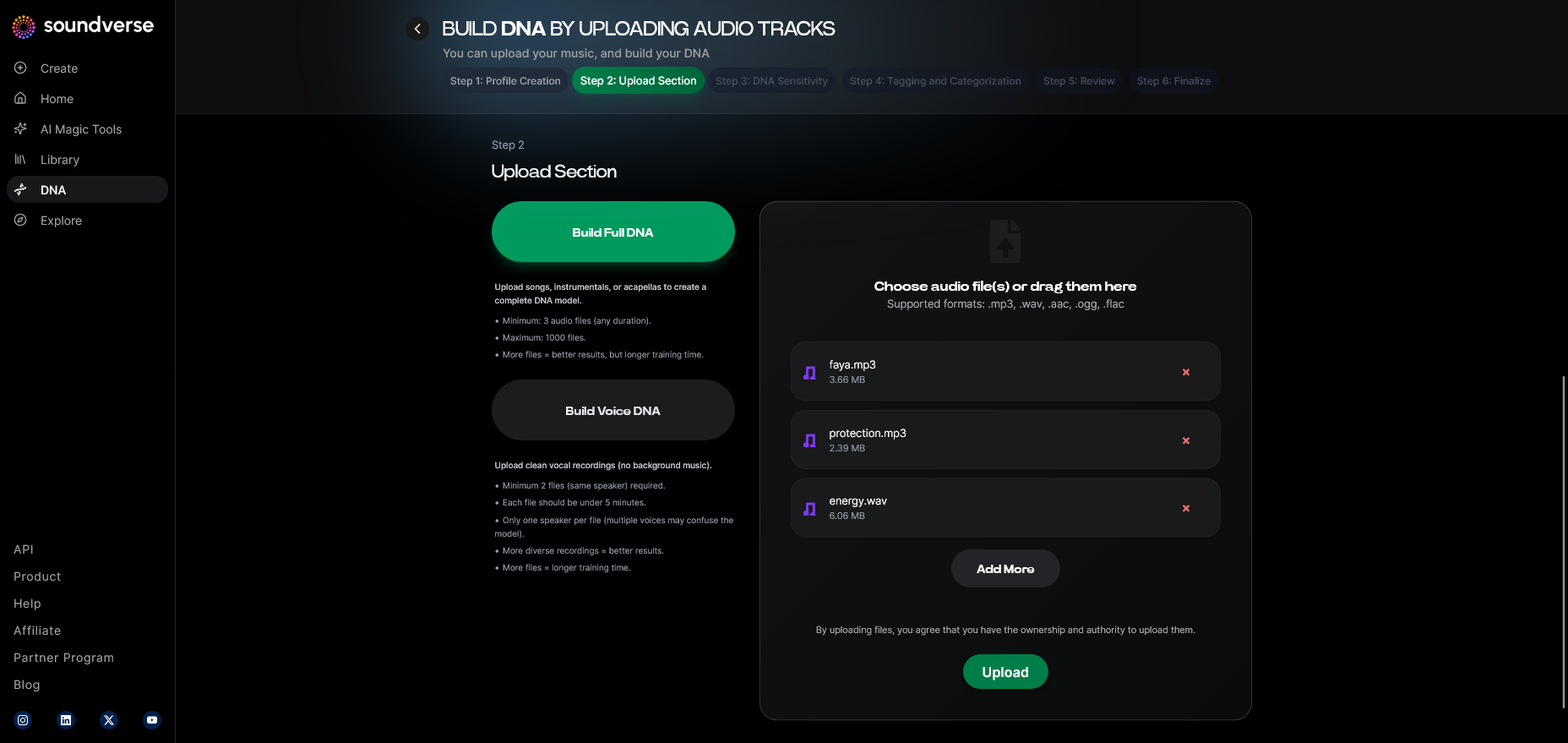
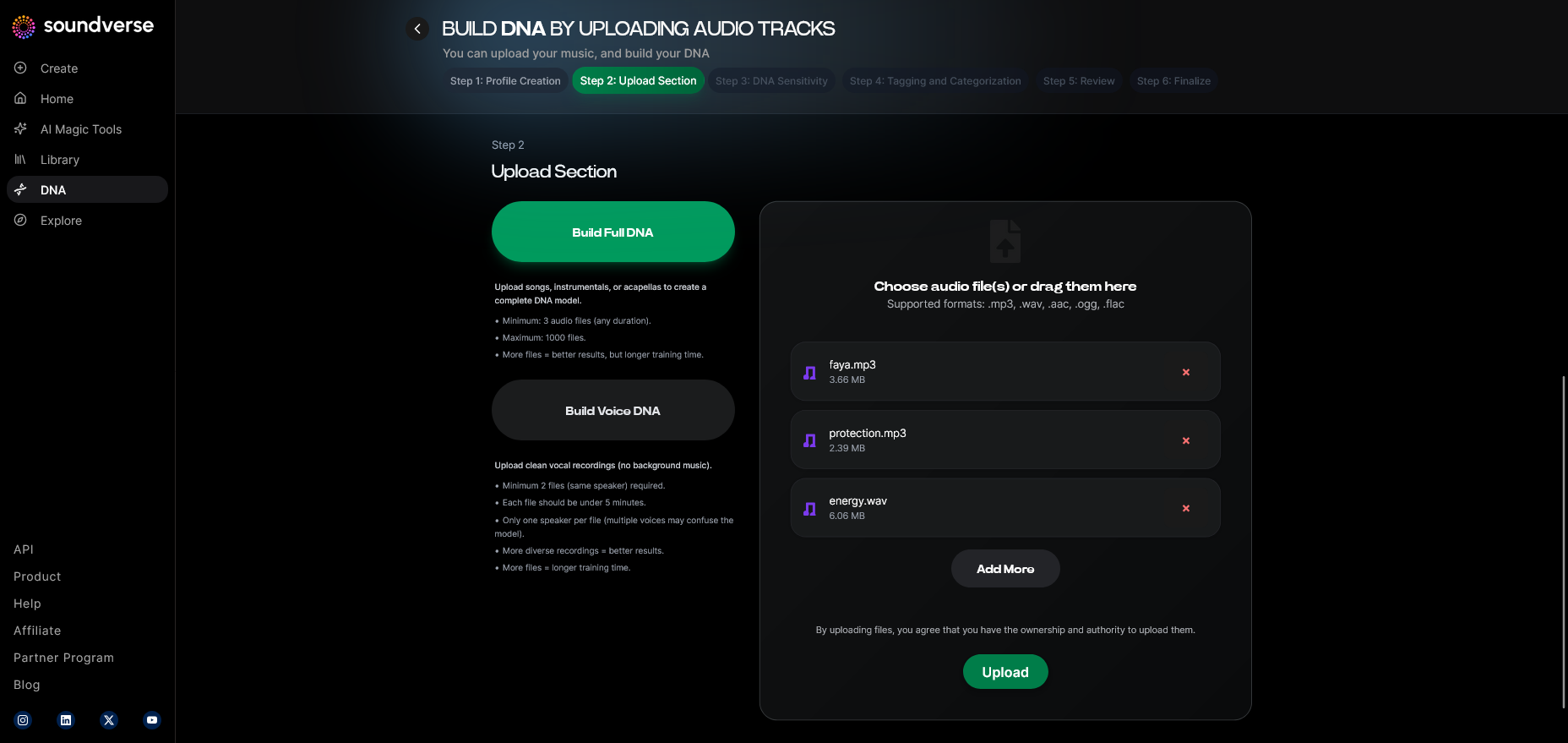
This is where the actual training process begins. You upload high-quality WAVs, stems, or mixed tracks. Soundverse automatically checks the files for quality and verifies ownership through its Ethical AI Music Framework, ensuring you retain control of your intellectual property.
Step 6: Sensitivity Setting — Fine-Tune the Model
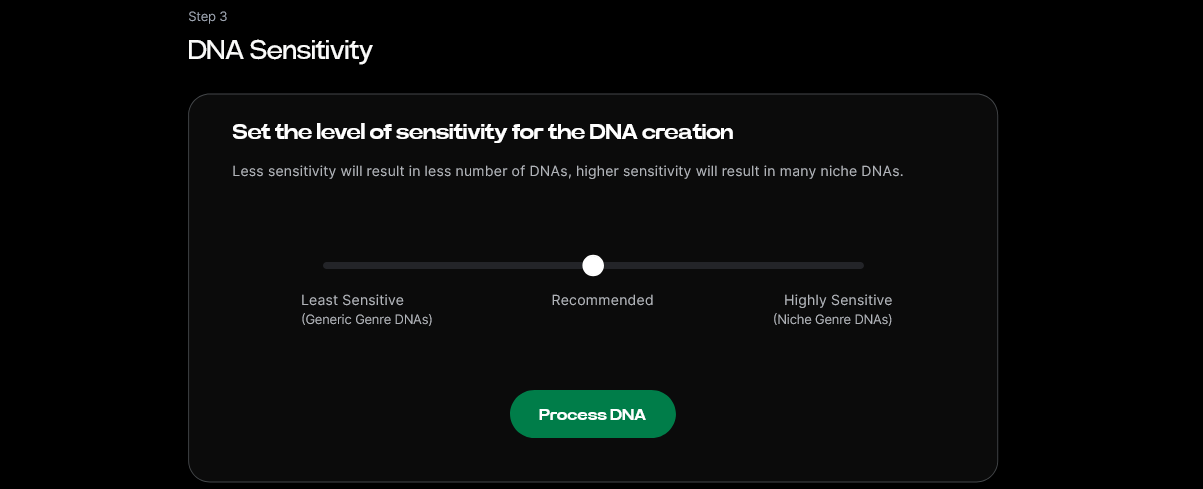
Soundverse allows artists to adjust how closely the AI mimics their existing sound using the Sensitivity Selector. A higher sensitivity will yield outputs nearly identical in tone to your previous work; a lower setting encourages more experimental generations.
Step 7: Auto Tagging — Intelligent Metadata Creation
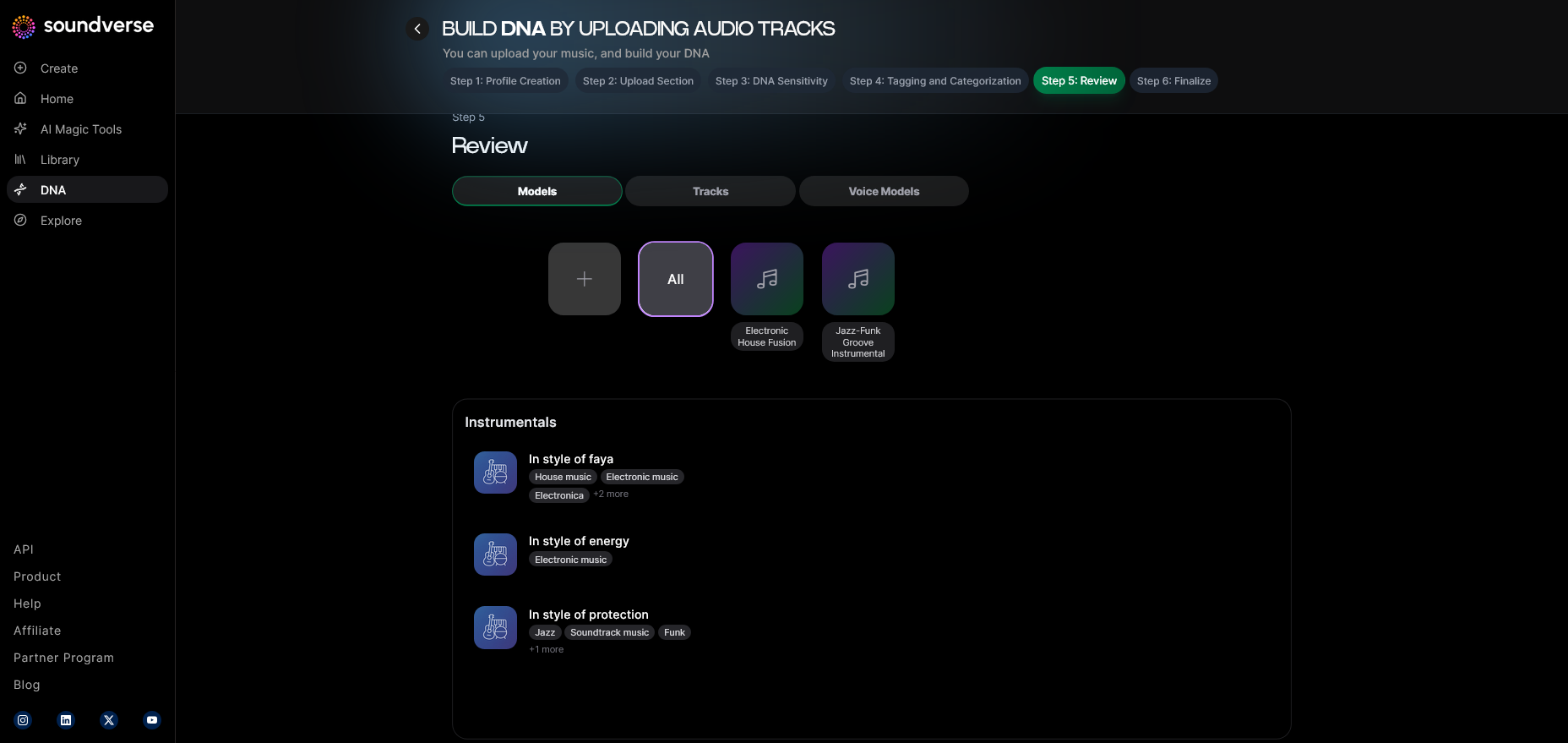
Using internal tagging algorithms, Soundverse generates relevant metadata for each training file. It categorizes tracks by tempo, mood, instrumentation, and key phrases, allowing for better generation accuracy during future sessions.
For more visual steps, check out the Soundverse Tutorial Series - 9. How to Make Music and Soundverse Tutorial Series - 8. "Explore" Tab.
Step 8: Review & Publish — Finalize and Launch Your DNA Model
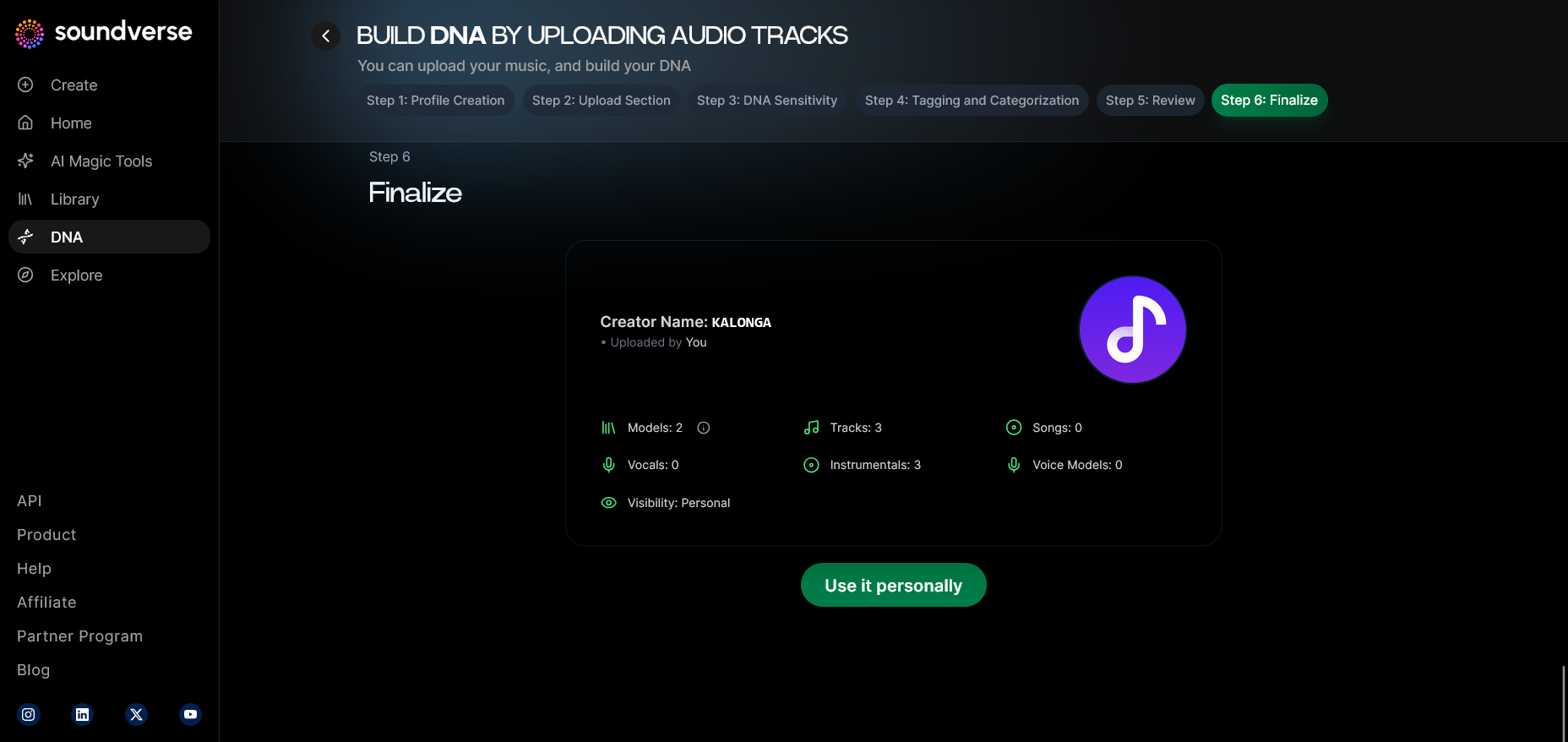
After the files have been processed, you review and finalize your DNA profile. Once you’re satisfied with the results, select Publish to make it live. You can keep it private, share with collaborators, or list it on the DNA Marketplace for monetization.
Step 9: Generation Panel — Put Your DNA to Work
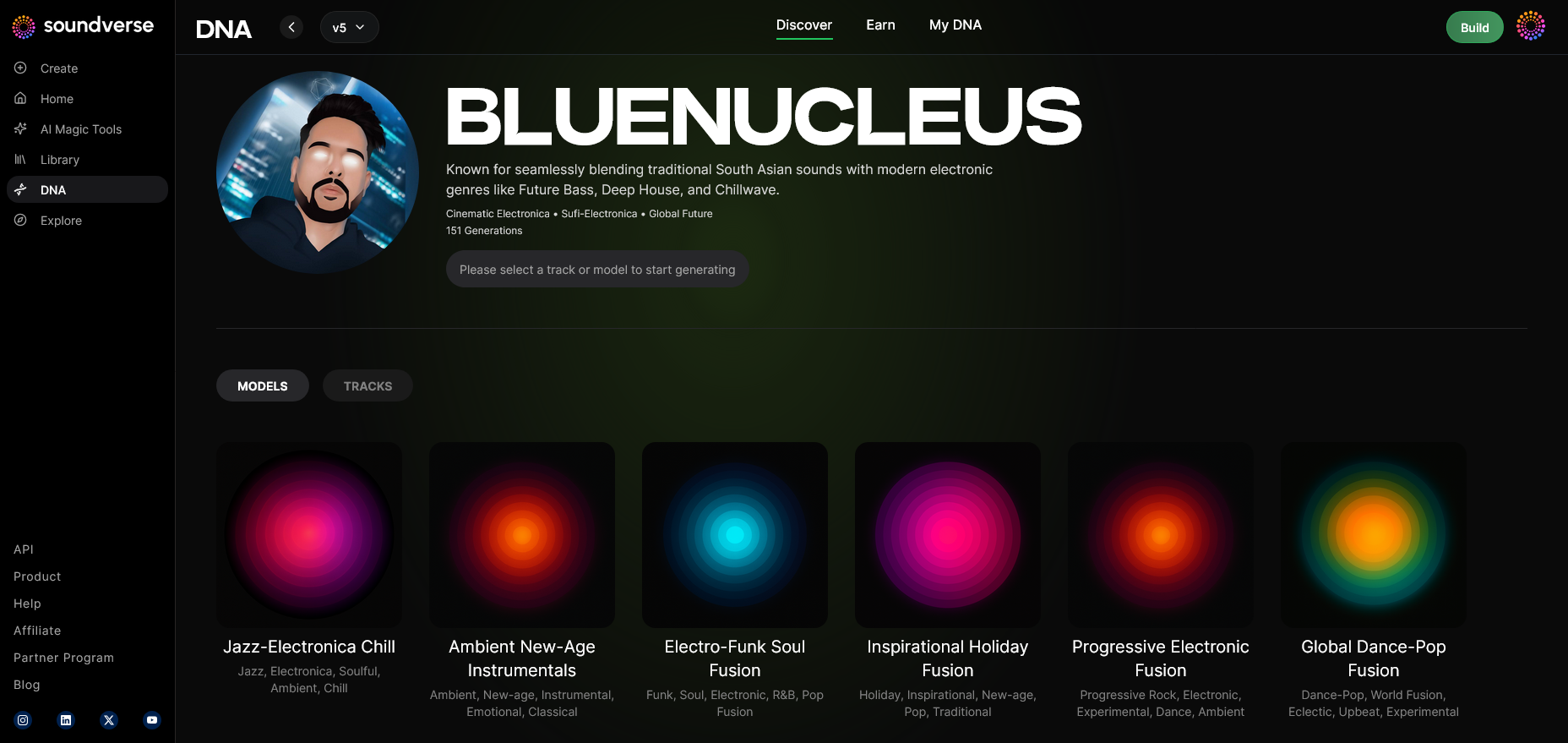
Once trained, your model is ready for use inside the Generation Panel. Here you can type a creative prompt, select instruments, or define the mood and genre. The AI will generate music — fully aligned with your unique DNA — ready for export or further refinement in Arrangement Studio.
For a deeper dive, watch our guide on creating Deep House music.
Step 10: Export Options — Using Your New Creations
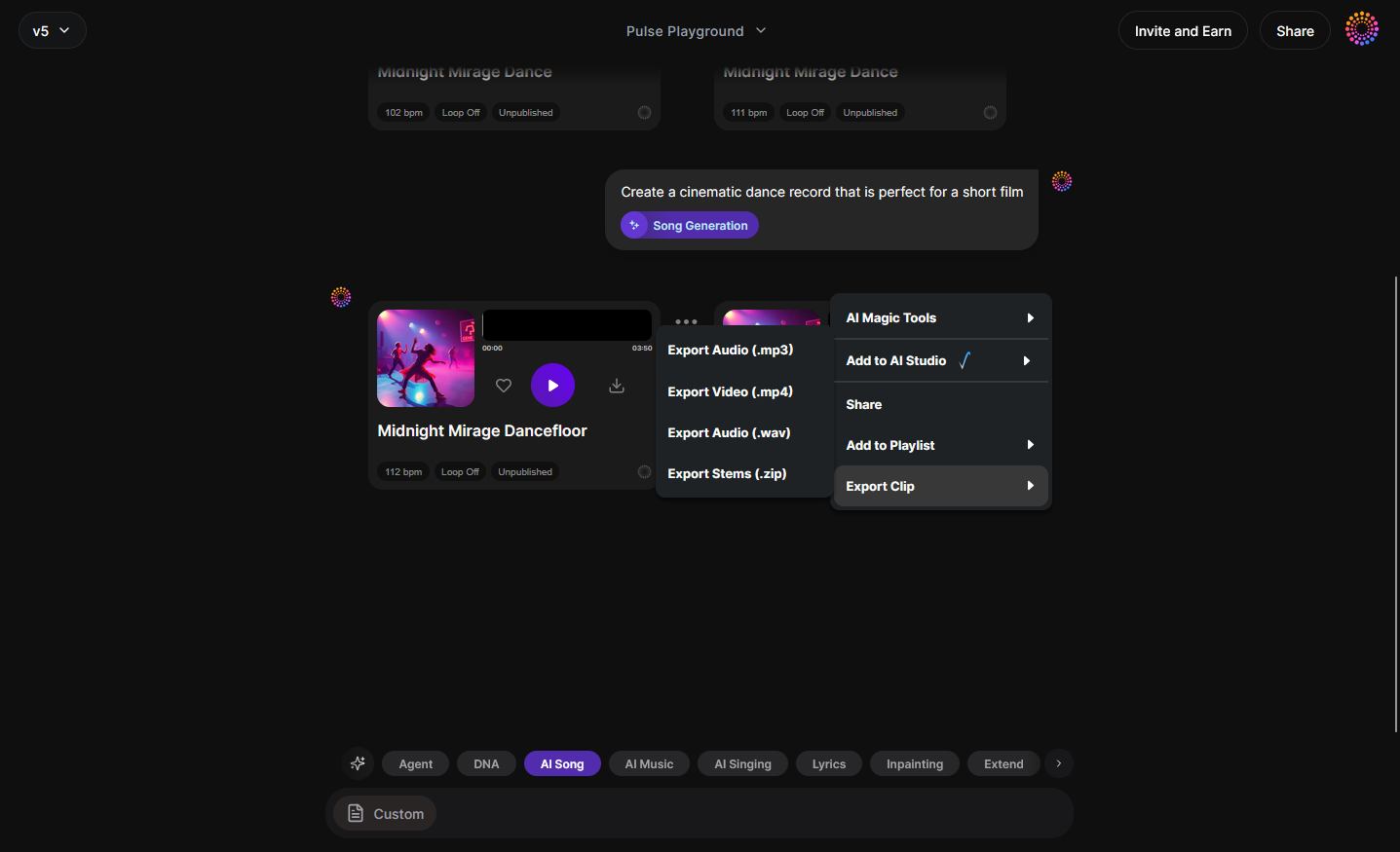
When your track is complete, Soundverse offers flexible export options. You can download stems, full mixes, or vocal-only generations and bring them into other DAWs or Soundverse’s Arrangement Studio for more complex editing.
Pro Tips for Effective AI Music Model Training
- Curate Your Dataset Strategically: Select songs or stems that best represent your intended artistic identity. Avoid overly mixed materials — raw stems yield higher fidelity.
- Segment by Style or Era: Use multiple DNA sets to represent different phases of your sound. This dynamic approach gives flexibility to collaborate across varied genres.
- Leverage Sensitivity Modes Thoughtfully: For brand collaborations or sonic branding, set a higher sensitivity for precise replication. For new creative projects, reduce sensitivity to encourage innovation.
- Monetize via DNA Marketplace: Once public, followers can generate new, inspired works based on your sound — all while you receive royalties automatically.
- Experiment with Arrangement Studio: Try remixing your DNA-generated tracks in Arrangement Studio or learn how to make stylistic tracks like jazz or country using your model.
Why Soundverse DNA Is the Future of Machine Learning for Musicians
Soundverse’s AI doesn’t replace creativity — it amplifies it. Through its ethically trained models and transparent royalty ecosystem, Soundverse DNA represents a turning point for artist empowerment. Rather than AI consuming artist data without consent, this system restores control, compensation, and creative ownership to musicians.
The result is a new category of music AI tools where human artistry and AI innovation coexist. In 2026, this synergy is propelling genres, remixes, and custom collaborations that were impossible just two years ago. You can learn how this evolution parallels the broader landscape of innovation in AI music trends.
Train Your Own AI Music Model Today
Bring your unique sound to life by training a personalized AI model with Soundverse DNA. Create tracks that reflect your artistic identity and push the boundaries of music innovation.
Start Training Your Model
Related Articles
- Soundverse Assistant: Your AI Music Co-Producer — Explore how Soundverse Assistant helps streamline your production process and amplifies your creativity.
- How AI-Generated Music Is Transforming the Music Industry — Discover the ways AI-powered tools are reshaping how artists create, produce, and distribute music today.
- Soundverse Introduces Stem Separation AI Magic Tool — Learn how Soundverse’s AI magic tool separates stems, giving you total creative control over your sound.
- AI Music Generator and Human Composers: A Future Together — Understand how AI and human creativity can coexist to create groundbreaking compositions.
Here's how to make AI Music with Soundverse
Video Guide

Here’s another long walkthrough of how to use Soundverse AI.
Text Guide
- To know more about AI Magic Tools, check here.
- To know more about Soundverse Assistant, check here.
- To know more about Arrangement Studio, check here.
Soundverse is an AI Assistant that allows content creators and music makers to create original content in a flash using Generative AI. With the help of Soundverse Assistant and AI Magic Tools, our users get an unfair advantage over other creators to create audio and music content quickly, easily and cheaply. Soundverse Assistant is your ultimate music companion. You simply speak to the assistant to get your stuff done. The more you speak to it, the more it starts understanding you and your goals. AI Magic Tools help convert your creative dreams into tangible music and audio. Use AI Magic Tools such as text to music, stem separation, or lyrics generation to realise your content dreams faster. Soundverse is here to take music production to the next level. We're not just a digital audio workstation (DAW) competing with Ableton or Logic, we're building a completely new paradigm of easy and conversational content creation. TikTok: https://www.tiktok.com/@soundverse.ai Twitter: https://twitter.com/soundverse_ai Instagram: https://www.instagram.com/soundverse.ai LinkedIn: https://www.linkedin.com/company/soundverseai Youtube: https://www.youtube.com/@SoundverseAI Facebook: https://www.facebook.com/profile.php?id=100095674445607
Join Soundverse for Free and make Viral AI Music
 We are constantly building more product experiences. Keep checking our Blog to stay updated about them!