Are There Free AI Singing Generators That Produce Studio-Quality Tracks?
Can a free AI singing generator make studio-quality tracks? What free tiers give and hold back on downloads, WAV, models, stems and licensing.
A free AI singing generator can give you a vocal that sounds polished on headphones, but rarely a studio-quality track you can release. Free tiers usually hold back the lossless download, the newest model, separate stems or the commercial rights. Use them to test ideas, then pay for the final take or render it yourself with open-source software.
"Studio quality" is a fair thing to ask for, and you can measure it. Below is what it means for a vocal, what the free tiers we checked on 7 November 2026 actually give you, the one free route with no strings, and how to get the most from a free tier before you spend anything.
What "studio quality" means for an AI vocal
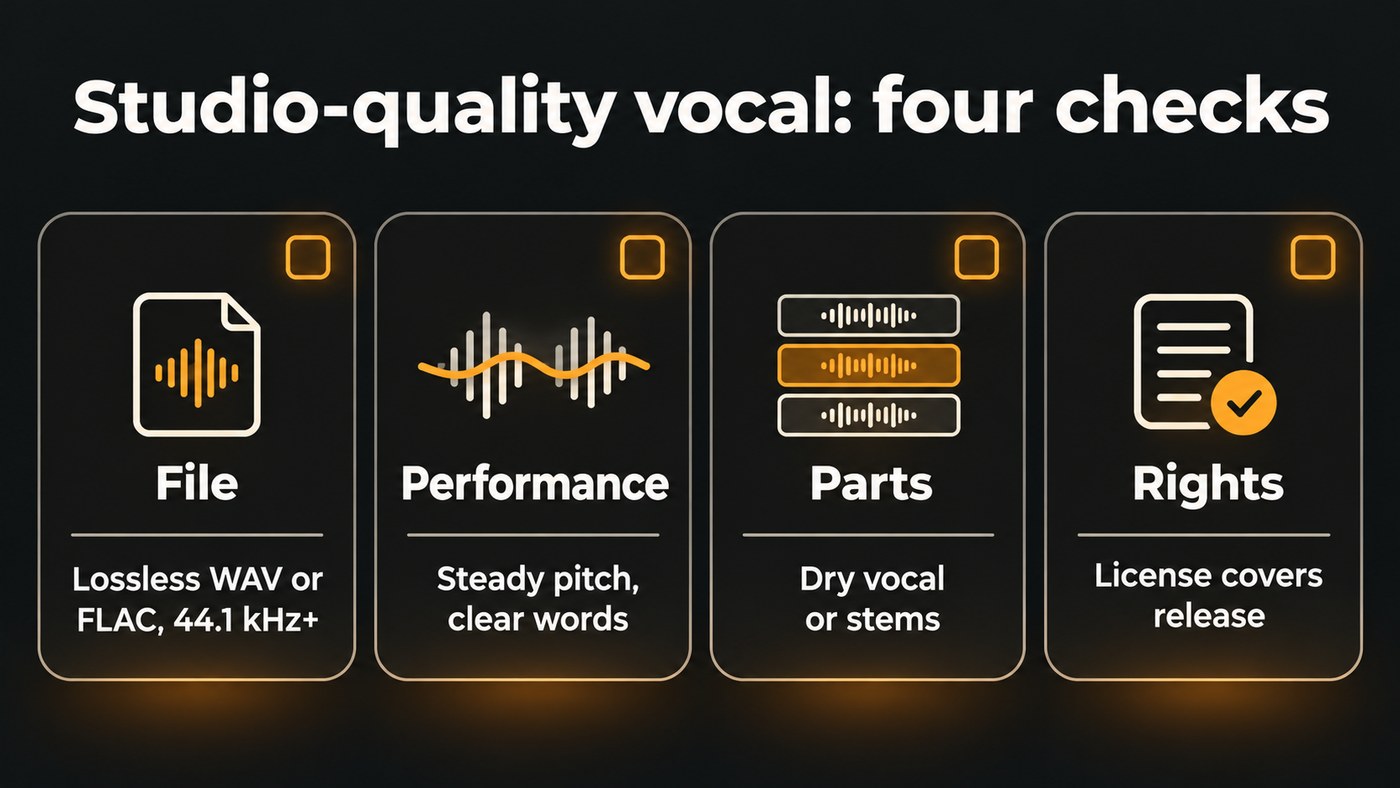
A vocal has to pass four checks, and a free tier has to pass all of them for the answer to be yes.
- The file. A lossless master. Spotify's audio file formats page says it strongly prefers FLAC, also accepts WAV, and wants a sample rate of 44.1 kHz or higher at the master's native bit depth. The instruction is blunt: "Deliver your highest-quality native stereo master." Spotify adds that tracks below 16-bit or 44.1 kHz won't be eligible for lossless playback.
- The performance. Pitch that holds steady on long notes, consonants you can hear, breaths in sensible places, and none of the metallic fizz on "s" sounds that gives a synthetic vocal away.
- The parts. The vocal on its own and dry, so you can EQ, compress, tune and double it. A finished song with the vocal baked in limits what a mix can fix.
- The rights. A license that covers releasing the track and earning from it.
What free AI singing generators give you, and what they hold back
The free tiers we checked are generous for trying ideas. Their limits sit almost exactly on those four checks.
- Downloads. Suno's pricing page lists no song downloads on its Free plan. Kits.ai's pricing page gives the free plan 15 conversion minutes and 0 download minutes. Soundverse's Free plan does let you download, as MP3.
- Format. Where a free tier allows downloads, expect a lossy file. Soundverse Free downloads MP3, with WAV and stem downloads on paid plans, and free AI Studio projects export MP3 only.
- Model. Free plans run older or smaller models. Suno Free uses v6-mini, which it calls its best free model, while paid plans get v6 and v6-wild. Soundverse Free runs Soundverse v6; Creator adds v7 and v8, and Soundverse v9 is on Pro and Max.
- Length and volume. On the Free plan, Soundverse's AI Singing Generator takes up to 400 characters of lyrics and sings about the first 350 per take, roughly a verse and a chorus. New accounts get 1,000 one-time trial tokens, enough for about 3 full songs on v6. Suno Free gives 50 credits a day in a shared queue.
- Stems. Suno lists no stem separation on Free. Soundverse's stem downloads come with paid plans.
- Rights. Suno's Free plan comes without commercial rights; its pricing page offers commercial use on any paid plan. Soundverse's Free plan carries a Personal (non-commercial) license.
So you can hear studio-grade sound on some free tiers, but you usually can't take home a studio-grade file with the rights to release it.
Is there a free AI singing generator with no strings?
Yes, if you're happy to do the singing synthesis yourself. OpenUtau is a free, open-source singing synthesis editor, released under the MIT license on GitHub. You enter notes and lyrics in its note editor, it renders the vocal on your own computer, and its getting-started guide shows how to export the result as WAV files. No credits, queues or download caps. It supports several synthesis engines, including DiffSinger, whose voicebanks can respond to curves for breathiness, tension and energy.
The catch is real:
- It ships without a voice. OpenUtau's FAQ says it offers no default voicebank, so you install voicebanks made by the community. Read each one's terms of use before you release anything sung with it.
- Quality comes from your editing. A convincing vocal means shaping pitch, timing and expression note by note, often for hours per song.
- It's a desktop tool for people who write notes. If you've never worked in a piano roll or MIDI editor, expect a learning curve.
Can you release a song made with a free AI singing generator?
Usually not from a cloud tool's free tier, because the license doesn't cover it. Distributors also put the rights question on you. Ditto Music's AI music policy, dated 4 August 2026, says: "You must hold the full legal rights to distribute your release, including any samples, lyrics, and AI-generated music."
Three habits keep you on the right side of that:
- Generate the release take on a plan whose license covers release, and note the plan, the tool and the date.
- Use only your own voice, or a singer's with permission, as a reference. Soundverse's AI Singing Generator asks for the rights to any reference recording and the singer's permission to use their voice.
- Read your distributor's AI rules before you upload. Ditto, for example, warns that some stores may reject fully AI-generated releases.
How to get the most out of a free tier
- Write first, generate second. Finish the lyric before you spend credits. On Soundverse's Free plan, put the hook in the first 350 characters, because that's what a take sings.
- Try two voices. Run the same lyric with Pop (Female) and Pop (Male), or two styles that suit the song, and keep the better one.
- Listen solo, on headphones. Mute everything else. Check the "s" and "t" sounds, the longest held note, and whether every word is clear.
- Inspect the file. Check the format and sample rate in your DAW or file info before you build a mix around it.
- Polish without spending. In Soundverse AI Studio, the 28 effects (de-essing and live pitch correction among them), Mix One and Mastering One run in your browser on every plan at no token cost. Spotify's loudness guidance suggests a master around −14 dB integrated LUFS with true peak below −1 dB. Our guide on how to mix vocals like a pro covers the rest of the chain.
- Pay for the keeper. When a song earns a release, generate the final vocal where you get WAV, stems and a release license, or sing it yourself and keep the AI take as your guide.
This video shows Mix One and Mastering One mixing and mastering a track by genre inside Soundverse AI Studio.
Where Soundverse fits
Soundverse is an AI music platform that takes you from idea to audience. On the Free plan, AI Singing Generator sings your lyrics as an a cappella on Soundverse v6, from the 1,000 trial tokens every new account gets, and you download MP3s. Its own FAQ is upfront that results depend on the model and the voice you give it, and that every take comes out differently, so you may need to generate again. Creator adds Soundverse v7 and v8 with WAV and stem downloads; Pro adds Soundverse v9. AI Studio lines the vocal up with your beat on a multitrack timeline, with Mix One and Mastering One on every plan. The pricing page lists what each plan includes.
Licensing is set by plan: the Free plan is for personal use, and the Creator plan comes with a royalty-free license.
FAQ
What is the best free AI singing generator? It depends on what you need. To hear lyrics sung quickly, a cloud tool's free tier is the fastest start. For full control and your own files, OpenUtau is free but takes skill. Our comparison of AI singing generator platforms for independent artists covers the paid options.
Can I download a WAV from a free AI singing generator? Rarely from a cloud tool. Soundverse Free downloads MP3, Suno's Free plan has no song downloads, and Kits.ai's free plan has no download minutes. OpenUtau renders on your own computer and exports WAV files, so there's no download cap.
Are free AI vocals good enough for demos? Usually, yes. A guide vocal only has to show the melody and the lyric to a co-writer or a session singer, and free tiers handle that well. Label it as an AI guide vocal when you send it, and check your plan's license before posting it anywhere public.
How do I know if an AI vocal is studio quality? Run the four checks. Is the file lossless at 44.1 kHz or higher, do the held notes and consonants survive solo playback, do you have the dry vocal to mix, and does your license cover release? A yes on all four means you have a release-ready vocal.
Sign up for Soundverse free and hear your lyrics sung today. More vocal and production guides on the Soundverse blog.
