AI scores your video: Video to SFX, Video to Audio and AI Video Describer
Three Soundverse AI Studio tools that start from a video: sound effects placed on the timeline, a full score with music, SFX and dialogue, and scene-by-scene cues you can generate from.
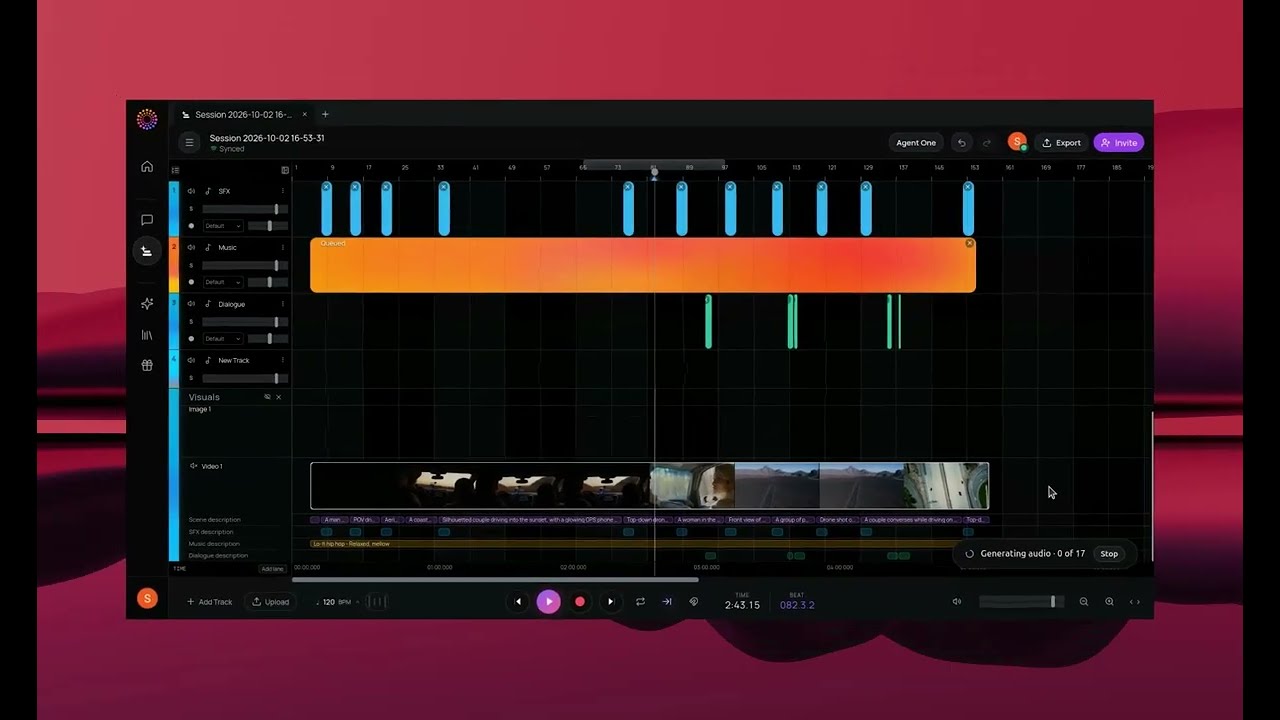
Quick answer: Soundverse AI Studio has three tools that start from a video and give you its sound. Video to SFX detects what happens on screen and places matching sound effects on your timeline at the right moments. Video to Audio reads your video frame by frame and generates background music, sound effects and dialogue wherever a scene needs them. AI Video Describer breaks a video down scene by scene into descriptions and music, SFX and dialogue cues, each one pre-filled and ready to turn into audio in one click. Everything lands on the AI Studio timeline, synced to the picture and fully editable.
AI scores your video: music, SFX and dialogue, frame by frame, in Soundverse AI Studio.
Which tool should you use?
| Tool | What it does | Use it when |
|---|---|---|
| Video to SFX | Generates sound effects for what happens on screen and places them on the timeline | You need footsteps, doors, engines, weather and impacts |
| Video to Audio | Scores the whole video: background music, SFX and dialogue | You want a complete soundtrack in one pass |
| AI Video Describer | Writes scene descriptions plus music, SFX and dialogue cues you can generate from | You want to direct the score scene by scene |
Video to Audio: score the whole video
Drop in a video and let AI score it. Video to Audio understands what's happening in each scene and generates:
- Background music that fits the mood of each scene.
- Sound effects matched to the action on screen.
- Dialogue, wherever the scene needs it.
Everything lands on the timeline, synced to the picture. Swap the music, move an effect, rewrite a line or regenerate a single scene. Music videos and short film scores, in one place. More on the feature: Video to Audio.
Video to SFX: every action gets its sound
Upload a video and Soundverse detects what's happening on screen, generates matching sound effects and places them directly on your timeline at the right moments: footsteps, doors, crowds, engines, weather and impacts. No sound libraries to search through, and no dragging clips frame by frame.
AI adds every sound effect to your video, in Soundverse AI Studio.
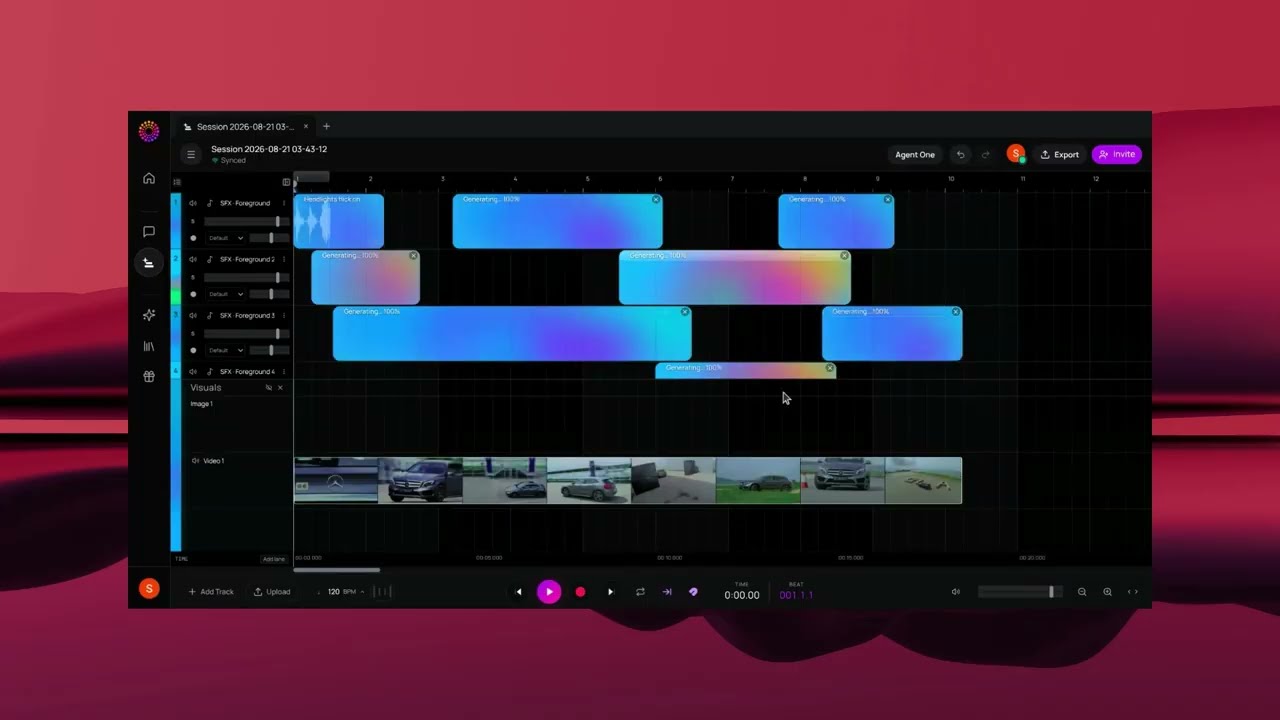
Every effect stays editable in AI Studio, so you can move, swap or regenerate any of them. More on the feature: Video to Sound Effects.
AI Video Describer: a score you can direct
AI Video Describer breaks your video down scene by scene, right inside AI Studio. It generates scene descriptions and music, SFX and dialogue cues, all aligned to your timeline. Open any description and it comes pre-filled, ready to turn into audio in one click. No writing prompts from scratch, and no guessing what each scene needs.
Introducing AI Video Describer: drop in a video, get the soundtrack.
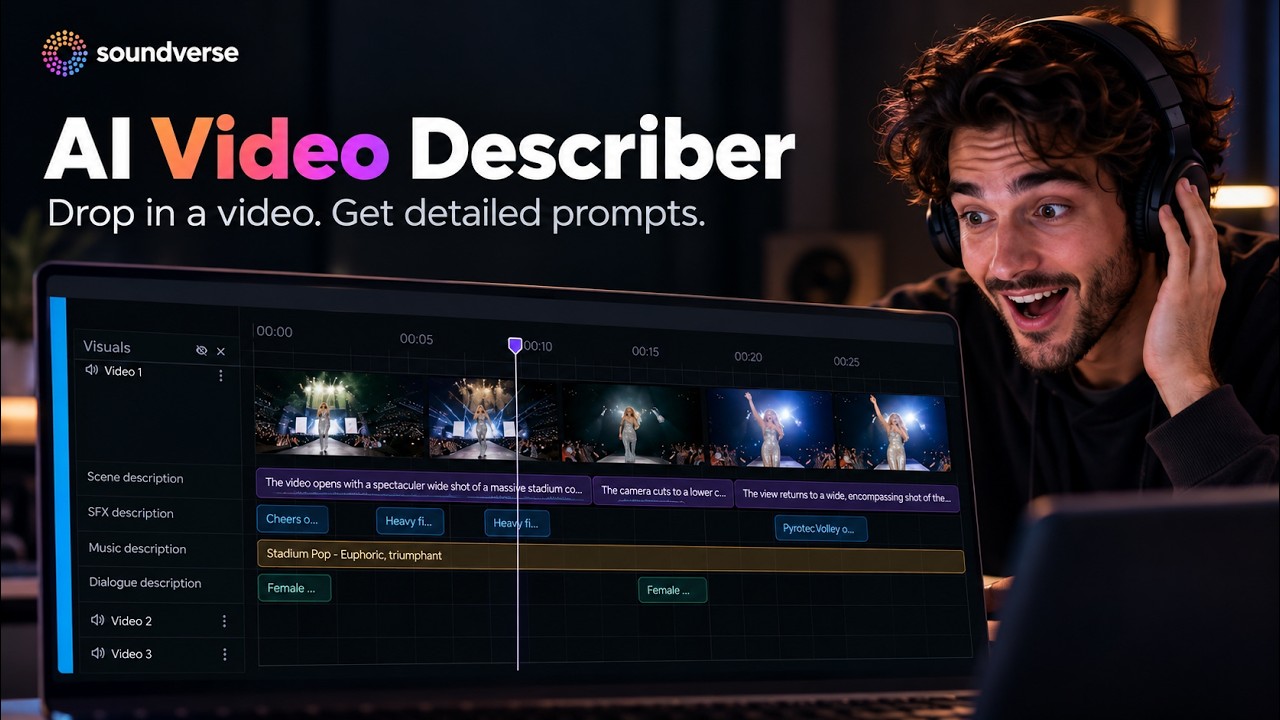
How to use AI Video Describer
- Import a video to the Video Timeline in AI Studio.
- Right-click the video, go to AI Tools and choose AI Video Describer.
- When the panel opens, click Generate in Studio.
- Scene descriptions, SFX, music and dialogue cues appear, aligned to the timeline.
- Right-click a description chip and choose Show Description, or double-click it, to open the pre-filled panel.
- Click Generate in Studio to generate the audio for that scene.
More on the feature: AI Video Describer.
A simple workflow for a short film or music video
- Describe it. Run AI Video Describer to get scene-by-scene cues.
- Score it. Generate the music for the scenes that need it, or run Video to Audio for a full pass.
- Add the detail. Use Video to SFX for the actions on screen.
- Mix it. Balance music, effects and dialogue on the AI Studio mixer, then export.
Who it's for
- Short films and music videos.
- Reels, Shorts and TikToks.
- Ads and brand content.
- Game trailers and animations.
FAQ
Does the sound line up with the picture?
Yes. Effects and cues are placed on the timeline at the moments they belong to, synced to the video.
Can I change what the AI generates?
Yes. Everything stays editable in AI Studio: move, swap or regenerate any effect, cue or scene.
What's the difference between Video to SFX and Video to Audio?
Video to SFX generates sound effects. Video to Audio generates background music, sound effects and dialogue together.
Do I need to write prompts?
No. AI Video Describer writes the descriptions and cues for you, pre-filled and ready to generate.
Try it
Drop a clip into AI Studio and let it score the first pass. Then make it yours. To go the other way, from a song to a video, see the AI Music Video Generator guide.
