AI Music Video Generator: one prompt to a full song and an editable music video
Make a song and a matching AI music video from one prompt, or turn your own song and a character into a lip-synced music video. Then edit any section in AI Studio.
Quick answer: The Soundverse AI Music Video Generator takes you from one prompt to a finished song and a matching music video, end to end, and every part stays editable. Describe the idea and Soundverse writes and produces the song, then creates the video. Or start from a song you already have plus a character image: Soundverse plans the scenes, puts your character in every shot, lip-syncs the performance and cuts it to the music. Either way, the result opens in AI Studio, section by section, so you can regenerate, swap or trim any part without starting over.
AI Music Video Generator: from one prompt to a full song and music video.
Two ways to make a music video
| Start from | What you give it | What you get |
|---|---|---|
| One prompt | Genre, mood, story, setting and style in one prompt | A full original song with vocals, lyrics and production, plus a matching music video |
| Your song and a character | A song, a character image and a prompt for the video | A full music video with your character in the shots, lip-synced to the song |
Way 1: one prompt, a full song and video
Describe your song and music video in one prompt. Soundverse creates the song and the AI music video together. No separate music tool, no separate video tool and no stitching things together.
Why it's different: everything stays editable
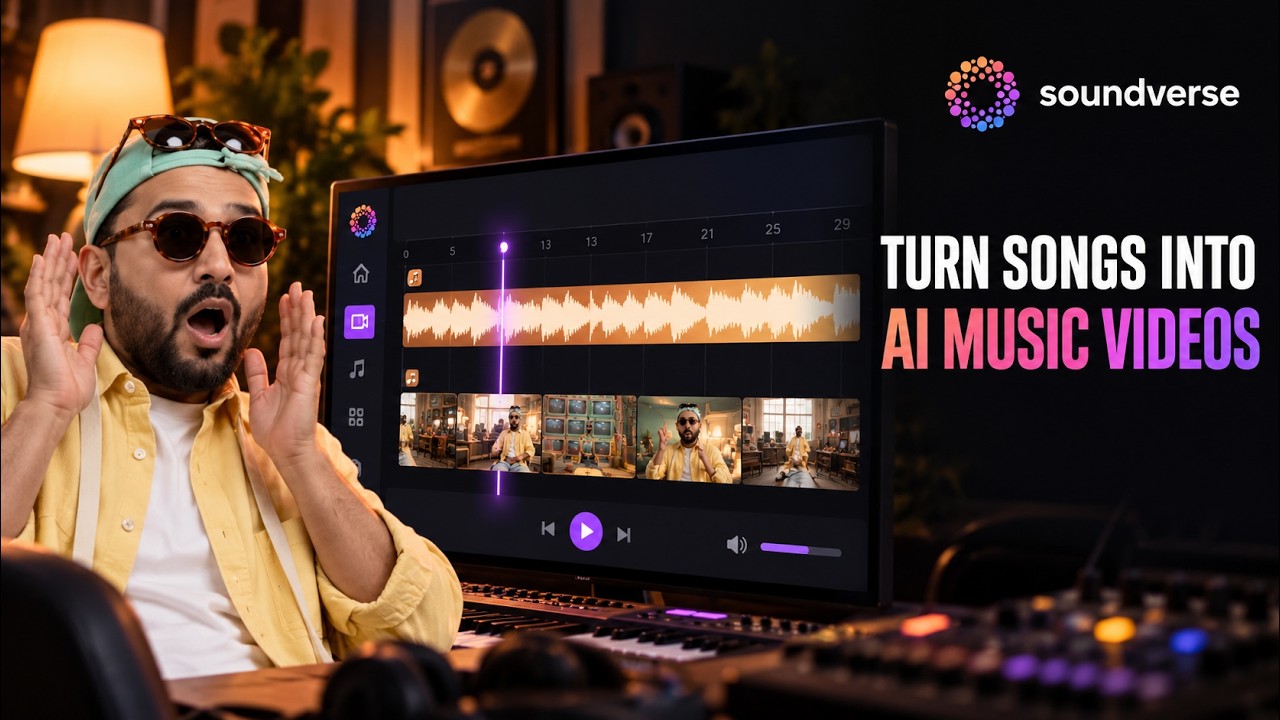
Most AI music video generators give you one result, and if you don't like a part, you start over. Here the video opens in AI Studio with everything laid out on the timeline, section by section:
- Don't like the second verse? Regenerate it.
- Want a different shot for the chorus? Swap it.
- Need the intro shorter? Trim it.
You get the speed of AI with the control of a real editor.
How to use it
- Open Soundverse and describe your song and music video in one prompt: genre, mood, story, setting and style.
- Generate. Soundverse creates the song and the music video together.
- Open the project in AI Studio.
- Edit any section of the song or the video: regenerate, swap, trim or rearrange.
- Export the finished music video and share it anywhere.
Prompts to try
- "An upbeat Bollywood dance track about a summer road trip, with a colourful music video on Indian highways."
- "A moody lo-fi R&B song about late nights in the city, with a neon rain-soaked music video."
- "An epic cinematic rock anthem about chasing your dreams, with a music video on a mountaintop at sunrise."
Way 2: your song, your character, a full music video
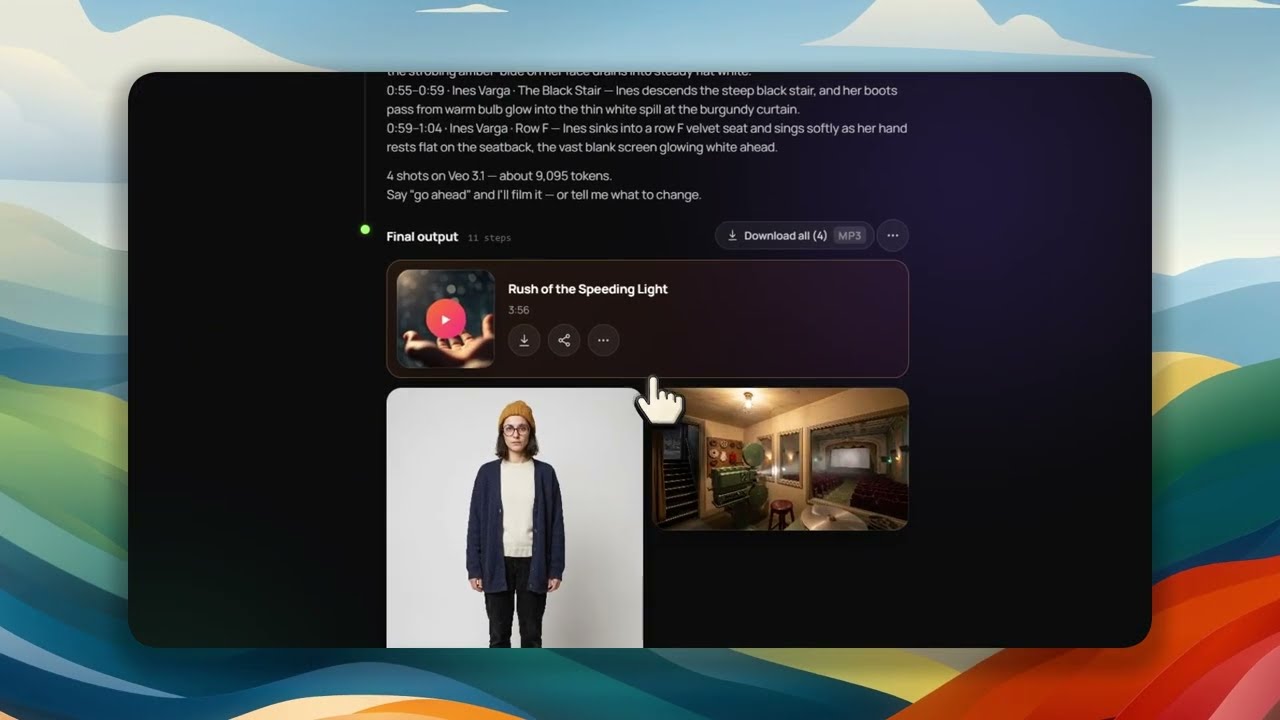
Already have the song? Upload it with a character image, describe the video you want, and Soundverse does the rest: it plans the scenes, generates the shots with your character in them, lip-syncs the performance to the song and cuts it all together to the music. You get a complete music video, not just a clip.
Prompt to music video: turn any song and character into a full AI music video.
How to use it
- Upload your song to Agent One, or use one you made on Soundverse.
- Upload your character image: yourself, an avatar or an original character.
- Write a prompt describing the story, mood, setting or style you want.
- Generate your music video.
- Review it, tweak any scene and export.
Use your own photo or original characters, or get permission from anyone whose face you use, and only upload songs you own or have the rights to.
Made by a Soundverse user: Sideways Eyes
Sideways Eyes is a song and music video created by a Soundverse user with the AI Music Video Generator.
Introducing the Soundverse AI Music Video Generator: Sideways Eyes.
Tips for better music videos
- Write the story, not just the look. "A courier racing across the city at dusk" gives the scenes somewhere to go.
- Keep one character. A single, clear character image keeps the video consistent across shots.
- Match the setting to the song. Neon rain for lo-fi R&B, highways for a road-trip track.
- Fix sections, not the whole video. Regenerate the one shot that's wrong in AI Studio.
Want to choose the video model yourself? See new AI models on Soundverse for Veo 3.1 and Seedance 2.5.
Who it's for
- Independent artists who want a song and visuals for a release.
- Creators making music content for YouTube, Reels, Shorts and TikTok.
- Labels making visuals for their catalog.
- Anyone with a song idea and no budget for a studio or a shoot.
FAQ
Can I make a music video for a song I already have?
Yes. Upload the song and a character image, describe the video, and generate.
Does the singer lip-sync to my song?
Yes. Soundverse lip-syncs the performance to the song.
Can I change one part of the video?
Yes. Open it in AI Studio and regenerate, swap or trim any section.
Can I use my own face?
Yes. Use your own photo, an avatar or an original character, and get permission before using anyone else's face.
Try it
Write one prompt for a song and its video on Soundverse, or upload your latest single and a character. More on the feature: the AI Music Video Generator page.
