Create · Free
Turn a short sound into JavaScript that plays it in the browser
Add a kick, a blip or a laser and get a .js file that synthesizes it with the Web Audio API, with no audio file inside. 100 tokens a sound.
1,000 free tokens to start · No card needed · Cancel paid plans anytime
Do more with Audio to JS on Creator — from $9.99/mo, or ₹399/mo in India. 4,000 tokens a month. Billed $119.88 a year, or $12.49 month to month.
What you get
Sound as code
A standalone module that builds the sound from oscillators, noise, filters and envelopes.
Checked by ear and by score
Each attempt is scored against your sound, and you compare the closest with the original by ear.
Yours to shape
Tweak pitch, length, brightness, noise and more in the file's SETTINGS, or ask the chat for changes.
Who it's for
Web developers
Add UI sounds to an app without shipping audio files.
Game developers
Get browser-game sound effects as small code you can tweak.
Sound and UX designers
Hand developers a sound as code that matches the one you designed.
Creative coders
Start from a real sound and shape it in code.
When to use it
- You want sounds in code, not audio files
- You have a one-shot sound to rebuild for the web
- You need a sound you can tweak with numbers
- A browser game needs small sound effects
- You want to see how a sound could be synthesized
What you can make with it
Button and notification sounds
Turn a UI blip into a .js that plays on click.
Game sound effects
Recreate a laser, a coin or an impact for a browser game.
A drum hit in code
Rebuild a kick or a snare you can retune with the pitch setting.
A riser for a demo
Turn a short riser into code for a product demo or a landing page.
A sound to learn from
Read the layers and settings in the file to see how the sound is built.
A tweaked variation
Change pitch, length or brightness in SETTINGS to make variations of one sound.
Screenshots
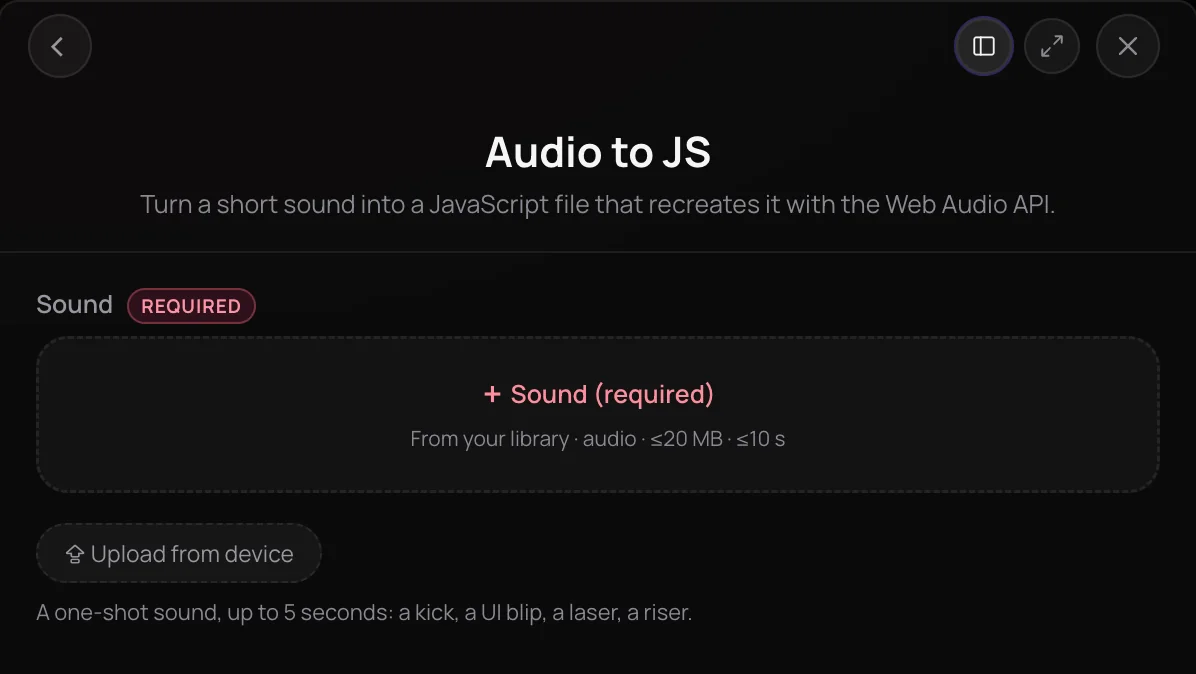
Audio to JS turns a short one-shot sound into a JavaScript file that rebuilds it with the Web Audio API, from oscillators, noise, filters and envelopes, with no audio file inside. Soundverse listens to your sound and writes a recipe for it, then builds the sound and scores it against the original, revising and trying again while it isn't close enough, and keeps the closest attempt. In the chat you play the original and the recreation side by side, see the file's settings and download the .js. It's for web and game developers and designers who want sounds in code.
What you can do
What's in the file
A standalone module you can drop into a page or a game.
play()
Plays the sound, on your own AudioContext and at a start time if you pass them. Call it from a click or another user action.
renderToBuffer()
Renders the sound to an AudioBuffer ahead of time, so the first play is instant.
SETTINGS
Pitch in semitones, length, brightness, noise, drive, reverb and volume, plus each layer's level and, where it has them, its pitch and decay.
No audio inside
The sound is built from oscillators, noise, filters and envelopes each time it plays.
In the chat
One card per run, live and after a reload.
Original and Recreated
Two players with waveforms you can scrub, and an A/B switch that keeps the playhead.
Download .js
Saves the file under a short name for the sound, such as laser-zap.js.
Regenerate
A fresh take on the same sound, as a new run.
Ask for changes
Type what to change, such as “less noise”, and Agent One revises the recipe.
How it works
Open Audio to JS
Choose Audio to JS in the Create section of AI Tools.
Add a one-shot sound
Pick a sound from your Library or upload one: a kick, a UI blip, a laser or a riser in MP3, WAV, AAC, OGG, M4A, MP4 or FLAC, up to 5 seconds once silence is trimmed.
Generate in chat
Click Generate in Chat. Step cards show Audio to JS listening to the sound, then building and comparing each attempt.
Compare and download
Play Original and Recreated, switch with A/B, and click Download .js. Regenerate makes a fresh take, or tell the chat what to change, such as “less noise”.
Why use Audio to JS
Sound as code
The file synthesizes the sound with the Web Audio API, so your page or game plays it from code instead of loading an audio file.
Checked against your sound
Each attempt is rendered and scored against the original, and the closest one is kept.
Settings you can tweak
The file opens with a SETTINGS block of pitch, length, brightness, noise, drive, reverb and volume, plus each layer's level.
Hear it before you download
The chat card plays the original and the recreation side by side, with an A/B switch at the same playhead.
What it costs
Works on the Free plan. New accounts get 1,000 free tokens, enough for about 10 sounds.
- Recreate one sound as a JavaScript file: 100 tokens (about $0.25–$0.31 on Creator, or ₹10–₹12 in India).
A run is charged only when a recreation is delivered. Regenerate is a new run at the same price.
Asking for changes in the chat, such as “less noise”, goes through Agent One, whose own steps are metered on top of the tool's price.
Creator $12.49 a month, or $9.99 a month billed yearly ($119.88 a year) · Pro $31.24 a month, or $24.99 a month billed yearly ($299.88 a year) · Max from $72 a month, or $60 a month billed yearly ($720 a year).
In India (PayU): Creator ₹499 a month, or ₹399 a month billed yearly (₹4,788 a year) · Pro ₹1,299 a month, or ₹1,039 a month billed yearly (₹12,468 a year) · Max from ₹2,999 a month, or ₹2,399 a month billed yearly (₹28,788 a year).
Prices outside India are in US dollars, billed through Stripe; in India they are in rupees, billed through PayU. Monthly tokens reset each month and don't roll over.
Good to know
One-shot sounds only
Up to 5 seconds once silence is trimmed. Songs, melodies and loops aren't supported.
An imitation, not a copy
The sound is rebuilt from synthesis, so listen to Original and Recreated before you ship it.
Runs in chat
Audio to JS isn't available inside AI Studio.
Frequently asked questions
Is Audio to JS free?
Audio to JS works on every Soundverse plan, including Free, and each run costs 100 tokens, charged only when a recreation is delivered. Regenerate is a new run at the same price. Soundverse is free to sign up, and new accounts get 1,000 free tokens.
How close is the recreation to my sound?
Audio to JS makes an imitation, not a copy: it rebuilds the sound from oscillators, noise, filters and envelopes. It renders each attempt, scores it against your sound and keeps the closest, so play Original and Recreated to judge it. Short, synthetic sounds such as kicks, blips and lasers come closest. Regenerate gives a fresh take, and in the chat you can ask for changes in your own words.
Can I use the JavaScript file in my app or game?
On the Free plan, what you make on Soundverse is for personal use. Paid plans add a commercial license; the Pricing page lists what each plan covers. You also need the rights to the sound you upload.
What can't Audio to JS do?
It takes one-shot sounds of up to 5 seconds once silence is trimmed, so not songs, melodies or loops. A silent file has nothing to recreate. It runs in chat, not inside AI Studio. To make a new sound effect from a description instead, use AI Sound Effects Generator.
What is Audio to JS?
Audio to JS is a Soundverse tool that turns a short sound into a standalone JavaScript file. The file synthesizes the sound with the Web Audio API, from oscillators, noise, filters and envelopes, so it plays without loading an audio file. You compare the original and the recreation in the chat and download the .js.
How do I use the downloaded file?
Import play from the file and call it from a click or another user action, since browsers only start audio after one. play() can take your own AudioContext, a start time and settings, and renderToBuffer() renders the sound to an AudioBuffer ahead of time, so the first play is instant. Change the SETTINGS block, or pass your own settings, to shape the sound.
Is there an audio file inside the .js?
No. The file holds the sound's recipe as numbers, plus a synthesis engine that builds the sound with the Web Audio API each time it plays. The AI writes only the recipe; the code is Soundverse's own engine, the same in every file.
Can I change the sound after it's made?
Yes. Edit the SETTINGS block at the top of the file: pitch in semitones, length, brightness, noise, drive, reverb and volume, plus each layer's level and, where it has them, its pitch and decay. Or tell the chat what to change, such as “punchier attack” or “lower”, and Agent One revises the same recipe in a new run, at the tool's price plus the agent's own steps.
Ready to turn a sound into code?
Add a one-shot sound, compare the recreation with the original, and download the JavaScript.
