म्यूजिक डिस्ट्रीब्यूशन में आर्टिस्ट प्रोफाइल वेरिफिकेशन क्यों जरूरी है?
आर्टिस्ट प्रोफाइल वेरिफिकेशन क्यों ज़रूरी है: गलत profile पर गाना, stats और pitch का access, Spotify, Apple Music, YouTube, JioSaavn पर claim का तरीका।
आर्टिस्ट प्रोफाइल वेरिफिकेशन इसलिए ज़रूरी है क्योंकि distributor से भेजा गाना Spotify, Apple Music, YouTube और JioSaavn पर नाम और metadata के सहारे किसी artist page से जुड़ता है, और यह मिलान गलत भी हो सकता है। Profile claim करने पर आप गलत release हटवा सकते हैं, stats देख सकते हैं, pitch कर सकते हैं और Canvas लगा सकते हैं।
नीचे हर जानकारी उसी platform या distributor के अपने पेज से है, जिसे हमने 21 नवंबर 2026 को पढ़ा। एक बात पहले ही: Soundverse distributor नहीं है और गाना stores तक नहीं पहुँचाता; वह कहाँ काम आता है, यह आख़िर में है।
Claim, Registered और Verified: तीन अलग बातें
- Claim: artist page का access लेना, जैसे Spotify for Artists या Apple Music for Artists में। इसी दौरान platform आपकी पहचान जाँचता है, इसलिए Apple, JioSaavn और Amazon इसे verification कहते हैं।
- Registered Artist: Spotify के checkmark वाले help पेज (3 फ़रवरी 2026) के मुताबिक़ 28 जनवरी 2026 से पुराना नीला "Verified Artist" निशान "Registered Artist" label में बदल रहा है। पेज के अनुसार यह हमेशा इतना ही बताता था कि profile claim है और Spotify for Artists में चलाई जा रही है; visibility, royalties या tools पर इसका असर नहीं।
- Verified by Spotify badge: अलग और बाद का पड़ाव। Spotify के Verified by Spotify पेज (22 जून 2026) की शर्तों में लगातार 3 महीने कम से कम 10K monthly active listeners, कम से कम 1K followers, नियमों का पालन और असली पहचान (सच्चा bio, linked social accounts, concert dates या merch) हैं, और फिर भी तुरंत मंज़ूरी की गारंटी नहीं।
कुछ distributors के पेज अब भी "blue checkmark" लिखते हैं, पर Spotify अब ऊपर वाली भाषा इस्तेमाल करता है। पहली release वाले कलाकार के लिए असली काम claim है; badge बाद में आता है।
आर्टिस्ट प्रोफाइल वेरिफिकेशन न हो तो क्या गड़बड़ होती है
Spotify for Artists के 15 मार्च 2026 के blog post में लिखा है: "Music has been landing on the wrong artist pages across streaming services, and the rise of easy-to-produce AI tracks has made the problem worse." वजहें भी वहीं हैं: metadata की गड़बड़, उसी नाम का दूसरा कलाकार, और जानबूझकर किसी की profile पर अपना गाना जोड़ना। असर catalog, stats, Release Radar और नए listeners तक पहुँच पर पड़ता है।
- आपका गाना किसी और के page पर: मान लीजिए आपका नाम "Aarav" है और उस नाम के कलाकार पहले से हैं। Apple Music for Artists का FAQ भी मानता है कि एक नाम वाले कई कलाकारों के albums एक ही page पर आ सकते हैं।
- किसी और का गाना आपके page पर: fans उलझते हैं, और वह गाना आपके stats और recommendations में गिना जाता है।
- Catalog दो profiles में बँटा: Spotify का "Music mixed up with another artist" पेज (14 अक्टूबर 2025) इसे भी आम गड़बड़ मानता है।
- Pitch और Canvas बंद: Spotify के pitching पेज (17 सितंबर 2026) के मुताबिक़ pitch सिर्फ़ Admin या Editor access वाला कर सकता है, release से कम से कम 7 दिन पहले। Canvas, यानी 3 से 8 सेकंड का vertical loop, भी main artist की टीम का Admin या Editor ही लगाता है।
- सुधार धीमा: Spotify का content mismatch form Spotify for Artists के अंदर है, और Amazon Music for Artists लिखता है कि कई कलाकारों वाली मिली-जुली profile पहले ठीक होगी, फिर claim।
हर platform पर profile कैसे claim और verify होती है
ढाँचा लगभग एक है: गाना पहुँचे, account बने, profile खोजें, सबूत दें, review का इंतज़ार करें।
Spotify for Artists
Access पेज (13 मार्च 2026) तीन रास्ते बताता है: request में website या social links दें, जिसका review हाथ से होता है और कुछ दिन लग सकते हैं; preferred distributor हो तो request भेजते ही access; या पहली release से पहले distributor से artist link या URI (spotify:artist:...) लेकर upcoming release के UPC या EAN के साथ Spotify को भेजें। एक profile पर एक समय में एक ही request चलती है, और profile आप ख़ुद नहीं बना सकते; वह पहला गाना पहुँचने पर बनती है।
Apple Music for Artists
Apple के claim पेज के मुताबिक़ गाना कम से कम पाँच business days से live होना चाहिए। iOS app या website पर Request Artist Access दबाएँ, artist page या album का link चिपकाएँ और role चुनें। Album पर primary artist होना ज़रूरी है; featured artist claim नहीं कर सकता। Social या distributor accounts से sign in करने पर verification जल्दी होता है। FAQ कहता है कि पहले request करने वाले artist या manager को Administrator access मिलता है, 10 business days में जवाब न आए तो संपर्क करें, और गलत page के लिए "Artist Catalog Issues" चुनें।
YouTube Official Artist Channel
YouTube के OAC पेज के मुताबिक़ OAC आपके Topic channel, Vevo channel (अगर है) और अपने channel के subscribers एक जगह लाता है। शर्तें: एक ही कलाकार या band का channel, distributor या label से deliver हुई कम से कम एक official release, YouTube की policies का पालन, और YouTube Partner Program या YouTube directory वाले distributor जैसी कोई एक और शर्त। Request आपका label या distributor भेजता है, और channel पर कम से कम एक public video रखने की सलाह है।
JioSaavn ArtistOne
ArtistOne FAQ के कदम: Register, email verify, अपना artist नाम खोजें (न मिले तो JioSaavn artist page या गाने का link चिपकाएँ), social media details भरें, और टीम के verify करने का इंतज़ार। YouTube नहीं है, तो [email protected] पर बाक़ी details भेजें। Profile में आपका और किसी और का गाना मिला-जुला है, तो FAQ के मुताबिक़ यह आम तौर पर distributor से आए artist metadata की गड़बड़ है, जिसे distributor दोबारा भेजेगा।
Amazon Music for Artists
Help पेज (10 मई 2023): Amazon retail account से sign in, "artist or manager" चुनें, profile खोजकर Claim। रिश्ता distributor account या social accounts जोड़कर साबित होता है; CD Baby, DistroKid, TuneCore या TuneCore Japan से भेजा है, तो distributor login से तुरंत access। दोनों खाली छोड़े, तो claim reject होने की संभावना बहुत बढ़ती है।
Instagram और TikTok
TikTok का artists.tiktok.com हमारे fetch पर सिर्फ़ शीर्षक दिखा पाया, इसलिए RouteNote का help पेज (11 मार्च 2026) आधार है: TikTok पर artist page claim करने से Artist account और Music tab मिलते हैं। Apply now दबाएँ, अपना artist चुनें, और streaming या distributor dashboard के screenshots दें जिनमें artist नाम और album या track titles दिखें; पहचान पत्र या selfie नहीं। जवाब 30 दिन में आता है। Instagram और Facebook पर गाने को profile से जोड़ने का तरीका हमारी English गाइड how social media integration works with music distribution में है।
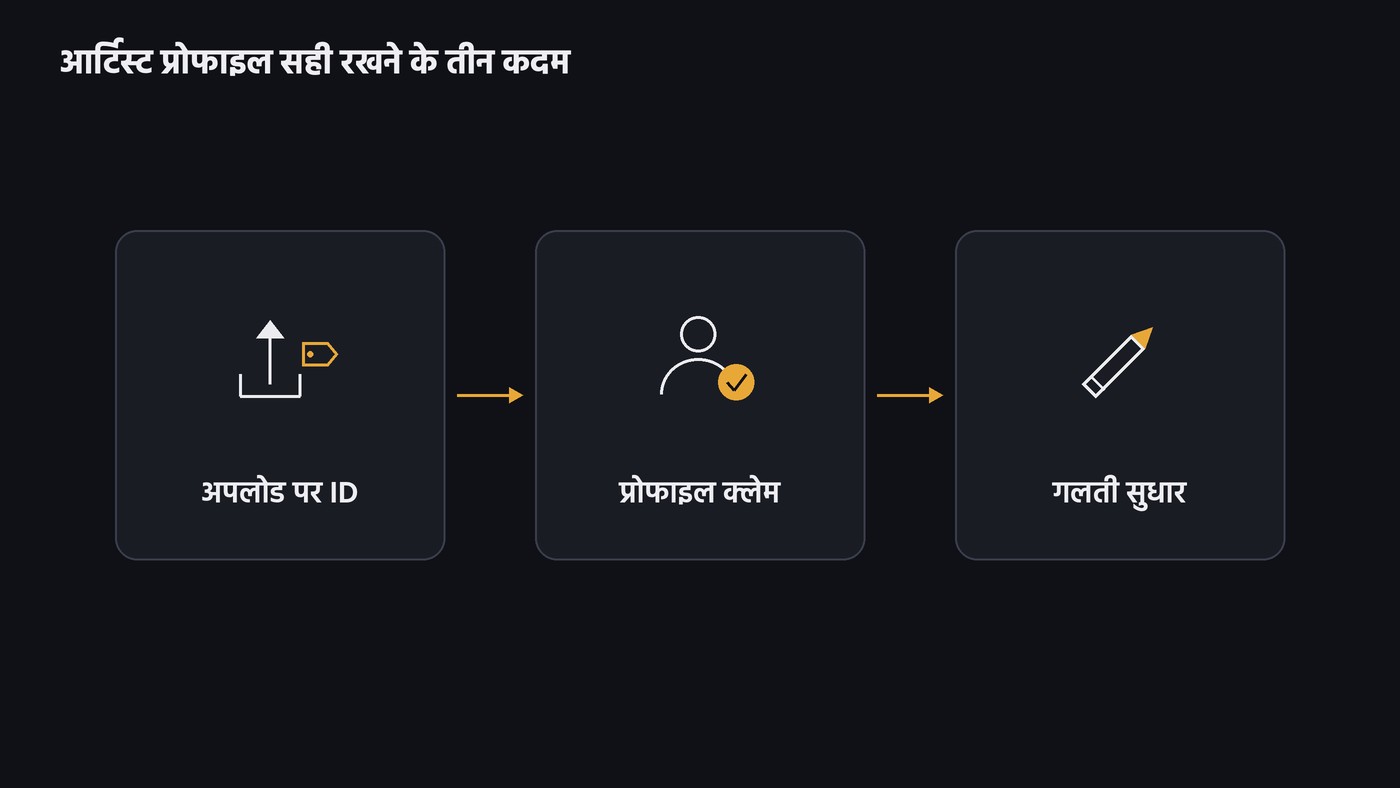
Distributor क्या करता है: upload पर artist ID और गलत mapping का सुधार
मिलान store करता है, पर distributor दोनों सिरों पर मदद करता है। RouteNote के support पेज (1 मई 2026) के शब्दों में: "The mapping process is carried out by stores rather than ourselves, but we can request that your release is either moved to the correct artist page, or a new artist page, once your release is available on the stores."
Upload के समय:
- RouteNote का metadata पेज (11 मार्च 2026): artist जोड़ते वक़्त Spotify URI या URL डालकर अपनी claimed profile चुनें; profile न हो तो "Create a new profile"।
- वही पेज: album और track level पर अलग profile चुनी तो release लौटेगी, और एक कलाकार की दो Spotify profiles वाली release stores reject करते हैं।
- Spotify का mixed-up पेज: उसकी list वाले preferred distributors तय artist ID के साथ गाना भेजने देते हैं, ताकि आगे गड़बड़ न हो।
Release के बाद:
- Ditto Music (8 सितंबर 2026): live release पर dashboard के Artist tab में Edit your Artist Profile खोलकर हर store का सही artist ID डालें। आम तौर पर कुछ दिन, पर Instagram और Facebook पर 1 से 4 हफ़्ते।
- RouteNote का correction form: release को नई profile पर ले जाना, मौजूदा सही profile पर ले जाना, या आपकी profile से किसी और की release हटवाना। YouTube Music पर नई release अक्सर पहले Various Artists topic channel पर जाती है।
- TuneCore India की pricing table तीनों सालाना प्लान पर "Spotify Registered Artist Checkmark" और "Apple Music for Artists Verification" दिखाती है, यानी distributors claim को अपनी सेवा का हिस्सा मानते हैं।
Distributor चुनने से पहले पूछें कि upload form में Spotify और Apple artist ID डाल सकते हैं या नहीं। तुलना हमारी गाइड Spotify और Apple Music पर गाना डालने की सबसे अच्छी सेवा में है, और बाक़ी रास्ते संगीत वितरण के सबसे अच्छे तरीके में।
Claim के बाद: Spotify का Artist Profile Protection
Spotify के blog के मुताबिक़ 17 नवंबर 2026 से Artist Profile Protection सभी कलाकारों के लिए खुला है। चालू करने पर आपके नाम के साथ कोई release पहुँचते ही email आता है, और आप ख़ुद को उससे हटा सकते हैं; हटाई गई release न profile पर दिखती है, न stats में गिनी जाती है। "Block releases" setting में हर release आपकी मंज़ूरी तक रुकती है, जो आम नाम वालों के काम की है, पर समय पर मंज़ूरी न दी तो आपकी अपनी release भी अटक सकती है। यह सिर्फ़ Spotify पर लागू है, इसलिए दूसरे stores के लिए distributor को भी बताएँ।
पहली release के लिए checklist
- नाम search करें: upload से पहले Spotify, Apple Music, YouTube Music और JioSaavn पर। उसी नाम के कलाकार मिलें, तो नाम में बदलाव पर सोचें।
- एक spelling: Roman में नाम का एक रूप चुनें और distributor, social handles और bio में वही रखें।
- Upload form में सही profile: पहली release पर "new profile"; पुरानी profile है तो Spotify URI और Apple artist link डालें, album और हर track पर एक ही।
- Release से पहले Spotify claim: delivery के बाद distributor से artist link लेकर UPC के साथ भेजें।
- सबूत तैयार: वही नाम दिखाने वाली website या social profiles, और distributor dashboard के screenshots।
- Release के बाद: पाँच business days बाद Apple Music, फिर Amazon Music, JioSaavn ArtistOne और TikTok; OAC के लिए distributor से कहें।
- Protection चालू करें और हर store पर release जाँचें; गलती दिखे तो mismatch form, Artist Catalog Issues या distributor का correction।
- एक sheet रखें: हर platform की profile link, artist ID, UPC और ISRC।
Soundverse कहाँ फिट होता है
Soundverse एक AI music platform है जो कलाकारों को idea से audience तक ले जाता है। यह distributor नहीं है; profile mapping stores और आपका distributor करते हैं। Soundverse इसके आसपास का काम हल्का करता है।
Music Business Agent में Agent One असली browser में Spotify for Artists, Apple Music for Artists और दूसरे dashboards पर आपका access जाँचता है, जहाँ access नहीं है वहाँ claim शुरू करता है, और bios व links मिलाता है। वह Spotify, Apple Music, JioSaavn और Amazon Music पर देखकर बताता है कि release कहाँ live है, कहाँ गायब और कहाँ गलत label के साथ। Sign-in आप ख़ुद करते हैं, हर कदम chat में दिखता है, Stop से run रुकता है, और ID documents का upload आपके हाथ में रहता है। Soundverse के Chrome extension से यही काम आपके अपने Chrome में होता है, जहाँ आप पहले से signed in हैं।
FAQ
क्या profile claim करने पर नीला tick मिलता है? Spotify पर अब नहीं। 28 जनवरी 2026 से claimed profile पर "Registered Artist" label आता है, और "Verified by Spotify" badge listeners, followers और authenticity की शर्तों पर अलग से मिलता है।
मेरा गाना किसी और कलाकार की profile पर चला गया, क्या करूँ? Spotify for Artists में content mismatch form भरें; Spotify के मुताबिक़ यह आम तौर पर कुछ दिनों में ठीक होता है। दूसरे stores के लिए distributor को बताएँ।
क्या AI tools इस्तेमाल करने वाले कलाकार को Verified by Spotify badge मिल सकता है? Spotify का पेज कहता है कि AI tools ज़िम्मेदारी से इस्तेमाल करने वाले और अपनी पहचान सच्चाई से रखने वाले कलाकार eligible हैं। जो profiles मुख्य रूप से AI-generated या AI-persona कलाकार की लगती हैं, वे अभी eligible नहीं।
JioSaavn पर claim के लिए YouTube channel ज़रूरी है? नहीं। ArtistOne FAQ के मुताबिक़ YouTube न हो तो [email protected] पर बाक़ी details भेजें, और Facebook या Twitter न हो तो form में "Don't Have Access" चुनें।
Soundverse पर free साइन अप करें और अपनी अगली release की तैयारी एक जगह से शुरू करें। ऐसी और गाइड Soundverse blog पर पढ़ें।

